
 03650K Ventilation Solutions Roof Vent Remote Control
Instruction Manual
4 KEY WALL CONTROL 03540K & 03550K
5 KEY WALL CONTROL 03601K & 03651K
6 KEY WALL CONTROL 03600K & 03650K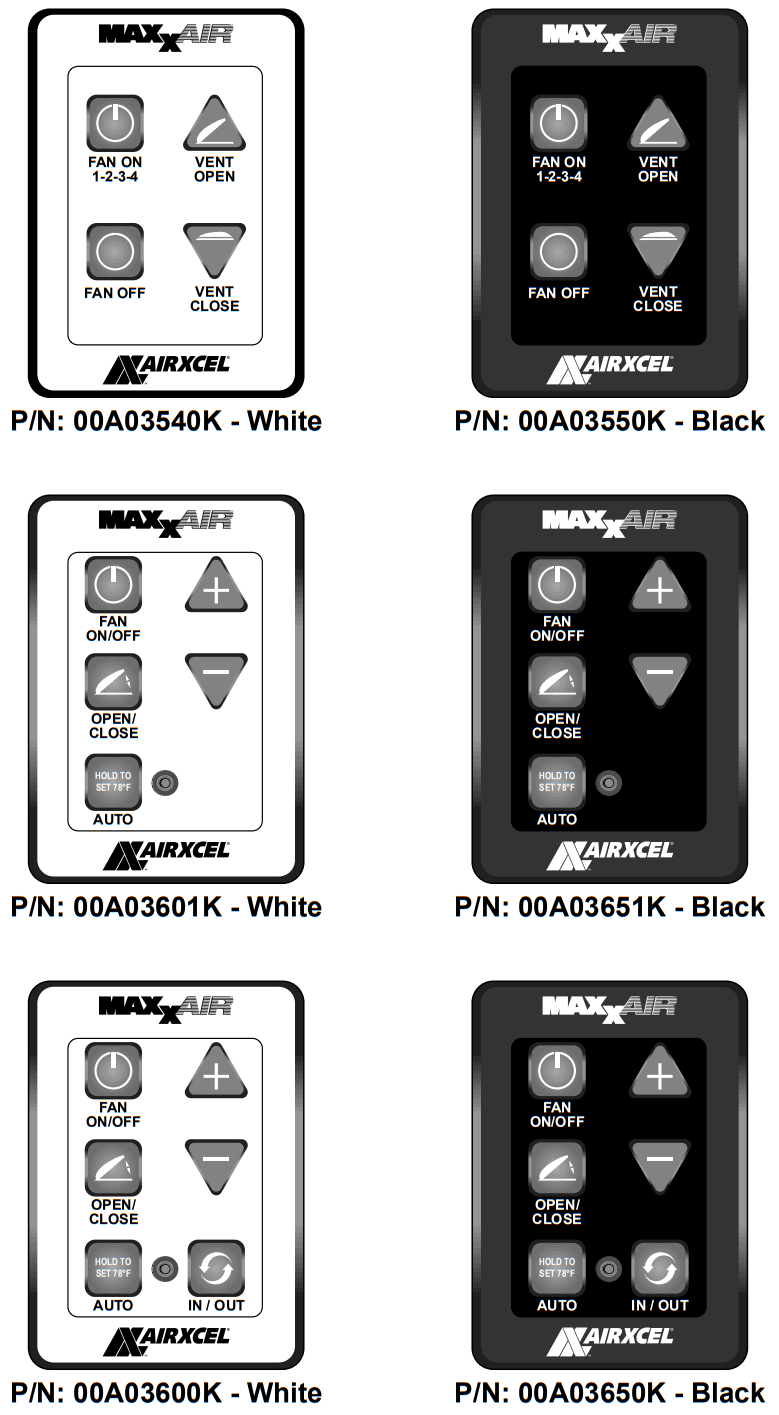
INSTALLATION INSTRUCTIONS FOR ALL WALL CONTROLS
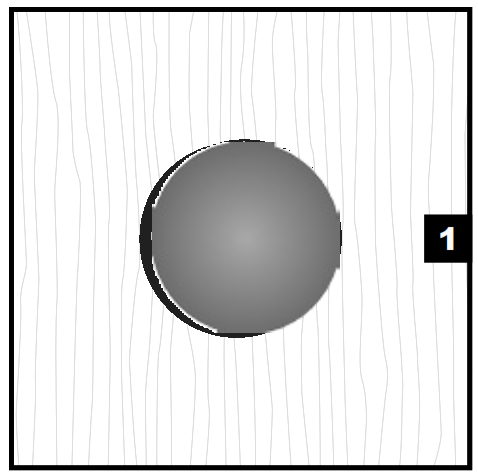 | 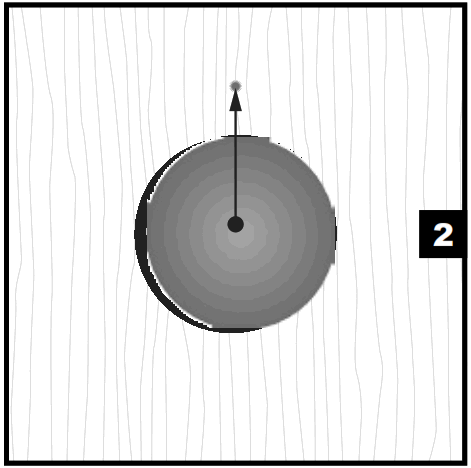 | 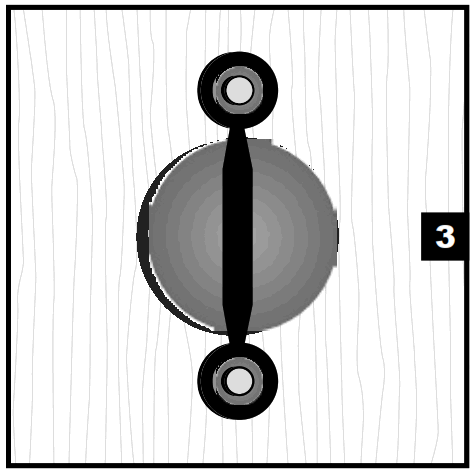 |
| Drill a 1 1/4” hole at the approximate center position of wall control. | Mark a spot 15/16” above the center of the 1 1/4” hole | Align the top mounting tab hole with the spot marked in STEP 2. |
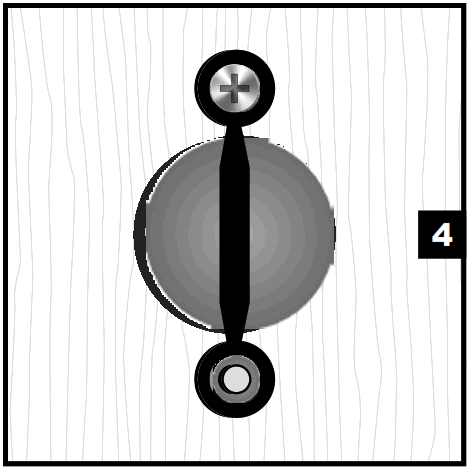 | 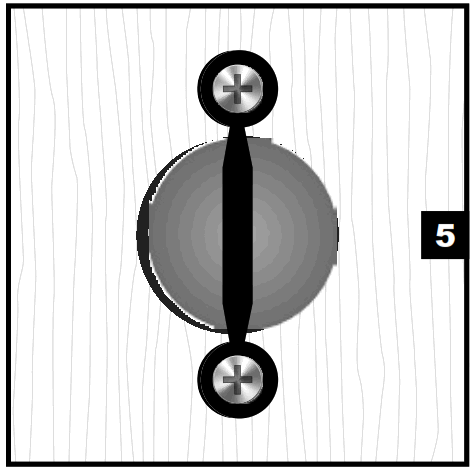 | 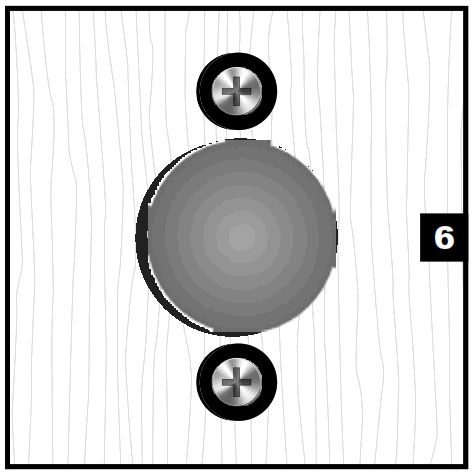 |
| Install one (1) screw in the TOP mounting tab. Do not completely tighten. | Make sure tabs are perpendicular to the floor and install the remaining screw in the BOTTOM mounting tab. Tighten both screws. | Break off the center tab by twisting. |
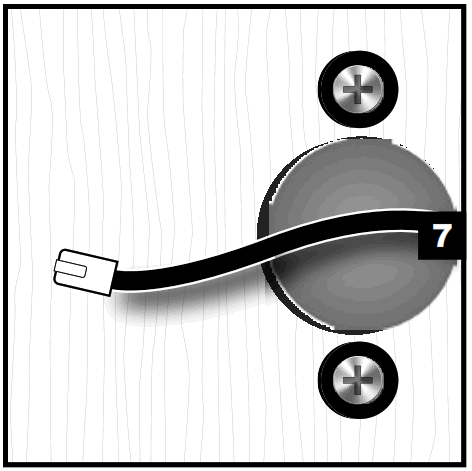 | 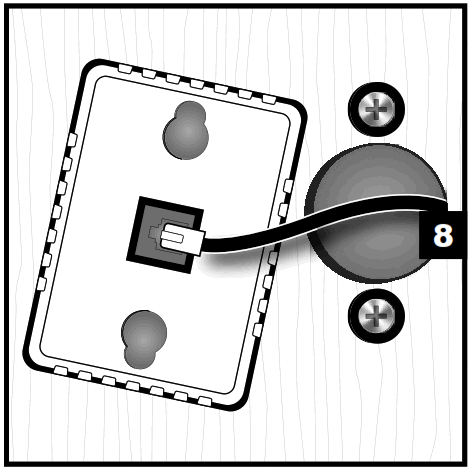 | 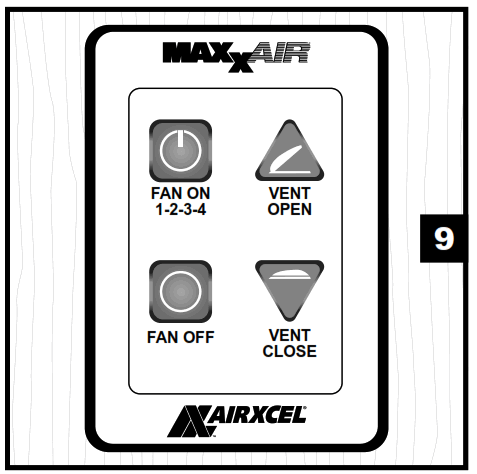 |
| Route the data cable through the 1 1/4” cut hole in STEP 1. | Plug the data cable into the back of the wall control. | Align the wall controls up with the mounting tabs. Slide the wall control down to lock it in place on the mounting tabs. |
4 KEY WALL CONTROL 03540K & 03550K
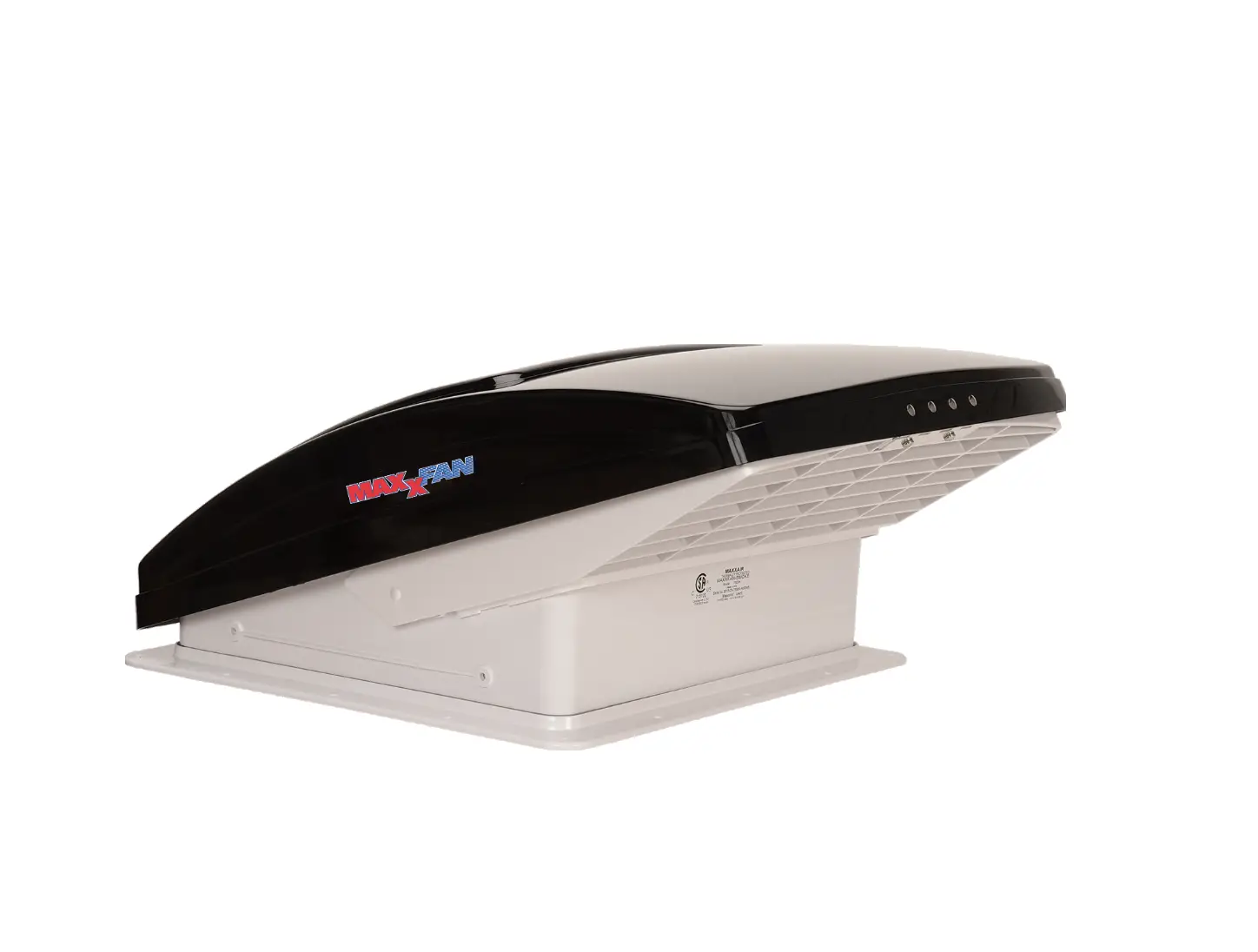
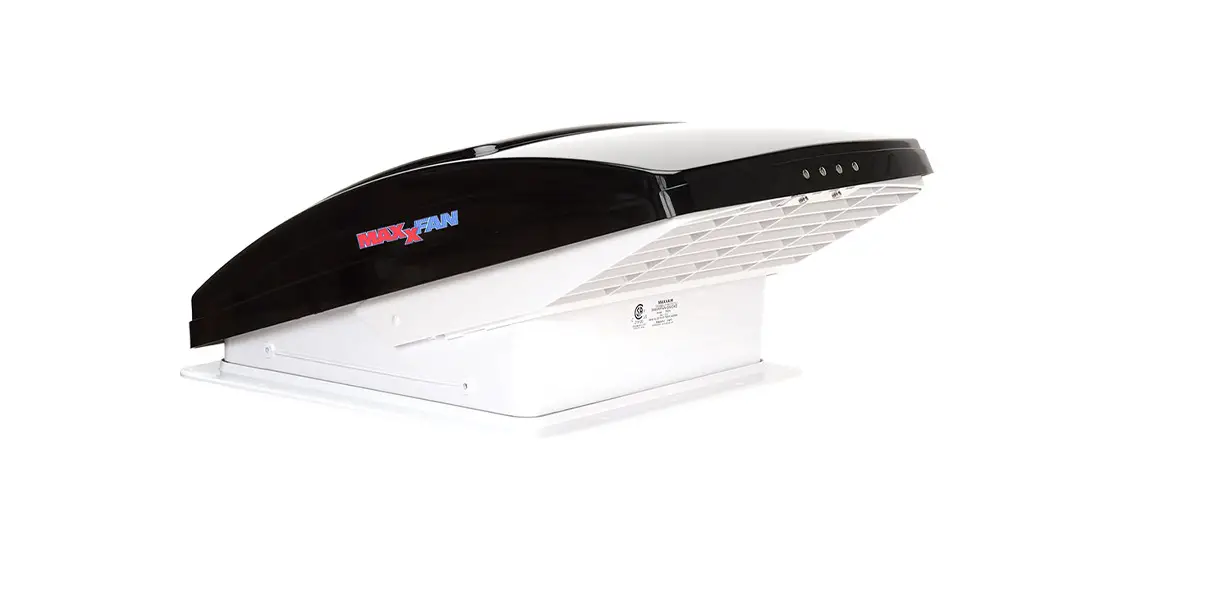
FOR MAXXFAN® Plus models 4751KS & 4951KS
and MAXXFAN® Deluxe models 8751K & 8951K
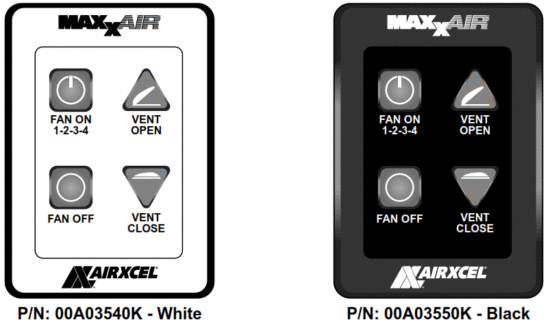
WALL CONTROL FEATURES
- Allows fan control from a convenient wall location
- Turns fan ON or OFF
- 4 Fan Speeds are available
- OPENS or CLOSES Vent Lid
- Easy access to Ceiling Fan Mode
- Keypad controls at the ceiling remain active (if applicable)
OPERATION OF 4 KEY WALL CONTROL
| FAN ON 1-2-3-4 | Turns the fan motor ON at the last selected speed and OPENS the Vent Lid. | When Fan is running, cycles through four (4) fan Speeds. Once HIGH Speed is reached, the fan motorcycles back to LOW Speed. |
| FEN OFF | Turns the Fan Motor OFF and close the Vent Lid | |
| VENT OPEN | OPENS the Vent Lid | Fan motor remains in its previous state |
| VENT CLOSE | CLOSES the Vent Lid | Fan motor remains in its previous state. If the fan motor is ON, the MAXXFAN enters Ceiling Fan Mode |
5 KEY WALL CONTROL 03601K & 03651K
FOR MAXXFAN® Plus models 4700K & 4900K
and MAXXFAN® Deluxe models 8700K thru 8900K
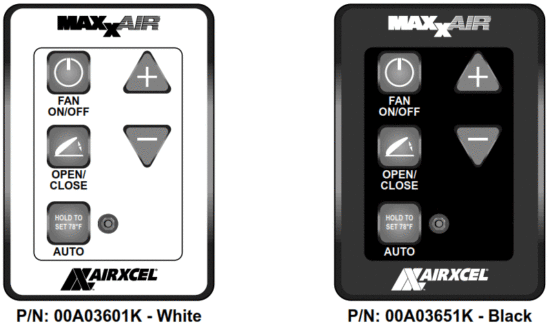
WALL CONTROL FEATURES
- Allows fan control from a convenient wall location
- Turns fan ON or OFF
- 10 Fan Speeds are available
- OPENS or CLOSES Vent Lid
- Easy access to Ceiling Fan Mode
- Activate AUTO mode and set thermostat temperature
OPERATION OF 5 KEY WALL CONTROL
| FAN ON/OFF | Turns the fan motor ON at the last selected speed and OPENS the Vent Lid. Turns the fan motor OFF and CLOSES Vent Lid. Pressing this key when in AUTO mode will cause the fan to exit AUTO mode. |
| AUTO | Puts the fan in AUTOMATIC thermostat mode. The vented lid will automatically open and the fan will turn on to cool the RV when a set temperature is reached. Once RV is cooled down, the fan will turn off and the vent lid will close. The thermostat is set to the last selected temperature (memory function). Green LED will light to indicate MAXXFAN is in AUTO mode. Hold the key for three (3) seconds to reset the thermostat temperature to 78°F, use the (+) & (-) keys to adjust the set temperature up or down. Press the ON/OFF key to exit AUTO mode. |
 | Adjusts the fan speed or thermostat set temperature. When the fan is on in MANUAL mode: adjust the fan speed up or down from 10% to 100% (10 speeds). When the fan is in AUTO mode: adjust the thermostat set temperature up or down by 1°F per keypress. |
| OPEN/CLOSE | OPENS and CLOSES the motorized Vent Lid. Allows the vent lid to be open or closed with the fan motor on or off. Close vent lid with fan motor running in Manual mode to enter Ceiling Fan Mode. |
| RAIN SENSOR MAXXFAN Plus Models Only | Turns OFF the fan and closes the lid if rain is detected. If you press any key to try and activate the fan, it will beep three (3) times to let you know the rain sensor is wet. Press any key to activate the fan after the rain sensor has dried. CAUTION: Rain Sensor will not close the MAXXFAN lif if the lid is opened manually with the knob. |
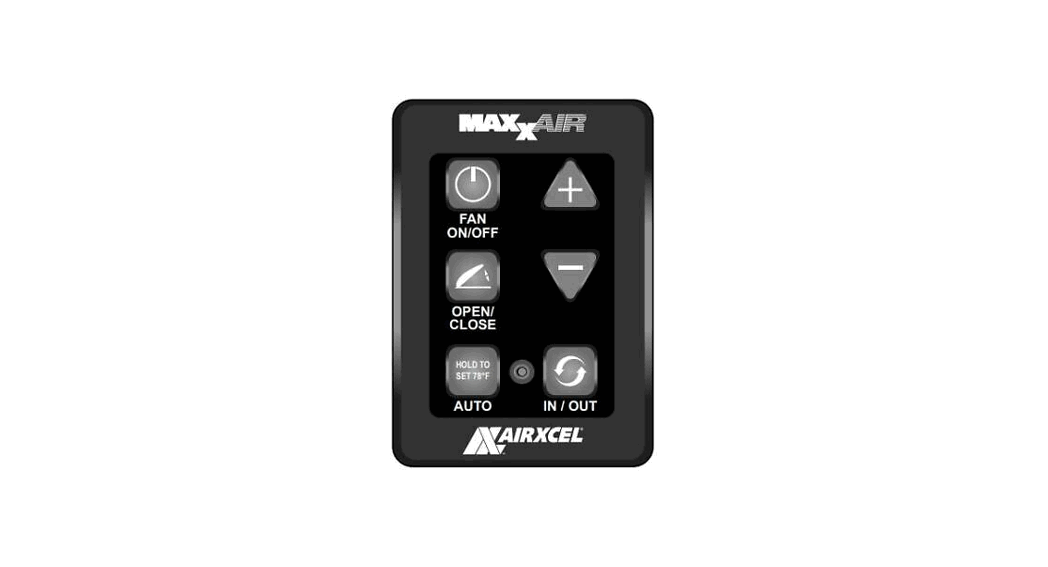
6 KEY WALL CONTROL 03600K & 03650K
FOR MAXXFAN® Plus models 4700K & 4900K
and MAXXFAN® Deluxe models 8700K thru 8900K
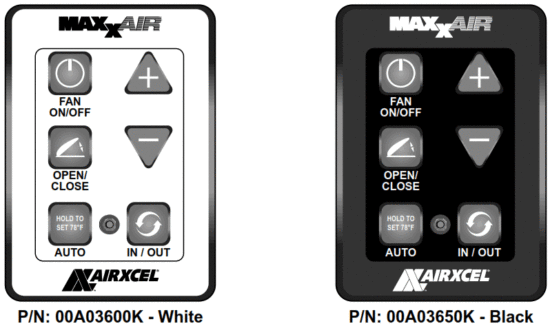
WALL CONTROL FEATURES
- Allows fan control from a convenient wall location
- Turns fan ON or OFF
- 10 Fan Speeds are available
- OPENS or CLOSES Vent Lid
- Easy access to Ceiling Fan Mode
- Activate AUTO mode and set thermostat temperature
- Select INTAKE or EXHAUST
OPERATION OF 5 KEY WALL CONTROL
| FAN ON/OFF | Turns the fan motor ON at the last selected speed and OPENS the Vent Lid. Turns the fan motor OFF and CLOSES Vent Lid. |
| AUTO | Puts the fan in AUTOMATIC thermostat mode. The vented lid will automatically open and the fan will turn on to cool the RV when a set temperature is reached. Once RV is cooled down, the fan will turn off and the vent lid will close. The thermostat is set to the last selected temperature (memory function). Green LED will light to indicate MAXXFAN is in AUTO mode. Hold the key for three (3) seconds to reset the thermostat temperature to 78°F, use the (+) & (-) keys to adjust the set temperature up or down. Press the ON/OFF key to exit AUTO mode. |
| Adjusts the fan speed or thermostat set temperature. When the fan is on in MANUAL mode: adjusts fan speed up or down from 10% to 100% (10 speeds). When the fan is in AUTO mode: adjust the thermostat set temperature up or down by 1°F per keypress. |
| OPEN/CLOSE | OPENS and CLOSES the motorized Vent Lid. Allows the vent lid to be open or closed with the fan motor on or off. Close vent lid with fan motor running in Manual mode to enter Ceiling Fan Mode. |
| IN/OUT | Reverses fan motor for either INTAKE or EXHAUST air direction. |
| RAIN SENSOR MAXXFAN Plus Models Only | Turns OFF the fan and closes the lid if rain is detected. |
ENJOY your new MAXXFAN® or MAXXFAN® Plus in all weather conditions with the NEWFANMATE® FEATURINGEZClip ™ Hardware
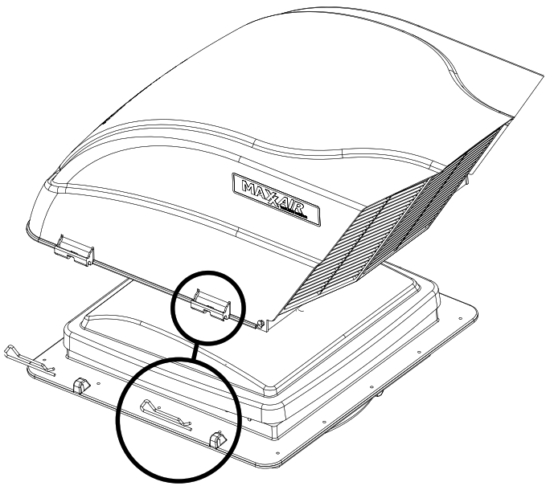
► SUPERIOR rain protection
► LESS than 5% airflow restriction
► UNIQUE design allows for use on ANY high powered or non-powered ceiling fan or vent
► OPTIONAL bug screen
► FULL ACCESS to the fan and optional bug screen courtesy of the EZClip™
EZClip™QUICK, EASY and TOOL-FREE INSTALLATION
The FAN MATE simply fits over the molded, waterproof mounting tabs built into
YOUR MAXXFAN or MAXXFAN Plus. Simply SLIDE the included clip through the tab to secure the FAN MATE cover. FRESH AIR, RAIN, OR SHINE! * Warranty limited to repair or replacement, see Airxcel.com for details.
For additional product information please visit
www.AIRXCEL.com AIRXCEL, INC. – RV Products Division
3050 N. St. Francis St. • Wichita, KS 67219 • 316-832-3400
 Airxcel | AC, Heating & Appliances for Industrial and Personal Use
 Airxcel | AC, Heating & Appliances for Industrial and Personal Use