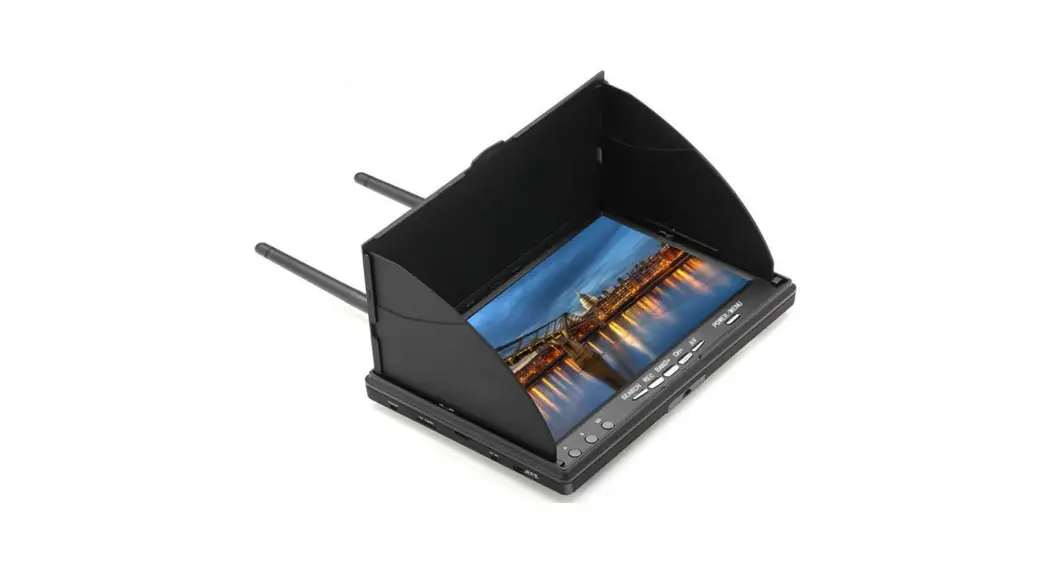
 LCD 5802D
User’s manual
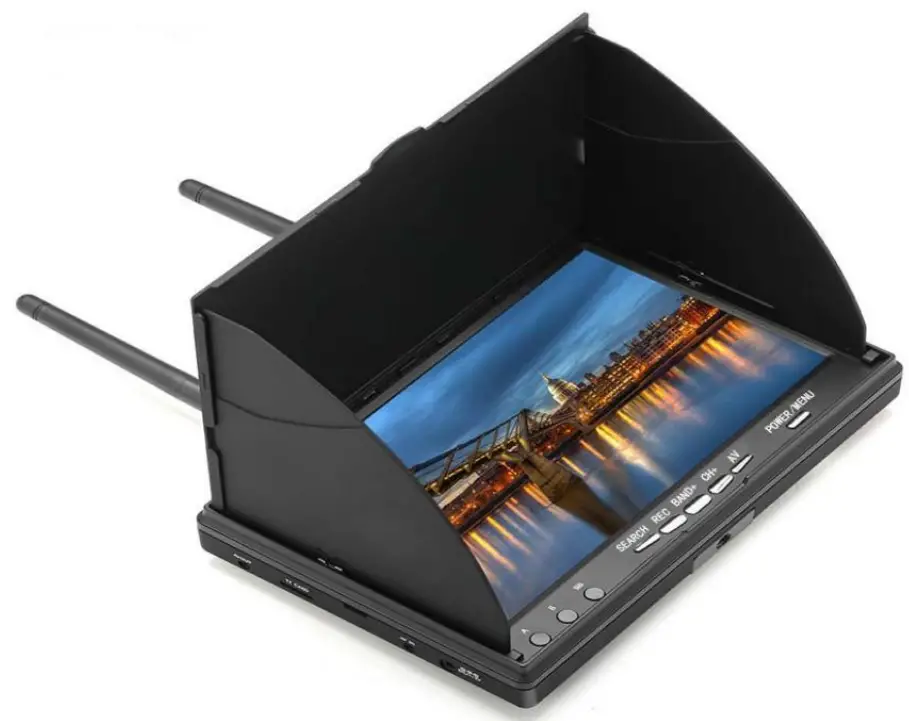
Feature:
- With DVR, you can record videos anytime and anywhere;
- Low power consumption;
- Double module receive, make the signal more stable;
- Auto-Searching, support a key search frequency;
- 7 Inch 800*480 dot high brightness LCD screen;
- Built-in super sensitiveness 5.8GHz 40ch receiver, especially with RaceBand;
- Built-in 7.4V/2000mAh high-capacity Li-ion polymer Battery;
- Universal DC12V 3.5 charging interface;
- Real-time video return, Very low time-delay;
- The menu supports 8 languages;
- Support external audio/video signal input;
- Supports audio/video signal output;
Thank you for your choose and buy the products of this company.
Specification:
| Model | |||||||||
| Name | 5.8G FPV Display | ||||||||
|
LCD Screen | Screen size: 7 Inch | ||||||||
| Resolution: 800*480 | |||||||||
| Display Ratio: 16:9 | |||||||||
| View Angle: 6 o’clock | |||||||||
| Brightness: 300cd/m² with high brightness backlight LED | |||||||||
| Video delay | Video time-delay less than 20ms | ||||||||
| Interface | Antenna | 2 X RP-SMA male | |||||||
| DC055 | To charge the battery | ||||||||
| AV Jack | External video signals input or internal Audio signal output | ||||||||
| Card slot | TF-Card, Support up to 32G(C10 recommend) | ||||||||
|
DVR | REC size: VGA / D1 / HD Selectable | ||||||||
| REC sound: ON / OFF Selectable | |||||||||
| REC time: OFF / 3min / 5min / 10min Selectable | |||||||||
| Frame rate: 30 Frames | |||||||||
| Compress format: MJPEG | |||||||||
| Record file format: AVI | |||||||||
| Languages | English,German,French,Spanish,Ltalian,Chinese,Russian,Japanese | ||||||||
| Power adapter: DC12V/2A (DC3.5 interface) | |||||||||
| Battery: 7.4V/2000mAh, DVR module ON: Each full charge revive around 4hr working time DVR module OFF: Each full charge revive around 3hr working time | |||||||||
| Power Consumption: * Normal mode: The device operating current of 400mA at 7.4V; * Record Mode : The device operating current of 620mA at 7.4V; * Built-in battery maximum charge current of 800mA; | |||||||||
|
Wireless | Frequency Table(MHz) | ||||||||
| CH1 | CH2 | CH3 | CH4 | CH5 | CH6 | CH7 | CH8 | ||
| Band A | 5865 | 5845 | 5825 | 5805 | 5785 | 5765 | 5745 | 5725 | |
| Band B | 5733 | 5752 | 5771 | 5790 | 5809 | 5828 | 5847 | 5866 | |
| Band E | 5705 | 5685 | 5665 | 5645 | 5885 | 5905 | 5925 | 5945 | |
| Band F | 5740 | 5760 | 5780 | 5800 | 5820 | 5840 | 5860 | 5880 | |
| Band R | 5658 | 5695 | 5732 | 5769 | 5806 | 5843 | 5880 | 5917 | |
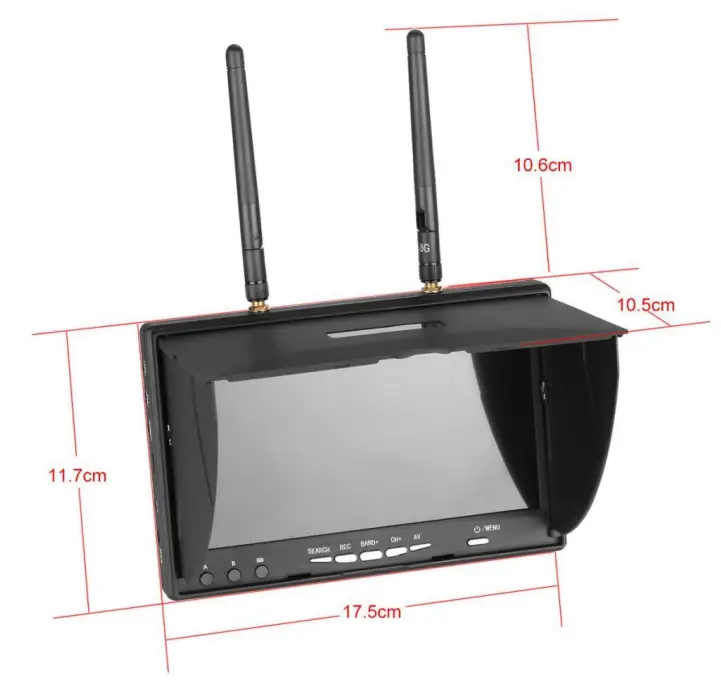
| Body | Dimension: 180mm * 120mm * 50mm(Notc:Sunshield height:28mm) | ||||||||
| Weight: 430g(not included antennas) | |||||||||
* Note: Cannot record video input from AV port. *
Description:
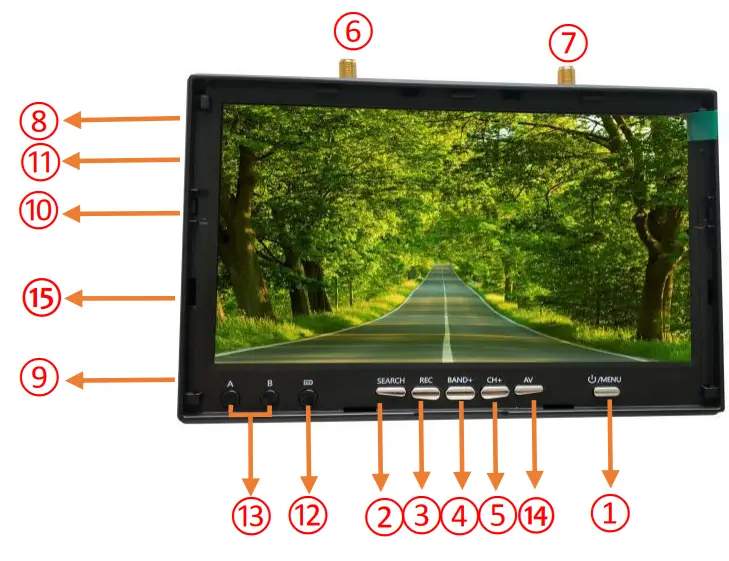
- Key 1: Short press into MENU mode; Long press (More than 2 sec) for Power ON/OFF.
- Key 2: Short press for Auto-Searching;
- Key 3: Short press to start or stop Recording.
- Key 4: Short press for Band+ (Change bands A-B-E-F-R circularly).
- Key 5: Short press for Channel+ (Change channels 1-2-3-4-5-6-7-8 circularly).
- Antenna port A: RP-SMA male.
- Antenna port B: RP-SMA male.
- AV OUT: In RF receiving mode can output video signals and audio signals
- DC055 Charging port: Supports DC12V only.
- Card slot: Used for inserting a memory card.
- RESET: Power Reset.
- Charging indicator: When is charging, the red light is on; When is full, the green light is on.
- RF module works indicator A/B.
- Press the AV key to switch RF and AV modes.
- Audio and video can be input in AV mode.
Menu Instructions:
In the normal mode, press Key 1 to enter the MENU mode.
In MENU mode:
Key 1: Scroll options bar.
Key 2: Auto-Searching.
Key 3: Invalid.
Key 4: Enter / Value +.
Key 5: Enter / Value -.
Playback Instructions:
In the menu mode, select the “Replay” options bar to enter the DVR mode.
In DVR mode:
Key 1: Return / Quit Playback mode.
Key 2: Delete current file.
Key 3: Play / Pause.
Key 4: Forward selection of video / Fast Forward (When video is playing).
Key 5: Backward selection of video / Fast Rewind (When video is playing).
Dimension Diagram:
Safety instruction:
- Read the entire instruction manual to become familiar with the features of the product before operating.
- Age Recommendation: Over 14 years old. Using any near-eye displays on children under 14 can cause eye development problems. This is not a toy.
- Please avoid wet or humid environments.
- Please use a standard DC3.5 charger, the charging voltage can only be DC12V.
- Audio output and Video input cannot work at the same time.