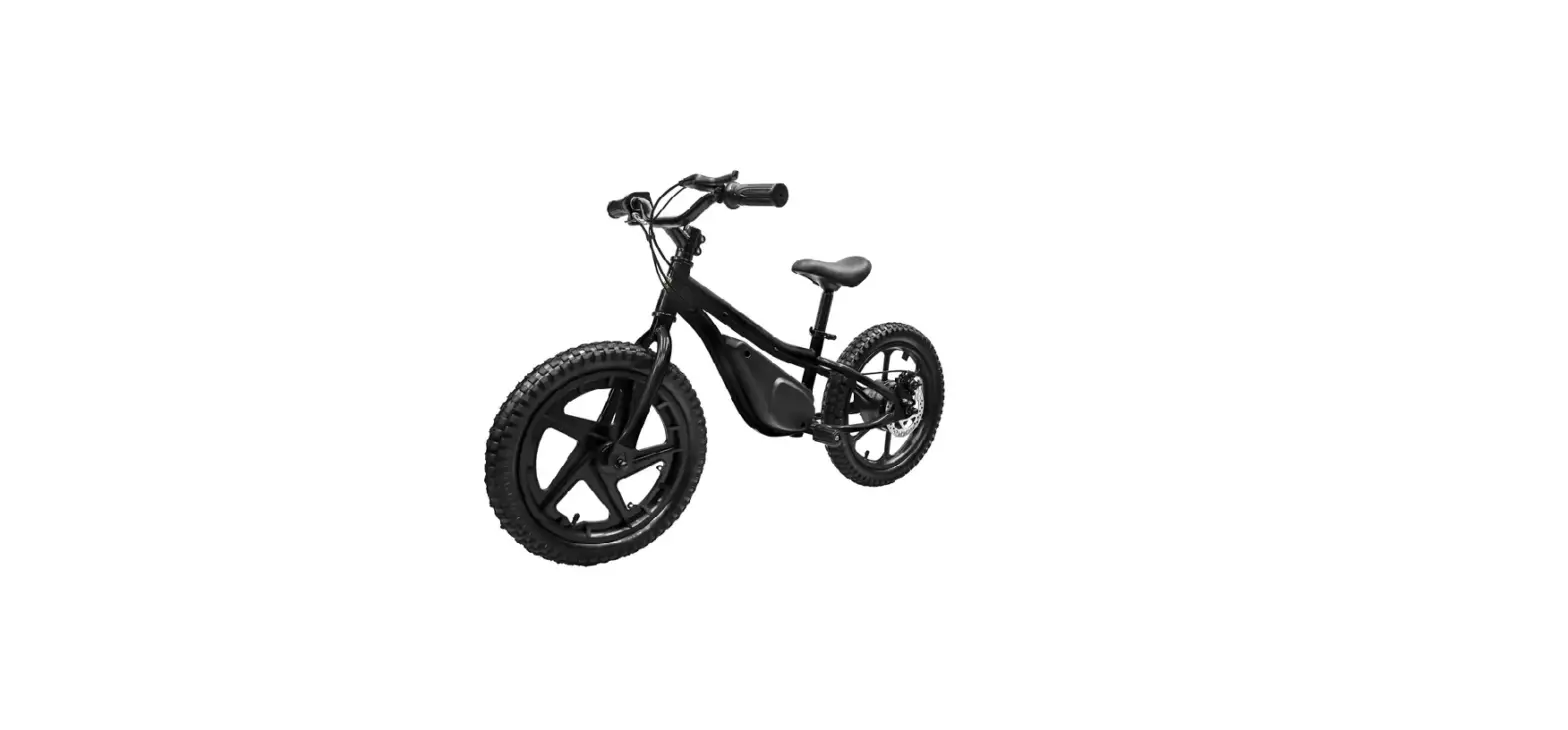
BQi-T3 Pro Electric Bike
Product Information
The BQi Fat Tire 300 is an electrically assisted pedal cycle
(EAPC) manufactured by Jiangsu Niu Electric Technology Co., Ltd. It
has a maximum load capacity of 140 kg and comes with a display,
bell, throttle, step-over and step-through options, tool kit,
cycling kit, charger, key, headlight, battery, kickstand, brake
lever, battery lock, taillight, rear hub motor, pedal, and brake
caliper.
Product Usage Instructions
Before riding the EAPC, please read the user manual carefully
and take note of the advice within. Do not start riding until you
are familiar with the product’s performance and have read the
important safety precautions provided in the user manual. Abide by
the local laws and regulations during your ride to ensure
safety.
Bicycle startup and changing gears
To power on the bicycle, press and hold the On/Off button. The
logo will be shown on the display for 3 seconds before the user
interface appears. Use the + or – button to change the gear.
Battery installation and removal
To install or remove the battery, use the lock and unlock
buttons.
Display functions
The display functions include power on/off, function
confirmation, parameter adjustment, turn on/off the light, booster
mode on/off, and menu action.
Remember to keep your E-bike serial number on hand when
contacting the manufacturer or importer with any questions or
concerns. Always ride in accordance with the instructions and
warnings listed in the user manual to ensure your safety and abide
by national and local laws and regulations.
Manufacturer: Jiangsu Niu Electric Technology Co., Ltd. Importer: BESENDER INC Address: 5199 Brooks st. Suite G Montclair CA 91763
Manufacturer: Jiangsu Niu Electric Technology Co., Ltd. Importer: Traffic Trends Address: 80 Rue Prince arthur est, Montreal, Quebec, Canada H2X1B3
Contact [email protected] Keep your E-bike serial number on hand when contacting us.
NIU E-BIKE USER MANUAL
MANUEL UTILISATEUR DE VÉLO ÉLECTRIQUE NIU
V 1.0
MANUAL DE USUARIO DE BICICLETAS ELÉCTRICAS NIU
NIU E-BIKE USER MANUAL
CONTENTS
Before riding Packing list Assembly instruction Display functions Downloading the App Warnings Troubleshooting User maintenance instructions Moving and storage instructions Specifications After-sales services
Original instructions.
Before riding
01
Thank you for choosing the BQi Fat Tire 300 electrically assisted pedal cycle (EAPC). Please read this user manual
04
carefully before riding and take note of the advice within. Please do not start riding,before you are familiar with
this product’s performance. Please read the important safety precautions provided in this user manual carefully
06
and abide by the local laws and regulations during your ride to ensure safety.
12
· Please read this user manual carefully and do not start riding until you are well acquainted with this bicycle’s
16
features.
20
· This EAPC is a vehicle and shares the potential safety risks that all vehicles have. Please use this product in
accordance with the instructions and warnings listed in this user manual to ensure your and others’ safety to
26
the maximum extent, and please abide by the national and local laws and regulations.
27
· However, your full compliance with this user manual does not fully exclude the risks caused by non-compliant
28
or improper operation by other people or of other vehicles.Like all other vehicles, the higher the EAPC’s speed,
the longer the braking distance. It is essential for you to stay alert and keep a proper speed and distance from
29
other people and vehicles during your ride. Please stay vigilant before you enter unfamiliar terrain and
31
maintain a low speed.
· Please respect pedestrians’ right of way while riding. Avoid startling pedestrians, especially children. When you
are about to pass a pedestrian from behind them, alert the pedestrian and slow down when you pass them.
Try to pass any pedestrians from their left side as much as possible (applicable to countries and regions where
vehicles drive on the right). When you come face to face with a pedestrian, stay on the right side of the
pedestrian and slow down when you pass. Do not park the bicycle at building foyers, evacuation stairs, and
safety exits after use. Please park properly in accordance with the safety rules. One-handed riding is
prohibited!
01
· Do not lend the bicycle to someone who does not know how to use it. Before you start riding, check whether the brakes work properly. When you brake, please use the rear brake first, and then the front brake. Remember to check the brake tightness. When the brakes are too loose, use an Allen wrench to tighten them. Increase the braking distance when you ride in rain or snow.
· Suggested user age: 18 and up. · Off-road riding requires close attention and specific skillsand it presents variable conditions and hazards. · Wear appropriate safety gear and don’t ride alone in remote areas. Check local rules and regulations about
whether off-road ebike riding is allowed.Wet weather: · It is recommended to not ride in wet weather if avoidable. If you had to ride in wet weather, please pay attention
to the following: · Before riding, check whether the various functions of the bicycle can work normally, especially the brakes. · In wet weather you need to take extra care when operating this bike. · Decrease riding speed to help you control the bike in slippery conditions. · Brake earlier since it will take longer to slow than when operated in dry conditions. · Take care to be more visible to others on the road. Wear reflective clothing and use approved safety lights. · Road hazards are more difficult to see when wet, proceed with caution. Night Riding: It is recommended to not ride at night if avoidable. If you had to ride at night, please pay attention to the following: · Wear reflective and light-colored clothing. · Slow down and use familiar roads with street lighting, if possible. · Ensure tire wall, pedal, and other reflectors are installed and unobstructed. · Ensure the bike is equipped with head and tail lights and works properly.
02
· Please make sure you wear a safety helmet and abide by the traffic rules during the ride. Cycling on motor vehicle lanes or roads with many pedestrians is prohibited. Please check the tire pressure before riding. The recommended tire pressure range is less than 40 psi. The speed on downhill or unpaved roads should be kept at or below 15 km/ h.
· Please check the EAPC’s basic conditions before each ride.Under any conditions that may undermine the riding safety, such as loose or damaged parts, significantly reduced battery life, tire leakage or excessive wear, and abnormal noise or alarm of the bicycle, please stop using the bicycle immediately. Never ride under. these conditions. Riding in excess of the maximum load of the bicycle body (140 kg) is prohibited.
Max.140 KG!
Riding in excess of the maximum load of the bicycle body (140 kg) is prohibited.
03
Packing list
Component descriptions
Display Bell
Throttle
Step-over stepover
Step-through
tool kit
Cycling kit 04
Charger
Key
User manual
1 Headlight 5 Battery 9 Kickstand
2 Brake lever 6 Saddle 10 Pedal
Battery lock
3 Battery lock 7 Taillight 11 Brake Caliper
4 Charging port 8 Rear Hub Motor
05
Bicycle startup and changing gears
Buttons
[On-Off] button [+] button [-] buttonPress and hold the On/Off button to power on the bicycle. The logo will be shown in the display for 3 seconds before the user interface appears. You can tap the “+” or “-” button to change the gear.
1. Power on/off 2. Function confirmation 1. Parameter adjustment 2. Turn on/off the light 1. Parameter adjustment 2. Booster mode on/off
3. Menu action 3. Menu action
10
Battery installation and removal
LOCK
01
UNLOCK
02
11
Display functions
Display info
ODO
12 0 km
TRIP DIST
23.4 km
TRIP TIME
0000 44
1
2
3
100% Controller Over Temperature Warning
60 km/h
3
ASSIST
4
5
67
8
Press the On/Off button to change display area
ODO
12 0
Odometer
TRIP DIST
2 3.4
Trip distance
TRIP TIME
0000 4
Trip time: HHH:MM
12
RIDING TIME
00 00 00
Riding time HH:MM:SS
AVG SPEED
0 4 km/h
Avg. Speed
MAX SPEED
0 4 km/h
Max. Speed
1 2 Headlight indication 3 Batter 2 level (percentage) 4 Info area 5 Speed ring 6 Speed 7 Gear 8 Power ring
CADENCE
1 9 0 rpm
Cadence
RANGE
1 9 0 km
Range
CAL BURNT
1 9 0 kcal
Calories burnt
When the bicycle is powered off, press and hold the [On/Off] button to go to the boot logo interface. The interface will stay on for 2 seconds before the ride interface appears:
ODO
12 0 km
100%
TRIP DIST
23.4 km
TRIP TIME
0000 44
60 km/h
3
ASSIST
In any interface after the startup, you can press and hold the [On/Off] button to power off the bicycle.
Do not power on/off when stepping the pedals. In order to avoid accidental triggering, it is recommended to adjust the gear after getting on the bicycle.
13
Gear change
Click the [+]/[-] button to change gears. You can press and hold the [-] button to activate Pedestrian mode, and release the [-] button to exit Pedestrian mode.
ODO
12 0 km
TRIP DIST
23.4 km
TRIP TIME
0000 44
100%
60 km/h 3 ASSIST
ODO
12 0 km
TRIP DIST
23.4 km
TRIP TIME
0000 44
100%
60 km/h ASSIST
Turn on/off the light When the bicycle is in use, you can press and hold the [+] button to turn on or off the light.
14
User manual
When the bicycle is stationary and error-free, press and hold the [+] + [-] combination for 1 second in the main interface to go to the user menu interface.
100%
Display Unit
km/h
Back
To ensure user safety, the user menu can be opened only when the bicycle is stationary (speed at 0). In this interface, you can click the [+]/[-] button to switch between the submenus, and click the [On/Off] button to go to the interface of the selected submenu. If no actions are performed for 60 seconds in this interface, it will automatically go back to the main interface.
1. Change display unit Switch to the Display Unit option, and click the [On/Off] button to switch between km/h and mph and save the change
100%
100%
Display Unit
km/h
Back
Display Unit
mph Back
15
2. Set backlight brightness Switch to the Backlight Brightness option and click the [On/Off] button. After the cursor appears below the level number, you can adjust the backlight brightness by pressing the [+]/[-] button, and press the [On/Off] button to confirm the selection and exit. The brightness range is 1-5 (fixed) and Auto (adaptive). You can press and hold [+]/[-] to make quicker adjustment.
100%
100%
Backlight Brightness
AUTO
Back
Backlight Brightness
5
Back
3. Set the auto power-off time (Auto Power Off) Switch to the Auto Power-Off option and click the [On/Off] button. After the cursor appears below the number, you can adjust the auto power-off time (in minutes) by pressing the [+]/[-] button, and press the [On/Off] button to confirm the selection and exit. The auto power-off time range is 0-99 minutes, and “OFF” means to disable the automatic power-off feature. You can press and hold [+]/[-] to make quicker adjustment.
16
100%
100%
Auto Power Off
10min
Back
Auto Power Off
OFF
Back
4. To clear the distance, time, and calories data of a specific trip (TRIP DIST, TRIP TIME, and CAL BURNT), press and hold the [On/Off] button and the [+] button at the same time.
Important
1. Before you plug or unplug the display, make sure you’ve turned off the power, otherwise the display may suffer a permanent electrical damage from the hot plugging.
2. When you install the display, make sure that the torque value of the hexagon screw is 0.5 N·m (0.6 N·m at the maximum). Excessive torque may damage the display structure.
3. Do not immerse the display in water. 4. When you clean the display, use a soft cloth dipped in clean water to wipe its surface. However, do not use any detergent or
spray any liquid onto the surface. 5. The USB port of the display is not waterproof when it is in use. When you ride in rain, make sure that the protective rubber
plug of the USB port is closed tightly. Do not connect the display to an external device in the rain. 6. Please abide by the local laws and regulations when you retire your bicycle and discard or recycle it in an environmentally
friendly manner. Do not discard the display or any accessories as household waste. 7. Any damage or failure of the display caused by improper installation or use are not covered by after-sales warranty.
17
Downloading the App
NIU E-bike App
Scan the QR code on the left, install the Niu E-bike App, bind and activate the scooter according to the prompts. Your mobile phone needs to be the Bluetooth functional version 4.2 or above; iOS system version 10.0 or above; AndroidTM system version Android 5.0 or above.
01 After installing the App, please log in
and register.
18
Bind with Bluetooth
02 APP
NIU
NIU
E-bike Black
03
00S
Press the ” ” to complete bluetooth connection.
<
NIU
60KM
64%
04 APPAPP
19
WARNINGS
You are exposed to a risk of fall and injury during ride. Please wear a helmet and protective gear throughout your ride.
Do not ride in stagnant water exceeding 25 cm in depth.
Do not carrying other people or ride while holding children.
You are exposed to a risk of fall and injury during ride. Please wear a helmet and protective gear throughout your ride.
20
The braking distance may be extended in rainy and humid weather. Please ride carefully and prevent water from entering the battery compartment when riding in rainy weather.
Always keep your hands on the handlebar when driving.
Do not pass at high speed when encountering deceleration zone / potholes or other unconventional roads pavement.
21
Do not ride up and down stairs or crossing obstacles.
Please avoid obstacles during your ride, and turn on the lights when you ride in a dark environment.
Do not hang heavy objects such as backpacks on the handlebar, which may compromise the stability of the bicycle.
22
It is prohibited to turn the handlebar drastically when you ride at high speed.
Do not touch the brake disc immediately after use to avoid burns.
WARNING hot surface
WARNING
This device complies with part 15 of the FCC rules and RSS-247 of Industry Canada. Operation is subject to the following two conditions: (1) this device may not cause harmful interference, and (2) this device must accept any interference received, including interference that may cause undesired operation. Le présent appareil est conforme aux CNR d’Industrie Canada applicables aux appareils radio exempts de licence. L’exploitation est autorisée aux deux conditions suivantes : (1) l’appareil ne doit pas produire de brouillage, et (2) l’utilisateur de l’appareil doit accepter tout brouillage radioélectrique subi, même si le brouillage est susceptible d’en compromettre le fonctionnement. This Class B digital apparatus complies with Canadian ICES-003. Cet appareil numérique de la classe B est conforme à la norme NMB-003 du Canada
23
NOTE: The manufacturer is not responsible for any radio or TV interference caused by unauthorized modifications to this equipment. Such modifications could void the user’s authority to operate the equipment.
NOTE: This equipment has been tested and found to comply with the limits for a Class B digital device, pursuant to part 15 of the FCC Rules. These limits are designed to provide reasonable protection against harmful interference in a residential installation. This equipment generates uses and can radiate radio frequency energy and, if not installed and used in accordance with the instructions, may cause harmful interference to radio communications. However, there is no guarantee that interference will not occur in a particular installation. If this equipment does cause harmful interference to radio or television reception, which can be determined by turning the equipment off and on, the user is encouraged to try to correct the interference by one or more of the following measures: Reorient or relocate the receiving antenna. Increase the separation between the equipment and receiver. Connect the equipment into an outlet on a circuit different from that to which the receiver is connected. Consult the dealer or an experienced radio/TV technician for help This device and its antenna(s) must not be co-located or operating in conjunction with any other antenna or transmitter.
Important safety instructions
WARNING – When using this product, basic precautions should always be followed, including the following: Read all the instructions before using the product. To reduce the risk of injury, close supervision is necessary when the product is used near children. Do not put fingers or hands into the product.
24
Do not use this product if the flexible power cord or output cable is frayed, has broken insulation, or any other signs of damage. For an off board charger provided with a field wiring terminal or leads, the installation instructions shall state that the installation is intended to use copper wires only. For an off board charger, when a pressure terminal connector, or the fastening hardware, are not provided on the unit as shipped. The instruction manual shall indicate which pressure terminal or component terminal assemblies are for use with the unit.With reference to (f), the terminal assembly packages and the instruction manual shall include information identifying the wire size and the manufacturer’s name, trade name, or other descriptive marking by which the organization responsible for the product is identified. When a pressure terminal connector provided on an off board charger, for a field installed conductor requires the use of other than an ordinary tool for securing the conductor, identification of the tool and any required instructions for using the tool shall be included in the installation instructions. The instruction manual for a unit where the abnormal test is terminated by operation of the intended branch circuit over current protective device, shall include the word “CAUTION” and the following or equivalent: “To reduce the risk of fire, connect only to a circuit provided with 20 amperes maximum branch circuit overcurrent protection in accordance with the National Electrical Code, ANSI/NFPA 70.” The blank space is to be filled in with the applicable ampere rating of branch circuit overcurrent protection.
25
Troubleshooting
Priority 1 2 3 4 5 6 9
8
Error code on dashboard Power tube Error Overcurrent Error Motor Phase Error Hall Error Stall Warning Drive Power Error Overvoltage Error
Undervoltage Warning
10
Controller Over Temperature Warning
Meaning of code Power Tube Error Overcurrent Error Motor Phase Error Hall Error Stall Warning Drive Power Error Overvoltage Error
Undervoltage Warning
Controller Over Temperature Warning
11
Motor Over Temperature Warning
Motor Over
Temperature Warning
13
Throttle Hall Error
14
Brake Error
15
Communication Error
Throttle Hall Error Brake Error Communication Error
What to do Please contact the dealer. Please contact the dealer. Please contact the dealer. Please contact the dealer. Please charge the bicycle or contact the dealer. Please contact the dealer. Please contact the dealer. Please charge the bicycle or contact the dealer.
Let the bicycle stand and use only after its internal temperature returns to normal.
Let the bicycle stand and use only after its internal temperature returns to normal.
Check if the throttle gets stuck and if the wiring is loose. / Please contact the dealer
Please contact the dealer.
Please check brake status. / Please contact the dealer.
26
User maintenance instructions
Bicycle cleaning and maintenance
Wipe the main frame clean with a soft, damp cloth. For stubborn stains, apply toothpaste and brush them repeatedly with a toothbrush, and then clean them with a soft, damp cloth.
Do not use alcohol, gasoline, kerosene, or other corrosive, volatile solvents to clean your bicycle. These substances may damage the exterior and interior structure of the bicycle body. Do not use a high-pressure water gun or hose to spray or wash the bicycle. Before you clean your bicycle, make sure that the bicycle has been powered off and is not being charged, and that the charging port has been closed tightly, otherwise the electrical components may be damaged or water may seep into the battery. Do not charge your bicycle when the charging port or charging cable is wet. · If you hear any abnormal noise when riding or walking your bicycle, do not ride it for the time being and
carefully identify the source of the abnormal noise. You can ride and use the bicycle after the problem is resolved. · Do not use a battery pack of another model or manufacturer, otherwise potential safety hazards may arise. · Use only the charger recommended by the manufacturer to charge your bicycle, otherwise the battery may be damaged or poses a risk of fire. Do not try to modify the circuit system of the bicycle. It is prohibited to touch the battery contacts, or disassemble or puncture the battery case. Prevent any metal objects from touching the battery contacts, which may cause a short circuit, otherwise battery damage or personal injury may arise. · Do not place the bicycle near a heat source, otherwise the battery may suffer a failure, overheat, or even catch fire. · Do not charge or continue using a battery that has been damaged or has water. · Do not immerse the battery or the bicycle frame in water or ride it in rain, or wash the bicycle body with a sharp stream of water or a high-pressure flushing pipe to protect the battery compartment, circuit chips, etc. against water.
27
Moving and storage instructions
Please store the bicycle in a flat, stable, well-ventilated, and dry place. · Try to protect the bicycle from sun and rain to reduce damage or aging of parts. · When the bicycle is to be unused for a long time, please keep the battery level between 30%-70%, and recharge it once
every 2 months to prolong the battery life. · When the bicycle is to be used again after long-term storage, please fully charge the battery first and check the tire
pressure to keep the latter within the recommended range. · Do not hesitate to contact your dealer or send an email to the following mailbox. [email protected]
28
Specifications
Product size Product weight Riding request
Vehicle parameters
Length × width × height
Net weight
Maximun Load Age range
Height Pedal Assist Speed Throttle Assist Speed Average battery life[1] Maximum slope (Throttle Assist mode)[2] Maximum slope (Pedal Assist mode)[2] Applicable terrain Working temperature Storage temperature
A-weighted emission sound pressure level
IP rating
BQi-T3 Pro
1986 × 680 × 1158 mm (78.2 × 26.8 × 45.6 in ) Approx. 32 kg (70.5 lbs) 309 lbs (140 kg) 18+ 5’3″~6’6″ (160-200 cm)
Approx.28 mph [45 km/h] Approx.20 mph [32 km/h] Approx. 50 miles (82 km)
14.1 %
21.3 % Nearly all road 5~113°F (-15~45°C) 32~104°F (0~40°C)
55 dB
IP 45
29
Battery pack parameters
Motor parameters Tire parameters
Charger parameters
Rated voltage Rated voltage Charging voltage Charging temperature Battery management system Rated power Tire technical specifications Recommended tire pressure Input voltage Rated output Output power Charging time
BQi-T3 Pro
48 VDC 768 Wh 54.6 VDC 32~104°F (0~40°C) 7th NIU EnergyTM smart power tech 0.75 kW 26″ × 4″ MAX 140 KPa 100-240 V ~ 2.5 A Max50-60 Hz 54.6 V 3.0 A 163.8 W Approx 5.5 h
30
After-sales services
The warranty period begins based on the purchase invoice. If this is unavailable, an order receipt is used. If this cannot be provided, the product activation date or the NIU system record date shall be used. For e-commerce orders, the start time of the warranty period is based on the delivery date of the product to the customer. See below for warranty coverage.
Main body (including battery, charger, chain drive system, frame, motor, front fork, handlebar, stem, main wiring harness, and speed sensor)
Accessories (including dashboard, thumb throttle, controller, brake handle, brake disc, saddle, kickstand, pedals, headlights, taillights, rear racks, battery locks, and other non-consumable parts)
Consumable parts (including bells, brake cables, and fenders)
2 years 1 year 6 months
The final interpretation right of after-sales service is reserved by NIU Technologies Need help? Email us at [email protected]
31
Date Notes
Maintenance Record
Mileage
Dealer
32
Date Notes
Maintenance Record
Mileage
Dealer
33
FCC Caution. a§ 15.19 Labeling requirements. This device complies with part 15 of the FCC Rules. Operation is subject to the following two conditions: (1) This device may not cause harmful interference, and (2) this device must accept any interference received, including interference that may cause undesired operation. b§ 15.21 Changes or modification warning. Any Changes or modifications not expressly approved by the party responsible for compliance could void the user’s authority to operate the equipment. c§ 15.105 Information to the user. Note: This equipment has been tested and found to comply with the limits for a Class B digital device, pursuant to part 15 of the FCC Rules. These limits are designed to provide reasonable protection against harmful interference in a residential installation. This equipment generates uses and can radiate radio frequency energy and, if not installed and used in accordance with the instructions, may cause harmful interference to radio communications. However, there is no guarantee that interference will not occur in a particular installation. If this equipment does cause harmful interference to radio or television reception, which can be determined by turning the equipment off and on, the user is encouraged to try to correct the interference by one or more of the following measures: -Reorient or relocate the receiving antenna. -Increase the separation between the equipment and receiver. -Connect the equipment into an outlet on a circuit different from that to which the receiver is connected. -Consult the dealer or an experienced radio/TV technician for help.
RF warning for Mobile device: This equipment complies with FCC radiation exposure limits set forth for an uncontrolled environment. This equipment should be installed and operated with minimum distance 20cm between the radiator & your body. IC Caution:
This device complies with Industry Canada licence-exempt RSS standard(s). Operation is subject to the following two conditions: (1) This device may not cause interference, and (2) This device must accept any interference, including interference that may cause undesired operation of the device.
Le présent appareil est conforme aux CNR d’Industrie Canada applicables aux appareils radio exempts de licence. L’exploitation est autorisée aux deux conditions suivantes: (1) l’appareil ne doit pas produire de brouillage, et (2) l’utilisateur de l’appareil doit accepter tout brouillage radioélectrique subi, même si le brouillage est susceptible d’en compromettre le fonctionnement
RF warning for Mobile device:
This equipment complies with IC radiation exposure limits set forth for an uncontrolled environment. This equipment should be installed and operated with minimum distance of 20 cm between the radiator and your body. This transmitter must not be co-located or operating in conjunction with any other antenna or transmitter.