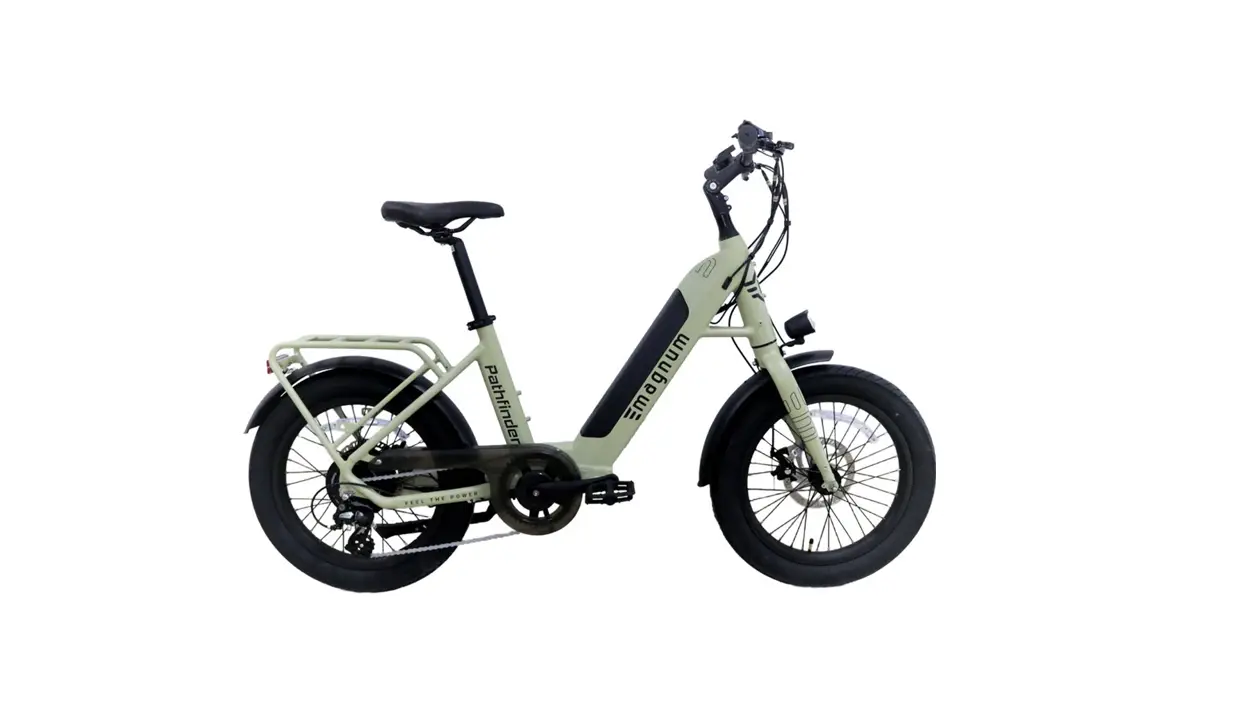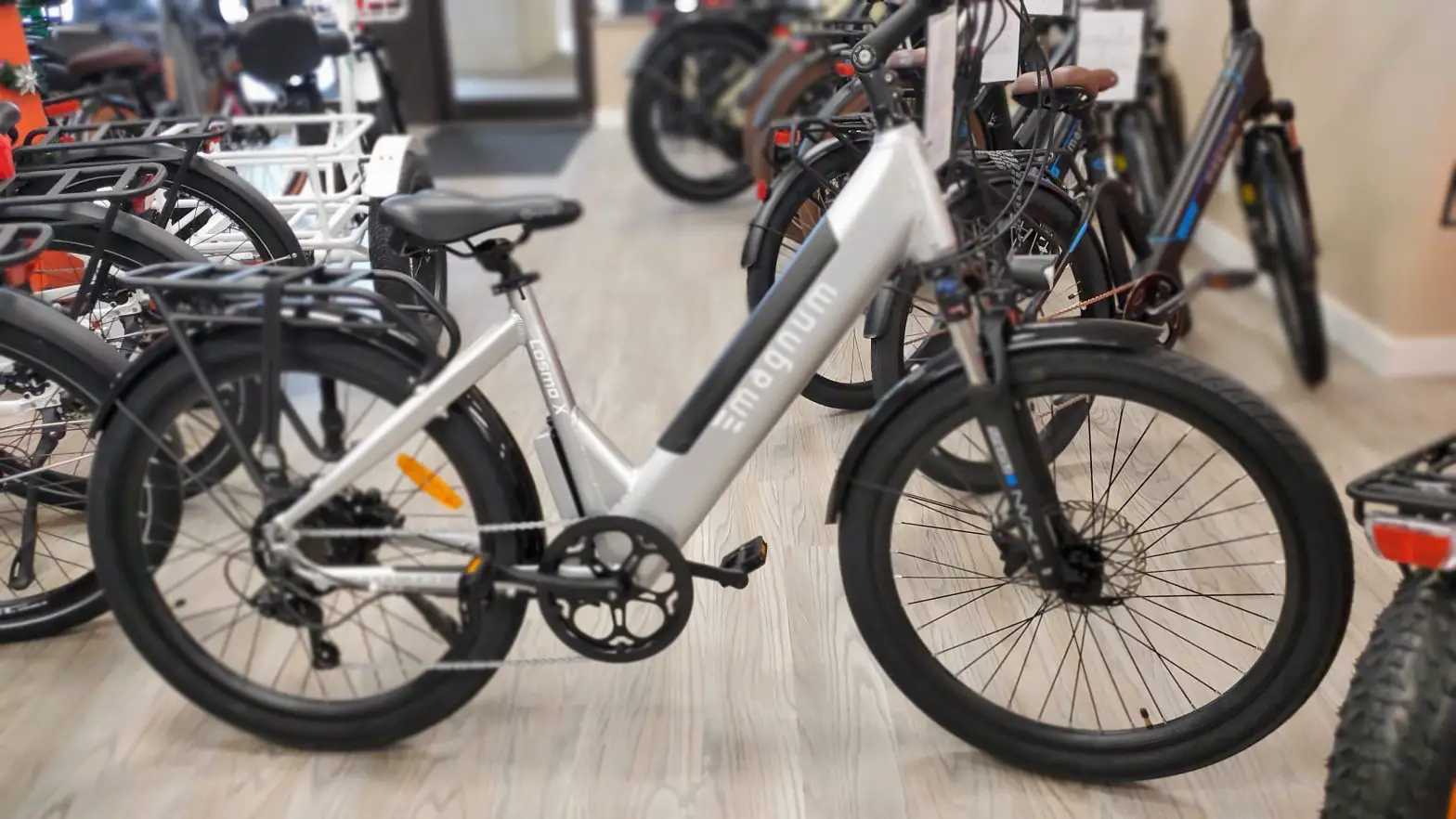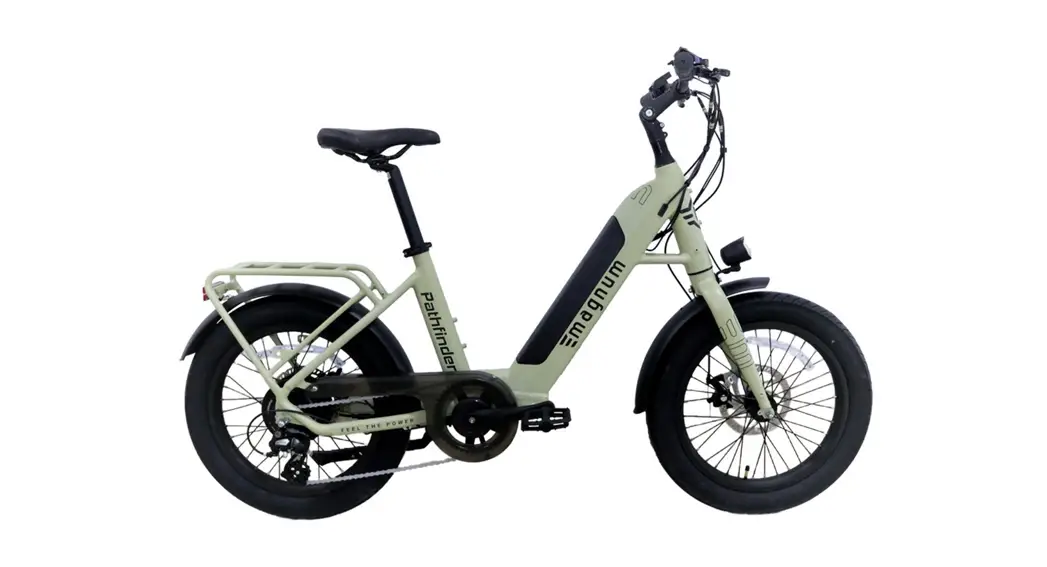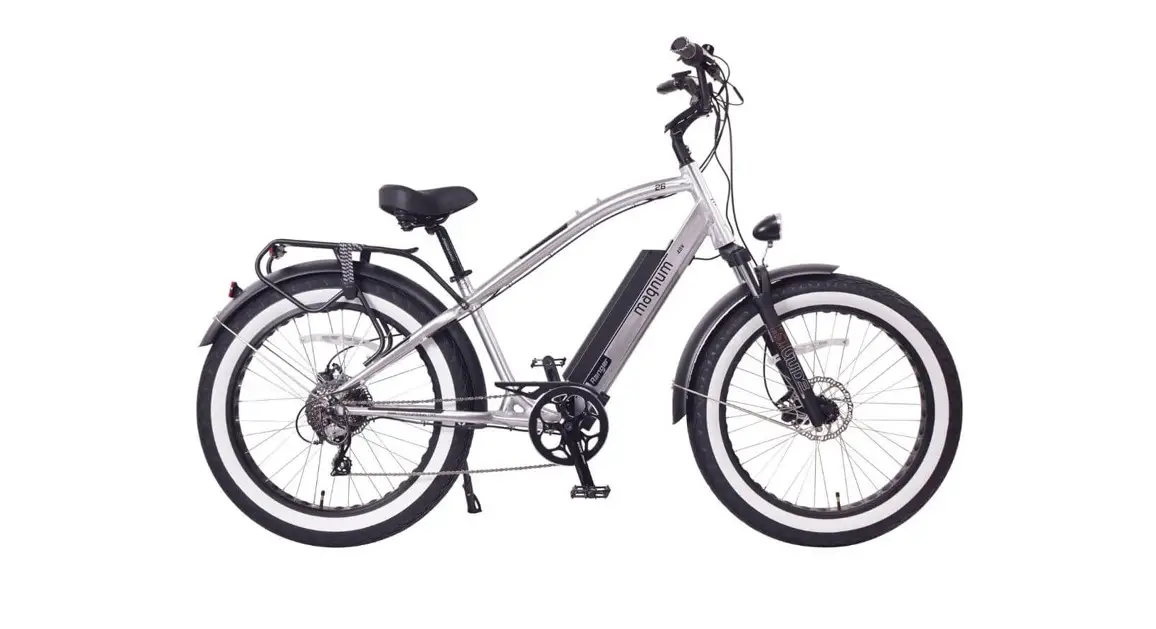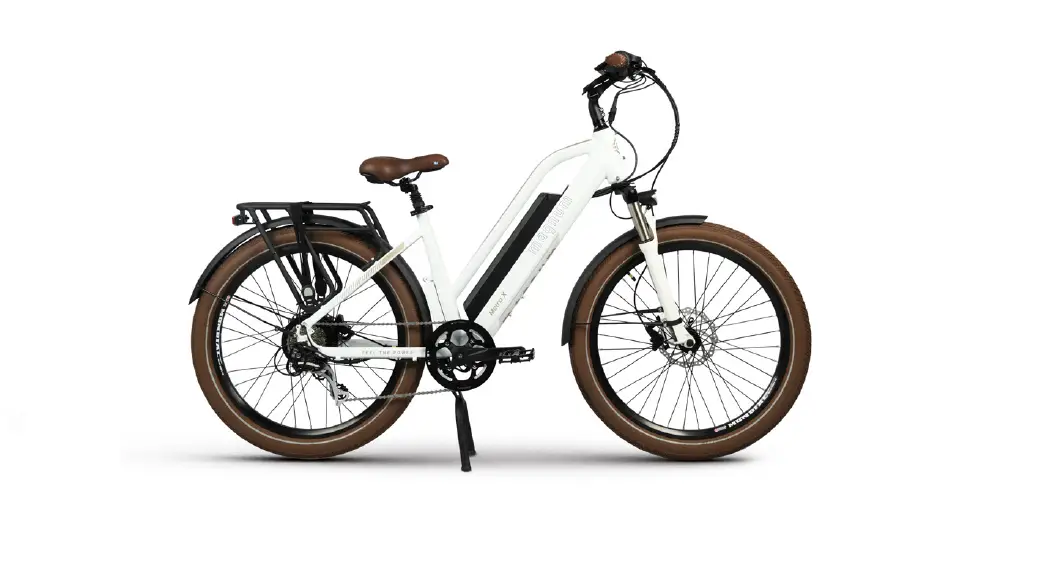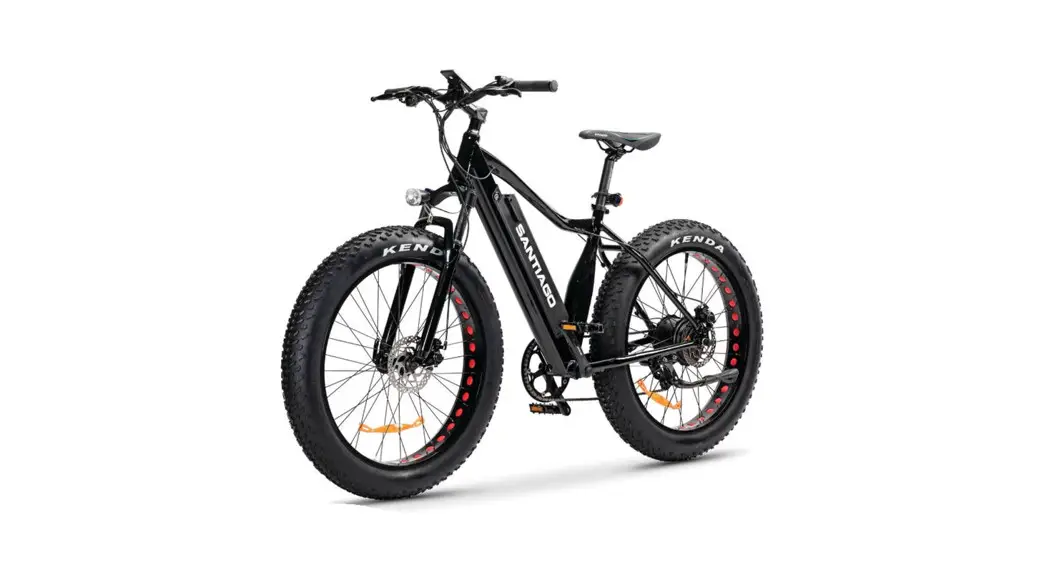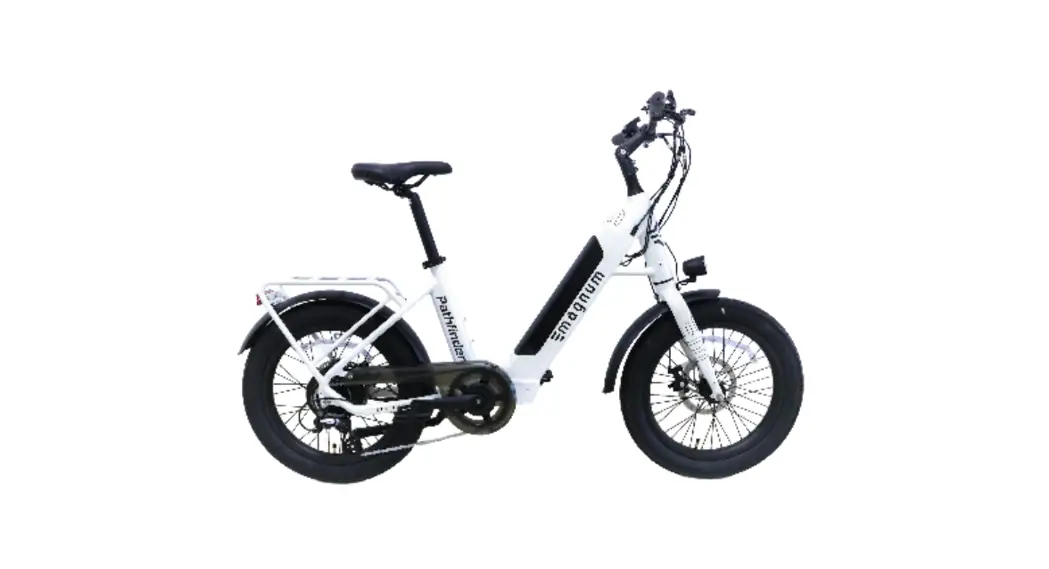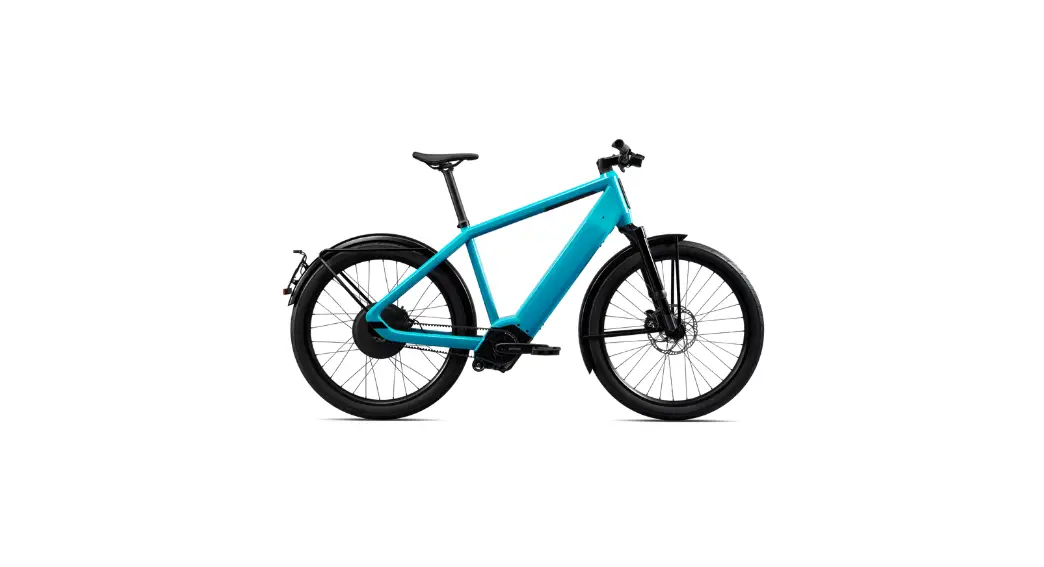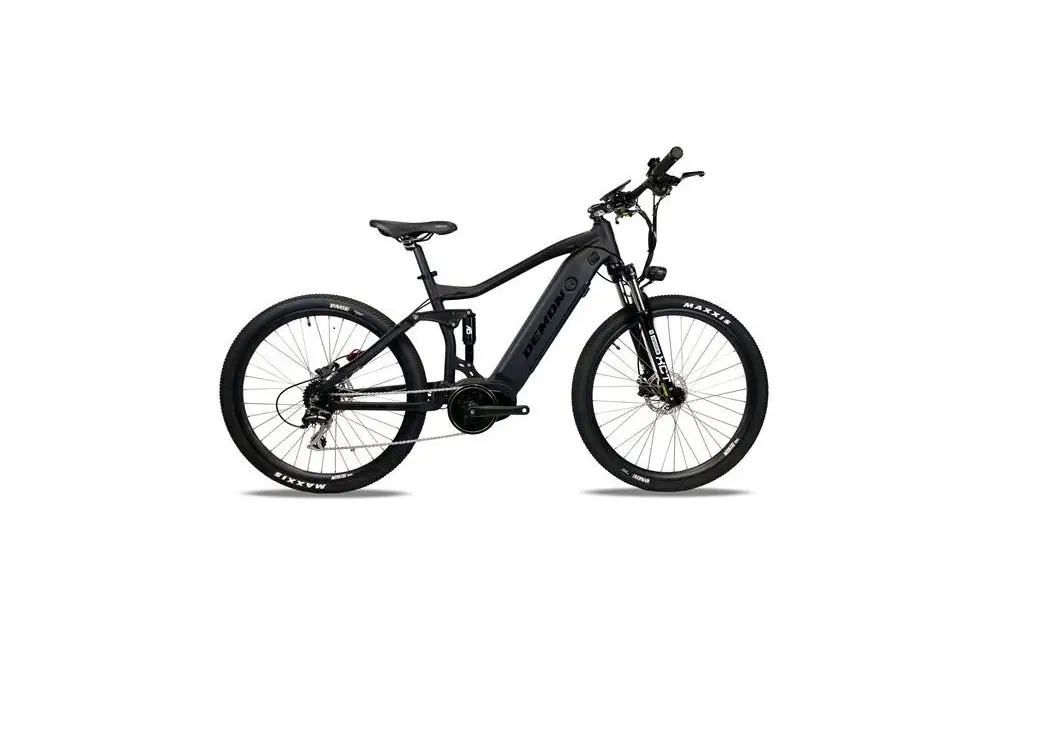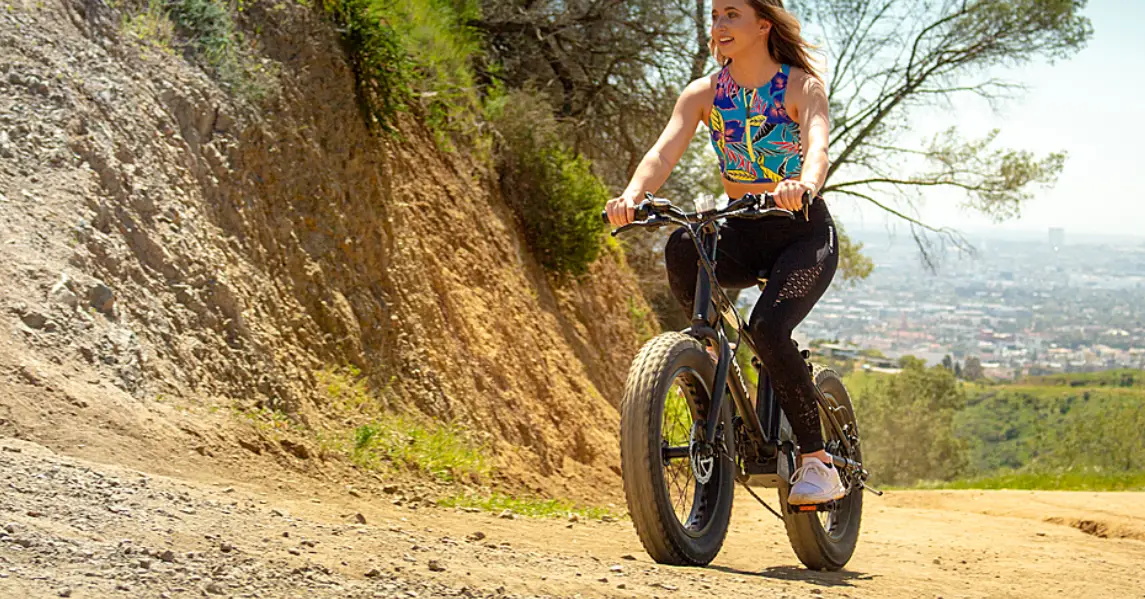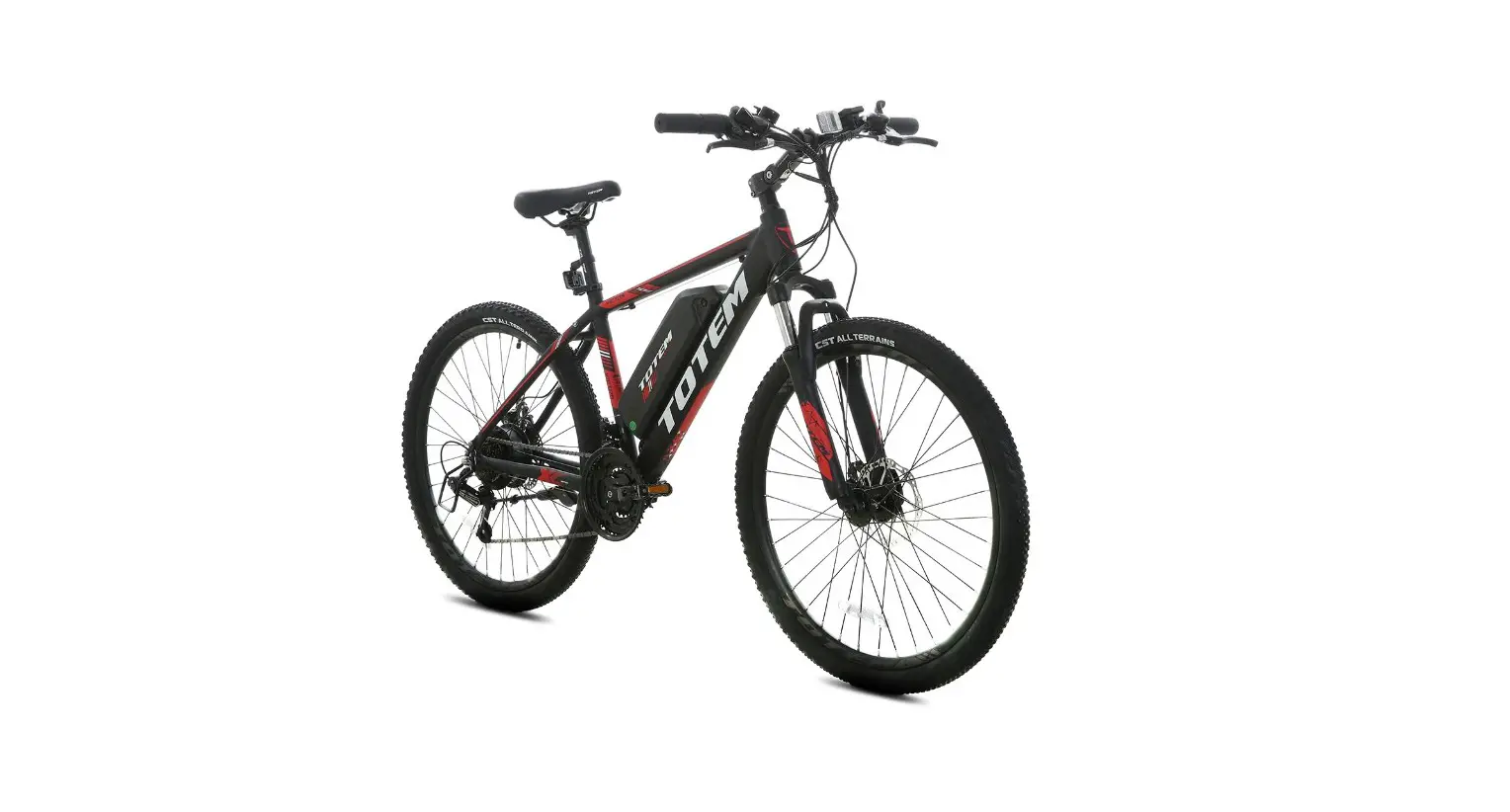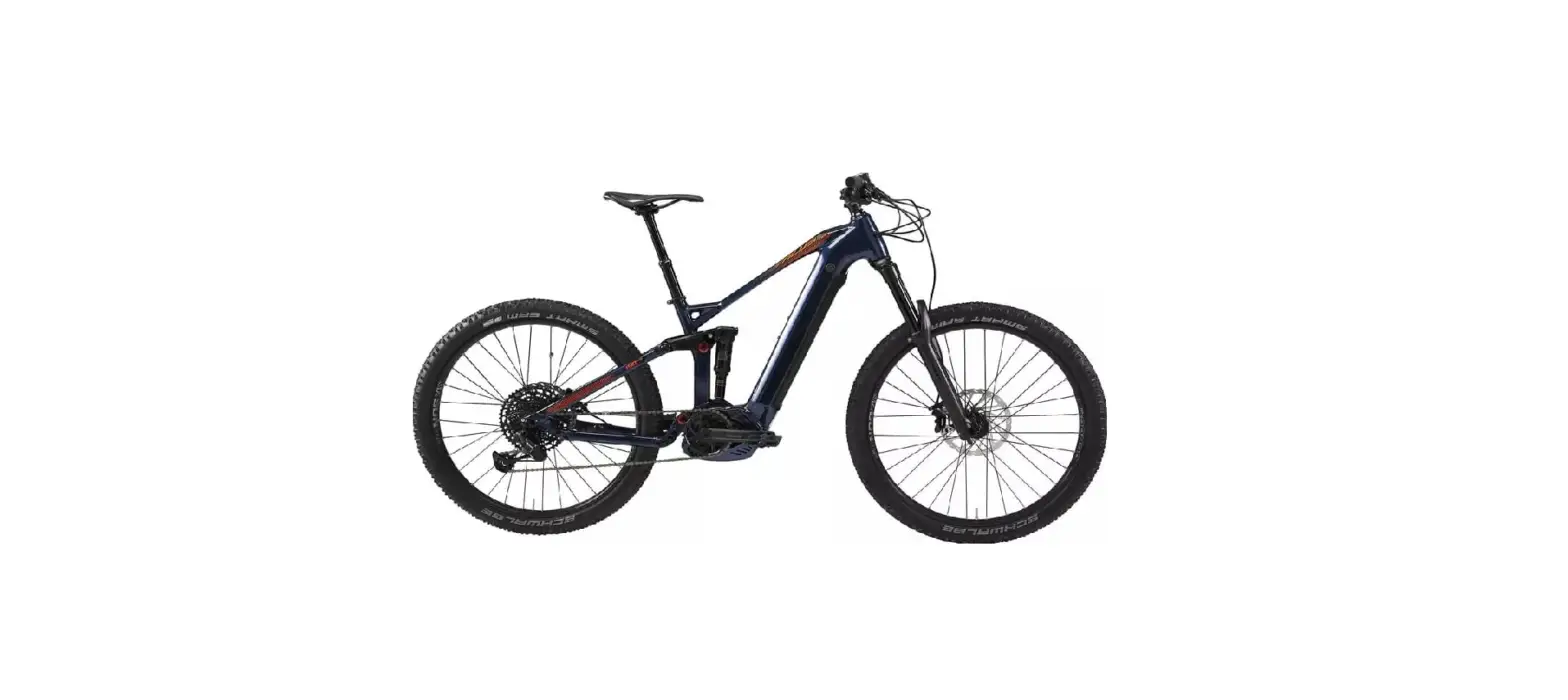

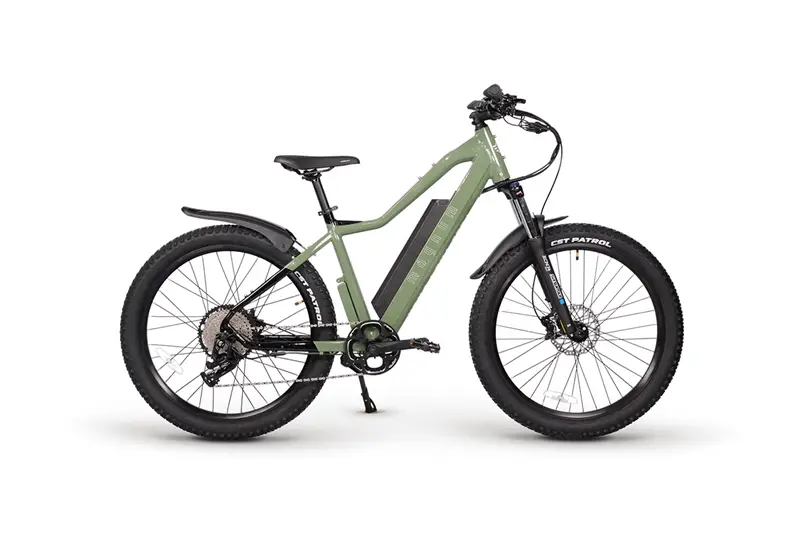
magnum Peak T5 Electric Mountain Bike
General Introduction
Welcome
Thank you for purchasing a Magnum electric bike, and welcome to the Magnum Bikes family of e-bike enthusiasts. We encourage you to join our Facebook group “Magnum Bikes Community”. Our Facebook group is a place for Magnum riders to ask questions, have discussions, share recommendations and experiences and connect with other Magnum Bike enthusiasts. You can find the group linked here: https:// www.facebook.com/groups/389290978573773
Use of Manual
We encourage you to read this manual thoroughly before you take your new E-bike for a ride. It is essential not to overlook the safety instructions and explanations of both traditional and non-traditional bike parts. So please take a moment to read through the various sections before you get in the saddle.
Service and Technical Support
This manual is intended as a general overview of your new E-bike, and is therefore not an extensive reference. Please consult your local Magnum dealer or Magnum customer support team for technical support, including information about service, maintenance, and repairs. In addition, you can visit our website www.magnumbikes.com for more information about our products and technology or find a dealer close to you.
Disclaimer
Because it is impossible to anticipate every situation or condition which can occur while riding, this manual makes no representations about the safe use of bicycles under all conditions. There are risks associated with the use of any bicycle which cannot be predicted or avoided, and which are the sole responsibility of the rider. You should keep this manual along with any other documents that were included with your bicycle. All content in this manual is subject to change without notice. Magnum Bikes makes every effort to ensure accuracy of its documentation and assumes no responsibility of liability if any errors or inaccuracies appear within. Assembly and initial adjustments of your Magnum e-bike requires special tools and skills. It is recommended that this be done by a trained bicycle mechanic if possible.
Bike Components
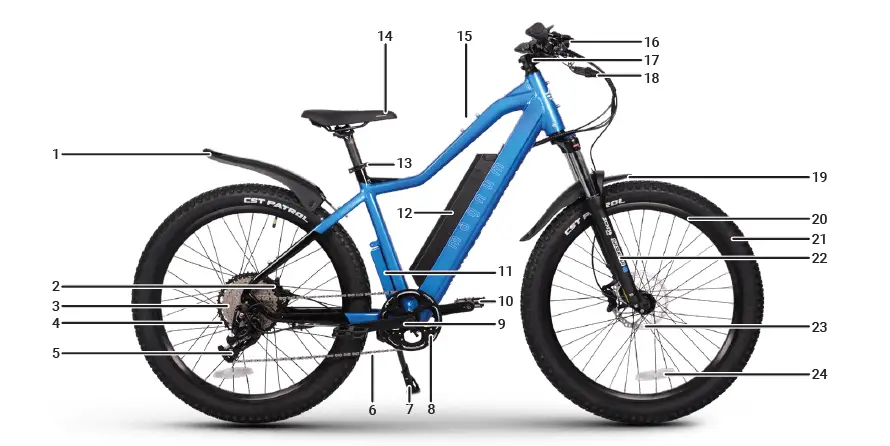
- Rear Fender
- Motor
- Cassette
- Rear Disc Brake
- Rear Derailleur
- Chain
- Kickstand
- Chain Ring
- Crankset
- Pedal
- Controller
- Battery
- Saddle Quick Release
- Saddle
- Waterbottle Mount
- Headlight
- Stem
- Cable Connector
- Front Fender
- Rim
- Tire
- Front Fork
- Front Disc Brake
- Wheel Reflector
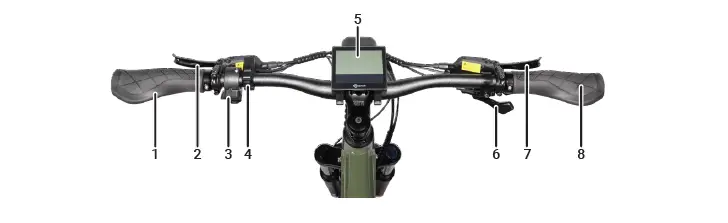
- Left Grip
- Left Brake Lever
- Throttle
- Display Controls
- Display
- Shifter
- Right Brake Lever
- Right Grip
Technical Data
| Component | Peak T5 |
| Motor | 48V, 500W Bafang Rear Geared Hub Motor |
| Battery | 48V 15Ah Lithium Ion |
| Display | Magnum LCD Display |
| Throttle/PAS | Thumb Throttle, Torque Sensor |
| Front Fork | SR Suntour XSM34 Boost with Lockout & Preload Adjustment |
| Crankset | 42T, 170mm |
| Brakes | Hydraulic |
| Derailleur | 11 Speed |
| Freewheel | 11 Speed, 11-50T |
| Tires | Patrol 27.5” x 2.8” |
| Front Light | Integrated Front Headlight 40 lux, Rear Light 20 lux |
| Max Loading¹ | 275 lbs |
| Max Speed² | Torque sensing PAS up to 25mph, trigger throttle up to 20mph |
Installation and Adjustment
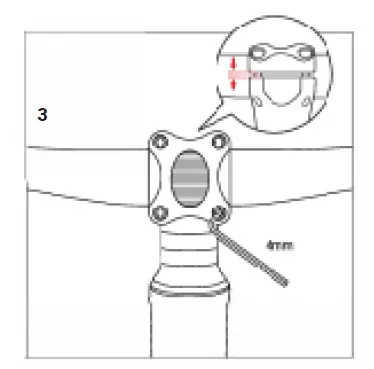
Handlebar and Stem Assembly
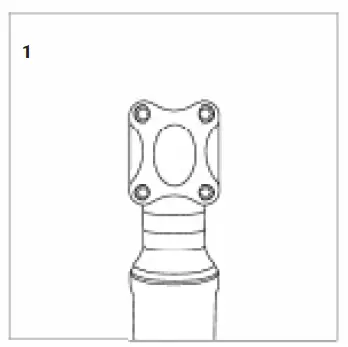
- Remove the faceplate from the stem with a 4mm allen key.

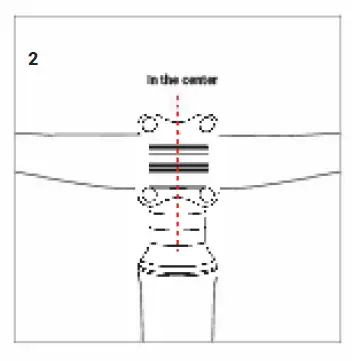
- Remove the display for easy installation. Lift the handlebars (attached to the cables and display) and center them with the head tube.

- Attach the faceplate using a 4mm allen key. Re-install the display

Front Wheel Installation
Place the front wheel between the fork. Insert axle into non-drivetrain side. Use a 6mm allen key to tighetn the axle.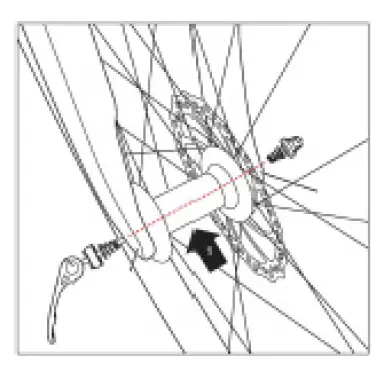 Pedal Installation
Identify your pedals: check the letters on the pedals, “L” or “R”. The “R” marked pedal is for the right (when facing the forward direction). For attachment to the crank, tighten clockwise. The “L” marked pedal is for the left. For attachment, tighten counterclockwise when facing directly.
WARNING First screw on the pedals by hand, then tighten with the wrench provided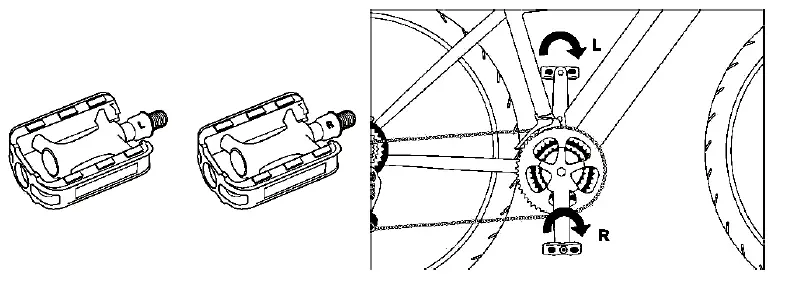
Seat Position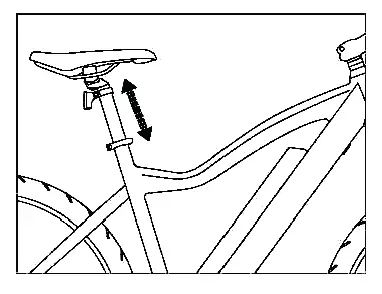 To enable comfortable, fatigue-free and safe riding, the saddle and handlebar height should be adjusted to the body size of the rider.
The saddle height is correct if the leg is near full extension while the foot is resting flat on the pedal in the bottom position of the crank cycle. The toes must still be able to touch the ground comfortably.
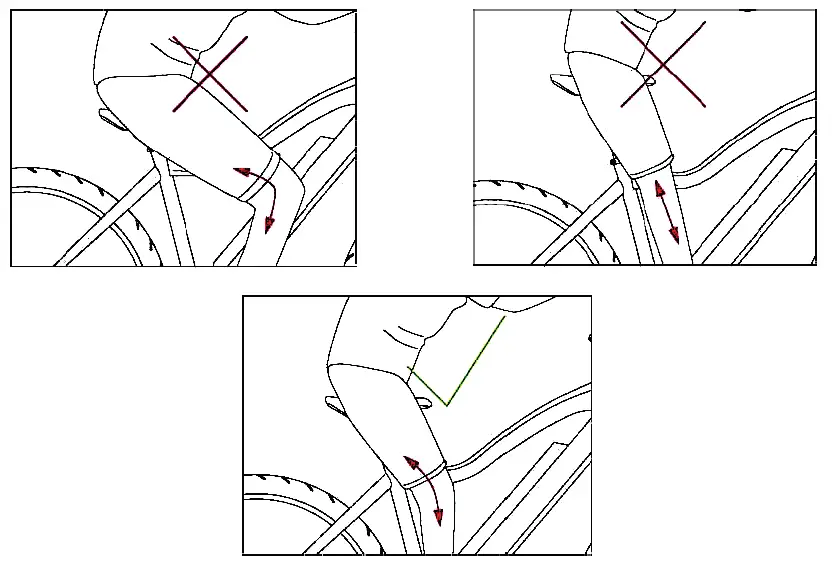
Saddle Height & Adjustment
The quick-release lever must require noticeable effort to put into fully closed position to prevent any undesired movement while riding.
WARNING
An improperly closed quick release lever can open again or have limited ability to keep the saddle in place. This may cause the saddle to suddenly drop into the seat tube, potentially leading to serious falls and injury.
There is a minimum insertion line marked on the seat post (failure to observe the minimum insertion line can result in serious injury); please ensure the seat post is always inserted into the seat tube beyond this line (the line must be inside the seat tube).
Loosen the quick release lever at the top of the seat tube, determine the appropriate saddle height and tighten the clamp.
The clamping force can be adjusted by adjusting the bolt on the quick release lever.
The quick release lever must be closed with considerable counter pressure.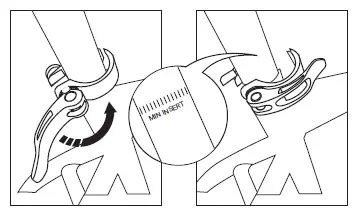
The saddle can also be tilted and adjusted in the forward/back direction. Loosen the bolt at the bottom (4).
Adjust the saddle tilt by pressing down on the front or rear of the saddle.
Move the saddle forward or backward to adjust for arm/torso length and desired riding position. Tighten the bolt (4) to secure the saddle.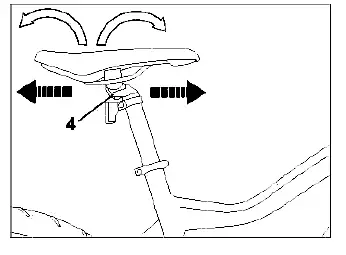
Fork Adjustment
Rotate the lever (1) to lock the suspension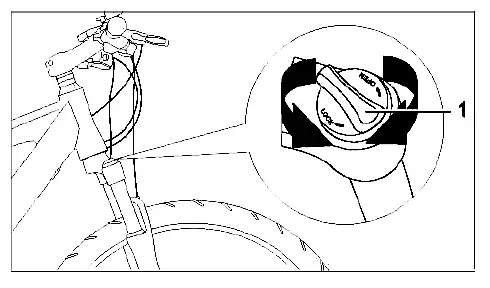
Brakes
The front and rear brakes operate independently of each other. When stopping or slowing down, use both brakes at the same time.
The left brake lever (1) controls the front brake.
The right brake lever (2) controls the rear brake.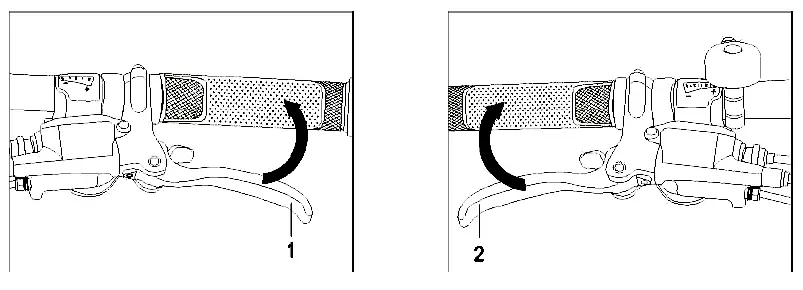
Safety Checks & Adjustments
Crank Arm
The crank arm (1) in some circumstances can loosen. Regularly check the crank arm is securely tighened before riding. No play should be felt when pulling or pushing the crank arm to the side.
If the bottom bracket (2) is loose or does not rotate easily contact Magnum support. The screws (3) tighten on both sides of the bottom bracket
Pedals
Regularly check that the pedals (4) are firmly screwed into the pedal crank arms. Use 15mm open end wrench to tighten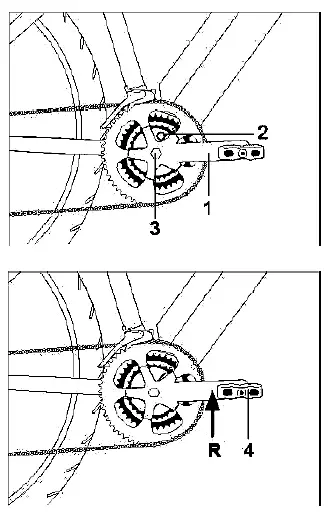
Headset Bearings
Riding with a loose steering bearing (1), breakage of the fork shaft (2) can occur which can result in serious injury to the rider. Use the brake lever (3) and move the bicycle back and forth.
Any play or wiggle in the steering bearing (1) must be adjusted by tightening the stem up. Loosen stem screws (4), tighten stem cap (5) 1/4 turn at a time until there is no more play. Tighten stem screws (4).
Spokes
Spokes (1) can loosen over time. It is important to maintain proper spoke tension to prevent breaking spokes. Broken spokes should be replaced immediately and the wheel must be trued.
Replacing, re-tensioning, and truing of the wheel or spokes should be done by a Magnum dealer or bike specialist.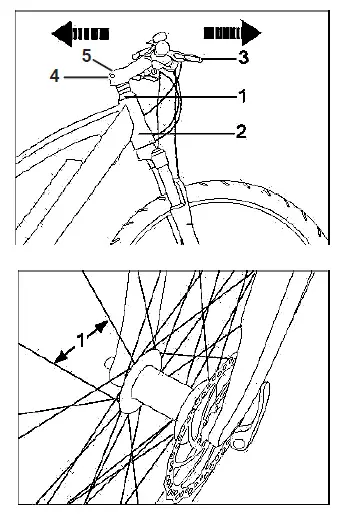
Battery and Charger
Overview
- A .Battery
- B. Lock
- C. Power Button
- D. Battery Level
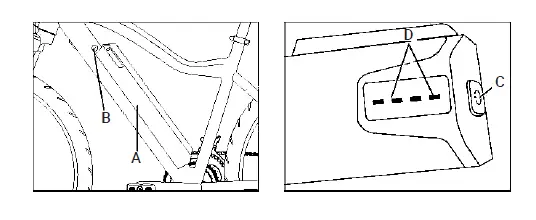
Please ensure that the battery is locked in place before use
- A. AC Plug¹
- B. Charger
- C. Charging Indicator
- D. Battery Plug

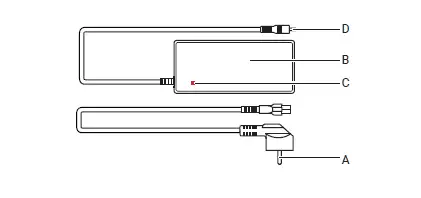
General Remarks
Stop charging the battery immediately if you notice anything unusual, such as smoke or a strange smell; take out the battery and store it outside of the house, then take the battery to an authorized dealer or experienced technician for service or replacement.
In the unlikely case that the battery catches fire, do NOT attempt to put it out with water. Use sand or another fire retardant instead and call emergency services immediately.
Installing and Removing the Battery
The battery (1) is secured with a lock (2). Unlock the battery and pull the lever (3) to remove the battery from the bike. Insert the battery (1) into the frame until it stops. Remove the key from the lock (2). Ensure that the battery is well secured.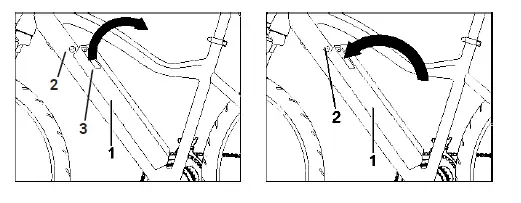
Charging
Charging at temperatures below 32°F (0°C) or above 140°F (60°C) can cause the battery to charge insufficiently and can be harmful to the life of the battery During charging, the charger’s LED light will be continuously red Charging is completed when the charger’s LED turns green
Display
Appearance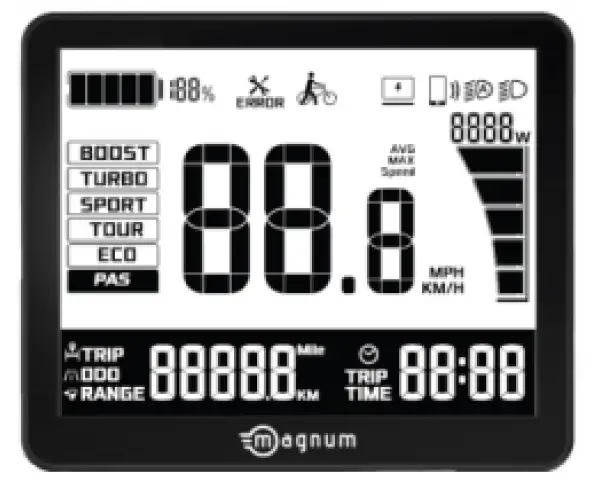
Powering ON/OFF
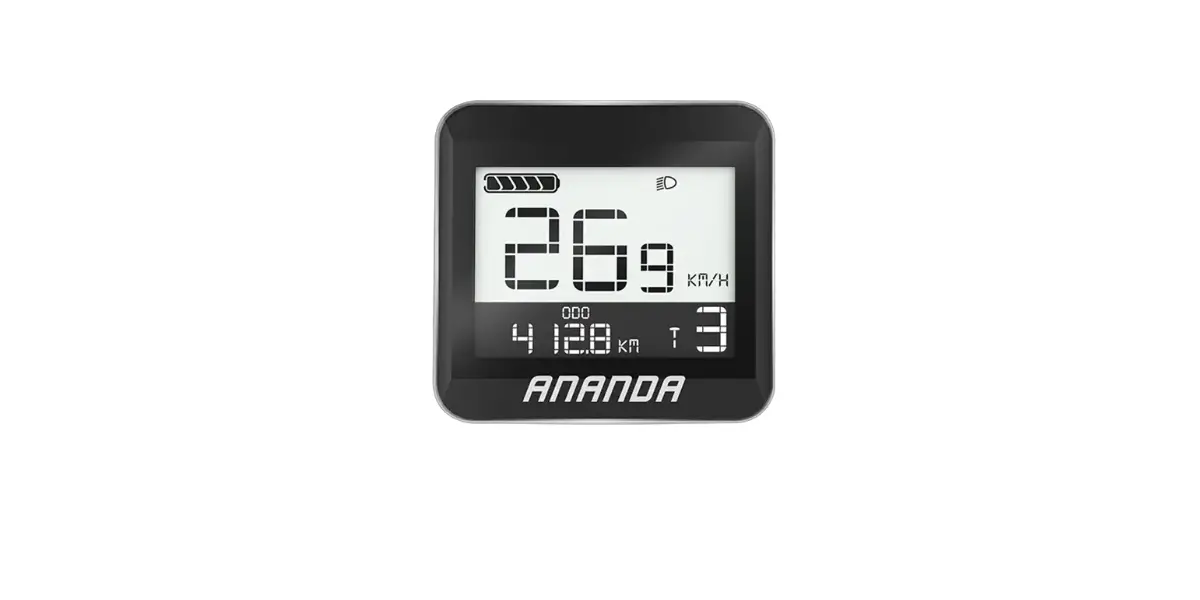
Press and hold the power button to turn ON the display. A start-up screen (see image below) will display for approximately 2 seconds before entering the main interface showing real-time information.
To turn the display OFF press and hold the power button until the screen goes blank. The display will turn off automatically if no operations are performed within the set sleep time, while the speed is 0, and current is less than 1A. The sleep time can be set by the user in the settings interface.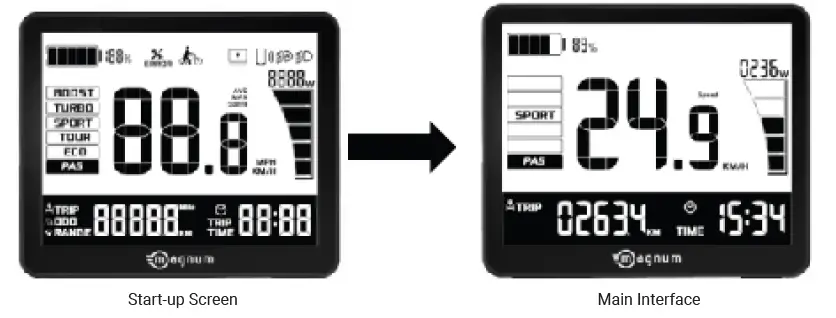
Indicators & Buttons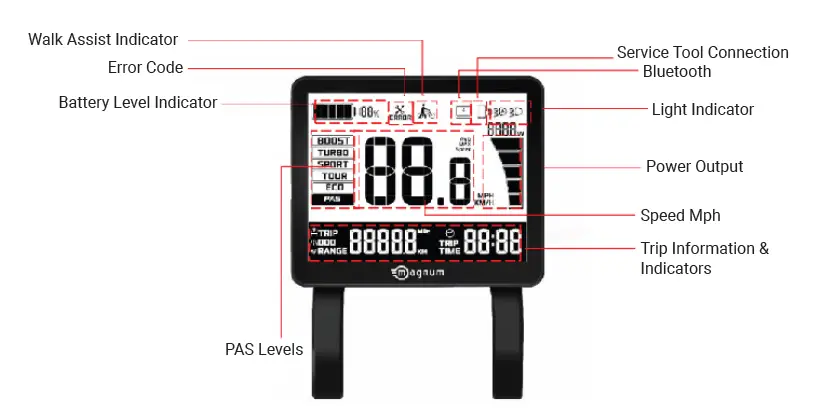
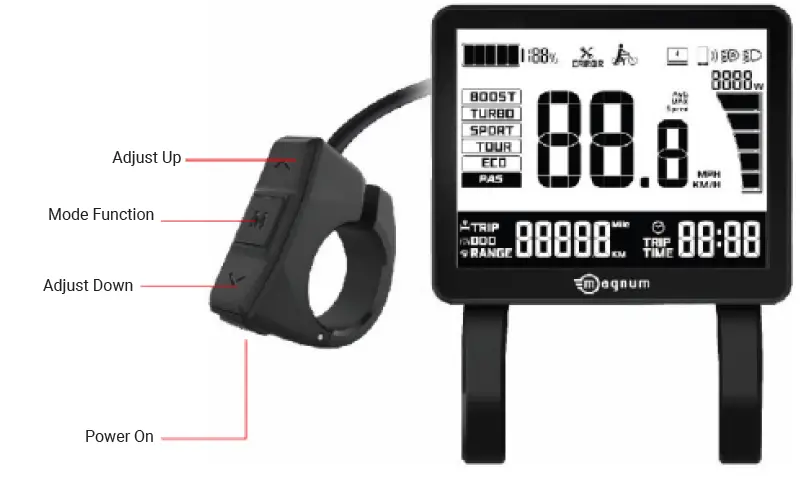 Button Functions
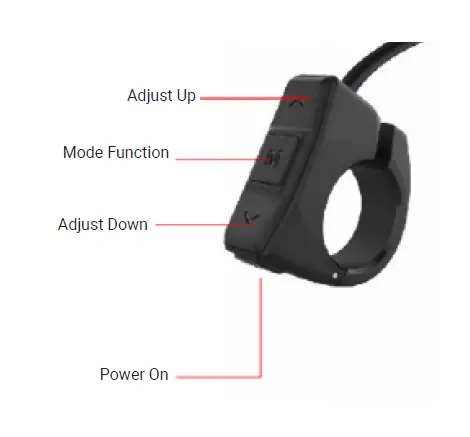
- Power ON: Turns the display ON/OFF
- Adjust Up/Down: Changes the level of pedal assist during riding and switches functions in display settings
- Mode Function: Switches interface functions and enters into the display settings
Pedal Assist Level
Short press the arrow buttons to adjust the pedal assist level up or down. There are 5 PAS levels: ECO, TOUR, SPORT, TURBO, BOOST, and BOOST+. BOOST+ is indicated by a blinking BOOST icon. When PAS level is empty it means pedal assist is off.
PAS levels do not switch in cycles. Meaning, after reaching the BOOST level pressing the up arrow will NOT cycle the levels back to the beginning. The user must use the down arrow button to switch back down to PAS off.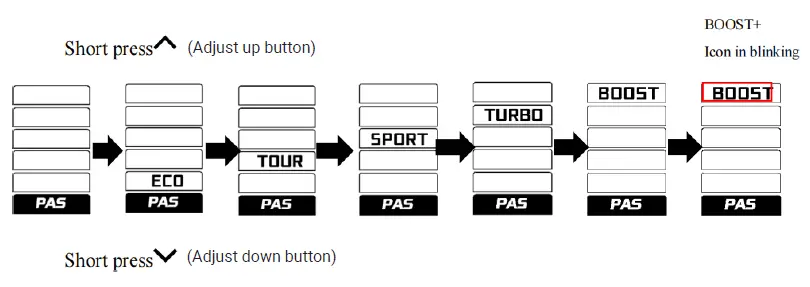
Trip, Odometer, & Range
Short press the M button to switch from TRIP, ODO, & RANGE on the display. The cycle order is TRIP/AVG, ODO/MAX, then RANGE/AVG. After 5 seconds with no operation preformed on the M button and the bike speed greater than 0 the display screen will switch back to the main interface. The symbols below will indicate which value is being shown.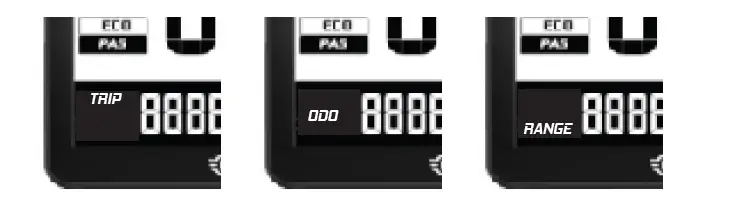
Light Control
Long press the adjust up button to turn the headlight on and off. While the headlight is on the display’s back light is dimmed.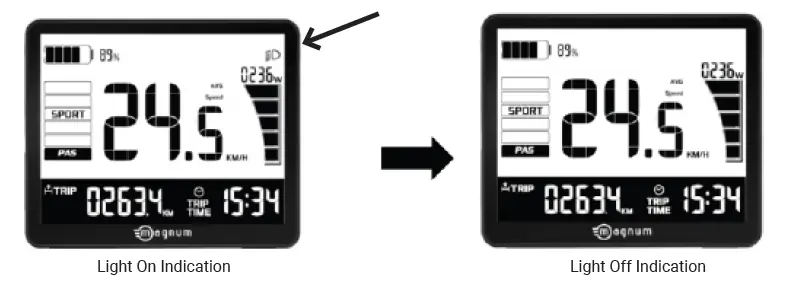
Speed Indication
The standard readout is real time speed, and can be switched to show average speed (AVG), and maximum speed (MAX). How to change speed readout…
Battery Power
Battery power is shown by a battery bar indicator and percentage. The battery bar divides the power level into 5 bars. After battery capacity is lower than 5% the display enters low voltage mode. In this mode the battery level shows 0 bars. The battery outline will start blinking after reaching 1Hz, and with no power output from the motor, pedal assist will be disabled. The PAS level is displayed as OFF or 0. To get out of low voltage mode the battery will need to be charged.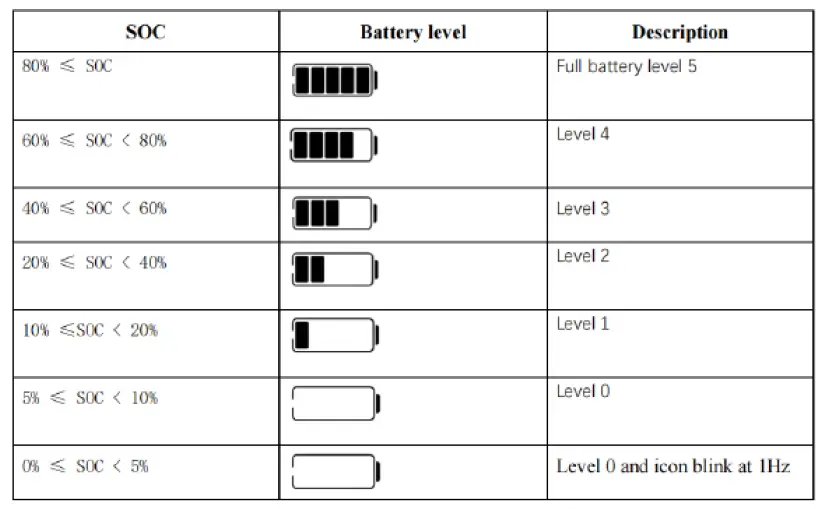
Walk Mode
When speed is below 3mph long press and continue to hold the adjust down (down arrow) button to enter walk mode. Upon entering walk mode the display will show a walk mode symbol and the real-time speed while the PAS level displays as off (see image below). Release the adjust down button to exit walk mode. The motor is turned off and the display returns to the main interface.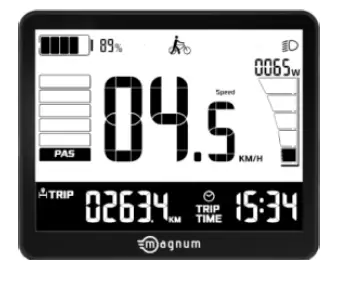
Display Settings
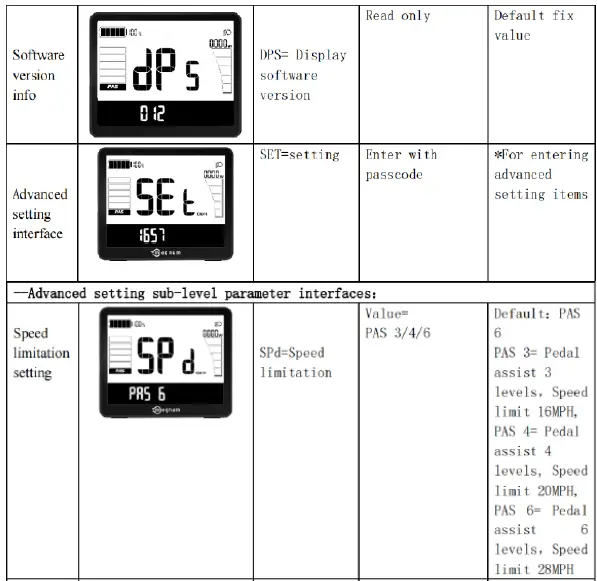
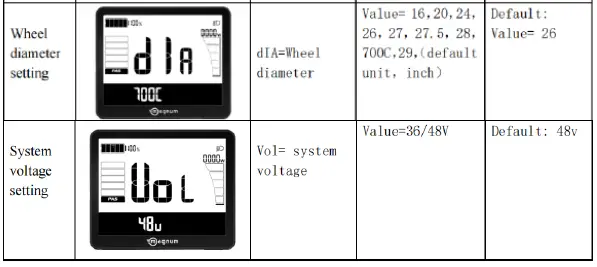
The following description explains how users can access the settings options in their display. Within 10 seconds of turning on the display, long press the M button to enter the settings interface. Short press the arrow buttons to switch between settings. Short press the M button to enter a specific setting. The selected setting will blink. Short press the arrow buttons to find the setting option you want then long press the M button to set the option. Long press the M button again to exit to the previous page.
In settings short press the M button to enter the next level menu and long press the M button to exit and return to the previous level menu.
Descriptions of individuals settings to follow: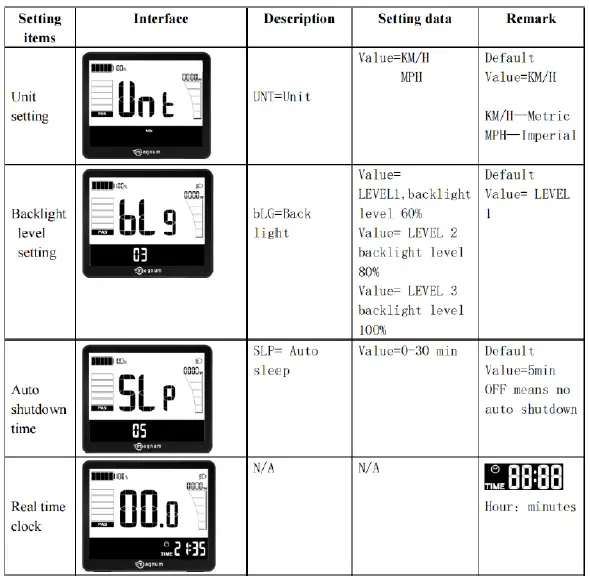
Data Clearance
Within 10 seconds of turning on the display, when the display shows the TRIP interface, long press the M button to show TRIP data. While the TRIP icon is blinking short press the M button to confirm data clearance. To exit long press the M button. After clearance the subtotal mileage TRIP is 0, average speed is 0, and max speed is 0. ODO information can not be cleared manually on the display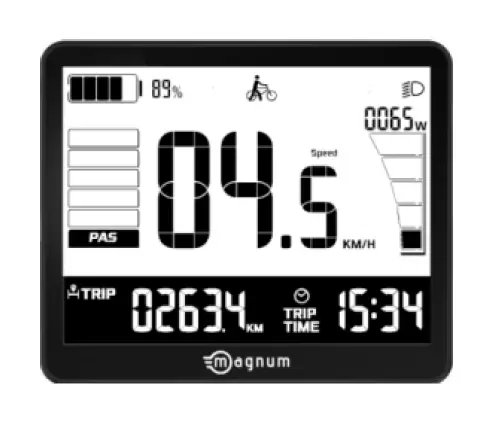
Error Code Table
Each error code corresponds to a specific fault in the system. The table below is intended for the e-bike owner to use as reference when working with Magnum Bikes technical support or a certified Magnum dealer.
| Error Code | Definition | Suggestion |
| “0x20” shown at speed | Failure of controller | Check controller |
| “0x22” shown at speed | Failure of throttle | Check throttle |
| “0x23” shown at speed | Failure of motor’s phase wire | Check motor |
| “0x24” shown at speed | Failure of the motor’s hall | Check controller |
| “0x30” shown at speed | Communication failure | Check connector to controller |
If you still some questions about the display, please contact your Magnum dealer.
Recommendations and Maintenance
General Requirements
E-bikes use metal shells to cover the electric components, so we strongly advise against the use of excessive water to wash the shells and parts around them. Use a soft cloth with a neutral solution to wipe the dirt off the shells. Afterward, wipe everything dry with a clean soft cloth.
Do not use high-pressure water or air hoses for cleaning; this can force water into electrical components, which may cause malfunctioning.
Do not wash plastic components with excessive water. When the internal electrical parts are affected by water the insulator may corrode, leading to power-drain or other problems.
Do not use soap solutions to wash the metal components. Non-neutral solutions may cause discoloration, distortion, scratching, etc.
Avoid leaving the bike outdoors
When not riding, keep the bike in a location where it will be protected from snow, rain, sun, etc. Snow and rain can cause the bike to corrode. Ultraviolet rays from the sun can cause unnecessary fading of paint or crack any rubber or plastic on the bike.
| Recommended Torque Values | |
| Handlebar | 8 Newton Meters |
| Stem | 8 Newton Meters |
| Seat Rail Clamp | 20 Newton Meters |
| Rear Wheel | 35 Newton Meters |
| Bottom Bracket Parts | 35-55 Newton Meters |
| Pedals | 30 Newton Meters |
| Rotor Bolts | 6 Newton Meters |
| Disk Caliper Mount | 8 Newton Meters |
| Crank Bolts | 10 Newton Meters |
Maintenance Schedule
To keep your E-bike in optimal condition and your riding experience at its most enjoyable, we strongly recommend following the suggested maintenance schedule.
| Maintenance Schedule | Each Ride | Weekly | Monthly | 6 Months | Yearly |
| Tire Pressure | X | ||||
| Tire Condition | X | ||||
| Visual Inspection | X | ||||
| Brake Lever Pressure | X | ||||
| Quick Releases | X | ||||
| Handlebar Alignment | X | ||||
| Saddle Alignment | X | ||||
| Battery Pack Locked | X | ||||
| Wheel Check | X | ||||
| Inspect Frame Condition¹ | X | ||||
| Clean & Lubricate Chain | X | ||||
| Check Brake Pads | X | ||||
| Lubricate Forks | X | ||||
| Lubricate Brakes & Cables | X | ||||
| Lubricate Folding Mechanism | X | ||||
| Check all Bolts & Torque Settings | X | ||||
| Clean Bicycle | X | ||||
| Charge Battery | X | ||||
| Check Heel Spokes | X | ||||
| Inspect Rim Condition | X | ||||
| Inspect Saddle, Rails & Clamp | X | ||||
| Grease Pedal Bearings | X | ||||
| Check Hub Bearings | X | ||||
| Check Headset Bearings | X | ||||
| Check Bottom Bracket Bearings | X | ||||
| Replace Brake Pads | X | ||||
| Replace Brake Cables² | X | ||||
| Replace Tires² | X | ||||
| ¹include welds for fissures, ²depends on use | |||||
WARNING
As with all mechanical components, electrically power assisted cycles (EPAC) are subjected to wear and high stresses. Different materials and components may react to wear or stress fatigue in different ways. If the design life of a component has been exceeded, it may suddenly fail, possibly causing injuries to the rider. Any form of crack, scratches or change of coloring in highly stressed areas indicate that the life of the component has been reached and it should be replaced.
Definition of Tampering and Recommendations
| Category 1 | |||
| Components which can only be replaced after approval from the bicycle manufacturer/ electronic system provider | |||
| Motor | Controller | Electric Cables | Battery |
| Sensors | Display Controls | Display | Battery Charger |
| Category 2 | |||
| Components which can only be replaced after approval from the bicycle manufacturer | |||
| Frame | Hub-motor Wheel | Brake Pads | Bottom Bracket |
| Fork | Brake System | Rear Carrier | |
| Category 3 | |||
| Components which can only be replaced after approval from the bicycle or component manufacturer | |||
| Cranks | Wheel without Hub Motor | Tires | Brake System |
| Chain | Belt | Rim Tape | Mechanical Brake Cables | Handlebar |
| Seat Post | Saddle | Hydraulic Brake Cables | Stem |
| Category 4 | |||
| Components which can be replaced without approval | |||
| Headset | Inner Tubes | Shifting Housing & Cables | Kickstand |
| Pedals | Chainring | Cassette | Freewheel | Grips |
| Derailleurs | Front & Rear Lights | Wheel Reflectors | Front Reflector |
| Shifters | Mudguards | Fenders | Spokes | Rear Reflector |
WARNING
Modifications to any part of your bike, such as the fork or frame, may make that part or the entire bike unsafe. A poorly installed or modified component can increase the stress on all other parts, greatly increasing their chance of failure. Modifications can also adversely affect the handling of your bike, resulting in loss of control, falls and serious injury. Please do not add, remove, or modify parts of your bike in any way before consulting with a trained bike technician. We recommend you consult with us at before you make modifications or add parts, in order to confirm their safety and compatibility with your bike.
Warranty
Your Magnum E-bike comes with a limited warranty. Please visit www.magnumbikes.com or your local Magnum dealer for details. Bike must be registered at www.magnumbikes.com/warranty in order to be covered by the one year warranty.