AEC Lighting Solutions Co Ltd HOBOLITH MINI User Manual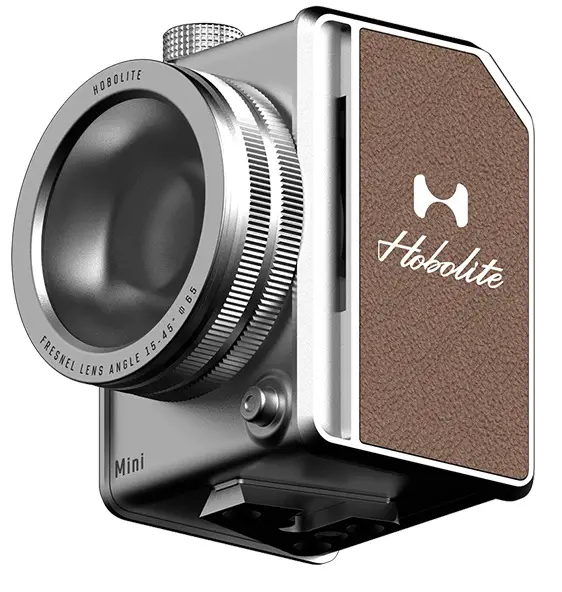
PRODUCT INTRODUCTION
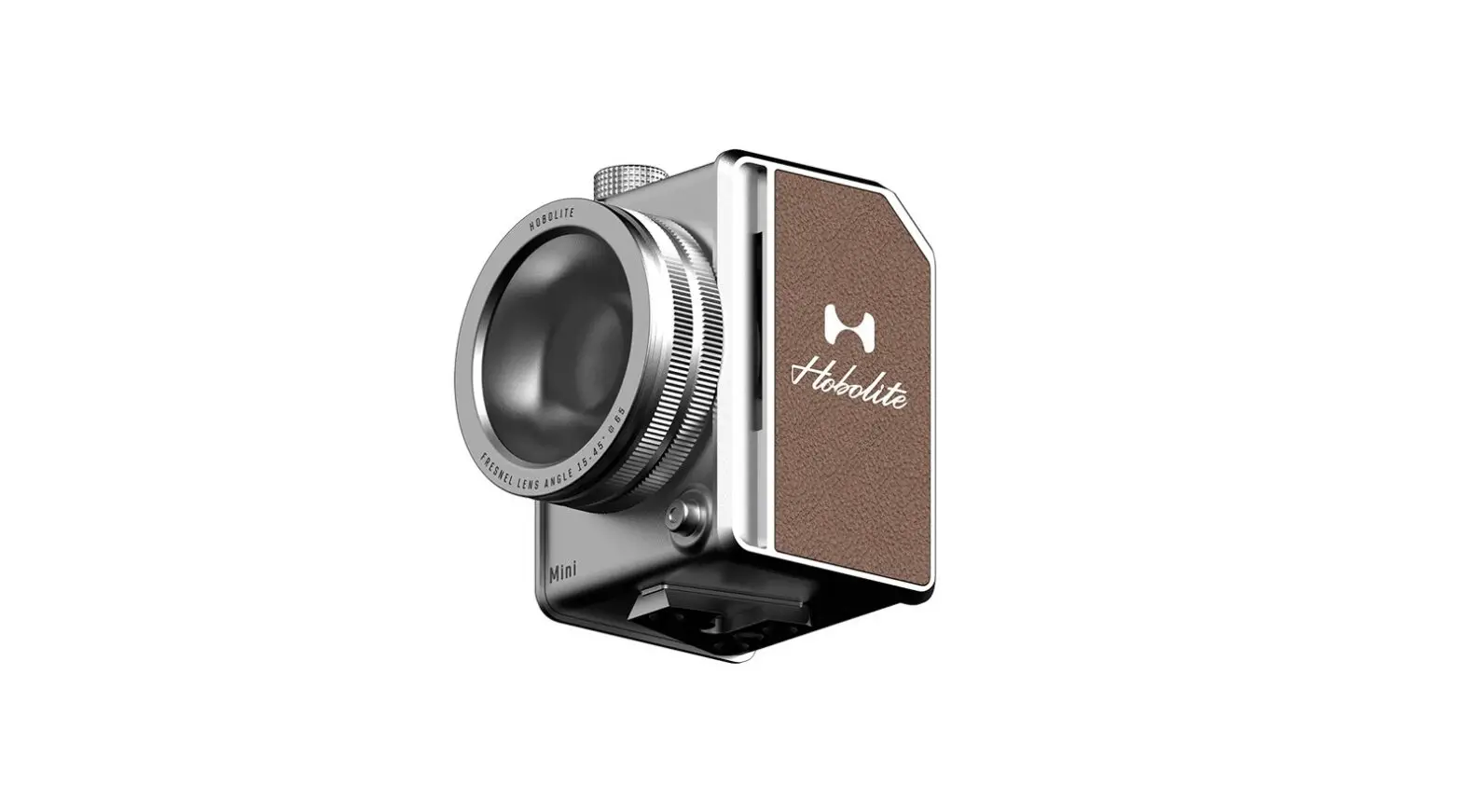
MINI — a stylish micro-studio in the palm of your hand, the 20W Mini can go with you anywhere, so you get the perfect shot to share with your audience
 WARNINGS
- Please thoroughly read the manual prior to operating the product and operate the product in strict accordance with the manual;
- Don’t disassemble the product by yourself. If the product requires repair, kindly contact our maintenance personnel. Product failures caused by unauthorized disassembly are not covered by warranty, and hence their repair will be chargeable;
- The product is designed to be actively cooled by fans. Don’t block the fan ducts of the product during operation.
The product is a high power light source, so the user should not in any case, operate the product if it is covered. Don’t touch the heat generating parts of the product during operation to avoid scalding injury; - The power must be switched off during assembly before operation and disassembly after operation;
- Don’t submerge the product in water or other liquid/s to avoid safety risk and product failure;
- After product use, touch, disassemble and store the product only after it has been sufficiently cooled to avoid scald injury;
- The product contains batteries. Don’t store the batteries in hot environments and keep them away from fire;
- Please only use originally supplied accessories to avoid product failure/s;
- Please only use the brand-specific adapter and power cable supplied to avoid damage to the product.
Kit
MINI STANDARD KIT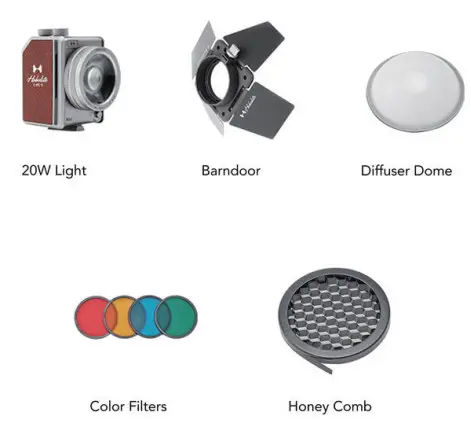
MINI CREATOR KIT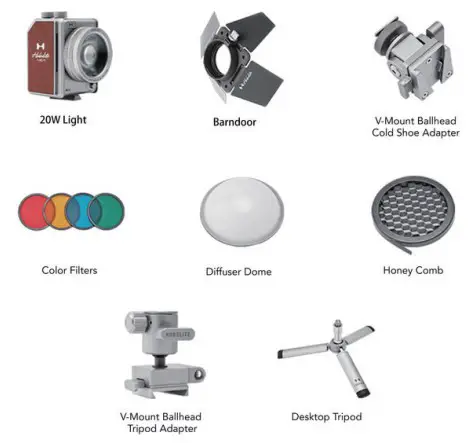
MINI TRAVEL KIT II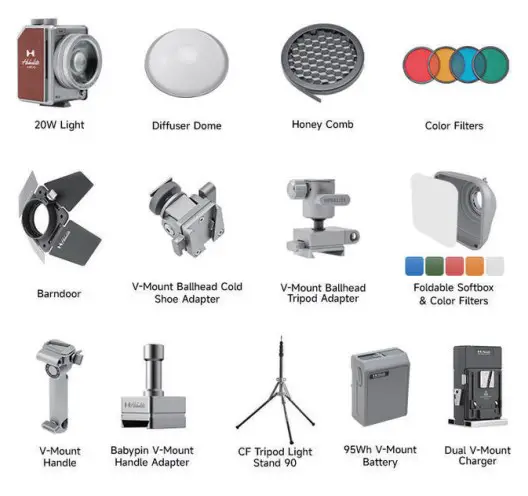
MINI ELITE KIT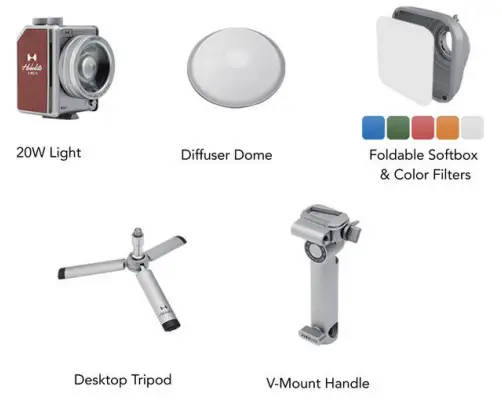
MINI TRAVEL KIT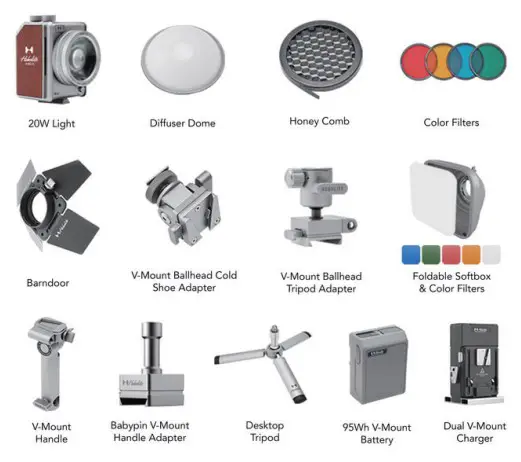
Features
 | Lit | Bluetooth on |
| Unlit | Bluetooth off | |
 | Blue and lit | Fan on |
| Unlit | Fan off | |
| Red and flashing | Brightness exceeds 20% when fan is off | |
 | Red and flashing | New firmware revision ready to be upgraded |
Installation
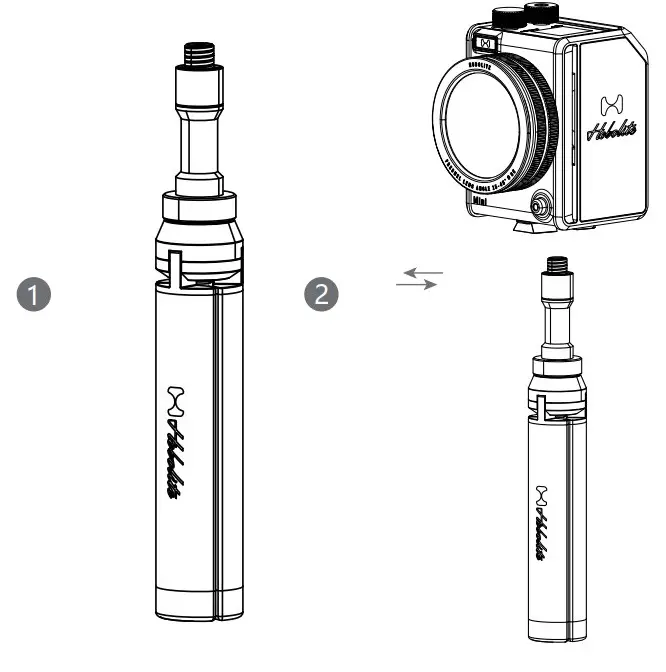
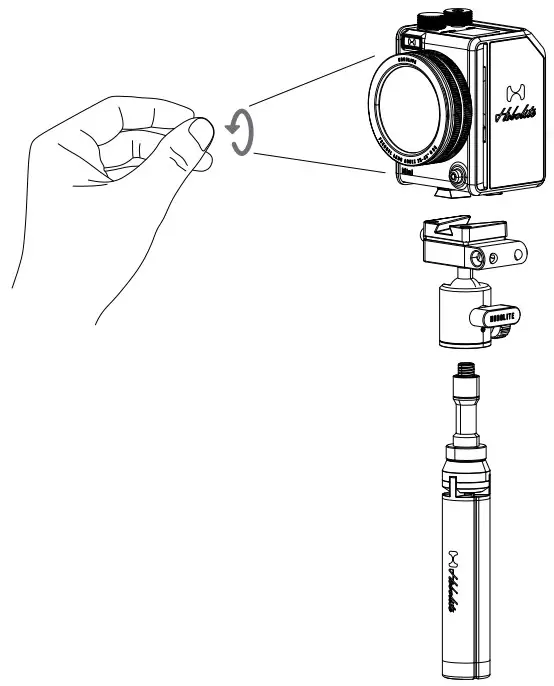
- Installation of desktop tripod
Align the nut of the desktop tripod with the screw mount at the bottom of the light body and then fasten it.
* The desktop tripod is contained in creator kit, or it can be separately purchased.
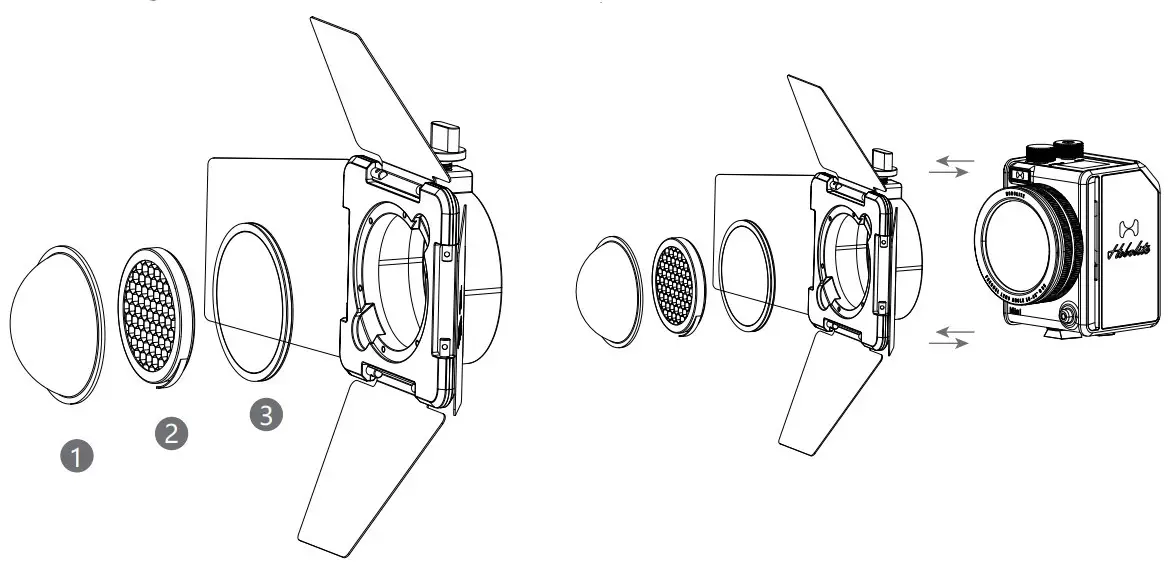
- Installation of barndoor
Align the mounts of the barndoor with the edge of the lens and then fasten it.
* The honeycomb plate, filter disc, and dome diffuser are equipped with magnets, and hence can be mounted together with the barndoor.
Power Supply
- This product can be charged through the Type-C port at the back of the light body.

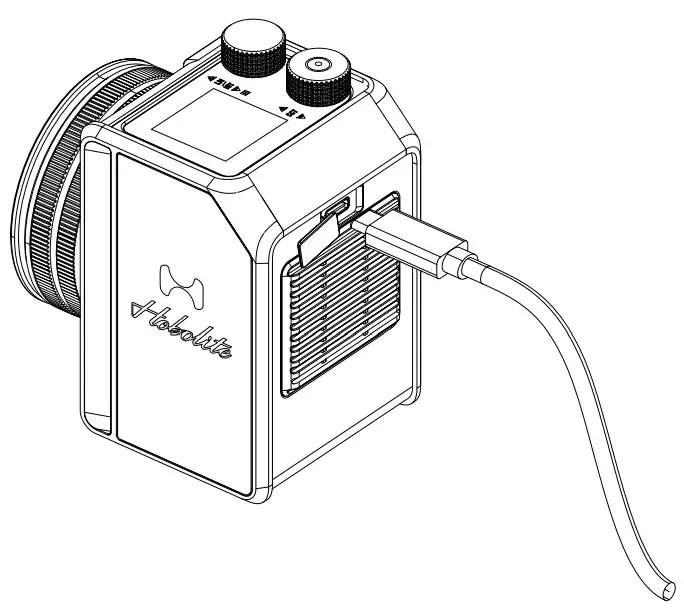
Operation
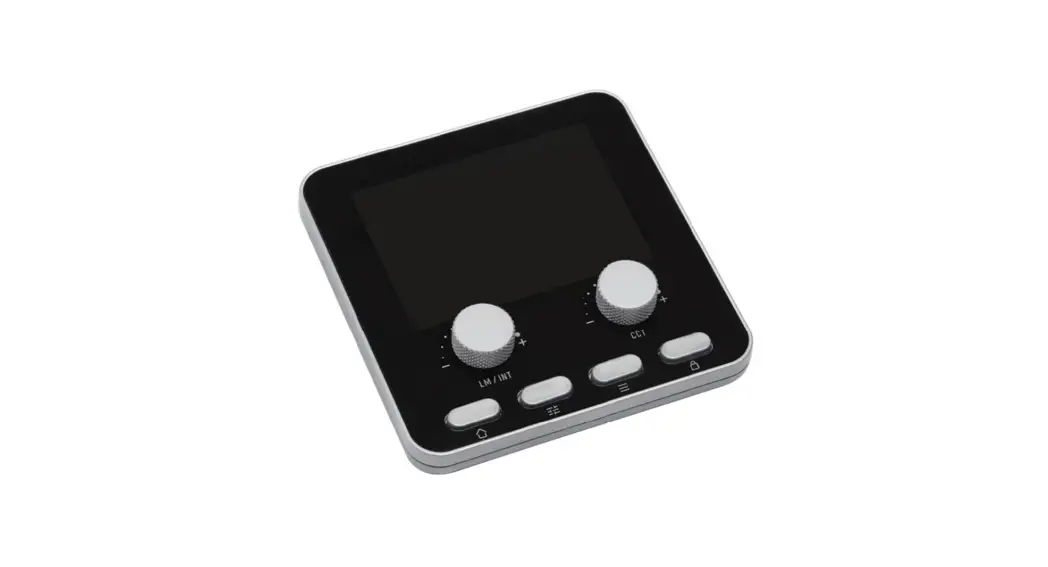
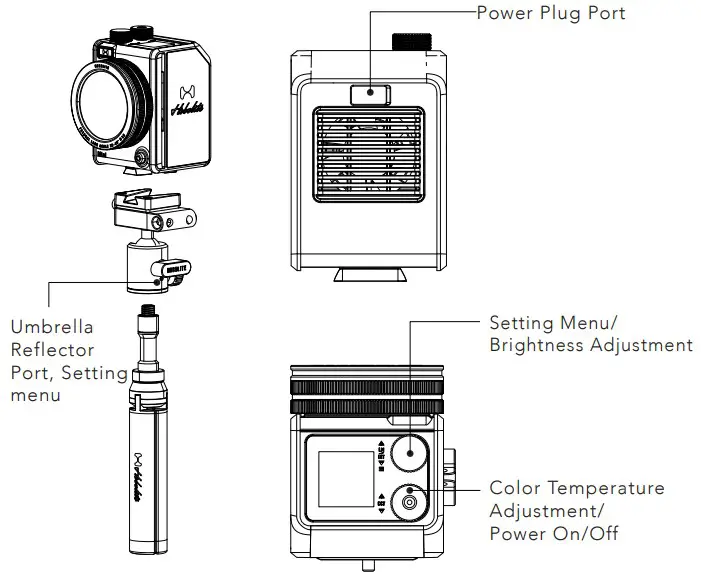
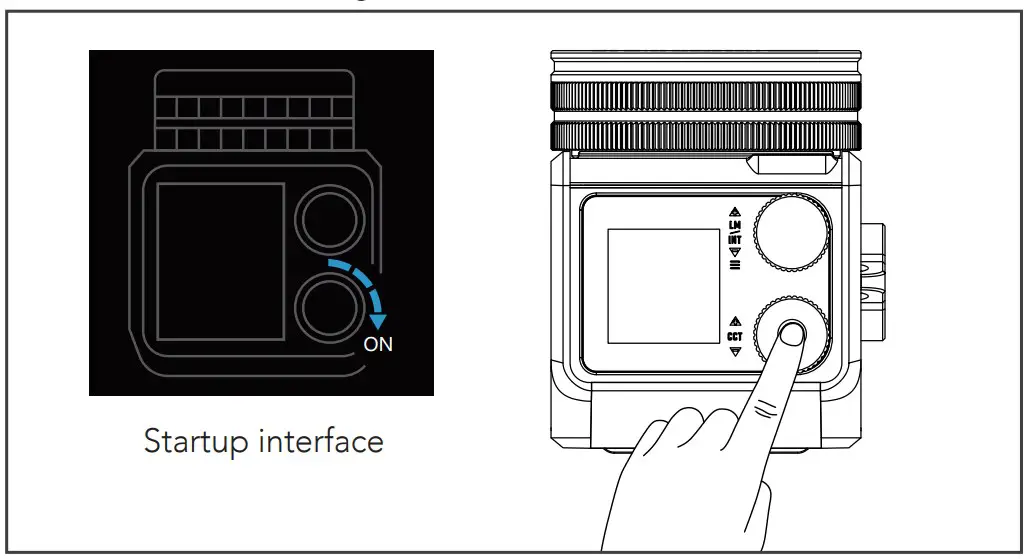
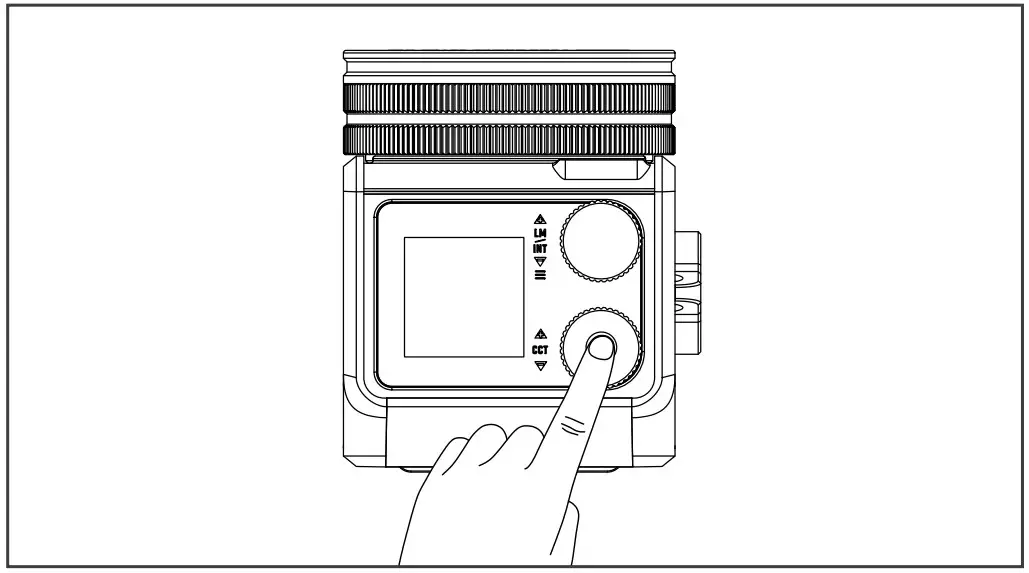
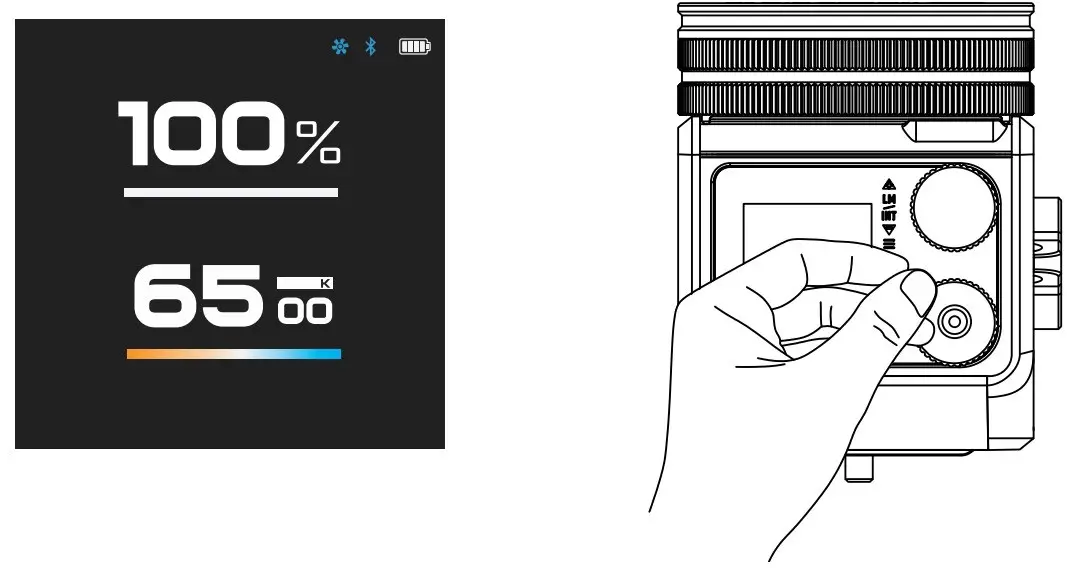
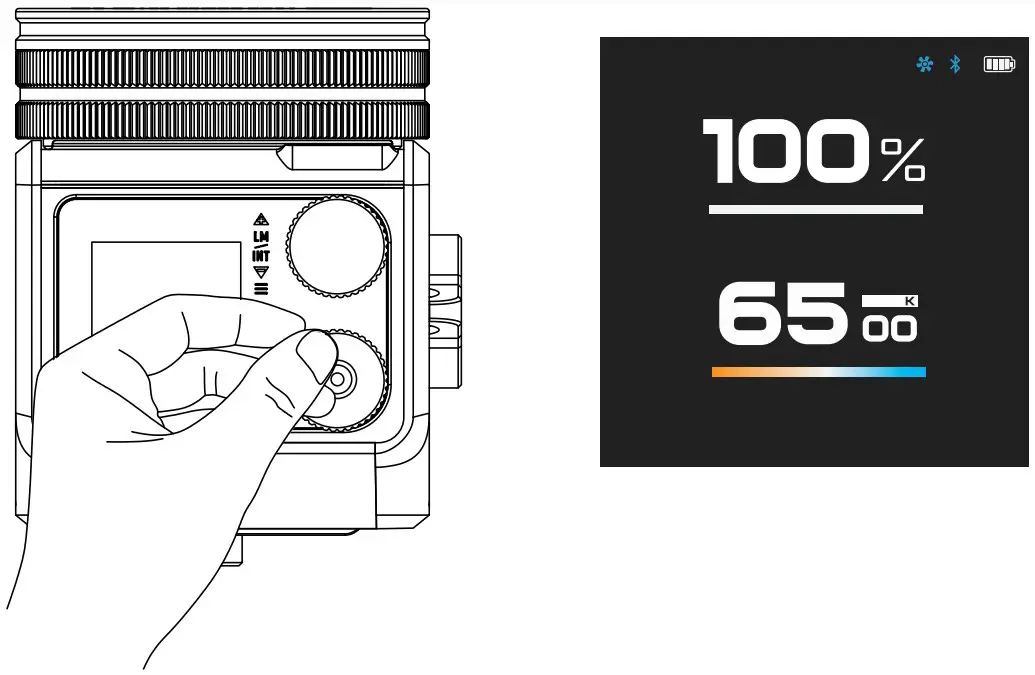
- Press the color temperature adjustment (power on/off) knob and then rotate it according to the tutorial on screen.

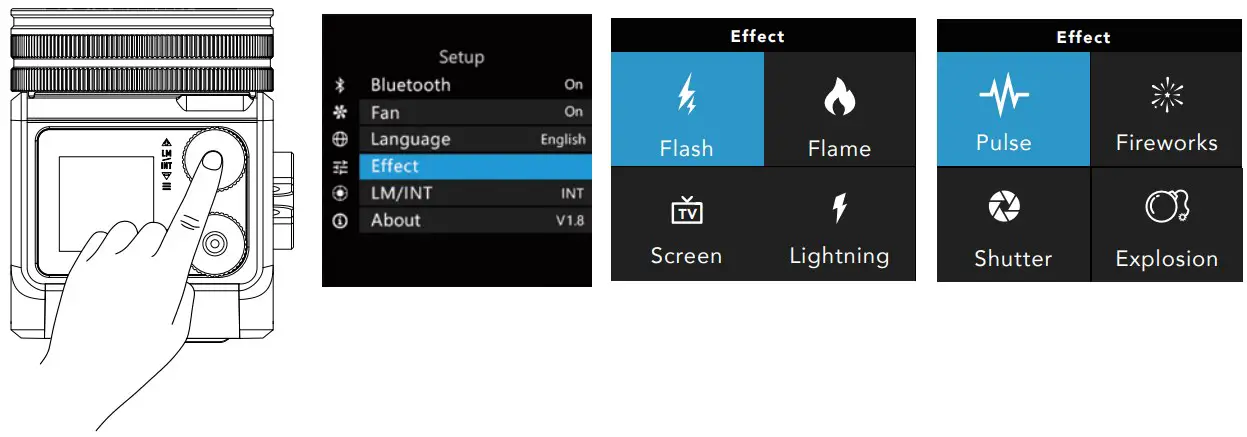
- The power can be switched off by long pressing the color temperature adjustment knob (Setting Menu) for 0.5 seconds.

- Condenser lens
The beam angle can be adjusted by rotating the condenser lens.
- Light control
- Brightness adjustment
Rotate the brightness adjustment knob, range is 1% – 100% (16 lm – 1,600 lm). The brightness unit can be switched to INT (%) or LM in setting menu.
- Color temperature adjustment
Rotate the color temperature adjustment knob to adjust the color temperature, range is 2,700 K – 6,500 K.
- Lighting effects
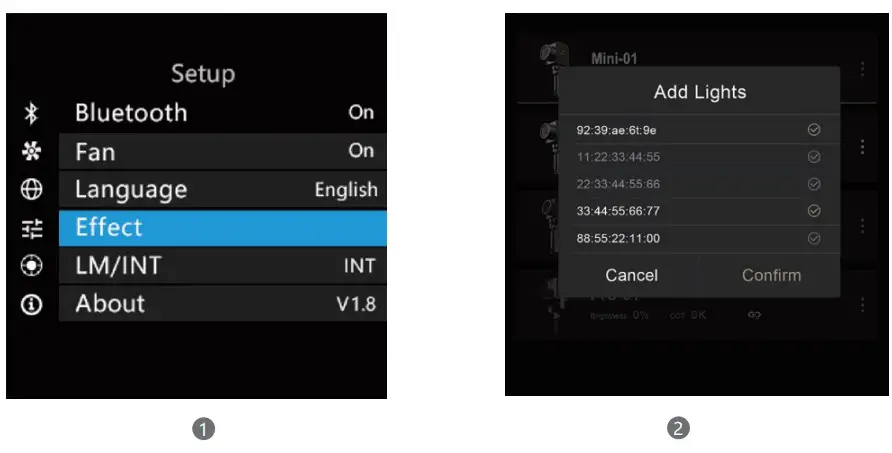
Enter the effects page via setting menu to activate different lighting effects.
- Brightness adjustment
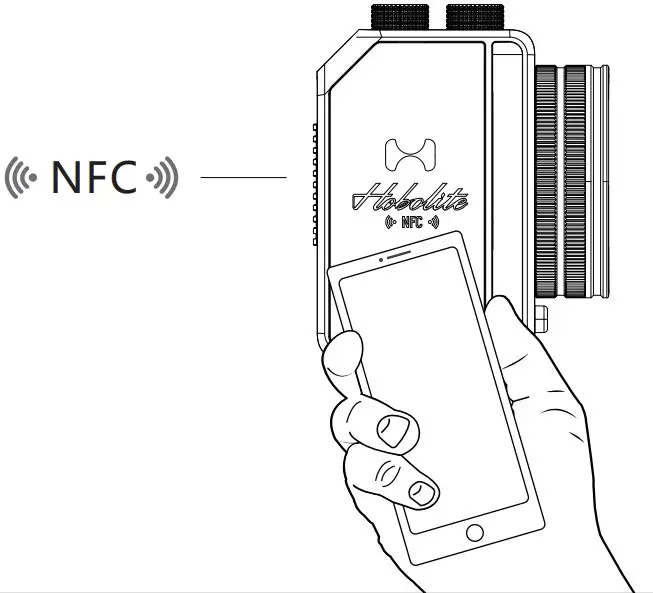
- NFC connection
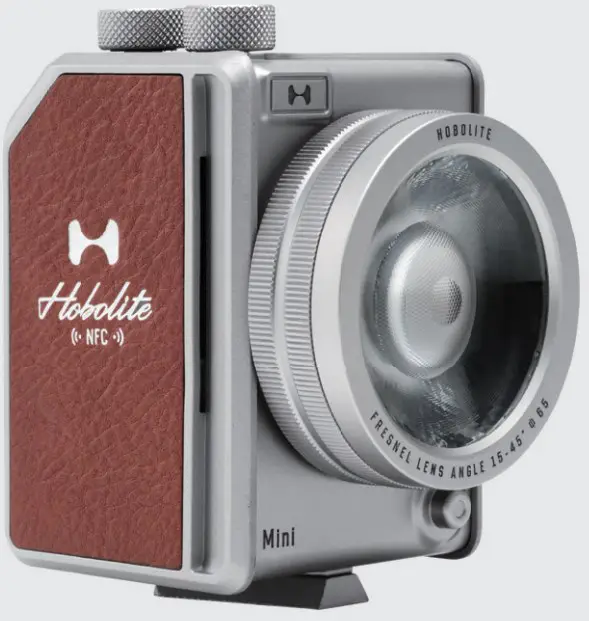
Place the NFC sensing area of the mobile device against the area with “NFC” mark on the light body, this will immediately launch the Hobolite App.
- Bluetooth match & reset
Select the bluetooth – pairing & reset option in the setting page to reset the bluetooth of the light and activate the pairing state for 60s.
If pairing fails, repeat the operation.
- Firmware update
When a firmware is ready to be upgraded, a red “ ” will appear at the upper right corner of the screen.
 ” will appear at the upper right corner of the screen.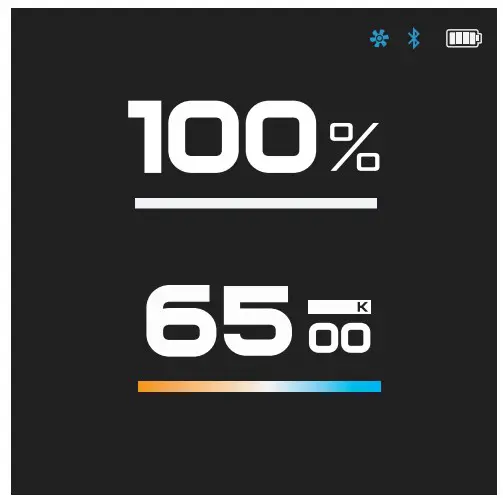
App Download
You can download the Hobolite app in the (Apple) App Store and Google
Play store by scanning the following QR code. Please visit the official website (www.hobolite.com) for more detailed instructions.


Hobolite
Scan QR code
Product Specifications
MINI
| Power | 20W |
| Luminous Flux (6500K) | 1600lm |
| Luminous Flux (2700K) | 1200lm |
| Input | AC 100-240V, 50~60Hz |
| DC 5V/9V | |
| Battery | 7.4V 3000mAh, 22.2Wh |
| CRI | 96 |
| TLCI | 96 |
| CCT | 2700-6500K |
| Dimming | 0-100% |
| Wireless Method | Bluetooth |
| Wireless Operating Range | 20m / 65.6ft |
| Noise | 26db@1m |
| Operating Temperature | -10~40°C / 14~104°F |
| Dimension(Light) | 65×82.6×104.2mm / 2.56×3.25×4.1in |
| Net Weight(Light) | 430g / 0.95Lbs |
Optical Properties
1M – NO ACCESSORY (MINI – ADJUST THE LENS TO THE HIGHEST FLOOD LIGHT GRADE)
| MINI | LUX | FC |
| 2700K | 2702 | 251 |
| 4000K | 3200 | 297 |
| 6500K | 3530 | 328 |
3M – NO ACCESSORY (MINI – ADJUST THE LENS TO THE HIGHEST FLOOD LIGHT GRADE)
| MINI | LUX | FC |
| 2700K | 300 | 28 |
| 4000K | 353 | 33 |
| 6500K | 400 | 37 |
5M – NO ACCESSORY (MINI – ADJUST THE LENS TO THE HIGHEST FLOOD LIGHT GRADE)
| MINI | LUX | FC |
| 2700K | 130 | 12 |
| 4000K | 155 | 14 |
| 6500K | 175 | 16 |
1M – ADD HOBOLITE LENS (MINI – ADJUST THE LENS TO THE HIGHEST SPOT LIGHT GRADE)
| MINI | LUX | FC |
| 2700K | 6000 | 557 |
| 4000K | 7200 | 669 |
| 6500K | 8060 | 749 |
3M – ADD HOBOLITE LENS (MINI – ADJUST THE LENS TO THE HIGHEST SPOT LIGHT GRADE)
| MINI | LUX | FC |
| 2700K | 701 | 65 |
| 4000K | 853 | 79 |
| 6500K | 954 | 89 |
5M – ADD HOBOLITE LENS (MINI – ADJUST THE LENS TO THE HIGHEST SPOT LIGHT GRADE)
| MINI | LUX | FC |
| 2700K | 278 | 26 |
| 4000K | 342 | 32 |
| 6500K | 380 | 35 |
| TEST ITEM | Φ(LM) | CCT(K) | DOMINANT WAVELENGTH(NM) | TCLI |
| MINI 3454K 100%LM | 1431.7 | 3327 | 583.5 | 99 |
| CQS | RF | RG | RA | RE | R1 | R2 | R3 | R4 | R5 | R6 | R7 | R8 |
| 96 | 95 | 105 | 96 | 95 | 95 | 98 | 96 | 95 | 96 | 96 | 98 | 94 |
| R9 | R10 | R11 | R12 | R13 | R14 | R15 |
| 87 | 97 | 93 | 85 | 96 | 97 | 97 |
| TEST ITEM | Φ(LM) | CCT(K) | DOMINANT WAVELENGTH(NM) | TCLI |
| MINI 3454K 10%LM | 187.18 | 3495 | 583.5 | 98 |
| CQS | RF | RG | RA | RE | R1 | R2 | R3 | R4 | R5 | R6 | R7 | R8 |
| 97 | 94 | 105 | 95 | 93 | 91 | 97 | 94 | 83 | 92 | 95 | 98 | 91 |
| R9 | R10 | R11 | R12 | R13 | R14 | R15 |
| 78 | 95 | 94 | 95 | 96 | 96 | 93 |
| TEST ITEM | Φ(LM) | CCT(K) | DOMINANT WAVELENGTH(NM) | TCLI |
| MINI 5328K 100%LM | 1532.8 | 4007 | 582.9 | 98 |
| CQS | RF | RG | RA | RE | R1 | R2 | R3 | R4 | R5 | R6 | R7 | R8 |
| 96 | 94 | 105 | 95 | 92 | 91 | 97 | 94 | 82 | 92 | 96 | 98 | 90 |
| R9 | R10 | R11 | R12 | R13 | R14 | R15 |
| 76 | 95 | 95 | 95 | 95 | 97 | 93 |
| TEST ITEM | Φ(LM) | CCT(K) | DOMINANT WAVELENGTH(NM) | TCLI |
| MINI 5328K 10%LM | 193.1 | 3858 | 583.3 | 98 |
| CQS | RF | RG | RA | RE | R1 | R2 | R3 | R4 | R5 | R6 | R7 | R8 |
| 96 | 94 | 105 | 94 | 91 | 89 | 97 | 93 | 80 | 92 | 94 | 98 | 89 |
| R9 | R10 | R11 | R12 | R13 | R14 | R15 |
| 73 | 94 | 94 | 95 | 96 | 96 | 92 |
Warranty Card
- Product No.______________
- Product name_____________
- Purchase date_____________
- User name_______________
- User telephone____________
- User address______________
- Dealer stamp_____________
AEC LIGHTING SOLUTIONS CO., LTD.
QUALIFIED: PASS
Add: 2548 Bao’an Highway, Jiading District, Shanghai 201801, China
Warranty Terms
We provide a one-year warranty period for the original buyer of the product.
For the detailed warranty scope, please log in our website www.hobolite.com.
Important notes:
- Please retain your original purchase invoice and warranty card and ensure that the complete supplier information is on the invoice, including the purchase date and product serial number, which will be needed when making a claim against the warranty
The warranty does not cover:
- Damage caused by improper use, false wiring, incompatible, poor quality or misadjusted external devices (excluding damage caused by exposure to rain);
- Damage to the appearance of the product caused within 30 days after the purchase date of purchase or caused by improper surface contact;
- Damage caused by dealers during transportation.
The warranty will be invalid if:
- The product serial number has been torn off or can’t be identified;
- The product has been repaired or modified by oneself, and not by our company nor by designated repair personnel.
AEC LIGHTING SOLUTIONS CO., LTD.
Add: 2548 Bao’an Highway, Jiading District, Shanghai 201801, China
Tel: 86-021-69153369
HOBOLITE OFFICE
HOBOLITE CHINA
2548 BAO’AN HIGHWAY, JIADING DISTRICT,
SHANGHAI 201801, CHINA
86-021-69153369
FCC Warning:
This equipment has been tested and found to comply with the limits for a Class B digital device, pursuant to part 15 of the FCC Rules. These limits are designed to provide reasonable protection against harmful interference in a residential installation. This equipment generates, uses and can radiate radio frequency energy and, if not installed and used in accordance with the instructions, may cause harmful interference to radio communications.
However, there is no guarantee that interference will not occur in a particular installation. If this equipment does cause harmful interference to radio or television reception, which can be determined by turning the equipment off and on, the user is encouraged to try to correct the interference by one or more of the following measures:
- Reorient or relocate the receiving antenna.
- Increase the separation between the equipment and receiver.
- Connect the equipment into an outlet on a circuit different from that to which the receiver is connected.
- Consult the dealer or an experienced radio/TV technician for help.
Caution: Any changes or modifications to this device not explicitly approved by manufacturer could void your authority to operate this equipment.
This device complies with part 15 of the FCC Rules. Operation is subject to the
following two conditions: (1) This device may not cause harmful interference,
and (2) this device must accept any interference received, including
interference that may cause undesired operation.
The device has been evaluated to meet general RF exposure requirement.
This equipment complies with FCC radiation exposure limits set forth for an uncontrolled environment.
This equipment should be installed and operated with minimum distance 20cm between the radiator & your body

 Hobolite | LED Photography & Videography Lights