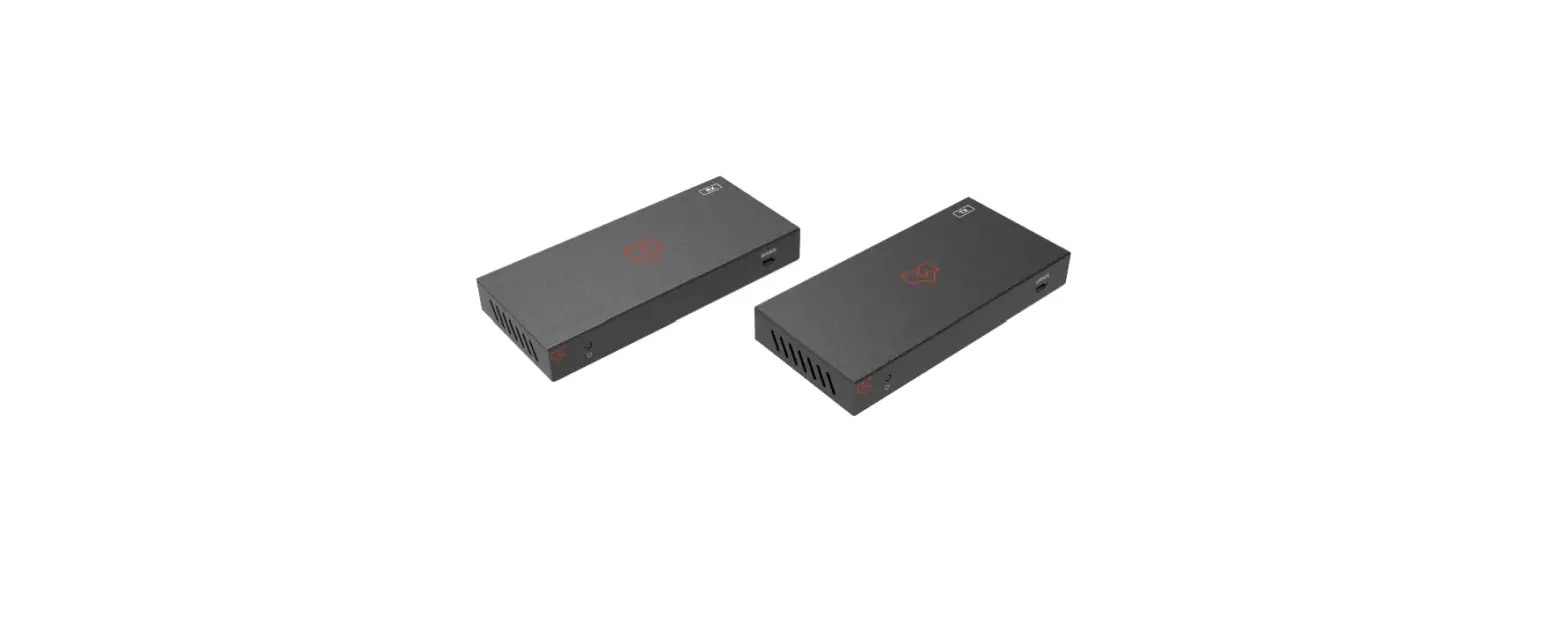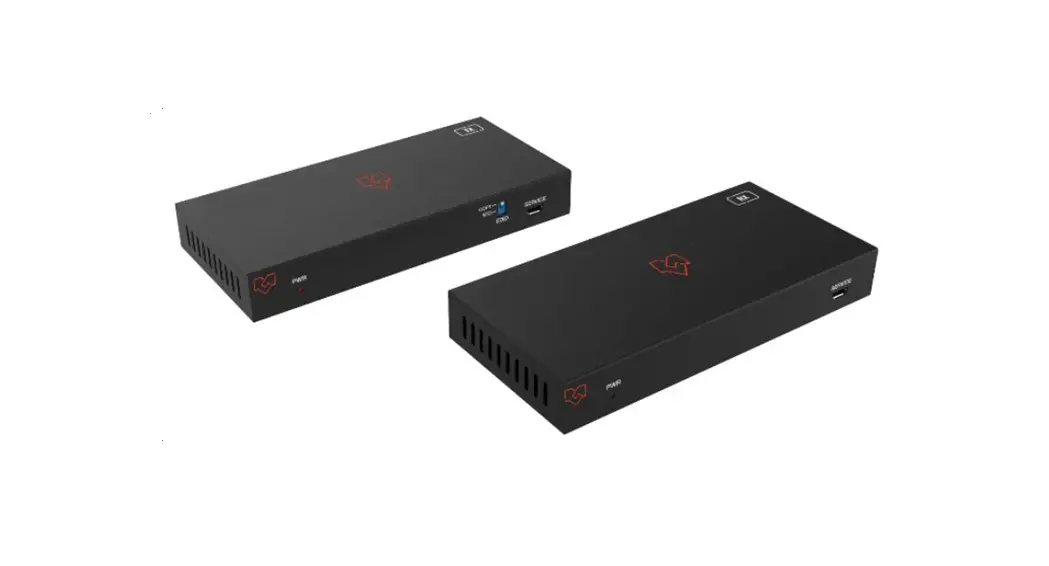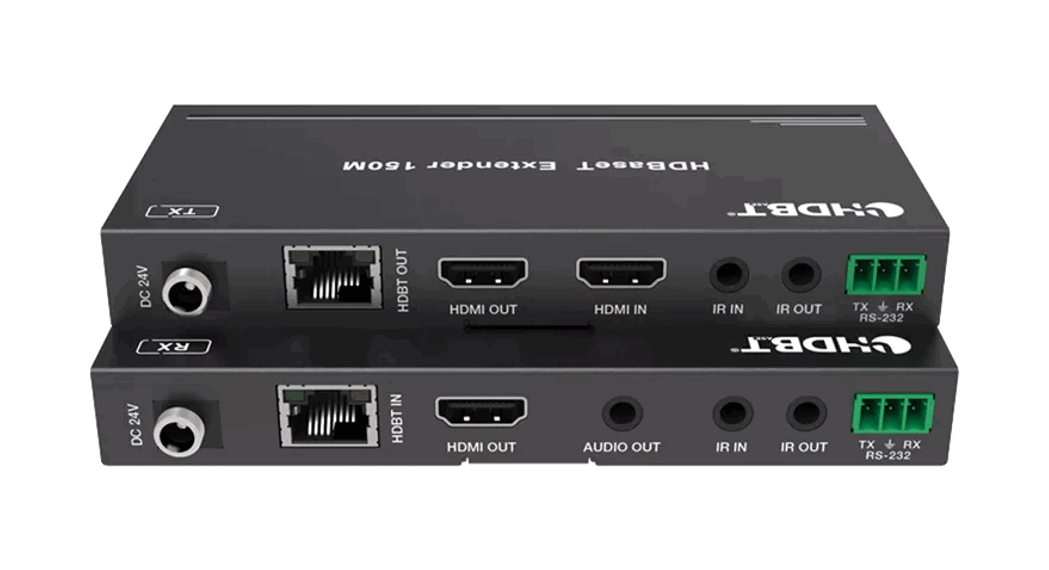
 VL-EX100M-1
HDBaseT 3.0 Extender 100m with EARC -VS3000
VER 1.0
User Manual 
VL-EX100M-1 HDBaseT 3.0 Extender 100m with EARC -VS3000
Thank you for purchasing this product
For optimum performance and safety, please read these instructions carefully before connecting, operating, or adjusting this product. Please keep this manual for future reference.
A surge protection device recommended
This product contains sensitive electrical components that may be damaged by electrical spikes, surges, electric shocks, lightning strikes, etc. The use of surge protection systems is highly recommended to protect and extend the life of your equipment.
Introduction
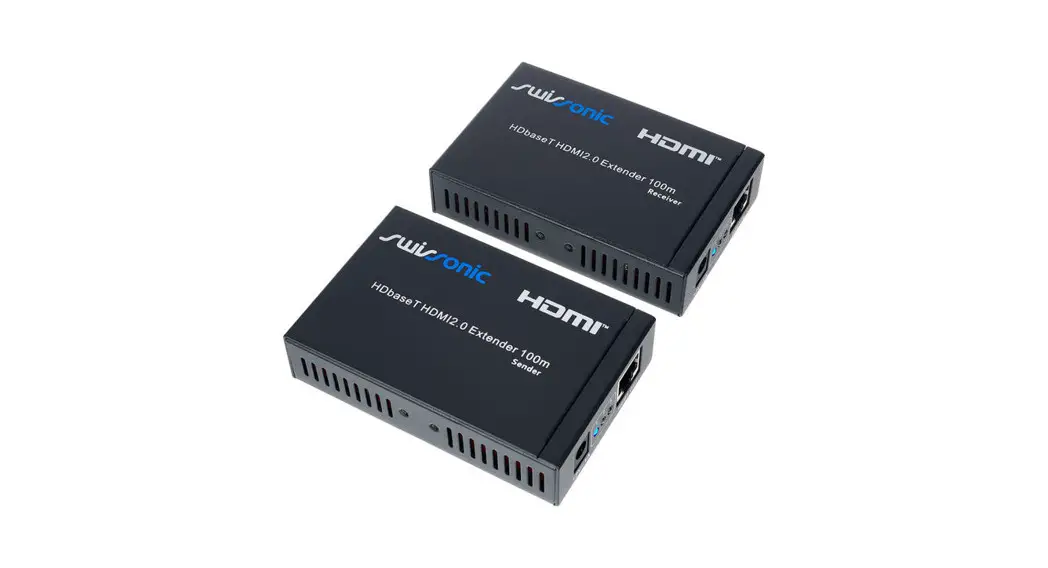
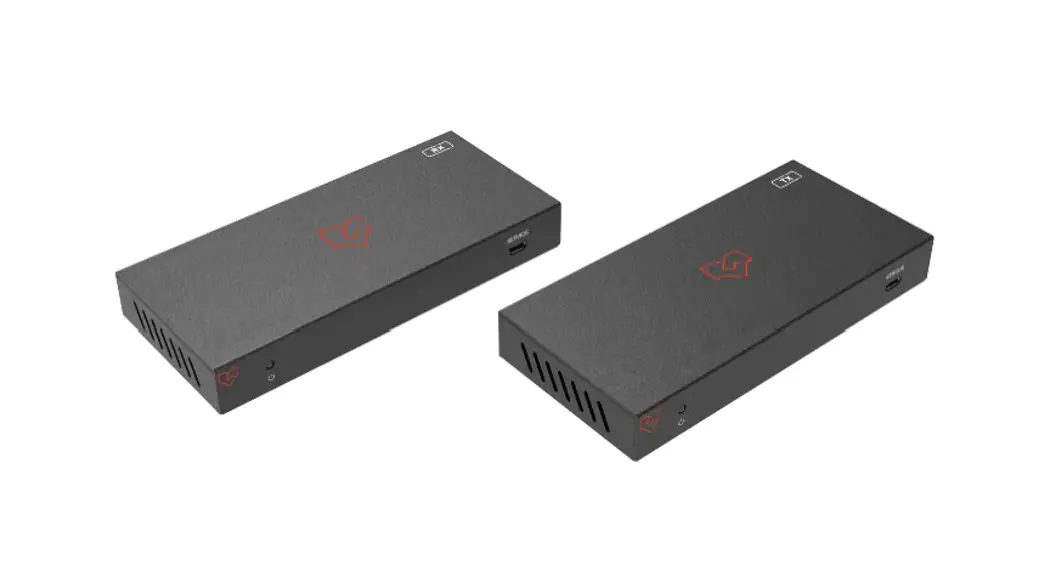
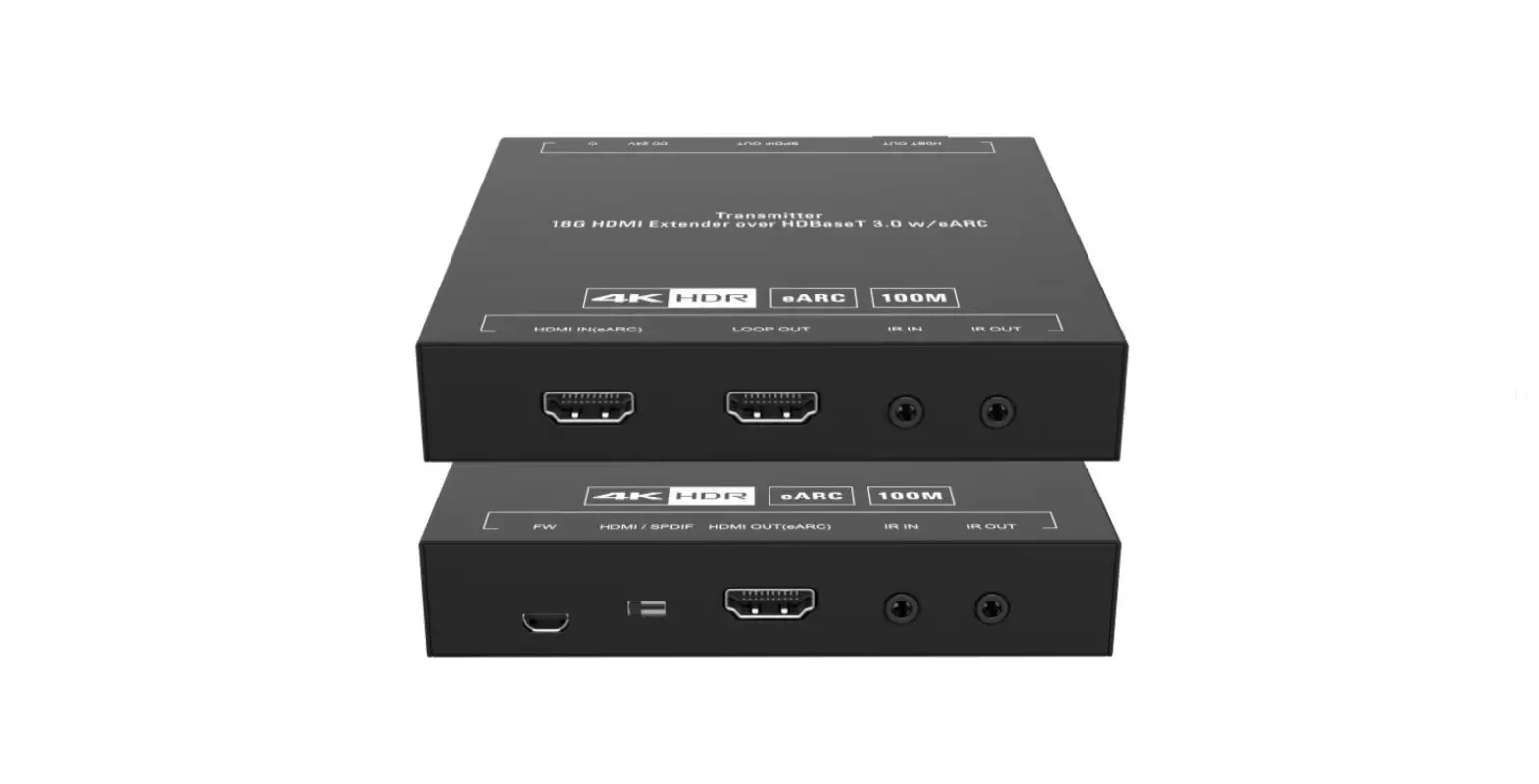
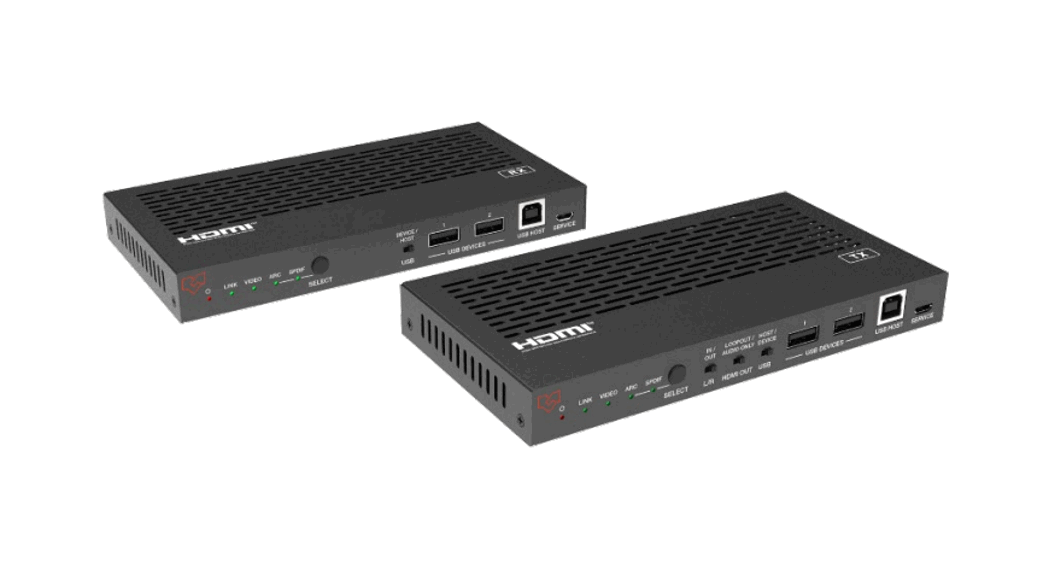
This HDBaseT 3.0 Extender can extend uncompressed HD/UHD video and audio signals, eARC/ARC, RS-232, bi-directional IR, 1GbE Ethernet and USB2.0 signals up to 100m/328ft via a single CAT6A/7 cable. The Transmitter supports audio embedding or de-embedding. The Receiver supports audio de-embedding. It also supports eARC/ARC from RX’s HDMI output pass through to TX’s HDMI input or de-embedding to TX’s HDMI audio only and SPDIF output ports, USB 2.0 (Host/Device is configurable), and bidirectional POC.
The Extender offers the most convenient solution for HDMI extension via a single CAT cable with long-distance capability and is the perfect solution for home/commercial
applications.
Features
☆ HDMI 2.0b, HDCP 2.2 and HDBaseT 3.0 compliant
☆ Uncompressed 4K@60Hz 4:4:4 up to 18Gbps video bandwidth
☆ HDR, HDR10, HDR10+, Dolby Vision, and HLG pass through
☆ LPCM, Dolby Digital/Plus/EX, Dolby True HD, DTS, DTS-EX, DTS-96/24, DTS High Res, DTS-HD Master Audio, DSD pass through
☆ Transmission distance up to 328ft/100 meters via a single CAT 6A/7 cable
☆ Supports eARC/ARC function (the audio is returned to the HDMI IN port, HDMI OUT(AUDIO ONLY) port, and SPDIF OUT port of the transmitter.)
☆ Supports SPDIF audio reverse transmission
☆ Bi-directional IR, RS-232, and 1G Ethernet signals pass through
☆ Supports USB2.0 transmission, Host/Device is configurable
☆ Bi-directional 24V POC function
Package Contents
| Qty | Item |
| 1 | HDBaseT 3.0 Extender (Transmitter) |
| 1 | HDBaseT 3.0 Extender (Receiver) |
| 1 | IR Blaster Cable (1.5 meters) |
| 1 | IR Receiver Cable (1.5 meters) |
| 4 | Mounting Ears |
| 8 | Machine Screws (KM3*4) |
| 2 | 3pin-3.81mm Phoenix Connector |
| 1 | 24V/1A Locking Power Adapter |
| 1 | User Manual |
Specifications
| Technical | |
| HDMI Compliance | HDMI 2.0b |
| HDCP Compliance | HDCP 2.2 |
| Video Bandwidth | 18Gbps |
| Video Resolution | Up to 4K@60Hz 4:4:4 |
| HDBaseT Bandwidth | 16Gbps on the main and 2Gbps on the return link |
| HDR | HDR, HDR10, HDR10+, Dolby Vision, HLG |
| Color Space | RGB, YCbCr 4:4:4, YCbCr 4:2:2, YCbCr 4:2:0 |
| Color Depth | 8/10/12-bit |
| Audio Formats | LPCM, Dolby Digital/Plus/EX, Dolby True HD, DTS, DTS-EX, DTS-96/24, DTS High Res, DTS-HD Master Audio, DSD |
| L/R Audio Formats | PCM 2.0 |
| SPDIF Audio Formats | LPCM2.0, AC3 5.1, DTS 5.1 |
| IR Level | 12Vp-p |
| IR Bandwidth | 20K – 60KHz |
| USB Bandwidth | Up to 350Mbps |
| Ethernet | 1000Mbps |
| RS-232 | Up to 921600bps |
| Transmissi on Distance | 100m (via a single CAT 6A/7 cable) |
| ESD Protection | Human body model — ±8kV (Air-gap discharge) & ±4kV (Contact discharge) |
| Connection | |
| Transmitter | Inputs: 1x HDMI IN [Type A, 19-pin female] Outputs: 1x HDMI OUT [Type A, 19-pin female] 1x HDBT OUT [RJ45, 8-pin female]1x SPDIF OUT [S/PDIF] 1×L/R OUT [3.5mm Stereo Mini-jack] Controls: 1x IR IN [3.5mm Stereo Mini-jack] 1x IR OUT [3.5mm Stereo Mini-jack] 1x RS-232 [3pin-3.81mm Phoenix jack]1x SERVICE [Mini-USB, Update port] 1×USB HOST [USB Type B] 2×USB DEVICES [USB Type A] 1×LAN [RJ45] |
| Receiver | Inputs: 1x HDBT IN [RJ45, 8-pin female]1x SPDIF IN [S/PDIF] Outputs: 1x HDMI OUT [Type A, 19-pin female] 1×L/R OUT [3.5mm Stereo Mini-jack] Controls: 1x IR IN [3.5mm Stereo Mini-jack] 1x IR OUT [3.5mm Stereo Mini-jack] 1x RS-232 [3pin-3.81mm Phoenix jack]1x SERVICE [Mini-USB, Update port] 1×USB HOST [USB Type B] 2×USB DEVICES [USB Type A] 1x LAN [RJ45] |
| Mechanical | |
| Housing | Metal Enclosure |
| Color | Black |
| Dimensions | Transmitter / Receiver: 170mm [W] x 102mm [D] x 22mm [H] |
| Weight | Transmitter: 425g, Receiver: 437g |
| Power Supply | Input: AC 100 – 240V 50/60Hz Output: DC 24V/1A (US/EU standard, CE/FCC/UL certified) |
| Power Consumption | 15.36W (POC) | ||
| Operating Temperature | 32 – 104°F / 0 – 40°C | ||
| Storage Temperature | -4 – 140°F / -20 – 60°C | ||
| Relative Humidity | 20 – 90% RH (no condensation) | ||
| Resolution / Cable Length | 4K60 – Feet / Meters | 4K30 – Feet / Meters | 1080P60 – Feet / Meters |
| HDMI IN / OUT 16ft / 5M | 32ft / 10M | 50ft / 15M | |
| The use of a “Premium High-Speed HDMI” cable is highly recommended. | |||
Operation Controls and Functions
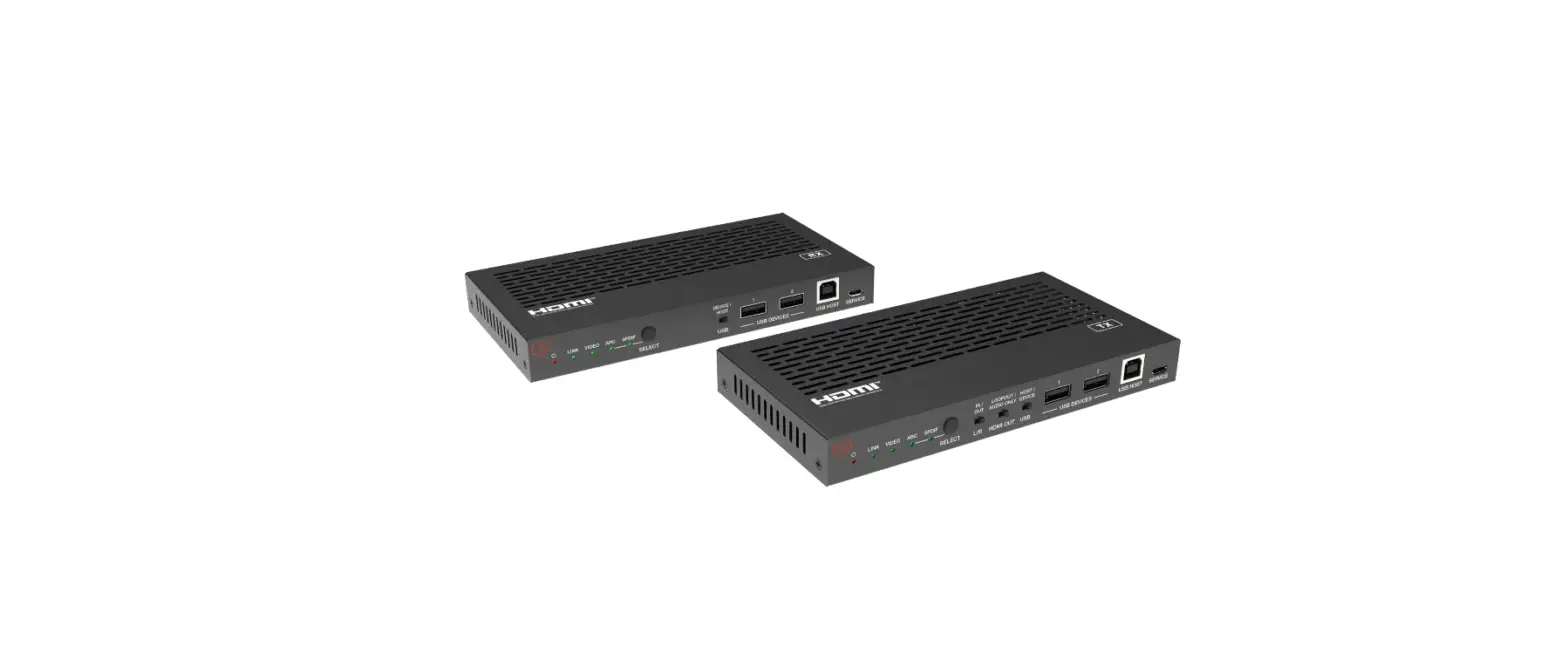
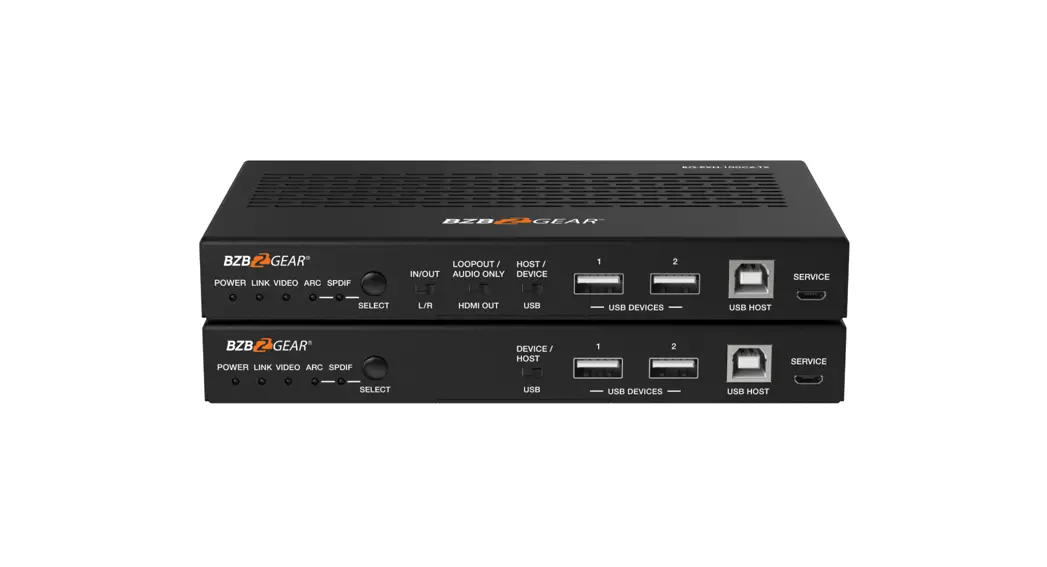
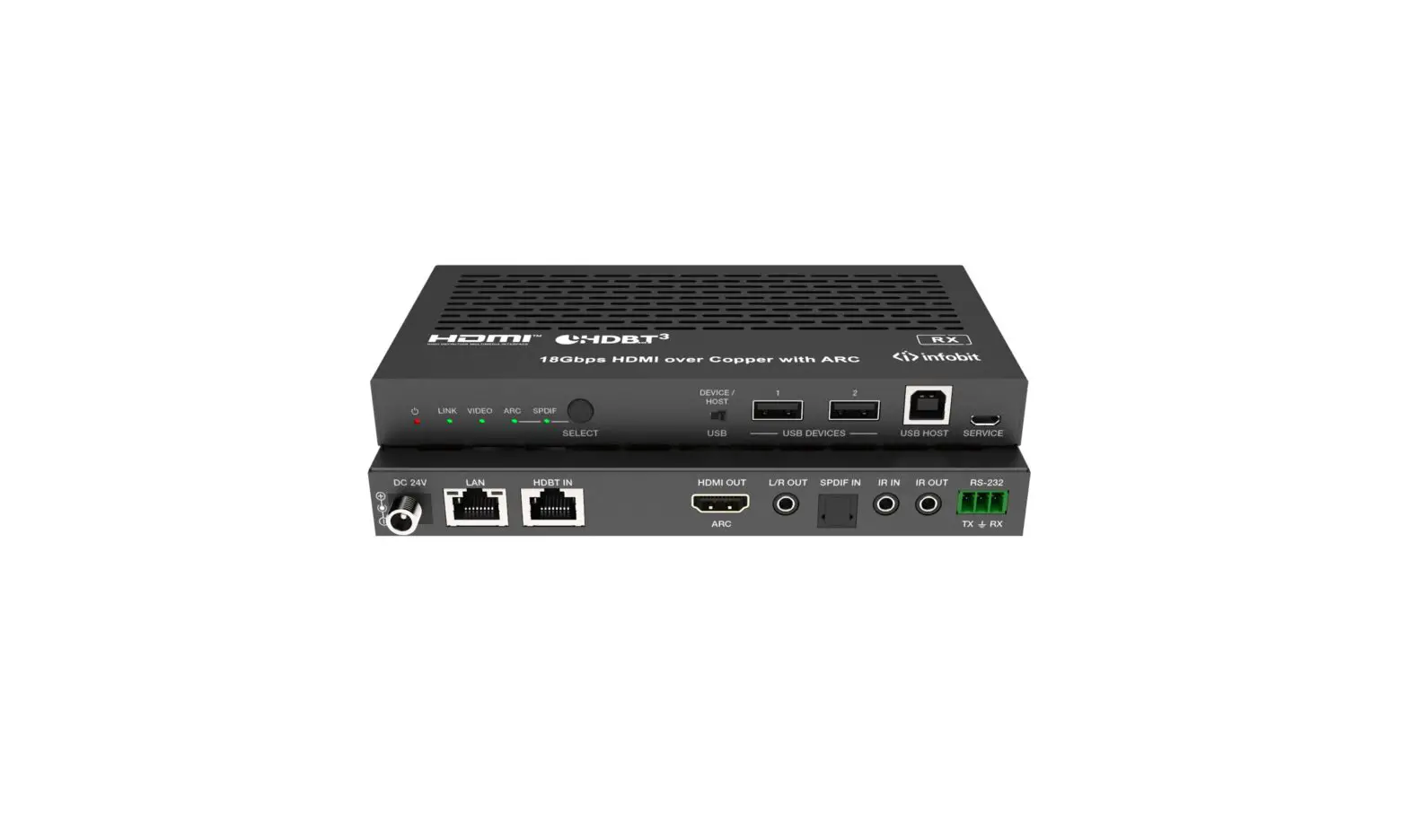
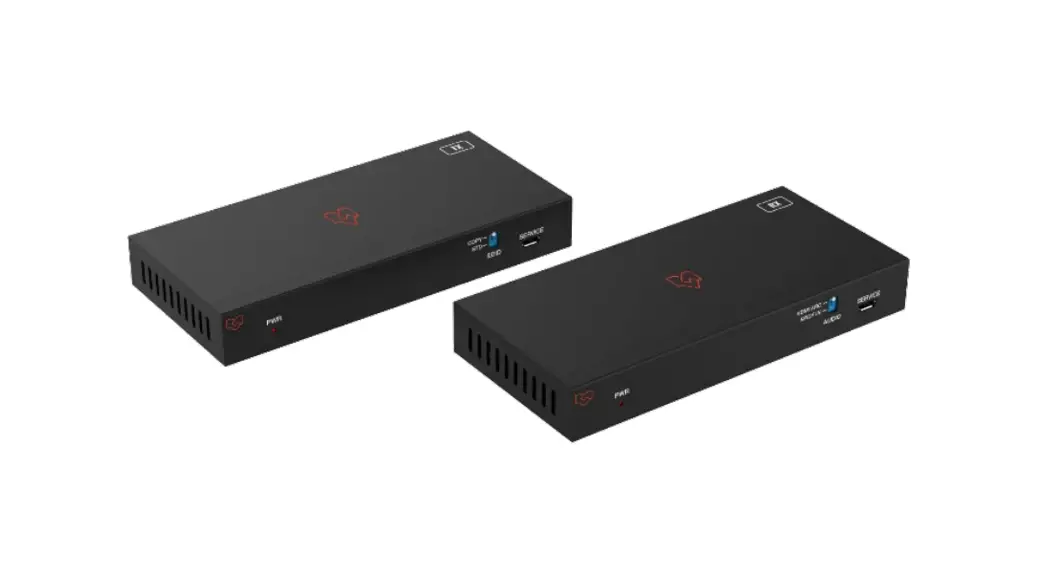
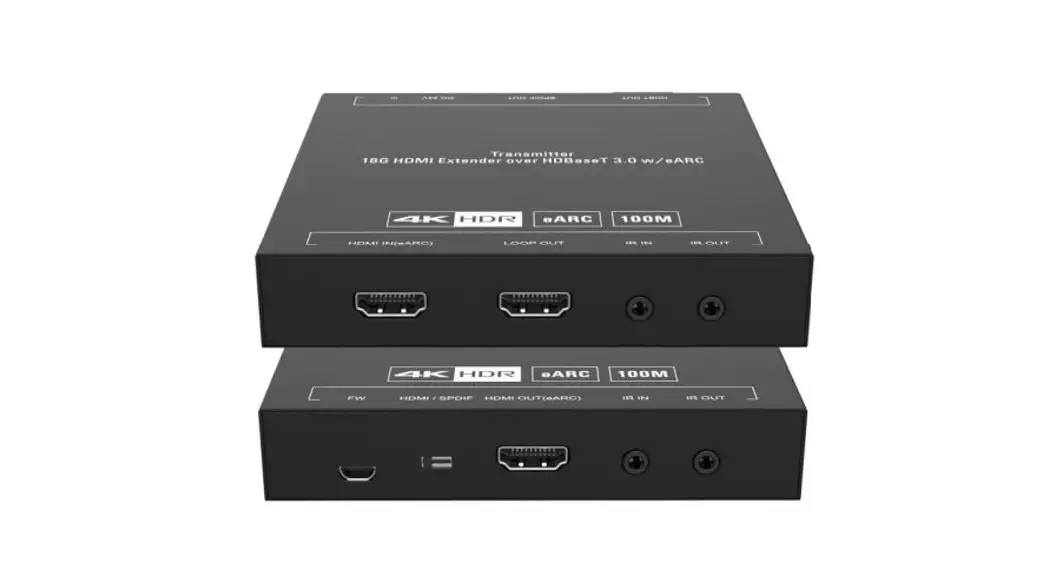
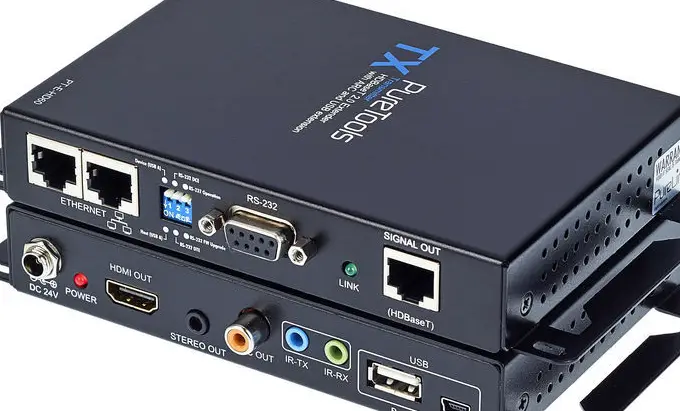
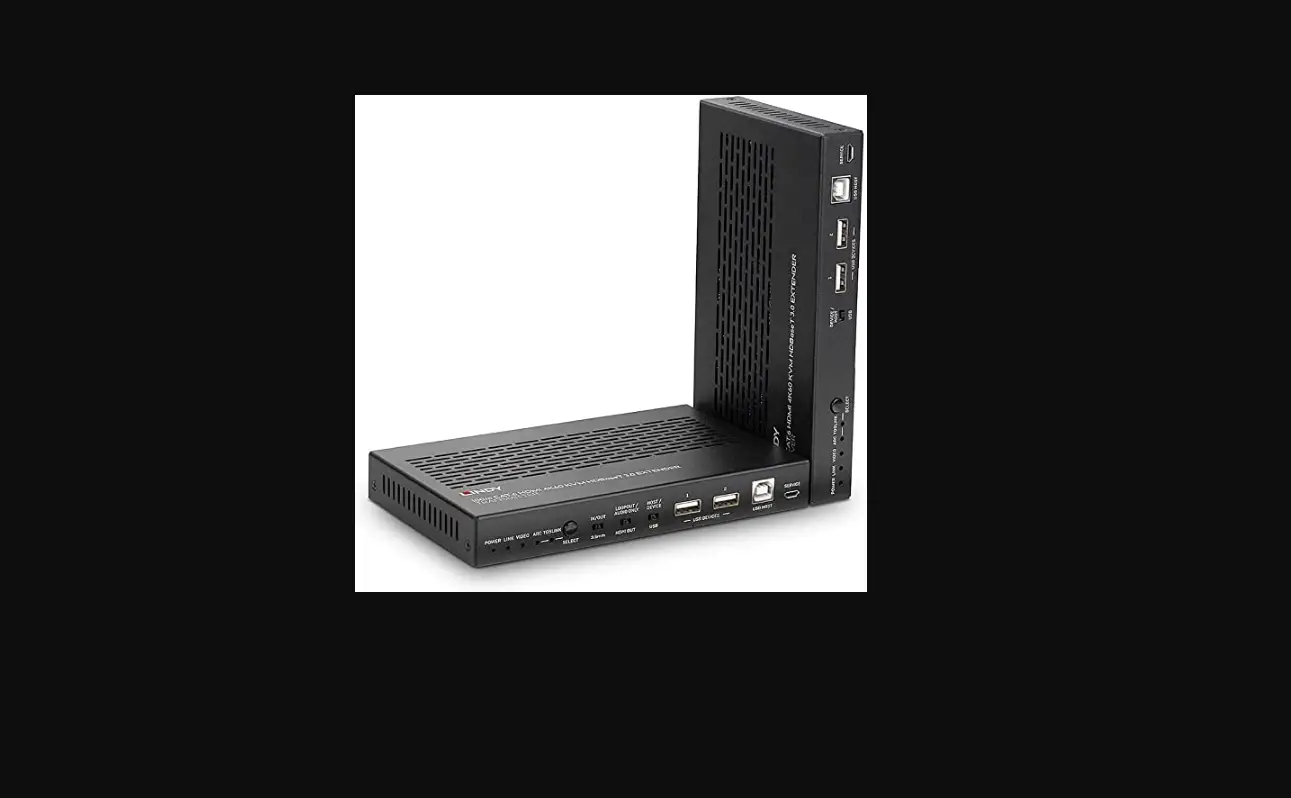
5.1 Transmitter Panel

| No. | Name | Function Description |
| 1 | Power LED | Red LED indicates that the Transmitter is powered on. |
| 2 | LINK LED | ▪ Light on Transmitter and Receiver are in good connection status. ▪ Light flashing: Transmitter and Receiver are in Low Power Mode. ▪ Light off Transmitter and Receiver are not connected. |
| 3 | VIDEO LED | ▪ Light on: The video is encrypted. ▪ Light flashing: The video is not encrypted. ▪ Light off: No HDMI input. |
| 4 | ARC LED | ▪ Light on: The device is switched to the ARC mode. ▪ Light off: The device is switched to the SPDIF mode. |
| 5 | SPDIF LED | ▪ Light on: The device is switched to the SPDIF mode. ▪ Light off: The device is switched to the ARC mode. |
| 6 | SELECT button | Used for switching the ARC mode and SPDIF mode. |
| 7 | L/R IN/OUT switch | Switch to left, the L/R IN/OUT port is the audio embedding port; Switch to right, and the L/R IN/OUT port is the audio de- embeddingport. |
| 8 | LOOP OUT/ AUDIO ONLY switch | Switch to the left (LOOP OUT), the HDMI OUT port is the loop out portfor the HDMI IN port; Switch to the right (AUDIO ONLY), the HDMI OUT port outputs a 720Pblack screen image, and the audio is from ARC or SPDIF. |
| 9 | HOST/ DEVICE USB switch | Switch to the left (HOST), the USB HOST mode is enabled; Switch to the right (DEVICE), and the USB DEVICE mode is enabled. |
| 10 | USB DEVICES | Two USB device ports are connected to a U disk, mouse, or keyboard. |
| 11 | USB HOST | USB extension host port, connected to PC. |
| 12 | SERVICE | Firmware update port. |
| 13 | DC 24V | DC 24V/1A power supply input port. Note that the extender supports the POC function, it means that either transmitter or receiver is powered on by a 24V/1A power adapter, and the other one doesn’t need a power supply. |
| 14 | LAN | 1G Network port. |
| 15 | HDBT OUT | 10G Network port, connected to the HDBT IN port of Receiver with a CAT 6A/7 cable. It is used for various signals pass-through. |
| 16 | HDMI IN | HDMI signal input port, connected to signal source device, supporting eARC/ARC amplifier. |
| 17 | HDMI OUT | HDMI signal loop out port. It can choose to be a LOOP OUT or AUDIO ONLY port through the LOOP OUT/AUDIO ONLY switch. |
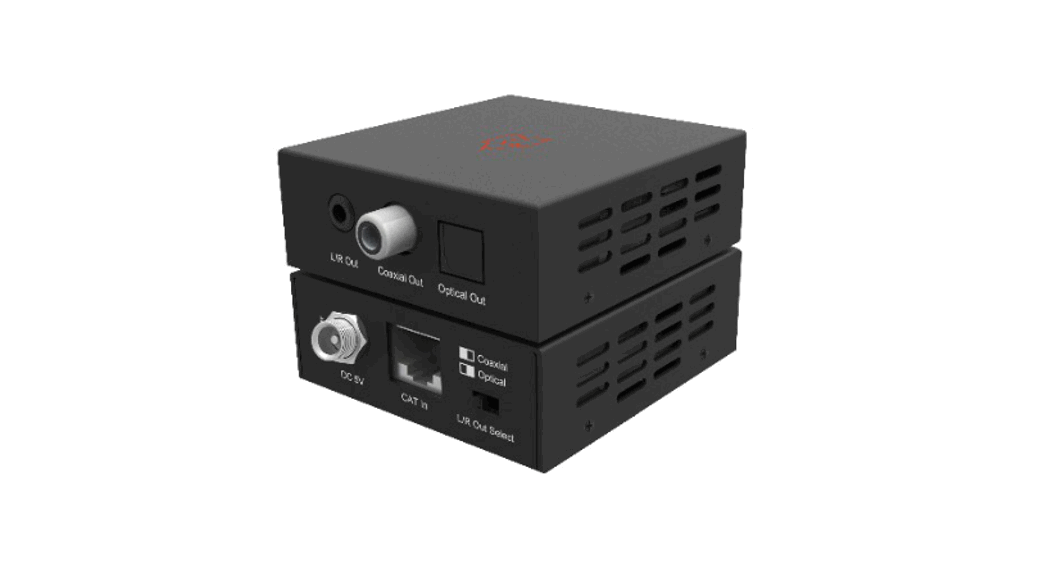
| 18 | L/R IN/OUT | Audio embedding/de-embedding port. It can be used for audio embedding/de-embedding through the L/R IN/OUT switch. |
| 19 | SPDIF OUT | Optical output port. |
| 20 | IR IN | IR signal input port, connected to IR Receiver cable. |
| 21 | IR OUT | IR signal output port, connected to IR Blaster cable. |
| 22 | RS-232 | RS-232 serial port, used for serial port command transmission. |
5.2 Receiver Panel
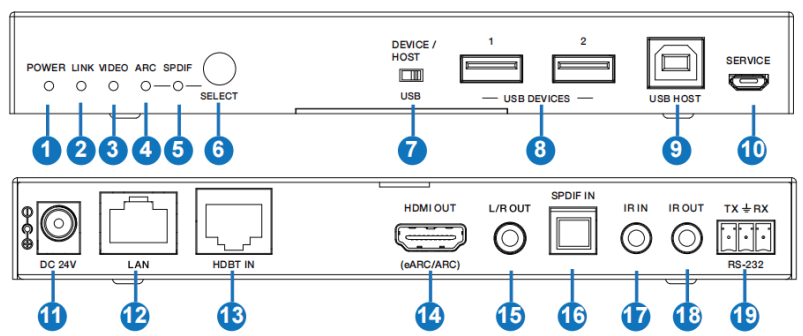
| No. | Name | Function Description |
| 1 | Power LED | Red LED indicates that the Receiver is powered on. |
| 2 | LINK LED | ▪ Light on Transmitter and Receiver are in good connection status. ▪ Light flashing: Transmitter and Receiver are in Low Power Mode. ▪ Light off Transmitter and Receiver are not connected. |
| 3 | VIDEO LED | ▪ Light on: The video is encrypted. ▪ Light flashing: The video is not encrypted. ▪ Light off: No HDMI input. |
| 4 | ARC LED | ▪ Light on: The device is switched to the ARC mode. ▪ Light off: The device is switched to the SPDIF mode. |
| 5 | SPDIF LED | ▪ Light on: The device is switched to the SPDIF mode. ▪ Light off: The device is switched to the ARC mode. |
| 6 | SELECT button | Used for switching the ARC mode and SPDIF mode. |
| 7 | DEVICE/ HOST USB switch | Switch to the right (HOST), the USB HOST mode is enabled; Switch to the left (DEVICE), and the USB DEVICE mode is enabled. |
| 8 | USB DEVICES | Two USB device ports are connected to a U disk, mouse, or keyboard. |
| 9 | USB HOST | USB extension host port, connected to PC. |
| 10 | SERVICE | Firmware update port. |
| 11 | DC 24V | DC 24V/1A power supply input port. Note that the extender supports the POC function, it means that either transmitter or receiver is powered on by a 24V/1A power adapter, and the other one doesn’t need a power supply. |
| 12 | LAN | 1G Network port. |
| 13 | HDBT IN | 10G Network port, connected to the HDBT OUT port of Transmitter with a CAT 6A/7 cable. It is used for various signals pass-through. |
| 14 | HDMI OUT | HDMI signal output port, supporting eARC/ARC TV. |
| 15 | L/R OUT | Audio de-embedding output port. |
| 16 | SPDIF IN | Optical input port. |
| 17 | IR IN | IR signal input port, connected to IR Receiver cable. |
| 18 | IR OUT | IR signal output port, connected to IR Blaster cable. |
| 19 | RS-232 | RS-232 serial port, used for serial port command transmission. |
5.3 Input & Output Switching
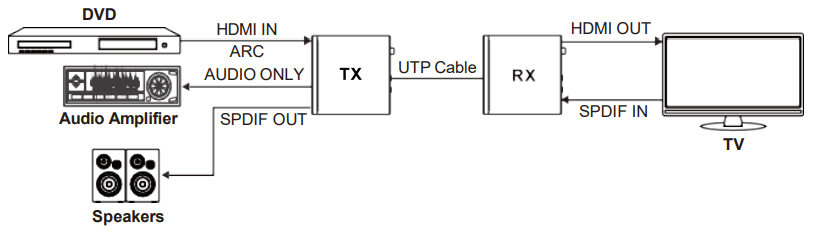
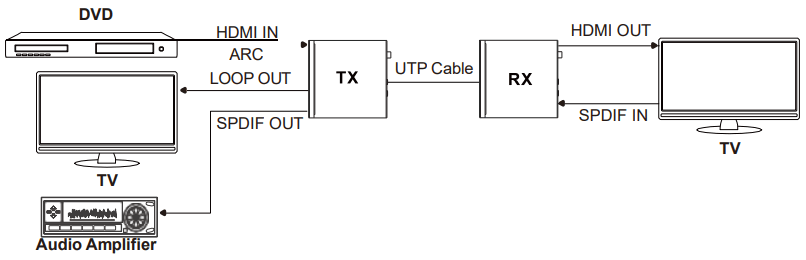
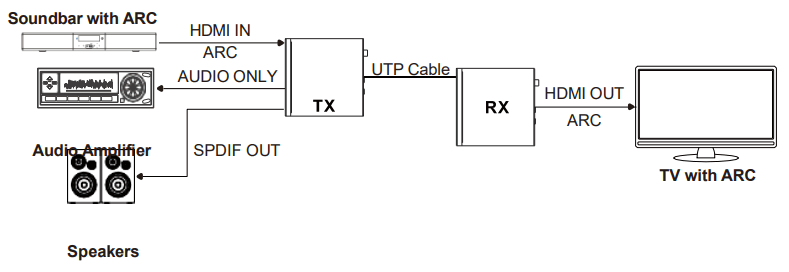
The Extender can switch to ARC/SPDIF mode by pressing the SELECT button on the front panel of both transmitter and receiver. The HDMI OUT port of the transmitter can turn to LOOP OUT or AUDIO ONLY through the LOOP OUT/AUDIO ONLY switch. The input and output routing is different for different scenarios, as shown in the diagrams below:
Scene 1: Set the Extender to SPDIF Mode. Then switch the LOOP OUT/AUDIO ONLY switch to the right, the HDMI OUT port of the transmitter is set to AUDIO ONLY.
Scene 2: Set the Extender to SPDIF Mode. Then switch the LOOP OUT/AUDIO ONLY switch to the left, the HDMI OUT port of the transmitter is set to LOOP OUT.
Scene 3: Set the Extender to ARC Mode. Then switch the LOOP OUT/AUDIO ONLY switch to the right, the HDMI OUT port of the transmitter is set to AUDIO ONLY.
Scene 4: Set the Extender to ARC Mode. Then switch the LOOP OUT/AUDIO ONLY switch to the left, the HDMI OUT port of the transmitter is set to LOOP OUT.
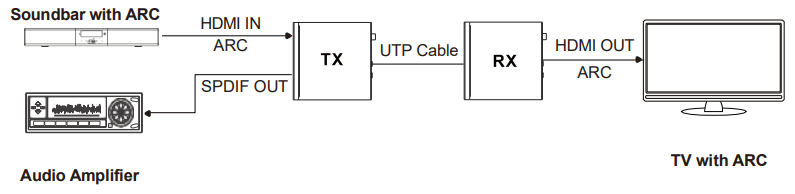
Scene 5: Set the Extender to eARC Mode. Then switch the LOOP OUT/ AUDIO ONLY switch to the right, the HDMI OUT port of the transmitter is set to AUDIO ONLY.
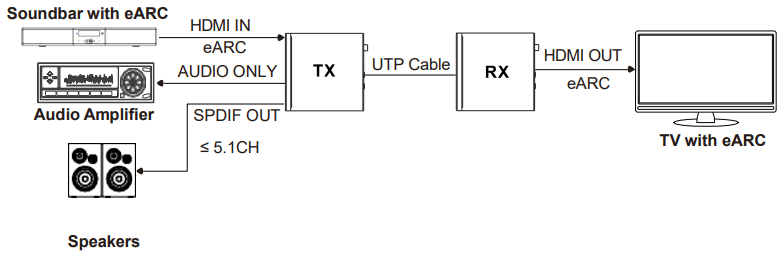
Scene 6: Set the Extender to eARC Mode. Then switch the LOOP OUT/AUDIO ONLY switch to the left, the HDMI OUT port of the transmitter is set to LOOP OUT.
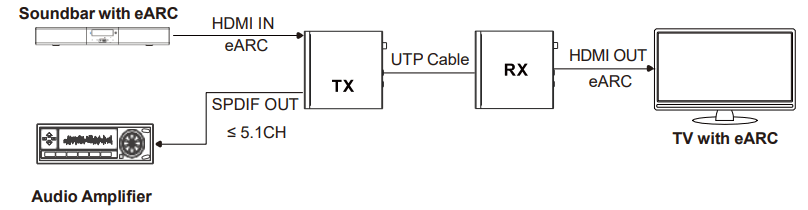
Note: In eARC mode, the SPDIF OUT port can only output the audio up to 5.1CH.
5.4 Audio Embedding and De-embedding
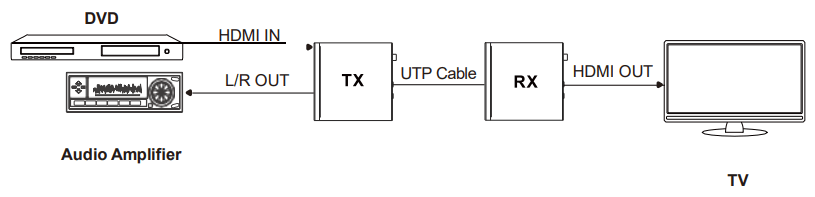
The Transmitter supports audio embedding and de-embedding. The L/R IN/OUT port can be used for audio embedding or de-embedding through the L/R IN/OUT switch.
- TX Audio Embedding
When the L/R IN/OUT switch is switched to the left, the audio from the external audio device will be embedded in the L/R IN/OUT port.
- TX Audio De-embedding
When the L/R IN/OUT switch is switched to the right, The L/R IN/OUT port will output the audio de-embedded from the HDMI IN port.

5.5 USB Mode Applications
The Extender supports USB2.0 transmission, and the Host/Device is configurable.
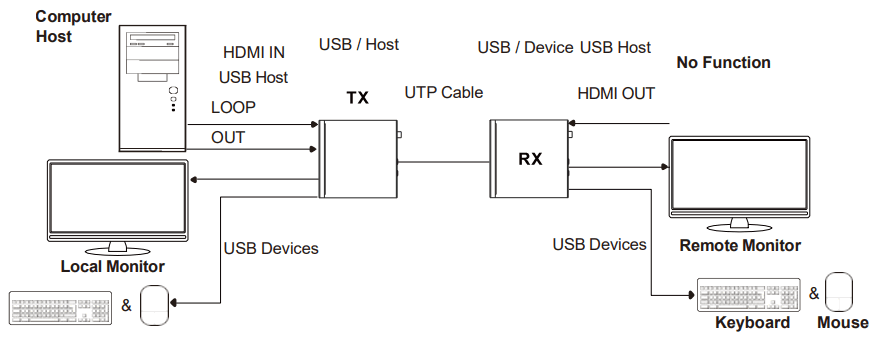
Mode 1: USB forward from TX to RX
Switch the HOST/DEVICE USB switch to the left, then power off and reboot the transmitter to set it to USB Host mode. Meanwhile, switch the DEVICE/HOST USB switch to the left, then power off and reboot the receiver to set it to USB Device mode.
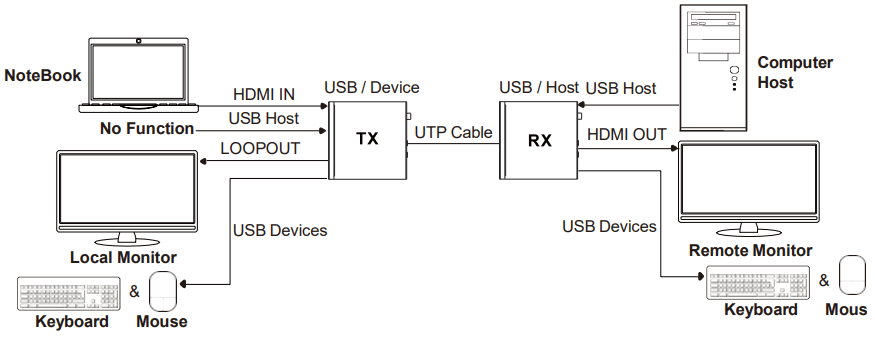
Mode 2: USB reverse from RX to TX
Switch the HOST/DEVICE USB switch to the right, then power off and reboot the transmitter to set it to USB Device mode. Meanwhile, switch the DEVICE/HOST USB switch to the right, then power off and reboot the receiver to set it to USB Host mode.
5.6 IR Pin Definition
IR Receiver and Blaster pin’s definition as below:
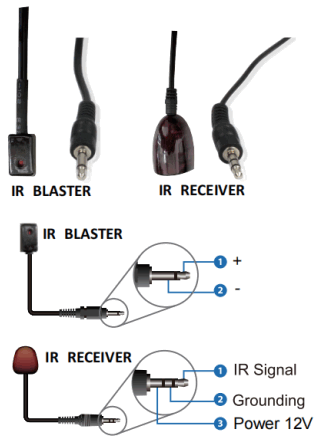
Note: When the angle between the IR receiver and the remote control is ± 45 °, the transmission distance is 0-5 meters; when the angle between the IR receiver and the remote control is ± 90 °, the transmission distance is 0-8 meters.
Application Example
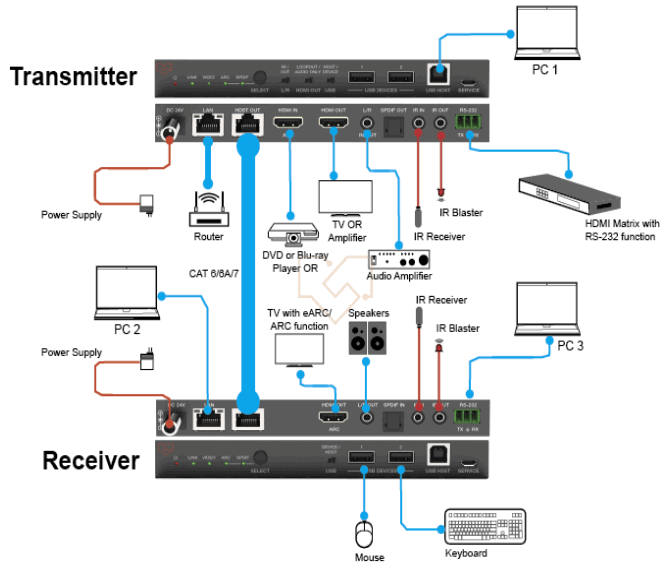
The terms HDMI and HDMI High-Definition Multimedia Interface, and the HDMI Logo are trademarks or registered trademarks of HDMI Licensing LLC in the United States and other countries.