
DJI FPV
(Aircraft model:FD1W4K, Goggles model:FGDB28, Remote controller model:
FC7BGC)
Quick Start Guide
v1.0
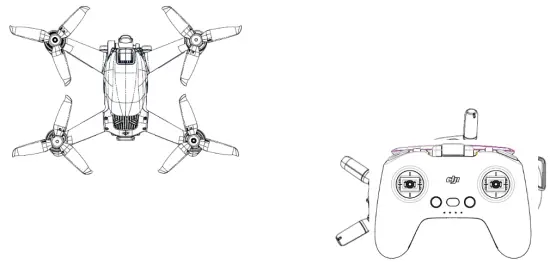
Introduction
Aircraft
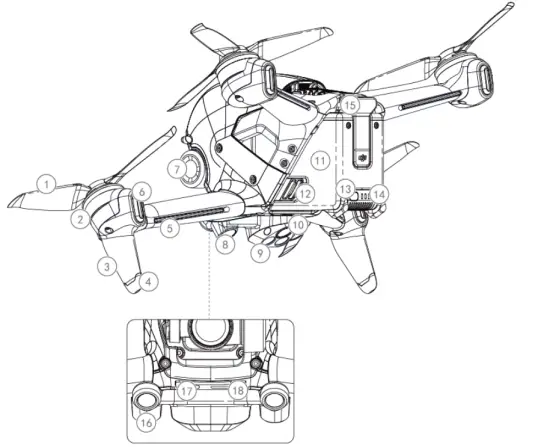
| 1. Propellers | 10. Auxiliary Light |
| 2. Motors | 11. Intelligent Flight Battery |
| 3. Front LEDs | 12. Battery Buckles |
| 4. Landing Gears (Built-in antennas) | 13. Power Button |
| 5. Frame Arm Light | 14. Battery Level LEDs |
| 6. Aircraft Status Indicators | 15. Battery Port |
| 7. Gimbal and Camera 16. Forward Vison System | 17. USB-C Port |
| 8. Downward Vision System | 18. microSD Card Slot |
| 9. Infrared Sensing System | |
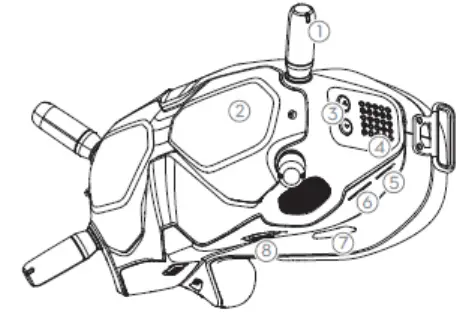
Goles
- Antennas
- Front Covor
- Channel Adjustment Buttons
- Channel Display
- USB.0 Port
- microS0 Card Slot
- Air Intake
- interpupillary distance (IPD) Slider

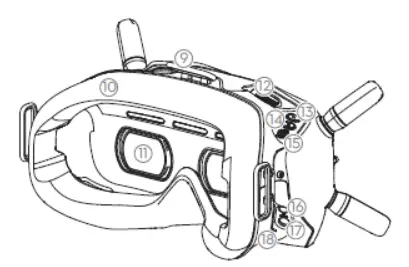
- Headband Attachment
- Foam Padding
- Lens
- Air Vent
- Rocord Button
- Back Button
- 5D Button
- Audio/AV-IN Pon
- Power Port (DC5.5×2.1)
- Link Button

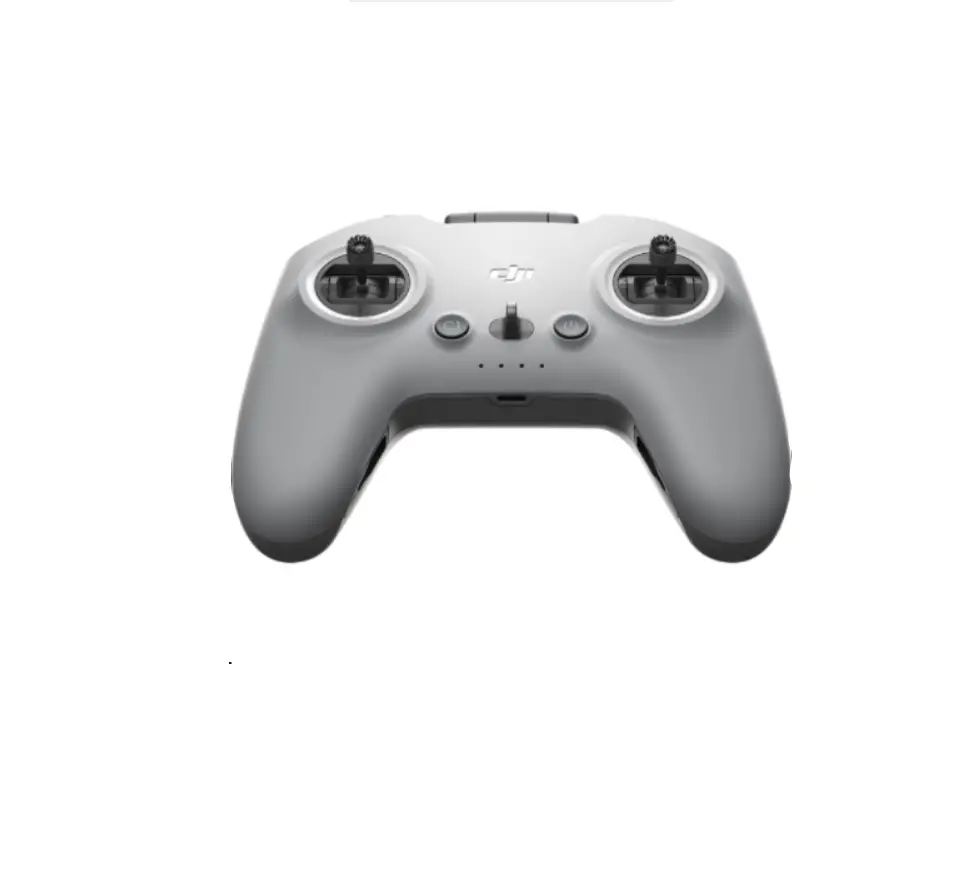
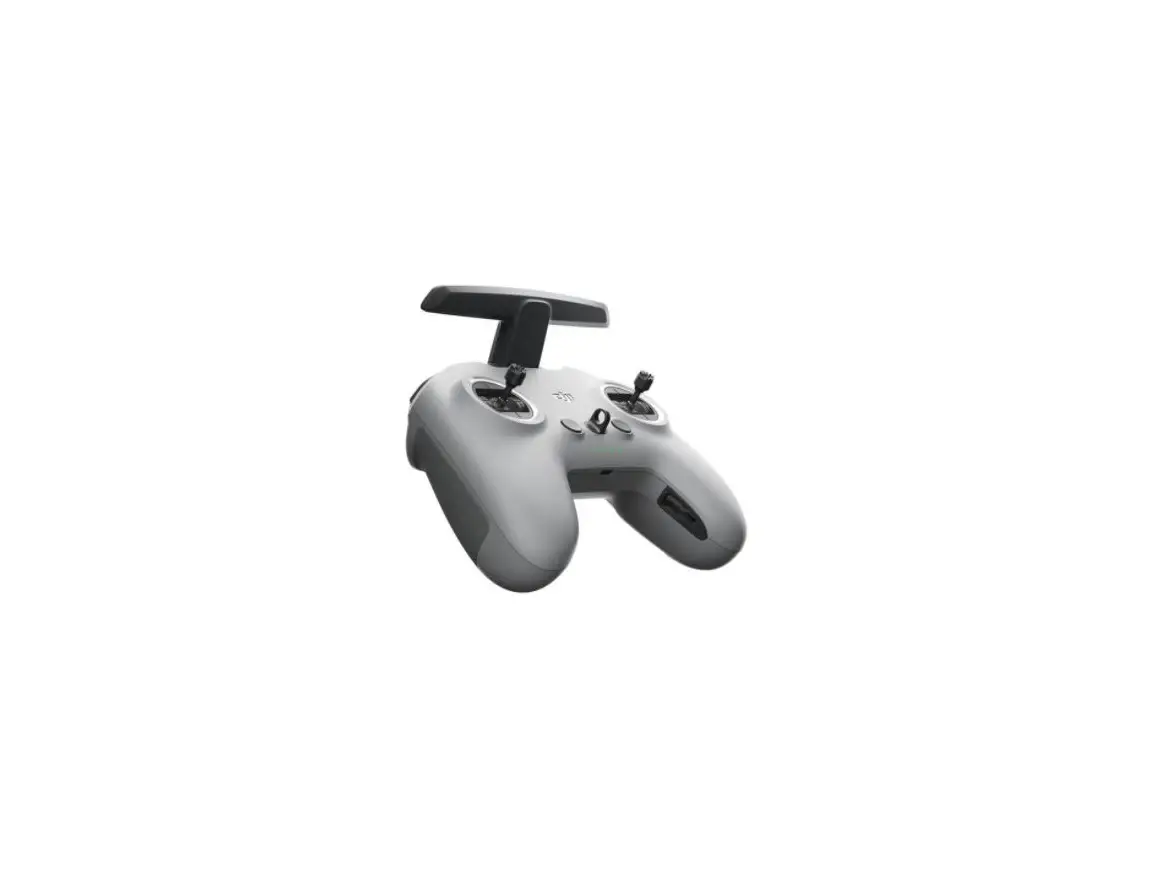
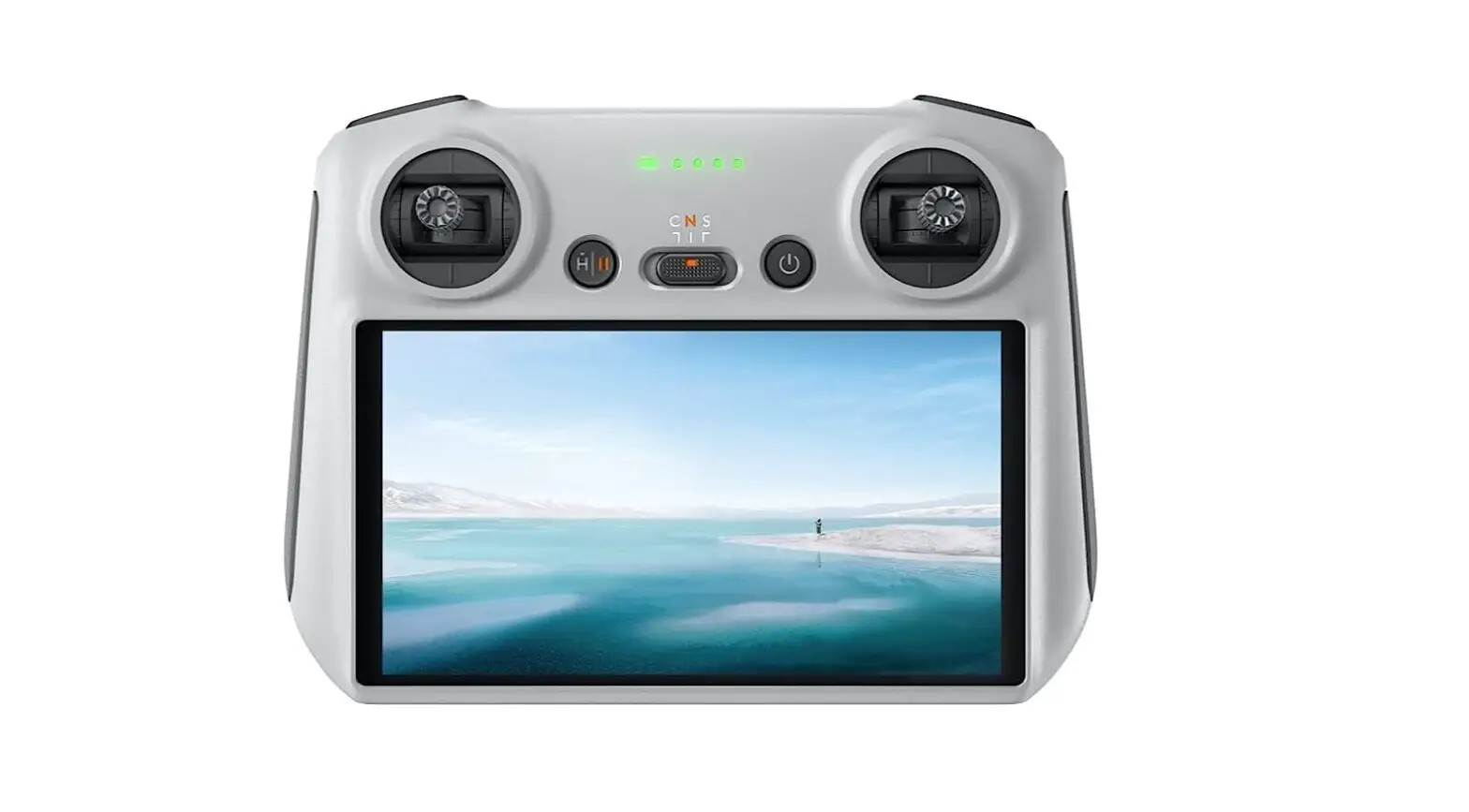
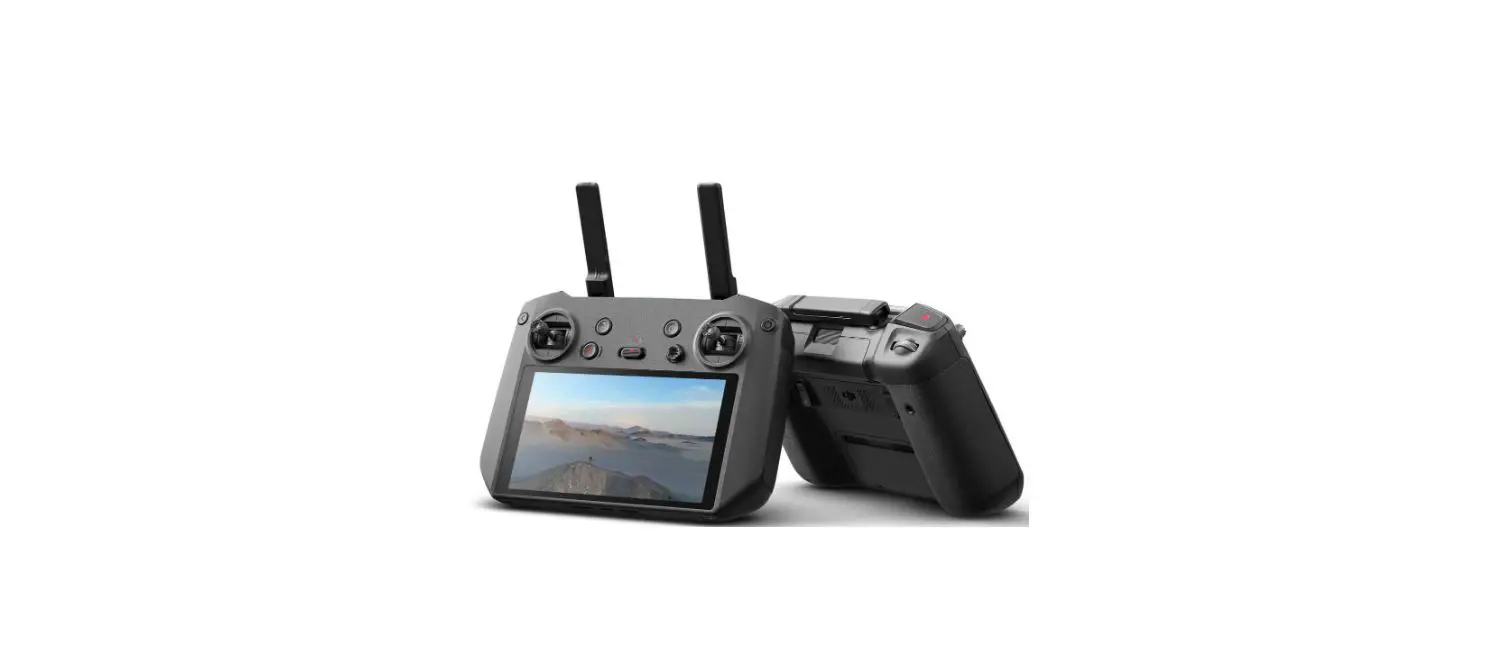
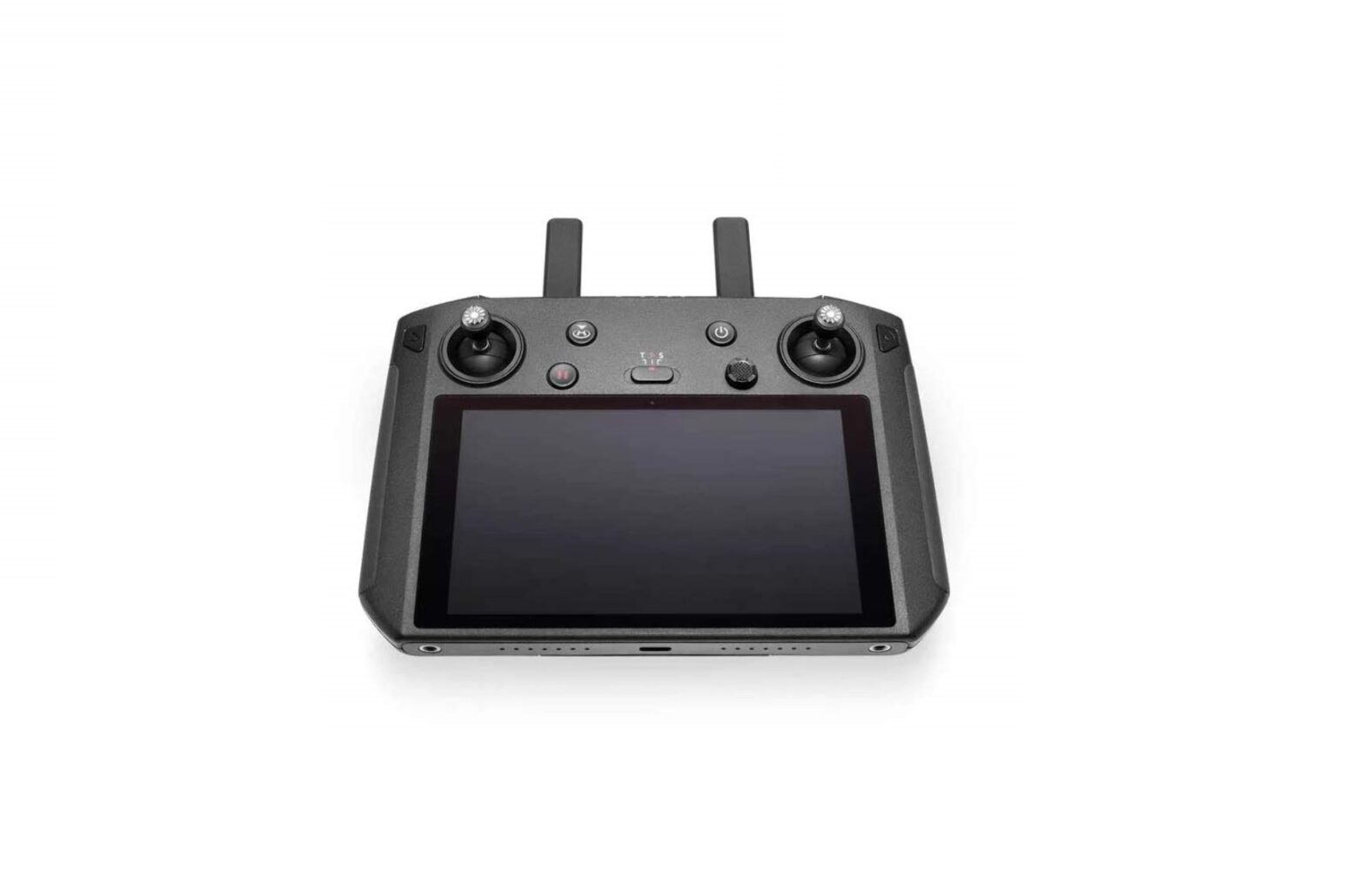
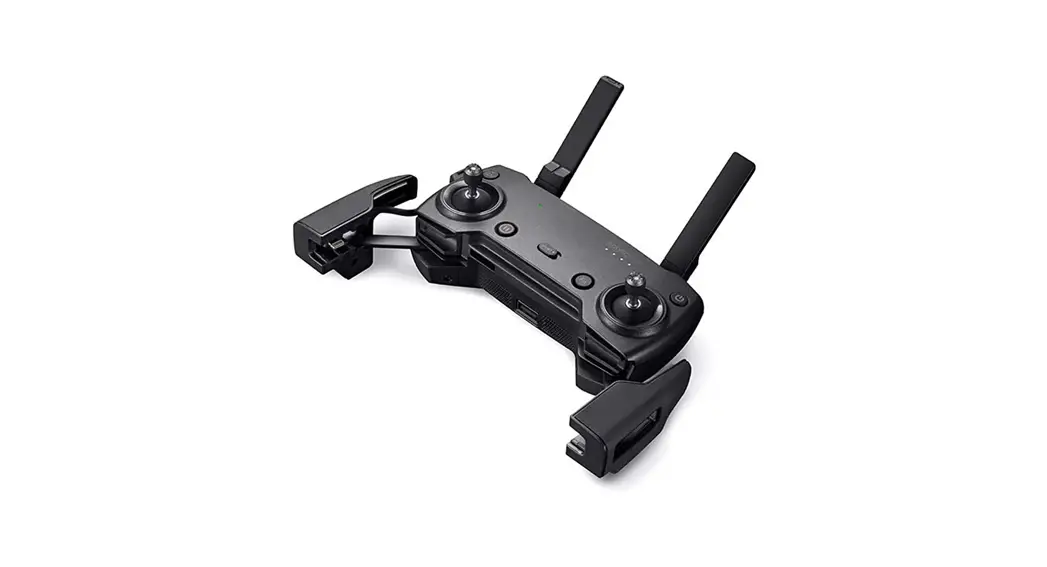
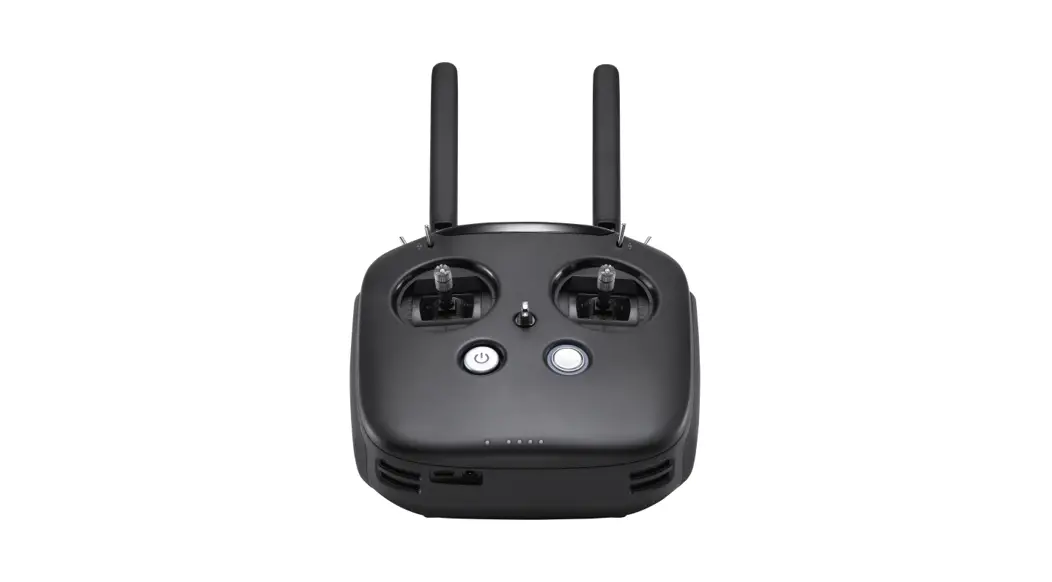
Remote Controller
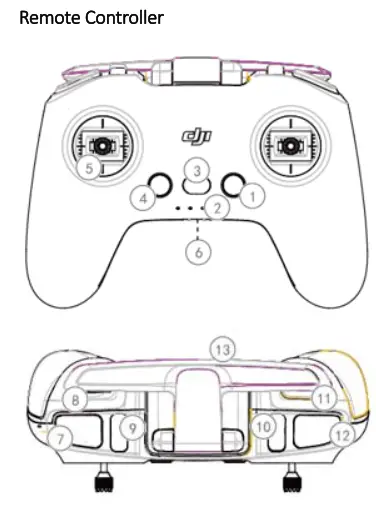
- Power Button
- Battery Level Indicator
- Lanyard Attachment
- Customizable Button
- Control Sticks
- USB-C-Port
- Flight Pause Button
- Gimbal Dial
- Flight Mode Switch
- Customizable Switch Take-off/Landing Button (non-M mode) Lock/Unlock Button (M mode)
- Shutter/Record Button
- Antennas
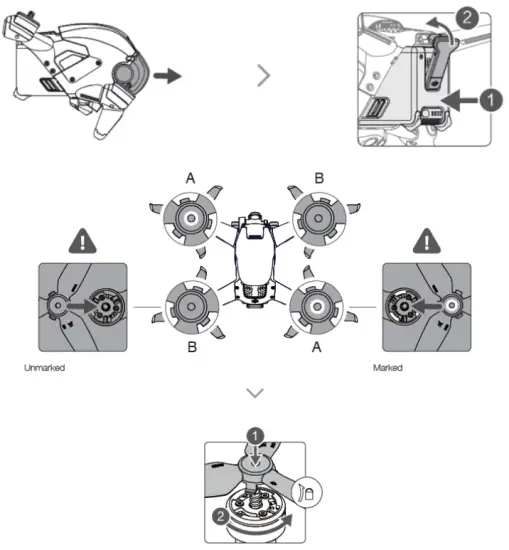
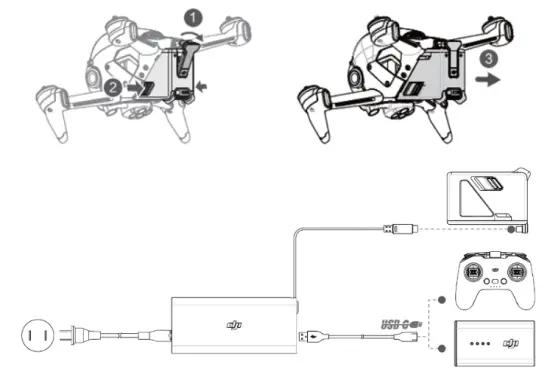
Preparing the Aircraft
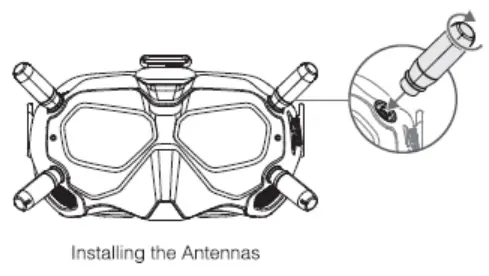
Preparing the Goggles
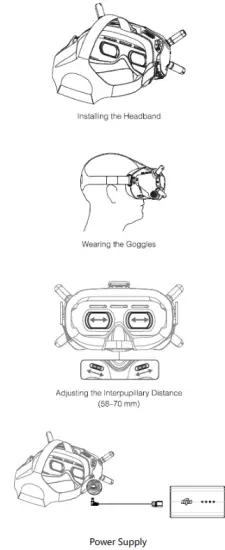
Charging
Checking Battery Levels and Powering on/off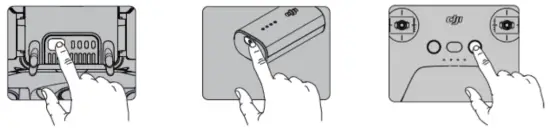
Press once to check the battery level.
press then press and hold to turu on/off.
Linking
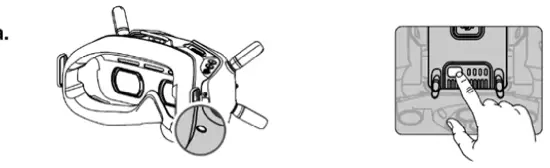
 Press the link button on the goggles.
- Press and hold the power button of the aircraft.
- The battery level indicator of the aircraft turns solid and displays the battery level, the goggles stop beeping when successfully linked and the video display is normal.
 Press the link button on the goggles.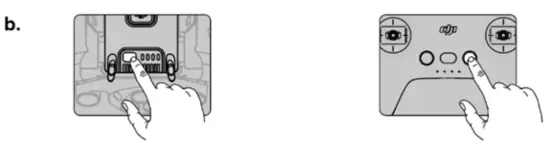
- Press and hold the power button of the aircraft.
- Press and hold the power button of the remote controller.
- Both the battery level indicators turn solid and displaythe battery level, and the remote controller stop beeping when successfully linked.
* When ready to link, the devices will give the following indication: Aircraft: the battery level indicator blinks in sequence Goggles: the goggles beep continually Remote controller: the remote controller beeps continually and the battery level indicator blinks in sequence
Controls
Goggles
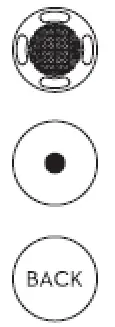 | 5D Button Toggle to scroll through the menu. Press to confirm. |
| Record Button Press to start or stop video recording. | |
| Back Button Press to return to the previous menu or exit the current mode. |
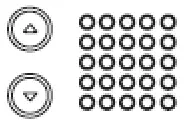 Channel Adjustment Buttons Press to switch channels.
Channel Display Displays the current channel.
Remote Controller
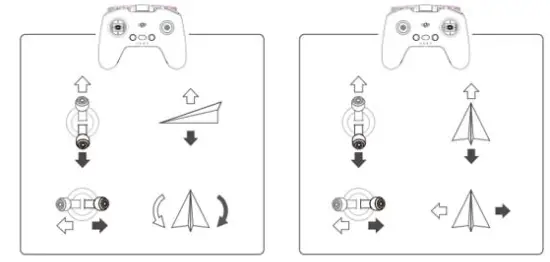
mode2
Specifications
| Aircraft (Model: FD1W4K) | |
| Takeoff Weight | 790 g |
| Max Flight Time | 20 mins |
| Operating Temperature | -10° to 40° C |
| Operating Frequency | 2.400-2.4835 GHz, 5.725-5.850 GHz |
| Transmitter Power (EIRP) | 2.4G: S30 dBm (FCC), S20 dBm (CE/SRRC/MIC) 5.8G: S30 dBm (FCC/SRRC), S14 dBm (CE) |
| Camera | |
| Sensor | 1/2.3″ CMOS, Effective Pixels: 12M |
| Lens | FOV: 150° 35mm Format Equivalent: 14.66 mm Aperture: f/2.86 Focus: 0.6 m to co |
| ISO | 100-3200 |
| Electronic Shutter Speed | 1/8000-1/60 s |
| Max Image Size | 3840×2160 |
| Video Resolution | 4K: 3840 X 2160 50/60p FHD: 1920X 1080 50/60/100/120/200p |
| Intelligent Flight Battery | |
| Capacity | 2000 mAh |
| Voltage | 22.2 V(standard) |
| Type | LiPo 6S |
| Energy | 45.6 Wh@3C |
| Charging Temperature | 5– to 40° C |
| Max Charging Power | 90 W |
| Goggles (Model: FGD828) | |
| Weight | Approx. 420 g(headband and antennas included) |
| Dimensions | 184 X 122 X 110 mm(antennas excluded), 202 X 126 X 110 mm(antennas included) |
| Screen Size | 2 inch X 2 |
| Screen Resolution (Single Screen) | 1440 X810 |
| Operating Frequency | 2.400-2.4835 GHz: 5.725-5.850 GHz |
| Transmitter Power (EIRP) | 2.4G: 530 dBm (FCC), 520 dBm (CE/SRRC/MIC) 5.8G: 530 dBm (FCC/SRRC), 514 dBm (CE) |
| Live View Mode | Low Latency Mode(810p 120fps), High Quality Mode (810p 60fps) |
| Video Format | MP4(Video format: 11.264) |
| Supported Video Play Format | MP4. MOV. MKV (Video format: 11.264; Audio format: AAC-LC, AAC-HE, AC-3, MP3) |
| Operating Temperature | 0′ to 40– C |
| Power Input | 11.1-25.2 V |
| Goggles Battery | |
| Capacity | 2600 mAh |
| Voltage | 7.4 V(standard) |
| Type | Li-ion 2S |
| Energy | 19.3 Wh |
| Charging Temperature | 0′ to 45° C |
| Max Charging Power | 21.84 W |
| Remote Controller (Model: FC7BGC) | |
| Operating Frequecy | 2.400-2.4835 GHz: 5.725-5.850 GHz |
| Max Transmission Distance (unobstructed, free of interference) | 2.4G: 8 km (FCC): 4 km (CE) 5.8G: 8 km (FCC): 1 km (CE) |
| Transmitter Power (EIRP) | 2.4G: 530 dBm (FCC), 520 dBm (CE/SRRC/MIC) 5.8G: 530 dBm (FCC/SRRC), 514 dBm (CE) |
| Operating Current/Voltage | / |
Compliance Information
FCC ComplianceNotice This device complies with Part IS of the FCC Rules. Operation is subject to the following two conditions: (1) This device may not cause harmful interference, and 12) This device must accept any interference received, including interference that may cause undesired operation. Any changes or modifications not expressly approved by the party responsible for compliance could void the user’s authority to operate the equipment.
This equipment has been tested and found to comply with the limits for a Class 8 digital device, pursuant to part IS of the FCC Rules. These limits are designed to provide reasonable protection against harmful interference in a residential installation. This equipment generates, uses and can radiate radio frequency energy and, if not installed and used in accordance with the instructions, may cause harmful interference to radio communications. However, there is no guarantee that interference will not occur in a particular installation. If this equipment does cause harmful interference to radio or television reception, which can be determined by turning the equipment off and on, the user is encouraged to try to correct the interference by one or more of the following measures:
—Reorient or relocate the receiving antenna.
—Increase the separation between the equipment and receiver.
—Connect the equipment into an outlet on a circuit different from that to which the receiver is connected
. —Consult the dealer or an experienced radio/TV technician for help.
ISED Warning
This device contains a license. exempt transmittelsilreceiveNs) that comply with Innovation. Science and Economic Development Canada’s license-exempt RSSIs). Operation is subject to the following two conditions: MTh’s device may not cause interference.(2)This device must accept any interference, including interference that may cause undesired operation of the device.
This equipment complies with ISED radiation exposure limits set forth for an uncontrolled environment. End-user must follow the specific operating instructions for satisfying RF exposure compliance. This transmitter must not be co-located or operating in conjunction with any other antenna or transmitter. The portable device is designed to meet the requirements for exposure to radio waves established by the ISED.
EU Compliance Statement: SZ DJI TECHNOLOGY CO., LTD. hereby declares that this device is in compliance with the essential requirements and other relevant provisions of the Directive 2014/53/EU. A copy of the EU Declaration of Conformity is available online at www.dji.com/euro-compliance
EU contact address: DJI GmbH, Industriestrasse 12, 97618, Niederlauer, Germany
 CAUTION: RISK OF EXPLOSION IF BATTERY IS REPLACED BY AN INCORRECT TYPE. DISPOSE OF USED BATTERIES ACCORDING TO THE
INSTRUCTIONS
Environmentally-friendly disposal :al appliances must not be disposed of together with the residual waste, but have to be disposed of separately. The disposal at the communal collecting point via private persons is for free. The owner of old appliances is responsible to bring the appliances to these collecting points or to similar collection points. With this little personal effort, you contribute to recycle valuable raw materials and the treatment of toxic substances.
RF Exposure Information (for FC7BGC) SAR tests are conducted using standard operating positions accepted by the FCC/ ISEDC with the device transmitting at its highest certified power level in all tested frequency bands, although the SAR is determined at the highest certified power level, the actual SAR level of the device while operating can be well below the maximum value, in general, the closer you are to a wireless base station antenna, the lower the power output. Before a new model device is available for sale to the public, it must be tested and certified to the FCC/ ISEDC that it does not exceed the exposure limit established by the FCC/ ISEDC, Tests for each device are performed in positions and locations as required by the FCC/ ISEDC. For handheld, Omm was used for test, this equipment should be installed and operated with a minimum distance of Omm For body-worn operation, this model device has been tested and meets the FCC / ISEDC RF exposure guidelines when used with an accessory designated for this product or when used with an accessory that contains no metal and that positions the handset a minimum of 10mm from the body. Non – compliance with the above restrictions may result in a violation of RF exposure guidelines.
 ww.dji.com/