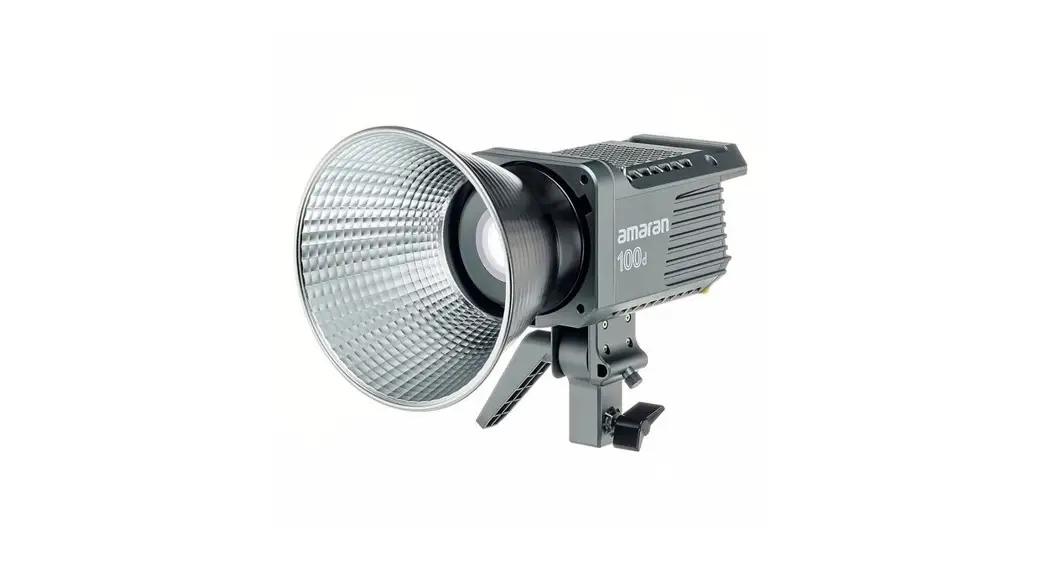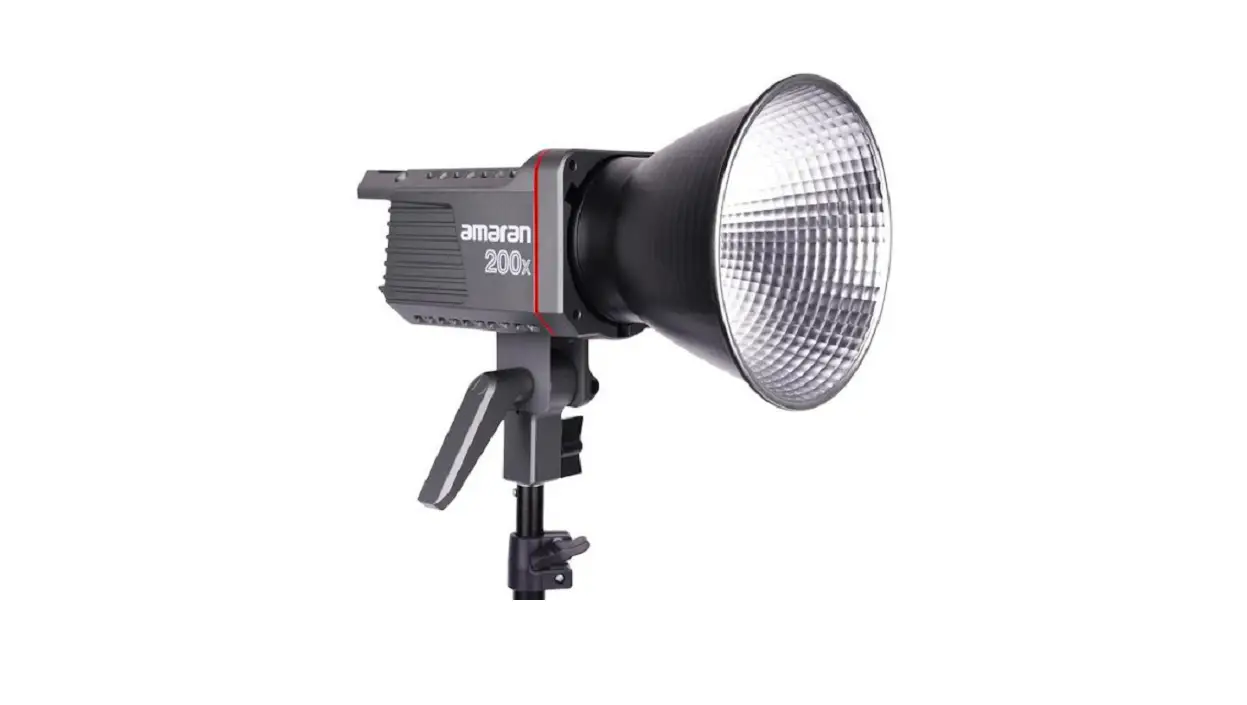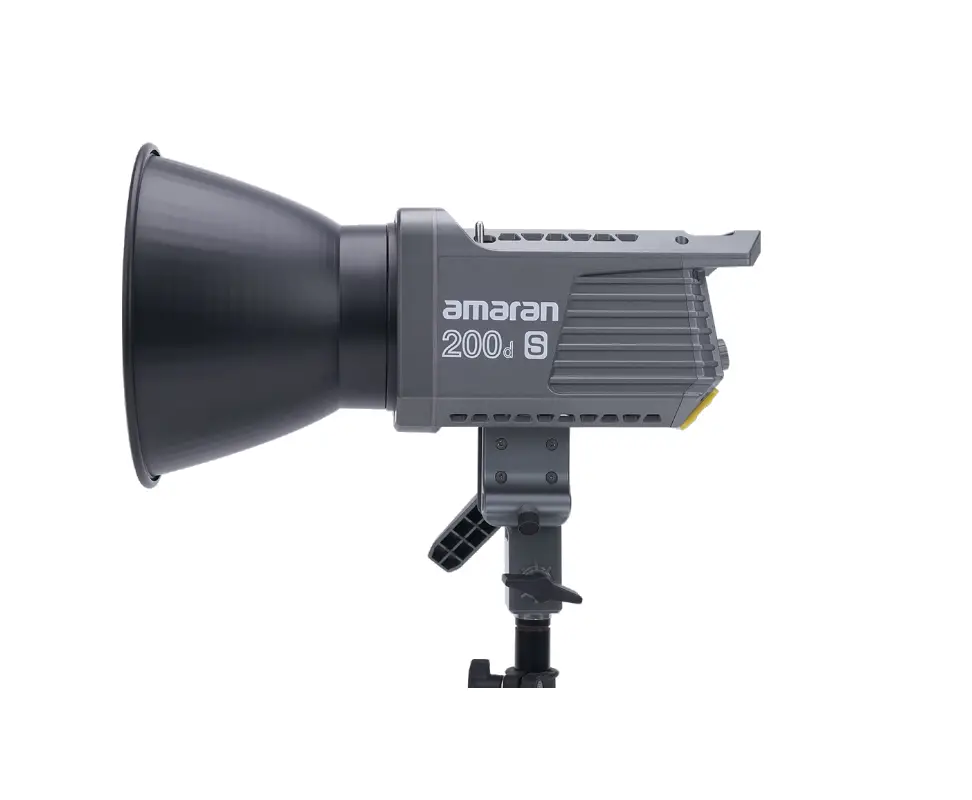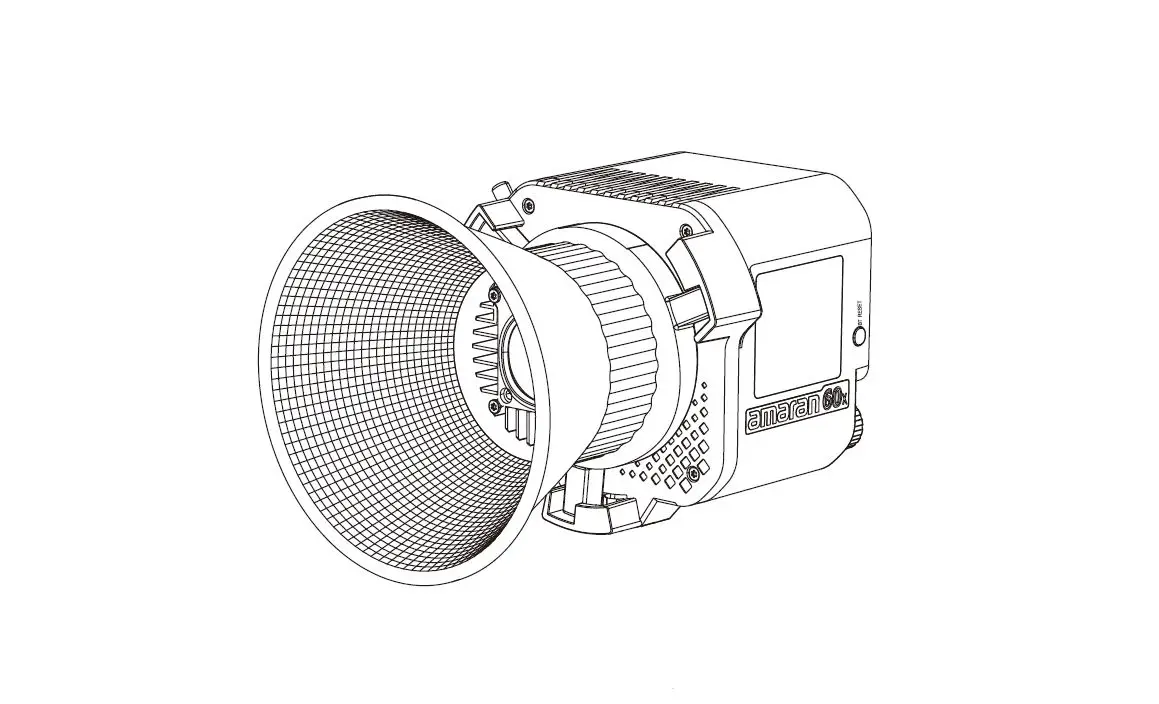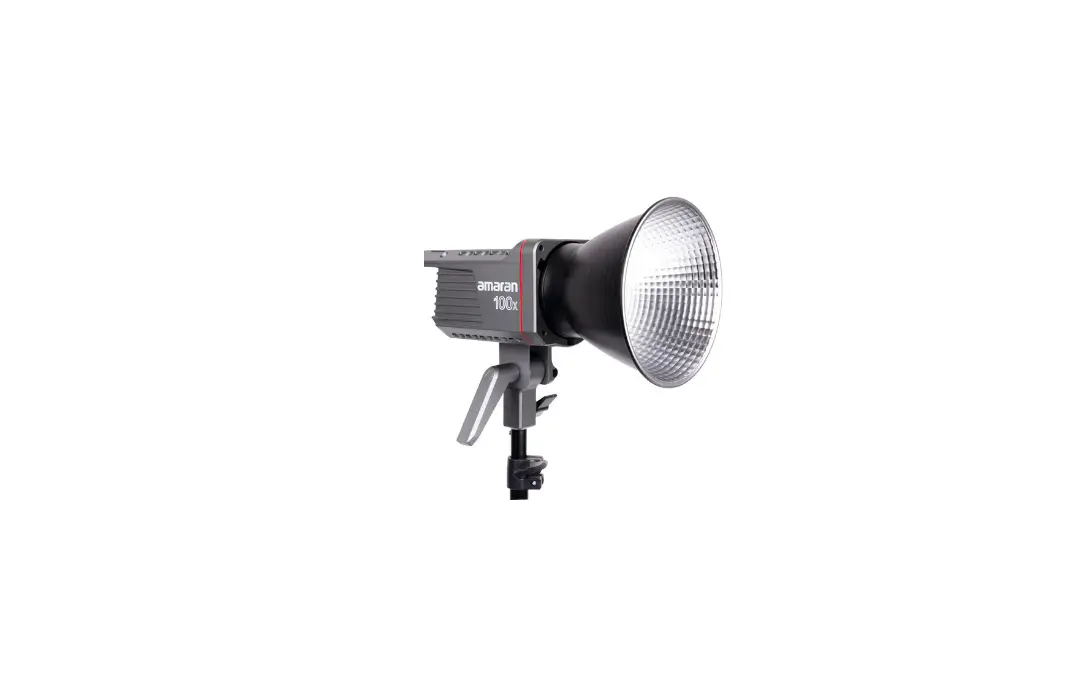

amaran APA0177A10 Color LED Light
Foreword
Amaran 200x is Amaran series of newly designed high cost performance lamps.Compact structure design, compact and light, excellent texture.Has a high performance level, such as high brightness, high indication, can adjust the brightness, etc.It can be used with the existing Bowens Mount lighting accessories to achieve a variety of lighting effects and enrich product usage patterns.So that the product to meet the needs of different occasions light control, easy to achieve professional level photography
IMPORTANT SAFETY INSTRUCTIONS
When using this unit, basic safety precautions should always be followed, including the following
- Read and understand all instructions before using.
- Close supervision is necessary when any fixture is used by or near children. Do not leave the fixture unattended while in use.
- Care must be taken as burns can occur from touching hot surfaces.
- Do not operate the fixture if a cord is damaged, or if the fixture has been dropped or damaged, until it has been examined by qualified service personnel.
- Position any power cables such that they will not be tripped over, pulled, or put into contact with hot surfaces.
- If an extension cord is necessary, a cord with an amperage rating at least equal to that of the fixture should be used. Cords rated for less amperage than the fixture may overheat.
- Always unplug the lighting fixture from the electrical outlet before cleaning and servicing, or when not in use. Never yank the cord to remove the plug from the outlet
- Let the lighting fixture cool completely before storing.
- To reduce the risk of electric shock, do not immerse this fixture in water or any other liquids.
- To reduce the risk of fire or electric shock, do not disassemble this fixture. Contact [email protected] or take it to qualified service personnel when service or repair work is required. Incorrect reassembly may cause electric shock when the lighting fixture is in use.
- The use of an accessory attachment not recommended by the manufacturer may increase the risk of fire, electric shock, or injury to any persons operating the fixture.
- Power this fixture by connecting it to a grounded outlet.
- Please remove the protective cover before powering on the light.
- Please remove the protection cover before using the reflector.
- Please do not block the ventilation and do not look at the light directly when it is powered on.
- Please do not place the LED lighting fixture near any liquids or other flammable objects.
- Only use a dry microfiber cloth to clean the product.
- Please have the product checked by an authorized service personnel agent if your product has a problem.
- The malfunctions caused by unauthorized disassembly are not covered under the warranty.
- We recommend only using the original Aputure cable accessories. Please note that our warranty for this product does not apply to any repairs required due to any malfunctions of unauthorized Aputure accessories, although you may request such repairs for a fee
- This product is certified by RoHS, CE, KC, PSE, and FCC. Please operate the product in full compliance with the operation standards. Please note that this warranty does not apply to repairs arising from malfunctions, although you may request such repairs on a chargeable basis.
- The instructions and information in this manual are based on thorough, controlled company testing procedures. Further notice will not be given if the design or specifications change.
FCC Compliance Statement
This device complies with Part 15 of the FCC Rules. Operation is subject to the following two conditions:(1) This device may not cause harmful interference. (2) This device must accept any interference received, including interference that may cause undesired operation.
Warning: Changes or modifications not expressly approved by the party responsible for compliance could void the user’s authority to operate the equipment.
NOTE: This equipment has been tested and found to comply with the limits for a Class B digital device, pursuant to Part 15 of the FCC Rules. These limits are designed to provide reasonable protection against harmful interference in a residential installation. This equipment generates, uses, and can radiate radio frequency energy and, if not installed and used in accordance with the instructions, may cause harmful interference to radio communications. However, there is no guarantee that interference will not occur in a particular installation. If this equipment does cause harmful interference to radio or television reception, which can be determined by turning the equipment off and on, the user is encouraged to try reorient or relocate the receiving antenna.
- Increase the separation between the equipment and receiver.
- Connect the equipment to an outlet on a different circuit than the receiver is connected to.
- Consult the dealer or an experienced radio/TV technician for help.
RF Warning Statement:
This device has been evaluated to meet general RF exposure requirements.
Checklist
When you unbox the product, please make sure all the items listed below are included. Otherwise, please contact the seller immediately
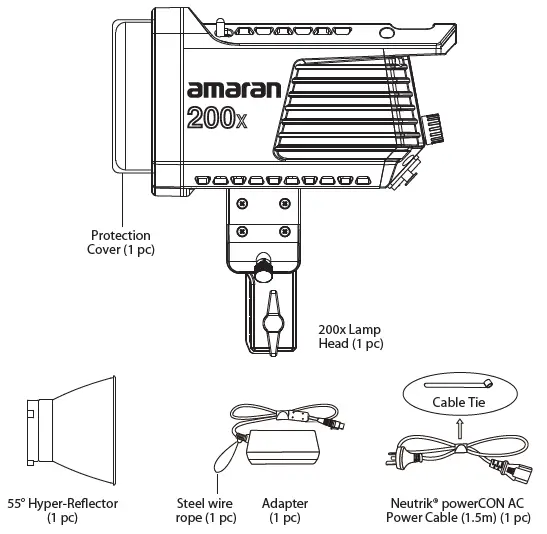
Product Details
Light
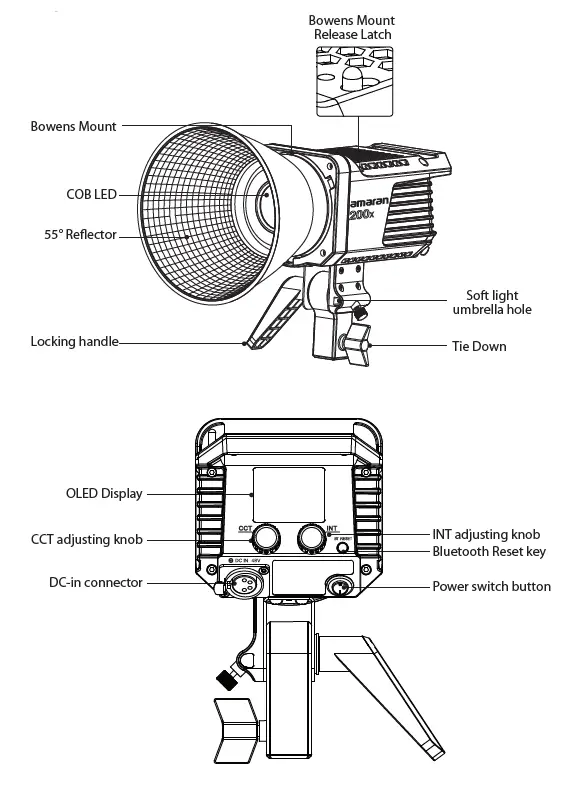
Installations
Attaching/detaching the protection cover
Push the handle of the lever in the direction of the arrow shown in the picture, and rotate the cover to pull it out.Reverse rotation will put the protective cover into.
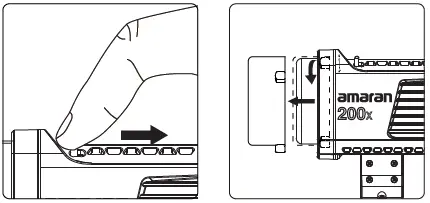
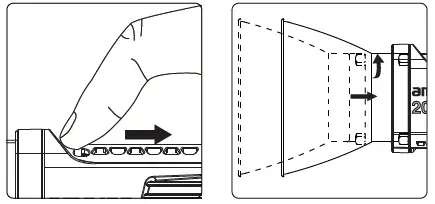
Installation and removal of 55° Reflector
Push the lever handle according to the arrow direction shown in the picture, and rotate the 55° Reflector into it.Rotating in the opposite direction pulls out the 55° Reflector.
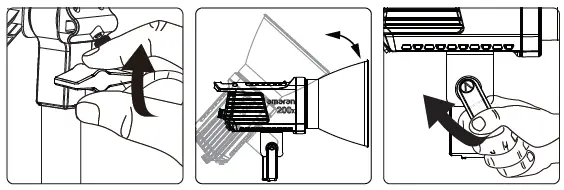
Setting up the Light
Adjust the lamp body to the appropriate height, rotate tie-down to fix the lamp body on the tripod, then adjust the lamp body to the required angel, and tighten the lock handle
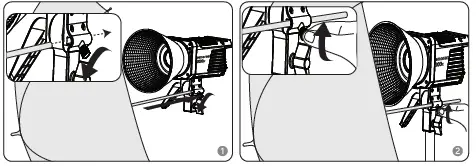
Soft light umbrella installation
Insert the soft light handle into the hole and lock the lock knob on the hole
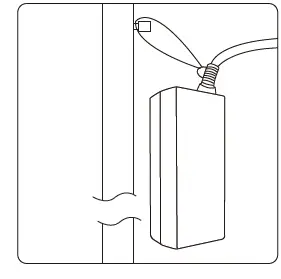
Adapter mounting
Run the wire rope through the adapter clasp and hang it on the bracket.
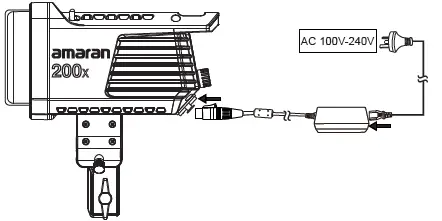
The power supply
Powered by AC
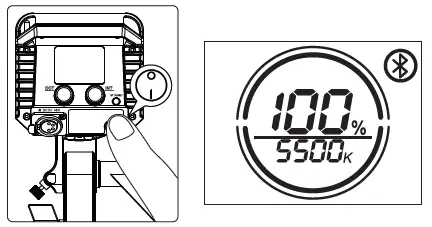
Operations
Press the power button to turn the light on and off
Brightness adjustment
A. Rotate the INT adjusting knob to adjust the brightness with 1% variable, and the brightness change range is (0-100) %, and display the change of (0-100) % in real time on the LIGHT body
OLED display; B. Click the INT adjustment knob to quickly switch the brightness level: 20%→40%→60%→80% →100%→20%→40%→60%→80%→ 80%→ 40%→60%→80%→100% cycle switch.
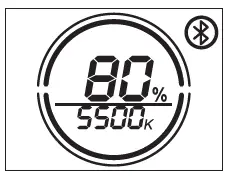
CCTS adjustment
A. Rotate the CCT adjusting knob to increase or decrease with 100K as the change amount to change the current CCT value (2700K-6500K), and display (2700K-6500K) CCT value in real time
on the light body display screen. B. Click the CCT adjustment knob to quickly switch the color temperature shift: 2700K→3200K 4300K 5500K→6500K→2700K→3200K→4300K→5500K→6500K cycle switch.
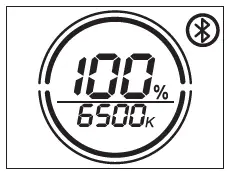
Wireless mode adjustment
The user can connect the light body named Amaram 200x-xxxxxx through the bluetooth of the mobile phone or tablet (Bluetooth serial number). At this time, the light body can be controlled
wirelessly through the mobile phone or tablet.When the light effect is controlled by APP, the word “FX” is displayed in the upper left corner of LCD. In wireless mode, 9 lighting effects can be controlled through App: paparazzi, fireworks, faulty bulb, lightning, TV, pulse, flash, explosion and Fire. And App can control all kinds of light effect CCT, brightness, frequency
Reset Bluetooth
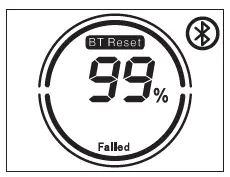
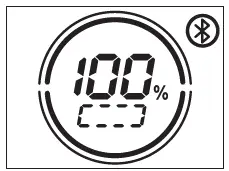
4.1 Long press the Bluetooth Reset button to reset bluetooth. 4.2 During the Reset process, the LCD displays BT Reset and the Bluetooth icon is flashing, and the percentage shows the current Reset progress (1%-50%-100%).
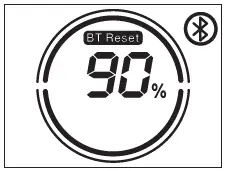
The LCD will display [Success] 2 seconds after the Bluetooth reset is successful.
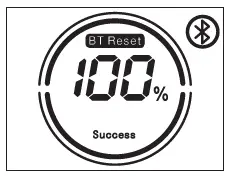
If the Bluetooth reset is unsuccessful, the LCD will display [Failure] and disappear after 2 seconds.
After resetting the light’s Bluetooth connection, your mobile phone or tablet will be able to connect to and control the light.
Using the Sidus Link APP
You can download the Sidus Link app from the iOS App Store or Google Play Store for enhancing the functionality of the light. Please visit sidus.link/app/help for more details regarding how to use the app to control your Aputure lights.
Specifications
| Light Operating Current | 5.2A | Power Consumption | 250W maximum |
| Light Power Supply | DC 48V | Cooling Mode | Active Cooling |
| Adapter Power Supply | AC 100~240V 50/60Hz | CRI | ≥95 |
| TLCI | ≥96 | APP Control Type | Bluetooth |
| Color Temperature | 2700K-6500K | Remote Ability | ≤100m |
| Radio Frequency | 2.4GHz | ||
| Sizes (L*W*H) | 207.5x154x164.8mm | ||
Photometrics
| CCT | Distance Illumination | 1m | 3m | 5m |
|
2700K | Bare Bulb | 432 fc | 51 fc | 20 fc |
| 4650 lux | 550 lux | 210 lux | ||
| Hyper-Reflector | 3214 fc | 316 fc | 102 fc | |
| 34600 lux | 3400 lux | 1100 lux | ||
|
3200K | Bare Bulb | 525 fc | 62 fc | 23 fc |
| 5650 lux | 670 lux | 250 lux | ||
| Hyper-Reflector | 3930 fc | 390 fc | 130 fc | |
| 42300 lux | 4200 lux | 1400 lux | ||
|
5600K | Bare Bulb | 622 fc | 73 fc | 28 fc |
| 6700 lux | 790 lux | 300 lux | ||
| Hyper-Reflector | 4794 fc | 474 fc | 153 fc | |
| 51600 lux | 5100 lux | 1650 lux | ||
|
6500K | Bare Bulb | 553 fc | 65 fc | 25 fc |
| 5950 lux | 700 lux | 270 lux | ||
| Hyper-Reflector | 4348 fc | 427 fc | 139 fc | |
| 46800 lux | 4600 lux | 1500 lux |
This is an averaged result, the number might be slightly different on each light
 Aputure - LED Lighting for Filmmakers