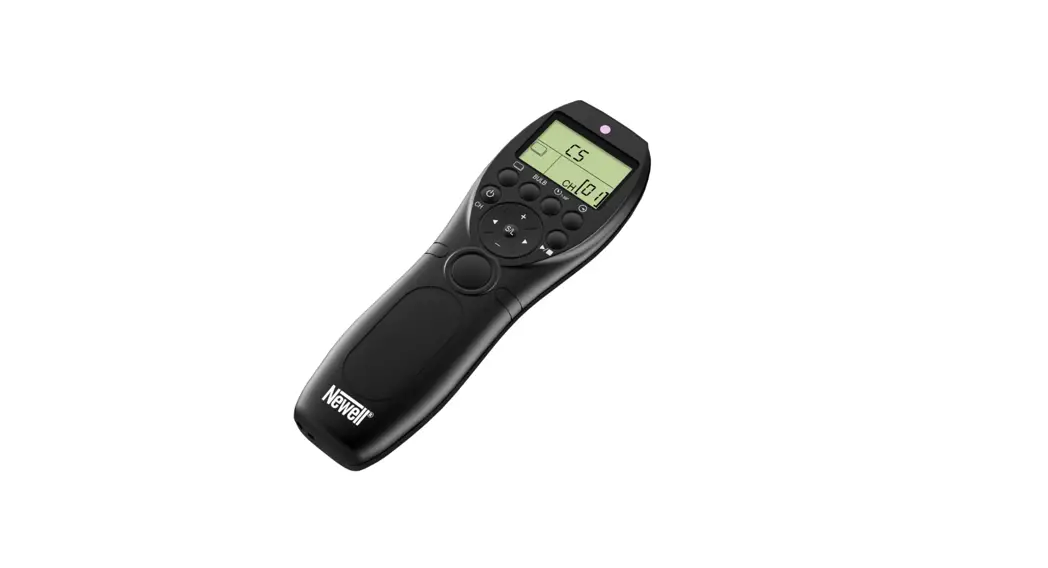
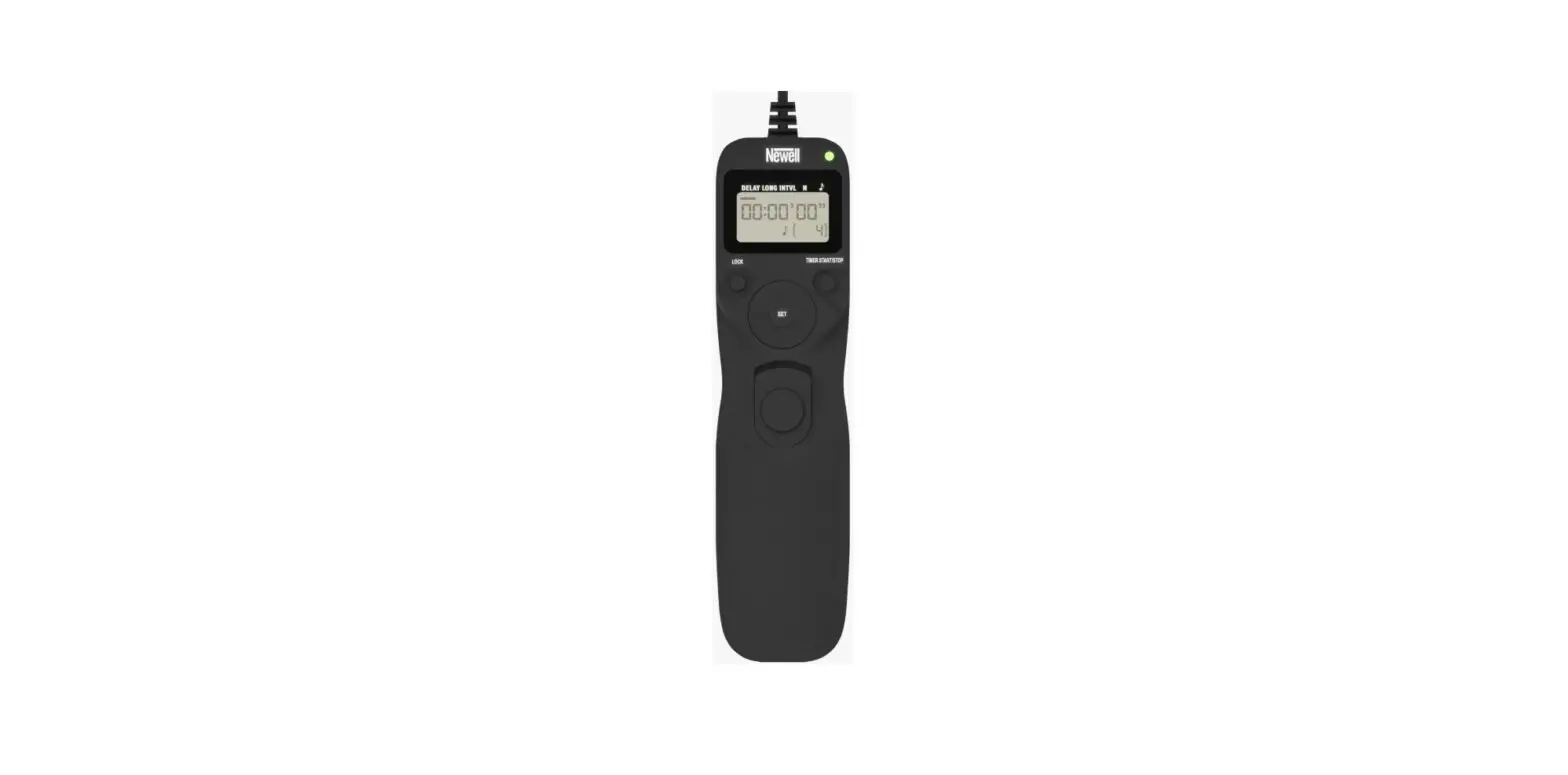
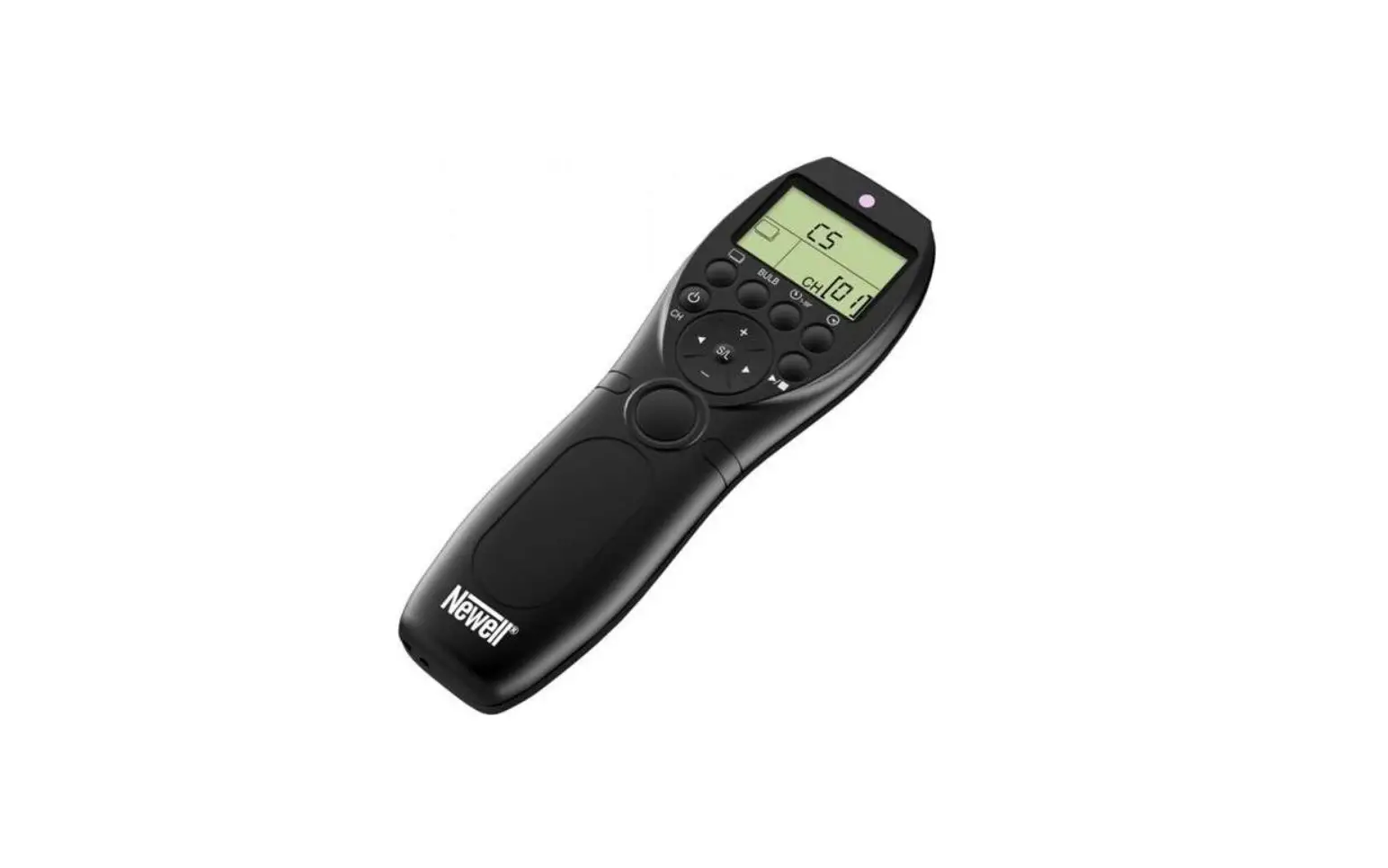
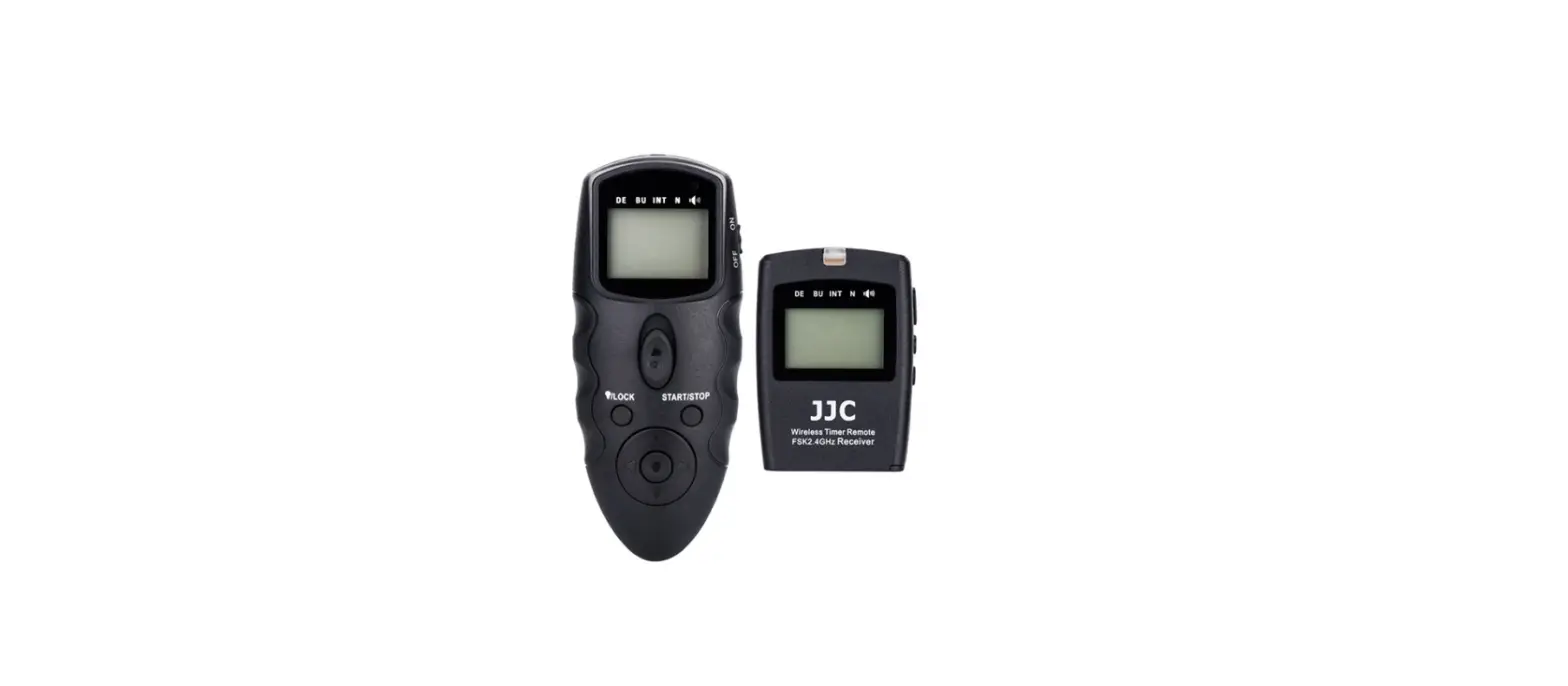
Wireless Timer Remote
Wireless Timer Remote
OPERATING MANUAL EN
CONTENTS 1. SAFETY INSTRUCTIONS 2. FUNCTION INTRODUCTION 3. PRODUCT DESCRIPTION 4. INSTALLATION 5. SET THE COMMUNICATION CHANNELS 6. USAGE 7. BULB SHOOTING MODE 8. DELAY SHOOTING MODE 9. TIMER PLAN SHOOTING MODE 10. TIMER PLAN SHOOTING OPERATION 11. THE PHOTO OF TIMER PLAN SHOOTING 12. SETTING THE SHOOTING PARAMETERS 13. SET CONTENT 14. PRODUCT SPECIFICATION 15. WASTE MANAGEMENT 16. WARRANTY
AKCESORIA FOTOGRAFICZNE
PAGE 1 1 2 3 4 5 6 6 7 7 8 8 10 10 11 11
1. SAFETY INSTRUCTIONS
Before using the product, please read the following manual carefully and keep it for future use. When transferring the product to a third party, it is advisable to include the instructions with the product.
1. Make sure the camera is power off before install the device of the RX, When
the product connect the device, please not put the cable. R
2. It is an electronic product accessory, some of the environment condition may
affect the working, however it is much less probability of this condition, please
don’t worry.
R
3. Do not drop the device, do not hit it, do not crush it. Do not expose the device
to high vibration, as this may lead to damage.
R
4. Please turn off the battery if such long time won’t use this product.
5. Keep away from fire and other sources of high temperature.
6. Do not expose the device to water or other sources of moisture.
7. Please not use flammable gases in violation of this warning may cause
an explosion or fire.
R
8. For use by adults.
R
9. Because of this product is included battery, please strictly follow the instruction
for operation. Otherwise, it may cause an explosion, fire or personal injury.
10. Do not disassemble the device yourself. Disassembling the device will void
the warranty. If there are problems with the device, bring it to an authorized
service center.
2. FUNCTION INTRODUCTION
Adopt free global FSK2.4GHz signal, more stable, the operate distance can
reach more than 100 m.
R
TX also work as wired remote control, also support single, low speed/high
speed continuous, bulb, delay shooting and timer planning shooting mode.
TX also support plug the camera connect cable to work as wired remote when
power off.
R
32 channels available, prevent the signal disturb through set different groups.
Support LCD display, the channel information of transmitter and receiver
are displayed on the screen, clear and easy to operate.
R
Support change the shutter connecting cable for different camera models
to control different brand and different models cameras.
R
1.
3. PRODUCT DESCRIPTION Transmitter
1
2
9
3
10
16
4 5
11 12
6 7 8
13 14 15
17
1. Indictor Light 2. LCD Display Screen 3. BULB Shooting Button 4. Single Shooting /
1ow Speed Shooting/ High Speed Shooting Button 5. Delay Shooting Button 6. Timer Plan Shooting Button 7. Power Button/CH Button 8. Shutter Release Button
9. 2.5mm Output Port 10. Numerical Increase Button 11. Timer Plan Start/ Stop Button 12. Turn Right Button 13. Setting Button/Lock Or Unlock Button 14. Numerical Reduce Button 15. Turn Left Button 16. Product Sticker 17. Battery Cover
2.
Receiver
1. LCD Display Screen
2. Indicator Light
3. Power Button/CH Button
4. CH+ Button
1
5. Battery Cover
2
6. Hot Shoe Fix Foot 7. 1/4″ Screw
3
8. 2.5mm Output Port
5
46 7
LCD display screen
1. Repeat Plan Shooting Times Icon 2. Repeat Timer Plan Shooting Interval
Time Icon
1 2
3
3. Timer Shooting Picture Number
4
4. Timer Shooting Interval Time Icon
5
5. Timer Plan Shooting Exposure Time Icon
6
6. Timer Plan Delay Icon
7
7. Time And Status Icon
8
8. Single Shooting/Low Speed Shooting/ 9
High Speed Shooting Icon
10
9. Delay Shooting Icon
10. Bulb Shooting Icon
11. Time Shooting Plan Icon
12. Lock Button Icon
13. Ch Icon
11 12
4. INSTALLATION
The way of install the battery of transmitter
1. Open the battery cover. 2. Install the battery in right way ‘+’ and ‘-‘. 3. Close the battery cover.
8 13
3.
The way of install the battery of receiver
1. Open the battery cover. 2. Install the battery in right way ‘+’ and ‘-‘. 3. Close the battery cover.
Possibility to install the receiver on the camera shoe, mounting rail, tripod
1
2
3
Receiver (RX) to connect the camera
1. Ensure the receiver and camera is power off, first insert
connect cable to camera. Ensure the cable and camera
is connecting.
R
2. Install the camera to tripod or the other bracket and
open the camera protector, insert the cable to camera.
3. Turn on the receiver and camera power.
5. SET THE COMMUNICATION CHANNELS Transmitter (TX) channels
Please ensure the transmitter (TX) and Receiver (RX) on same channels, support set 32 channels.
4.
1. Press 2 second of power and press [CH] button, the number of channels icon will be flicking.
2. Press [+] or [-] to adjust the channels number. 3. Press the button [S/L] again, save and exit it.
If the transmitter works as wired remote control won’t need adjust the channels.
Set the receiver (RX) communication channels
1. Press 2 seconds power button.
R
2. Press both [CH+] and [CH-] button, the channels
number icon will flicker.
R
3. Press [CH+] or [CH-] to adjust the channels.
4. Press [CH+] and [CH-] or do not perform
any operation for 6 seconds to save.
6. USAGE
Single shooting / low continuous shooting / high speed continuous shooting.
1. Transmitter (TX) in working status, press
button. The transmitter will
enter the appropriate mode and the display will show the icon of
2. Press the (S/L) button, the icon will flash on the screen.
R
3. Press the [+] or [-] button to switch to CS (Single Shutter), CL (slow continuous
shooting) or CH (fast continuous shooting). Take a peek at the accompanying
illustrations below.
R
Single shooting mode Low speed continuous shooting
High speed continuous shooting
5.
4. Press half shutter release button, blue lighting on, camera is in zooming state. 5. Full press shutter release button, red signal is on, camera is in shooting.
7. BULB SHOOTING MODE
1. Make sure the camera is in [BULB] exposure
mode.
R
2. Press the [BULB] button. The Bulb icon will
appear on the screen.
R
3. Press the button halfway – the camera is in
focus catching mode (blue LED). R
4. Press the shutter button fully, red LED,
the camera is in [BULB] mode.
R
5. Press the shutter button again, [BULB] mode
will end.
8. DELAY SHOOTING MODE
Delay parameter setting:
1. Press the transmitter
button,
the screen will display
R
camera is in delay shooting mode.
2. Press the [S/L] button, remote is in delay shooting mode, then delay interval time icon will flicker, press the number [+] or number [-], set the delay interval time (1-59 seconds). as (picture A).
A 6.
3. Press the
button, remote is into the
B
picture number setting, press [+] or [-] setting
the shooting picture number (1-99), see right.
(picture B)
4. After setting the parameters, press [S/L] button to save it and exit.
5. Press the half shutter button, blue LED on, the camera is in focus catching
mode.
R
6. Full shutter button, red LED on, the camera is in shooting mode.
9. TIMER PLAN SHOOTING MODE
Press the button
, the LCD screen will
display icon
and will into timer plan
shooting mode, see.
10. TIMER PLAN SHOOTING OPERATION
1. Turn on the power, press time plan button [ ] the LCD screen will display timer plan shooting icon [ ].
2. Press the start/ stop button [
] ,
R
(see right picture) , Transmitter transfer all the
information to receiver. The lighting of transmitter
and receiver will be flickering, timer plan shooting
is in working, the transmitter control the camera. The transmitter will display the information of timer plan shooting condition.
3. In timer mode, press the [
] button again the transmitter and receiver
will stop shooting with the timer plan.
7.
11. THE PHOTO OF TIMER PLAN SHOOTING
Repeat interval time (RE)
Press N2 cycle repeat
DELAY
LONG N1=1
INTVL
LONG N1=2
INTVL
LONG N1=3
INTVL
LONG N1=4
12. SETTING THE SHOOTING PARAMETERS
A. Setting the delay time:
1. Press the button [ ] or [ ], choose the delay shooting icon of [DELAY]. 2. Press the [S/L] button while pressing the [ ] or [ ]. Select “seconds,”
“minutes” or “hours.”
Hour setting
Minute setting
3. Press the [+] or [-] button to set the value. 4. Press the [S/L] button to save and exit.
Second setting
B. Exposure time parameter setting:
*Ensure the camera is [BULB] camera exposure mode.
1. Press button [ ] or button [ 2. Press [S/L] button, pressing [
or “hours”.
] choose the icon of exposure time [LONG]. ] or [ ] to select “seconds”, “minutes”
Hour setting
Minute setting
Second setting 8.
3. Press the [+] or [-] button to set the value. 4. Press the [S/L] button to save and exit.
C. Interval time parameter setting
1. Press the button [ ] or [ ], to choose the icon of [INTVL].
2. Press [S/L] button, pressing [ ] or [ ] to select “seconds”, “minutes”
or “hours”.
R
Hour setting
Minute setting
3. Press the [+] or [-] button to set the value. 4. Press the [S/L] button to save and exit.
Second setting
D. Shooting number of picture parameter setting
1. Press button [ ]or [ ] to choose the icon of [N1]. 2. Press the [S/L] button for the icon to start blinking.
3. Press the [+] or [-] button to set the value
(1-99).
R
4. Press the button [S/L] to save and exit.
E. Repeat timer plan interval time parameter setting
1. Press the button [ ] or [ ] to choose the icon of [RE] from the LCD screen. 2. Press the [S/L] button while pressing the [ ] or [ ]. Select “seconds,”
“minutes” or “hours.”
9.
Hour setting
Minute setting
3. Press the [+] or [-] button to set the value. 4. Press the button[S/L] to save and exit.
Second setting
F. Repeat plan times parameter setting
1. Press the button [ ] or [ ] to choose
the icon of [N2].
R
2. Press the [S/L] button for the icon to start blinking.
3. Press the [+] or [-] button to set the value
(1-99).
R
4. Press the button [S/L] to save and exit.
Repeat plan times setting
13. SET CONTENT
1. Transmitter 2. Receiver 3. Connect cable 4. Manual
14. PRODUCT SPECIFICATION
System mode
Operation channel Operation distance The transmitter standby time The receiver standby time Battery Transmitter dimension Receiver dimension
FSK 2.4G 32 approx. 100 m approx. 1000 h approx. 300 h AAA x4 135,5 mm x 44 mm x 17,8 mm 70,5 mmx38 mmx25 mm
10.
*The manufacturer reserves the right to change the information contained in this manual without prior notice.
15. WASTE MANAGEMENT
The crossed-out trashcan symbol means that waste electrical and electronic, batteries and packagings must not be placed with other household waste. They must be handed over to a separate waste collection system.
16. WARRANTY
Newell products are covered by a 40-month manufacturer’s warranty.
Made in China, In China hergestellt, Hecho en China, Fabbricato in Cina, Fabriqué en Chine, Vyrobeno v Cín, Wyprodukowano w Chinach, C
11.
AKCESORIA FOTOGRAFICZNE
Pilot bezprzewodowy z interwalometrem
INSTRUKCJA OBSLUGI PL
SPIS TRECI 1. WSKAZÓWKI DOTYCZCE BEZPIECZESTWA 2. WPROWADZENIE 3. OPIS URZDZENIA 4. INSTALACJA 5. USTAWIANIE KANALÓW KOMUNIKACJI 6. KORZYSTANIE Z URZDZENIA 7. TRYB FOTOGRAFOWANIA BULB 8. OPÓNIENIE FOTOGRAFOWANIA 9. TRYB FOTOGRAFOWANIA Z PLANEM TIMERA 10. UYTKOWANIE PLANU TIMERA 11. ILUSTRACJA PLANU TIMERA 12. USTAWIENIE PARAMETRÓW FOTOGRAFOWANIA 13. W ZESTAWIE 14. SPECYFIKACJA PRODUKTU 15. UTYLIZACJA 16. GWARANCJA
STRONA 1 1 2 3 4 5 6 6 7 7 8 8 10 10 11 11
1. WSKAZÓWKI DOTYCZCE BEZPIECZESTWA
Przed uyciem produktu prosimy o uwane zapoznanie si z treci ponisze instrukcji oraz jej przechowanie w celu wykorzystania jej w przyszloci. W przypadku przekazywania produktu osobom trzecim, wskazane jest dolczanie do niego instrukcji.
1. Przed zainstalowaniem urzdzenia upewnij si, e aparat jest wylczony.
2. Jest to urzdzenie elektroniczne, na jego dzialanie mog mie wplyw
elementy otoczenia. Jednak jest to malo prawdopodobne. R
3. Nie upuszcza urzdzenia, nie uderza, nie zgniata. Nie naley naraa
urzdzenia na due wibracje, gdy moe doprowadzi to do uszkodzenia.
4. W przypadku, kiedy urzdzenie nie bdzie dlugo uywane, naley
wycign bateri.
R
5. Nie naley wystawia urzdzenia na dzialanie wody lub innych ródel wilgoci.
6. Naley trzyma z dala od ognia i innych ródel wysokiej temperatury.
7. Nie uywa w pobliu gazów palnych.
R
8. Do uytku przez osoby dorosle.
R
9. Uywa baterii zgodnie z ich instrukcj uytkowania. Wklada baterie zgodnie
z polaryzacj. Niewlaciwe postpowanie moe doprowadzi do poaru
i uszkodzenia ciala.
R
10. Nie naley samodzielnie rozmontowywa urzdzenia. Rozkrcenie
urzdzenia spowoduje utrat gwarancji. W przypadku gdy wystpuj problemy
z urzdzeniem, naley dostarczy je do autoryzowanego serwisu.
2. WPROWADZENIE
Dziki zastosowaniu powszechnie dostpnego sygnalu 2.4 GHz, polczenie
jest bardziej stabilne i dystans uytkowania moe przekroczy 100 m.
Urzdzenie moe pracowa zarówno przewodowo jak i bezprzewodowo,
w trybach niskiej prdkoci, wysokiej prdkoci, ciglym, Bulb, z opónieniem
i zaplanowanym timerem.
R
Dostpne jest a 32 kanalów, moliwo wyboru w przypadku zaklóce.
Informacje o pracy urzdzenia wywietlane s na monitorze LCD, umoliwiajc
latw konfiguracj i obslug.
R
Urzdzenie jest uniwersalne do rónych modeli aparatów poprzez uycie
kompatybilnych kabli.
R
1.
3. OPIS URZDZENIA Nadajnik
1
2
9
3
10
16
4 5
11 12
6 7 8
13 14 15
17
1. Dioda 2. Ekran LCD 3. Tryb Bulb 4. Tryb Migawki Wolne
Fotografowanie Cigle / Szybkie Fotografowanie Cigle 5. Opónienie Migawki 6. Timer 7. Przycisk Zasilania / Wybór Kanalu 8. Przycisk Spustu Migawki
9. Port Wyjciowy 2,5 mm 10. ,,+” (Zwiksz) 11. Przycisk Start / Stop Planu Czasowego 12. Kursor W Prawo 13. SET / Blokada 14. ,,-” (Zmniejsz) 15. Kursor W Lewo 16. Naklejka Produktowa 17. Pokrywa Baterii
2.
Odbiornik
1. Ekran LCD
2. Dioda
3. Przycisk Zasilania /
Wybór Kanalu
1
4. Przycisk CH+
2
5. Pokrywa Baterii 6. Mocowanie Na Stopk
3
7. ruba 1/4″
8. Port Wyjciowy 2,5 mm
5
46 7
Wywietlacz
1. Powtórzenie Planu 2. Powtórzenie Planu Timera 3. Ilo Klatek 4. Ilo Powtórze 5. Dlugo Otwarcia Migawki 6. Opónienie 7. Czas I Status 8. Tryby Otwarcia Migawki 9. Opónienie 10. Tryb Bulb 11. Timer 12. Blokada 13. Numer Kanalu
1 2
3 4
5 6
7 8 9 10
4. INSTALACJA
Sposób instalacji baterii nadajnika
1. Otwórz pokryw baterii. 2. Zainstaluj baterie zgodnie z polaryzacj. 3. Zamknij pokryw baterii.
11 12
8 13
3.
Sposób instalacji baterii odbiornika
1. Otwórz pokryw baterii. 2. Zainstaluj baterie zgodnie z polaryzacj. 3. Zamknij pokryw baterii.
Moliwo instalacji odbiornika na stopce aparatu, szynie montaowej, statywie
1
2
3
Odbiornik (RX) podlczenie do kamery
1. Upewnij si, e odbiornik i aparat s wylczone.
Podlcz kabel do aparatu.
R
2. Zainstaluj aparat na statywie lub innym wsporniku
i otwórz oslon aparatu, wló kocówk kabla do aparatu.
3. Wlcz odbiornik i zasilanie aparatu.
5. USTAWIANIE KANALÓW KOMUNIKACJI Kanaly nadajnika (TX)
Upewnij si, e nadajnik (TX) i odbiornik (RX) s zaprogramowane na tych samych kanalach. Urzdzenie zapewnia wsparcie do 32 kanalów.
4.
1. Otwórz pokryw baterii. 2. Zainstaluj baterie zgodnie z polaryzacj. 3. Zamknij pokryw baterii.
Jeli nadajnik dziala jako przewodowy pilot zdalnego sterowania, nie ma koniecznoci programowania kanalów.
Ustawianie kanalów komunikacji odbiornika (RX)
1. Nacinij przycisk zasilania na 2 sekundy.
2. Nacinij przycisk [CH+] i [CH-], numer kanalów
bdzie migota.
R
3. Nacinij [CH+] lub [CH-], aby wyregulowa kanaly.
4. Nacinij [CH+] i [CH-] lub nie wykonuj adnej operacji
przez 6 sekund, aby zapisa.
6. KORZYSTANIE Z URZDZENIA
Pojedyncza migawka / wolne fotografowanie cigle / szybkie fotografowanie cigle.
1. Nadajnik (TX) w stanie roboczym, nacinij
, nadajnik przejdzie
w odpowiedni tryb, a na wywietlaczu pojawi si ikona
R
2. Nacinij przycisk (S/L), na ekranie ikona zacznie miga. 3. Nacinij przycisk [+] lub [-], aby przelczy na CS (Pojedyncza migawka),
CL (wolne fotografowanie cigle) lub CH (szybkie fotografowanie cigle). Zerknij na zalczone poniej ilustracje.
Single shooting mode Low speed continuous shooting
High speed continuous shooting
5.
4. Nacinij przycisk spustu pól migawki, niebieska dioda wlczona, aparat jest
w trybie lapania ostroci.
R
5. Pelny przycisk spustu migawki, czerwona dioda wlczona, aparat jest w trybie
fotografowania.
7. TRYB FOTOGRAFOWANIA BULB
1. Upewnij si, e aparat jest w trybie
ekspozycji [BULB].
R
2. Nacinij przycisk Bulb. Na ekranie pojawi
si ikona Bulb.
R
3. Nacinij przycisk do polowy aparat jest
w trybie lapania ostroci (niebieska dioda).
4. Nacinij w pelni spust migawki, czerwona
dioda, aparat jest w trybie Bulb.
R
5. Ponownie nacinij spust migawki, tryb Bulb
zakoczy si.
8. OPÓNIENIE FOTOGRAFOWANIA
Ustawienie parametru opónienia:
1. Nacinij przycisk,
na ekranie
pojawi si
aparat jest w trybie
opónienia fotografowania.
R
2. Nacinij przycisk [S/L], ikona opónienia zacznie miga, uyj [+] lub [-], aby ustawi czas interwalu opónienia (1-59 sekund) (rysunek A).
A 6.
3. Nacinij
przycisk , aby ustawi ilo
B
klatek. Dokonaj wyboru [+] lub [-] ilo
klatek (1-99). (rysunek B)
4. Po ustawieniu parametrów nacinij przycisk [S/L], aby go zapisa i wyj.
5. Nacinij przycisk spustu pól migawki, niebieska dioda wlczona, aparat jest
w trybie lapania ostroci.
R
6. Pelny przycisk spustu migawki, czerwona dioda wlczona, aparat jest w trybie
fotografowania.
9. TRYB FOTOGRAFOWANIA Z PLANEM TIMERA
Nacinij
, ekran LCD wywietli
ikon
i przejdzie w tryb
fotografowania z planem timera
( zdjcie po prawej)
10. UYTKOWANIE PLANU TIMERA
1. Wlcz zasilanie, nacinij przycisk planu czasu [ ] ekran LCD wywietli ikon [ ].
2. Nacinij przycisk start/stop [
] (patrz zdjcie
po prawej).
Nadajnik przesyla wszystkie informacje do odbiornika.
Diody nadajnika i odbiornika bd miga, nadajnik
steruje aparatem.
R
3. W trybie timera ponownie nacinij przycisk [ fotografowanie z planem timera.
] nadajnik i odbiornik zatrzyma R 7.
11. ILUSTRACJA PLANU TIMERA
Repeat interval time (RE)
Press N2 cycle repeat
DELAY
LONG N1=1
INTVL
LONG N1=2
INTVL
LONG N1=3
INTVL
LONG N1=4
12. USTAWIENIE PARAMETRÓW FOTOGRAFOWANIA
A. Ustawienie czasu opónienia
1. Nacinij przycisk [ ] lub [ ] , wybierz ikon opónienia fotografowania [DELAY]. 2. Wcinij przycisk [S/L], naciskajc [ ] lub [ ] wybierz ,,sekundy”, ,,minuty”
lub ,,godziny”.
Hour setting
Minute setting
3. Nacinij przycisk [+] lub [-], aby ustawi warto. 4. Nacinij przycisk [S/L], aby zapisa i wyj.
Second setting
B. Ustawienie czasu ekspozycji:
*Upewnij si, e aparat jest w trybie jest [BULB]
1. Nacinij przycisk [ ] lub [ ] aby wybra ikon czasu ekspozycji [LONG]. 2. Wcinij przycisk [S/L], naciskajc [ ] lub [ ] wybierz ,,sekundy”, ,,minuty”
lub ,,godziny”.
Hour setting
Minute setting
Second setting 8.
3. Nacinij przycisk [+] lub [-], aby ustawi warto. 4. Nacinij przycisk [S/L], aby zapisa i wyj.
C. Ustawienie parametru interwalu
1. Nacinij przycisk [ ] lub [ ] aby wybra ikon interwalu [INTVL]. 2. Wcinij przycisk [S/L], naciskajc [ ] lub [ ] wybierz ,,sekundy”,
,,minuty” lub ,,godziny”.
Hour setting
Minute setting
3. Nacinij przycisk [+] lub [-], aby ustawi warto. 4. Nacinij przycisk [S/L], aby zapisa i wyj.
Second setting
D. Ustawienie iloci klatek
1. Nacinij przycisk [ ] lub [ ] aby wybra ikon iloci klatek [N1]. 2. Wcinij przycisk [S/L] aby ikona zaczla mruga.
3. Nacinij przycisk [+] lub [-], aby ustawi warto
(1-99).
R
4. Nacinij przycisk [S/L], aby zapisa i wyj.
E. Ustawienia parametru powtarzania interwalu czasowego
1. Nacinij przycisk [ ] lub [ ] aby wybra ikon interwalu [RE]. 2. Wcinij przycisk [S/L], naciskajc [ ] lub [ ]. Wybierz ,,sekundy”,
,,minuty” lub ,,godziny”.
9.
Hour setting
Minute setting
3. Nacinij przycisk [+] lub [-], aby ustawi warto 4. Nacinij przycisk [S/L], aby zapisa i wyj.
Second setting
F. Ustawienie iloci powtórze planu
1. Nacinij przycisk [ ] lub [ ] aby wybra ikon
iloci klatek [N2].
R
2. Wcinij przycisk [S/L] aby ikona zaczla mruga.
3. Nacinij przycisk [+] lub [-], aby ustawi warto
(1-99).
R
4. Nacinij przycisk [S/L], aby zapisa i wyj.
Repeat plan times setting
13. W ZESTAWIE
1. Nadajnik 2. Odbiornik 3. Kabel polczeniowy (odpowiedni do zakupionego modelu) 4. Instrukcja obslugi
14. SPECYFIKACJA PRODUKTU
Tryb systemowy
Kanaly Odleglo pracy Czas czuwania nadajnika Czas w trybie gotowoci Zasilanie Wymiar nadajnika Wymiar odbiornika
FSK 2.4G 32 ok. 100 m ok. 1000 h ok. 300 h AAA x4 135,5 mm x 44 mm x 17,8 mm 70,5 mmx38 mmx25 mm
10.
*Producent zastrzega sobie prawo zmiany informacji zawartych w niniejszej instrukcji bez wczeniejszego powiadomienia.
15. UTYLIZACJA
Symbol przekrelonego kosza oznacza, e zuytego sprztu elektrycznego i elektronicznego, baterii i akumulatorów oraz opakowa nie wolno umieszcza z innymi odpadami domowymi. Musz one by przekazane do oddzielnego systemu zbiórki odpadów.
16. GWARANCJA
Produkty Newell objte s 40-miesiczn gwarancj producenta.
Producent/Importer: Fdirect sp. z o.o., ul. Rbieska 18, 95-227 Lód, Polska Made in China, In China hergestellt, Hecho en China, Fabbricato in Cina, Fabriqué en Chine, Vyrobeno v Cín, Wyprodukowano w Chinach, C 11.