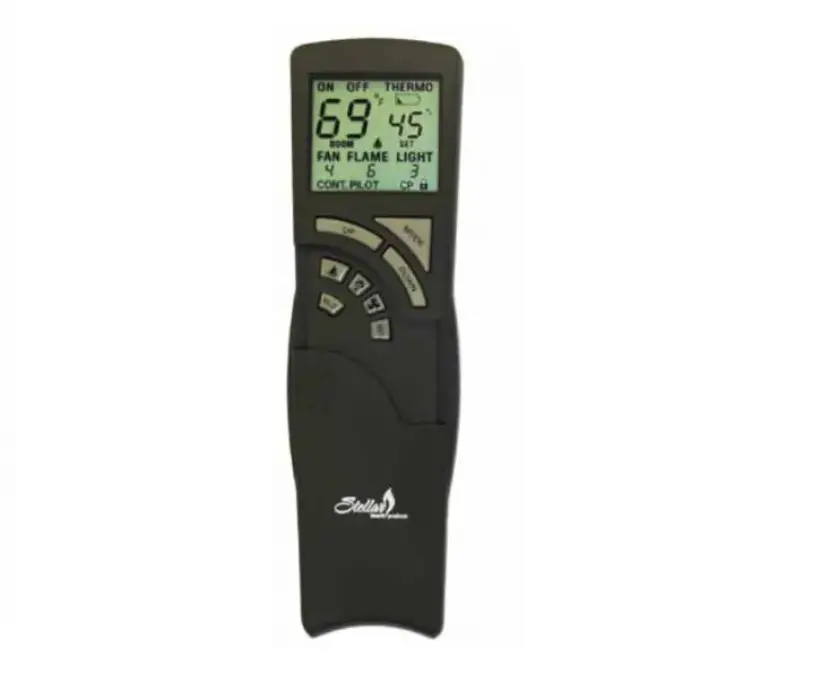
MLC18 Remote Control Transmitter
Product Information
The Remote Control Transmitter is a device that operates with a
motion/light sensor transmitter and a receiver. It has a model
number MLC18 and requires a DC 5V power supply. The transmitter has
a time delay dial key, function knob switch, pairing button, and a
battery case. It offers four modes of operation: PIR (Motion
Detection Mode), NTM (Night Time Motion Activation Mode), D2D (Dusk
to Dawn Mode), and RND (Random Mode). The transmitter has a
functional range of up to 100 feet, but the actual range may be
affected by factors such as weather, radio frequency interference,
low remote battery, and obstructions.
Function Modes:
- Motion Detection Mode (PIR): The receiver
turns on whenever motion is detected by the sensor, regardless of
day or night. - Night Time Motion Activation Mode (NTM): In
locations with poor light conditions, the receiver turns on once
motion is detected. - Dusk to Dawn Mode (D2D): The receiver turns on
at dusk and off at dawn. Consider the amount of light at the
transmitter location. - Random Mode (RND): In locations with poor
light conditions, the receiver randomly turns on and off with
intervals between 10 minutes and 2 hours.
Method of Using Time Delay Function:
In PIR or NTM mode, you can toggle the Delayed switch on the
back of the transmitter to select the duration for which the
receiver remains on after the last detected motion. Options include
1 minute, 5 minutes, 15 minutes, or 30 minutes. This switch is not
operational in RND and D2D modes.
Product Usage Instructions
- Remove the battery cover on the rear side of the
transmitter. - Insert 3 AAA batteries into the battery compartment, following
the (+) and (-) instructions. Recommended to use NiMH
batteries. - Re-install the battery cover.
- Plug the receiver into a powered outlet.
- Plug your device into the socket of the receiver.
- Mounting the Transmitter Bracket:
- Install the transmitter mounting bracket in the desired
location using the included screws. - Note: The installation height of the transmitter from the
ground should be between 3ft and 7ft.
the batteries. Recommended to use NiMH batteries.
- Note: Do not mix old and new batteries. Do not mix different
types of batteries (Alkaline, Super Heavy Duty, Rechargeable)
together.
Specifications:
FCC Statement: This device complies with Part 15 of the FCC
rules. It must not cause harmful interference and must accept any
interference received. Any changes or modifications not approved by
the responsible party may void your authority to operate the
equipment.
Remote Control Transmitter
Model: MLC18 [Instruction Manual]
RND D2D
PIR NTM
Please pay attention to the warning signs Read the instructions with caution before operating
and keep it properly
DC 5V power supply port Please use a power adapter with 3.5 x 1.35mm DC head
Time Delay Dial Key
Function Knob Switch
Pairing Button
Battery case
Function Introduction The motion/light sensor transmitter has the following 4 modes.
PIR NTM D2D RND
Motion Detection Mode: The receiver will be on whenever the sensor detects motion, whether in day or night.
Night Time Motion Activation Mode: When the transmitter is in a location with poor light conditions, the receiver will turn on once the sensor detects motion.
Dusk to Dawn Mode: The receiver will turn on at dusk and off at dawn. Please note the amount of light at the location of the transmitter.
Random Mode: The receiver will randomly turn on and off when the transmitter is in a location with poor light conditions.(Note: the interval between turning on/off is no less than 10 minutes and no more than 2 hours).
Note: To activate the desired function, please rotate the knob switch to the corresponding letter inscribed for that mode.
Method of using time delay function
When using the “PIR” or “NTM” mode, toggle the “Delayed” switch (on the back of the transmitter) to select the amount of time that the receiver can remain on after the last detected motion, 1 minute, 5 minutes, 15 minutes or 30 minutes are available. This switch is inoperative in the “RND” and “D2D” modes.
Operating Instructions
Notes: The receiver must be located within 100 feet of the remote transmitter. Actual functional range may be affected by the following factors: weather, radio frequency interference, low remote battery, and obstructions between the transmitter and receiver.
1. Remove the battery cover on the rear side of the transmitter. Insert 3 “AAA” batteries according to the (+) and (-) instructions on the inside of the battery compartment, and re-install the battery cover. Recommended to use “NiMH batteries”
2.Plug the receiver into a powered outlet. 3.Plug your device into the socket of the receiver.
Mounting the Transmitter Bracket
5FT
1.Install the transmitter mounting bracket in the desired location with the included screws.
Note: The installation height of the transmitter from the ground should not be less than 3ft and not more than 7ft.
RND D2D
PIR NTM
2.Select the desired mode.
3.Hang the transmitter on the fixed bracket.
Replacing Battery If you find that the receiver does not work properly or the transmitter does not work, please replace the batteries. Recommended to use “NiMH batteries”.
Note: 1.Do not mix old and new batteries. 2.Do not mix Alkaline Batteries, Super Heavy Duty Batteries (Zinc-Carbon)
or Rechargeable Batteries (NiCd, NiMH, etc.) together.
Specifications:
– Transmission Frequency: 433.92MHz – Remote Control Distance: 100 ft (Free Area) – Detecting Angle:120° – Detection distance:20ft
FCC STATEMENT
This device complies with Part 15 of the FCC rules. Operation is subject to the following two conditions: 1) this device may not cause harmful interference, and 2) this device must accept any interference received, including interference that may cause undesired operation.
Changes or modifications not expressly approved by the party responsible for compliance could void your authority to operate the equipment.
NOTE: This equipment has been tested and found to comply with the
limits for a Class B digital device, pursuant to Part 15 of the FCC Rules.
These limits are designed to provide reasonable protection against harmful
interference in a residential installation.
This equipment generates uses and can radiate radio frequency energy
and, if not installed and used in accordance with the instructions, may
cause harmful interference to radio communications. However, there is
no guarantee that interference will not occur in a particular installation. If
this equipment does cause harmful interference to radio or television
reception, which can be determined by turning the equipment off and on,
the user is encouraged to try of the following measures:
to
corre ct the interferencebyone
or
more
Reorient or relocate the receiving antenna.
Increase the separation between the equipment and receiver.
Connect the equipment into an outlet on a circuit different from that to
which the receiver is connected.
c
Consult the dealer or an experienced radio/TV technician for help.
FCC Radiation Exposure Statement: This equipment complies with FCC radiation exposure limits set forth for an uncontrolled environment.
ISEDC Warning:
This device complies with Innovation, Science, and Economic Development Canad licence-exempt RSS standard(s). Operation is subject to the following two conditions: (1) this device may not cause interference, and (2) this device must accept any interference, including interference that may cause undesired operation of the device. Le présent appareil est conforme aux CNR d’ Innovation, Sciences et Développement économique Canada applicables aux appareils radio exempts de licence. L’exploitation est autorisée aux deux conditions suivantes : (1) l’appareil nedoit pas produire de brouillage, et (2) l’utilisateur de l’appareil doit accepter tout brouillage radioélectrique subi, même si le brouillage est susceptible d’en compromettre le fonctionnement. The device is compliance with RF exposure guidelines, users can obtain Canadian information on RF exposure and compliance. Le présent appareil est conforme Après examen de ce matériel aux conformité ou aux limites d’intensité de champ RF,les utilisateurs peuvent sur l’exposition aux radiofréquences et la conformité and compliance d’acquérir les informations correspondantes.
One Year Limited Warranty
Supported by our professional R&D team and QC team, we provide One Year Warranty for materials and workmanship from the purchase date. Please note that the warranty does not cover damage caused by personal misuse or improper installation. Please attach your Order ID and Name so that our dedicated customer service team can help you better.