S-100 Phantom Iw Sub
DALI PHANTOM IW SUB S-100
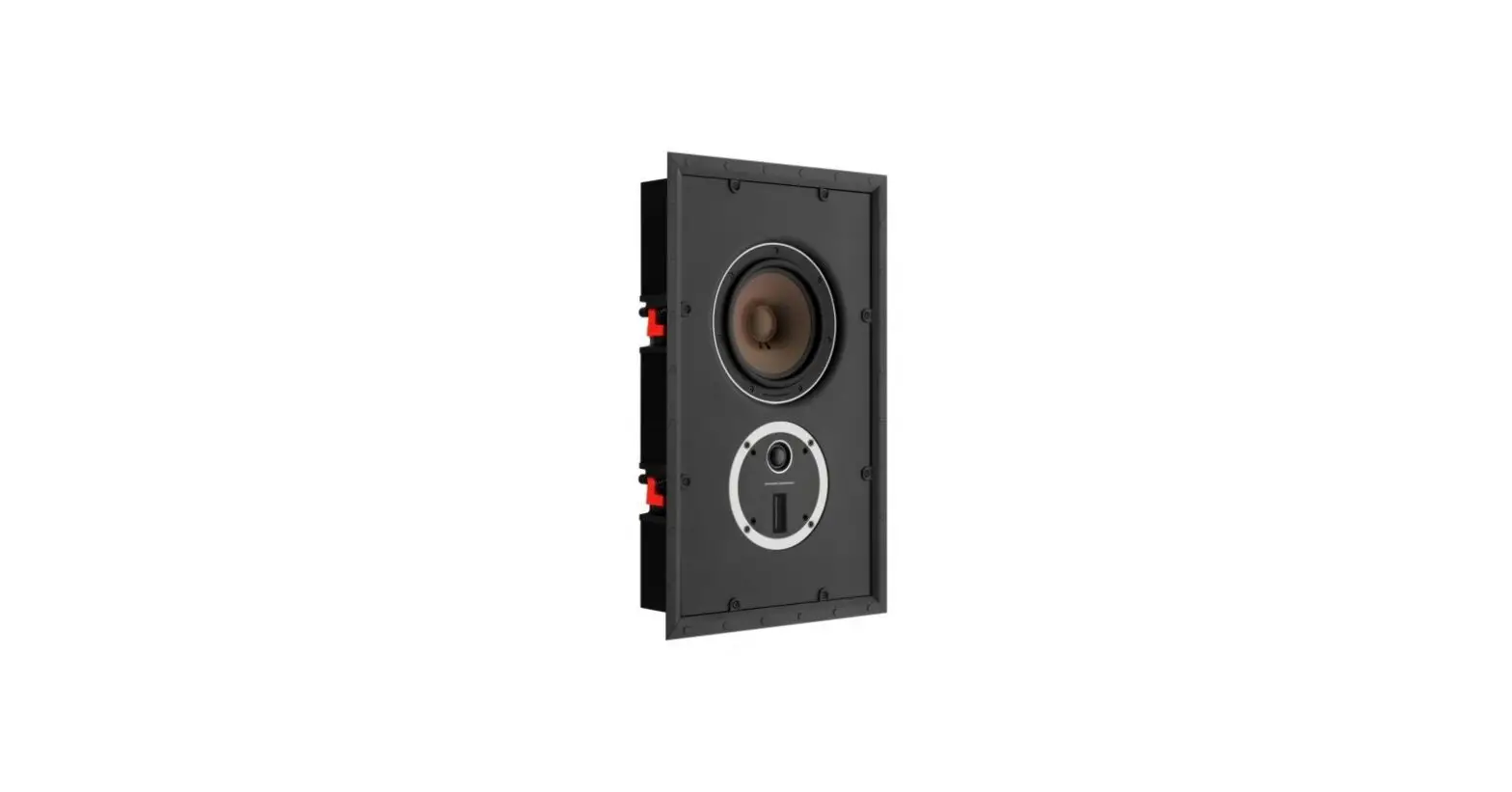
The DALI PHANTOM IW SUB S-100 is a high-performance in-wall
subwoofer designed to deliver powerful bass in a discreet and
space-saving manner. It can be installed either in-wall or on-wall
using the provided accessories.
1. Carton Contents
- 1 x DALI PHANTOM IW SUB S-100
- 1 x Grille (magnetic)
- 1 x Cut-out template
- 4 x Rubber pads
2.A Installation – In-wall
- Use the cut-out template to prepare the wall for
installation. - Connect cables from the amplifier to the subwoofer.
- Place the subwoofer in the wall.
- Use a cross-head screwdriver or drill bit to tighten the eight
dogleg clamp screws. - Place the grille.
2.B Installation – On-wall frame
- Mount the DALI S-80 On-wall frame on the wall in either
landscape or portrait position. - Pass the cable from the amplifier unit through the channels of
the frame. - Connect cables from the amplifier to the subwoofer.
- Use a cross-head screwdriver or drill bit to tighten the eight
dogleg clamp screws.
2.C Unmounted installation
Enable unmounted installation by using the DALI S-80 On-wall
frame as an external cabinet for the subwoofer. This allows for
placement on the floor, for example.
- Place the 4 rubber feet to the rear side of the DALI S-80
On-wall frame. - Pass the cable from the amplifier unit through the channels of
the frame. - Connect cables from the amplifier to the subwoofer.
- Use a cross-head screwdriver or drill bit to tighten the eight
dogleg clamp screws. - Place the grille.
For more detailed instructions and information, please refer to
the User Manual.
DALI PHANTOM subwoofer QUICK START GUIDE
6. Subwoofer connections
1 x Subwoofer (LFE .1)
PROCESSOR / AV Reciever
Sub (LFE out)
ANALOG INPUTS OUTPUTS
PHANTOM CI CH2 CH4
CH1 CH2
AMP-2500 DSP CH1 CH3
+- +-
+-
2 x Subwoofer (LFE .1)
PROCESSOR / AV Reciever
Sub (LFE out)
ANALOG INPUTS OUTPUTS
PHANTOM CI CH2 CH4
CH1 CH2
AMP-2500 DSP CH1 CH3
+- +-
+-
+-
4 x Subwoofer (LFE .1)
PROCESSOR / AV Reciever
Sub (LFE out)
ANALOG INPUTS OUTPUTS
PHANTOM CI CH2 CH4
CH1 CH2
AMP-2500 DSP CH1 CH3
+- +-
+-
+-
+-
+-
Go to the User Manual by scanning the QR code.
Item.no. 951125-0-0 06/2023
DALI PHANTOM IW SUB S-100
QUICK START GUIDE
1. Carton Contents
1 x DALI PHANTOM IW SUB S-100
1 x Grille (magnetic)
1 x Cut-out template
4 x Rubber pads
2.A Installation – In-wall
1 Use cut-out template to prepare the wall for installation.
370 mm 14.6 in
2 Connect cables from the amplifier to the subwoofer.
Minimum depth 102 mm 4.02 in
615 mm 24.2 in
3 Place subwoofer in wall.
4 Use a cross-head screwdriver or drill bit to tighten the eight dogleg clamp screws.
x 8
10 – 70 mm 0.4 – 2.8 in
5 Place the grille.
DALI PHANTOM subwoofer QUICK START GUIDE
2.B Installation – On-wall frame
1 Mount the DALI S-80 On-wall frame on the wall in landscape or portrait position.
2 Pass the cable from the amplifier unit through the channels of the frame.
Landscape
Portrait
3 Connect cables from the amplifier to the subwoofer.
4 Use a cross-head screwdriver or drill bit to tighten the eight dogleg clamp screws.
x 8
2.C Unmounted installation
Enable unmounted installation by using the DALI S-80 On-wall frame as an external cabinet for the subwoofer. For example for placement on floor.
1 Place the 4 rubber feet to the rear side of the DALI S-80 On-wall frame.
2 Pass the cable from the amplifier unit through the channels of the frame.
3 Connect cables from the amplifier to the subwoofer.
4 Use a cross-head screwdriver or drill bit to tighten the eight dogleg clamp screws.
x 8
5 Place the grille.
5 Place the grille.