CX41 Domain Reflectometer
Product Information:
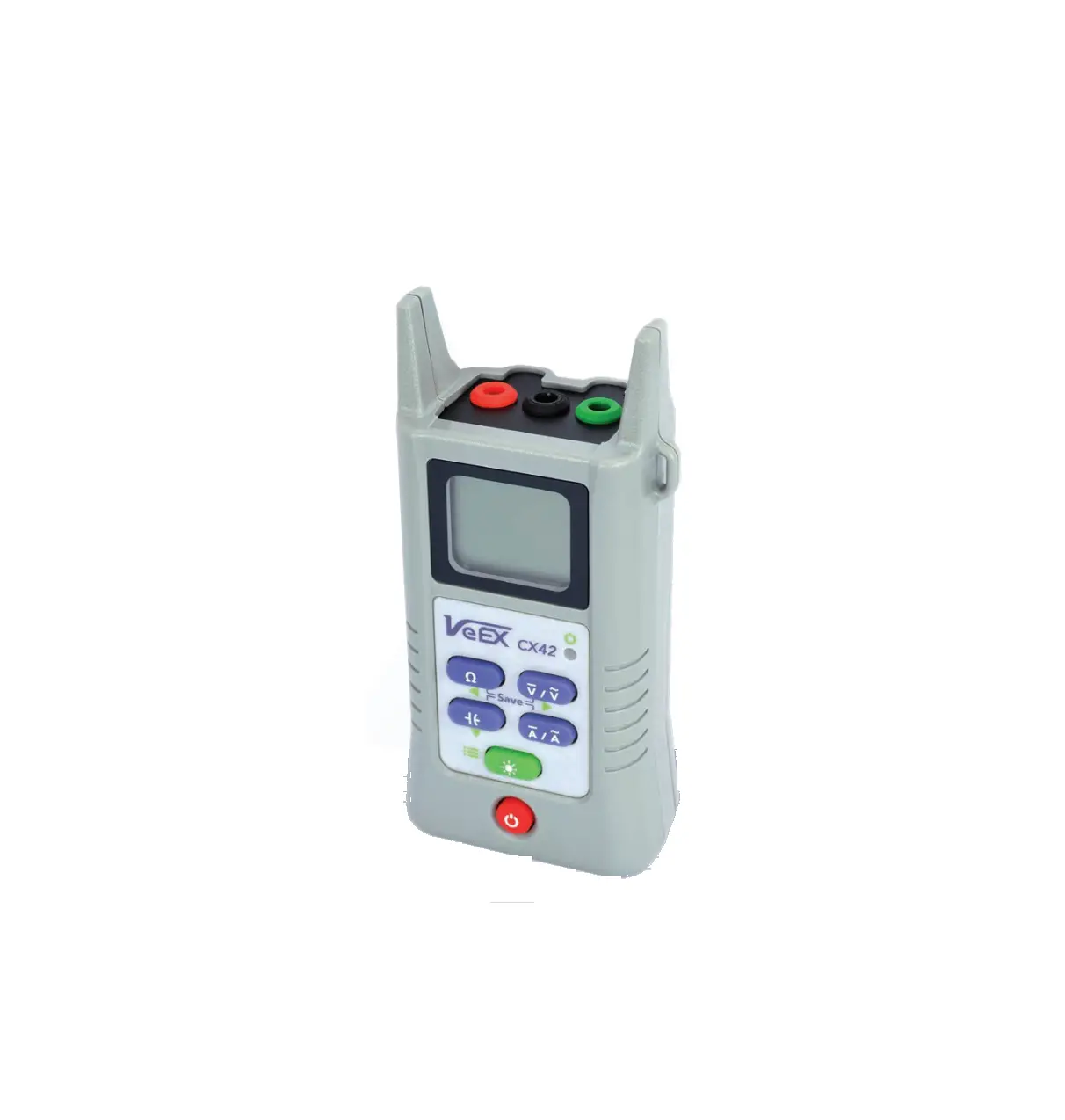
The CX41 is a budget-friendly and ultra-portable Time Domain
Reflectometer (TDR) designed specifically for the Outside Plant. It
is primarily used in telecommunications applications.
Key Features:
- Telco Version: This version of the CX41 is specifically
tailored for telecommunication purposes.
Specifications:
Unfortunately, the user manual does not provide specific details
regarding the specifications of the CX41. We recommend referring to
the product datasheet or contacting the manufacturer for more
information on its technical specifications.
Product Usage Instructions:
Follow these steps to use the CX41 Time Domain
Reflectometer:
- Ensure that the CX41 is fully charged or connected to a power
source, depending on its power requirements. - If available, connect the appropriate cables or adapters to the
CX41 and the device or system you want to test. - Power on the CX41 by pressing the designated power button or
switch. - Once powered on, familiarize yourself with the user interface
and controls of the CX41. Refer to the user manual or quick start
guide for detailed instructions on navigating the interface. - Configure the necessary settings such as pulse width,
measurement range, and display options according to your specific
testing requirements. Consult the user manual for guidance on how
to access and adjust these settings. - Position the CX41 at the starting point of the cable or network
segment you wish to test. - Initiate the measurement by pressing the appropriate button or
trigger. The CX41 will emit a pulse and analyze the reflected
signal to determine cable faults, impedance mismatches, or other
anomalies. - Observe the results displayed on the CX41’s screen or
interface. Interpret the readings and analyze any detected issues
based on the provided documentation or industry standards. - Repeat the process by moving the CX41 along the cable or
network segment, testing different sections as required. - Once testing is complete, power off the CX41 and disconnect any
cables or adapters. - Properly store the CX41 in a safe and dry location to ensure
its longevity and protect it from damage.
Note: For detailed instructions on using specific features,
advanced settings, or troubleshooting, please refer to the
comprehensive user manual provided with the CX41 Time Domain
Reflectometer.
CX41
TDR for the Outside Plant
The CX41 is a budget friendly and ultra portable Time Domain Reflectometer suitable for the Outside Plant.
Key Features
· Fault identification and location · Cable length verification · One touch automatic mode for a quick test · Manual mode for detailed TDR trace analysis · DC voltage measurement for line power verification* · AC voltage measurement for induced foreign voltage
detection* · Simple user interface that saves time on the job
*Telco Version
Specifications
· Telco Version: – Test Port: 2 mm banana – Range: 3.6 km (12 kft)
· Coaxial Version: – Test Port: F or BNC – Range: 1.5 km (5 kft)
· Accuracy: 1% of selected range or 1m (3 ft) · Minimum resolution: 0.025m (0.08 ft) · Velocity factor: Adjustable to 99% · Pulse width: 10 ns to 10 µs (automatic with range) · Impedance: 50, 75, 100, 120 ohms · DC voltage range: 300V* · AC voltage range: 200V* · Dimensions: 129 x 61 x 39 mm (5.1 x 2.4 x 1.5 in) · Weight: <450 grams (<1 pound) · Battery options: Standard alkaline AA or optional
rechargeable NiMH
The Verification Experts
VeEX Inc. 2827 Lakeview Court Fremont, CA 94538 USA Tel: +1.510.651.0500 Fax: +1.510.651.0505 www.veexinc.com [email protected]
© 2020 VeEX Inc. All rights reserved. VeEX is a registered trademark of VeEX Inc. The information contained in this document is accurate. However, we reserve the right to change any contents at any time without notice. We accept no responsibility for any errors or omissions. In case of discrepancy, the web version takes precedence over any printed literature. D05-00-185P A00 2020/11