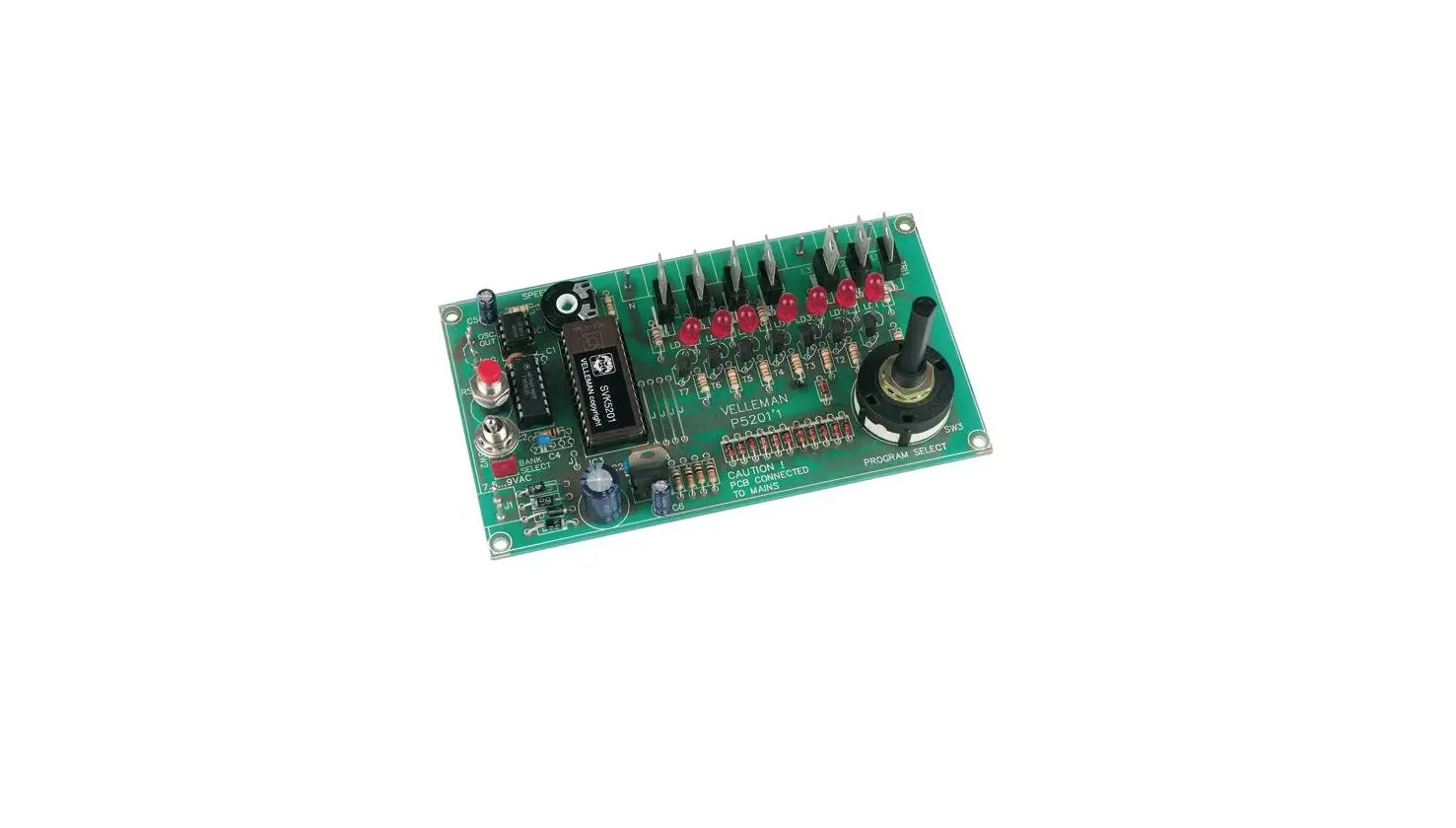
K2634 Quad Triac Switch Card
Product Information: Product Name: Quad Triac Switch Card
Model Number: K2634 Total Solder Points: 108 Difficulty Level:
Beginner 1 2 3 4 5 Advanced Features: – Four triac outputs – Inputs
galvanically isolated by optocouplers – 4 control LED’s are
provided Specifications: – Load: 24 to 240V AC, 0.5A not cooled
(max. 4A) per output – Control current: 10 to 20mA DC – 9V DC/200mA
isolated from the main voltage (isolated winding or another
transformer) – Dimensions: 78 x 90 x 29 mm Product Usage
Instructions: 1. Assembly Hints: – Make sure you have the right
tools, including a basic multi-meter if required. – Always look for
possible last-minute manual updates indicated as “NOTE” on a
separate leaflet. 2. Soldering Hints: 1. Mount the component
against the PCB surface and carefully solder the leads. 2. Ensure
that the solder joints are cone-shaped and shiny. 3. Trim excess
leads as close as possible to the solder joint. 4. Remove
components from the tape one at a time. 5. Axial components are
taped in the correct mounting sequence. 3. Resistors: – Follow the
construction instructions provided in the manual for resistor
values and placement. 4. IC’s: – Follow the construction
instructions provided in the manual for IC values and placement. –
Mind the position of the notch, which should point to the Velleman
emblem. 5. Transistors: – Follow the construction instructions
provided in the manual for transistor values and placement. – Use a
higher value resistor if your control voltage is higher than 9 to
15VDC. 6. PCB Tabs: – Connect the specified components to the
corresponding tabs on the PCB. – Alternatively, you can use
terminal connectors. 7. LED: – Watch the polarity when connecting
the LED. – Follow the construction instructions provided in the
manual for LED placement. 8. Triacs: – Follow the construction
instructions provided in the manual for triac values and placement.
– Make sure the metal backside of the triacs points to the outputs.
– Apply a layer of tin on the entire PCB track. – If switching more
than 1.5A per output, mount heatsinks to the triacs. – If mounting
all triacs on the same heatsink, isolate them with mica plates and
special plastic washers. – Strengthen the PCB tracks
interconnecting the output connectors and triacs by soldering a
copper wire of 1.5mm2 along the whole print. – Take into account
that the load current goes through these connections, up to 4A if
the triacs are cooled. Please refer to the complete assembly manual
for additional instructions and safety precautions.
Total solder points: 108 Difficulty level: beginner 1 2 3 4 5 advanced
QUAD TRIAC SWITCH CARD
K2634
Cofrnotrmolauplotwo -4pohwigehr-pdoriwveercciricrcuuiti.ts
ILLUSTRATED ASSEMBLY MANUAL
H2634IP-1 1
Features & Specifications
Applying relays is the most usual way to switch an alternating current (AC) with an electronic control, because of its simplicity and its security, as the switching and switched voltage are completely separated. The low speed (esp. for illuminated advertisements ) and the short life of the contacts are however major disadvantages. In order to avoid the disadvantages of the relay without losing the advantages, optocoupler controlled triacs are used. Because of the fact that the outputs are controlled by current instead of voltage, they are less sensitive to input interferences, so that the triac card can easily be mounted near the load and relatively far from the control circuit (e.g. for score boards etc.). This kit can immediately be connected to cards like: K8000, K8050, K8023, K8055, K8046, K8055 or other cards with open collector output. Circuits which can deliver a control current of 10mA or higher can also be used.
Features:
Four triac outputs Inputs galvanically isolated by optocouplers. 4 control LED’s are provided
Specifications:
Load : 24 to 240V AC, 0,5 A not cooled (max. 4A) per output. Control current : 10 to 20mA DC. 9V DC/200mA ISOLATED FROM THE MAIN VOLTAGE (isolated winding or another transformer). Dimensions : 78 x 90 x 29 mm
2
Assembly hints
1. Assembly (Skipping this can lead to troubles ! ) Ok, so we have your attention. These hints will help you to make this project successful. Read them carefully.
1.1 Make sure you have the right tools:
· A good quality soldering iron (25-40W) with a small tip. · Wipe it often on a wet sponge or cloth, to keep it clean; then apply solder to the tip, to give it a wet look. This is called `thinning’ and will
protect the tip, and enables you to make good connections. When solder rolls off the tip, it needs cleaning. · Thin raisin-core solder. Do not use any flux or grease. · A diagonal cutter to trim excess wires. To avoid injury when cutting excess leads, hold the lead so they
cannot fly towards the eyes. · Needle nose pliers, for bending leads, or to hold components in place. · Small blade and Phillips screwdrivers. A basic range is fine.
0.000
For some projects, a basic multi-meter is required, or might be handy
1.2 Assembly Hints :
Make sure the skill level matches your experience, to avoid disappointments. Follow the instructions carefully. Read and understand the entire step before you perform each operation. Perform the assembly in the correct order as stated in this manual Position all parts on the PCB (Printed Circuit Board) as shown on the drawings. Values on the circuit diagram are subject to changes. Values in this assembly guide are correct* Use the check-boxes to mark your progress. Please read the included information on safety and customer service
* Typographical inaccuracies excluded. Always look for possible last minute manual updates, indicated as `NOTE’ on a separate leaflet.
3
Assembly hints
1.3 Soldering Hints : 1- Mount the component against the PCB surface and carefully solder the leads 2- Make sure the solder joints are cone-shaped and shiny 3- Trim excess leads as close as possible to the solder joint
REMOVE THEM FROM THE TAPE ONE AT A TIME !
AXIAL COMPONENTS ARE TAPED IN THE CORRECT MOUNTING SEQUENCE !
4
1. Resistors
R…
2 . IC’s.
Construction
R1 : 220 (2 – 2 – 1 – B) R2 : 220 (2 – 2 – 1 – B) R3 : 220 (2 – 2 – 1 – B) R4 : 220 (2 – 2 – 1 – B)
R5 : 10K (1 – 0 – 3 – B) R6 : 10K (1 – 0 – 3 – B)
R7 : 10K R8 : 10K R9 : 12K R10 : 12K
R11 : 12K R12 : 12K
(1 – 0 – 3 – B) (1 – 0 – 3 – B) (1 – 2 – 3 – B) (1 – 2 – 3 – B)
(1 – 2 – 3 – B) (1 – 2 – 3 – B)
For use with a regular open collector output and a control voltage of 9 to 15VDC :
Rx : 820 (8 – 2 – 1 – B)
IC1 : TIL111 or equivalent IC2 : TIL111 or equivalent IC3 : TIL111 or equivalent IC4 : TIL111 or equivalent
Mind the position of the notch : it should point to the Velleman emblem.
3. Transistors
If your control voltage is higher, then a higher value resistor must be used.
For 24Vdc :
Rx : 1K8 (1 – 8 – 2 – B)
T1 : BC547B T2 : BC547B T3 : BC547B T4 : BC547B
5
Construction
4. PCB tabs
VAC : 2X OUT1 : 2X OUT2 : 2X OUT3 : 2X OUT4 : 2X 9VDC : 2X
IN1 : 2X IN2 : 2X IN3 : 2X IN4 : 2X
You can also use terminal connectors.
5. LED. Watch the polarity!
LD1 LD2 LD3 LD4
5mm Red LD1 CATHODE
6. Triacs
TRI1: TIC206M
TRI2: TIC206M TRI3: TIC206M
TR…
TRI4: TIC206M
Remarks : Make sure the metal backside of the triacs points to the outputs. Apply a layer of tin on the entire PCB track.
If you want to switch more than 1,5A per output, then the triacs need cooling.
You therefore have to mount heatsinks to the triacs. If you mount all the triacs on the same heatsink, then you have to isolate the triacs with mica plates and special plastic washers.
The PCB tacks interconnecting the output connectors and the triacs are not protected by the red solder mask. We advise you to strengthen these in soldering a copper wire of 1,5mm2 along the whole print. We must take into account that the entire load current goes through these connections; so up to 4A, if the triacs are cooled !
6
Connection 7. Connection
Connect the minus side of the inputs to the open collector outputs of the interface card(s) (see fig.1). Connect the positive side of all inputs with a control voltage (ex. +9Vdc to 12Vdc). The negative (GND) of the control voltage must also be connected to the Common (or GND) of the open collector card. Keep in mind that EACH input of the triac card takes about 12mA from the power supply !
This control voltage has to be COMPLETELY ISOLATED! To supply the card a separate supply must be used of 9Vdc (see fig. 1) Connect the supply for the loads to the points VAC. It may range between 24 and 240 VAC.
Fig.1
7
Connection ATTENTION : everything on the print from the optocouplers to the output side is subjected to this (eventual) hazardeous voltage.
The loads are connected to OUT1 and OUT4. Interferences on the mains are possible because of the fact that the load switching does not necessarily takes place on the zero crossing point of the AC. When this should disturb the computer functioning, we advise you to install the triac card near the loads to be switched.
8
8. Schematic diagram.
Schematic diagram
9
PCB 9. PCB
10
11
VELLEMAN Components NV Legen Heirweg 33 9890 Gavere Belgium Europe www.velleman.be
www.velleman-kit.com
Modifications and typographical errors reserved © Velleman Components nv. H2634IP – 2003 – ED1
12
5 410329 310264
 Velleman – Wholesaler and developer of electronics