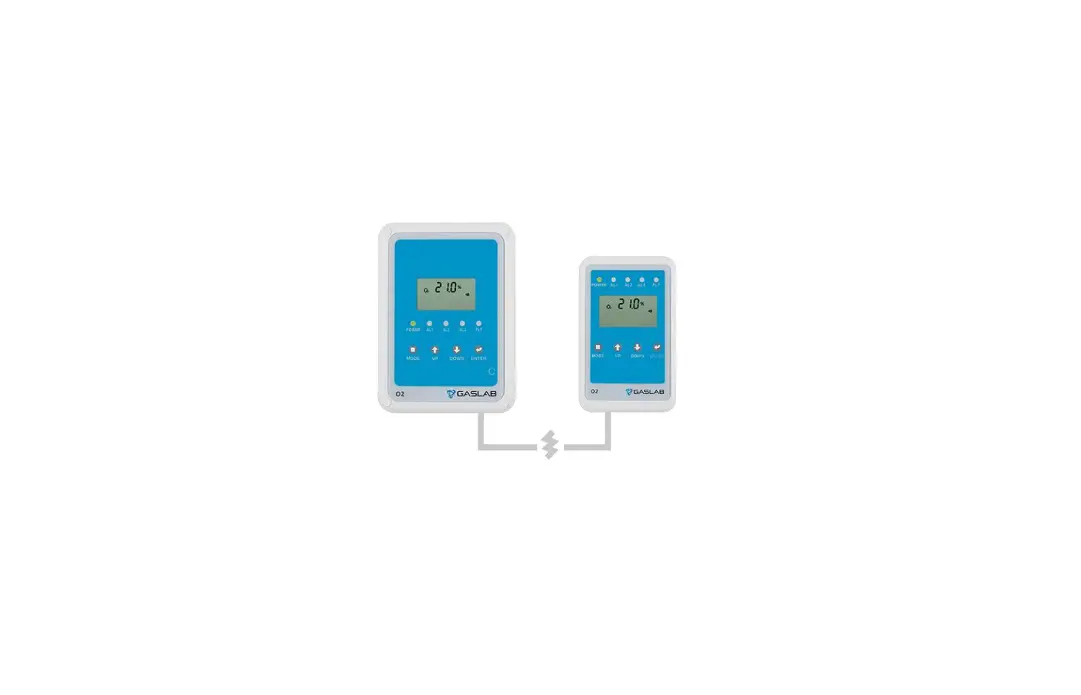
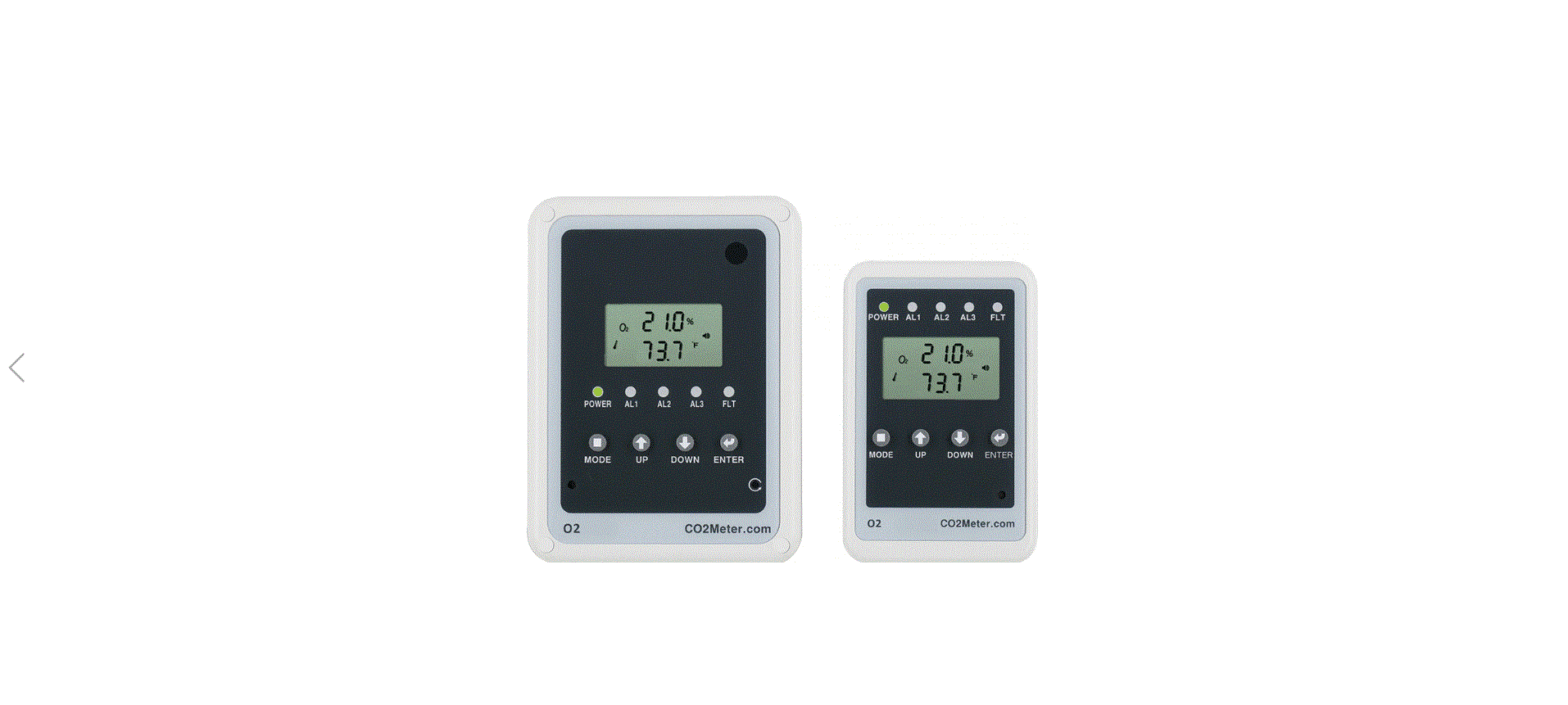
RAD-0002-ZR Oxygen Deficiency Safety Alarm Monitor
Product Information:
The RAD-0002-ZR Low-Oxygen Depletion Safety Alarm is a monitor
designed to detect oxygen depletion or enrichment in enclosed
spaces and to warn occupants of hazardous levels. This product has
both audible and visual alarms which activate when the oxygen
concentration is lower than the pre-set alarm levels. The product
is equipped with relay 1 and 2 that can be used for a fan or
air-handling system to ventilate the confined space and improve
OXYGEN concentration in the area.
Package Contents & Description:
- SEU (Main Sensor Unit)
- RDU (Remote Display Unit)
- Power Supply (Pre-Wired)
- International Power Adaptor (3 pieces)
- CAT 5 Communication Cable (1 piece)
- Relay Cables (3 pieces)
- Wall Plug Safety Strap (1 piece)
- Warning Signs
- User Manual (1 piece)
- Mounting Brackets (2 pieces)
- Screws (13 pieces)
- Wall Anchors (12 pieces)
- Cable Clips (10 pieces)
- Strobes (optional)
Note: Strobes are optional visible alarms that augment the
flashing red Alarm LEDs on the SEU and RDU. They are activated when
the alarms are activated. Strobes are sold in pairs. Each strobe
comes with a CAT 5 cable that plugs into the SEU and RDU.
Product Usage Instructions:
- Place the SEU in the desired location where oxygen depletion or
enrichment needs to be monitored. - Connect the RDU to the SEU using the RJ45 cable provided in the
package. - Connect the power supply to the SEU and plug it into an
electrical outlet. - Connect the relay cables to the SEU and use them to control a
fan or air-handling system to ventilate the confined space when
oxygen concentration is low. - Turn on the monitor and set the pre-set alarm levels for oxygen
concentration. - If desired, install optional strobe alarms by connecting them
to the SEU and RDU using the provided CAT 5 cables. - If oxygen concentration drops below the pre-set alarm levels,
the audible and visual alarms will activate, and relay 1 and 2 will
be triggered. If strobe alarms are installed, they will also flash.
The fan or air-handling system can be activated through relay 1 and
2 to ventilate the area and improve oxygen concentration. - If necessary, refer to the user manual for calibration
instructions and other troubleshooting tips.
Oxygen Deficiency Safety Monitor
Version 3
RAD-0002-ZR
CONTENTS
1. Product Description …………………………………………………………………….1 2. Package Contents & Description …………………………………………………..1 3. LCD Display Symbols………………………………………………………………….3 4. SEU (Main Sensor Unit) ………………………………………………………………4 5. RDU (Remote Display Unit) ………………………………………………………….4 6. Strobes …………………………………………………………………………………….4 7. Power……………………………………………………………………………………….4 8. Installation…………………………………………………………………………………5 9. Advanced Management Settings …………………………………………………..6 10. Customizing the Settings……………………………………………………………7
10.1 Select Barometric Units ……………………………………………………. 7 10.2 Diagnostic Test…………………………………………………………………7 10.3 Set AL1 Alarm Level ………………………………………………………….7 10.4 Set AL2 Alarm Level………………………………………………………….8 10.5 Set AL3 Alarm Level………………………………………………………….8 10.6 Calibration……………………………………………………………………….9 Span Calibration……………………………………………………………………..9 10.7 Recover Factory Settings …………………………………………………10 11. Product Care ………………………………………………………………………….10 12. Safety Notes…………………………………………………………………………..10 13. Specifications …………………………………………………………………………11 14. Fault Codes &Troubleshooting Guide …………………………………………12 15. Support & Warranty…………………………………………………………………12
1. Product Description
Thank you for selecting the RAD-0002-ZR Low-Oxygen Depletion Safety Alarm. This monitor is designed to detect oxygen depletion or enrichment in enclosed spaces and to warn occupants of hazardous levels. Low concentrations of oxygen in confined spaces are dangerous and may lead to health problems ranging from headaches and fatigue to asphyxiation and death.
This monitor has both audible and visual alarms which activate when the oxygen concentration is lower than the pre-set alarm levels. Detection of low levels of oxygen will also activate relay 1 and 2 that can be used for a fan or air-handling system to ventilate the confined space and improve OXYGEN concentration in the area.
The RAD-0002-ZR Oxygen Depletion Safety Alarm is cost-effective and has many features including: · Separate SEU (Main Sensor Unit) and RDU (Remote Display Unit) allow you to see warning before entering an enclosed area. Up to 3 RDUs can be used. · Large digital LCD display clearly indicates the ambient OXYGEN concentration. · Relay outputs to control ventilation devices. · Relay output for power loss indication · Audible and visual alarm indications at three separate alarm levels. Ability to add strobes for additional indication. · Automatic barometric pressure compensation for high altitude use.
2. Package Contents & Description
The RAD-0002-ZR package comprises the following parts:
1. SEU (Main Sensor Unit) 2. RDU (Remote Display Unit) 3. Power Supply (Pre-Wired) 4. International Power Adaptor (3 pieces) 5. CAT 5 Communication Cable (1 piece) 6. Relay Cables (3 pieces) 7. Wall Plug Safety Strap (1 piece) 8. Warning Signs 9. User Manual (1 piece) 10. Mounting Brackets (2 pieces) 11. Screws (13 pieces) 12. Wall Anchors (12 pieces) 13. Cable Clips (10 pieces) 14. Strobes (optional)
NOTE: Strobes are optional visible alarms that augment the flashing red Alarm LEDs on the SEU and RDU. They are activated when the alarms are activated. Strobes are sold in pairs. Each strobe comes with a CAT 5 cable that plugs into the SEU and RDU.
Some local jurisdictions require additional strobe units. GasLab offers two different types of add-on strobes. For more information about your area, call or email us at [email protected]
© Copyright CO2Meter | GasLab. All rights reserved. 1
A. O2 Sensor D. Alarm 1 Red LED G. Fault Yellow LED J. DOWN Button M. Reset Button P. DC Power Supply S. Relay 2 for AL2 V. Mount/Panel Holder
B. LCD display E. Alarm 2 Red LED H. MODE Button K. ENTER Button N. 4-20mA Output Q. RDU Cable (RJ45) T. Relay 1 for AL1
RDU (Remote Display Unit)
C. Power Green LED F. Alarm 3 Red LED I. UP Button L. Alarm Buzzer O. Battery Backup Input R. Relay 3 Power Loss Indicator U. Strobe Cable (RJ45)
A. Power Green LED
D. Alarm 3 Red LED
G. MODE Button J. ENTER Button M. Output to RDU
(RJ45 Std. Cable)
B. Alarm 1 Red LED
E. Fault Yellow LED
H. UP Button K. Alarm Buzzer N. Input from SEU/RDU
(RJ45 Std. Cable)
C. Alarm 2 Red LED F. LCD display I. DOWN Button L. Strobe Cable (RJ45) O. Panel Holder
© Copyright CO2Meter | GasLab. All rights reserved. 2
3. LCD Display Symbols
Symbol
DIAG
Meaning
O2 Concentration ppm (Parts Per Million)
Alarm
Diagnose
AL1 (Depletion)
O2
AL2 (Depletion)
2nd O2 Alarm level
AL3 (Depletion)
3rd O2 Alarm level
AL1
(Enrichment)
O2
AL2 (Enrichment)
2nd O2 Alarm level
AL3 (Enrichment)
CALI RCFS
Hi
3rd O2 Alarm level
Calibration Recover Factory Setting High Fan Icon
Description
ambient O2 concentration
alarm icon Test communications between the SEU and RDU
The relay 1 will be triggered when O2 concentration is lower than AL1. The Red 1 LED and Fault LEDs will flash, buzzer will sound and relay1 will be activated. If strobe is connected, the strobe will flash and this status will be latched.
The relay 2 will be triggered when O2 concentration lower than the second alarm level The Red1, Red 2 LEDs and Fault LEDs will flash, and buzzer will sound. Relay1, relay2 will be activated. If strobe is connected, the strobe will flash and this status will be latched.
When O2 concentration lower than the 3rd alarm level The Red1, Red 2, Red3, and Fault LEDs will flash, and buzzer will sound. Relay1, relay2, will be activated. If strobe is connected, the strobe will flash and this status will be latched.
The relay 1 will be triggered when O2 concentration higher than AL1. The Red 1 LED and Fault LEDs will flash, buzzer will sound and relay1 will be activated. If strobe is connected, the strobe will flash and this status will be latched.
The relay 2 will be triggered when O2 concentration higher than the second alarm level. The Red1, Red 2 LEDs and Fault LEDs will flash, buzzer will sound and relay1, relay2 will be activated. If strobe is connected, the strobe will flash and this status will be latched. When O2 concentration higher than the 3rd alarm level. The Red1, Red 2, Red3, and Fault LEDs will flash, buzzer will sound and relay1 ,relay2 , will be activated. If strobe is connected, the strobe will flash and this status will be latched.
To calibrate the O2 sensor when the accuracy deviates from the actual O2 concentration. To recover factory default settings and cancel any customized settings. The O2 concentration is above 25% Running if buzzer beeps
© Copyright CO2Meter | GasLab. All rights reserved. 3
4. SEU (Main Sensor Unit)
The large LCD displays the ambient O2 concentration. The SEU has the “DIAG”, “O2 AL1(Depletion)”, “O2 AL2(Depletion)”,”O2 AL3(Depletion)”, “O2 AL1(Enrichment)”, “O2 AL2(Enrichment)”,”O2 AL3(Enrichment)”, “O2 CALI”, “RCFS” function.
The “DIAG” function executes communication tests between the SEU and RDU. The user can do the calibration under the “CALI” mode when necessary. If data setting is done incorrectly, the user can use the “ReFactSet” mode back to the original factory setting.
There are “O2 AL1(Depletion)”, “O2 AL2 (Depletion)” “O2 AL3 (Depletion)” three alarm levels for O2 Depletion, these alarm levels are adjustable.
· The AL1 (Depletion) of O2 is with parameter: 15.5, 16, 16.5, 17, 17.5, 18, 18.5, 19, 19.5, 20. The default AL1 is 19.5%.
· The AL2 (Depletion) of O2 is with parameter: 12.5, 13, 13.5, 14, 14.5, 15, 15.5, 16, 16.5.; the default AL2 is 16.5%.
· The AL3 (Depletion) of O2 is 12%.
When the RAD-0002 Monitor detects O2 value lower than the O2 AL1(Depletion) , operate Alarm 1 LED, Fault LED ,Relay 1, Audible, Strobe(if exist), till RESET on SEU regardless the rise of O2 level.
When O2 levels continue decaying, and below O2 AL2(Depletion): operate Alarm 1 LED, Alarm2 LED, Relay 1, Relay2, Audible, Strobe, Fault LED, till RESET on SEU regardless the rise of O2 level.
When O2 levels continue to decay, and below O2 AL3(Depletion): operate Alarm 1 LED, Alarm2 LED, Alarm3 LED, Fault indicator LED, Relay 1, Relay2, Audible, Strobe, till RESET on SEU regardless the rise of O2 level.
There are “O2 AL1(Enrichment)”, “O2 AL2 (Enrichment)” “O2 AL3 (Enrichment)” three alarm levels for O2 Enrichment, these alarm levels are adjustable.
· The AL1 (Enrichment) of O2 is with parameter 22.0, 22.5, 23.0, 23.5. (Default setting 22.0%.)
· The AL2 (Enrichment) of O2 is with parameter 24.0, 24.5, 25.0. (Default setting 24.0%.) · The AL3 (Enrichment) of O2 is with parameter 25%.
When the RAD-0002 Monitor detects O2 value higher than the O2 AL1 (Enrichment), operate Alarm 1 LED, Fault LED, Relay 1, Audible, Strobe (if exist), till RESET on SEU regardless the decay of O2 level.
When O2 levels continue rising, and upon O2 AL2(Enrichment): operate Alarm 1 LED, Alarm2 LED, Relay 1, Relay2, Audible, Strobe, Fault LED, till RESET on SEU regardless the decay of O2 level.
When O2 levels continue rising, and upon O2 AL3(Enrichment): operate Alarm 1 LED, Alarm2 LED, Alarm3 LED, Fault indicator LED, Relay 1, Relay2, Audible, Strobe, till RESET on SEU regardless the decay of O2 level.
If the communication cable between the SEU & RDU doesn’t connect well, like the communication cable loses in the Input port, the fault LED of SEU will blink, remind user reconnect the cable. If the communication cable is inserted into the wrong port on RDU, after about one minute, the “Er7” will flash on RDU LCD.
Please plug it into the right port on RDU, the unit will work normally after corrective action.
4
© Copyright CO2Meter | GasLab. All rights reserved.
5. RDU (Remote Display Unit)
The RDU should be placed outside the enclosed area (typically next to a door) to warn users if the oxygen level inside the enclosed area have changed. The RDU is controlled and powered by the SEU. A strobe may be attached to the RDU. All visual and buzzer alarms on the SEU are duplicated on the RD. The SEU only has the “DIAG” function to test the communication between the SEU and RDU (see 10.3). All other functions or settings must be changed on the SEU.
6. Strobes
Strobes are add-on visible alarms. One strobe can be connected to the RDU and one to the SEU. If the oxygen level goes below Alarm Level1, the strobes will flash. The frequency of the flash cannot be changed.
7. Power
The RAD-0002-ZR comes pre-wired with a 12V power supply that plugs in to a 120-240VAC wall outlet. The 12V power supply can be removed and 24VDC can be wired directly to the SEU through the terminal block. 24VAC must be converted to 24VDC for the monitor to operate.
5 © Copyright CO2Meter | GasLab. All rights reserved.
8. Installation
1. Choose a suitable location near a wall outlet to install the SEU. Fix the panel holder on the wall with the four screws provided.
2. Put the SEU on the panel holder, making sure that they are connected tightly. 3. Fix the second panel holder in a suitable location outside the monitored space at eye
level. 4. Place the RDU onto the panel holder. Display warning signs next to the RDU so they are
not hidden when the door is open. 5. Route the included CAT5 cable between the SEU and RDU. CAT5 cable can be run
through the wall/conduit or fixed to the wall using cable clips. Plug the CAT5 cable into the designated ports on both units. 2 additional RDUs can be connected to the first RDU as long as the total cable length between the farthest RDU and SEU is less than 300ft. (91m). 6. The RAD-0002-ZR has 2 relay outputs connected to the programmed alarm settings and 1 relay output used as a power loss indicator. All relays are normally open/closed dry contacts. The relays can be used to control an external device (fan, HVAC system, etc.) or can be wired to the fire alarm panel directly. The relays will trigger when the oxygen concentration exceeds the programmed alarm level (Relay 1 or 2) or the device experience power loss (Relay 3). 7. When the power has been connected, The SEU and the RDU will perform a self-check, then begin to work. If the cable between the SEU & RDU is not securely connected, the yellow fault LED on the SEU will blink after startup. If cable is inserted into the wrong port on RDU, after about one minute, “Er7” will flash on the RDU display. Securely plug the cable into the correct port on RDU for the unit to function normally. 8. To test the system, use the DIAG function. The five LED’s will blink and the buzzer will sound on both the SEU and RDU. Then both LCD screens will show the same information. This verifies that alarm is ready.
Installation Example:
6 © Copyright CO2Meter | GasLab. All rights reserved.
9. Advanced Management Settings
These settings use a non-obvious key combination to prevent casual users from changing alarm settings. In most cases, the default settings are recommended. 1.1 Alarm Level Lock / Unlock: If the alarms are locked, an employee cannot change the alarm levels. Factory default is locked. You must unlock the alarm levels before you can change them (see Section 10).
1. Press Up & Enter buttons simultaneously for 10 seconds until BAro is displayed. 2. Press Mode button until Al n is displayed. 3. Press Up/Down arrow buttons to switch between Lock and Unlock. 4. Press Enter button to save and quit the advanced mode. 1.2 Latch Function On / Off: The alarm ships with the LATCH function off, this allows the device to work its way out of alarm status on its own. The function can be switched to on meaning alarms will continue until the reset button is pressed. Factory default is off.
1. Press Up & Enter buttons simultaneously for 10 seconds until BAro is displayed. 2. Press Mode button until LAt is displayed. 3. Press Up/Down arrow buttons to switch between On and Off. 4. Press Enter button to save and quit the advanced mode 1.3 Barometric Compensation On / Off: Turns on automatic compensation for barometric pressure / altitude. Factory default is off.
1. Press Up & Enter buttons simultaneously for 10 seconds until BAro is displayed. 2. Press Mode button until BAro is displayed. 3. Press Up / Down arrow buttons to switch On or Off. 4.Press Enter button to save and quit the advanced mode
© Copyright CO2Meter | GasLab. All rights reserved. 7
10. Customizing the Settings
1.1 Select Temperature Units Press the Up button to switch between ºF & ºC:
1.2 Select Barometric Units Press the Down button to switch from hPa to inHg
1.3 Diagnostic Test Test the communication link between the SEU & RDU.
1. Press Mode until the “DIAG” icon flashes 2. Press Enter. The five LED’s will blink and the buzzer will sound on the SEU and RDU simultaneously. 1.4 Using the DIAG function
1. Press Mode until the “DIAG” icon flashes 2. Press Enter, this five LED’s will blink on the SEU and the buzzer will sound 3. This five LED’s will blink and buzzer will sound simultaneously on the RDU
1.5 Setting the O2 First Alarm parameter of depletion:
1. Press Mode until the “AL1” “O2” icon flashes and “depl” displays.
© Copyright CO2Meter | GasLab. All rights reserved. 8
2.Press Enter, the “AL1″ icon shows on LCD. default AL1= 19.5% 3. Press Up/Down to go through 15.5, 16, 16.5, 17, 17.5, 18, 18.5, 19, 19.5, 20%” 4. Press Enter again(save) or press Mode (not save) quit the setting
1.1 Setting the O2 Second Alarm parameter of depletion:
1. Press Mode until the ” AL2″ “O2” icon flashes and “depl” displays. 2. Press Enter, the “AL2″ icon shows on LCD, default AL2= 16.5% 3. Press Up/Down to go through 12.5, 13, 13.5, 14, 14.5, 15, 15.5, 16, 16.5%” 4. Press Enter again(save) or press Mode (not save) quit the setting
Setting the O2 Third Alarm parameter of depletion:
1. Press Mode until the ” AL3″ “O2″icon flashes and “depl” displays. 2. Press Enter, the “AL3” icon shows on LCD. Default AL3=12% 3. Press Up/Down to 12% 4. Press Enter again(save) or press Mode (not save) quit the setting
1.2 Setting the O2 Alarm parameters of enrichment:
© Copyright CO2Meter | GasLab. All rights reserved. 9
© Copyright CO2Meter | GasLab. All rights reserved. 10
9.1 Calibration
1. Press Mode until the “CALI” “O2″icon flashes. 2. Press Enter, the “CALI” icons show on the LCD and “ZEro” icons will flash. 3. Press Up/Down button to switch Zero/Span
4. Press Enter button to Cali, “CALIBRATING” icons will flash, it will show PASS or Fail 3 minutes later
5. Press Enter again(save) or press Mode (not save) quit the Cali mode
***Note: This device features a PSPAN calibration function that is for CO2 Meter Technician use only. If you are have trouble calibrating your device using the standard SPAN calibration function, Please contact CO2 Meter.***
Span calibration should both be performed at least annually. They can be performed onsite or the SEU can be returned for factory calibration. Check your state or local code for calibration schedule requirements in your jurisdiction.
What you will need: A test gas cylinder of 21% oxygen, a test gas regulator and 3-4 ft. (1m) tubing, and a small piece of masking tape to cover the buzzer hole on the bottom right corner of the SEU. If you are calibrating in situ, first inform occupants to ignore the alarms while calibration takes place.
Span Calibration
1. Hold the tubing from the 21% oxygen gas cylinder to the oxygen sensor opening on the top right-hand corner of the SEU.
2. Open the gas regulator. Set the flow rate between 0.15-0.50 liters per minute.
3. Wait until the O2 reading on the SEU settles consistently at or near 21% O2 on the screen.
4. Press the Mode button 5 times. The “O2” and “CALI” icons will flash. 5. Press Enter to view the calibration settings. The words “O2” and “ZEro” will begin flashing on the LCD. 6. Press the Up or Down arrow key to change from “Zero” to “SPAn”. 7. Press Enter again to begin calibrating. “CALIBRATING” will begin flashing. 8. After approximately 3 minutes, the LCD will display either “PASS” or “FAIL” 9. If the LCD reads “FAIL”, repeat the steps again. If it displays “PASS”, press Enter. The display should now show 21% O2. 10. Remove the oxygen gas.
11. Press the Reset button at the bottom right-hand side of the SEU front cover.
© Copyright CO2Meter | GasLab. All rights reserved.
11
10.8 Recover Factory Settings If calibration or changing custom parameters has caused the RAD-0002-ZR to behave incorrectly, use the ReFactSet function to return the unit to its original condition at shipping.
1. Press Mode until the “ReFactSet” icon flashes. 2. Press Up/Down button to choose either “Yes” or “No”. 3. Press Enter to save or press Mode to exit without saving.
11. Product Care
To insure you receive the maximum benefit from using this product, observe these guidelines: · Repair – Do not attempt to repair the product or modify the circuitry by yourself. Please
contact GasLab directly if the product needs servicing, including the replacement or calibration of sensor See section 15 for technical support contact information. · Cleaning – Disconnect the power before cleaning. Use a damp cloth. Do not use liquid cleaning agents such as benzene, thinner or aerosols, as these will damage the device. · Maintenance We recommend testing the communication between the SEU and RDU under `DIAG” function. If these five LEDs blink and the buzzer of SEU and RDU sound simultaneously, it indicates that SEU and RDU work normally.
12. Safety Notes
Warning: Your safety is very important to us. To ensure to use the product correctly and safety, please read these warnings and the entire User Manual before using the product. Otherwise, the protection provided by the equipment may be impaired. These warnings provide important safety information and should be observed at all times.
1. Please handle the device carefully; do not subject the product to impact or shock. Otherwise, this may cause the accuracy drift.
2. Do not place the unit near a heat source. Heat can cause distortion of the unit, which may result in an explosion or fire.
3. Do not touch the exposed electronic circuitry of the device under any circumstances, as there is the dangerous of electric shocks.
4. Please take care of cable connection between SEU and RDU. Make sure the cable from SEU is connected into the INPUT port of RDU.
5. Please ensure the external power supply is normally supplied to ventilation fan while the relay is working. If there has no normally power supply to the fan, the relay will not work, which may result in potential danger with lower O2 concentration in confined space
© Copyright CO2Meter | GasLab. All rights reserved. 12
13. Specifications
Oxygen & Temperature Sensor Specifications:
Oxygen Sensor Specifications
Range
0 – 25% display
Display Resolution 0.1%
Accuracy
Pressure Dependence
Better than 2%FS
Auto pressure compensation, built in barometer. (500- 1200 mbar)
Response Time
O2: <2min by 90%
O2 AL1
15.5, 16, 16.5, 17, 17.5, 18, 18.5, 19, 19.5, 20. The default AL1 is 19.5%.
O2 AL2
12.5, 13, 13.5, 14, 14.5, 15, 15.5, 16, 16.5%. The default AL2 is 16.5%
O2 AL3
15.5%, 15.0%, 14.5%, 14.0%, 13.5%, 13.0%, 12.5%, 12%. The default AL3 is 12.0%.
Sound Alarm
80db@10cm
Warm-Up Time
< 60 seconds at 72°F (22°C)
Temperature Sensor Specifications:
Temperature Range 32°F to 122°F (0°C to 50°C)
Display Resolution 0.1°F (0.1°C)
Display Options
°F /°C
Accuracy
±2.7°F (±1.5°C) when O2 concentration is below first alarm level
Response Time
20-30 minutes
Operating Conditions:
Operating Temperature
32°F to 122°F (0°C to 50°C)
Humidity Range
0 ~ 95% RH non-condensing
Storage Conditions:
Storage Temperature
-4°F to 140°F (-20°C to 60 °C)
Power Supply
Power Supply
DC AC adapter
Battery
Voltage
9~32VDC (12~32VDC recommended), 2A.
Input: 100~240 VAC,50/60Hz, 0.6A Output: 12VDC, 2000mA. 6VDC (5.4V~7.0V), recommended capacity is 12AH
Relay Outputs
There are three relay outputs: · Relay 1 operates at alarm1 for O2 · Relay 2 operates at alarm2 for O2 · Relay 3 is not related to alarms and depends on power on/off The peak current for all relays are less than 2A@30 VDC or 250 VAC, SPDT.
4-20mA Outputs
© Copyright CO2Meter | GasLab. All rights reserved. 13
CL01:420mA O2: 0~25% CL02:420mA Temp: 32 to 122° F (0-50°C)
Weight and Dimensions
SEU RDU
Weight Dimensions (LxWxD) Weight Dimensions (LxWxD)
1 lb. 6.69 x 4.96 x 2.73 inches 0.4 lb. 5.51 x 3.54 x 1.89 inches
© Copyright CO2Meter | GasLab. All rights reserved. 14
14. Fault Codes &Troubleshooting Guide
This section includes a list of Frequently Asked Questions for problems you may encounter with
the RAD-0002-ZR OXYGEN Monitor.
No
LCD Fault Icon
Description (of the fault)
SEU Indication RDU Indication Suggested Actions
The ambient
temperature has
This error will disappear
1
Er3
exceeded the temperature range 32°F to 122°F
“Er3” flash, Fault LED blink
“Er3” flash, Fault LED blink
when the temperature returns to the range between 32°F to 122°F
(0°C to 50°C)
(0°C and 50°C)
Power on again or press
2
Er5
EEPROM System “Er5” flash, Fault “Er5” flash,
Problem
LED blink
Fault LED blink
reset button, if the “Er5” always appear, please
contact with the local
dealer.
Internal Data 3 Er7 Transmission
Error
“Er7” flash, Fault “Er7” flash, Fault
LED blink,
LED Blink
Check the RJ45 plug is connected into the INPUT port of RDU, if the “Er7” displays on the RDU only. Press reset button on SEU or power on again
15. Support & Warranty
The quickest way to obtain technical support is via email. Please include a clear, concise definition of the problem and any relevant troubleshooting information or steps taken so far, so we can duplicate the problem and quickly respond to your inquiry.
[email protected]
021423 Rev. Mktg Dept
© Copyright CO2Meter | GasLab. All rights reserved. 15