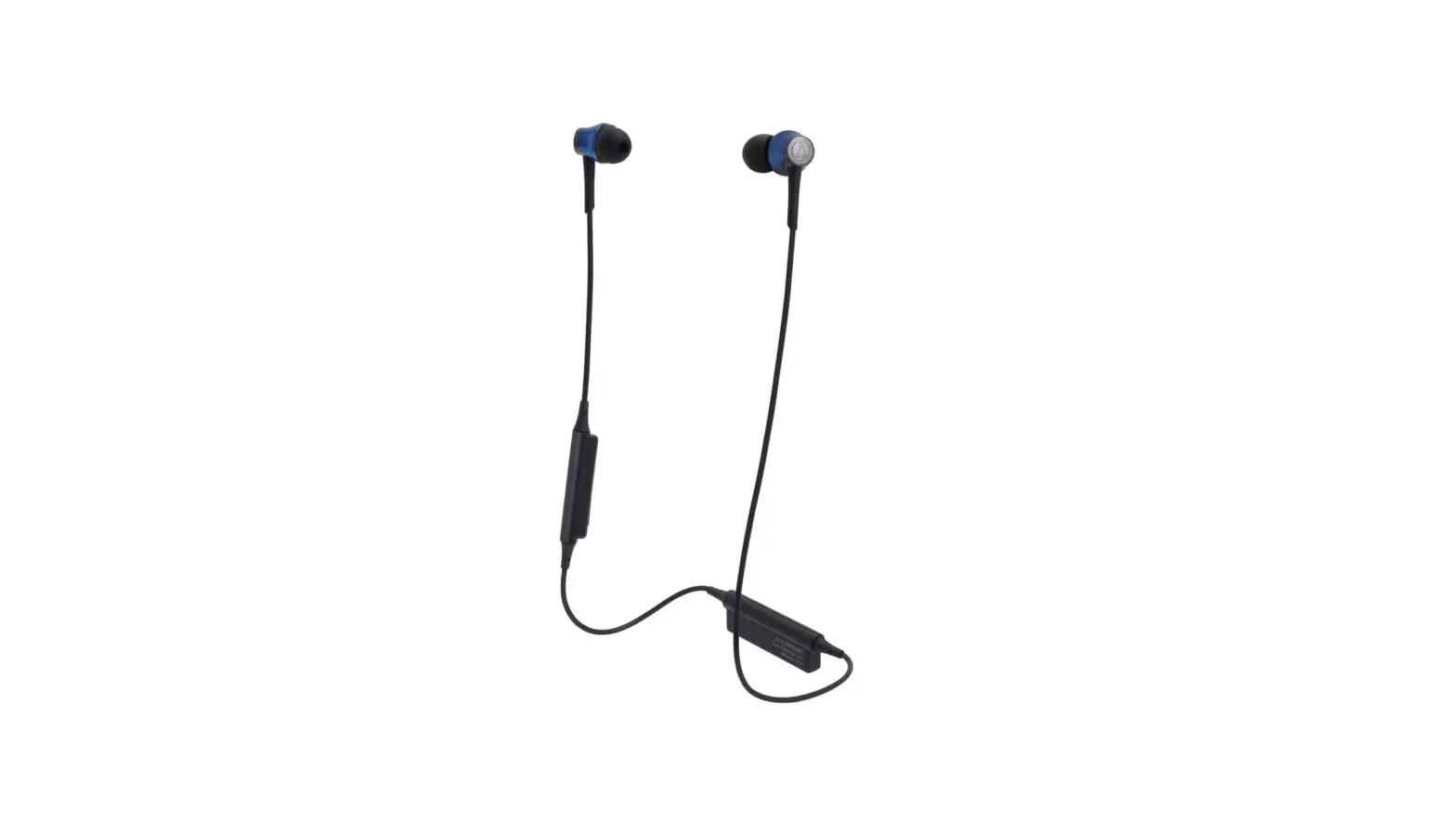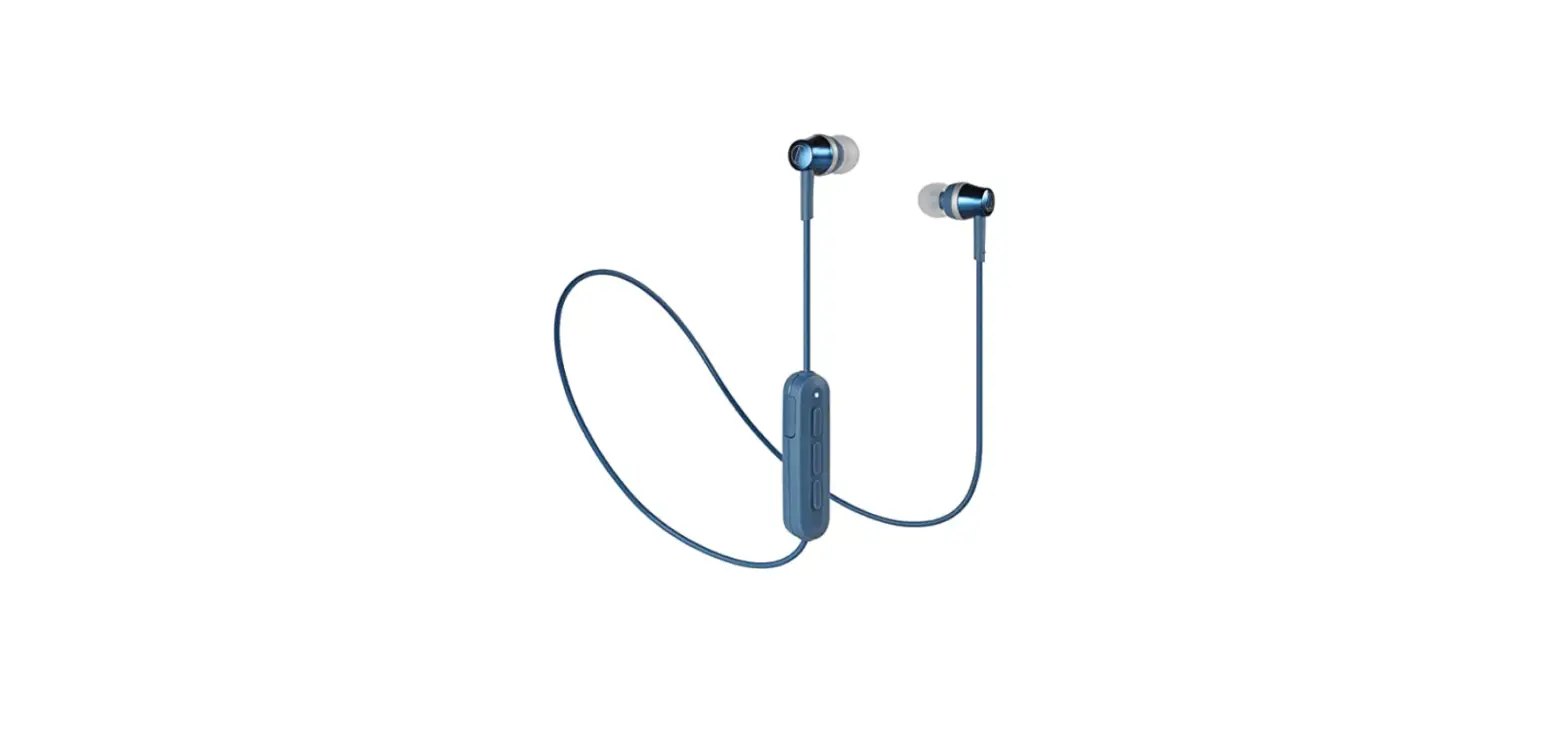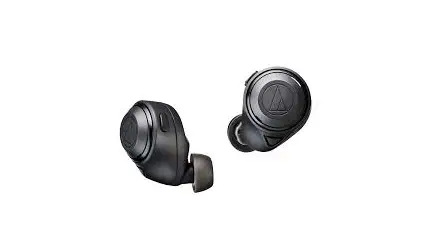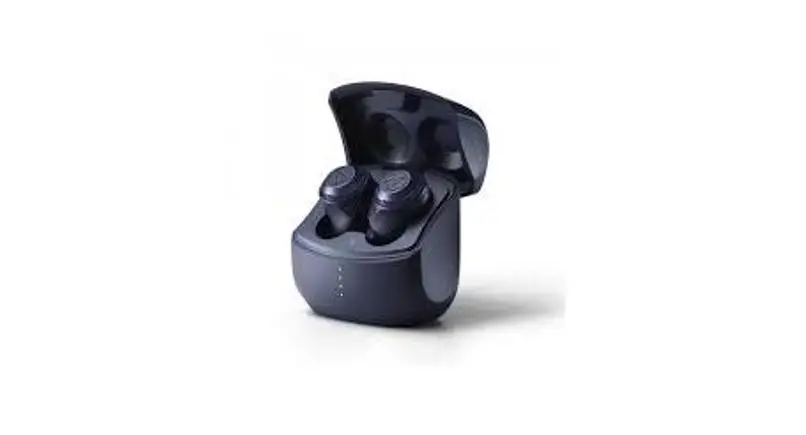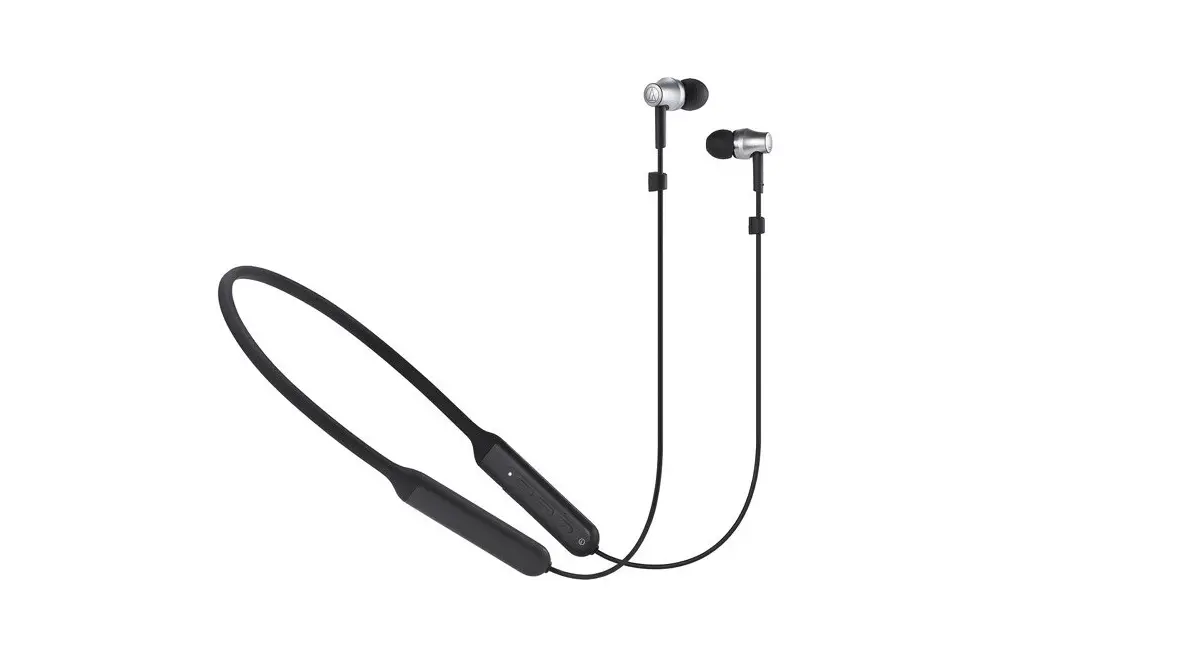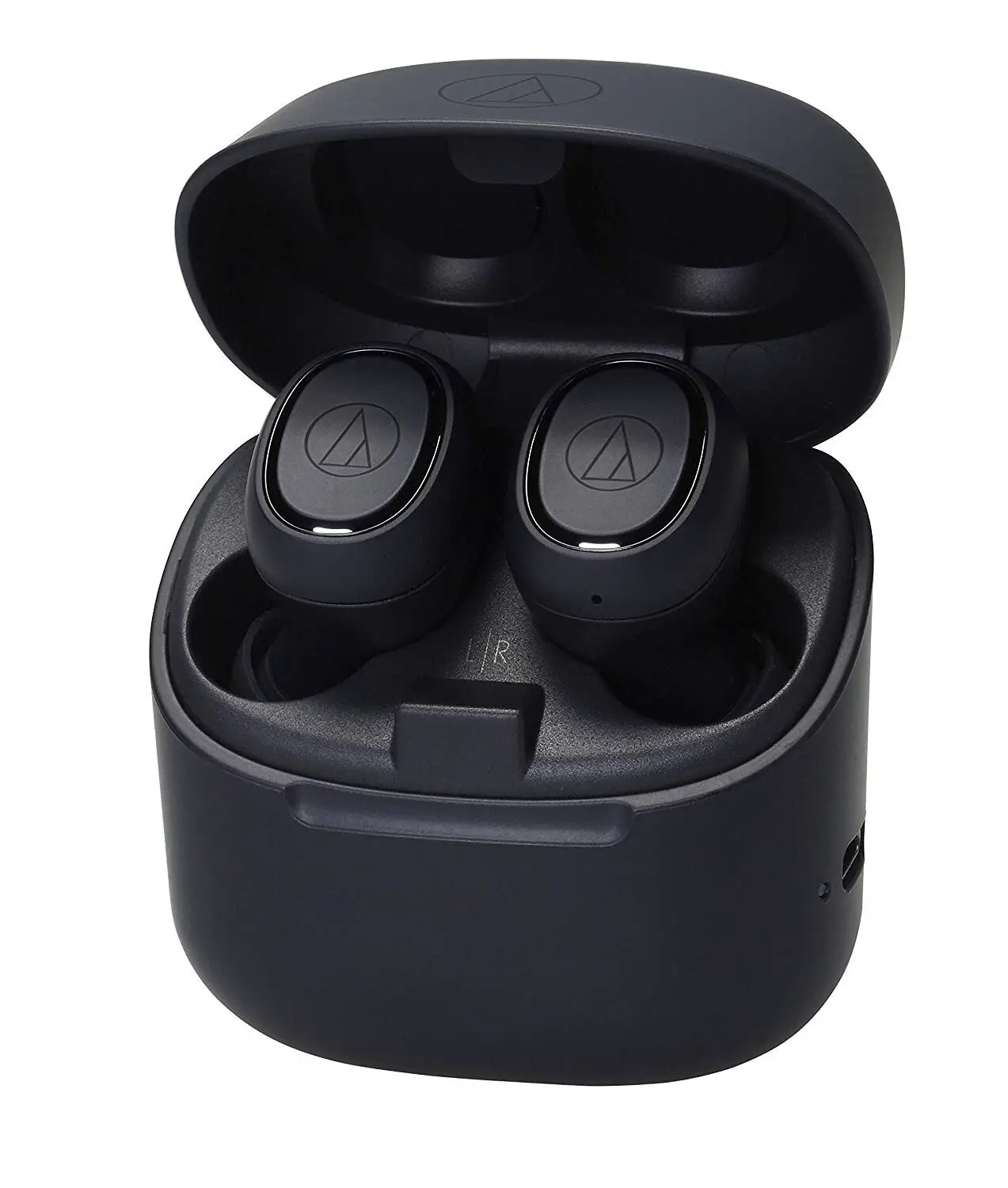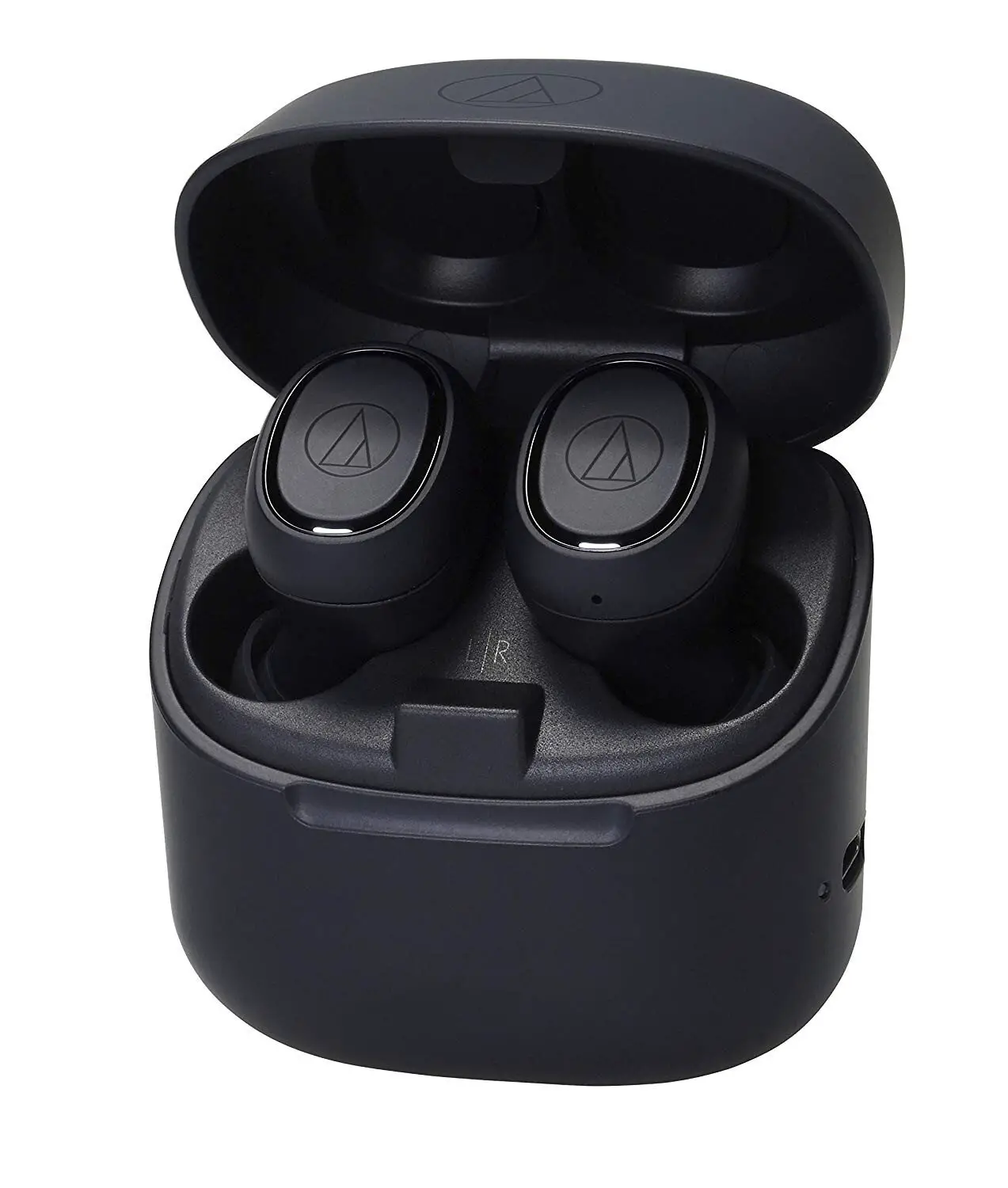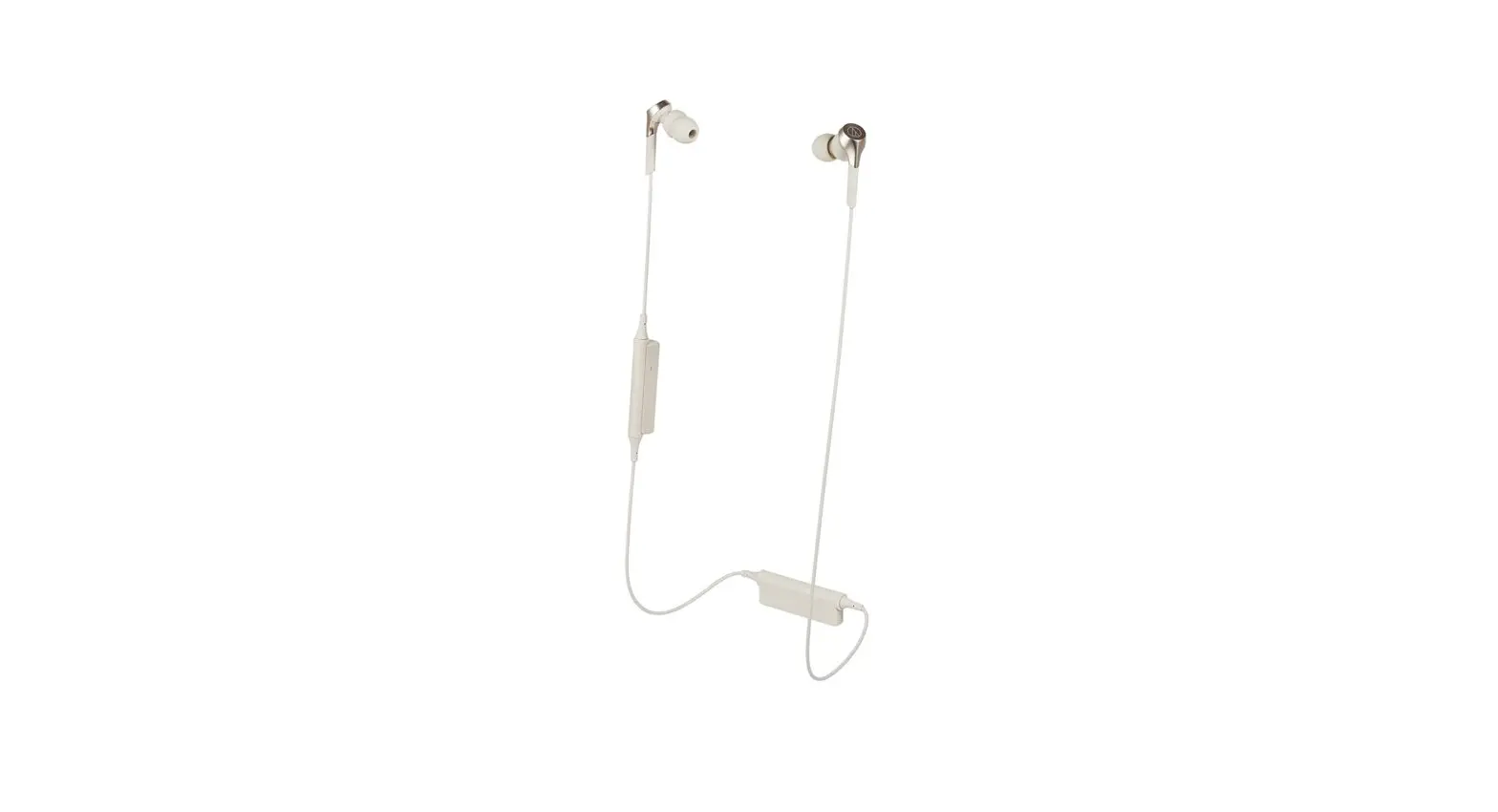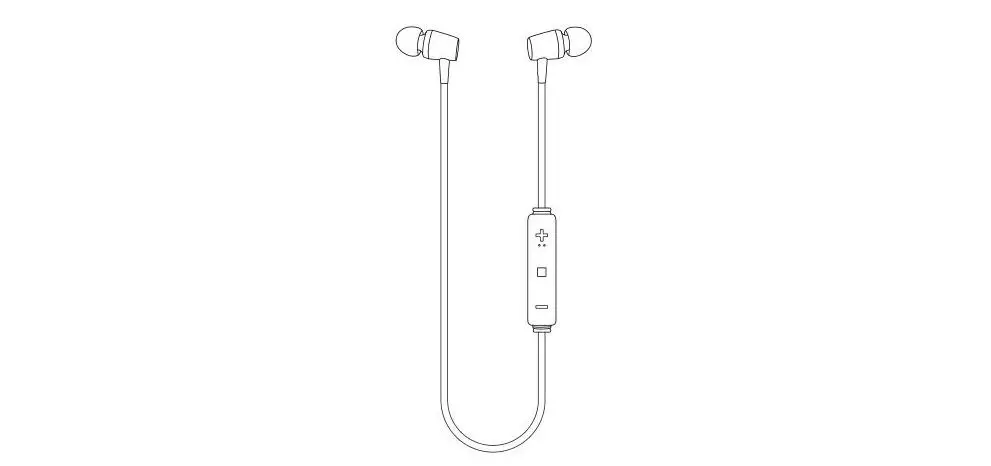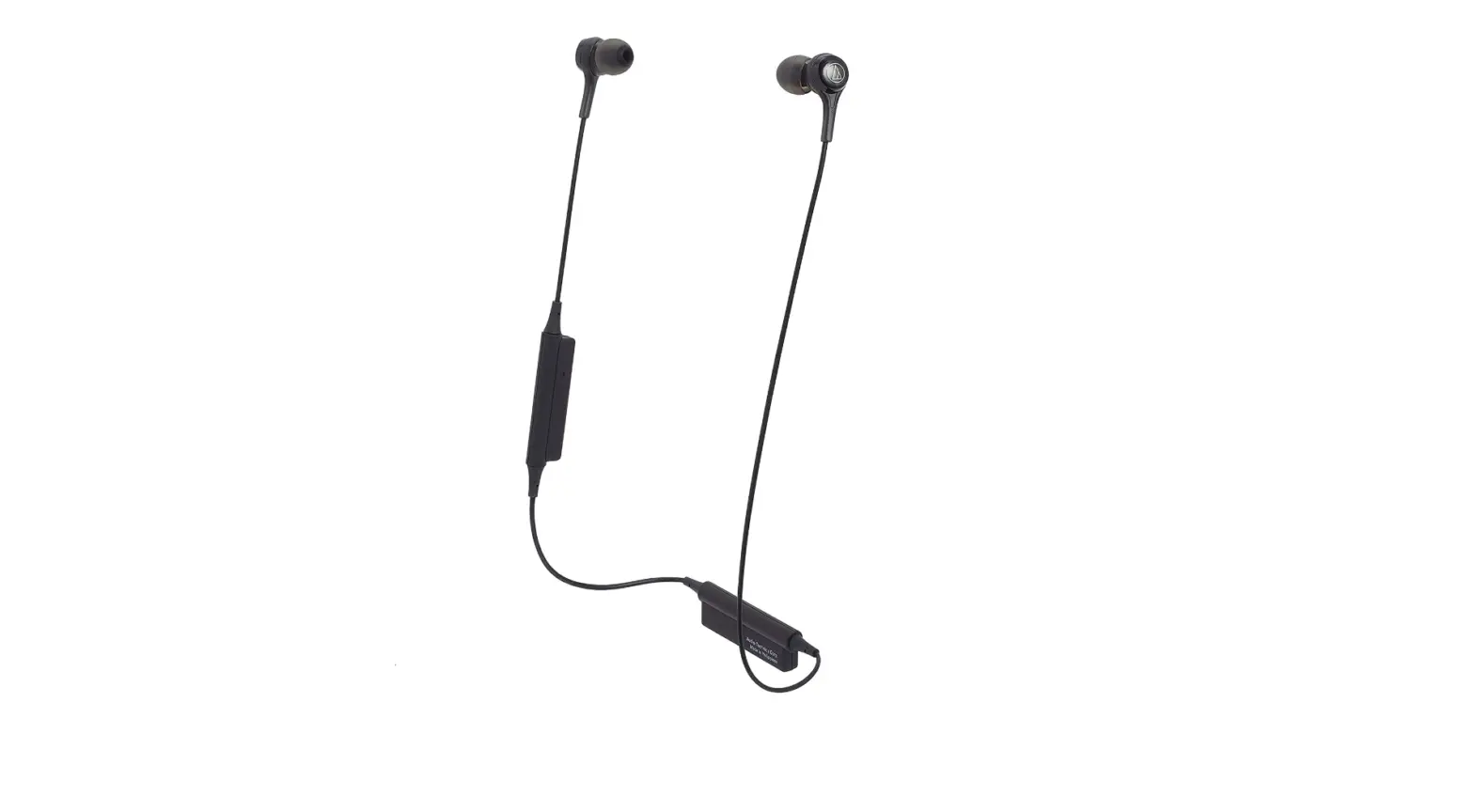

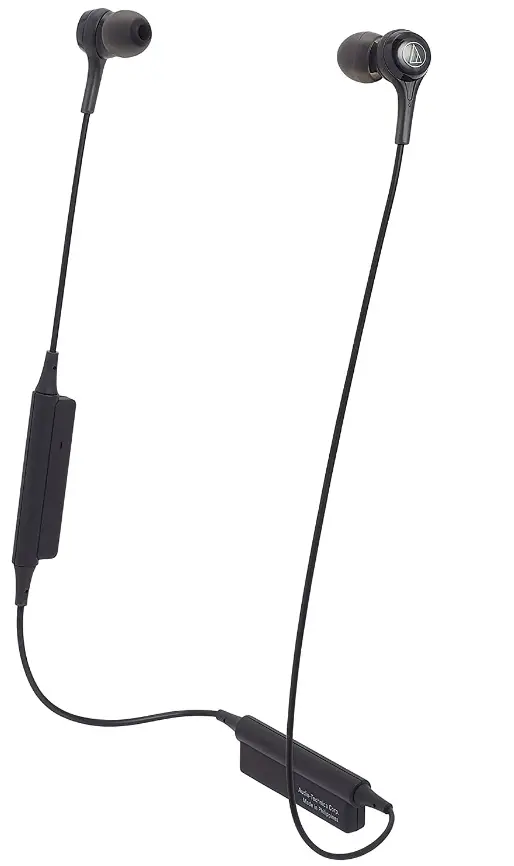
Audio-Technica ATH-CK200BTBK Bluetooth Wireless In-Ear Headphones
Specifications
- TYPE: Dynamic
- DRIVER: 9 mm
- SENSITIVITY: 100 dB/mW
- FREQUENCY RESPONSE: 20 to 24,000 Hz
- IMPEDANCE: 16 ohms
- MICROPHONE
- TYPE: Electret condenser
- POLAR PATTERN: Omnidirectional
- SENSITIVITY: -44 dB (1 V/Pa, at 1 kHz)
- FREQUENCY RESPONSE: 100 to 10,000 Hz
- COMMUNICATION SPECIFICATIONS
- COMMUNICATION SYSTEM: Bluetooth version 4.1
- RF OUTPUT: 3.0 mW EIRP
- MAXIMUM COMMUNICATION RANGE: Line of sight – approx. 10 m (33′)
- FREQUENCY BAND: 2.402 GHz to 2.480 GHz
- MODULATION METHOD: FHSS
- COMPATIBLE BLUETOOTH PROFILES: A2DP, AVRCP, HFP, HSP
- SUPPORT CODEC: SBC Supported content protection method SCMS-T
- TRANSMISSION BAND: 20 to 20,000 Hz
- OTHER
- POWER SUPPLY: DC 3.7 V lithium polymer battery
- CHARGING TIME: Approx. 3 hours*
- OPERATING TIME CONTINUOUS TRANSMISSION TIME (MUSIC PLAYBACK): Max. approx. 7 hours
- CONTINUOUS STANDBY TIME: Max. approx. 200 hours*
- WEIGHT: 14 g (0.49 oz)
- OPERATING TEMPERATURE: 5°C to 40°C (41° F to 104°F)
- SOLD SEPARATELY: Eartips
Introduction
The battery case is easily located on the upper back of the ATH-CK200BT where, if desired, it may be connected to your shirt collar with the clip. The mic and controls are also neatly located for simple access. The headphones’ internal battery may be recharged with the provided 30 cm (1′) USB charging cord, and it can power them for up to 7 hours (200 hours on standby). offered in white (ATH-CK200BTW), black (ATH-CK200BTBK), and blue (ATH-CK200BTBL) (ATH-CK200BTWH). Industry experts who are seeking for dependable, lovingly created audio solutions for all budgets repeatedly rely on Audio-Technica products, whether they are used on the boardroom table, the stage, or in the studio.
Professionals flock to Audio-Technica because of our dedication to innovation, customer service, and rigorous design for solutions in conferencing, places of worship, broadcasting, live sound, recording studios, and other areas. In order to create a line of devices that perform at the greatest level, Audio-Technica has collaborated with leaders in sports and music broadcasting for more than 50 years. From Atlanta 1996 through Sochi 2014, Audio-Technica created and provided products to power the Grammys, World Cup, Super Bowl, Commonwealth Games, as well as every Summer and Winter Games. Hideo Matsushita established Audio-Technica in 1962, and it quickly established itself as a leader in the production and design of cutting-edge audio devices.
Tone arms, microphones, and headphones were developed as a result of its innovation expertise, which extended fast to many industries. Soon, Audio-Technica became the standard in those industries. Self-made and an enthusiast, he began making stereo cartridges by hand in his workshop. fifty years later The founding father of Audio-Technica, whose influence on the firm’s philosophy is still apparent today, was a major inspiration for the legacy of the company, which is based on humility, enthusiasm, innovation, and sound knowledge. When Audio-Technica began creating headphones in the 1970s, it was able to capitalize on a history of invention, rigorous engineering, and creative design. The world now associates Audio-Technica audio equipment with consistently great sound performance, flawless build quality, and beautiful design.
SAFETY PRECAUTIONS
- Although this product was designed to be used safely, failing to use it correctly may result in an accident. To ensure safety, observe all warnings and cautions while using the product.
- Do not use the product near medical equipment. Radio waves may affect cardiac pacemakers and medical electronic equipment. Do not use the product inside medical facilities.
- When using the product in aircraft, follow airline instructions.
- Do not use the product near automatic control devices such as automatic doors and fire alarms. Radio waves may affect electronic equipment and cause accidents due to malfunction.
- Do not disassemble, modify or attempt to repair the product to avoid electric shock, malfunction or fire.
- Do not subject the product to strong impact to avoid electric shock, malfunction or fire.
- Do not handle the product with wet hands to avoid electric shock or injury.
- Disconnect the product from a device if the product begins to malfunction, producing smoke, odor, heat, unwanted noise or showing other signs of damage. In such a case, contact your local Audio-Technica dealer.
- Do not allow the product to get wet to avoid electric shock or malfunction.
- Do not put foreign matter such as combustible materials, metal, or liquid in the product.
- Do not cover the product with a cloth to avoid fire or injury by overheating.
- Follow applicable laws regarding mobile phone and headphone use if using headphones while driving.
- Do not use the product in places where the inability to hear ambient sound presents a serious risk (such as at railroad crossings, train stations, and construction sites).
- The product effectively shields external sound, so you may not hear sound around you clearly while wearing the product. Adjust the volume to a level where you can still hear background sound and monitor the area around you while listening to music.
- Store the eartips out of the reach of small children.
- When charging, make sure to use the included USB charging cable.
- Do not charge with devices that have quick-charge functionality (with a voltage of 5 V or more). Doing so may cause the product to malfunction.
- To prevent damage to your hearing, do not raise the volume too high. Listening to loud sound for an extended period may cause temporary or permanent hearing loss.
- Discontinue use if skin irritation results from direct contact with the product.
- If you begin to feel unwell while using the product, discontinue use immediately.
- When removing the product from your ears, check to make sure the eartips are still attached to the main unit. If the eartips become lodged in your ears and you are unable to remove them, consult a physician at once.
- Temporarily discontinue use if you experience itchiness from wearing the product.
CAUTIONS FOR RECHARGEABLE BATTERY
The product is equipped with a rechargeable battery (lithium polymer battery).
- If battery fluid gets into eyes, do not rub them. Rinse thoroughly with clean water such as tap water and consult a doctor immediately.
- If battery fluid leaks, do not touch fluid with bare hands. If fluid remains inside the product, it may cause malfunction. If battery fluid leaks, contact your local Audio-Technica dealer.
- If fluid gets in your mouth, gargle thoroughly with clean water such as tap water and consult a doctor immediately.
- If your skin or clothing comes in contact with fluid, immediately wash the affected skin or clothing with water. If you experience skin irritation, consult a doctor.
- To avoid leakage, generation of heat or explosion:
- Never heat, disassemble or modify the battery, nor dispose of it in a fire.
- Do not attempt to pierce with a nail, hit with a hammer or step on the battery.
- Do not drop the product or subject it to strong impact.
- Do not get the battery wet.
- Do not use, leave or store the battery in the following places:
- Area exposed to direct sunlight or high temperatures and humidity
- Inside of a car under the blazing sun
- Near heat sources such as heat registers
- Charge only with the included USB cable to avoid malfunction or fire.
- The internal rechargeable battery of this product cannot be replaced by the user. The battery may have reached the end of its service life if the usage time becomes significantly shorter even after the battery has been fully charged. If this is the case, the battery needs to be repaired. Contact your local Audio-Technica dealer for repair details.
- When the product is disposed of, the built-in rechargeable battery needs to be discarded properly. Contact your local Audio-Technica dealer to learn how to properly dispose of the battery.
NOTES ON USE
- Be sure to read the connected device’s user manual before use.
- Audio-Technica will not be liable in any way for any loss of data in the unlikely event that such losses should occur while using the product.
- On public transportation or in other public places, keep the volume low so as not to disturb other people.
- Minimize the volume on your device before connecting the product.
- When using the product in a dry environment, you may feel a tingling sensation in your ears. This is caused by static electricity accumulated on your body, not by product malfunction.
- Do not subject the product to strong impact.
- Do not store the product in direct sunlight, near heating devices, or in hot, humid, or dusty places. Additionally, do not allow the product to get wet.
- When the product is used for a long time, the product may become discolored due to ultraviolet light (especially direct sunlight) and wear.
- Make sure to hold the plug when connecting and disconnecting the included cable or USB charging cable. The included cable or USB charging cable may become severed or an accident may occur if you pull on the cable itself.
- When you are not using the included cable or USB charging cable, disconnect it from the product.
- If the product is placed in a bag while the included cable or USB charging cable is still connected, the included cable or USB charging cable may become caught, severed, or broken.
- This product can be used to talk on the phone only when using a mobile telephone network. Support for telephony apps that use a mobile data network is not guaranteed.
- If you use the product near an electronic device or transmitter (such as a mobile phone) which is not connected with the product, unwanted noise may be heard. In this case, move the product away from the electronic device or transmitter.
- If you use the product near a TV or radio antenna, noise may be seen or heard in the television or radio signal. In this case, move the product away from the TV or radio antenna.
- To protect the built-in rechargeable battery, charge it at least once every 6 months. If too much time passes between charges, the life of the rechargeable battery may be reduced, or the rechargeable battery may no longer be able to be charged.
FOR A MORE COMFORTABLE BLUETOOTH® COMMUNICATION EXPERIENCE
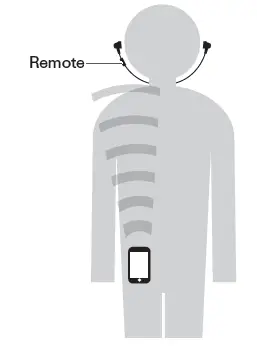
The effective communication range of this product varies depending on obstructions and radio wave conditions.
For a more enjoyable experience, please use the product as close as possible to the Bluetooth device. To minimize noise and sound disruptions, avoid placing your body or other obstacles between the product’s remote and the Bluetooth device.
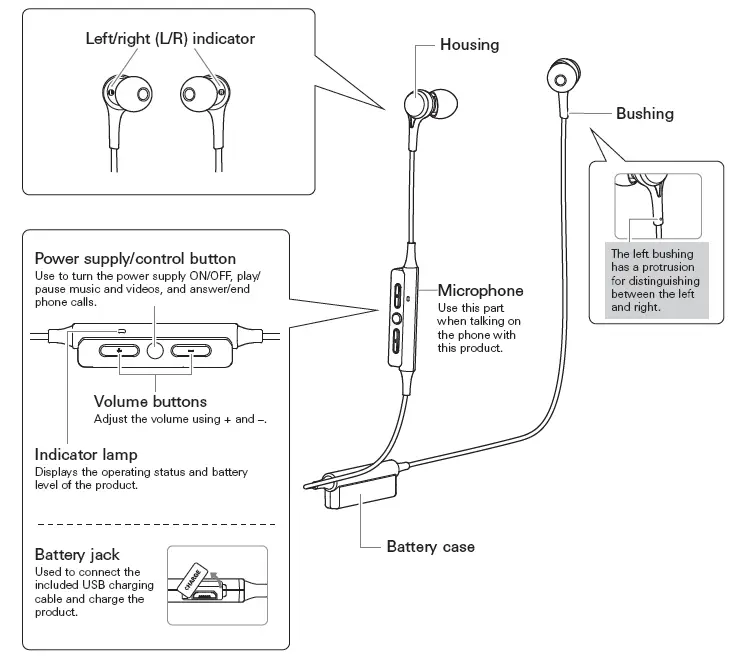
PART NAMES AND FUNCTIONS
ACCESSORIES
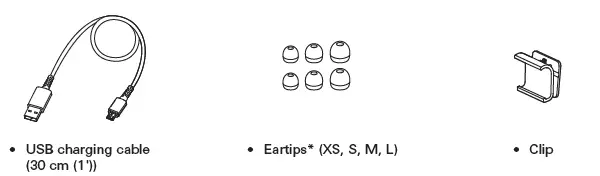
At the time of purchase, the M-size ear tips are attached to the main unit.
CHARGING THE BATTERY
- Fully charge the battery when using it for the first time.
- When the rechargeable battery is running low, the product will sound 2 sets of 2 beeps through the headphones, and an indicator lamp will flash in red. When these beeps sound, charge the battery.
- It takes about 3 hours to charge the battery fully. (This time may vary depending on usage conditions.)
- While the battery is charging, the product’s Bluetooth connection remains disabled and therefore the product cannot be used.
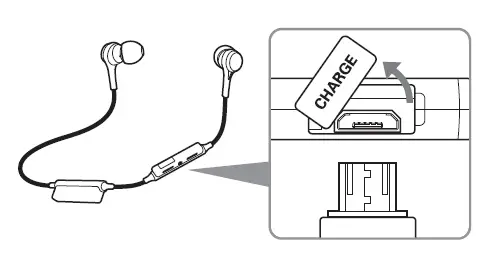
- Open the battery jack cover.
- Connect the included USB charging cable (micro–USB Type B side) to the battery jack.
- The included USB charging cable is designed for exclusive use with the product. Do not use other cables to charge the product.
- When inserting the USB charging cable into the USB port or battery jack, check that the jack is facing in the correct direction before inserting it directly (horizontally).
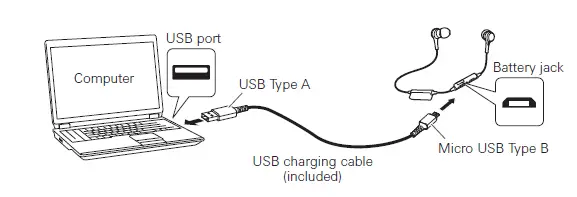
- Connect the included USB charging cable (USB Type A side) to the computer to start charging.
- During charging, the indicator lamp lights as follows:
Lit in red: When charging
Lit in blue: Charging complete
It may take several seconds for the indicator lamp to light.
- When charging is complete, disconnect the USB charging cable (USB Type A side) from the computer.
- Disconnect the USB charging cable (Micro USB Type B) from the battery jack and close the cover firmly.
CONNECTING VIA BLUETOOTH TECHNOLOGY
ABOUT PAIRING
To connect the product to a Bluetooth device, the product needs to pair (register) with the device. Once they are paired, you do not need to pair them again.
However, you will need to pair again in the following cases:
- If the product is deleted from the Bluetooth device’s connection history.
- If the product is sent out for repair.
- If nine or more devices are paired.
(This product can save the pairing information of up to eight devices. If you attempt to pair a new device when eight devices have already been paired, the pairing information of the new device will overwrite the information of the device within the eight paired devices that has the oldest date and time for connection to the product.)
PAIRING A BLUETOOTH DEVICE
- Read the user manual for the Bluetooth device.
- Place the device within 1 m (3.3′) of the product to perform pairing correctly.
- To confirm the progress of the pairing process, wear the product while performing this procedure and listen for the confirmation tone.
- Starting with the product turned off, slide the power switch to the “ON” position.
The indicator lamp will light in purple, and then flash in red and blue. - Use your Bluetooth device to begin the pairing process and search for the product.
When your Bluetooth device finds the product, “ATH-CK200BT” will be displayed on the device. For information about using your Bluetooth device, refer to the device’s user manual. - Select “ATH-CK200BT” to pair the product and your Bluetooth device.
- Some devices may ask for a passkey. In this case, enter “0000”. The passkey may also be called a passcode, PIN code, PIN number, or password.
- The product sounds a confirmation tone when the pairing is complete.
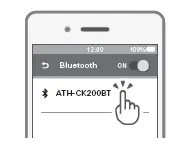
USING THE PRODUCT
The product can use Bluetooth wireless technology to connect to your device and play music, receive phone calls, etc. Use the product for whichever of these purposes suits your needs. Note that Audio-Technica cannot guarantee the operation of displays, such as the battery level display, or applications via Bluetooth devices.
POWER SUPPLY ON/OFF
| Power supply | Power switch operation | Indicator lamp | |
| ON |
Press and hold | 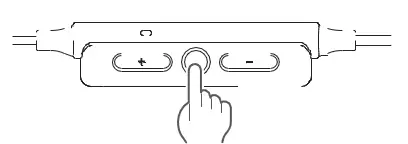 | Lights in purple, then flashes in red and blue*1*2 |
| OFF | Lights in purple, then turns off*2 | ||
- It may take several seconds for the indicator lamp to light.
- For details, please refer to “Indicator lamp display” (p. 13).
WEARING THE PRODUCT
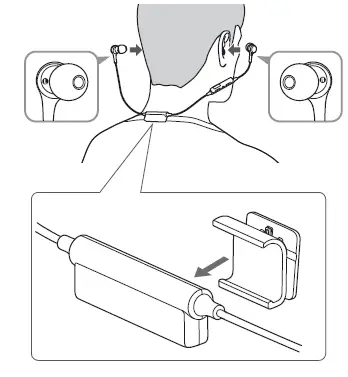
- Insert the side of the product marked “L” (LEFT) into the left ear and the side marked “R” (RIGHT) into the right ear, and then adjust the eartips.
- Wear the product so that the battery case rests on your back.
- Attach the included clip to the battery case as shown in the figure. It can be used by affixing to a shirt collar, etc.*
- Do not forcibly attach the clip to something that is too thick for it. Doing so may damage the clip.
USING THE PRODUCT
LISTENING TO AUDIO
- To connect for the first time, pair the product and your device by Bluetooth wireless technology. If you have already paired the product and your Bluetooth device, turn on the Bluetooth device’s Bluetooth connection and turn on the product.
| Press | Play/pause | Plays or pauses music and video playback.*1 |
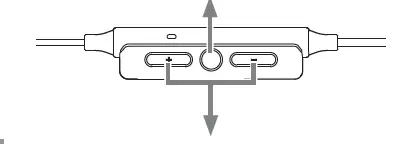
| + button | Press | Volume up | Increases the volume by 1 level.*2 |
| Press and hold (for about 2 seconds) | Skip forward | Plays the next track.*1 | |
|
– button | Press | Volume down | Decreases the volume by 1 level.*2 |
| Press and hold (for about 2 seconds) | Skip back | Plays the previous track.*1 |
- Some controls may not be available for music and video playback on some smartphones.
- A confirmation tone is heard each time you press the button. A low beep is heard when the volume is at the maximum or minimum level.
- The volume control of some devices may not work well with the product.
TALKING ON THE PHONE
- If your Bluetooth device supports telephone features, you can use the product to talk on the phone.
- When your Bluetooth device receives a phone call, the product sounds a ring tone.
- If a call is received while you are listening to music, music playback is paused. When you finish the call, music playback resumes. *1
| When | Operation | Function |
| Receiving a call | Press the power supply/control button. | Answers the call. |
| Press and hold the power supply/control button (for about 2 seconds). | Rejects the call. | |
|
Talking on a call | Press the power supply/control button. | Ends the call. |
| Press and hold the power supply/control button (for about 2 seconds).*2 | Each time you press and hold the button (about 2 seconds), you switch the call to your mobile phone or to the product.*2 | |
| Press a volume button (+ or -). | Adjusts the volume (+ or -) of the call. |
- Depending on your Bluetooth device, music playback may not resume.
- When you hear a confirmation tone, release the power supply/control button.
- The phone call controls explained above may not be available on some smartphones.
AUTO POWER OF FUNCTION
The product automatically turns off after 5 minutes of not being connected to a device that has its power turned on.
Reset function
- If the product does not work or other malfunctions occur, refer to “Charging the battery” (p. 5) and connect the USB charging cable. Make sure the cable is carrying power.
- Disconnecting and then reconnecting the USB charging cable will reset the product and should resolve any problem you are experiencing. If the problem persists, please contact your local Audio-Technica dealer.
- Pressing the reset button does not change any of your settings (pairing information, volume setting, etc.).
CLEANING
- Get into the habit of regularly cleaning the product to ensure that it will last for a long time. Do not use alcohol, paint thinners or other solvents for cleaning purposes.
- To clean, wipe with a dry cloth.
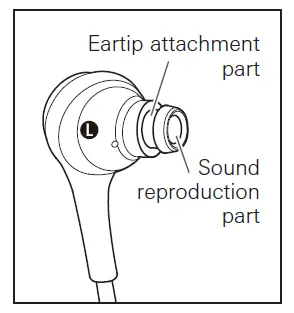
- Natural oils from the skin are particularly likely to build up in the areas where the ear tips attach to the headphones (see figure at right). If these areas are not cleaned, the ear tips can become detached. Clean them regularly. Do not touch the areas where sound is produced as they are delicate. Doing so may result in malfunction.
- Wipe away any perspiration or dirt from the cable with a dry cloth immediately after use. Failure to clean the cable may cause it to deteriorate and harden over time, resulting in malfunction.
- Wipe the cable’s USB plug with a dry cloth if dirty.
- Clean the ear tips by removing them from the headphones and manually cleaning them with a diluted mild detergent. After cleaning, dry before using again.
EARTIPS
EARTIP SIZE
- The product includes silicone ear tips in 4 sizes (XS, S, M, and L). At the time of purchase, the M-size silicone ear tips are attached.
- To ensure the best sound quality, select the ear tip size that is best suited for you, and adjust the ear tips inside your ears for a snug fit. It may be difficult to hear bass sounds if the ear tips do not fit snugly in your ears.
Replacing the ear tips
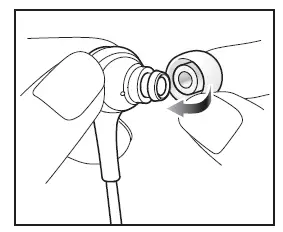
Remove the old ear tip and attach the new ear tip by pushing it onto the headphone at an angle (see figure). Push firmly on the ear tip so that the inside of the ear tip expands, and push the ear tip onto the post as far as it will go.
- The ear tips are designed to be difficult to remove, therefore the fit is very tight when attaching them.

- Periodically remove and clean the ear tips as they become dirty easily. Using dirty ear tips may cause the headphones themselves to become dirty, resulting in deteriorated sound quality.
- Eartips are consumable parts that degrade through storage and use. If the ear tips are loose and easily removed or if they appear to have degraded, purchase replacements.
- When reattaching ear tips that were previously removed, be sure to check that they are securely attached. Injury or illness may occur if the ear tips become detached and are left inside the ear.
Frequently Asked Questions
- How do you activate pairing mode on your Audio Technica Bluetooth headphones?
Press and hold the control button on the left earcup as well as the volume buttons (+ and -) as illustrated in the diagram below for around 8 seconds. The indicator light on the earcup will begin rapidly blinking white, followed by the words “Bluetooth unplugged” and a beeping sound from the headphones. The headphones are currently set up for pairing! - How can Bluetooth Audio Technica headphones be reset?
Verify the cable’s ability to transmit power. Resetting the device with the USB charging cable disconnected and then reconnected should fix any issues you are having. - How can I link my Audio Technica headphones to my phone?
The device you are connected to should have Bluetooth enabled. On the device you are connecting to, choose the ATH-SR5BT headphones from the Available Device list (if applicable). When the connection between the device and the headphones is successful, the headphones will beep to let you know. - How are my Audio Technica earphones recharged?
Connect the battery jack on the charging case to the micro–USB Type-B side of the USB charging cable that is included. The USB charging cable that comes with the product is only intended to be used with it. - My Bluetooth headphones won’t switch on—why?
Your Bluetooth headphones are probably not faulty if they won’t switch on. All you have to do is reset it. In fact, a quick factory reset can fix a variety of Bluetooth headset issues, including If your Bluetooth headset won’t connect to your laptop or smartphone. - Why won’t my phone and Bluetooth headphones pair?
If your Bluetooth devices aren’t connecting, they probably aren’t in pairing mode or are out of range. Try rebooting your devices or letting your phone or tablet “forget” the connection if you’re experiencing persistent Bluetooth connection issues. - Has Audio Technica Bluetooth technology?
The high-quality Qualcomm® aptXTM audio codec is supported by the Bluetooth® devices that the LP60XBT can connect to, providing you with superb wireless sound. - Is Audio Technica of high calibre?
A well-known company with headphones at more reasonable prices is Audio-Technica. They frequently have less than ideal builds, despite producing sounds that can compete with higher-end models. When compared to other companies offering comparable functionality, their noise canceling series also falls short. - Do you require an Audio-Technica speaker?
Yes, given that the turntable lacks an integrated speaker. It does, however, contain a built-in amplifier. So, you don’t need a standalone amplifier or amplifier/receiver. However, you do need a speaker with its own power supply, such as a computer speaker or some of the more powerful portable stereo speakers currently available. - What does the red blinking on your Bluetooth mean?
Your Bluetooth headset is probably unpaired if it is flashing red and blue. They are trying to connect with the headphones. You might have unintentionally kept the pairing button depressed. The headphones are now in pairing mode, and the status LEDs are now blinking red and blue. - Why won’t my Bluetooth pair?
Go to Settings > System > Advanced> Reset Options > Reset Wi-fi, mobile, & Bluetooth on Android devices. For iOS and iPadOS devices, you’ll need to unpair every device first, then restart your phone or tablet by going to Settings > Bluetooth, selecting the info icon, then selecting Forget This Device for each device. - How are Bluetooth headphones turned on?
To put Bluetooth headphones into pairing mode, you typically just need to hold down the power button. Check the instruction manual that comes with your headphones if that doesn’t work. When they’re prepared to go, an LED indicator usually glows blue and red or you’ll hear noise over the headphones.