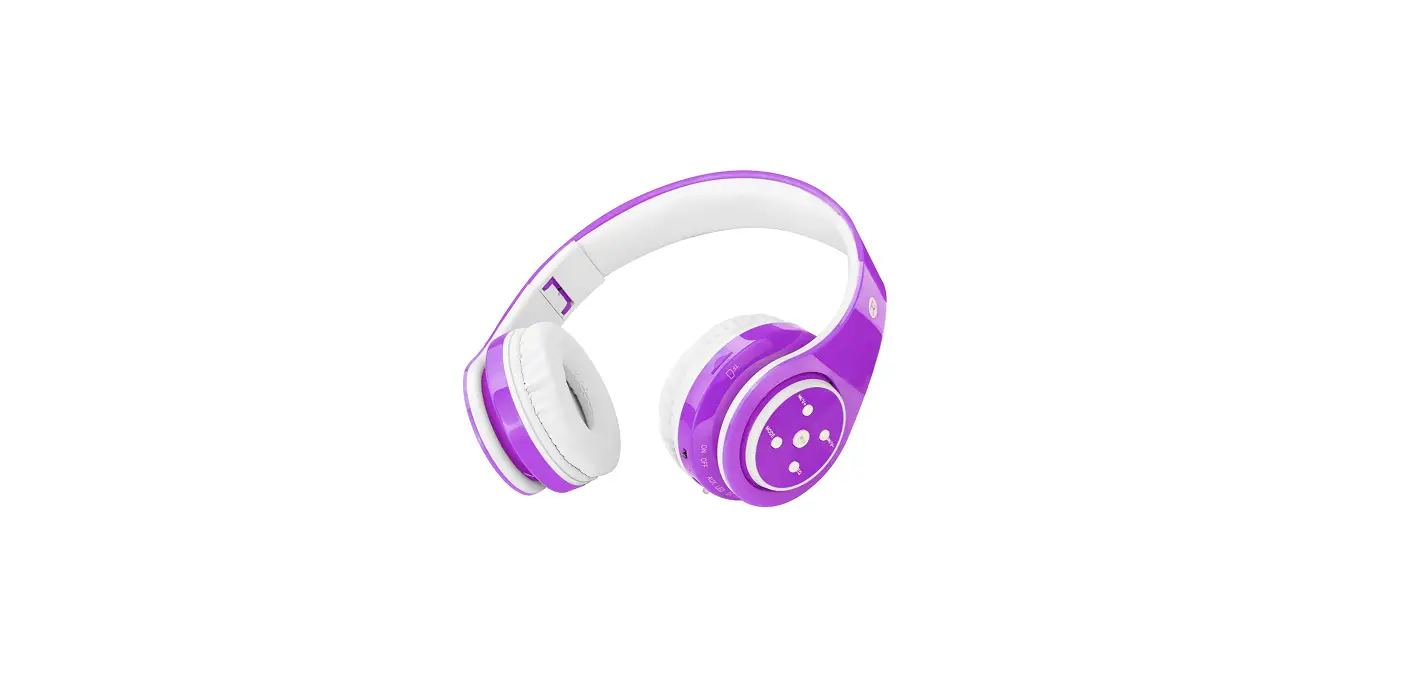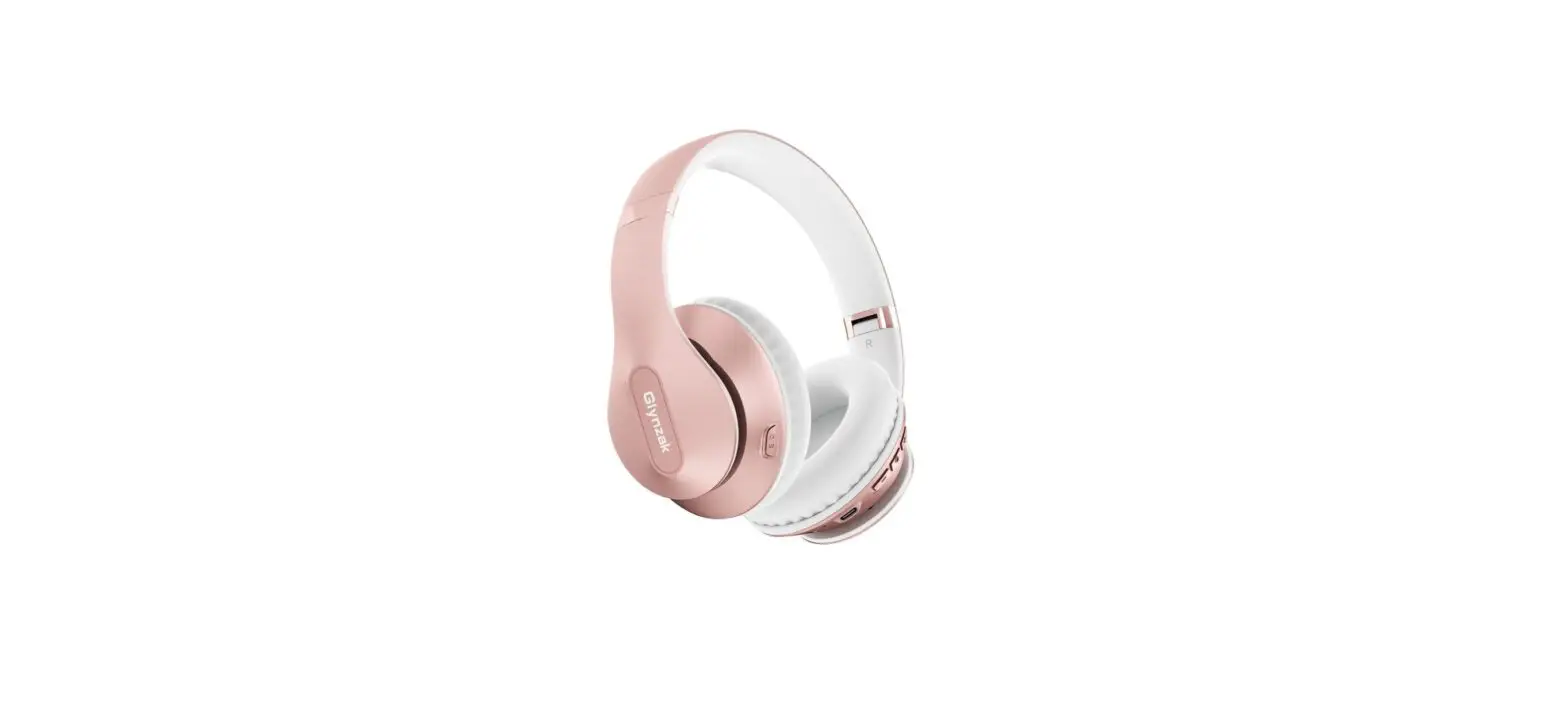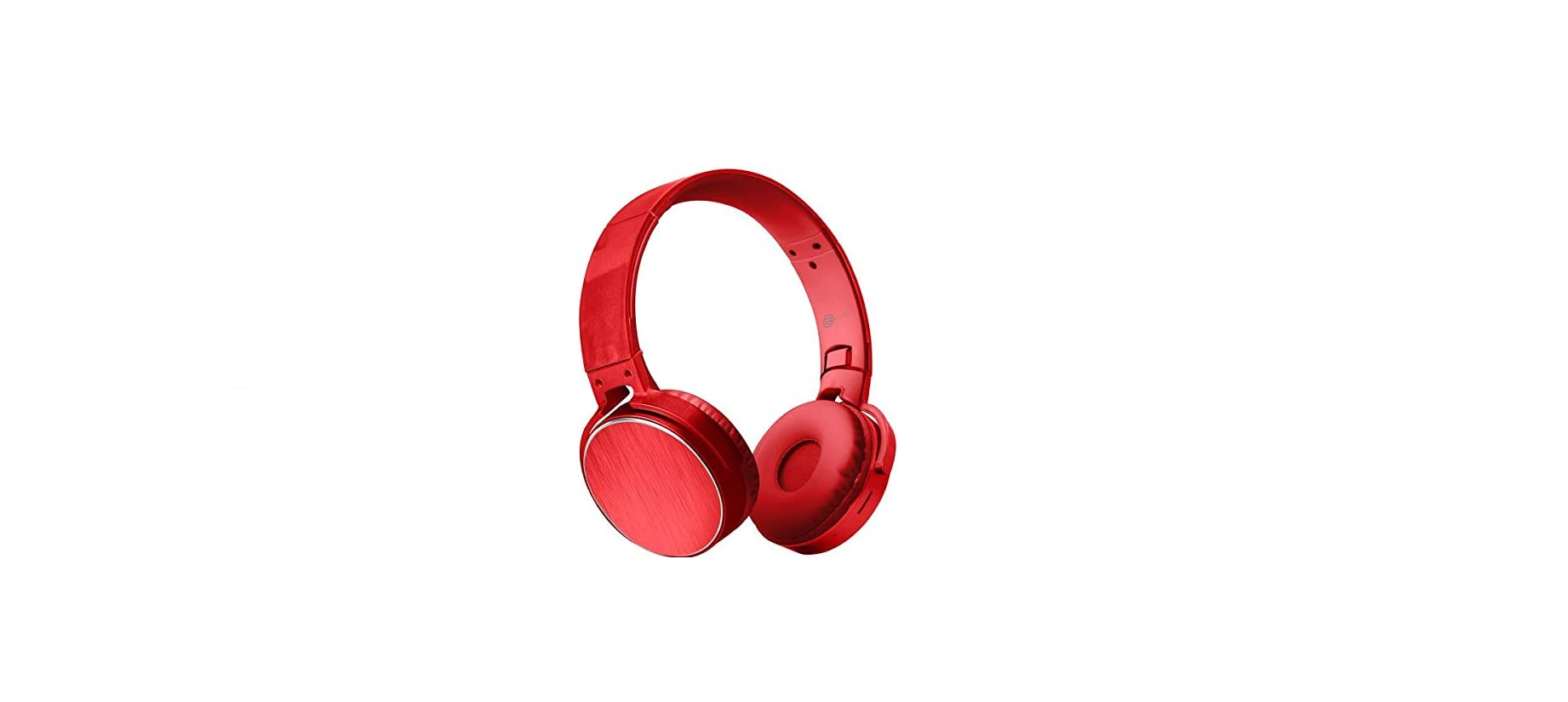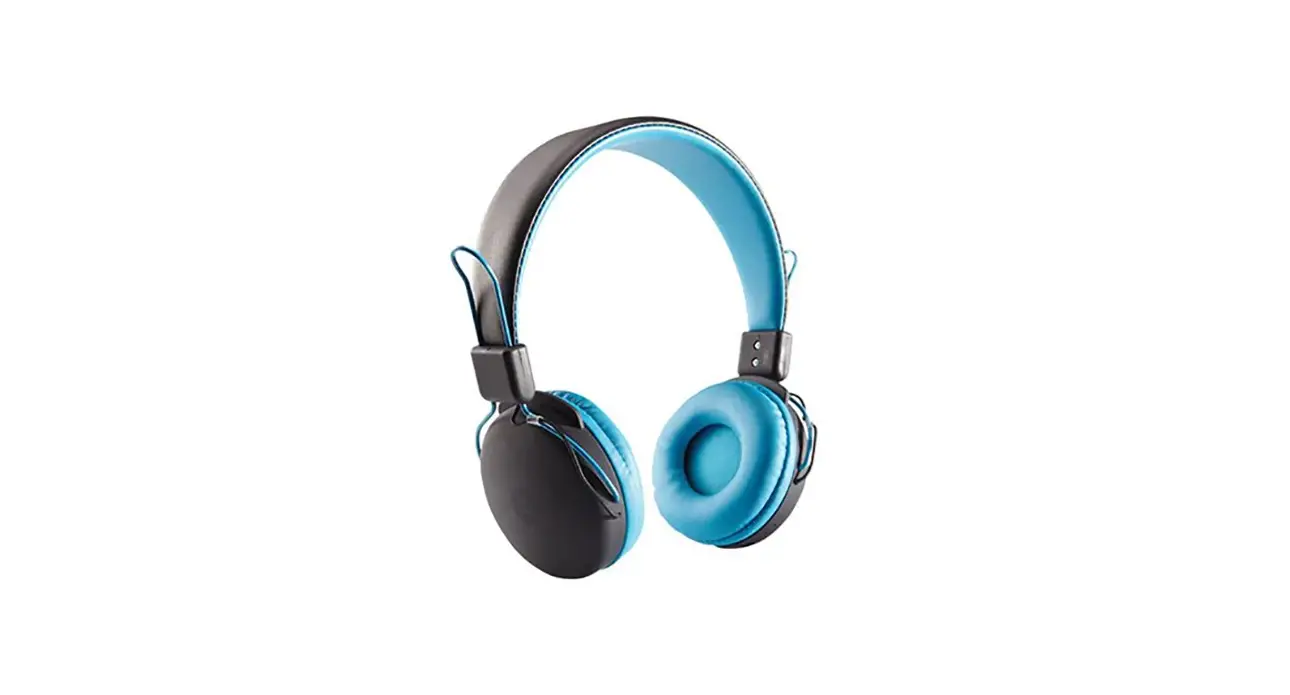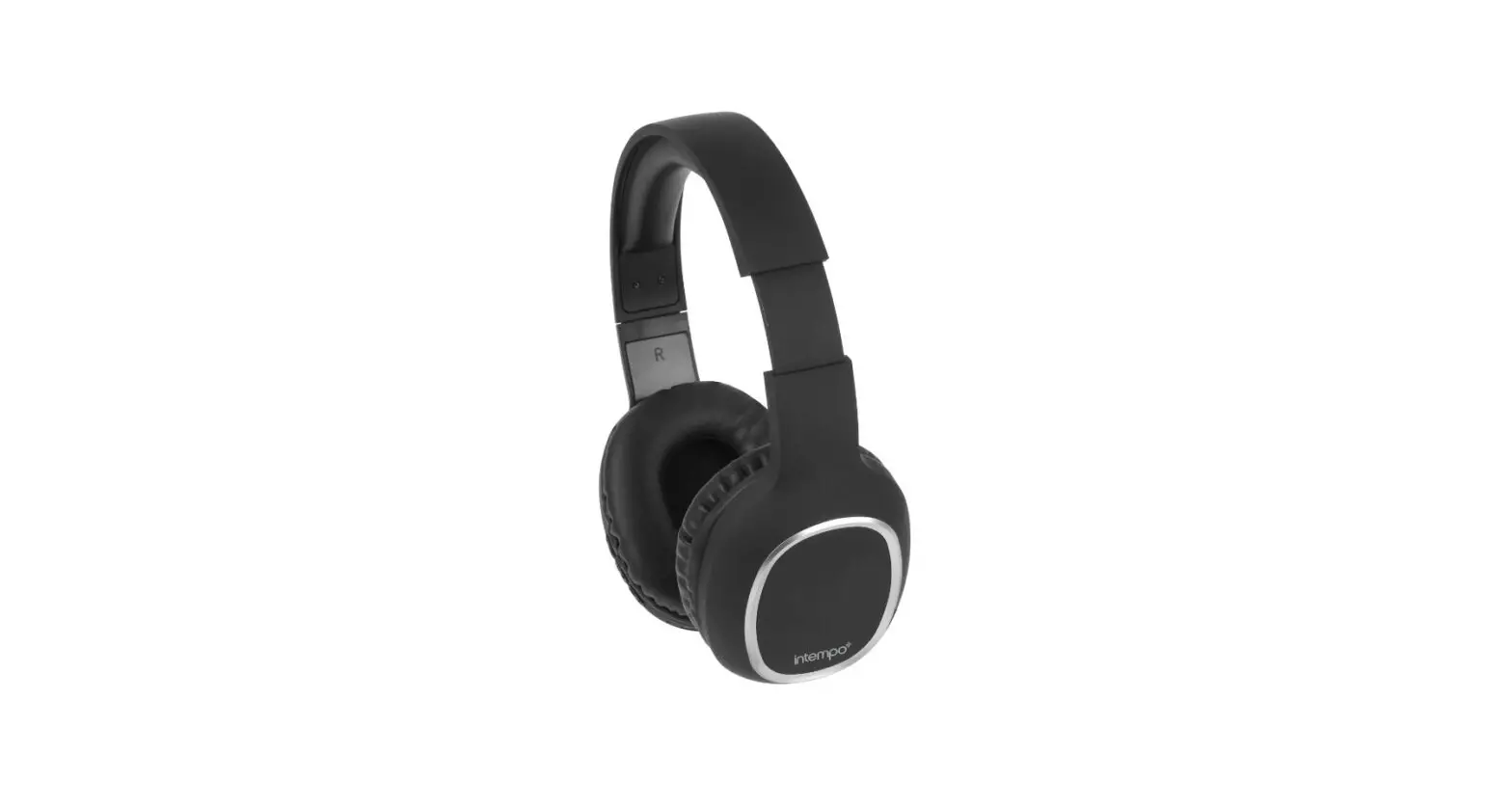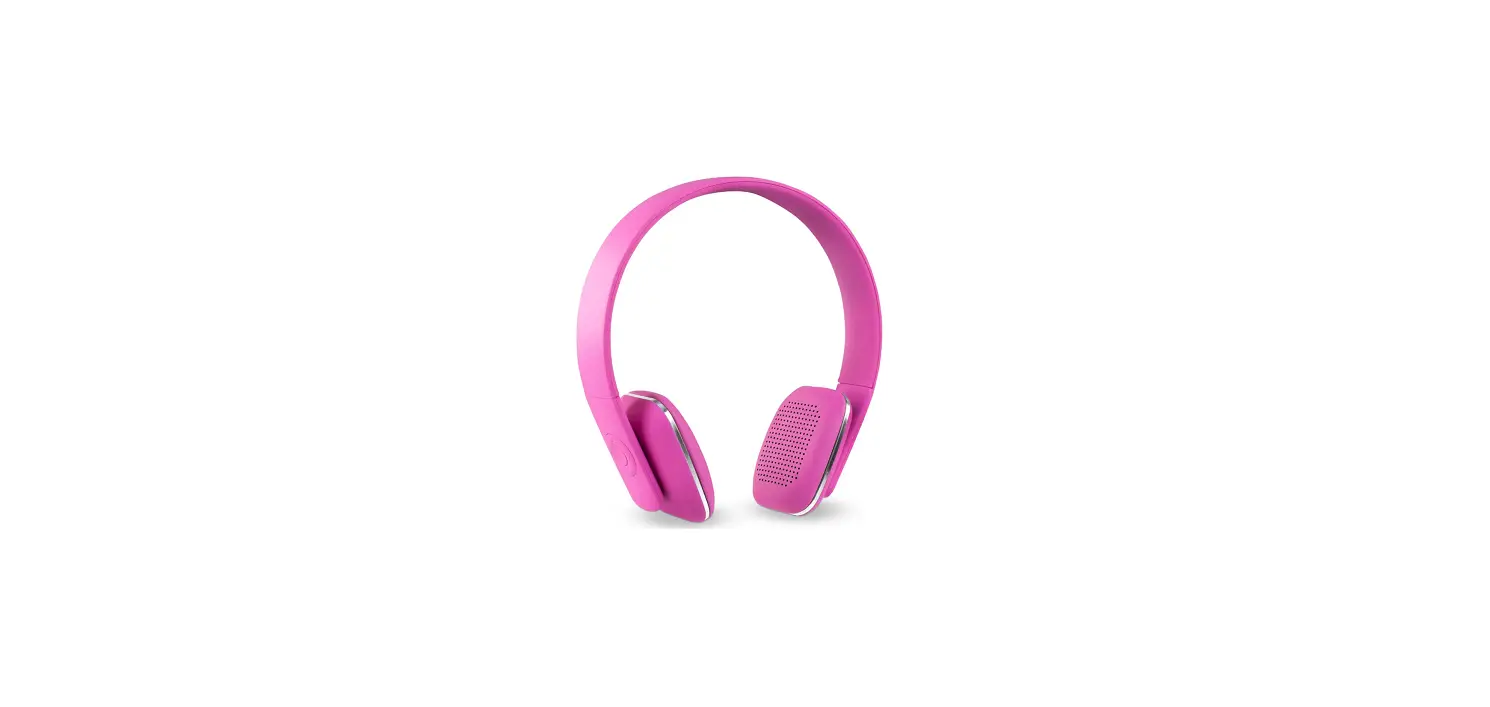

innovative technology ITHWB-700 Wireless Bluetooth Headphones
WEARING THE HEADPHONES
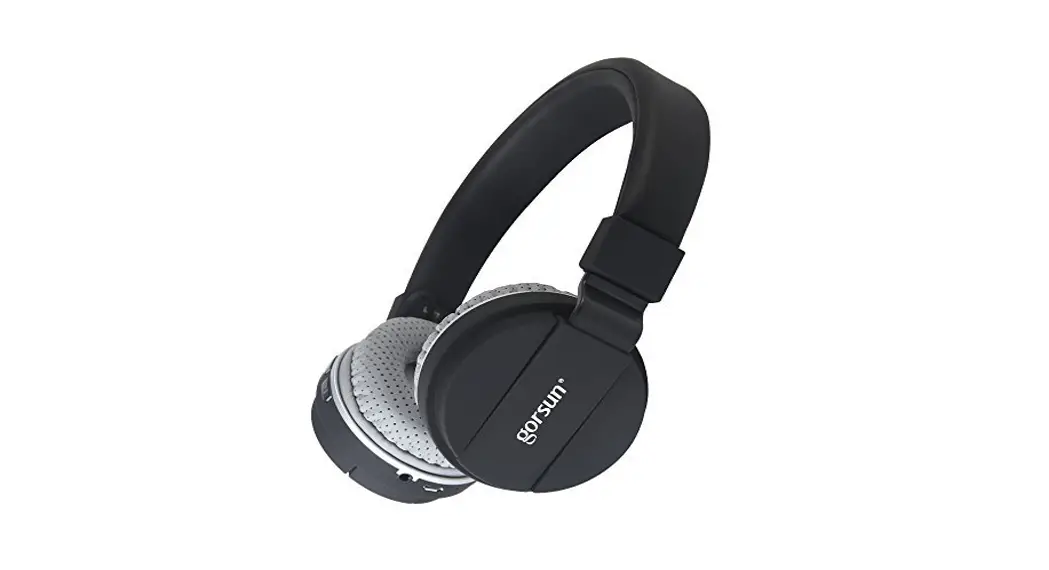
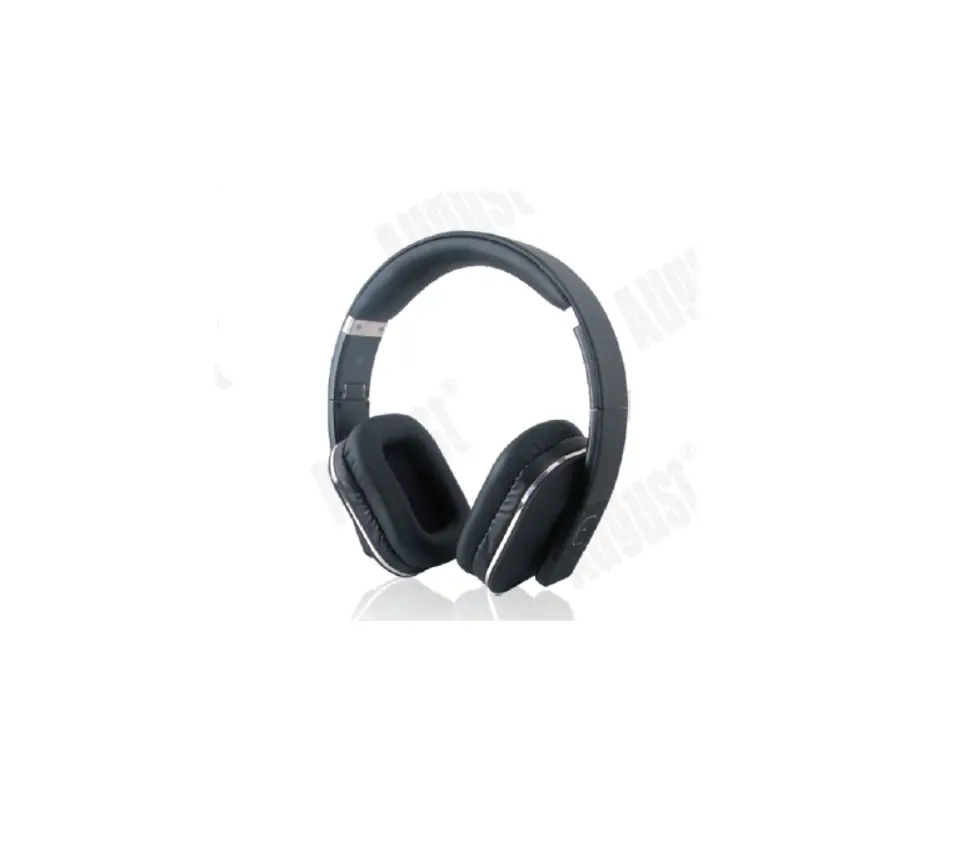
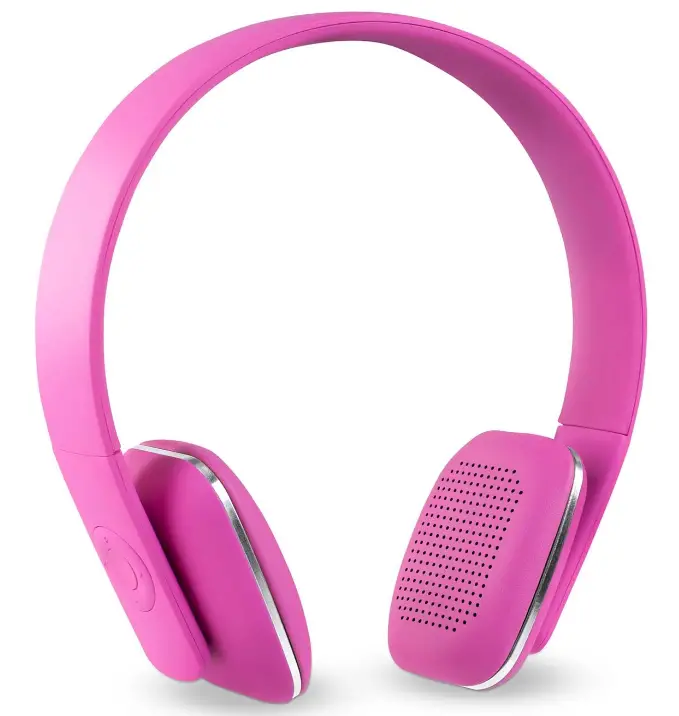
After unpacking the headphones, put on the headphones using the markings that identify the left (L) and right (R) ear cups. Adjust the headband so it rests gently on top of your head and the ear cushions fit comfortably on your ears.
CLEANING THE HEADPHONES
The headphones do not require scheduled cleaning. Should cleaning be necessary, simply wipe the outside surfaces with a soft cloth. Be sure the ear cup ports are kept clear, and that no moisture is allowed to get inside the ear cup.
SPECIFICATIONS
- DRIVER UNIT: 40mm
- FREQUENCY RESPONSE: 80Hz-20 kHz
- SENSITIVITY: -42dB
- IMPEDANCE: 32 Ohm
- CHARGING PORT: Micro USB
- CHARGING VOLTAGE: 5V
CONTENTS OF BOX
- Headphones
- Instruction Manual
- USB charging cable
SAFETY INSTRUCTIONS
Please read and take the time to follow the instructions in this owner’s guide carefully. It will help you set up and properly use your new headphones. Please save this owner’s guide for future reference.
Cautions
- Long-term exposure to loud music may cause hearing damage. Please avoid extreme volume when using headphones, especially for extended periods.
- Do not use headphones when operating a motor vehicle or anywhere the inability to hear outside sounds may present a danger to you or others.
- Sounds that you rely on as reminders or warnings may have an unfamiliar character when using headphones. Be aware of how these sounds may vary in character so you can recognize them as needed.
- Do not drop, sit on, or allow the headphones to be immersed in water.
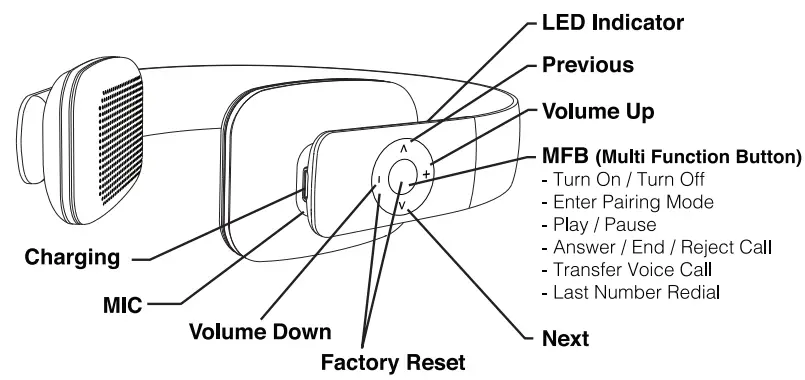
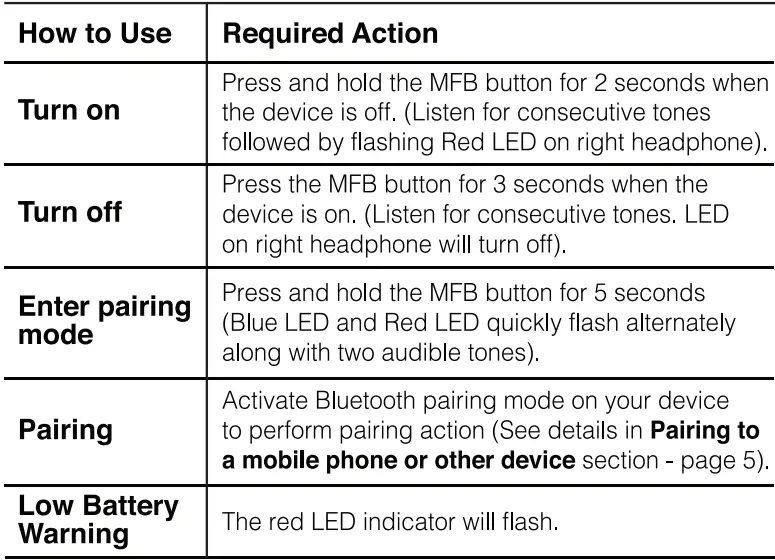
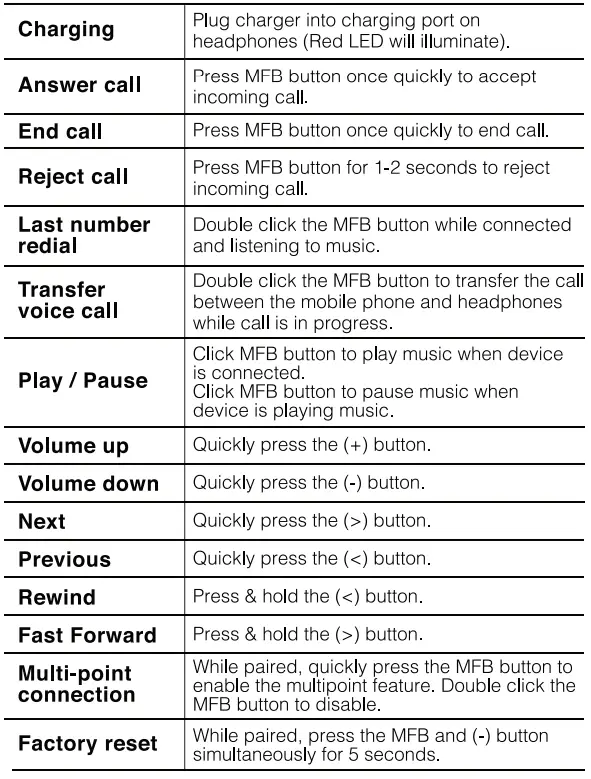
CONNECTION (FUNCTIONS) DIAGRAM
PAIRING TO A MOBILE PHONE OR OTHER DEVICE
To use your Bluetooth Headphones, you must first pair your headphones with a phone or a computer. Once your headphones are paired to a specific mobile phone, they will remain paired and automatically recognize each other whenever they are within range.
PAIRING HEADPHONES TO YOUR BLUETOOTH DEVICE
- Turn on your device and activate its Bluetooth function.
- Turn on the Bluetooth Headphones and activate pairing feature (press and hold the MFB button for 5 seconds).
- After a few seconds the device will list the headphones. Select “ITHWB-700” and follow your device’s instruction for pairing.
NOTE: The Blue LED will flash intermittently when in 8/uetooth mode. - You now have the ability to adjust the connected device using the functions/buttons on the headphones. For example: volume up or fast forward to the next song.
NOTE: Functions/buttons may not work with some devices.
CHARGING YOUR DEVICE
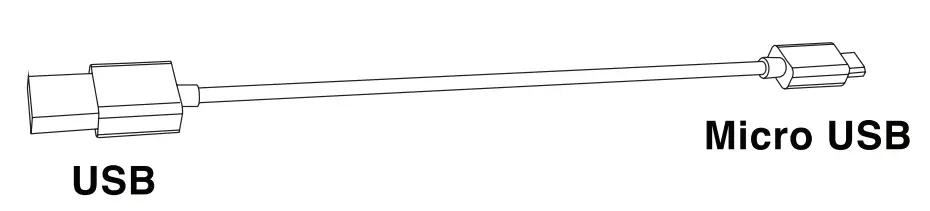
These Headphones require a USB to Micro USB cord (included) for charging. Easily charge via AC adapter or USB Charger (not included). Charge your headphones for at least 3 hours before initial use. Insert the USB end of the charging cord into an AC adapter or PC USB port and connect the Micro USB end to the headphone charging port.
- When the headset is charging, the red LED will remain lit.
- When charging is completed, the red LED turns off and the Blue LED will illuminate and remain lit.
WARNING
- It is recommended to use a qualified (5V – 1.0A or 2A) charger.
- You must charge the Bluetooth Headset if it has not been used for more than 3 months.
TECHNICAL SPECIFICATIONS
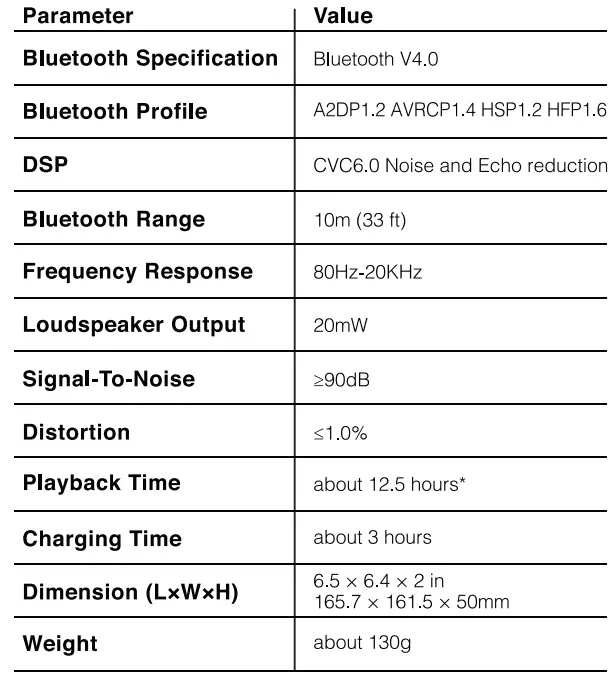
PLEASE NOTE: Type of music and volume will effect playback time.
PROP 65 STATEMENT
WARNING: This product contains chemicals known to the State of California to cause cancer and birth defects or other reproductive harm. For more information on these regulations and a list of chemicals, log on to the following website address: http://www.oehha.ca.gov/prop65.html.
Caution: The built-in rechargeable battery is not replaceable. Do not remove or replace it, do not throw in the trash or in a fire. Do not dispose device in standard garbage disposal sites. Dispose of device at available Battery Recycling Sites after fully discharging battery. Not doing so may violate local disposal laws and regulations. Please refer to local regulations for proper battery disposal.
FCC STATEMENT
Warning: Changes or modifications to this unit not expressly approved by the party responsible for compliance could void the user’s authority to operate the equipment.
NOTE: This equipment has been tested and found to comply with the limits for a class B digital device, pursuant to part 15 of the FFC rules. These limits are designed to provide reasonable protection against harmful interference uses and can radiate radio frequency energy and, if not installed and used in accordance with the instructions, may cause harmful interference to radio communications. However, there is no guarantee that interference will not occur in a particular installation. If this equipment does cause harmful interference to radio or television reception, which can be determined by turning the equipment off and on, the user is encouraged to try to correct the interference by one or more of the following measures:
- Reorient or relocated the receiving antenna.
- Increase the separation between the equipment and receiver.
- Connect the equipment into an outlet on a circuit different from that to which the receiver is connected.
- Consult the dealer or an experienced radio/TV technician for help.
LIMITED WARRANTY: 90 DAYS LABOR, ONE YEAR PARTS
Innovative Technology Electronics LLC. (IT) warrants the product to be free from “Defects” in materials under normal use for a period of “One Year” from the date of the original purchase. The Warranty is “Not” transferable. IT agrees, within the initial “90 Day” period, to repair or replace the product if it is determined to be defective at “No Charge”. It is further agreed that IT will cover the cost to repair or replace damaged “Parts” only for a total period of “One Year” from the date of the original purchase. The warranty does not cover cosmetic damage, antennas, AC cords, cabinets, headbands, ear-pads, or damage due to line power surges, connection to improper voltage supply or settings, misuse, mishandling, accident, acts of God or attempted repair by an unauthorized service agent. To obtain service, the purchaser MUST present an original sales receipt/ proof of purchase. Please contact us at www.ithomeproducts.com to request an RMA (Return Material Authorization) number to return products for service or replacement. Returns without an RMA number on the package will be refused and returned to sender. Upon receipt of the returning item and our full inspection (IT) may issue a replacement to customer for the same item or of one that has equivalent value and features. To return an item, supply full name, return address, phone number, item purchased, receipt of purchase and reason for return to obtain RMA number.
All returns must be in the original packaging or reasonable substitute to prevent damage. Customer “Must” include full name, shipping address and telephone number inside of package. No return will be shipped back to a PO Box or APO address.
Please include your check or money order in the amount of
- USO $5.00 for items $10.00 to $39.99 (Price Paid Per Unit)
- USO $10.00 for items $40.00 to $99.99 (Price Paid Per Unit)
- USO $16.00 for items $100.00 and up (Price Paid Per Unit)
- Shipping fees are non-refundable
to be payable to Innovative Technology Electronics LLC. (for handling and return shipping charges) (IT) will not be responsible for delays or unprocessed claims resulting from a purchaser’s failure to provide any/ all of the necessary information. Send all inquiries or RMA request via our website www.ithomeproducts.com/support.
Innovative Technology Electronics LLC 1 Channel Drive Port Washington, NY 11050
Toll free: 1-877-483-2497
Website for support: www.ithomeproducts.com/support
There are no express warranties except as listed above.
REPAIR OR REPLACEMENT AS PROVIDED UNDER THIS WARRANTY IS THE EXCLUSIVE REMEDY OF THE CUSTOMER, (IT) SHALL NOT BE LIABLE FOR ANY INCIDENTAL OR CONSEQUENTIAL DAMAGES FOR BREACH OF ANY EXPRESS OR IMPLIED WARRANTY ON THIS PRODUCT EXCEPT TO THE EXTENT PROHIBITED BY APPLICABLE LAW. ANY IMPLIED WARRANTY OF MERCHANTABILITY OR FITNESS FOR A PARTICULAR PURPOSE ON THIS PRODUCT IS LIMITED IN DURATION TO THE DURATION OF THIS WARRANTY.
Some states do not allow the exclusion or limitation of incidental or consequential damages, or limitations on how long an implied warranty lasts, so the above exclusions or limitations may not apply to you. This warranty gives you specific legal rights and you may also have other rights, which vary from state to state. Design and specification are subject to change without notice. Bluetooth is a registered trademark of Bluetooth SIG, Inc. Other trademarks and trade names are those of their respective owners. Made in China
Frequently Asked Questions
The Bluetooth headphones we suggest have batteries that can last seven to forty hours between charges.
A Bluetooth headset battery can typically last for 500 full cycles. You can use it for three years if you charge it once every two days. You can use it for two years on a daily charge. However, Bluetooth headsets are quick consumer gadgets, just like smartphones, so it might be time to move on.
True wireless headphones typically have a battery life of 3 hours or less before they run out of juice. Charger cases come in handy in this situation. A good charging case can extend the listening period of your headphones by at least 5 to 6 hours.
While using the USB charging wire to charge your headset, you can still use it. If a cable—such as an audio or charging cable—is attached to the headset’s USB port, you might notice a modest increase in warmth there.
The best wireless earphones are made for everyday use. Your wireless earphones could last you up to two or three years if you take proper care of them. Your usage frequency and the brand you use will determine this.
It often has a red charging indicator light. The battery is fully charged when the light goes off, indicating. You must learn how to charge a Bluetooth headset properly, that is, just when the battery is running low, if you want to get the most life out of it.
Because Bluetooth headphones are directly connected to the power source, we advise against using them while they are charging. Additionally, short circuits and electrocution can result from poor wiring and exposed wires in the power circuit.
Before using the headset for the first time, the lithium-ion rechargeable battery needs to be charged.
Yes, you may charge your Bluetooth headphones with a mobile charger. The USB cables will meet your charging needs and are constructed in accordance with the USB standard. We advise reading the headphones product guide if you have a phone that supports rapid charging so you can determine whether doing so may damage your headphones.
You should expect your headphones to last anywhere from 5 hours on a single charge (often, these are True Wireless headphones that need to be recharged in a case) to up to 40 hours on a single charge.
When not in use, turn off your headphones. Do not leave your charging case or earbuds plugged in continuously. Disconnect the cable once they are fully charged. Check the manual for any specific storage instructions if you want to put your headphones away for a week or longer.
Bluetooth headphones include a rechargeable battery that is incorporated right into them. Large batteries that can be charged via a USB connection are built into over-ear Bluetooth headphones. Battery life should be between 20 and 30 hours; the JBL Everest, for example, makes a 25-hour battery life guarantee.
The majority of batteries for wireless over-ear headphones can take anywhere from 2 to 5 hours to fully charge. On the other hand, the battery life of wireless in-ear headphones can range from 20 hours to 1 to 3 hours before they need to be recharged.
This power bank may be used to store and charge wireless Bluetooth headphones in addition to acting as a portable charger for your phone. The power bank features two slots for earbuds on one end and a cable to charge your device on the other.
It often has a red charging indicator light. The battery is fully charged when the light goes off, indicating. You must learn how to charge a Bluetooth headset properly, that is, just when the battery is running low, if you want to get the most life out of it.