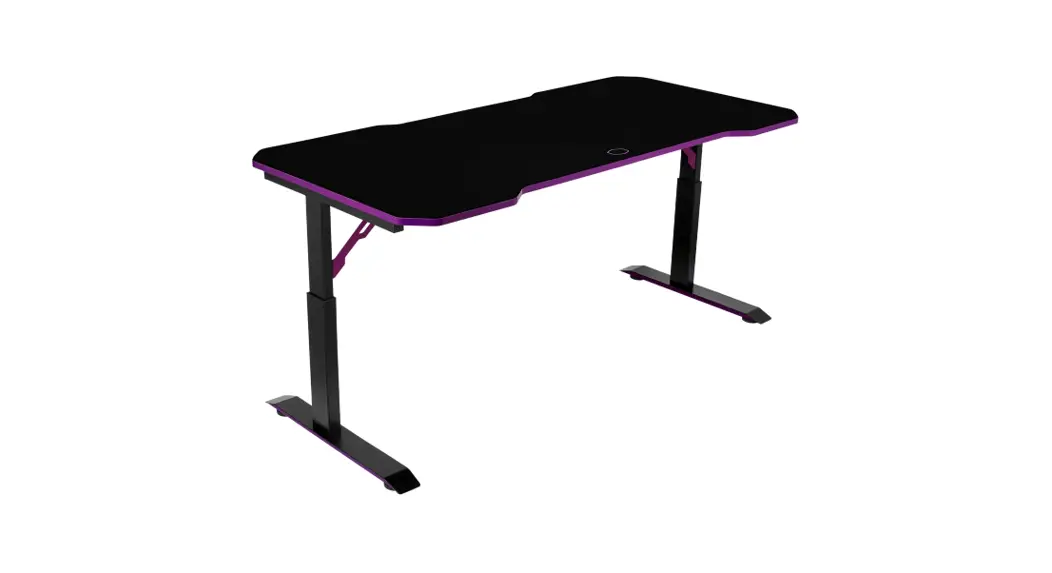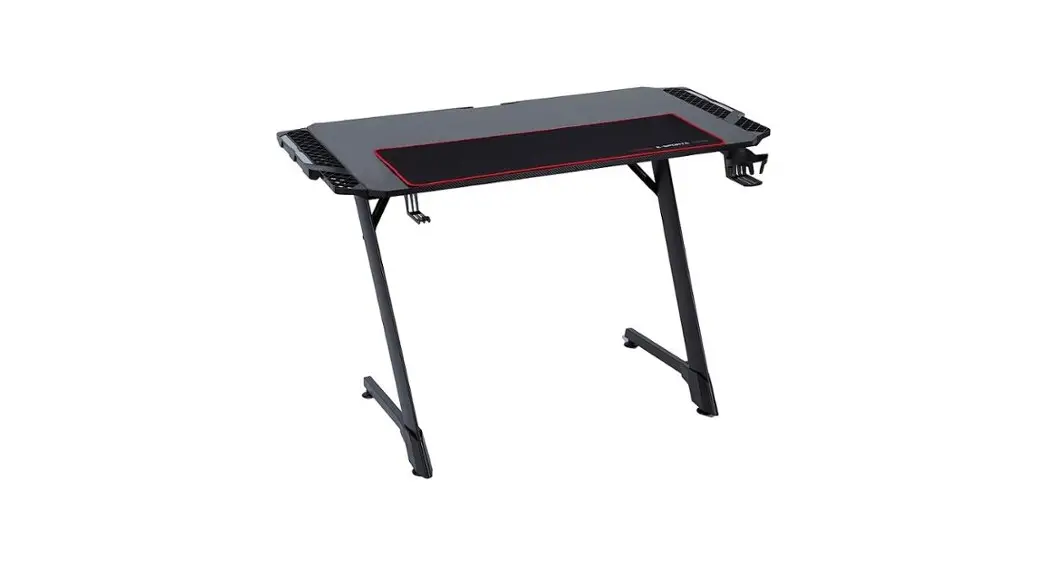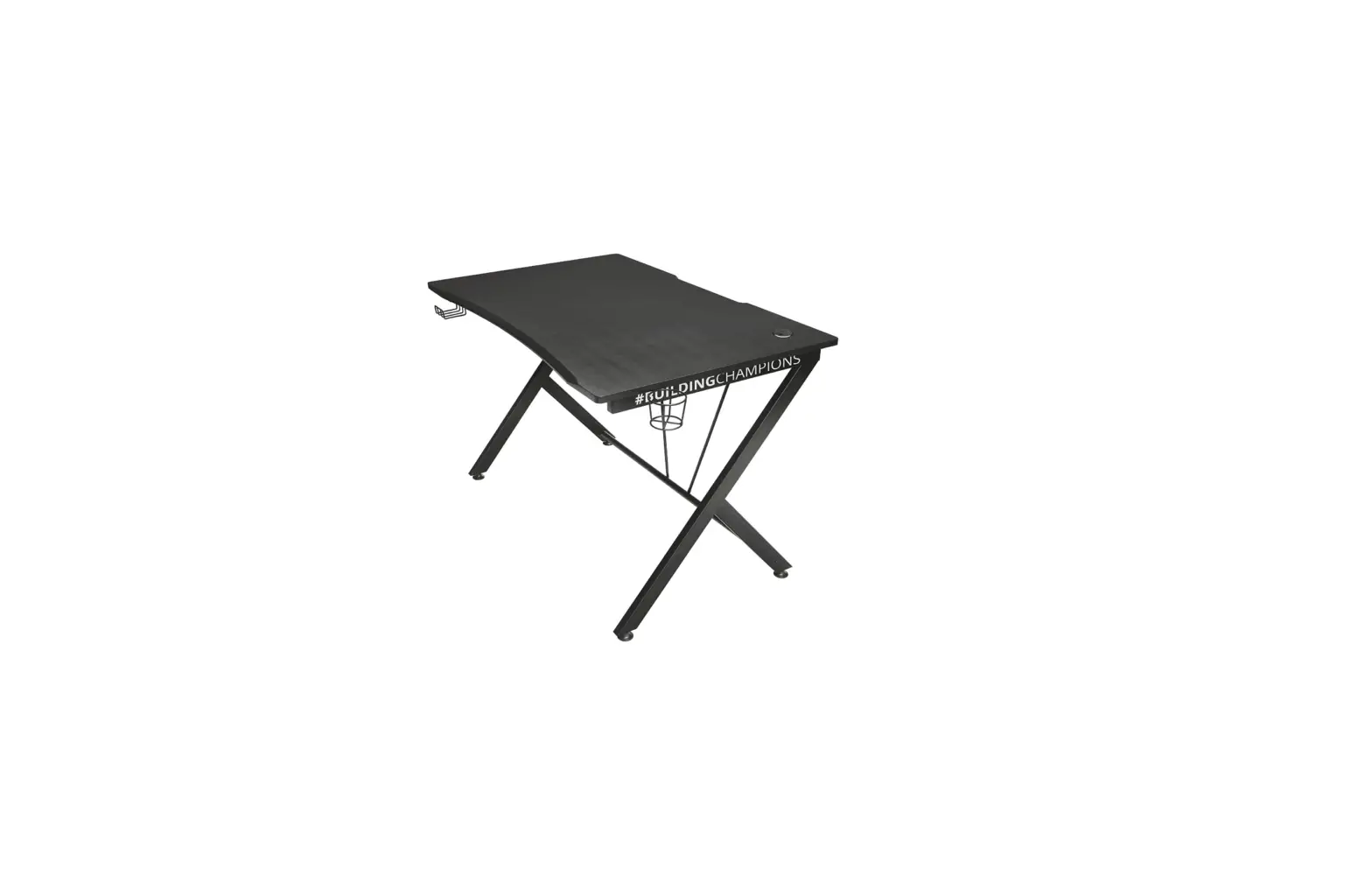

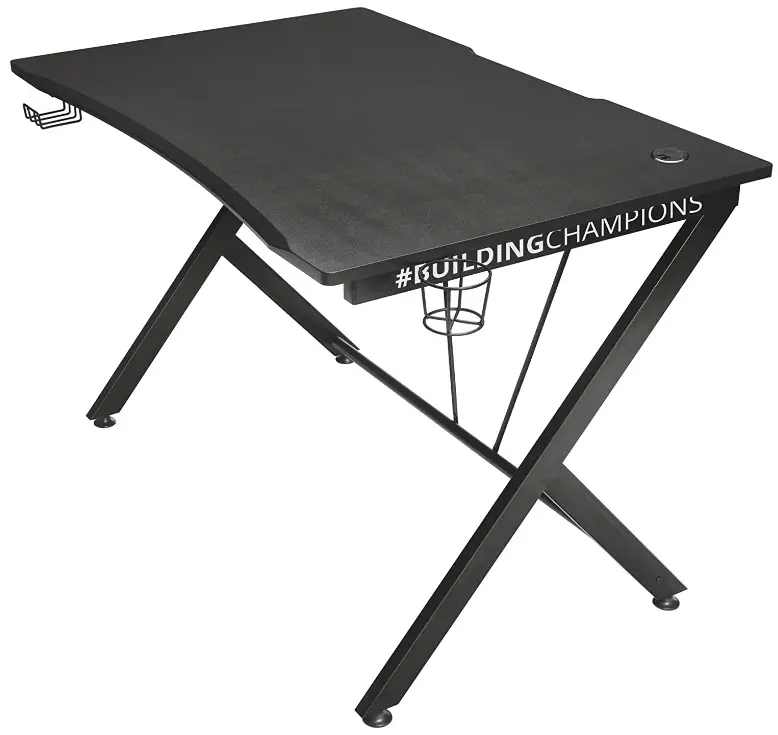
Trust GXT 711 Dominus Gaming Desk
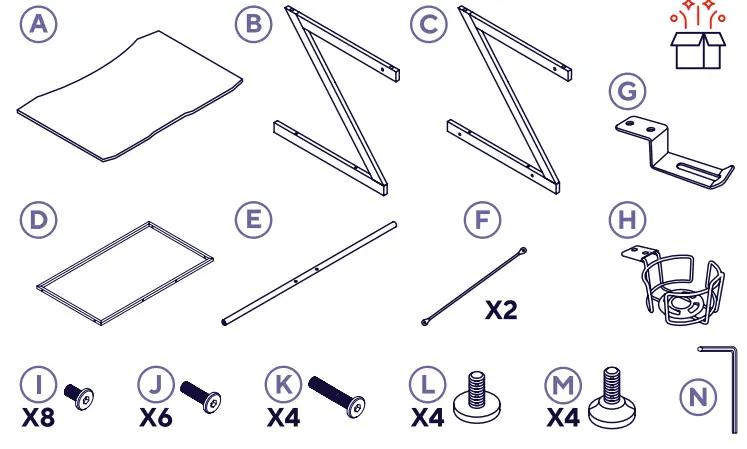
WHAT’S IN THE BOX
INTRODUCTION
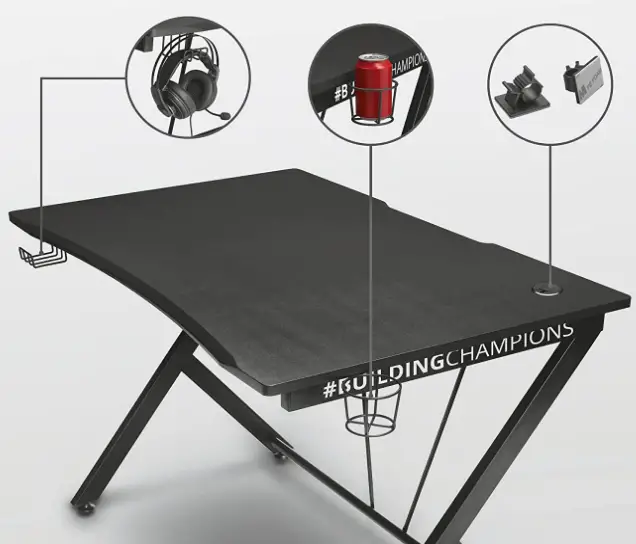
With the Trust GXT 711 Dominus Gaming Desk, put your PC and accessories centre stage. You will have a performance surface that is maximized at this desk while using features that all gamers will like.
SMART LAYOUT
ERGONOMIC DESIGN
CUSTOMIZED LOCK
ASSEMBLY GUIDE
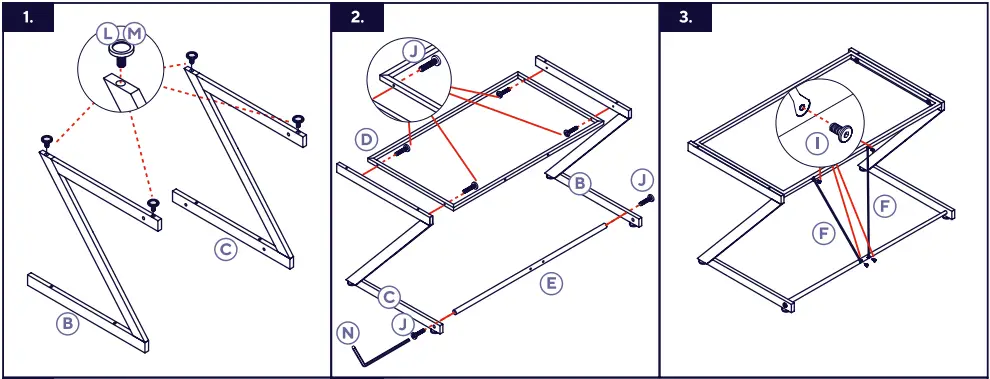
To assemble the Trust GXT 711 Dominus Gaming Desk, follow these steps:
- Unbox the components
Carefully unpack the box containing the Trust GXT 711 Dominus Gaming Desk and ensure that all the parts and accessories are included. - Identify the parts
Lay out all the components and identify the different parts of the desk, including the desktop board, frame, legs, screws, and other accessories. - Attach the legs to the frame
- a. Start by placing the frame upside down on a flat surface.
- b. Take one of the legs and align it with the mounting holes on the frame.
- c. Insert and tighten the screws provided to securely attach the leg to the frame.
- d. Repeat this process for the remaining legs, ensuring that they are evenly spaced and aligned with the frame.
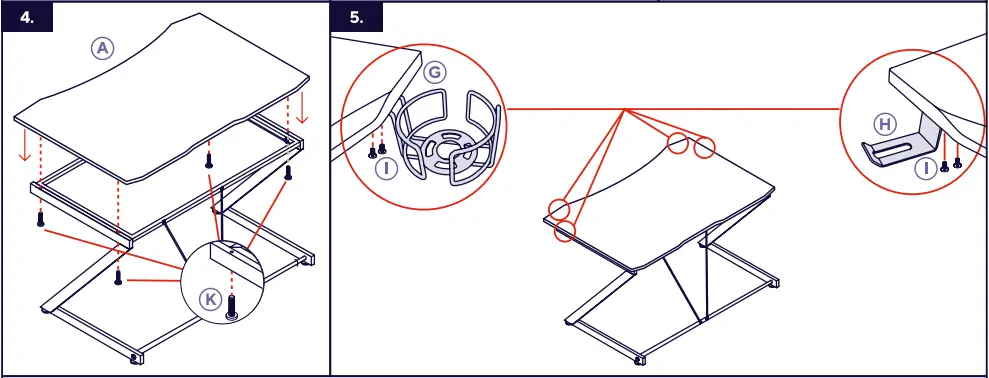
- Attach the desktop board
- a. Carefully flip the frame with the attached legs into an upright position.
- b. Position the desktop board on top of the frame, aligning the mounting holes on the board with the corresponding holes on the frame.
- c. Insert and tighten the screws provided to securely attach the desktop board to the frame.
- Cable management (optional)
- a. The Trust GXT 711 Dominus Gaming Desk includes cable management features to keep your cables organized and out of sight.
- b. Attach the cable management clips or channels to the desk frame and use them to route and secure your cables.


SETTINGS
PRECAUTIONS

FEATURES
- DESK DEDICATED TO GAMING
With the Trust GXT 711 Dominus Gaming Desk, put your PC and accessories center stage. With characteristics that many PC gamers will love, you’ll have a performance surface that is maximized at this workstation. - BIG SCREEN DESIGN
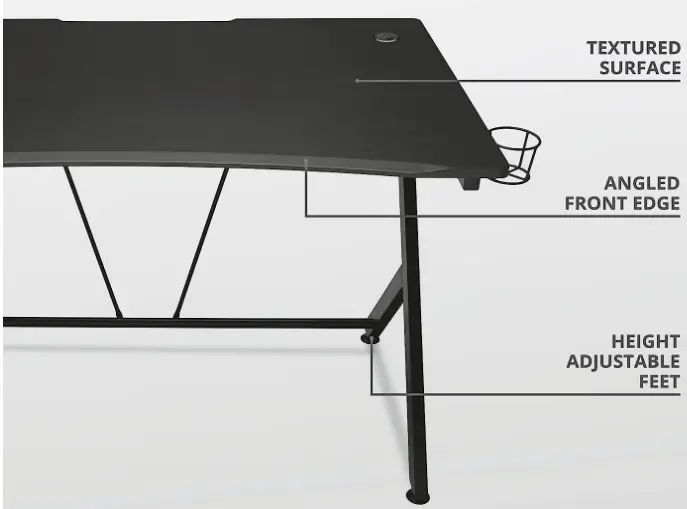
The two 27-inch monitors fit nicely on the 116-cm PC workstation, allowing you to play games at the full screen while researching gaming tactics or keeping an eye on your chats on the second screen. The surface is beautifully textured and features a premium PU top coating for improved mouse control. - AFFORDABILITY AND STABILITY
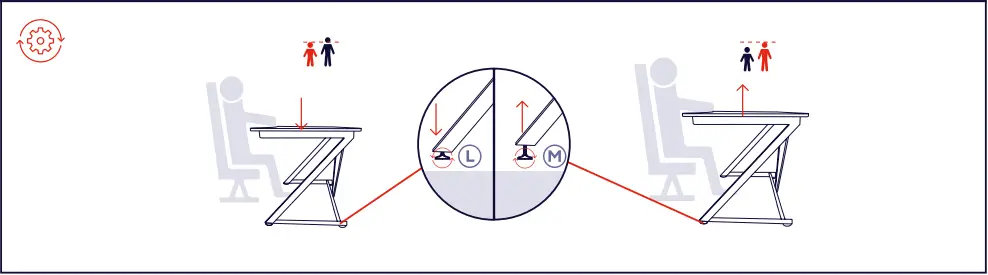
Height-adjustable feet are included with the steel desk frame and premium 18 mm MDF desk top for ideal ergonomic seating in front of your computer. You may easily rest your wrists and forearms on the desk thanks to the rounded front. - ADVANCED FEATURES
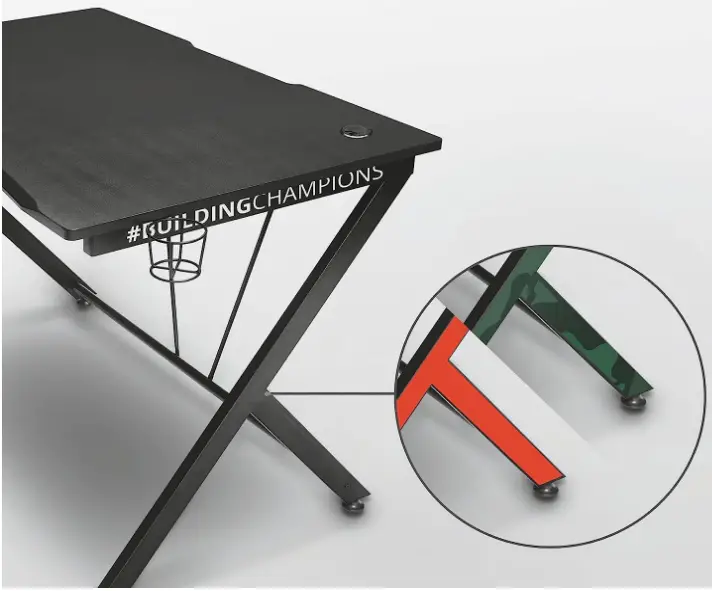
The Dominus gaming table has added features including an optional cupholder, headset, and cable management system to keep your workstation organized for better gaming pleasure. With the red and camo stickers that are available, you may personalize the desk.
FAQ’s
.” image-0=”” headline-1=”p” question-1=”What is the maximum weight capacity of the Trust GXT 711 Dominus Gaming Desk? ” answer-1=”The Trust GXT 711 Dominus Gaming Desk has a maximum weight capacity of [insert weight capacity].” image-1=”” headline-2=”p” question-2=”Can I adjust the height of the Trust GXT 711 Dominus Gaming Desk? ” answer-2=”Yes, some models of the Trust GXT 711 Dominus Gaming Desk offer height adjustment functionality. ” image-2=”” headline-3=”p” question-3=”Does the Trust GXT 711 Dominus Gaming Desk come with cable management features? ” answer-3=”Yes, the Trust GXT 711 Dominus Gaming Desk includes cable management features such as clips or channels to help organize and route your cables.” image-3=”” headline-4=”p” question-4=”What materials is the Trust GXT 711 Dominus Gaming Desk made of? ” answer-4=”The Trust GXT 711 Dominus Gaming Desk is typically made of [insert materials], providing durability and stability.” image-4=”” headline-5=”p” question-5=”Does the Trust GXT 711 Dominus Gaming Desk have a monitor stand? ” answer-5=”No, the Trust GXT 711 Dominus Gaming Desk does not include a built-in monitor stand. You can use a separate monitor mount or stand for your display.” image-5=”” headline-6=”p” question-6=”Is the Trust GXT 711 Dominus Gaming Desk easy to assemble? ” answer-6=”Yes, the Trust GXT 711 Dominus Gaming Desk is designed to be easily assembled with the provided instructions and necessary hardware.” image-6=”” headline-7=”p” question-7=”Can I use a gaming chair with the Trust GXT 711 Dominus Gaming Desk? ” answer-7=”Yes, the Trust GXT 711 Dominus Gaming Desk is compatible with most gaming chairs, allowing you to create a comfortable gaming setup.” image-7=”” headline-8=”p” question-8=”Are the desk legs adjustable for stability on uneven surfaces? ” answer-8=”No, the Trust GXT 711 Dominus Gaming Desk typically does not feature adjustable legs. It is recommended to place the desk on a level surface for optimal stability.” image-8=”” headline-9=”p” question-9=”Can I disassemble and reassemble the Trust GXT 711 Dominus Gaming Desk? ” answer-9=”Yes, you can disassemble and reassemble the Trust GXT 711 Dominus Gaming Desk if needed. ” image-9=”” headline-10=”p” question-10=”Can I use a dual monitor setup with the Trust GXT 711 Dominus Gaming Desk? ” answer-10=”Yes, the Trust GXT 711 Dominus Gaming Desk can accommodate a dual monitor setup depending on their sizes and mounting options.” image-10=”” headline-11=”p” question-11=”Is the Trust GXT 711 Dominus Gaming Desk compatible with console gaming setups? ” answer-11=”Yes, the Trust GXT 711 Dominus Gaming Desk is suitable for console gaming setups and can accommodate gaming consoles and peripherals.” image-11=”” headline-12=”p” question-12=”Does the Trust GXT 711 Dominus Gaming Desk have a mouse pad surface? ” answer-12=”No, the Trust GXT 711 Dominus Gaming Desk does not come with an integrated mouse pad. You can use a separate mouse pad if desired.” image-12=”” headline-13=”p” question-13=”Can I customize the Trust GXT 711 Dominus Gaming Desk with accessories? ” answer-13=”Yes, you can personalize the Trust GXT 711 Dominus Gaming Desk with accessories such as monitor arms, cable management solutions, and desk organizers.” image-13=”” headline-14=”p” question-14=”Is the Trust GXT 711 Dominus Gaming Desk suitable for professional work setups? ” answer-14=”Yes, the Trust GXT 711 Dominus Gaming Desk can be used for professional work setups, providing a spacious and ergonomic workspace.” image-14=”” count=”15″ html=”true” css_class=””]Download This PDF Link: Trust GXT 711 Dominus Gaming Desk Quick Installation Manual