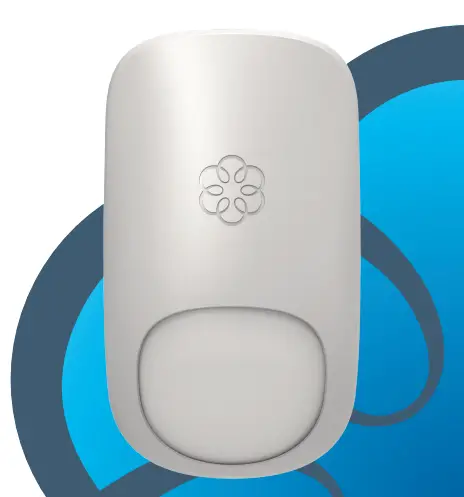
FALCON Industrial Motion Sensors
Product Information:
| Product Name | FALCON | ||||||||||||||||||||||||||||||||||||
|---|---|---|---|---|---|---|---|---|---|---|---|---|---|---|---|---|---|---|---|---|---|---|---|---|---|---|---|---|---|---|---|---|---|---|---|---|---|
| Description | Activation Sensor for Automatic, Industrial Doors | ||||||||||||||||||||||||||||||||||||
| Mounting Options | FALCON: for normal to high mounting (11.5 – 23 ft) FALCON XL: for low mounting (6.5 – 11.5 ft) FALCON WIDE: for wide detection field | ||||||||||||||||||||||||||||||||||||
| Technical Specifications |
|
Product Usage Instructions:
- MOUNTING & WIRING:
- Remove the bracket from the sensor.
- Drill 2 holes accordingly.
- Mount the bracket firmly.
- Position the sensor on the bracket and fasten the screws
firmly.
- Connect the wires to the door controller.
- Choose between NO and NC contact.
- Adjust the angle of the sensor to position the detection
field. - Adjust the field size with the remote control or the push
buttons.
- Choose the correct detection filter for your application with
the remote control or push buttons. - Detection of all targets (pedestrians and parallel traffic are
detected). - Detection only of vehicles moving toward the sensor*
(pedestrians and parallel traffic are not detected + disturbances
are filtered). - Value recommendations according to angle and height:
- 23 ft – 11.5 ft: 3
- 8 ft: 4
- Always check if the chosen value is optimal for the
application. The object size and nature can influence the
detection. - * The vehicle detection filter increases the response time of
the sensor.
- LED flashes quickly: no detection
- LED flashes: detection
- LED flashes slowly: red & green blinking
- LED flashes x times: power on / learn
- LED is off: normal mode
ENGLISH
Visit website for available languages of this document.
DESCRIPTION
1 2 3
FALCON
Activation Sensor for Automatic, Industrial Doors
FALCON: for normal to high mounting (11.5 – 23 ft) FALCON XL: for low mounting (6.5 – 11.5 ft) FALCON WIDE: for wide detection field
1. push buttons
2. front face
3. radar antenna
4
4. angle indication
5. bracket
6. cable
5
6
TECHNICAL SPECIFICATIONS
Technology:
microwave doppler radar
Transmitter frequency:
24.150 GHz
Transmitter radiated power:
< 20 dBm EIRP
Transmitter power density:
< 5 mW/cm2
Mounting height:
FALCON: 11.5 – 23 ft; FALCON XL: 6.5 – 11.5 ft; FALCON WIDE: 11.5 – 21 ft
Detection zone:
FALCON: 13 x 16 ft @ 16ft; FALCON XL: 13 x 6.5 ft @ 8.2 ft FALCON WIDE: 30 x 11ft @ 21ft. (typical at 30° and field size 9)
Min. detection speed:
2 in/s*
Supply voltage:
12 – 24 VAC ±10%; 12 – 24 VDC +30% / -10%
Mains frequency:
50 – 60 Hz
Power consumption:
< 2W
Output: max. contact voltage: max. contact current: max. switching power:
relay (free of potential change-over contact) 42V AC/DC 1A (resistive) 30 W (DC) / 60 VA(AC)
Temperature range:
-22 – 140 °F
Degree of protection:
IP65
Dimensions:
5 in (L) x 3.75 in (W) x 4 in (H)
Tilt adjustment angle:
0 – 180° vertical
Materials:
ABS and polycarbonate
Weight:
0.875 lbs
Cable length:
33 ft
Norm conformity:
R&TTE 1999/5/EC; EMC 2004/108/EC
* Measured in optimal conditions 75.5835.06 FALCON FAMILY 20230331
Specifications are subject to change without prior notice. All values measured in specific conditions.
Page 1 of 4
INSTALLATION TIPS
· The sensor must be firmly fastened in order not to vibrate. · The sensor must not be placed directly behind a panel or any kind of material. · The sensor must not have any object likely to move or vibrate in its sensing field. · The sensor must not have any fluorescent lighting in its sensing field.
DIMENSIONS (inches)
Wall mounting
Ceiling mounting
Bracket dimensions
1 MOUNTING & WIRING
1
2
3
RED
BLACK
12-24 VAC/VDC
WHITE COM
GREEN NO
YELLOW NC
Remove the bracket from the sensor. Drill 2 holes accordingly. Mount the bracket firmly.
Position the sensor on the bracket and fasten the screws firmly.
2 MOUNTING ADJUSTMENT
Connect the wires to the door controller. Choose between NO and NC contact.
European wire color US EURO cross-reference: red green black brown white white green yellow yellow gray
1
CEILING
2
0-9
WALL
Adjust the angle of the sensor to position the detection field.
Adjust the field size with the remote control or the push buttons.
FALCON (mtg ht: 16 ft)
FALCON XL (mtg ht: 8 ft) FALCON WIDE (mtg ht: 11.5 ft)
Page 2 of 4
All detection field dimensions were measured in optimal conditions and with field size value 9.
75.5835.06 FALCON FAMILY 20230331
3 DETECTION FILTER (REJECTION MODE)
Choose the correct detection filter for your application with the remote control or push buttons.
Detection of all targets
(pedestrians and parallel traffic are detected)
Detection only of vehicles moving toward the sensor*
(pedestrians and parallel traffic are not detected + disturbances are filtered)
1 = no specific filter
2 = filter against disturbances (recommended in case of vibrations, rain etc.)
Value recommendations according to angle and height:
23 ft – 11.5 ft 8 ft
-15°
3
3
-30°
4
4
-45°
5
4
Always check if the chosen value is optimal for the application. The object size and nature can influence the detection.
+45°
6
5
XL
* The vehicle detection filter increases the response time of the sensor.
LED SIGNALS
LED flashes quickly
LED flashes
LED flashes slowly
LED flashes x times
X
LED is off
no LED red
NORMAL MODE no detection detection
red & green blinking
power on / learn
POSSIBLE SETTINGS BY REMOTE CONTROL
ADJUSTING ONE OR MORE PARAMETERS
red CHECKING A VALUE
red
red
red
off
X
red
green
off
x = number of flashes = value of parameter
FIELD SIZE
HOLD-OPEN TIME OUTPUT CONFIGURATION DETECTION MODE
DETECTION FILTER
XXS XS S
>
>
>
>
L XL XXL
0.5 s 1 s 2 s 3 s 4 s 5 s 6 s 7 s 8 s 9 s
A
P
A = active output; relay energizes upon detection P = passive output; relay de-energizes upon detection
bi
uni
uni AWAY
bi = two-way detection uni = one-way detection towards sensor uni AWAY = one-way detection away from sensor
1
2
3
4
5
6
FACTORY VALUES
RESETTING TO FACTORY VALUES:
75.5835.06 FALCON FAMILY 20230331
Page 3 of 4
POSSIBLE SETTINGS BY PUSH BUTTONS
TO START OR END AN ADJUSTMENT SESSION, press and hold either push button until the LED flashes or
stops flashing.
Parameter number Value (factory values)
TO SCROLL THROUGH THE
1 FIELD SIZE
(7)
PARAMETERS, press the right push
2 HOLD-OPEN TIME
(0)
button.
3 OUTPUT CONFIGURATION
(1)
TO CHANGE THE VALUE OF THE CHOSEN PARAMETER, press the left
4 DETECTION MODE
(2)
push button.
5 DETECTION FILTER
(1)
TO RESET TO FACTORY VALUES, press and hold both push buttons until both LEDs flash.
ACCESS CODE
The access code (1 to 4 digits) is recommended to set sensors installed close to each other.
SAVING AN ACCESS CODE:
DELETING AN ACCESS CODE:
Once you have saved an access code, you always need to enter this code to unlock the sensor. If you forget the access code, cycle the power. For the first minute, you can access the sensor without an access code.
TROUBLESHOOTING
Door remains closed. LED is off.
Sensor power is off.
Check wiring and power supply.
Door does not react as expected.
Improper output configuration on sensor.
Check the output configuration setting on each sensor connected to the door operator.
Door opens and closes constantly.
The sensor is disturbed by door motion or vibrations caused by door motion.
Ensure sensor is secured properly. Ensure detection mode is unidirectional.
Increase tilt angle.
Increase detection filter value.
Reduce field size.
Door opens for no apparent reason.
It rains and the sensor detects raindrops or vibrations.
Ensure detection mode is unidirectional. Increase detection filter value.
In highly reflective environments, the sensor detects objects outside of its detection field.
Change the antenna angle. Reduce field size.
Increase detection filter value.
Vehicle detection filter is used, but pedestrians are still detected.
Chosen value is not optimal for the given application.
Increase detection filter value. Decrease sensor angle.
Increase mounting height.
Ensure detection mode is unidirectional.
LED flashes quickly after unlocking.
Sensor needs access code to unlock.
Enter correct access code. If you forgot the code, cycle the power to access the sensor without access code. Change or delete the access code.
Sensor does not respond to the remote control.
Batteries in the remote control are weak or installed improperly.
Check batteries and change if necessary.
Can’t find your answer? Visit www.beainc.com or scan QR code for Frequently Asked Questions!
BEA, INC. INSTALLATION/SERVICE COMPLIANCE EXPECTATIONS
BEA, Inc., the sensor manufacturer, cannot be held responsible for incorrect installations or incorrect adjustments of the sensor/device; therefore, BEA, Inc. does not guarantee any use of the sensor/device outside of its intended purpose. BEA, Inc. strongly recommends that installation and service technicians be AAADM-certified for pedestrian doors, IDA-certified for doors/ gates, and factory-trained for the type of door/gate system. Installers and service personnel are responsible for executing a risk assessment following each installation/service performed, ensuring that the sensor/device system performance is compliant with local, national, and international regulations, codes, and standards. Once installation or service work is complete, a safety inspection of the door/gate shall be performed per the door/gate manufacturer’s recommendations and/or per AAADM/ANSI/DASMA guidelines (where applicable) for best industry practices. Safety inspections must be performed during each service call examples of these safety inspections can be found on an AAADM safety information label (e.g. ANSI/DASMA 102, ANSI/DASMA 107, UL294, UL325, and International Building Code). Verify that all appropriate industry signage, warning labels, and placards are in place.
©BEA | Original Instructions | PLEASE KEEP FOR FURTHER USE – DESIGNED FOR COLOR PRINTING
Page 4 of 4
Tech Support & Customer Service: 1-800-523-2462 General Tech Questions: [email protected] | Tech Docs: www.BEAsensors.com
75.5835.06 FALCON FAMILY 20230331
 Homepage | BEA Sensors
 Homepage | BEA Sensors