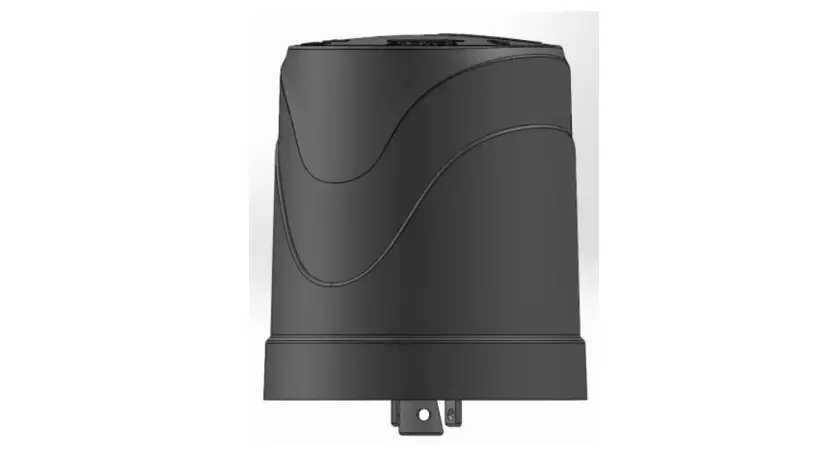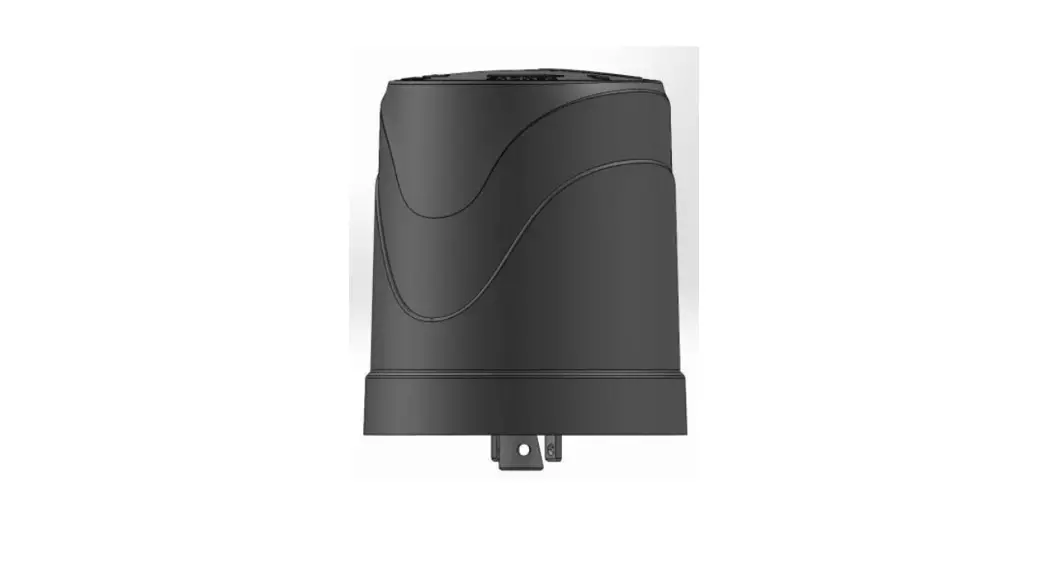

Telematics Wireless LCUN2GUS T-Light Light Control Unit 
About Telematics Wireless Products
Telematics Wireless products have been evaluated as Information Technology Equipment (ITE), which may be installed in Central Offices, Telecommunication Centers, offices, computer rooms, and similar commercial-type indoor or outdoor locations. Telematics Wireless is an Associate Member of the TALQ Consortium, and its products are ELEXON-approved.
LCU NEMA Description
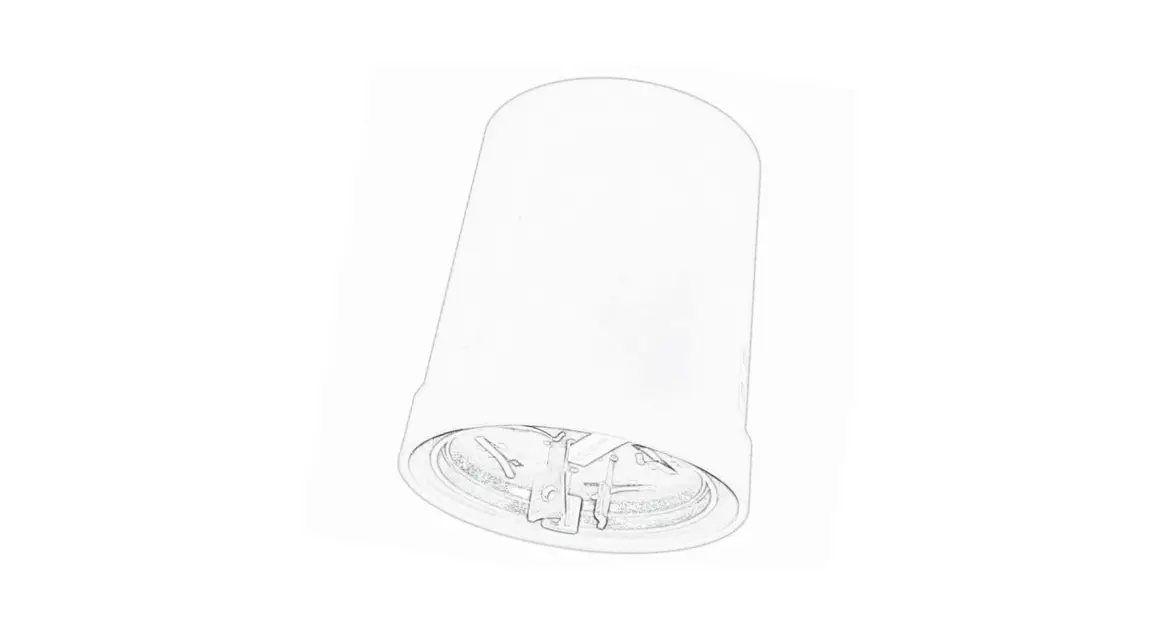
LCU NEMA is a luminaire control unit, easily installed on top of the luminaire utilizing a standard (twist and lock) NEMA socket. LCU NEMA is a unit of the T-Light Galaxy star network. Control features offer On/Off and dimming level operations. Monitoring features include identification of lamp and measurement of electrical parameters. The LCU NEMA is controlled by the Smart Lighting System Control Management Software (CMS) via a Data Communication Unit (DCU) gateway.
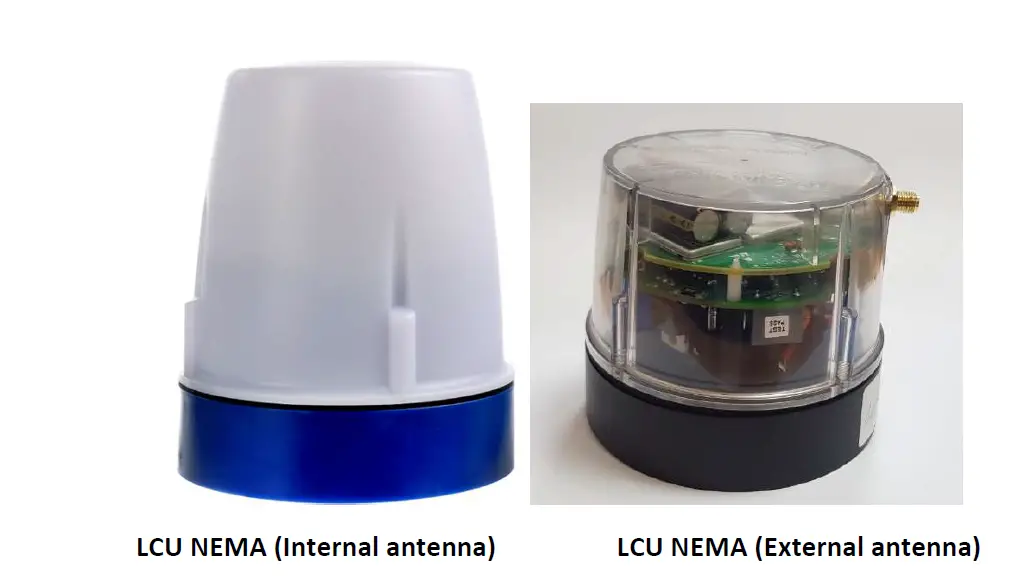
There are two unit models: LCU NEMA include internal antenna LCU NEMA with antenna connector for external antenna.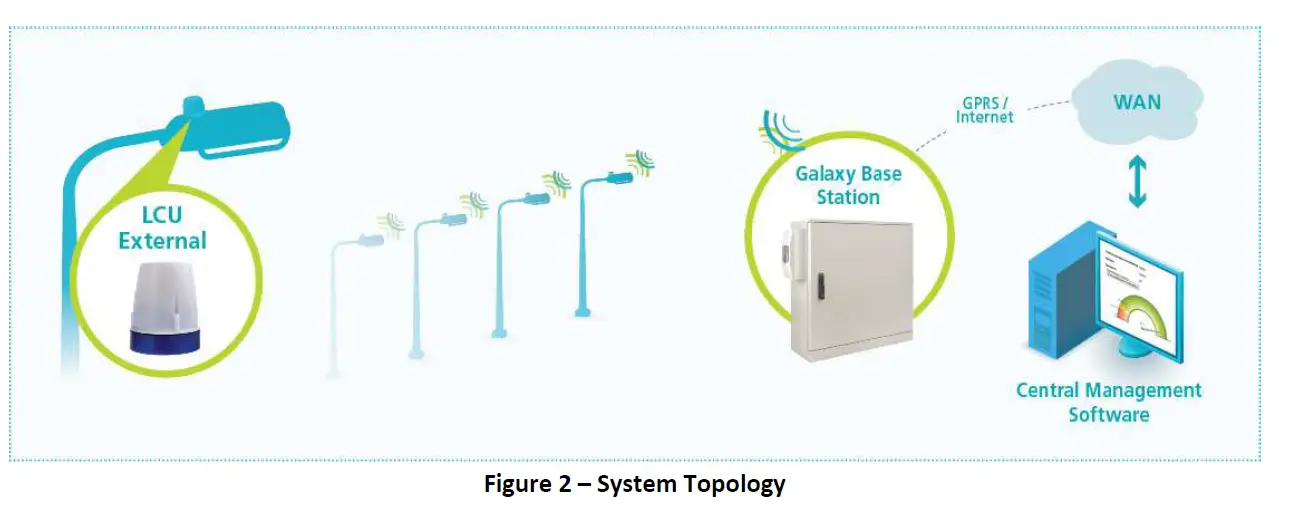
Standard Features
- Light sensor – Operates as a photocell with the integrated microcontroller and is used as a backup light control in the event of microcontroller failure.
- Energy meter – Continuous measurement collection and aggregation with 1% accuracy.
- Integrated RF antenna.
- Over the air firmware updates.
- Each unit is configurable as a repeater, resulting in one additional ‘hop’ from the DCU.
- Real Time Clock.
- Network data is protected by AES 128 encryption and, optionally, AES 256.
- Relay Control for LED driver/ballast power.
- Alarms for power extremes and maximum temperature.
- “Auto Detection and Verification” Software
“Auto Detection and Verification” Software
The LCU NEMA includes the Telematics “Auto Detection and Verification” software that automatically detects and stores the ballast type (1-10V or DALI) in the LCU. The ballast type is then retrieved during the commissioning process, thereby eliminating the need to enter it manually into the CMS.
Optional Features
- Built-in GPS receiver for full auto-commissioning.
- Built-in NFC chip for data exchange with hand-held device.

Specifications Radio
| Parameter | Value |
| Operating Frequency | 450 – 470 MHz License band |
| Channel bandwidth | 6.25KHz |
| Modulation | 4GFSK |
| Data Rate | 4.8 kbps |
| Output Transmission Power | Up to +36dBm/ 4Watt max. |
| Receiver Sensitivity | [email protected] kbps |
Power and control Interface
| Parameter | Value |
| Operating Input Voltage | 110-277V AC @50-60Hz |
| Load Current – NEMA 5-pin | 3A |
| Load Current – NEMA 7-pin | 10A |
| Internal Surge Protection | 350J (10kA) |
| Dimming – Ballast/Driver Communication Protocols | DALI Analog 0-10V, PWM |
Wiring diagram for a NEMA receptacle with dimming pads 
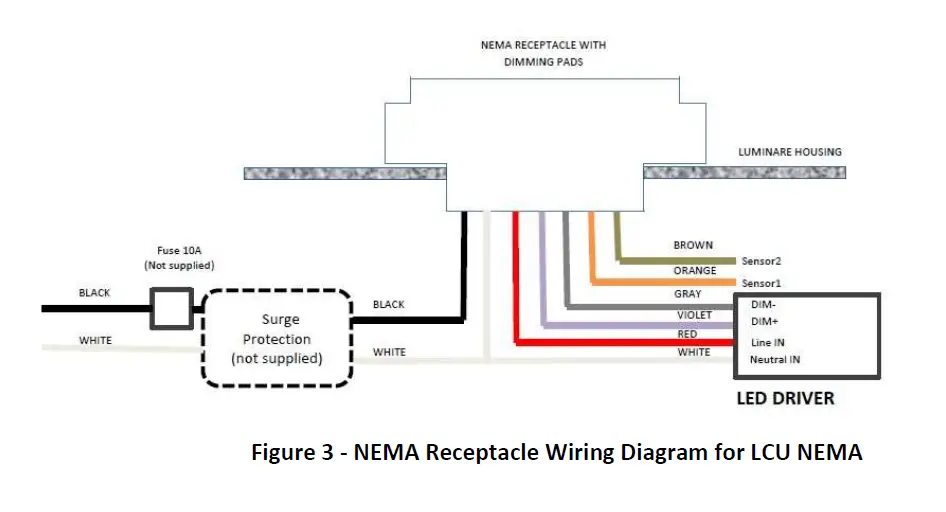
| # | Wire Color | Name | Purpose |
| 1 | Black | Li | AC Line In |
| 2 | White | N | AC Neutral |
| 3 | Red | Lo | AC Line Out: Load |
| 4 | Violet | Dim+ | DALI(+) or (+)0-10V or PWM or RS485-A |
| 5 | Gray | Dim- | Common GND: DALI(-) or (-) 0-10V or RS485-B |
| 6 | Brown | Reserved 1 | Digital IO or Analog In or RS485-A |
| 7 | Orange | Reserved 2 | Digital IO or RS485-B |
LCU NEMA Contacts 
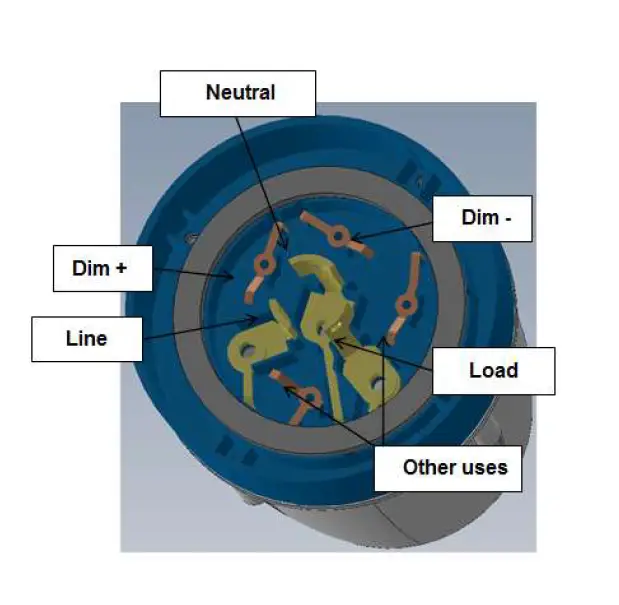
| # | Wire Color | Name | Purpose |
| 1 | Black | Li | AC Line In |
| 2 | White | N | AC Neutral |
| 3 | Red | Lo | AC Line Out: Load |
| 4 | Violet | Dim+ | DALI(+) or (+)0-10V or PWM or RS485-A |
| 5 | Gray | Dim- | Common GND: DALI(-) or (-) 0-10V or RS485-B |
| 6 | Brown | Reserved 1 | Digital IO or Analog In or RS485-A |
| 7 | Orange | Reserved 2 | Digital IO or RS485-B |
LCU NEMA Pin Options
| LED Driver | ||||
| Model | Pin 1-2 Black-White | Pins 3-2 Red-White | Pins 5-4 Gray-Violet | Pins 6-7 Brown-Orange |
| External NEMA 5-pin – Standard | Main AC Line IN Main AC Neutral IN | AC for lamp Line OUT Neutral IN | Dimming – 0-10V Analog, DALI, PWM, Modbus RS485 | N/A |
| External NEMA 7-pin – Optional | Main AC Line IN Main AC Neutral IN | AC for lamp Line OUT Neutral IN | Dimming – 0-10V Analog, DALI, PWM, Modbus RS485 | For user purposes, for example, sensors, Modbus RS485, GPIO-digital or analog |
Physical Specifications
| Parameter | Value |
| Dimension | 3.467 in D x 4.173 in H (88 mm D x 106 mm H) |
| Weight | 225 g |
Environment
| Operation Temperature | -40° F to 161.6° F (-40° C to +72° C) |
| IP Rating | IP 66 per IEC 60529-1 |
Standards Compliance
| Radio | USA | FCC 47CFR part 90 (mask E) |
| Canada | RSS 119 | |
| Europe | ETSI EN 300-113-2 | |
| EMC | USA | FCC 47CFR part 15 subpart B |
| Canada | ICES-003 | |
| Europe | EN 301-489-1, EN 301-489-3 | |
| Safety | USA | UL 916 |
| Canada | CSA C22.2 NO. 205. | |
| Europe | IEC 61347-2-11:2001 (IEC 61347-1:2007) |
Regulation Information
FCC Part 15 Regulation Class B device
The digital circuit of this device has been tested and found to comply with the limits for a Class B digital device, pursuant to part 90 of the FCC Rules. These limits are designed to provide reasonable protection against harmful interference in a residential installation. This equipment generates uses and can radiate radio frequency energy and, if not installed and used in accordance with the instructions, may cause harmful interference to radio communications. However, there is no guarantee that interference will not occur in a particular installation. If this equipment does cause harmful interference to radio or television reception, which can be determined by turning the equipment off and on, the user is encouraged to try to correct the interference by one or more of the following measures:
- Reorient or relocate the receiving antenna.
- Increase the separation between the equipment and receiver.
- Connect the equipment into an outlet on a circuit different from that to which the receiver is connected.
- Consult the dealer or an experienced radio/TV technician for help.
Industry Canada Class B Notice
This device complies with Industry Canada’s licence-exempt RSSs. Operation is subject to the following two conditions:
- This device may not cause interference; and
- This device must accept any interference, including interference that may cause undesired operation of the device.
CAN ICES-3 (B)/NMB-3(B)
This Class B digital apparatus complies with Canadian ICES-003. Cet appareil numerique de la classe B est conforme a la norme NMB-003 du Canada.
FCC interference Notice
This device complies with part 90 of the FCC rules. Operation is subject to the following two conditions:
- This device may not cause interference; and
- This device must accept any interference, including interference that may cause undesired operation of the device.
FCC and Industry Canada Radiation Hazard Warning
The antenna used for this transmitter must be installed to normally provide minimum separation distance of at least 20 cm from all persons.
Le dispositif doit être placé à une distance d’au moins 20 cm à partir de toutes les personnes au cours de son fonctionnement normal. Les antennes utilisées pour ce produit ne doivent pas être situés ou exploités conjointement avec une autre antenne ou transmetteur.
Installation Requirements
Mandatory Customer-Supplied Equipment System integrity for the LCU NEMA is ensured with the mandatory installation of customer-supplied voltage and current surge protection equipment.
Mandatory Voltage Surge Protection
Warning: To prevent damage due to power network voltage surges, it is mandatory that you also provide and install a surge protection device to protect the LCU and the luminaire driver.
Mandatory Current Surge Protection
Warning: To prevent damage due to power network current surges, it is mandatory that you also provide and install a 10 amp slow-blow fuse or circuit breaker to protect the LCU and the luminaire driver.
Location
The LCU NEMA is installed on the top surface of the luminaire cover utilizing a standard (twist and lock) NEMA socket. 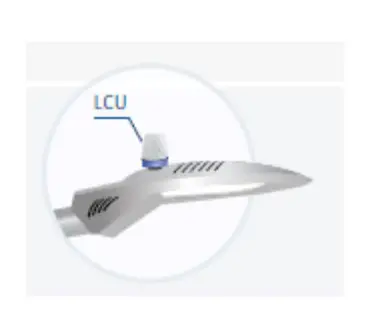
Post-Installation Commissioning
In order for the installed LCU NEMA units to be recognized in the Telematics Wireless Smart Lighting System, the serial numbers and GPS coordinates of the LCU NEMA units must be added to the CMS Equipment Inventory as part of the commissioning process. The level of automation in the Commissioning process depends on the optional equipment installed in the LCU NEMA:
- GPS – Commissioning is fully automated. Commissioning is complete after the CMS Administrator executes the relevant command.
- NFC – Commissioning is partially automated. The required serial number and GPS coordinates are obtained at the installation site with an Android smartphone and a Telematics app. Commissioning is complete after the CMS Administrator executes the relevant command.
- No GPS or NFC – Commissioning is a partially manual process:
- Installer obtains the GPS coordinates of the LCU NEMA with a handheld GPS device.
- Installer records the serial number and GPS coordinates.
- CMS Administrator imports the recorded values into the CMS Equipment Inventory, one by one or by batch.
Contact Details
Contact your local Telematics technical support representative, or contact us at: Telematics Wireless, Ltd.
26 Hamelacha St., POB 1911 Holon 58117 ISRAEL Phone: +972-3-557-5763 Fax: +972-3-557-5703 Sales: [email protected] Support: [email protected] www.telematics-wireless.com
 ST Engineering Telematics Wireless – Smart City Solutions