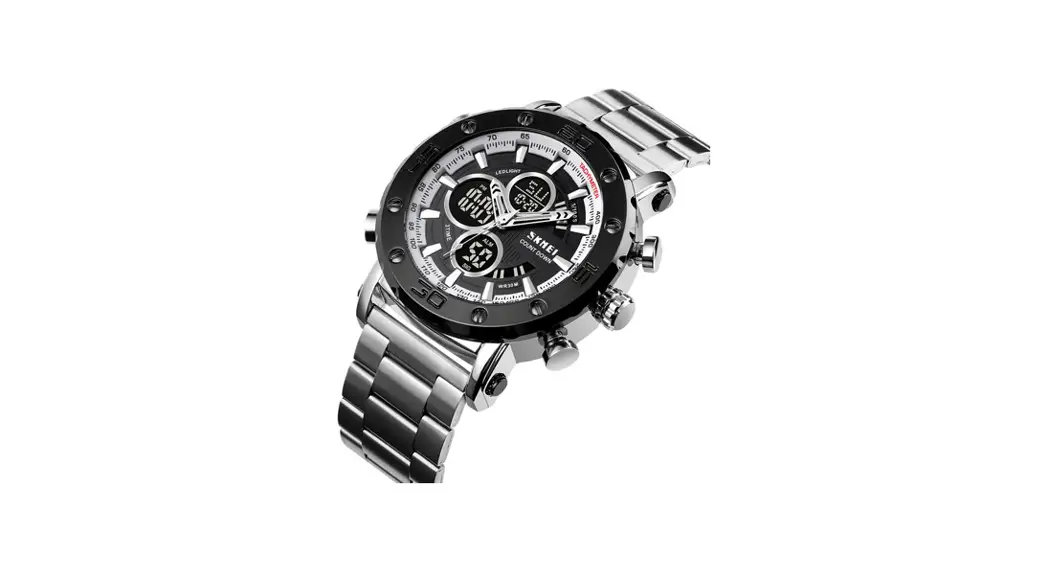
 1636 Dual Time Watch
User Manual
1636 Dual Time Watch
FEATUR
- Normal Time: Hour, Minute, Seconds, Month, Day and Week;
- Dual clock display (display both local and second time);
- 12/24hr format;
- Alarm, the hour tell function;
- 1/100 second Chronograph with split functions;
- Countdown function,to:23:59:59;
- Dual time;
- 3 second backlight;
- Year setting;(range: 2000~2049)
FUNCTIONAL
CHANGE FUNCTION
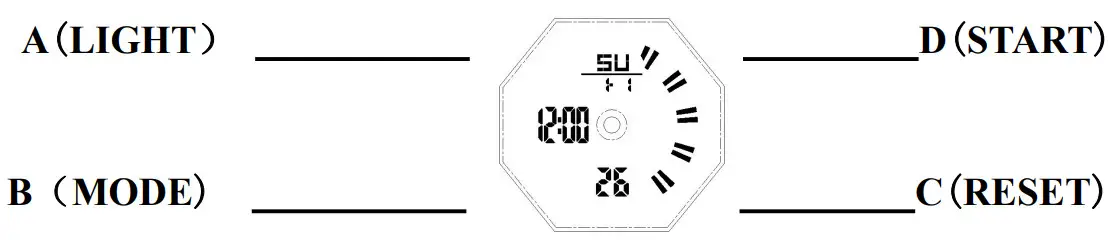
- When any function screen is displayed, press A key to light the backlight for 3 seconds.
- Press B key function successively: time mode → alarm mode → second time mode → countdown mode→stopwatch mode;
 TIME/DATE SETTING
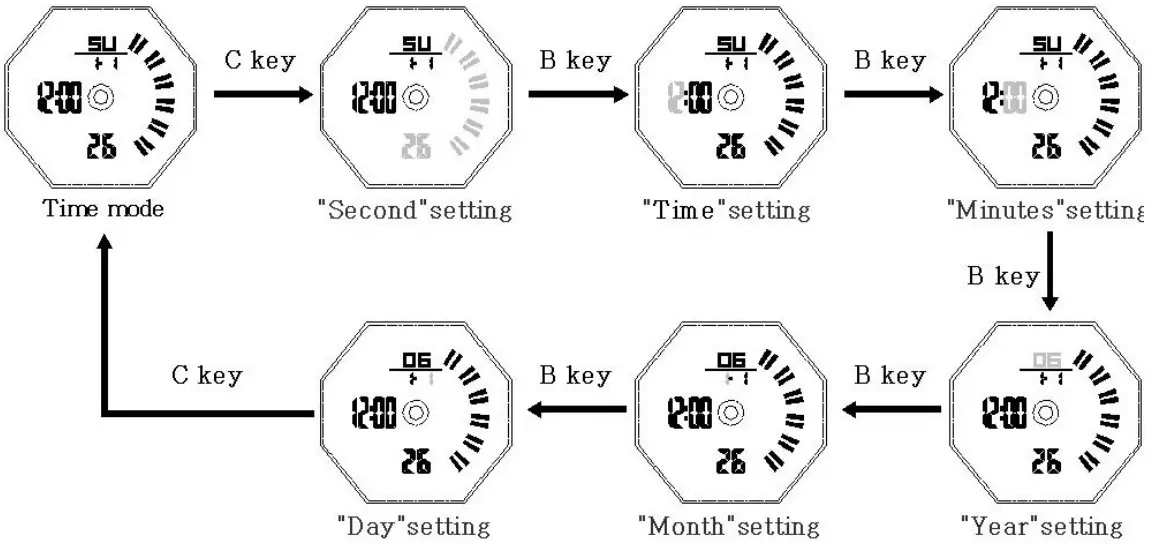
- Under time mode, press and hold C key enter the time setting mode, “second” flashes;
- Press B key to select Settings: second → time → minutes → year → month → day; (note:in any mode of this interface,press A key to convert 12/24 hours)

- Press D key adjust the setting items, press and hold D key to rapid adjust;
- After setting, press C key exit setting mode.
ALARM MODE
- Under alarm mode, press A key order to open: daily alarm → hourly chime → daily alarm and hourly chime;

- Under alarm mode, press C key enter alarm setting mode, “hour” flashes;
- Press the B key select the setting items: time → minute → month → day;

- Press D key adjust the setting items, press and hold D key to rapid adjust;
- After setting, press C key exit setting mode.
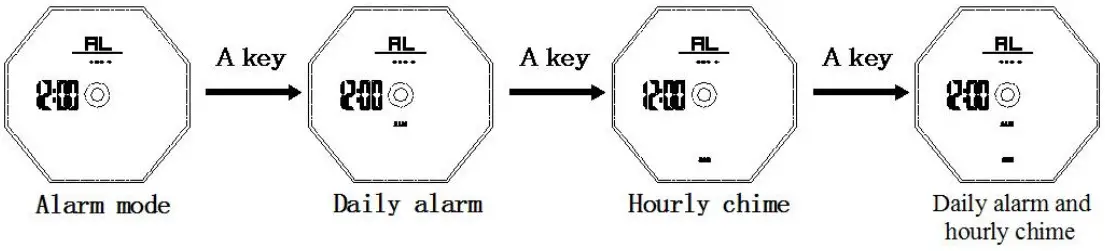

Note: default to daily alarm!When set the month – day, it means the designated date time ring!
The alarm rang
- When the alarm time is reached, the alarm prompt lasts for 10 seconds. Press any key to stop the alarm prompt.
Second time function and setting
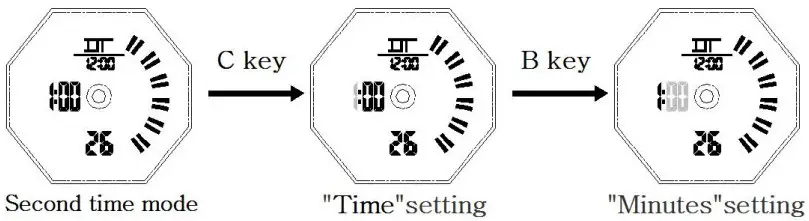
- Under second time mode, press C key to enter the second time setting “time” flicker;
- Press B key select setting items successively: time → minute;

- Press D key adjust the setting items, press and hold D key to rapid adjust;
- After setting, press C key exit setting mode.
Countdown function
The measurement range of this table is 23 hours, 59 minutes and 59 seconds.
COUNTDOWN SETTING
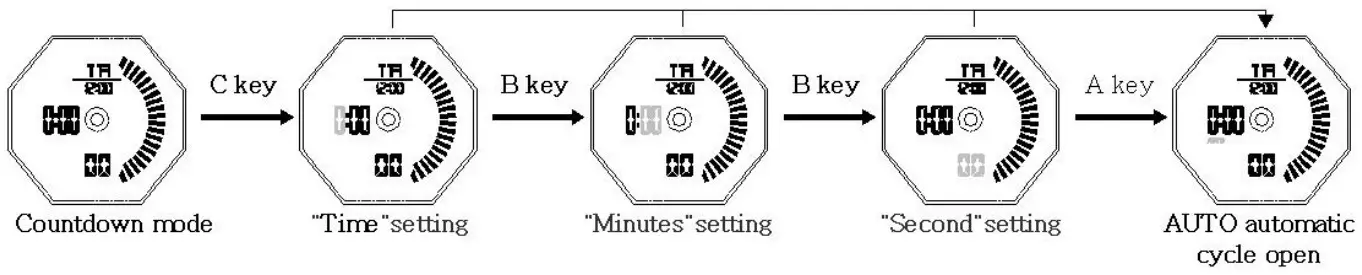
- Under countdown mode, press C key enter the setting mode, “hour” flashes;
- Press B key to select Settings: time → minute → second;(in the setting interface, press A key to turn on or off AUTO AUTO loop)
- When the AUTO cycle function is turned on, the value will be set before the automatic cycle after the countdown is completed. Enter the countdown setting item and press A to close the AUTO; ( Press D in countdown mode to pause countdown and then press C to enter the setting item)

- Press D key adjust the setting items, press and hold D key to rapid adjust;
- After setting, press C key exit setting mode;
- Countdown ends, 10 seconds alarm reminder, press any key to stop the alarm;
- When stop the alarm, display the countdown setting value.
- When the countdown is stop midway, press A key to return to the setting value.
STOPWATCH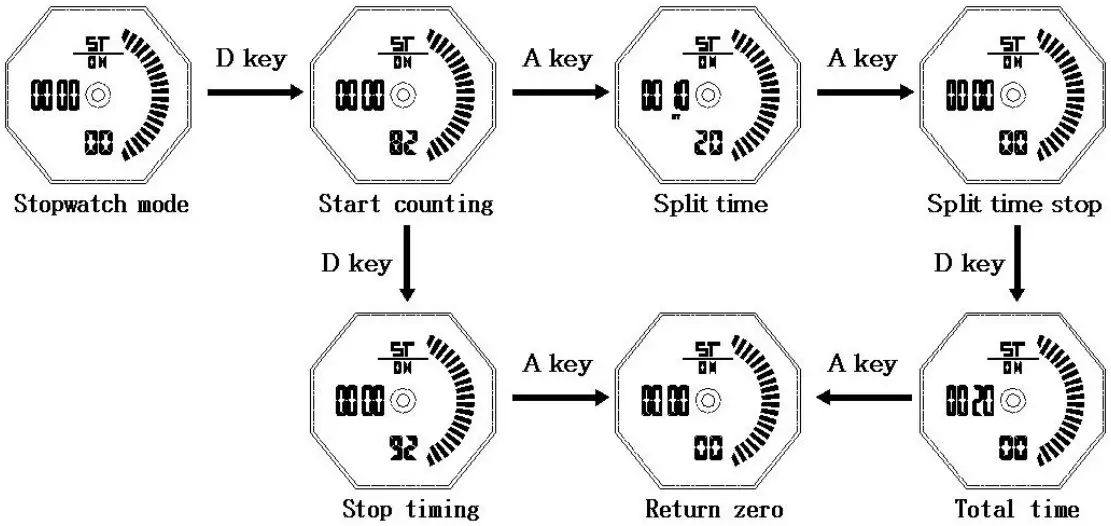
- Under stopwatch mode, press D key start/ stop stopwatch, When the stopwatch stops the clock, press A key reset timing data.
- During the stopwatch timer, press A key turn on the split time, display “ST” on the screen. The stopwatch continued to time, press A key return to the stopwatch timer again.
- When the stopwatch reaches the maximum value (23 hours, 59 minutes, 59.99 seconds), continue to restart the stopwatch timing from 0;
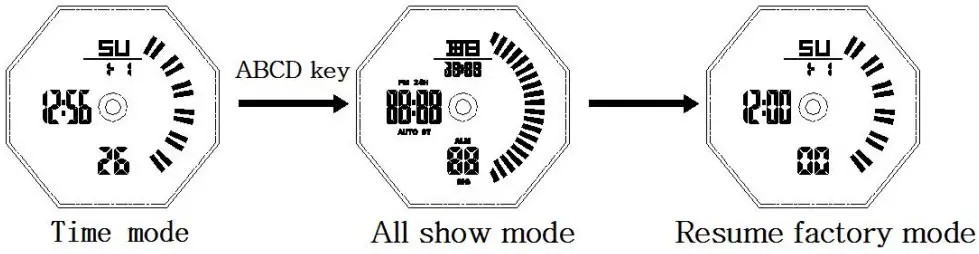
Note: ABCD four key hold down at the same time will display full display and restore factory settings!
As shown in the following figure: