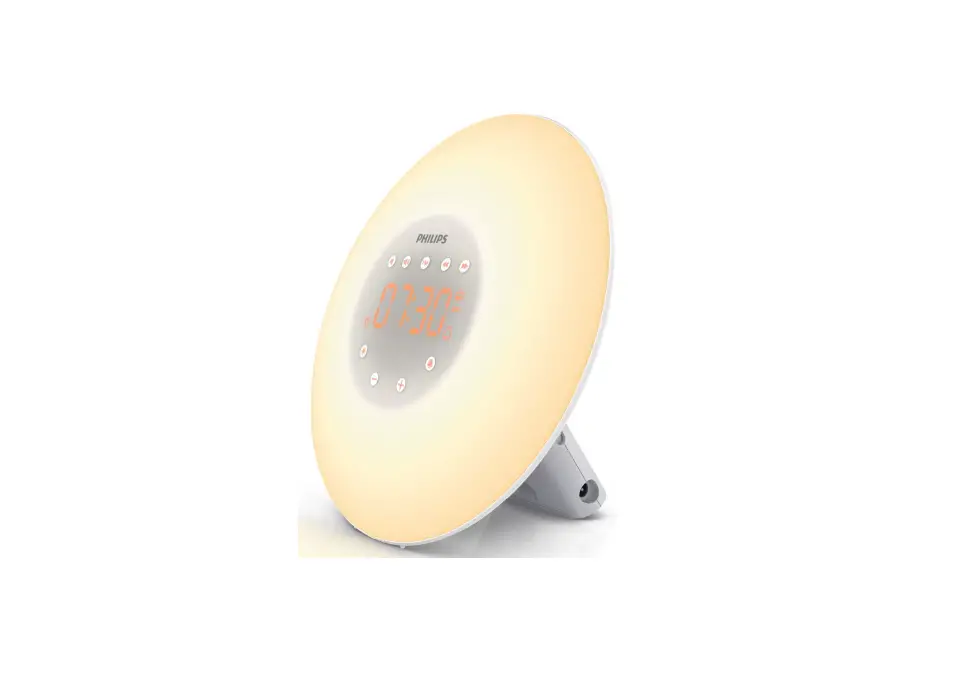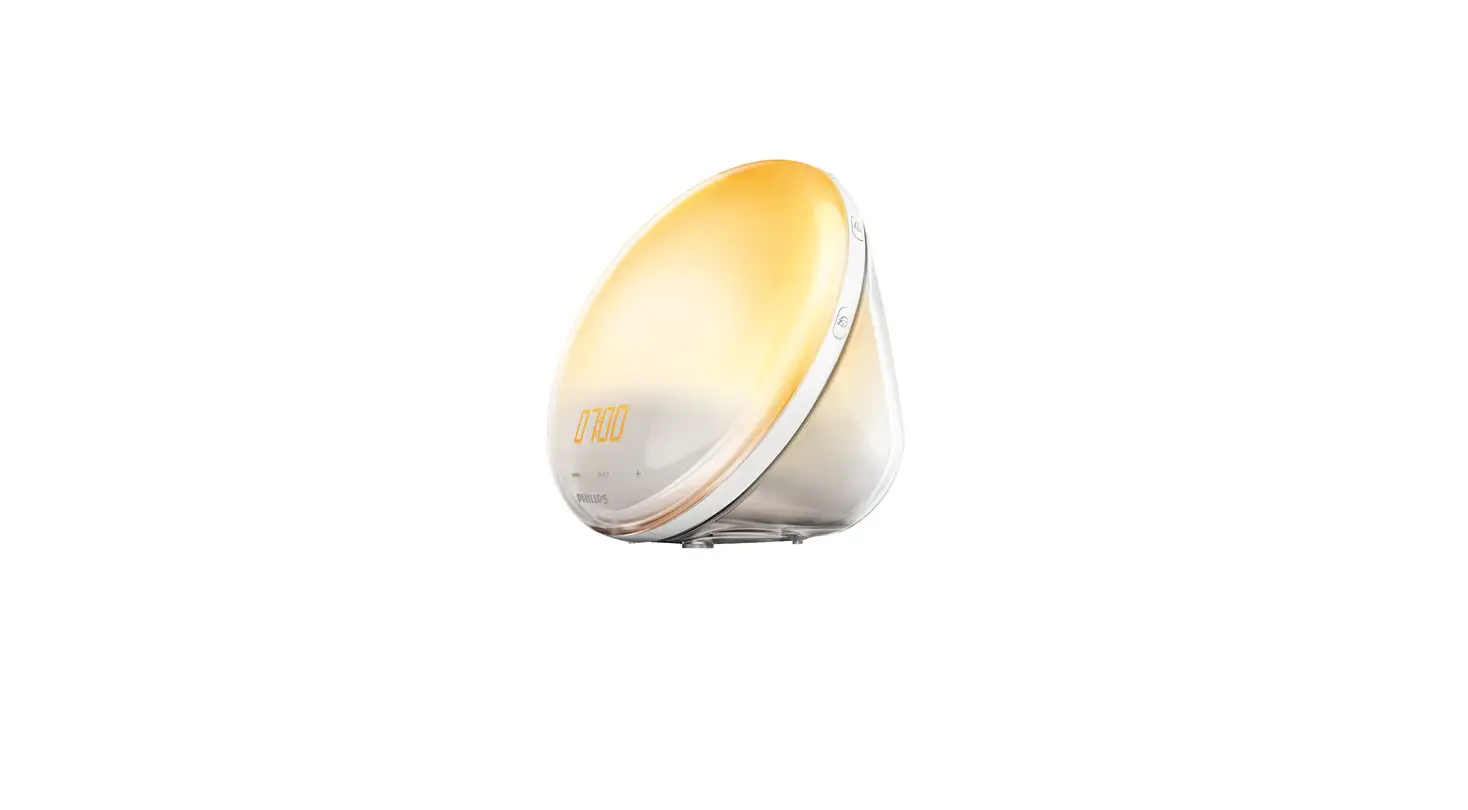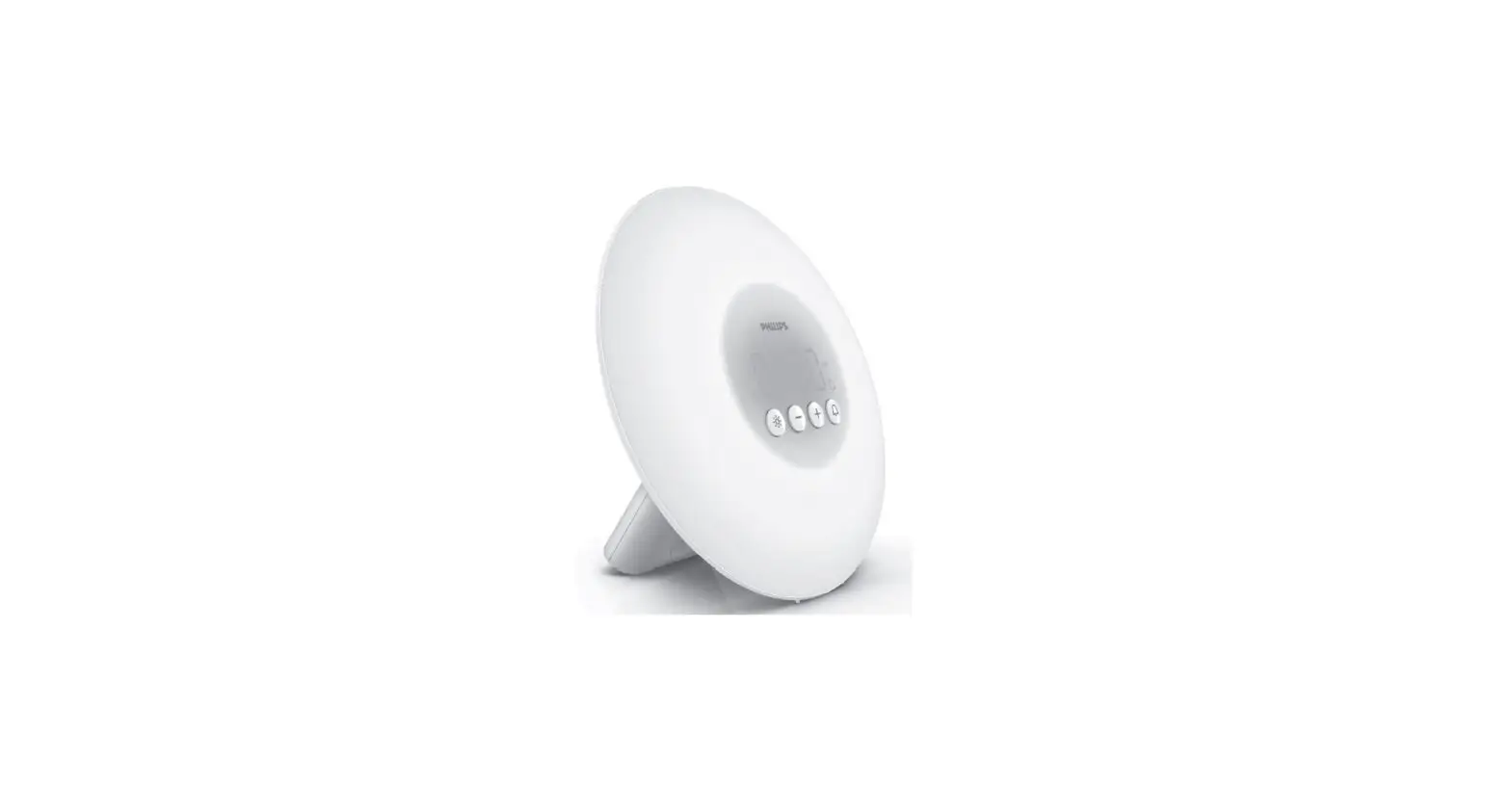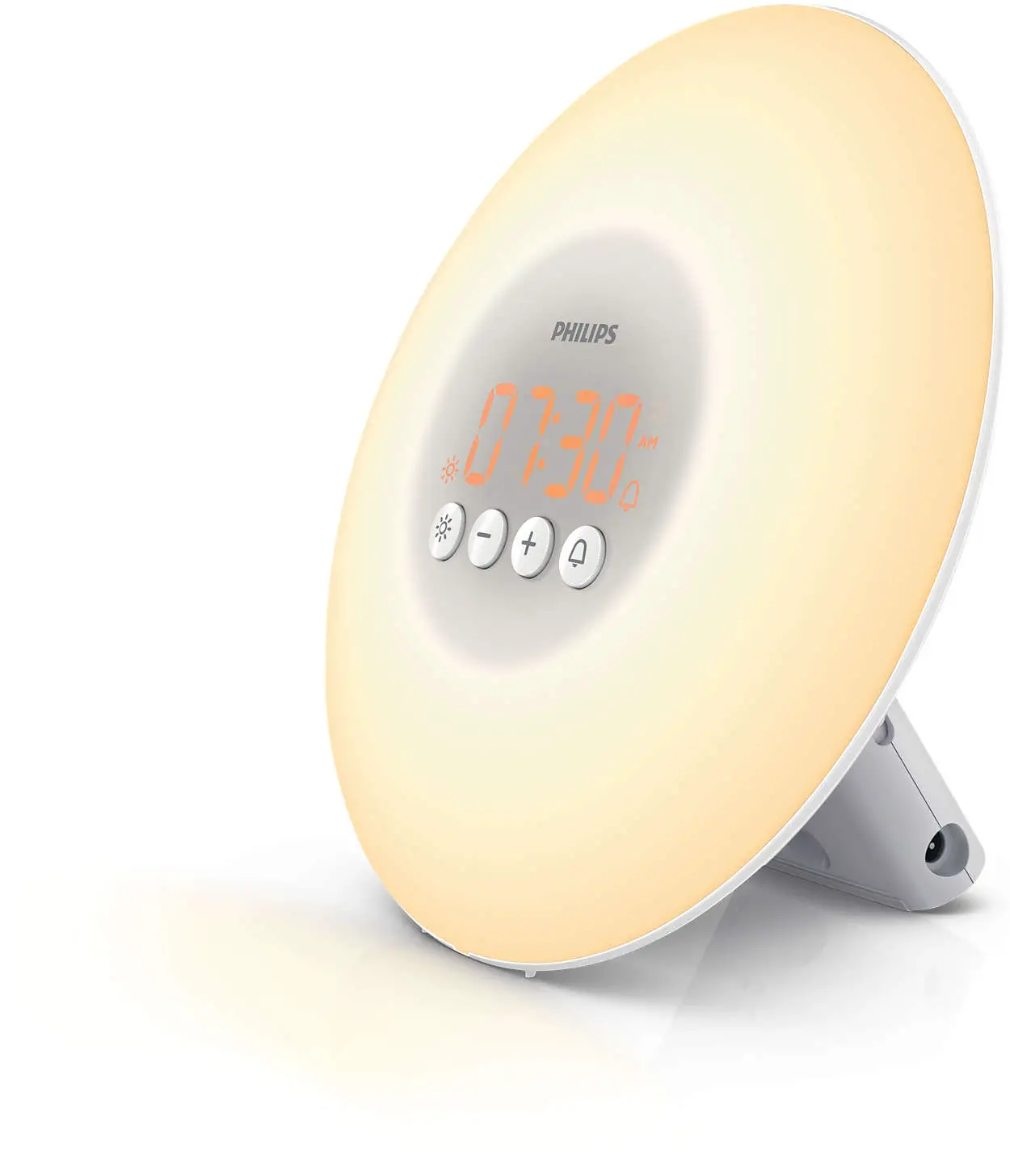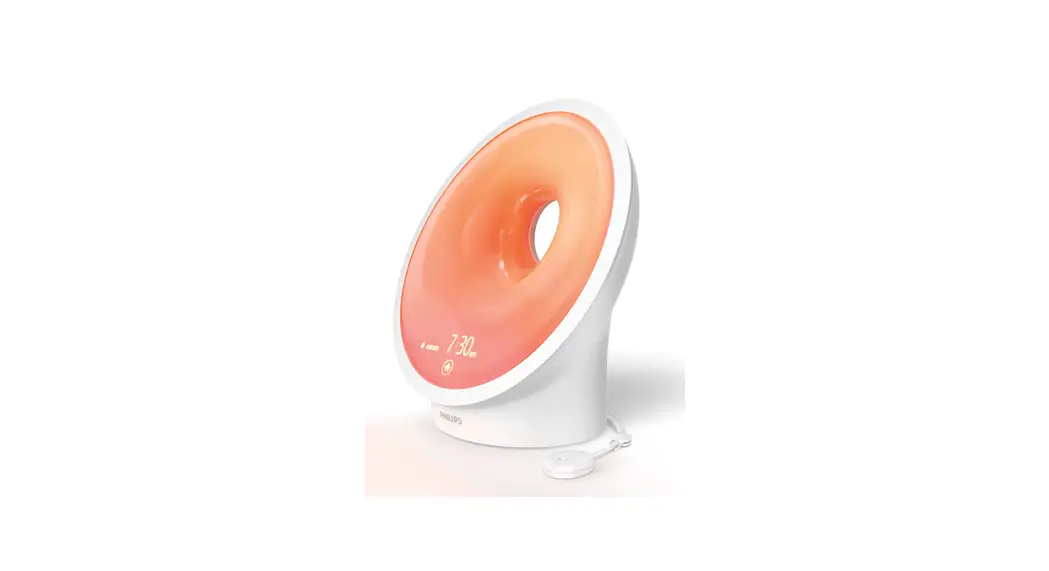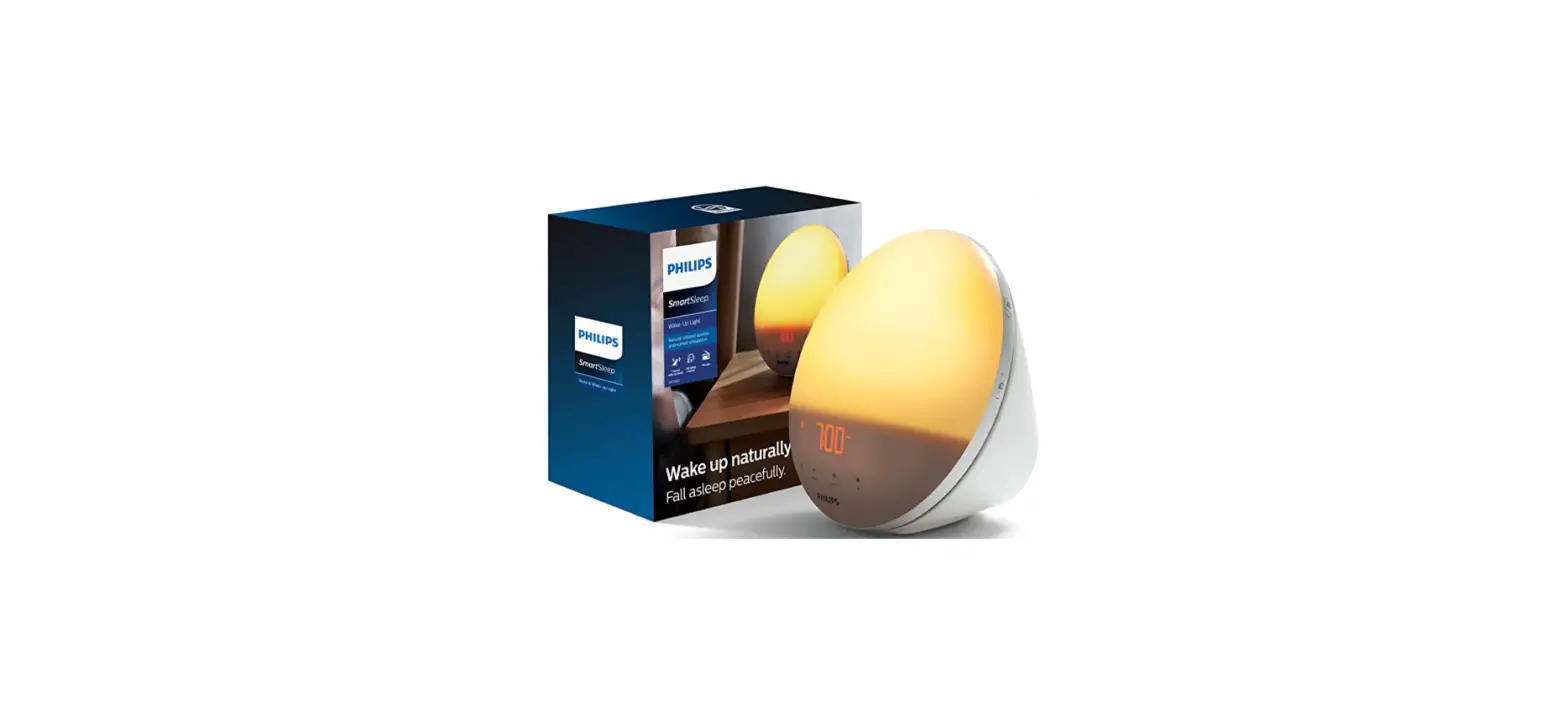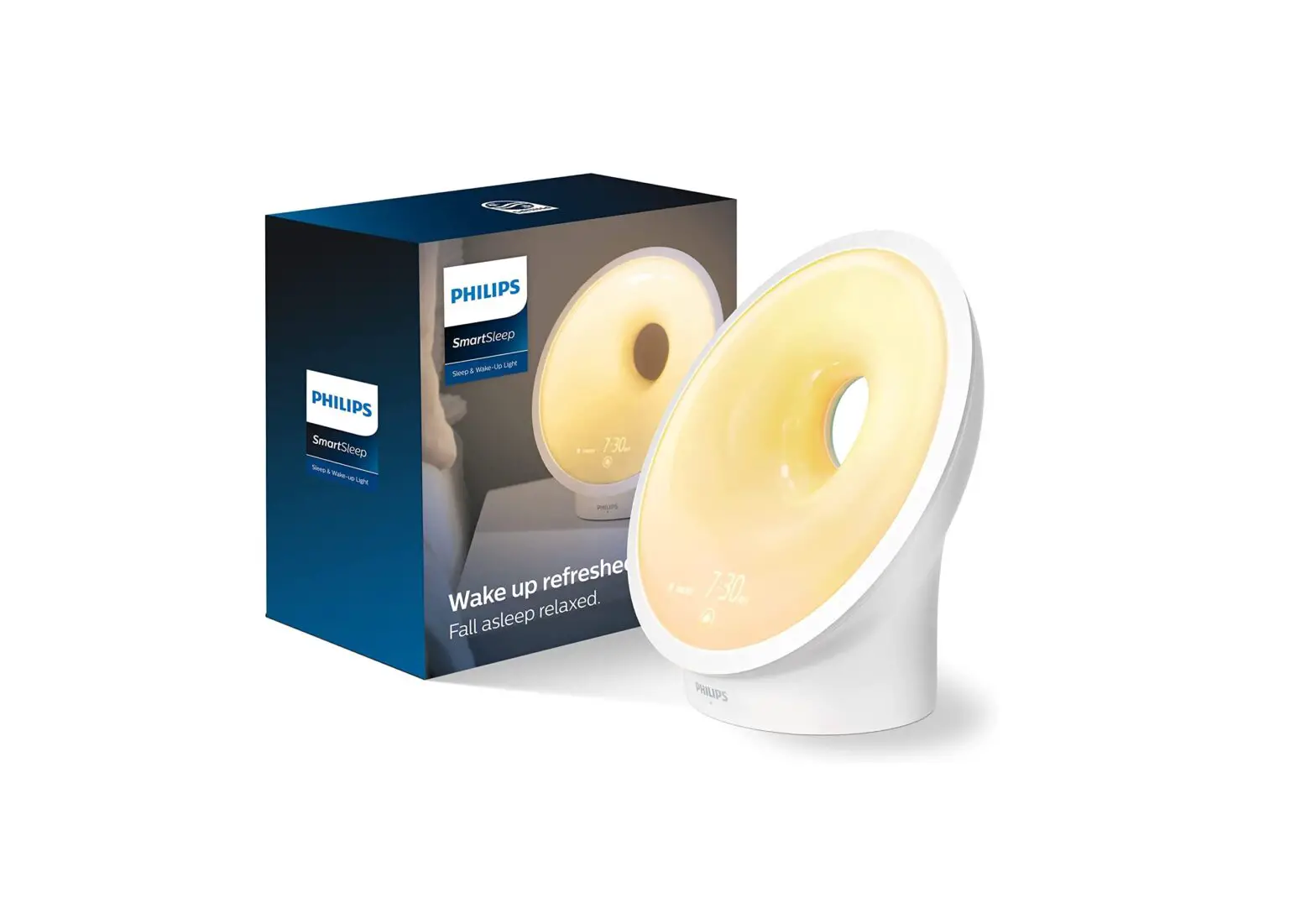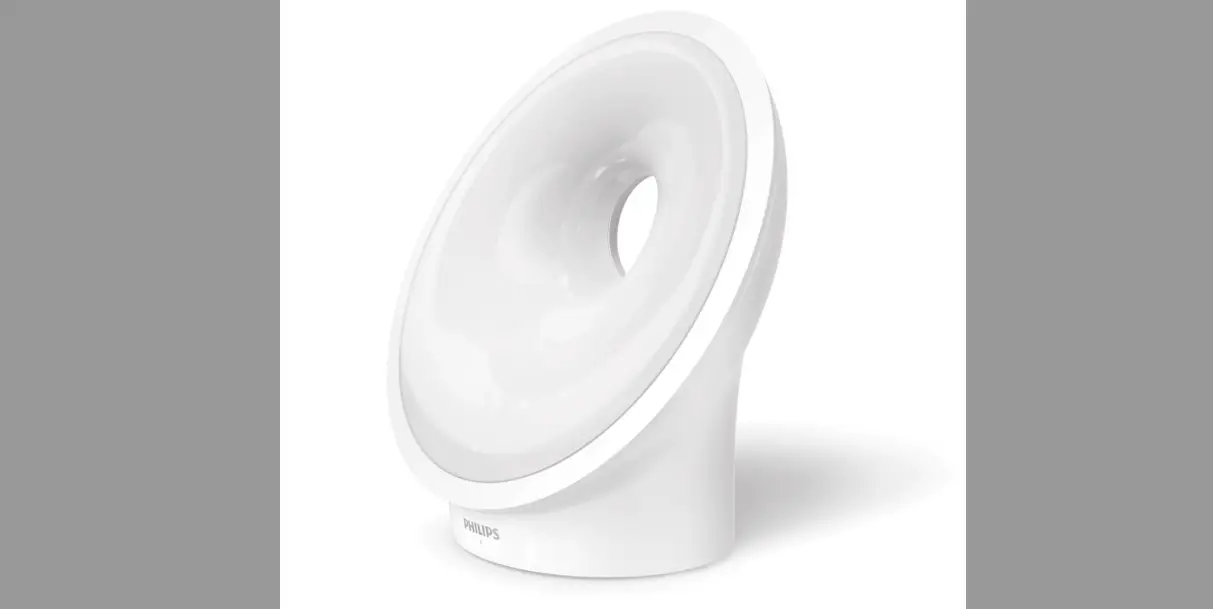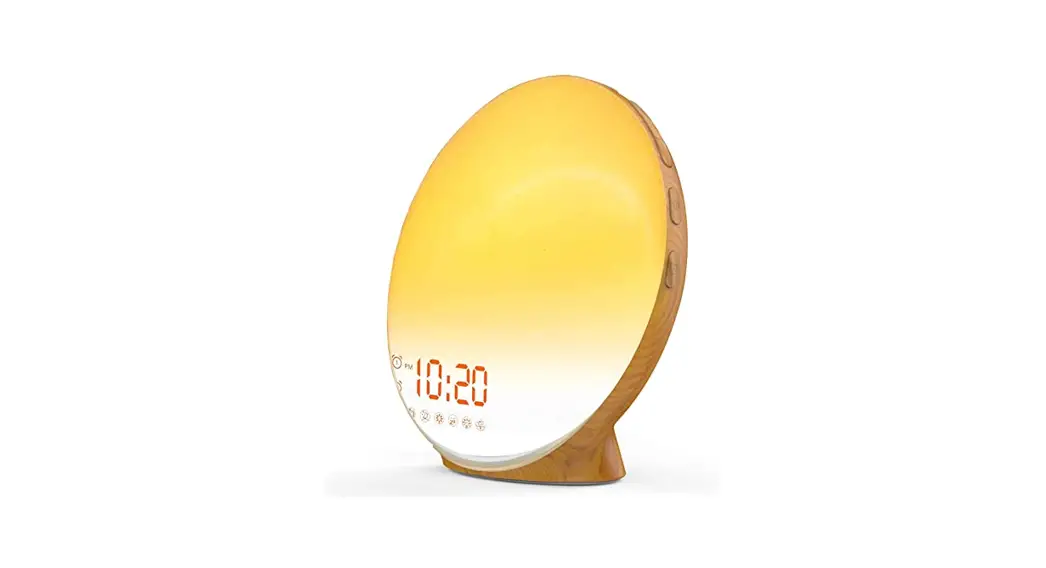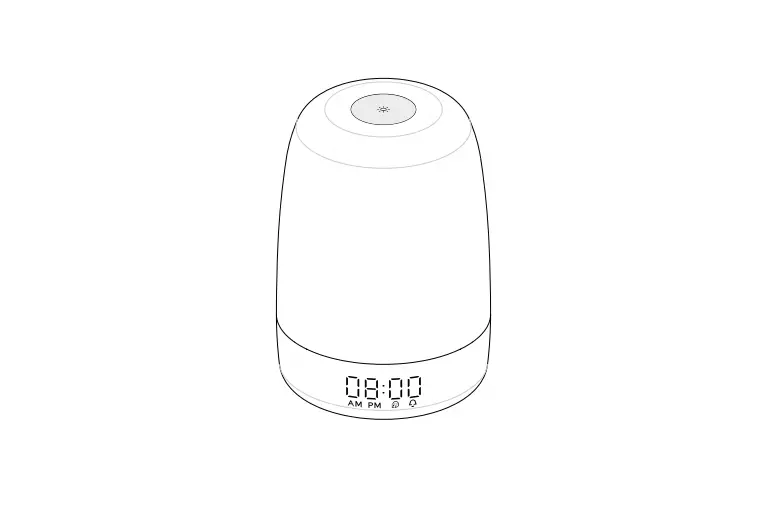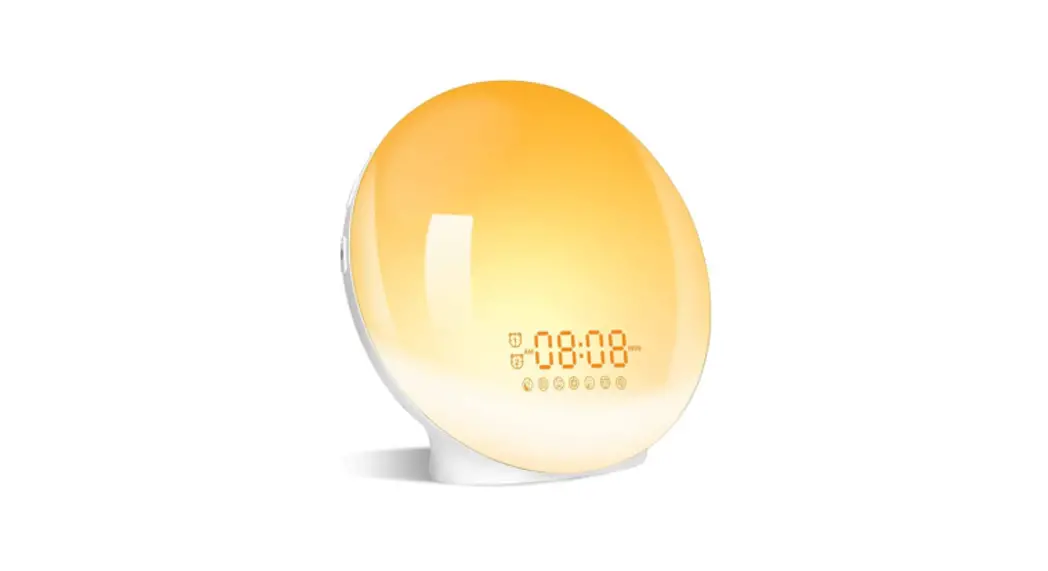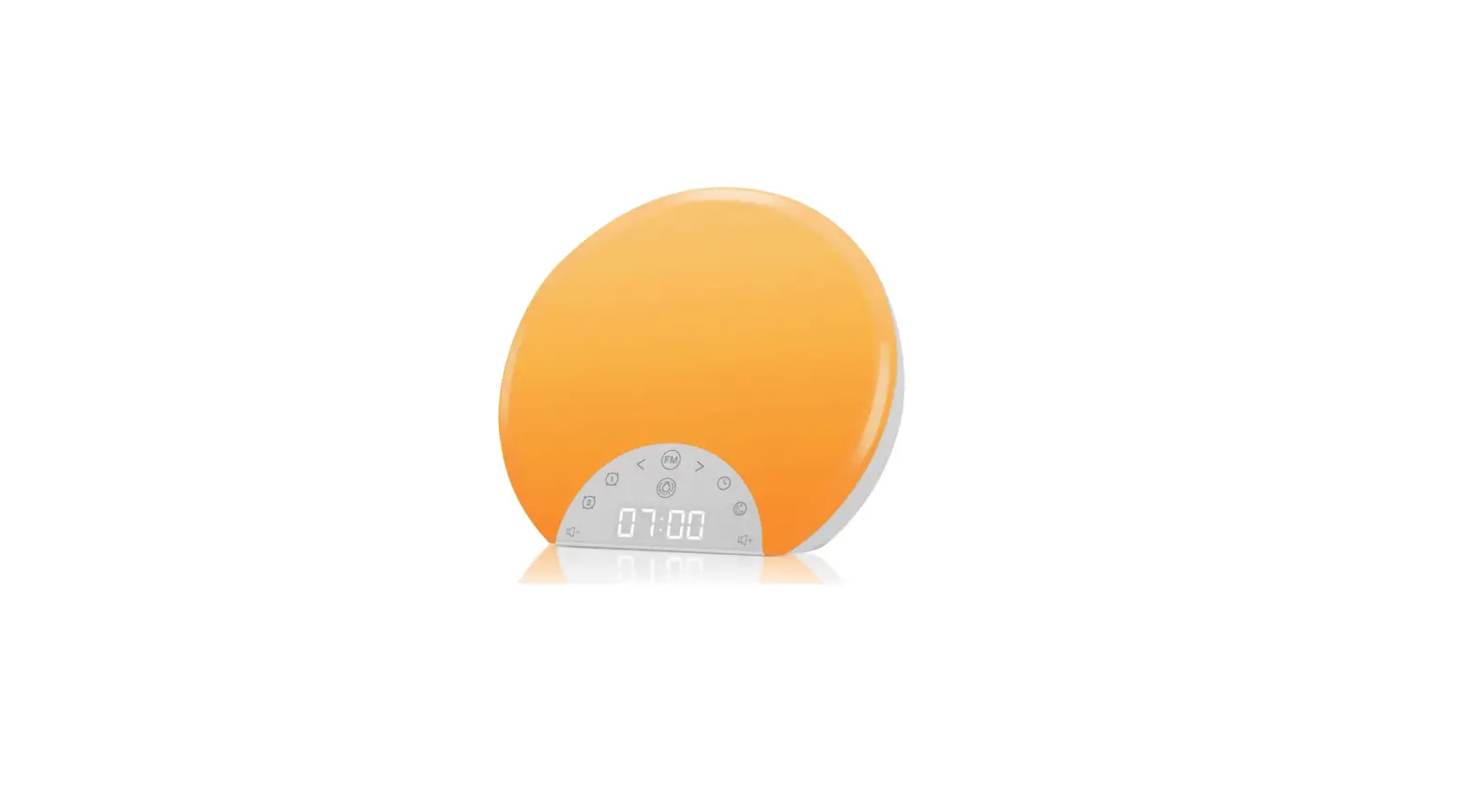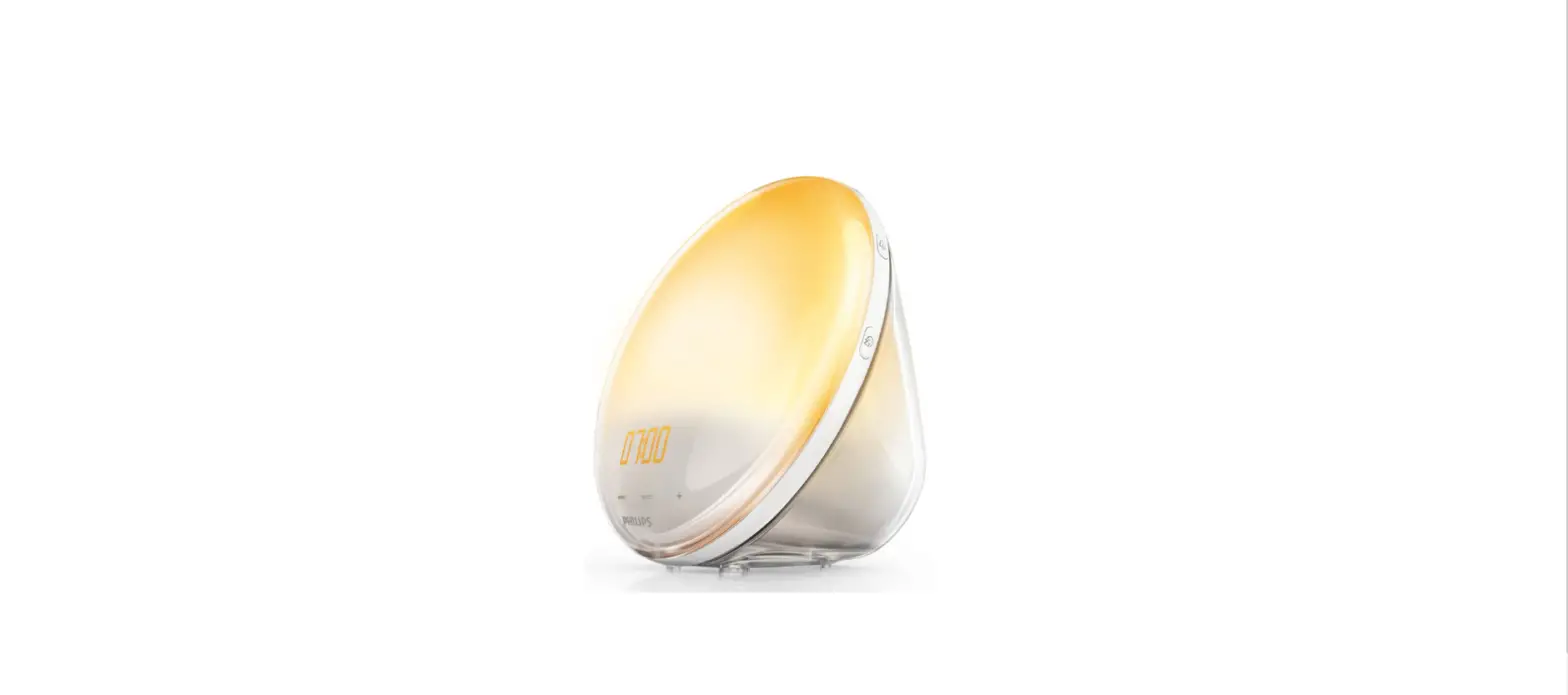

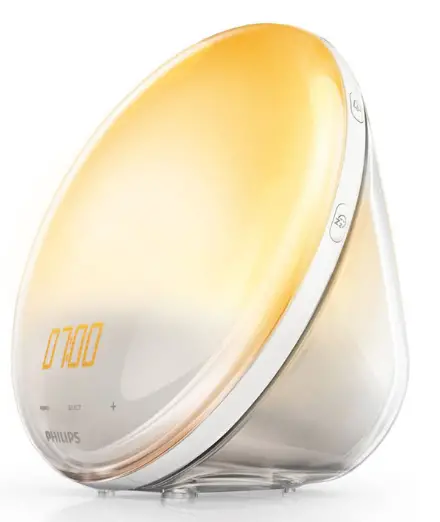
Philips HF3510 Wake-up Light
IMPORTANT SAFETY INSTRUCTIONS
WARNING – To reduce the risk of FIRE, ELECTRIC SHOCK, OR INJURY TO PERSONS:
- Never use the appliance if the lamp housing is damaged, broken or missing.
- Heed all warnings.
- Do not look directly at the lighted lamp.
- If the appliance, power supply cord or cord has been damaged in any way, liquid has spilled or objects have fallen into the appliance, the appliance has been exposed to rain or moisture, does not operate normally or has been dropped or damaged, it should not be operated.
- Read this user manual carefully before you use the appliance and save it for future reference.
- Water and electricity are a dangerous combination. Do not use this appliance in wet surroundings (e.g. in the bathroom or near a shower or swimming pool).
- Make sure the adapter does not get wet.
- Do not let the water run into the appliance or spill water onto the appliance (see below).
- The adapter contains a transformer. Do not cut off the adapter to replace it with another plug, as this causes a hazardous situation.
- Only use the original adapter. If the adapter or any of the other accessories is damaged, do not use. Call 1-866-832-4361 for assistance.
- This appliance is for indoor use only.
- Make sure the vents on the appliance remain open during use.
- Protect the power cord from being walked on or pinched, particularly at plugs, outlets and points where they exit from the lamp.
- The appliance has no on/off switch. To disconnect the appliance
from the power source, remove the plug from the wall outlet.
What’s in the box
Important information 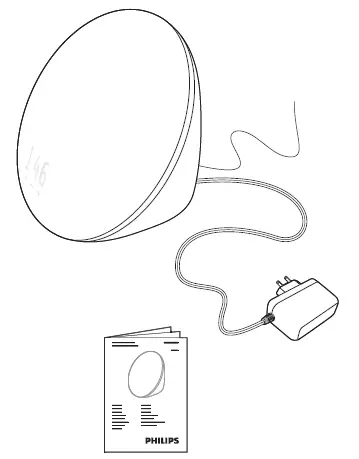
Warning
- Check if the voltage indicated on the adapter corresponds to the local voltage before you connect the appliance.
- This adapter transforms 100-240 volts to a safe, low voltage of fewer than 24 volts.
- The appliance is suitable for a voltage of 120 Vac and a frequency of 50/60 Hz.
- Close supervision is necessary when this appliance is used by, or near children or invalids.
- Children should be supervised to ensure that they do not play with the appliance.
- Caution
- Do not drop the appliance on the floor, hit it hard or expose it to other heavy shocks.
- Place the appliance on a stable, level, and non-slippery surface.
- Do not use the appliance at room temperatures lower than 50°F/ 10°C or higher than 95°F/35°C.
- Consult your doctor before you start using the appliance if you have suffered from or are suffering from serious depression.
- Do not use this appliance as a means to reduce your hours of sleep. The purpose of this appliance is to help you wake up more easily. It does not diminish your need for sleep.
- This appliance is only intended for household use, including similar use in hotels. Do not use attachments not recommended by Philips Electronics North America Corporation.
- This appliance has no other user-serviceable parts. For assistance, call 1-866-832-4361.
General
- This appliance allows you to choose the light intensity level you want to wake up to.
- If you often wake up too early or with a headache, reduce the light intensity level.
- If you share a bedroom with someone else, this person may unintentionally wake up from the light of the appliance, even though this person is further removed from the appliance. This is the result of differences in light sensitivity between people.
- The power consumption of the appliance is lowest if the radio and the lamp are turned off.
Introduction
Congratulations on your purchase and welcome to Philips! To fully benefit from the support that Philips offers, register your product at www.philips.com/welcome.
The Philips Wake-up Light helps you wake up more pleasantly. Thirty minutes before the set wake-up time, the light intensity of the lamp gradually increases to the set level. The light gently prepares your body for waking up at the set time. To make waking up an even more pleasant experience, you can use natural wake-up sounds or the FM radio to wake up to.
The effects of the Wake-up Light
The Philips Wake-up Light gently prepares your body for waking up during the last 30 minutes of sleep. In the early morning hours, our eyes are more sensitive to light than when we are awake. During that period the relatively low light levels of a simulated natural sunrise prepare our body for waking up and getting alert. People who use the Wake-up Light wake up more easily, have a better overall mood in the morning and feel more energetic. Because the sensitivity to light differs per person, you can set the light intensity of your Wake-up Light to a level that matches your light sensitivity for an optimal start of the day. For more information about the Wake-up Light, see www.philips.com.
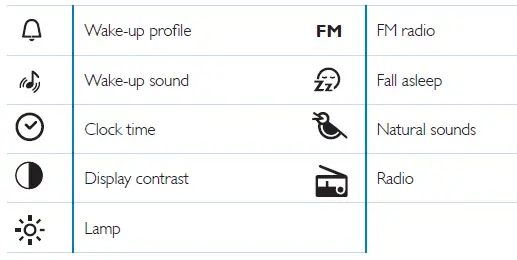
Icon explanation
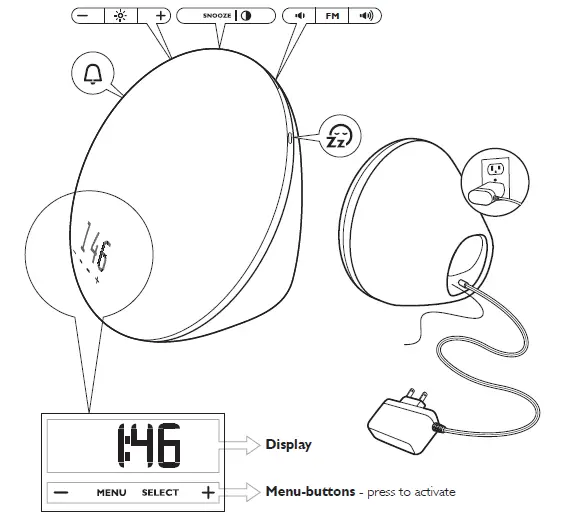
Overview
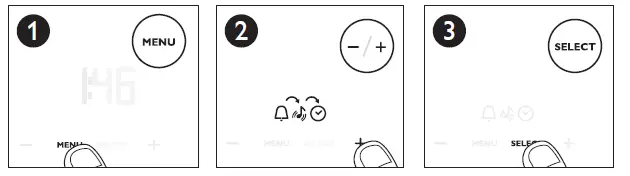
Navigating through the menu
- Press the MENU button to enter the menu
- Press the + or – button to select a menu setting
- Press SELECT to confirm

Note:
To exit the menu, either press the MENU button or wait for 30 seconds.
First use – placing the Wake-up light
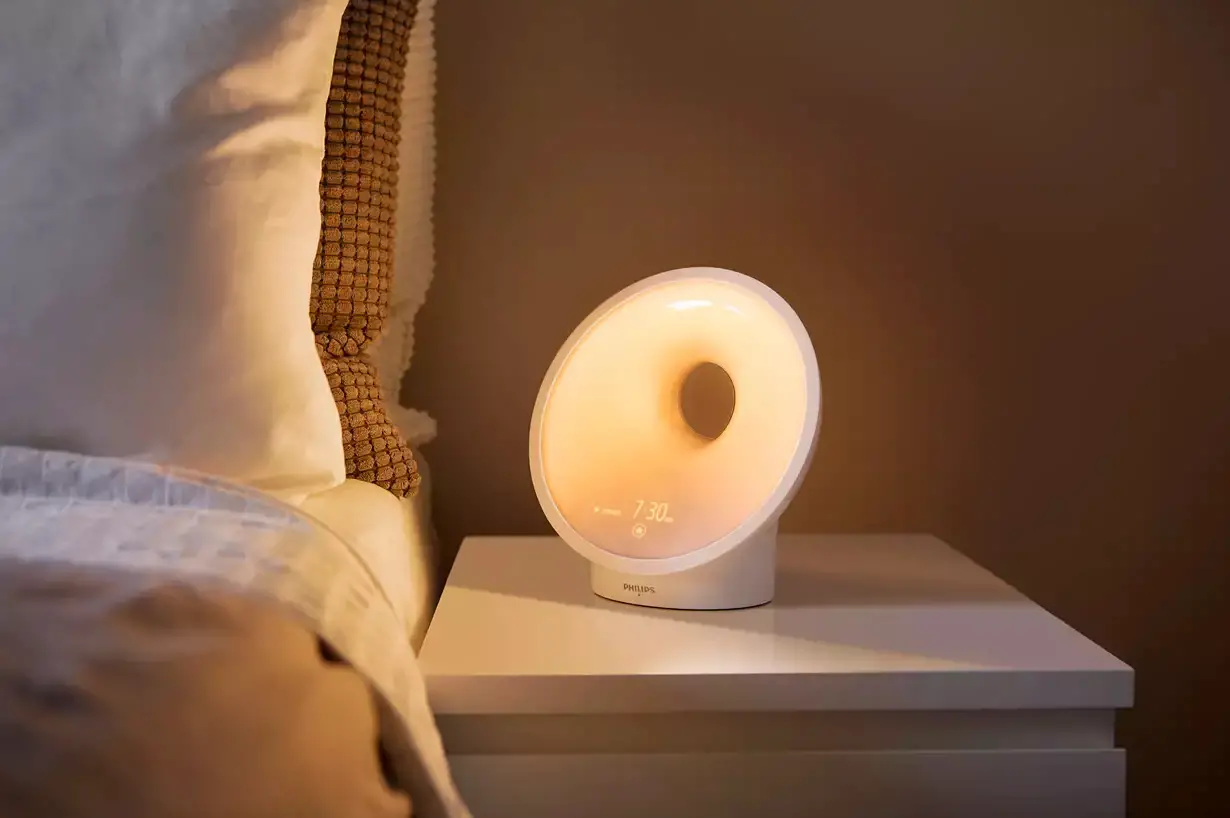
Place the Wake-up Light 16-20in/40-50cm from your head, for example on a bedside table.
First use – setting the clock time
You have to set the clock time when you plug in the appliance for the first time and when there has been a power failure.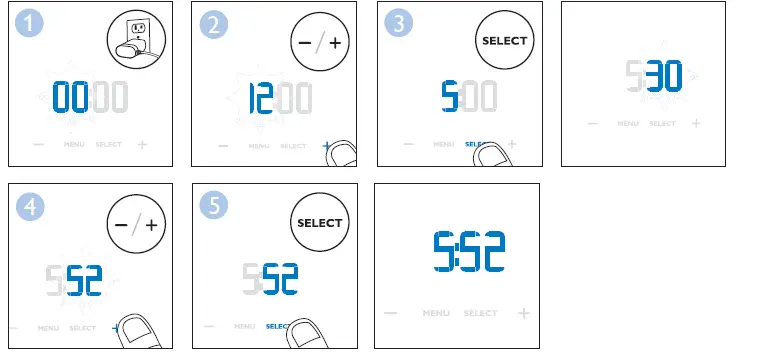
Setting your wake-up profile
When you set your wake-up profile, you set the wake-up time (steps 1 – 6), the light intensity (steps 7 and 8) and the sound level (steps 9 and 10) you want to wake up to. 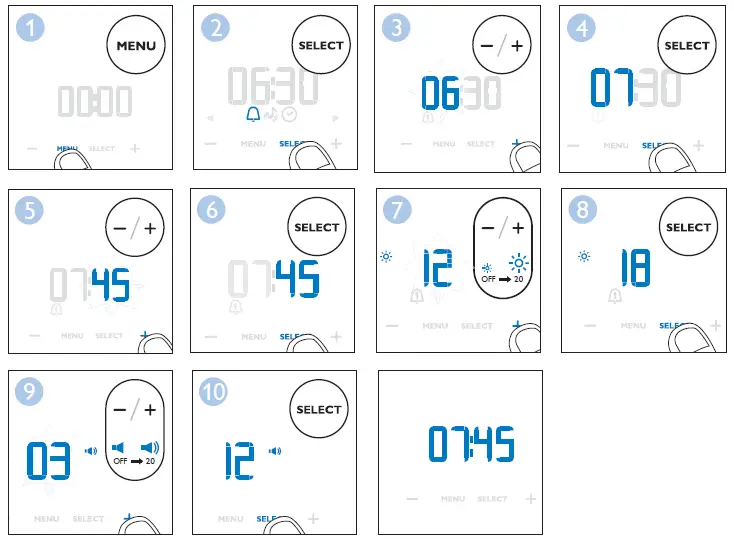
Note:
Because the sensitivity to light differs per person, you may have to experiment with different settings for a few days to find your optimal level.
Setting your wake-up sound
You can use natural wake-up sounds or the FM radio as a wake-up sound. The Wake-up Light has three built-in natural sounds. 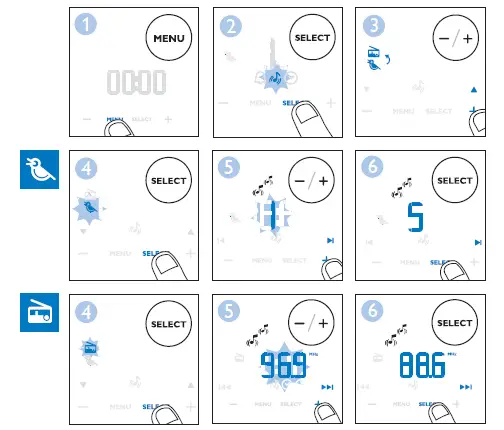
Adjusting the clock time
To set the clock time, choose between a 12-hour and a 24-hour clock and then adjust the time. 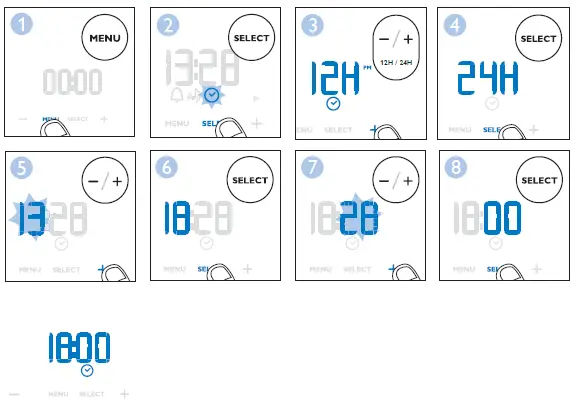
Switching the lamp on/off
Press the lamp on/off button to switch on the lamp and use it as a bedside lamp. You can adjust the light intensity by pressing the + and – buttons. To switch off the lamp, press the lamp on/off button again.
Switching the FM radio on/off
Press the FM on/off button to switch on the FM radio.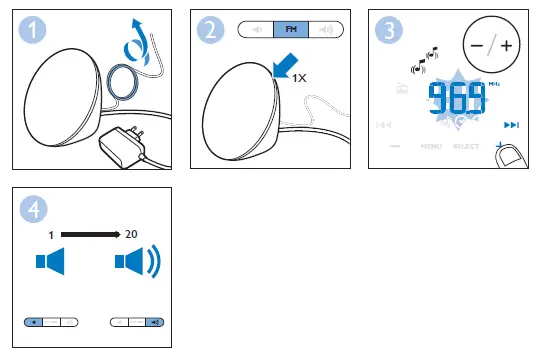
Note:
To scan radio frequencies automatically, press and hold the menu – or + button for approx. 2 seconds.
Switching the alarm on/off
Press the alarm button if you want to switch the alarm on or off. The corresponding icon appears on the display when you switch on the alarm. It disappears when you switch off the alarm. When you switch on the alarm, the hour indication starts to flash. If necessary, you can now adjust the alarm time.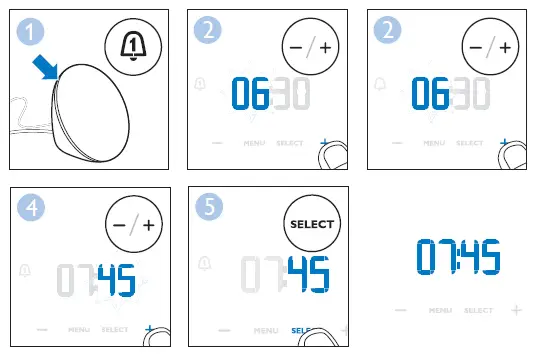
Note:
If you want to adjust the light level or volume to wake up to, you have to use the menu. See chapter ‘Setting your wake-up profile’.
Snoozing
When the alarm sound is played at the set time, you can press the SNOOZE button to snooze for a while. The lamp stays on, but the alarm sound stops. After 9 minutes, the alarm sound is played again automatically.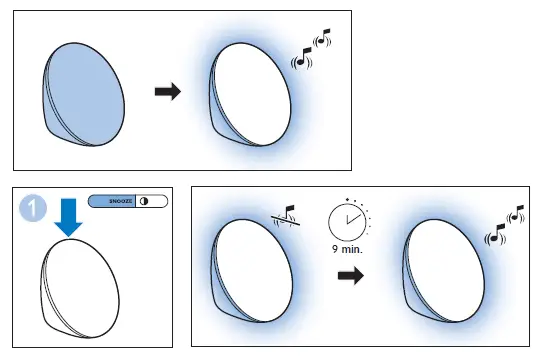
Note:
- The alarm icon flashes on the display when the alarm is snoozed.
- If you press either the ‘FM’ button, the ‘Fall asleep’ button or the ‘MENU’ button while the alarm sound is playing, the alarm stops and is not snoozed.
- If you press the ‘Alarm’ button while the alarm sound is playing, you disable the alarm function. The alarm icon disappears from the display. To reactivate the alarm function, press the ‘Alarm’ button again.
Setting the display contrast
You can adjust the display contrast from level 1 to level 4. Choose a level that is optimal for you to see the display at night. Press the display contrast button several times to adjust the display contrast level.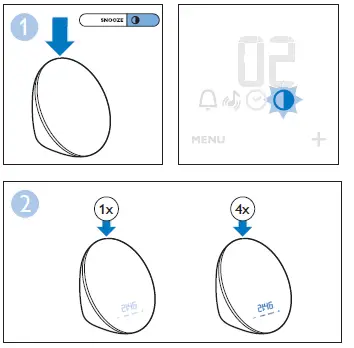
Fall asleep
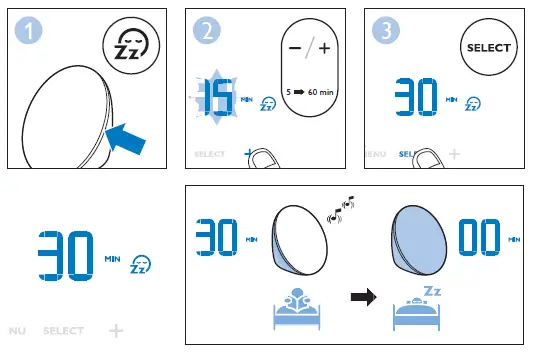
Press the fall asleep button when you want the light and/or the sound of the Wake-up Light to stay on and dim gradually during a set period of time (5 to 60 minutes) before you go to sleep. The lamp and/or sound switch off automatically after the set time.
- Press the fall asleep button to switch on the fall asleep function.
- The set fall-asleep time appears on the display.
- Press the + or – button to adjust the time (5 to 60 minutes).
To switch off the fall asleep function, press the fall asleep button again. The fall asleep icon disappears from the display.
Note:
If you press the fall asleep button when neither the lamp nor the FM function is on, the lamp goes on and will dim gradually.
Demonstration mode
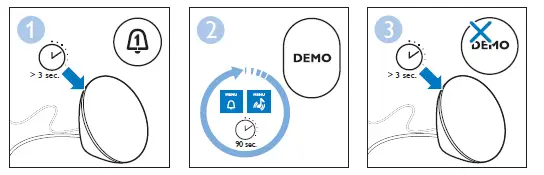
If you want a quick demonstration (90 seconds) of the gradually increasing light intensity and sound level, switch on the test function of the appliance.
- Press and hold the alarm button for at least 3 seconds.
- The appliance starts the demonstration of the alarm.
- To switch off the demonstration, press and hold the previously pressed alarm button for 3 seconds again.

Audio feedback
When you press a menu button, you hear a click. If you do not want to hear clicks when you press a button, press and hold the FM button for 5 seconds to switch off the audio feedback. You hear one click as a confirmation. To activate, press and hold the FM button again. You hear two clicks to confirm that the audio feedback is activated.
Button backlight
The menu buttons have a backlight to help you to find the buttons. If you move your fingers close to the buttons, the backlight lights up. If you don’t press the button, the backlight goes out after a few seconds.
Storage
- Clean the appliance with a soft cloth.
- If the appliance will not be used for an extended period of time, remove the power cord from the wall outlet and store the appliance in a safe, dry location where it will not be crushed, banged, or subject to damage.
- Do not wrap the power cord around the appliance when storing it.
Disposal
- Dispose of the appliance in accordance with local regulations.
- Your local or national recycling organizations may also have disposal information.
- For assistance go to www.recycle.philips.com or call 1-866-832-4361.
Assistance
- For assistance visit our website: www.philips.com/support or call toll-free: 1-866-832-4361.
45-Day Money-Back Guarantee
If you are not fully satisfied with your Philips Wake-up Light, send the product back and we’ll refund you the full purchase price.
The Wake-up Light must be shipped prepaid by insured mail, insurance prepaid, have the original sales receipt, indicating the purchase price and the date of purchase, and the money-back guarantee return authorization form enclosed. We cannot be responsible for lost mail.
The Wake-up Light must be postmarked no later than 45 days after the date of purchase. Philips reserves the right to verify the purchase price of the Wake-up Light and limit refunds not to exceed the suggested retail price.
To obtain a Money-Back Guarantee Return Authorization form, call 1-866-832-4361.
Delivery of refund check will occur 6-8 weeks AFTER receipt of returned product.
Full Two-Year Warranty
Philips Electronics North America Corporation (USA) and Philips Electronics Ltd (Canada) warrant each new Philips product, model HF3510 against defects in materials or workmanship for a period of two years from the date of purchase, and agree to repair or replace any defective product without charge.
IMPORTANT: This warranty does not cover damage resulting from accident, misuse or abuse, lack of reasonable care, or the affixing of any attachment not provided with the product.
NO RESPONSIBILITY IS ASSUMED FOR ANY SPECIAL, INCIDENTAL OR CONSEQUENTIAL DAMAGES.
In order to obtain warranty service, simply call toll-free 1-866-832-4361.
In US Manufactured for: Philips Consumer Lifestyle, A Division of Philips Electronics North America Corporation, P.O. Box 10313, Stamford, CT 06904.
In Canada Imported for: Philips Electronics LTD, 281 Hillmount Road, Markham, Ontario L6C 2S3. PHILIPS is a Registered Trademark of Koninklijke Philips Electronics N.V.
© 2012 Philips Electronics North America Corporation All Rights Reserved.
Troubleshooting
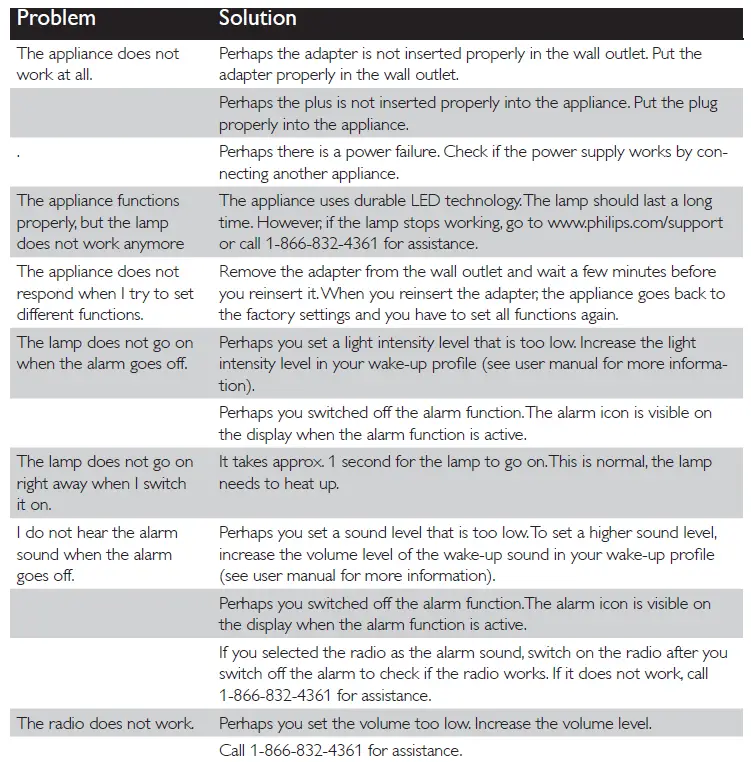
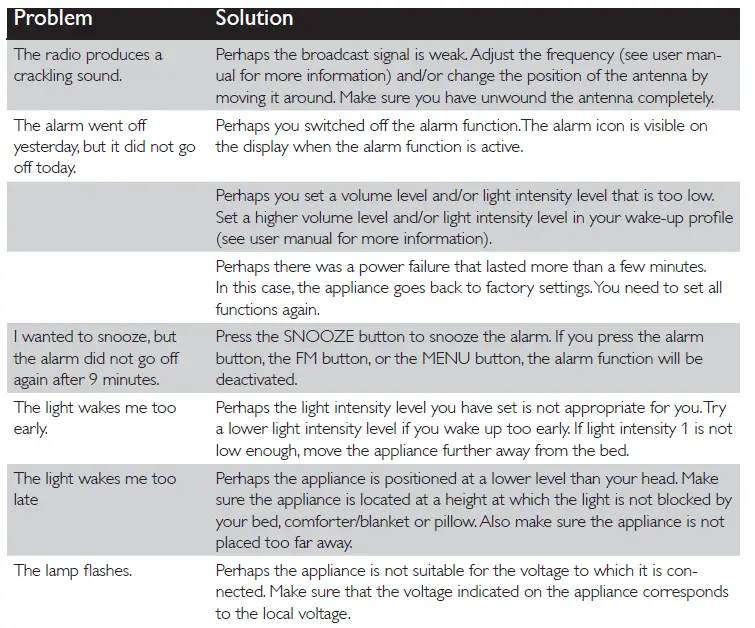
This chapter summarizes the most common problems you could encounter with the appliance. If you are unable to solve the problem with the information below, visit www.philips.com/support or call 1-866-832-4361 for assistance.
FCC Information
This equipment has been tested and found to comply with the limits for a Class B digital device, pursuant to part 15 of the FCC rules. These limits are designed to provide reasonable protection against harmful interference in a residential installation. This equipment generates uses and can radiate radio frequency energy and, if not installed and used in accordance with the instructions, may cause harmful interference to radio communications. However, there is no guarantee that interference will not occur in a particular installation. If this equipment does cause harmful interference to radio or television reception, which can be determined by turning the equipment off and on, the user is encouraged to try to correct the interference by one or more of the following measures:
- Reorient or relocate the receiving antenna.
- Increase the separation between the equipment and the receiver.
- Connect the equipment into an outlet on a circuit different from that to which the receiver is connected.
- Consult the dealer or an experienced radio/TV technician for help.
This device complies with Part 15 of the FCC Rules. Operation is subject to the following two conditions:
- This device may not cause harmful interference, and
- this device must accept any interference received, including interference that may cause undesired operation.
This Class B digital apparatus complies with Canadian ICES-003.