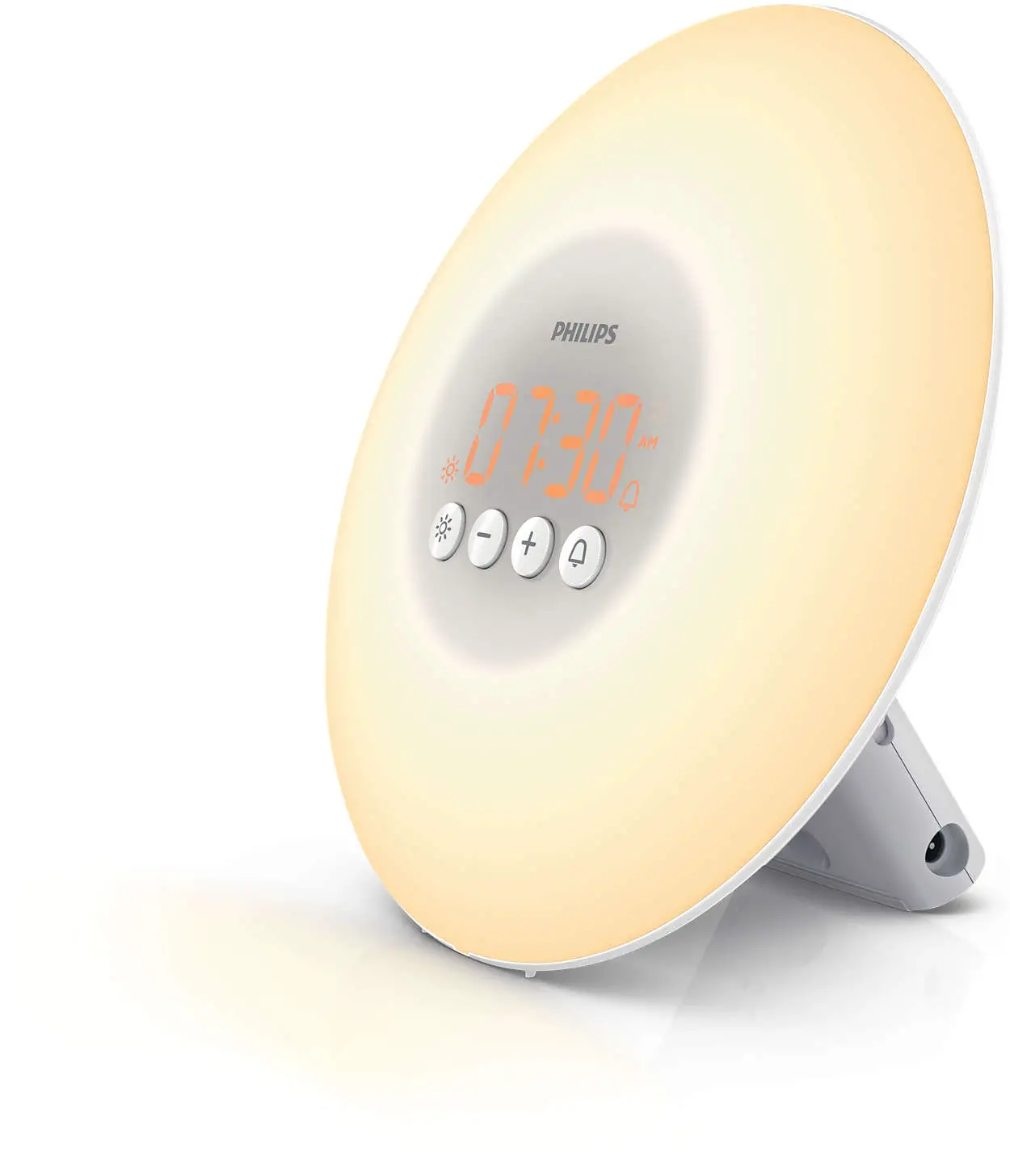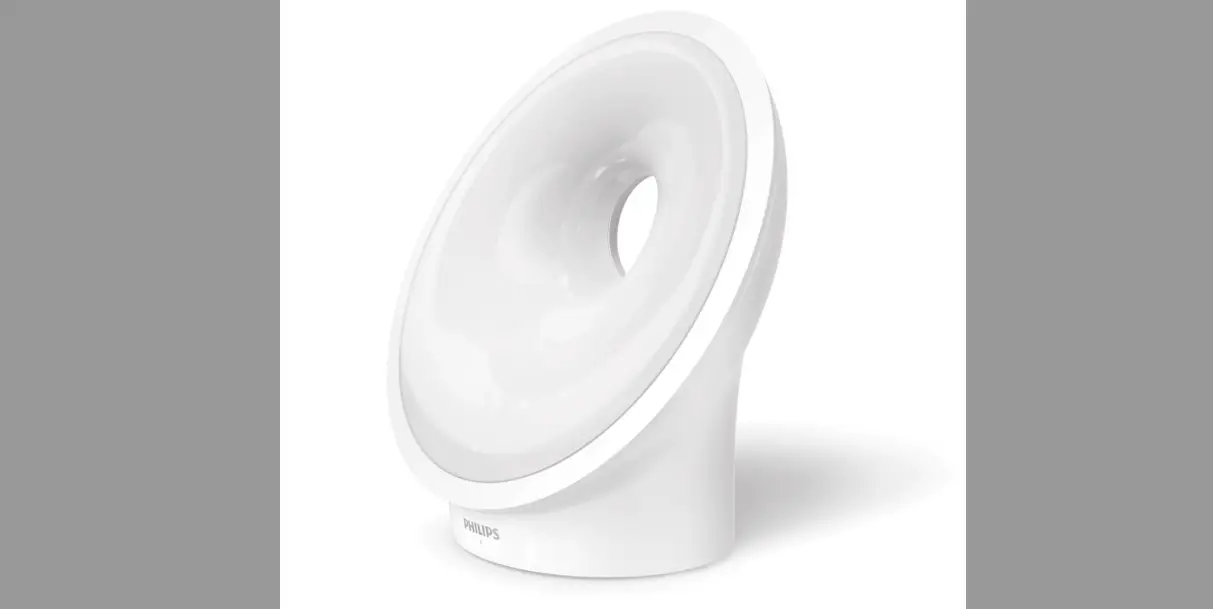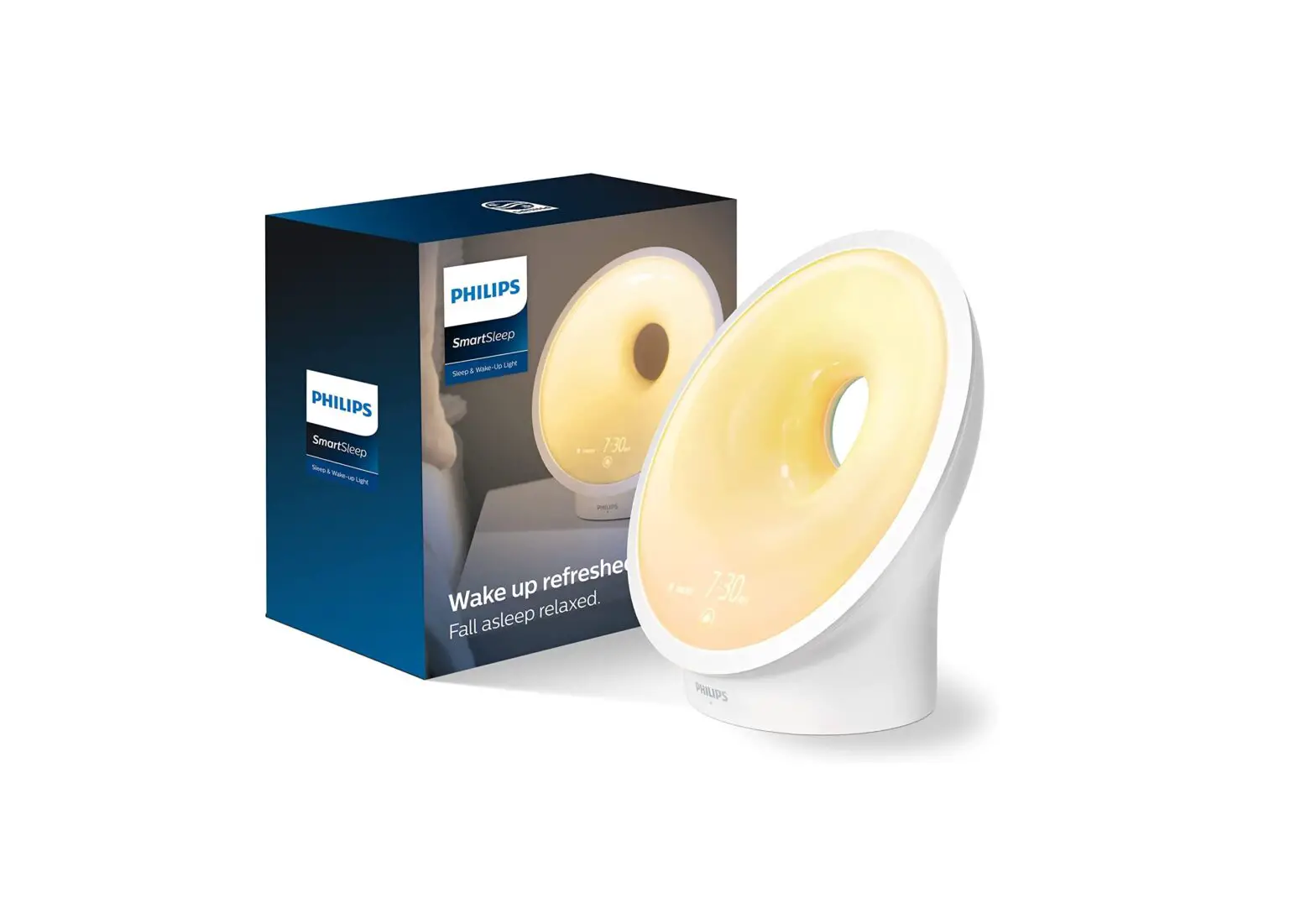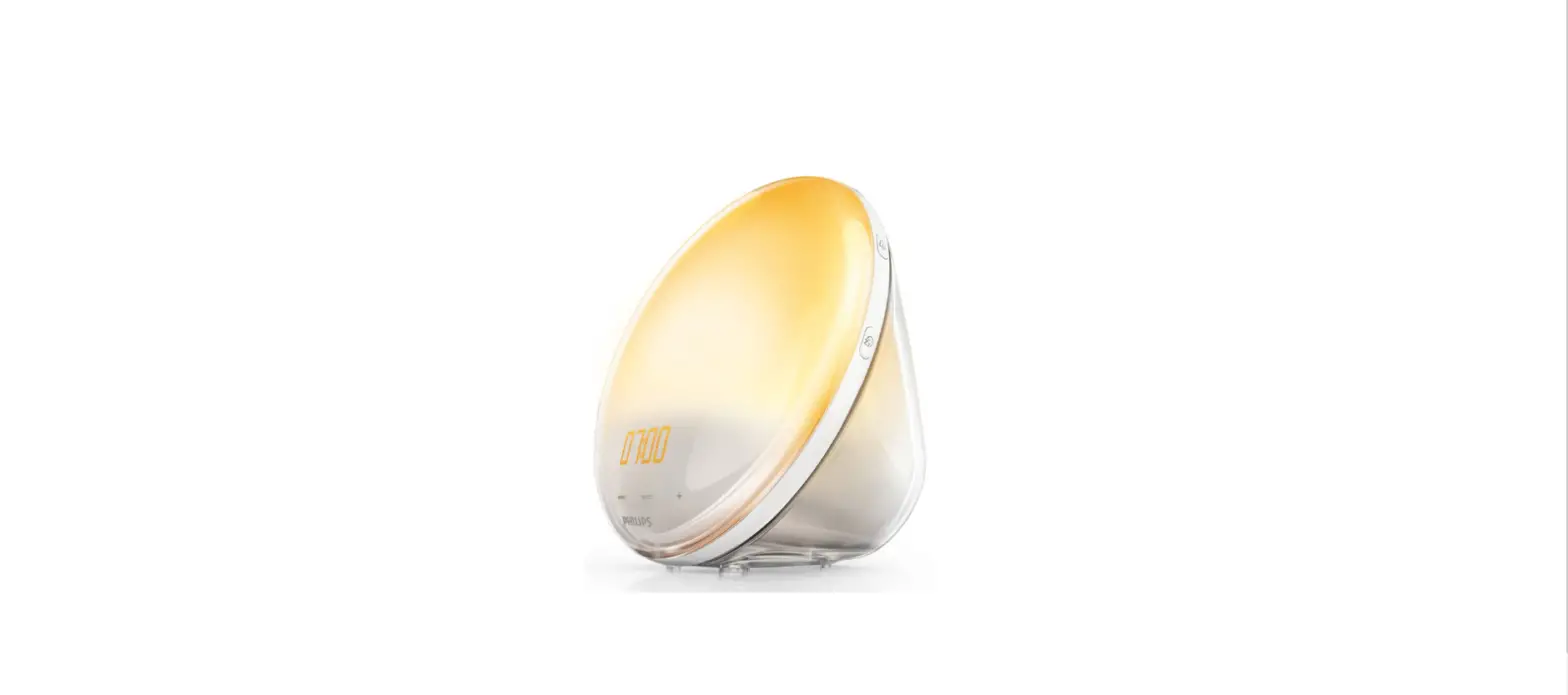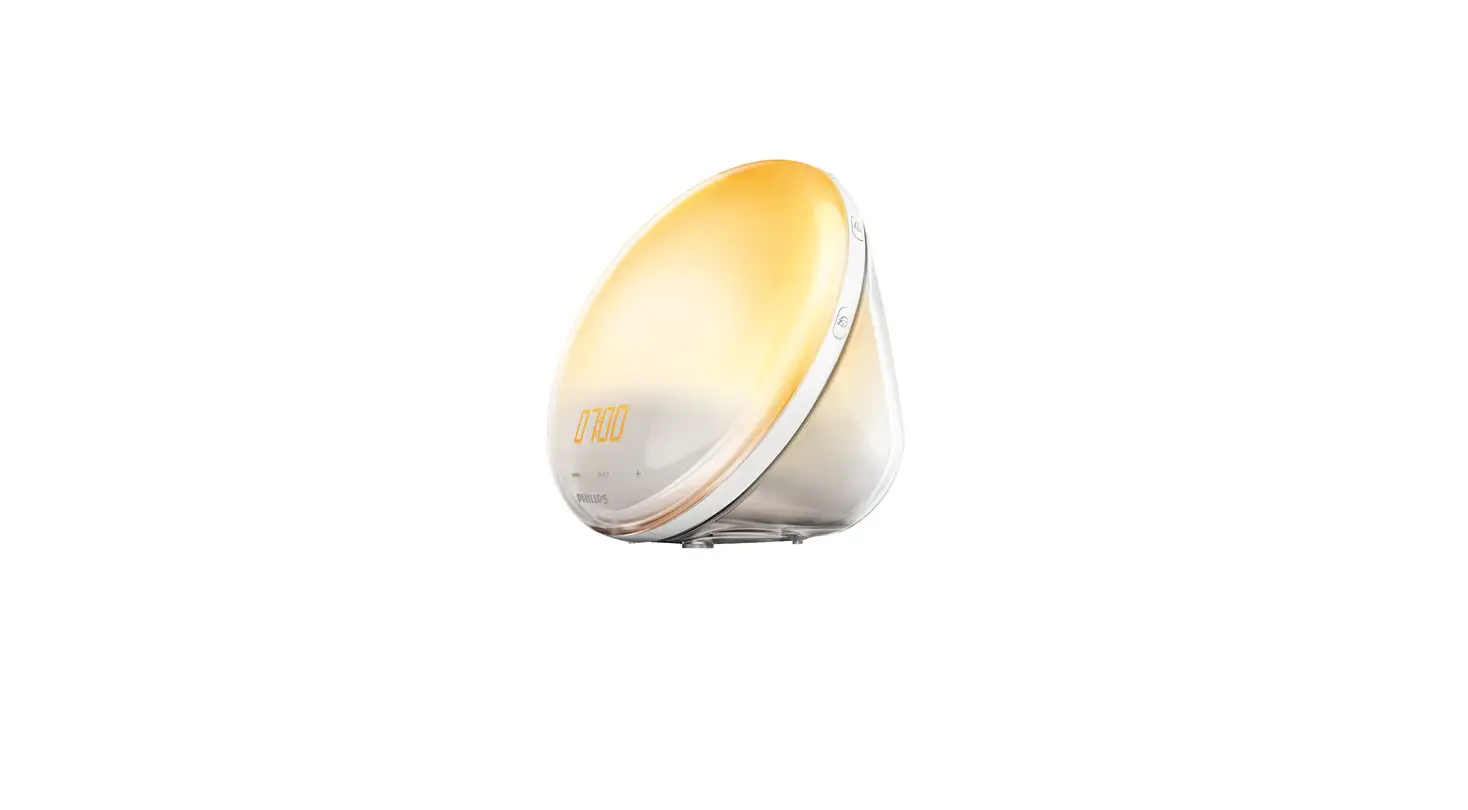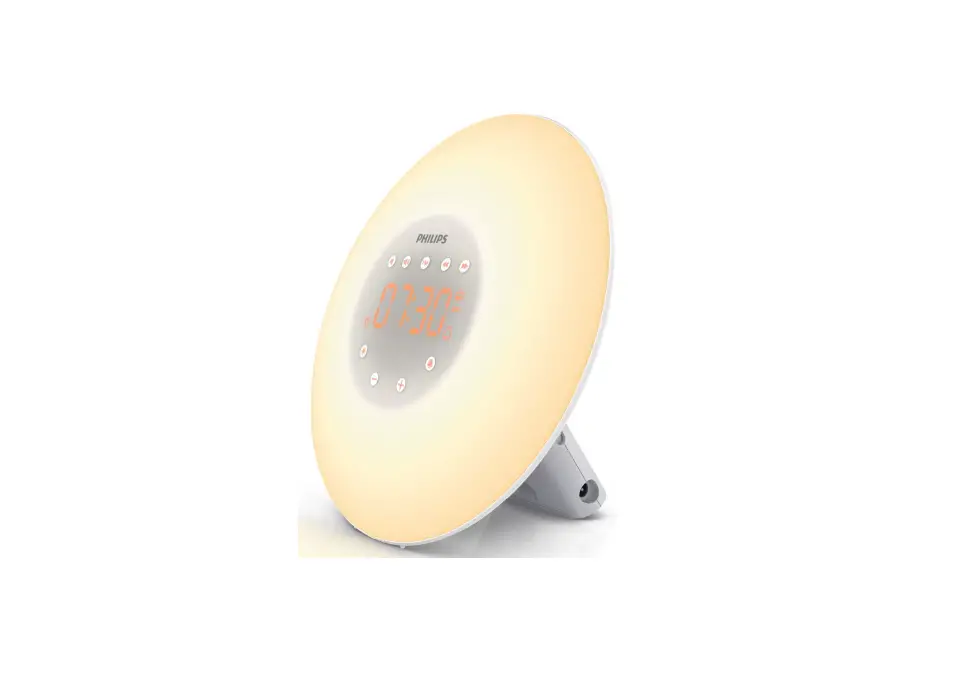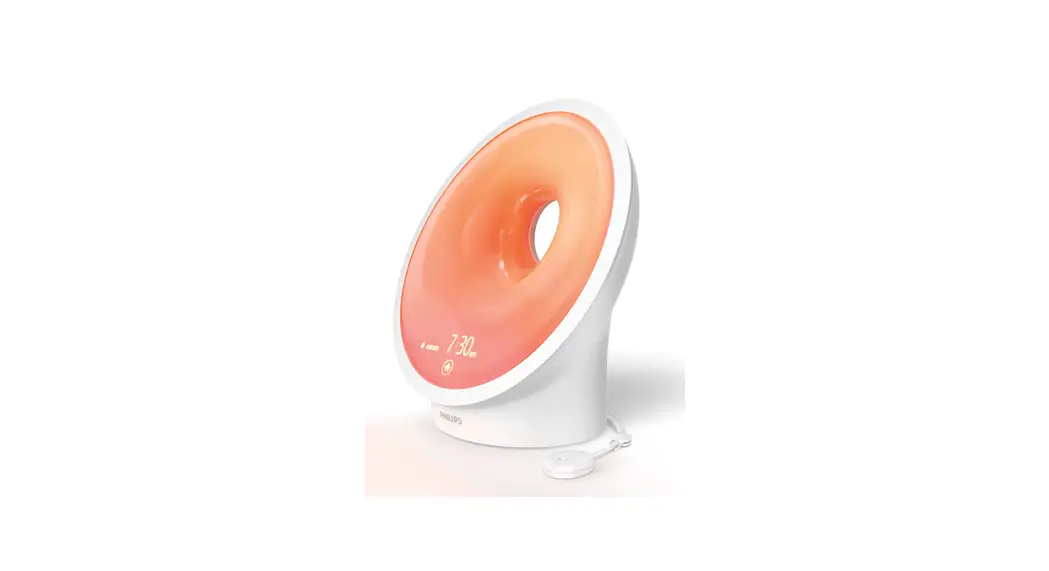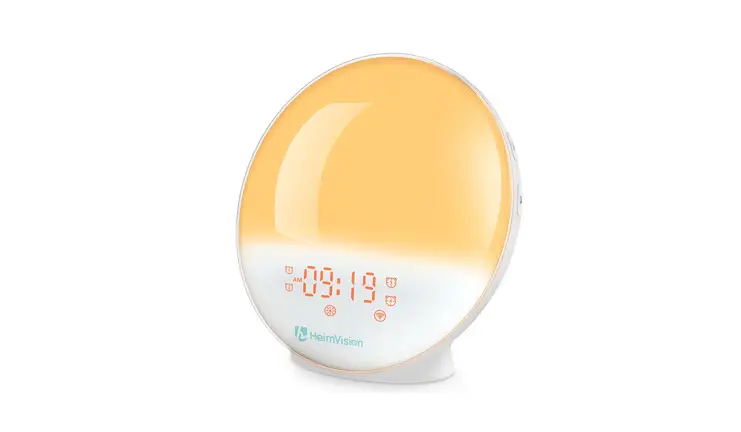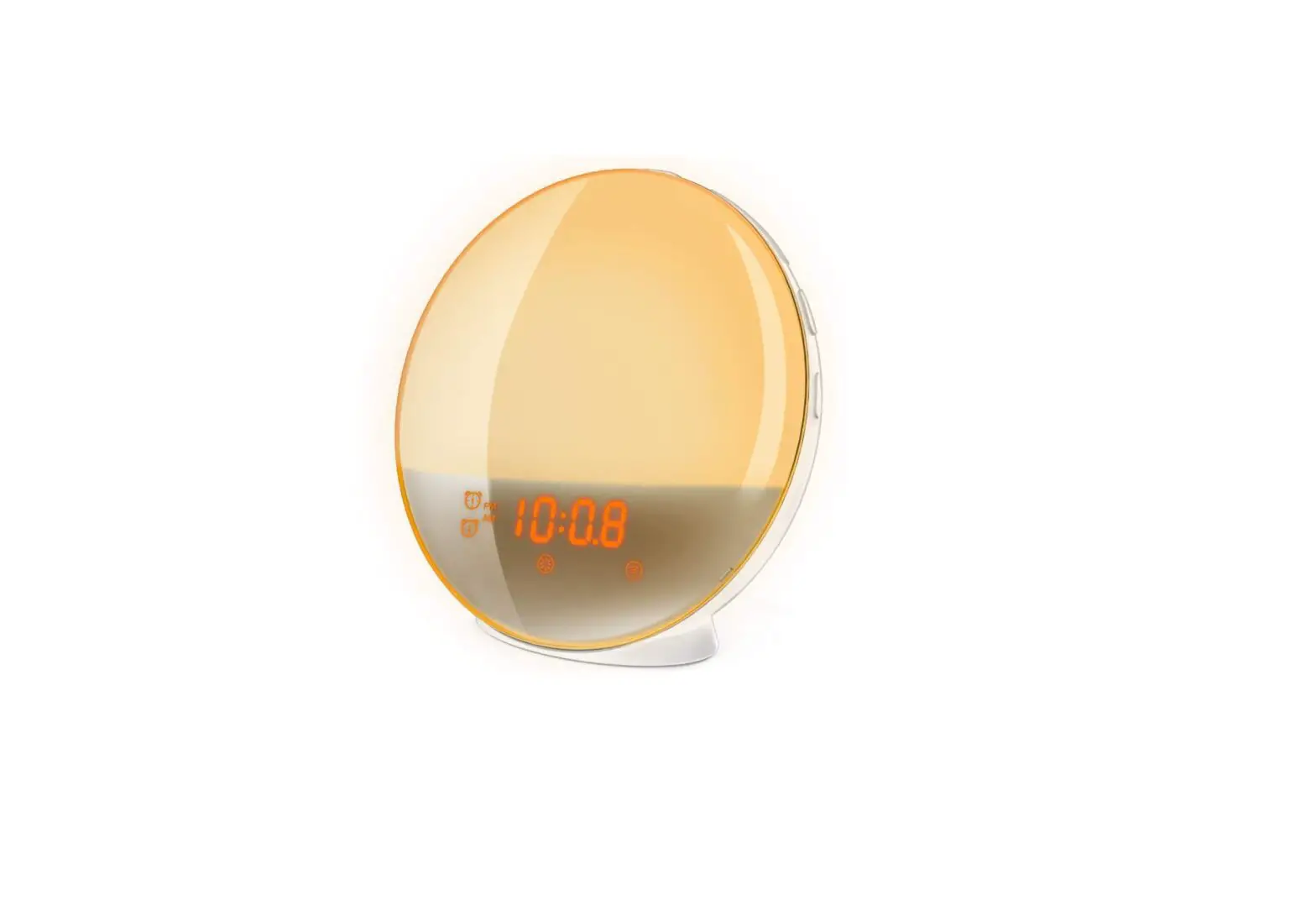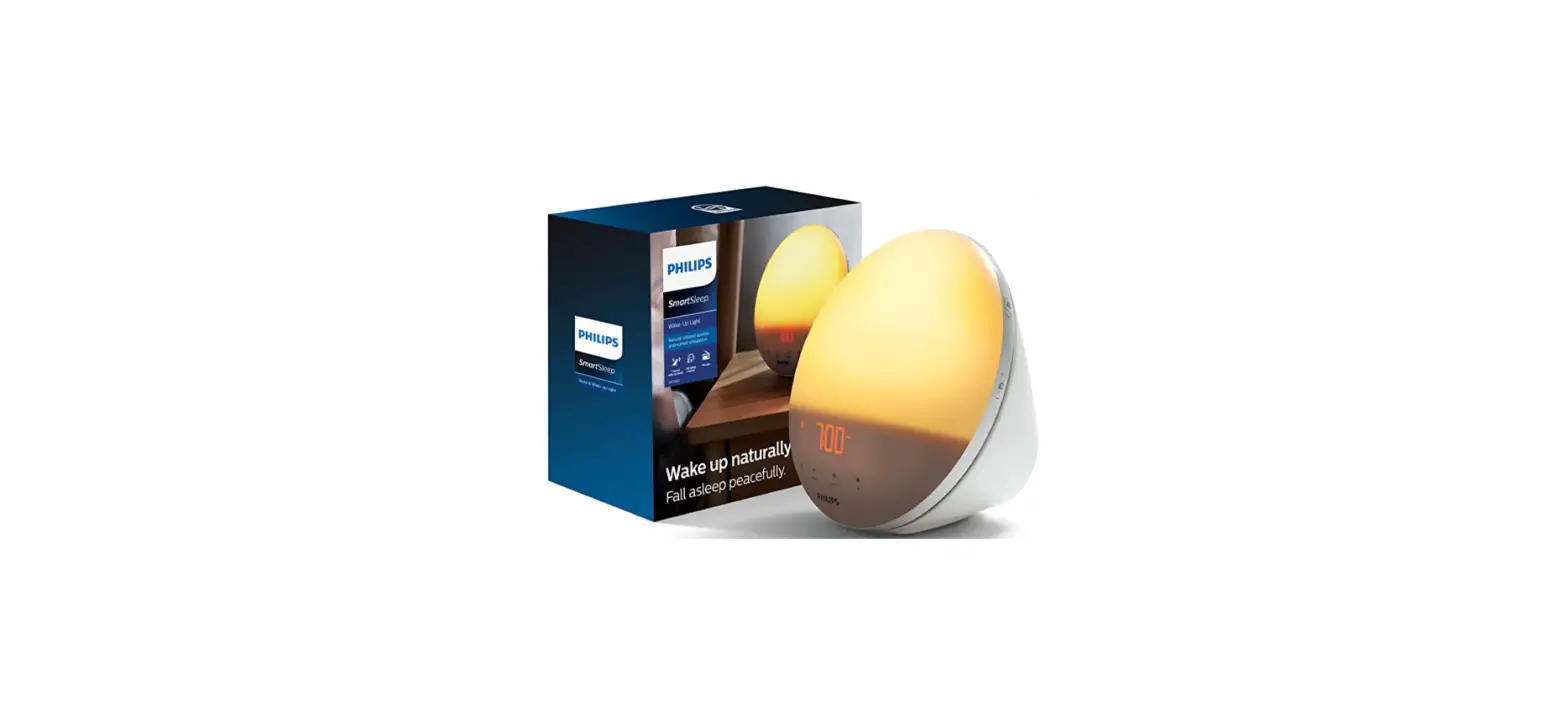
 Philips HF3520-60 Smart Sleep Wake-up Light
 Philips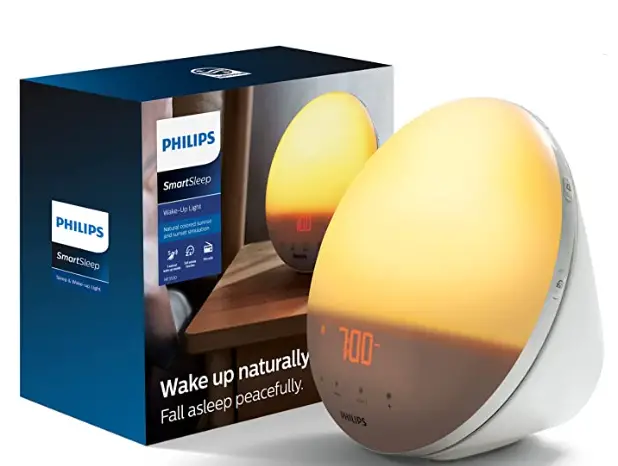
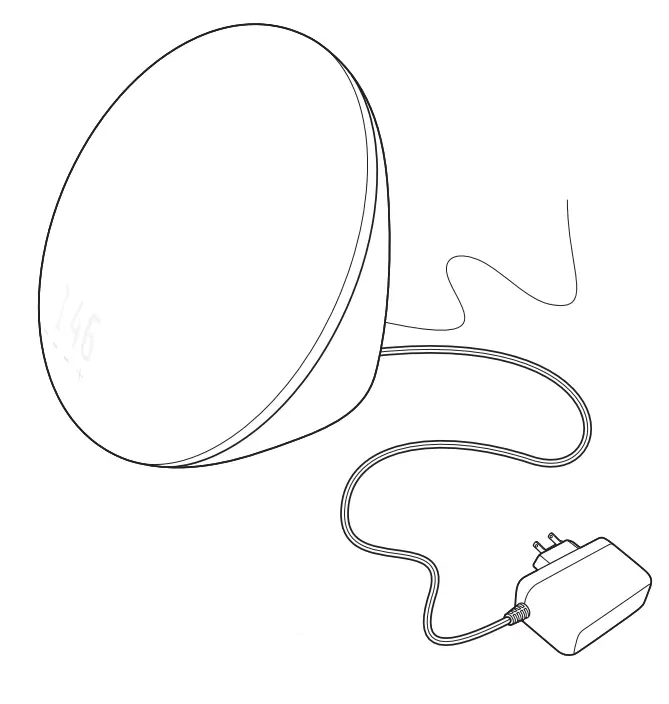
What’s in the box


Important information
Warning
- Check if the voltage indicated on the adapter corresponds to the local voltage before you connect the appliance.
- This adapter transforms 100-240 volts to a safe, low voltage of less than 24 volts.
- The appliance is suitable for a voltage of 120 Vac and a frequency of 50/60 Hz.
- Close supervision is necessary when this appliance is used by, or near children or invalids.
- Children should be supervised to ensure that they do not play with the appliance.
Caution
- Do not drop the appliance on the floor, hit it hard or expose it to other heavy shocks.
- Place the appliance on a stable, level and non-slippery surface.
- Do not use the appliance at room temperatures lower than 50°F/ 10°C or higher than95°F/35°C.
- Consult your doctor before you start using the appliance if you have suffered from or are suffering from serious depression.
- Do not use this appliance as a means to reduce your hours of sleep. The purpose of this appliance is to help you wake up more easily. It does not diminish your need for sleep.
- This appliance is only intended for household use, including similar use in hotels. Do not use attachments not recommended by Philips North America LLC.
General
- This appliance allows you to choose the light intensity level you want to wake up to.
- If you often wake up too early or with a headache, reduce the light intensity level and/or the sunrise simulation time.
- If you share a bedroom with someone else, this person may unintentionally wake up from thev light of the appliance, even though this person is further removed from the appliance. This is the result of differences in light sensitivity between people.
- The power consumption of the appliance is lowest if the radio and the lamp are turned off
Introduction
Congratulations on your purchase and welcome to Philips! To fully benefit from the support that Philips offers, register your product at www.philips.com/welcome.
The Philips Wake-up Light helps you wake up more pleasantly. In the set sunrise simulation time (default is 30 minutes), the light intensity of the lamp gradually increases to the set level and the light color changes from deep morning red to bright daylight. The light gently prepares your body for
waking up at the set time. To make waking up an even more pleasant experience, you can use natural wake-up sounds or the FM radio to wake up to.
The effects of the Wake-up Light
The Philips Wake-up Light gently prepares your body for waking up during the last 20 to 40 minutes of sleep, depending on the sunrise simulation time you set. In the early morning hours, our eyes are more sensitive to light than when we are awake. During that period the relatively low light levels of a simulated natural sunrise prepare our body for waking up and getting alert. People who use the Wake-up Light wake up more easily, have a better overall mood in the morning, and feel more energetic. Because the sensitivity to light differs per person, you can set the light intensity of your Wake-up Light to a level that matches your light sensitivity for an optimal start of the day.
For more information about the Wake-up Light, see www.philips.com.
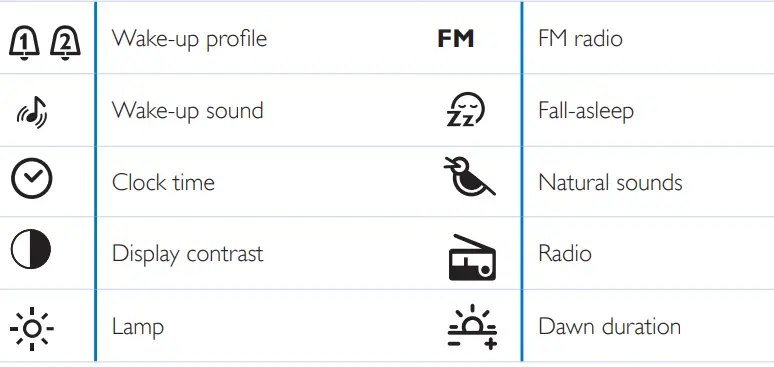
Icon explanation Overview
 Overview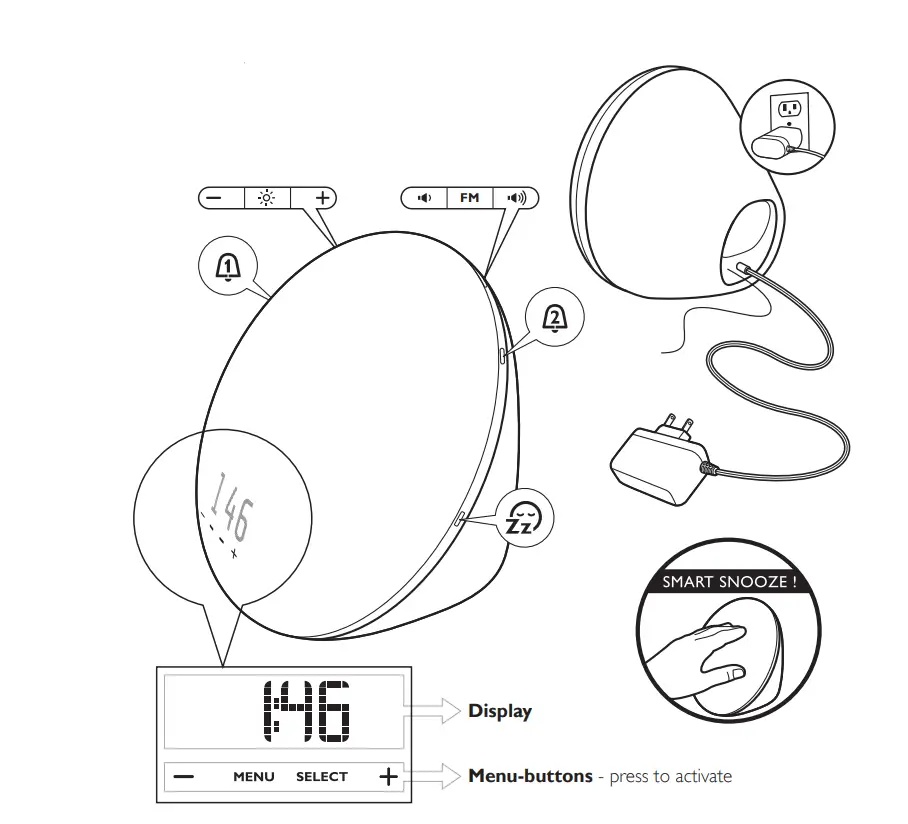
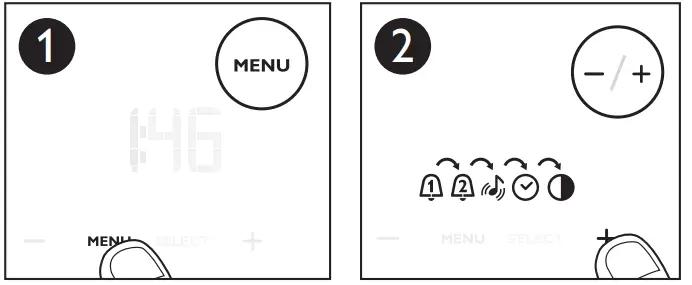
Navigating through the menu
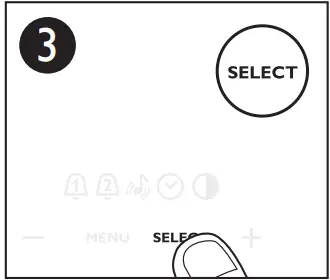
- Press the MENU button to enter the menu

- Press the + or – button to select a menu setting
- Press SELECT to confirm
 Note:
Note:
To exit the menu, either press the MENU button or wait for 30 seconds.
 Note:
Note: First use – placing the Wake-up light
 First use – placing the Wake-up light
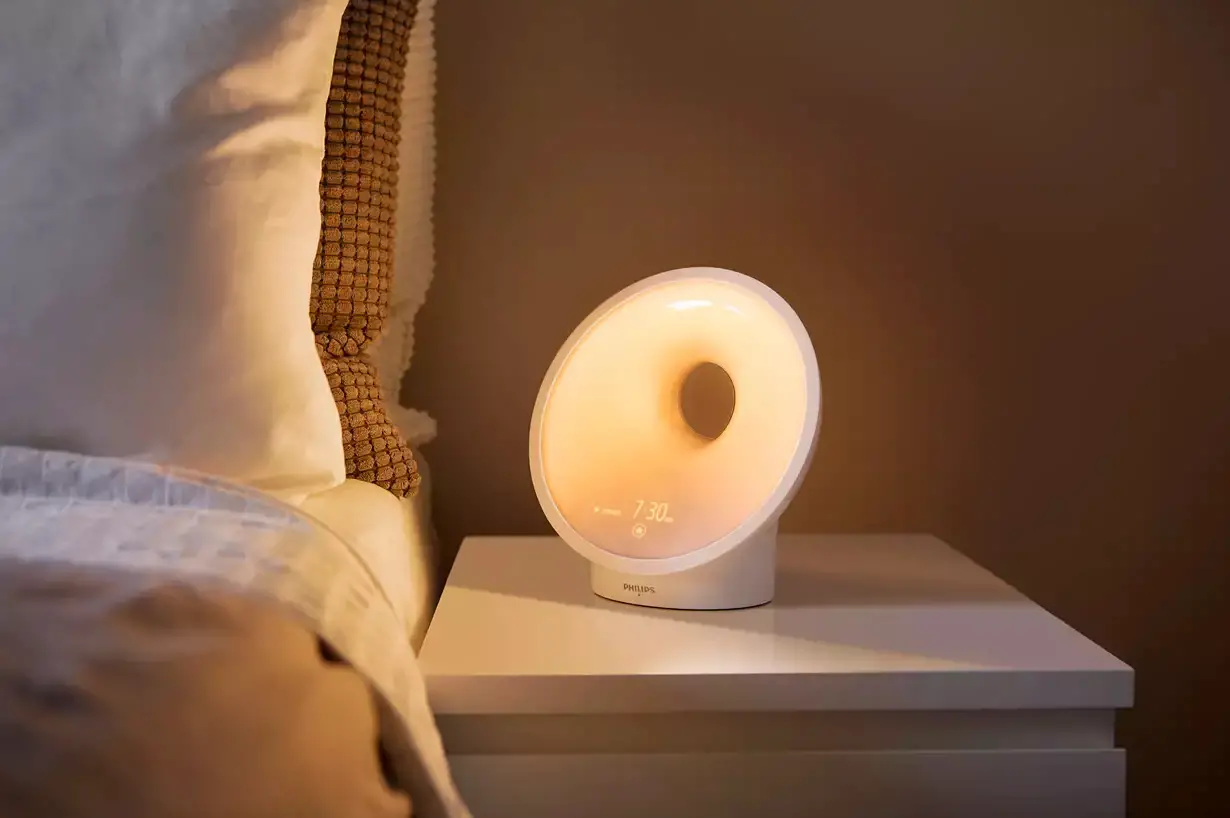
Place the Wake-up Light 16-20in/40-50cm from your head, for example on a bedside table.
 First use – setting the clock time
You have to set the clock time when you plug in the appliance for the first time and when there has been a power failure.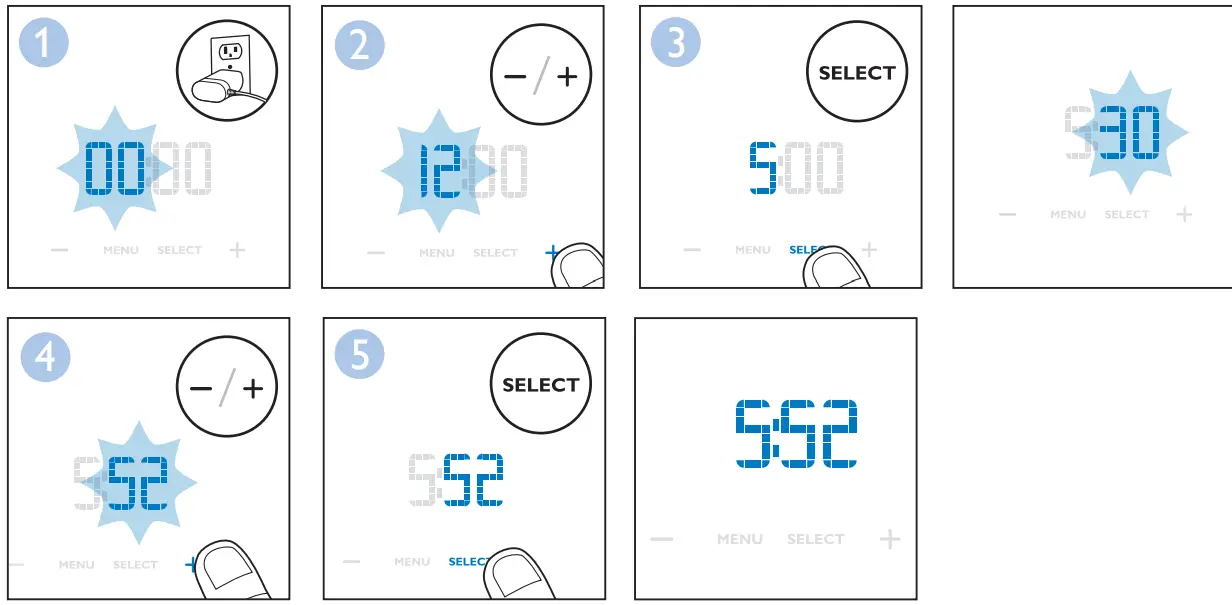
Setting your wake-up profile
When you set your wake-up profile, you set the wake-up time (steps 1 – 6), the light intensity (steps 7 and 8) and the sound level (steps 9 and 10) you want to wake up to. You can set two different wake-up times, for example if you want to wake up at a different time in the weekend than on weekdays. The procedure to set the wake-up profile and wake-up sound is the same for both.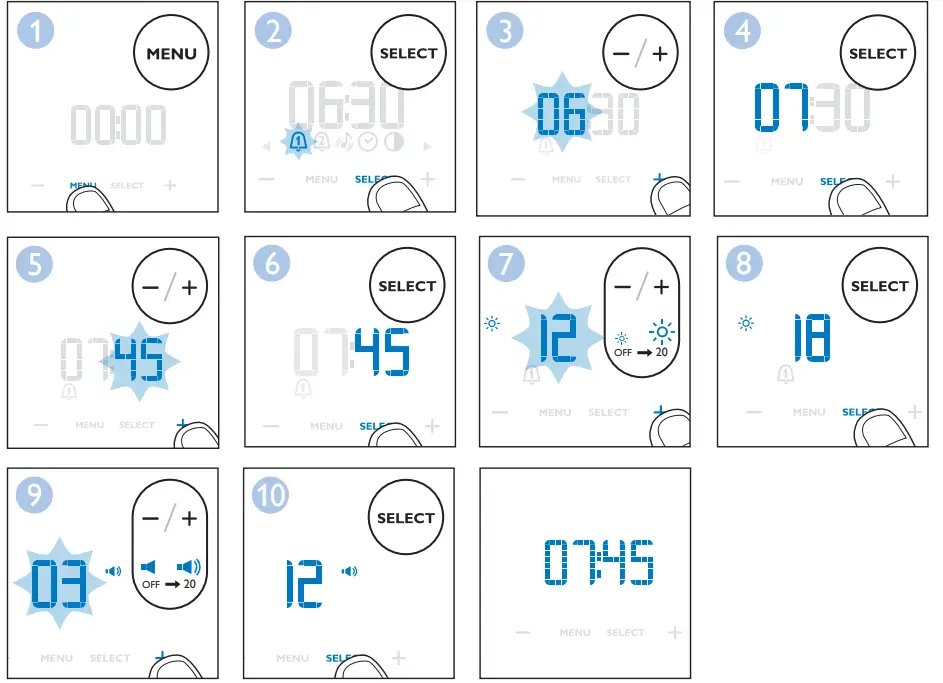
Setting your wake-up sound
You can use natural wake-up sounds or the FM radio as a wake-up sound. The Wake-up Light has five built-in natural sounds.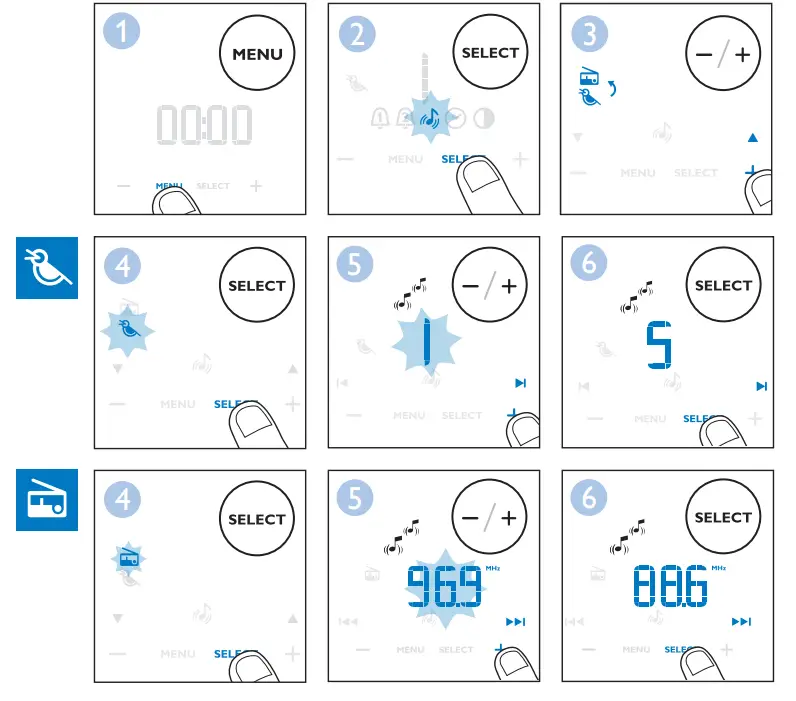
Adjusting the clock time
To set the clock time, choose between a 12-hour and a 24-hour clock and then adjust the time.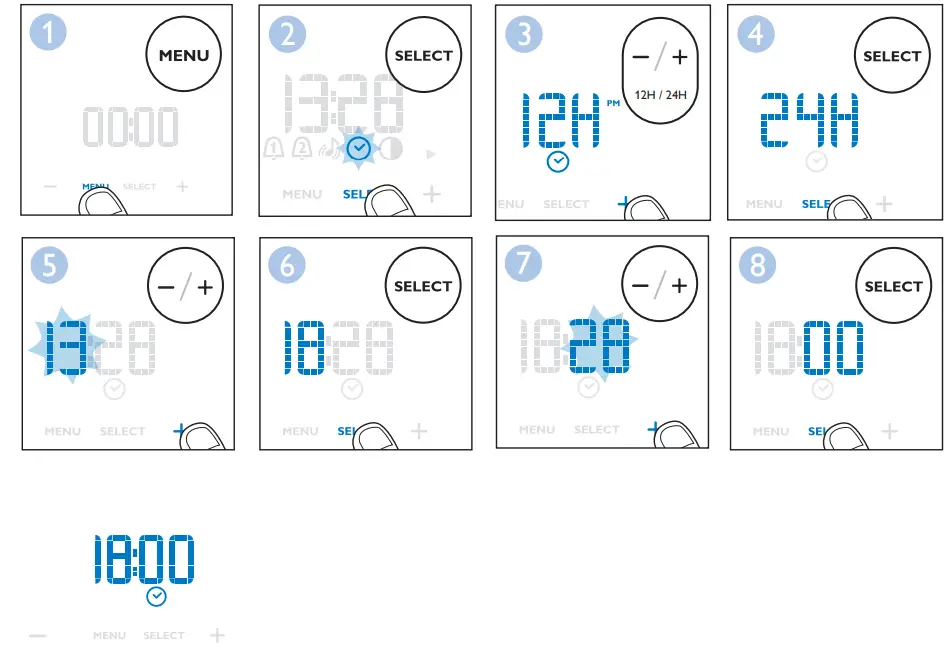
Setting the display contrast
You can adjust the display contrast from level 0 (off) to level 4. We advise you to set the display contrast in a dark bedroom. Choose a contrast level that is optimal for you to see the display at night. The display contrast will increase to a higher level when the Wake-up light measures a lot of light in the bedroom. This happens automatically, so you will always be able to see the display, even when the surroundings are lighter.
Note: If you choose level 0 (display off), you can see the display again by touching it.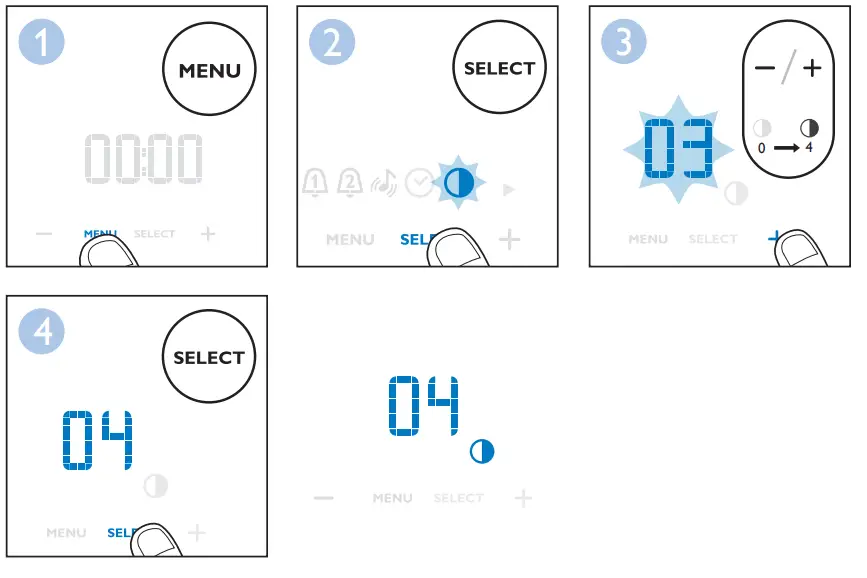
 Switching the lamp on/off
 Switching the lamp on/off
Press the lamp on/off button to switch on the lamp and use it as a bedside lamp. You can adjust the light intensity by pressing the + and – buttons. To switch off the lamp, press the lamp on/off button again.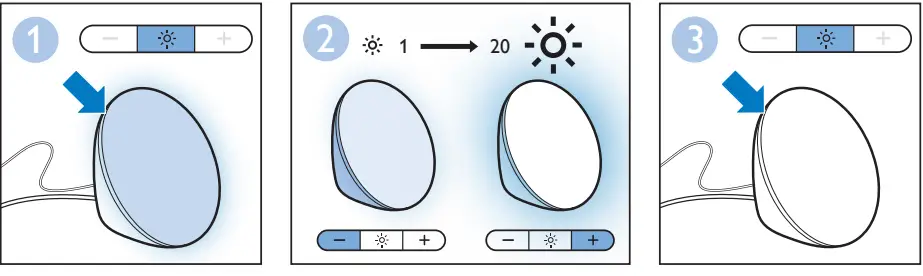
Switching the FM radio on/off
Press the FM on/off button to switch on the FM radio.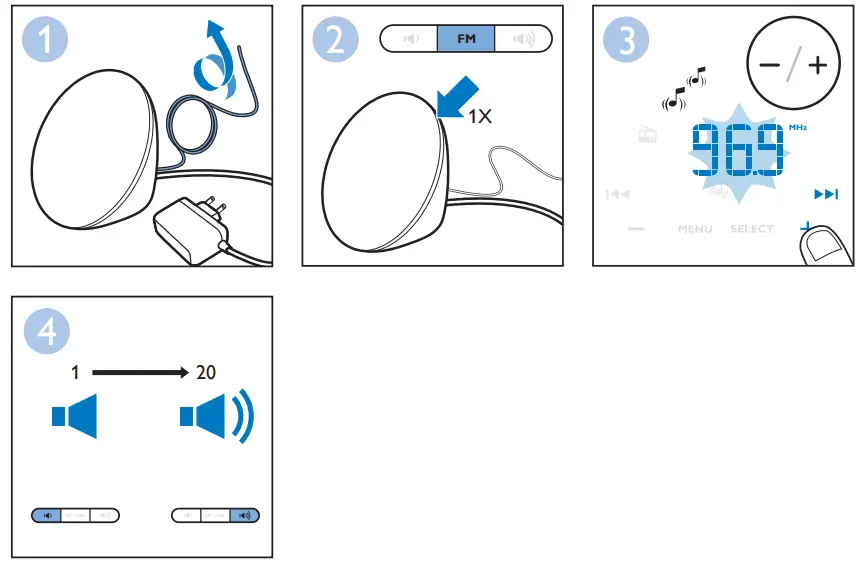
Note:
To scan radio frequencies automatically, press and hold the menu – or + button for approx. 2 seconds.
Switching the alarm on/off
Press alarm 1 or alarm 2 if you want to switch the alarm on or off. The corresponding icon appears on the display when you switch on the alarm. It disappears when you switch off the alarm. When you switch on the alarm, the hour indication starts to flash. If necessary, you can now adjust the alarm time.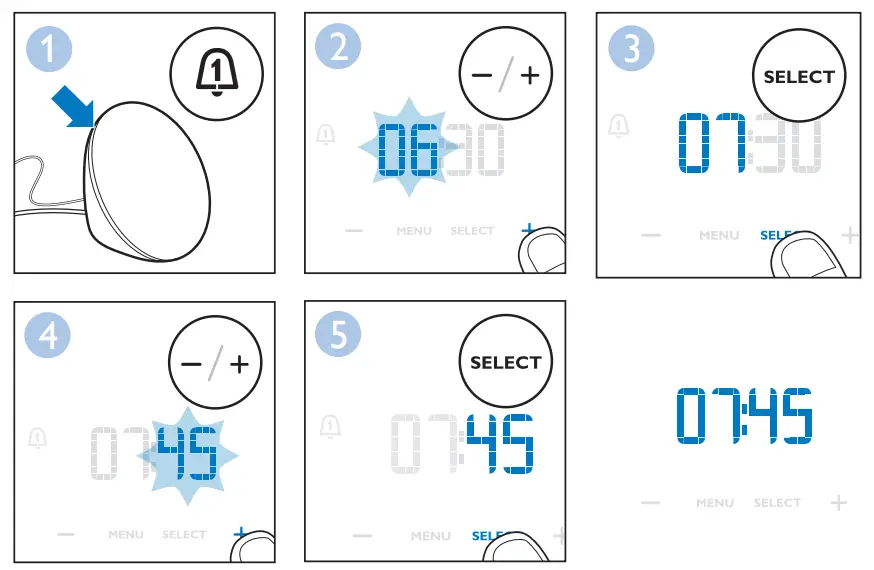
Note:
If you want to adjust the light level or volume to wake up to, you have to use the menu.
See chapter ‘Setting your wake-up profile’.
Snooze
When the alarm sound is played at the set time, you can tap on the front of the Wake-up Light to snooze for a while. The lamp stays on, but the alarm sound stops. After 9 minutes, the alarm sound is automatically played again. Do not hit the Wake-up Light with too much force, as this may cause damage.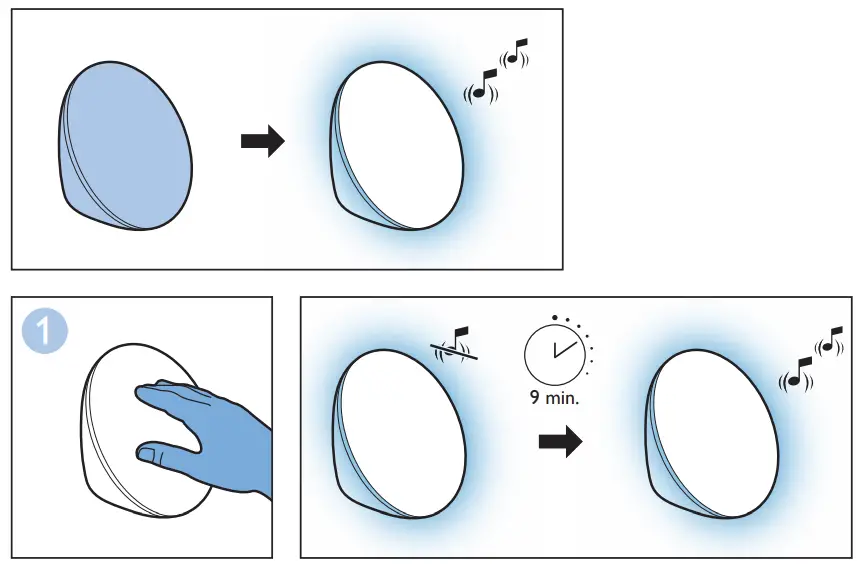
Note:
The alarm 1 or alarm 2 icon flashes on the display when the alarm is snoozed.
Fall-asleep
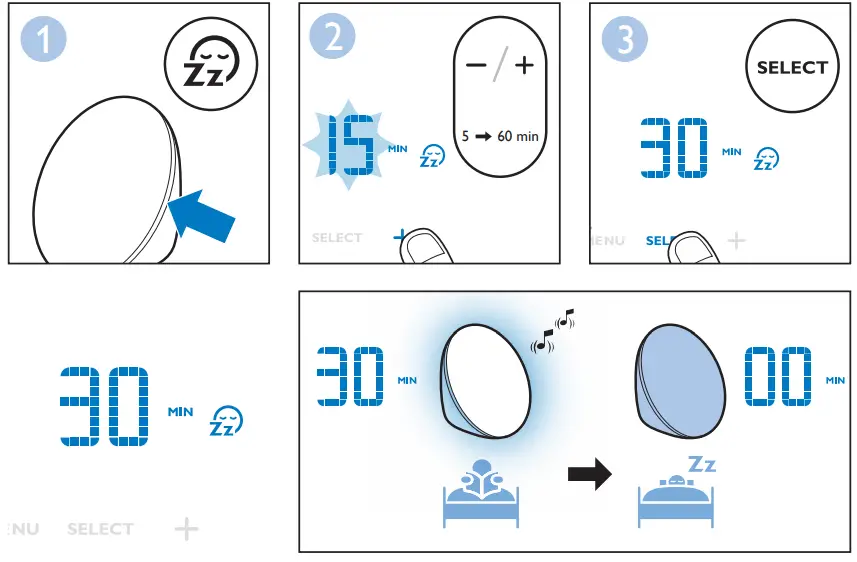
To use the fall-asleep function you need to select a timer.
- Press the fall-asleep button to switch on the fall-asleep function. The fall-asleep time flashes on the display for a few seconds.
- Press the + or – button to adjust the time (5 to 60 minutes). Press the ‘SELECT’ button to confirm the timer setting.
Note: You can listen to the FM radio during the fall-asleep function. Turn on the radio and select your favorite station. Then press the fall-asleep button to activate the fall-asleep function. The sound of the radio will gradually fade during the set fall-asleep time. If you turn on the radio after activating the fall-asleep function, the sound does not fade when the light dims. The sound will stop when the light goes out.
To switch off the fall-asleep function, press the fall-asleep button again. The fall-asleep icon disappears from the display.
Note:
If you press the fall-asleep button without setting the time, the lamp goes on and then dims gradually over 30 minutes.
Adjusting the dawn duration time
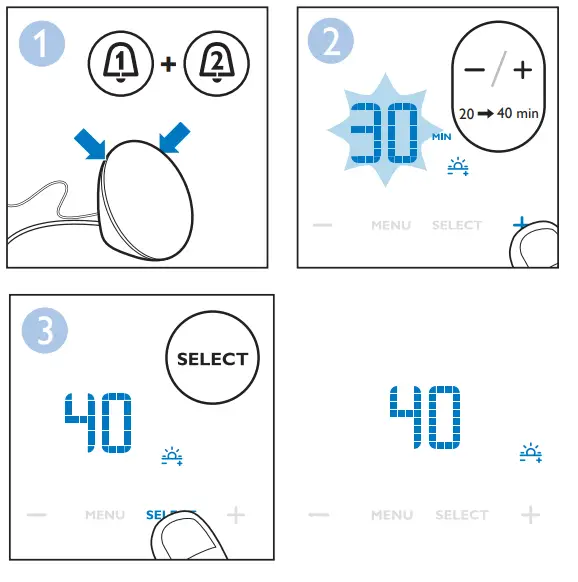
The dawn duration time is the time in which the light intensity of the lamp gradually increases to the set level before the alarm sound is played. The default dawn duration time is 30 minutes, but you can reduce the dawn duration time to 20 or 25 minutes or increase it to 40 minutes.
- Simultaneously press and hold alarm 1 and alarm 2.
- The default dawn duration time of 30 minutes appears on the display.
- Press the + and – button to adjust the minutes.

Demonstration mode
If you want a quick demonstration (90 seconds) of the gradually increasing light intensity and sound level, switch on the test function of the appliance.
- Press and hold the alarm 1 or alarm 2 button for at least 3 seconds.
- The appliance starts the demonstration of the corresponding alarm.
- To switch off the demonstration, press and hold the previously pressed alarm button for 3 seconds again.
Audio feedback
When you press a menu button, you hear a click. If you do not want to hear clicks when you press a button, press and hold the FM button for 5 seconds to switch off the audio feedback. You hear one click as a confirmation. To activate, press and hold the FM button again. You hear two clicks to confirm that the audio feedback is activated.
Button backlight
The menu buttons have a backlight to help you to find the buttons. If you move your fingers close to the buttons, the backlight lights up. If you don’t press the button, the backlight goes out after a few seconds.
Storage
- Clean the appliance with a soft cloth.
- Do not use abrasive cleaning agents, pads or cleaning solvents like alcohol, acetone, etc., as this may damage the surface of the appliance.
- If the appliance will not be used for an extended period of time, remove the power cord from the wall outlet and store the appliance in a safe, dry location where it will not be crushed, banged, or subject to damage.
- Do not wrap the power cord around the appliance when storing it.
- This appliance has no other user-serviceable parts. For assistance, call 1-866-832-4361.
Disposal
Your product is designed and manufactured with high quality materials and components, which can be recycled and reused. For recycling information, please contact your local waste management facilities or visit www.recycle.philips.com
Assistance

For assistance visit our website: www.philips.com/support or call toll free: 1-866-832-4361.
90-Day Money-Back Guarantee
If you are not fully satisfied with your Philips Wake-up Light, send the product back and we’ll refund you the full purchase price.
The Wake-up Light must be shipped prepaid by insured mail, insurance prepaid, have the original sales receipt, indicating the purchase price and the date of purchase, and the money-back guarantee return authorization form enclosed. We cannot be responsible for lost mail. The Wake-up Light must be postmarked no later than 90 days after the date of purchase. Philips reserves the right to verify the purchase price of the Wake-up Light and limit refunds not to exceed the suggested retail price.
To obtain a Money-Back Guarantee Return Authorization form, call 1-866-832-4361.
Delivery of refund check will occur 6-8 weeks AFTER receipt of returned product.
Full Two-Year Warranty
Philips North America LLC (USA) and Philips Electronics Ltd (Canada) warrant this new product against defects in materials or workmanship for a period of two years from the date of purchase, and agree to repair or replace any defective product without charge.
IMPORTANT: This warranty does not cover damage resulting from accident, misuse or abuse, lack of reasonable care, the affixing of any attachment not provided with the product or loss of parts or subjecting the product to any but the specified voltage or batteries.*
NO RESPONSIBILITY IS ASSUMED FOR ANY SPECIAL, INCIDENTAL OR CONSEQUENTIAL DAMAGES.
In order to obtain warranty service, simply go to www.philips.com/support for assistance.
It is suggested that for your protection you return shipments of product by insured mail, insurance prepaid. Damage occurring during shipment is not covered by this warranty.
NOTE: No other warranty, written or oral, is authorized by Philips North America LLC.
This warranty gives you specific legal rights, and you may also have other rights which vary from state to state, province to province or country to country. Some states do not allow the exclusion or limitation of incidental or consequential damages, so the above exclusion and limitations may not apply to you.
* Read enclosed instructions carefully.
In US Manufactured for: Philips Personal Health, a division of Philips North America LLC,
P.O. Box 10313, Stamford, CT 06904.
In Canada Imported by: Philips Electronics LTD, 281 Hillmount Road, Markham, Ontario L6C 2S3.
PHILIPS and Philips Shield are registered trademarks of Koninklijke Philips N.V.
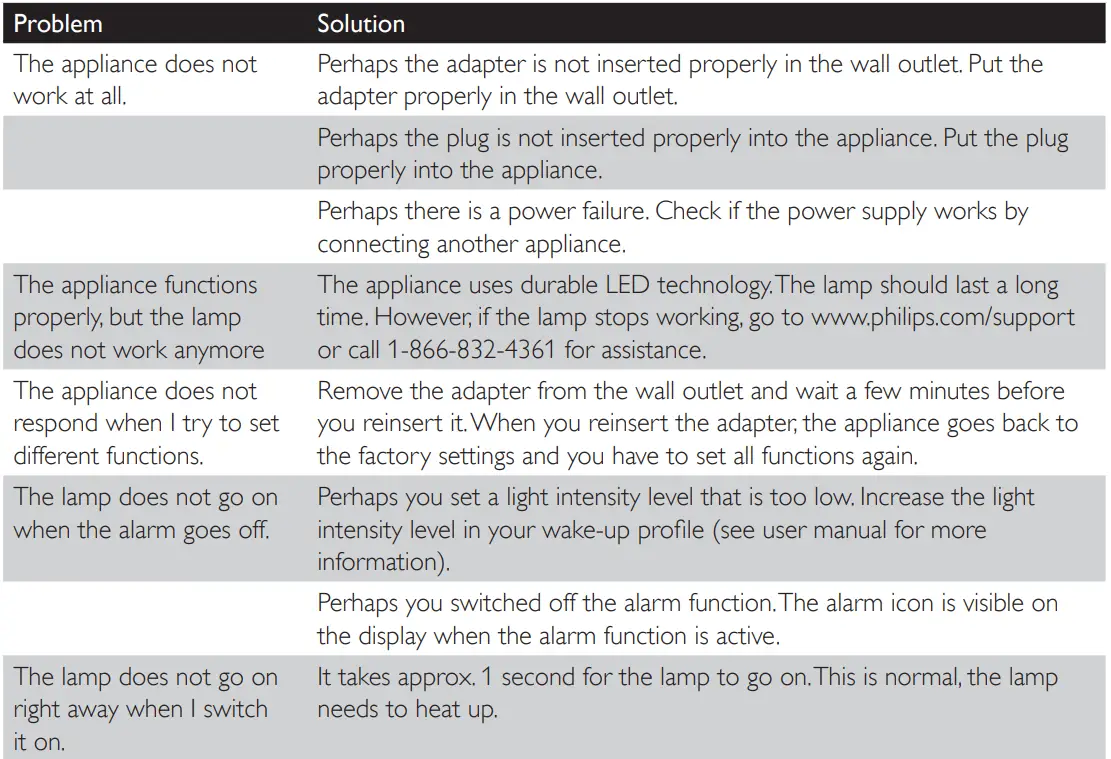
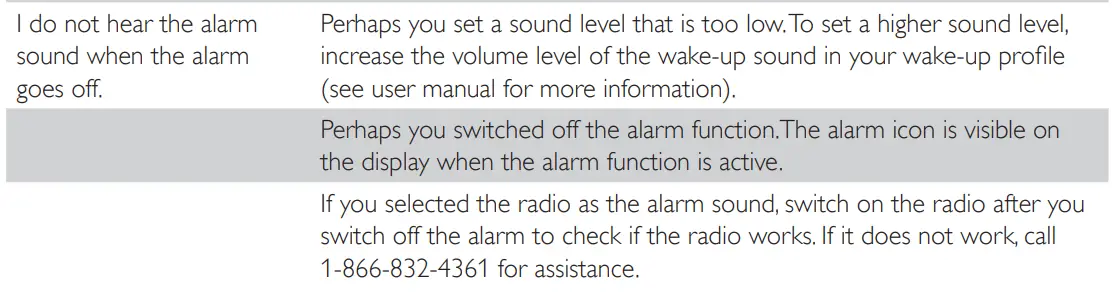
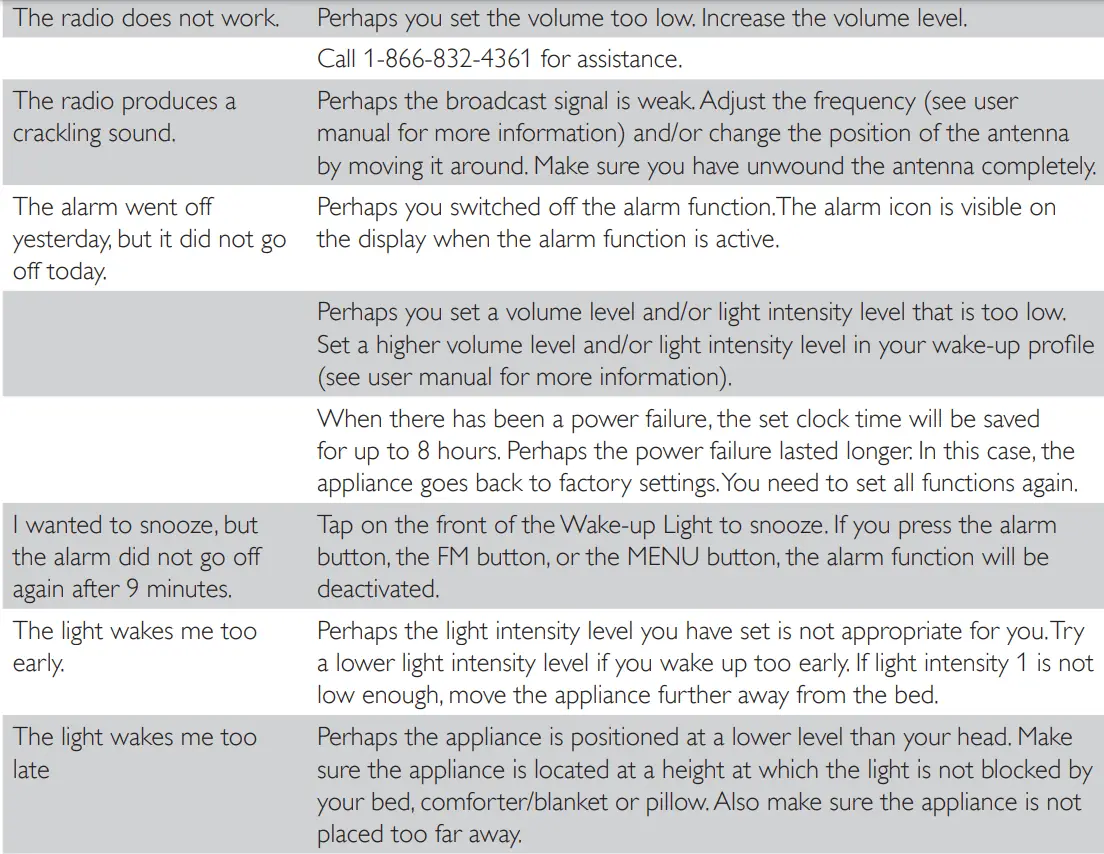
Troubleshooting
This chapter summarizes the most common problems you could encounter with the appliance. If you are unable to solve the problem with the information below, visit www.philips.com/support or call 1-866-832-4361 for assistance.

FCC Information
This equipment has been tested and found to comply with the limits for a Class B digital device, pursuant to part 15 of the FCC rules. These limits are designed to provide reasonable protection against harmful interference in a residential installation. This equipment generates uses and can radiate radio frequency energy and, if not installed and used in accordance with
the instructions, may cause harmful interference to radio communications. However, there is no guarantee that interference will not occur in a particular installation. If this equipment does cause harmful interference to radio or television reception, which can be determined by turning the equipment off and on, the user is encouraged to try to correct the interference by one or more of the following measures:
- Reorient or relocate the receiving antenna.
- Increase the separation between the equipment and the receiver.
- Connect the equipment into an outlet on a circuit different from that to which the receiver is connected.
- Consult the dealer or an experienced radio/TV technician for help.
This device complies with Part 15 of the FCC Rules. Operation is subject to the following two conditions:
- This device may not cause harmful interference, and (2) this device must accept any interference received, including interference that may cause undesired operation.
- This Class B digital apparatus complies with Canadian ICES-005.
FAQS
Loud bird chirping, (rainforest maybe?) birds screeching and calls, music with birds, piano music, and the distant sound of waves under seagulls
There doesn’t seem to be a way to do that the way other alarms do. I press the alarm button to turn it off, then just turn it right back on again.
Yes, as of 31 Aug 2020, from Phillips manual on this clock. Here is the following excerpt. Note, I’m I just buying the clock now so I have not confirmed this with mine. If it is different I will edit this comment.
From Phillips Manual on this Clock: “
You can adjust the display contrast from level 0 (off) to level 4. We advise you to set the display
contrast in a dark bedroom. Choose a contrast level that is optimal for you to see the display at
night. The display contrast will increase to a higher level when the Wake-up light measures a lot of
light in the bedroom. This happens automatically, so you will always be able to see the display, even when the surroundings are lighter.
Note: If you choose level 0 (display off), you can see the display again by touching it.
Yes, you can set up multiple wake-up profiles with different sounds.
Doesn’t give a LUX value that I can see anywhere. At its strongest setting, it’s quite bright. As you lower the brightness, it becomes warmer and dimmer.
Yes, it remembers the time I set for the sunset countdown. Just push the button on the right side to get it started each night.
It is weighted toward the bottom, so it is technically not top-heavy, but the base is very small and, while it is not as bad as it looks, it is somewhat easy to knock over; I wouldn’t want it around kids
Does the light start getting bright at the set alarm time?
The light reaches it’s brightest at the set alarm time. You can set the light to increase over a period of ten minutes, 15, or 20.
No buzz or beep…5 natural sounds or radio only.
Not that we here. Light starts dim and get brighter. No noise
It works for me in Australia but I think we might be 240v not 220v.
Not that we here. Light starts dim and get brighter. No noise
Press the alarm button (#1 on the left side of the lamp or or #2 on the right), the same button you press to turn on the alarm
24V, 12W