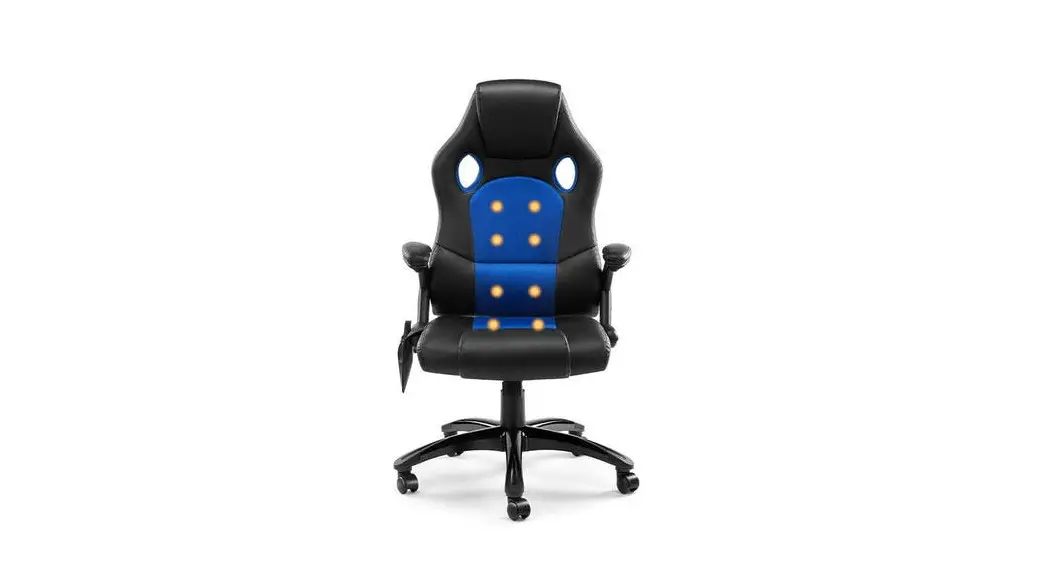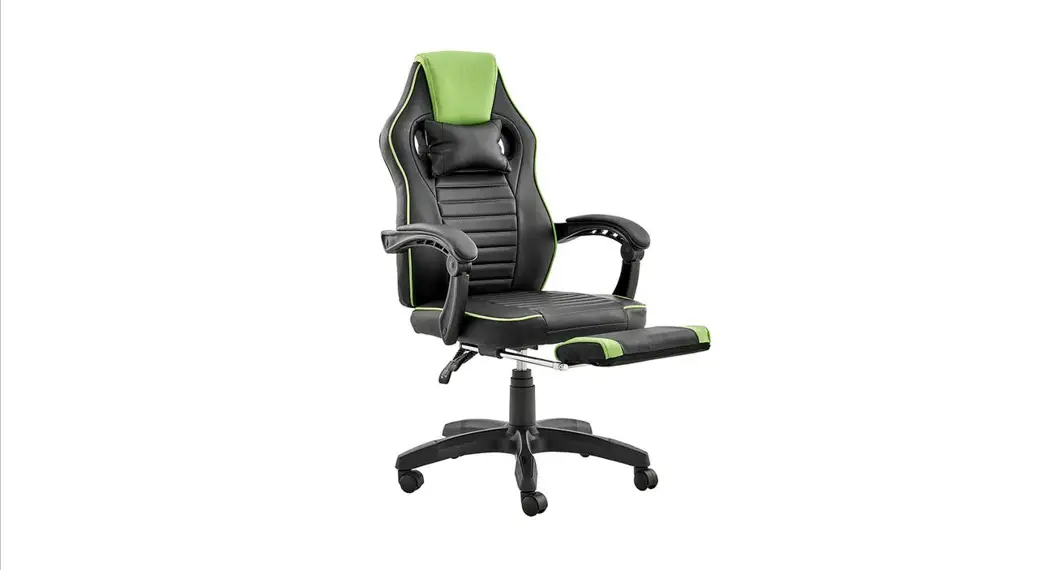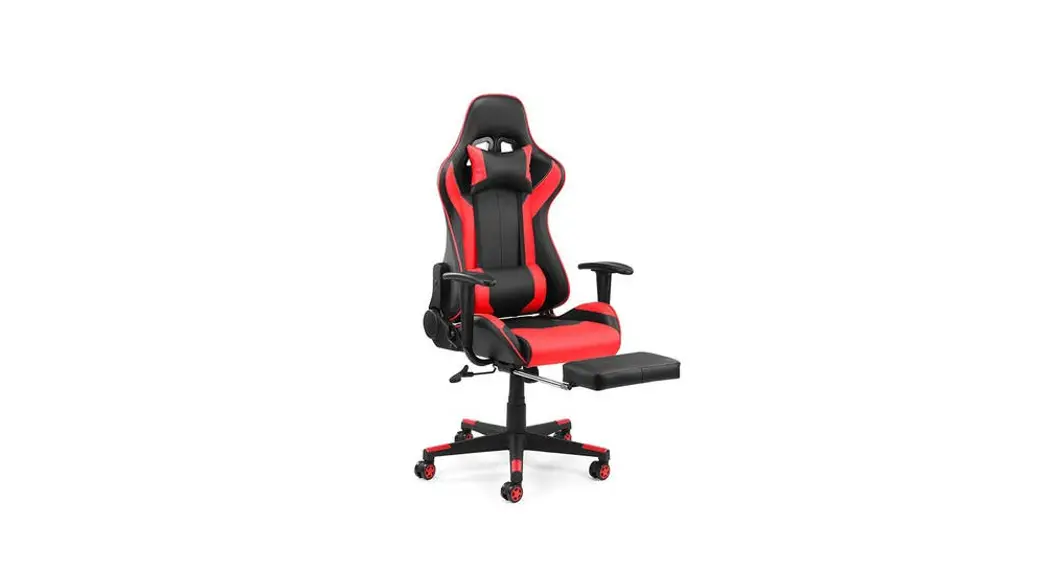

User Guide
TROOPER GAMING
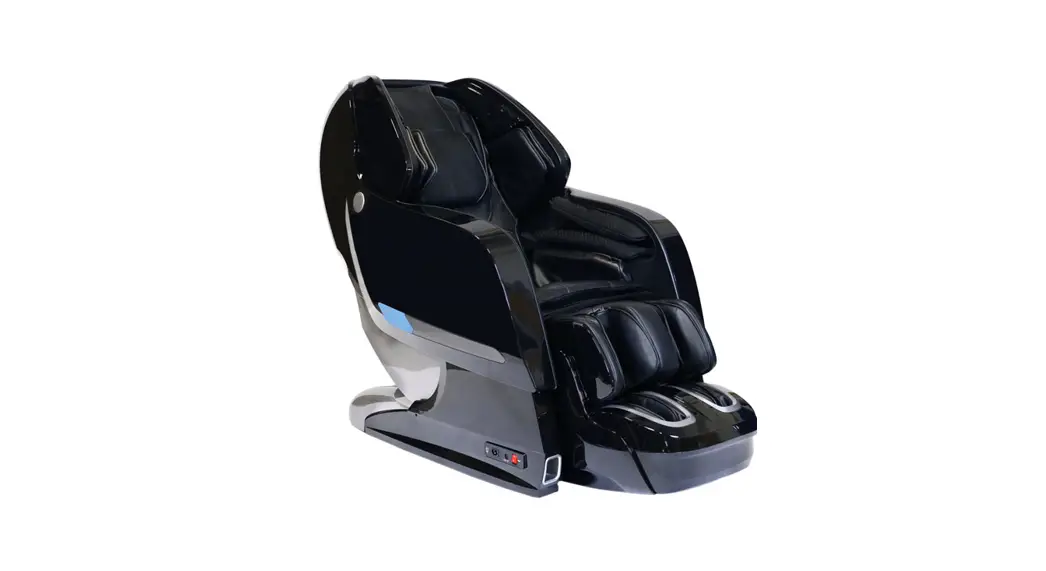
MASSAGE CHAIR
ELBCRMSGRCA, ELBCRMSGBCA, ELBCRMSGBKA & ELBCRMSGBGA
COMPONENTS
Lay all components out on a clean floor and ensure all parts are included. If any pieces are missing, check all packaging thoroughly, then contact help.Kogan.com for assistance.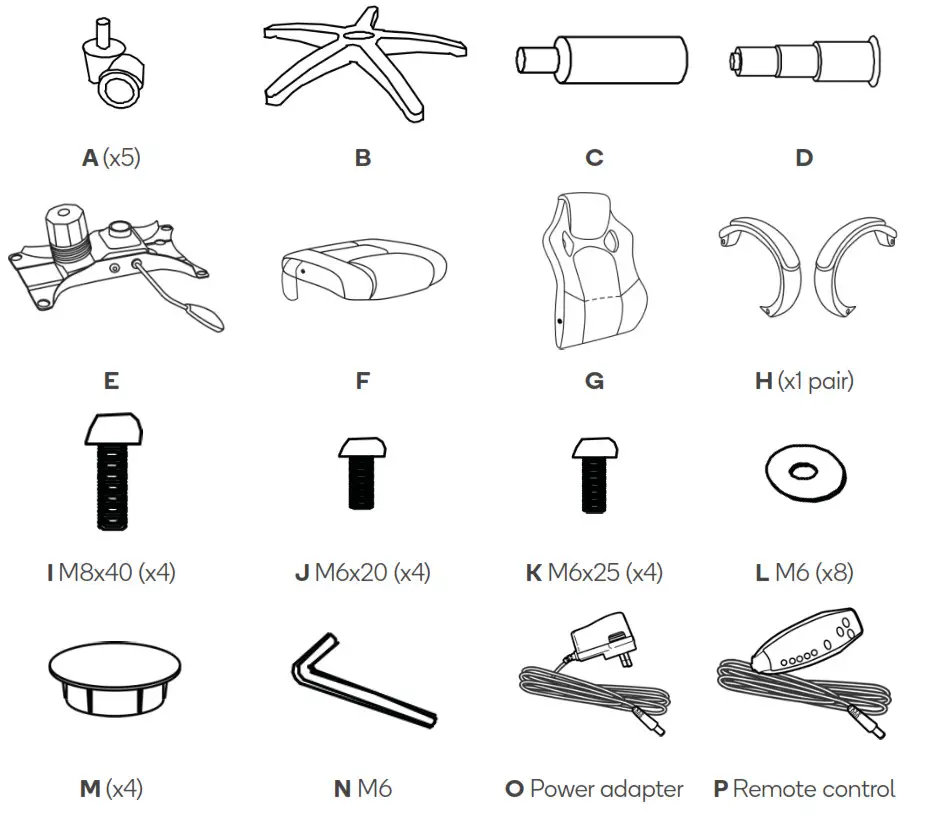
ASSEMBLY
Step 1: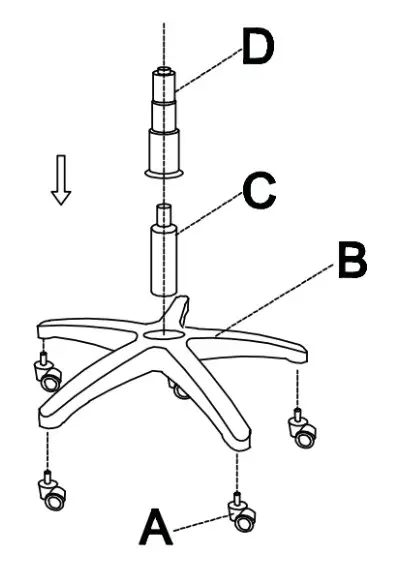
Step 2: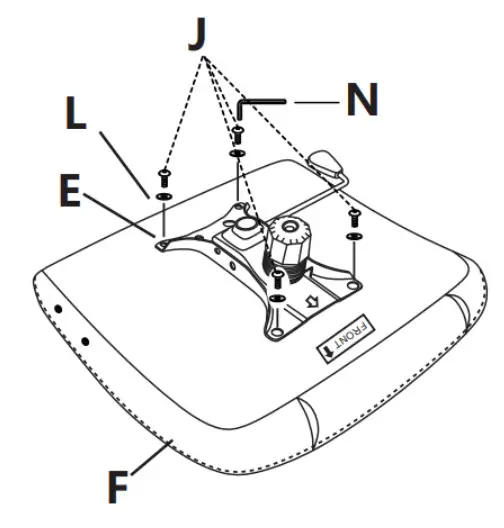 Step 3: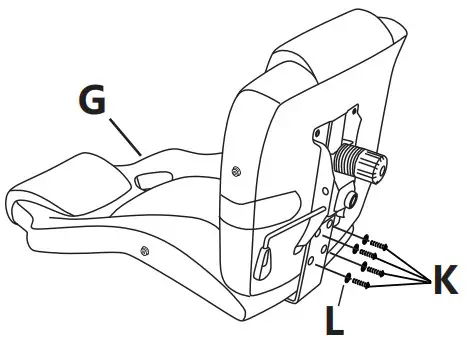
Step 4: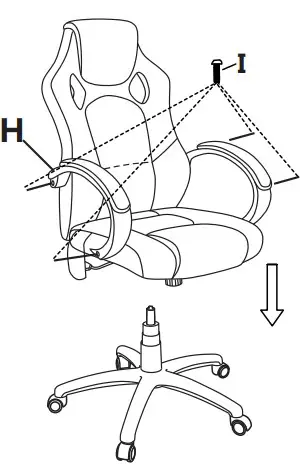 Step 5: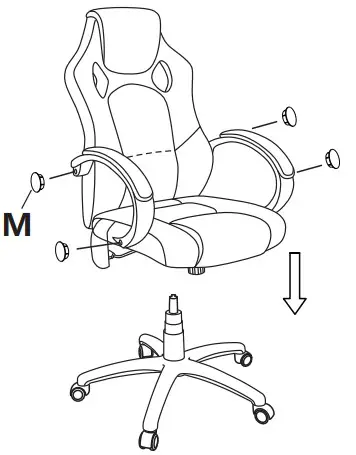
Step 6:
• Connect the two white cables together then connect the remote control (R) and the power adapter (Q) to their respective connections.
Note: The remote cable is thicker than the power cable connector.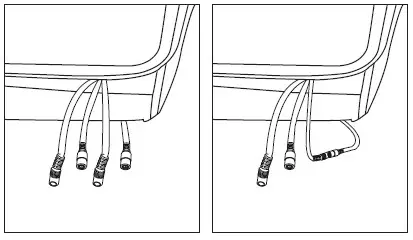
REMOTE OVERVIEW
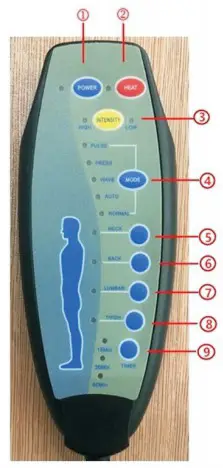
Note:
The above image is for reference only and may differ from the final product.
| 1. Power button | 4. Mode button | 7. Thigh massage |
| 2. Heat button | 5.Back massage | 8. Leg massage |
| 3. Vibration intensity (High or Low) | 6. Lumber massage | 9. Timber button |
Pressing the Mode button will cycle through different massage modes.
SPECIFICATIONS
| Power Adaptor | |
| Input | 100-240V AC-50Hz |
| Output | 12V DC 1200mA |
| Rated voltage | DC 12.0V |
| Rated power | 14.4W |
| Rated current | <1.2A |
| Working temperature | -10°C to -50° C |
| Functions | |
| Massage functions (Modes) | Pulse, press, wave, auto, normal |
| Massage duration | 15, 30, 60 minutes |
| Massage areas | Back, lumbar, thigh, leg |
| Vibration strength | High / low |
| Heating function | 60°C / 70°C |
| Power-off function | Automatic |
NOTES
Need more information?
We hope that this user guide has given you the assistance needed for a simple set-up.
For the most up-to-date guide for your product, as well as any additional assistance you may require,
head online to help.kogan.com