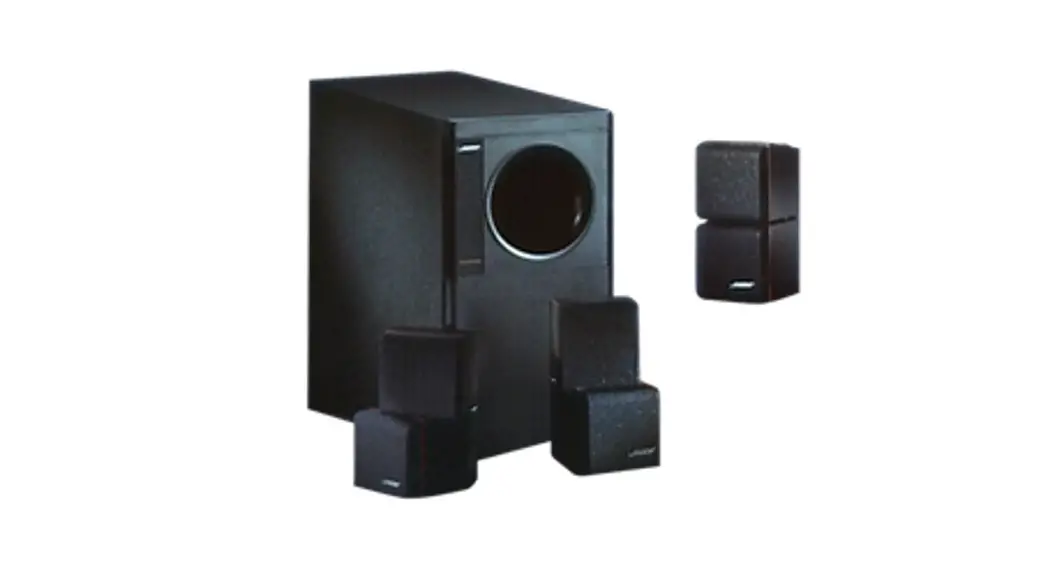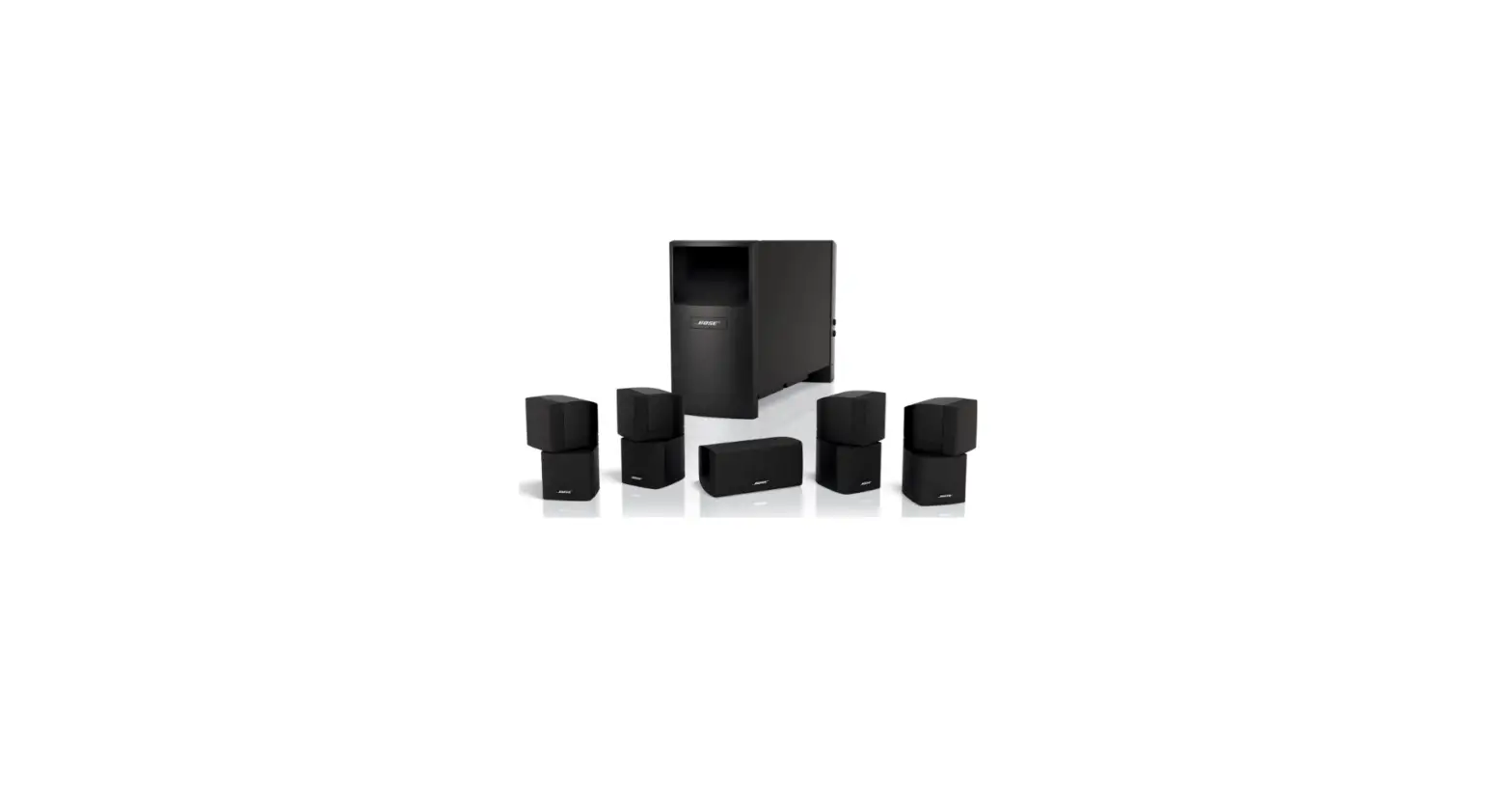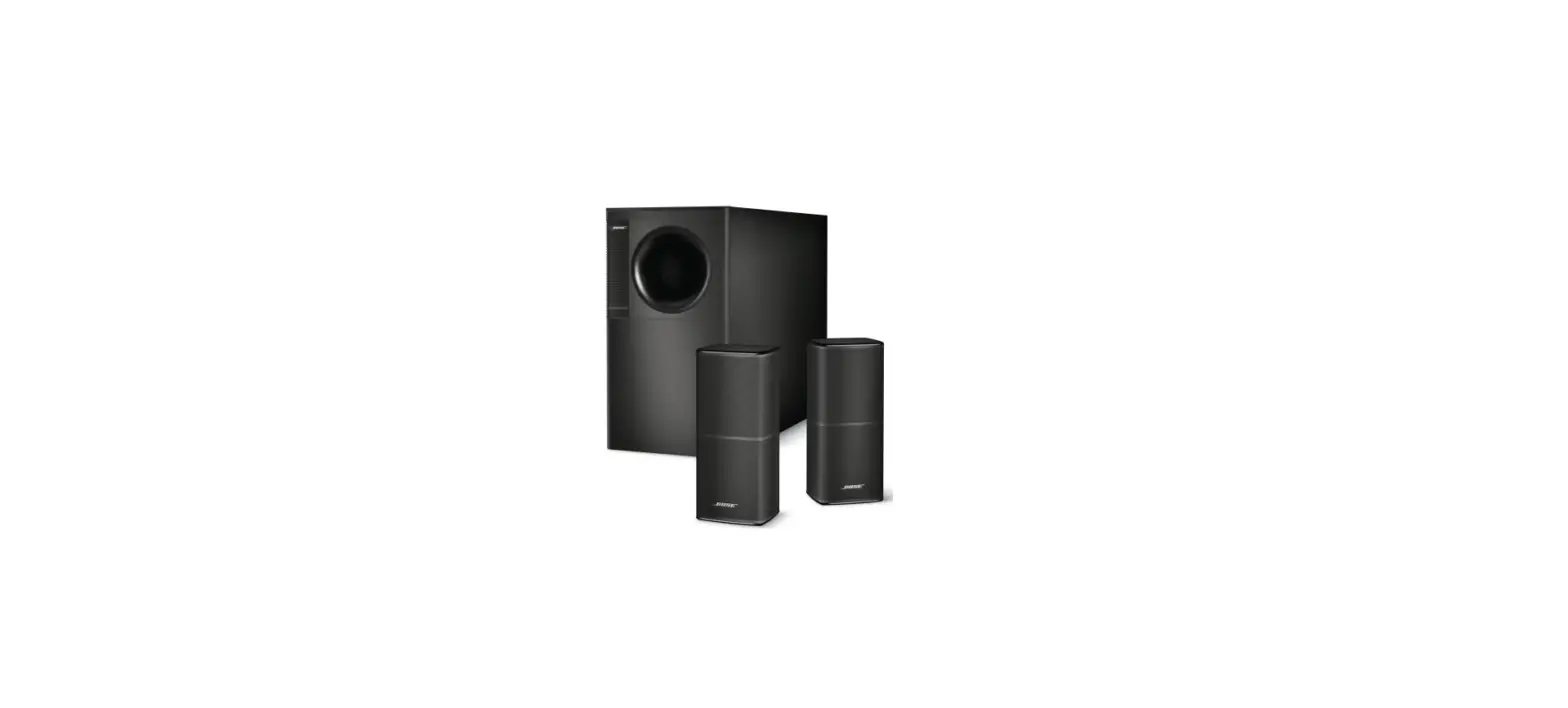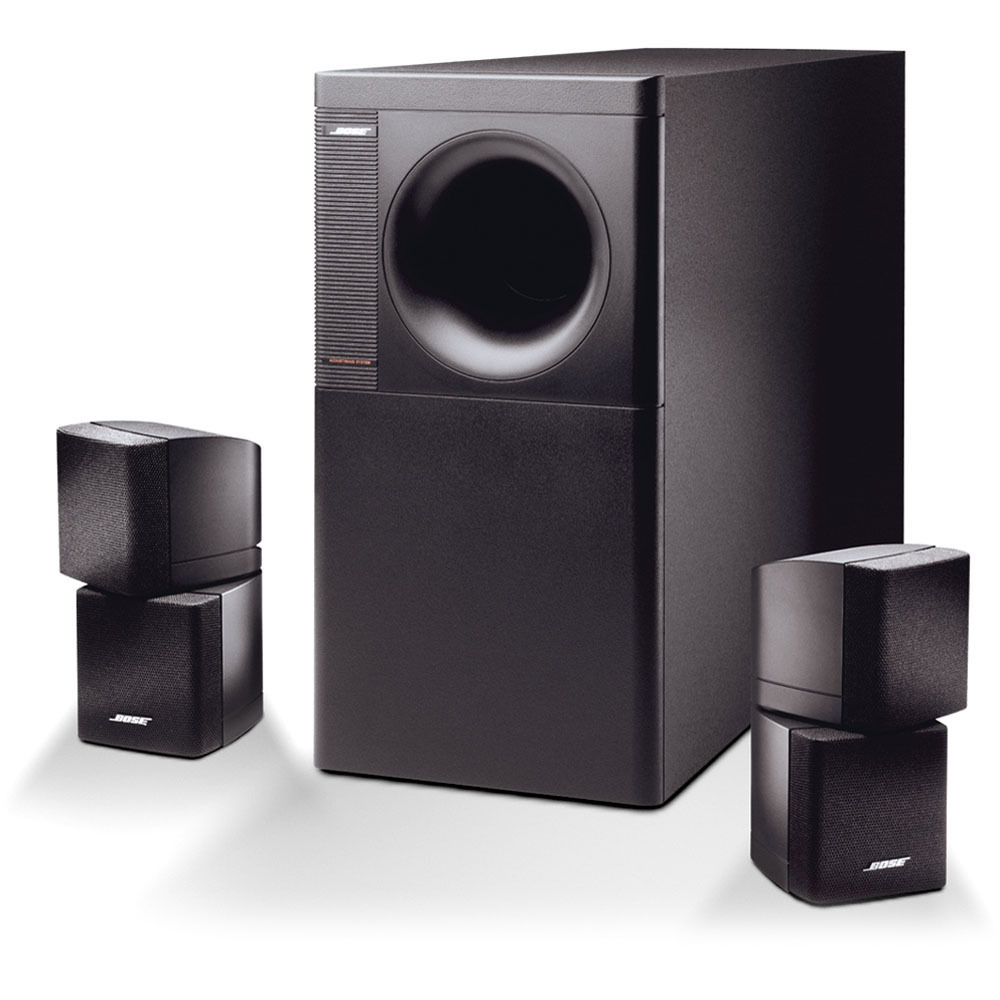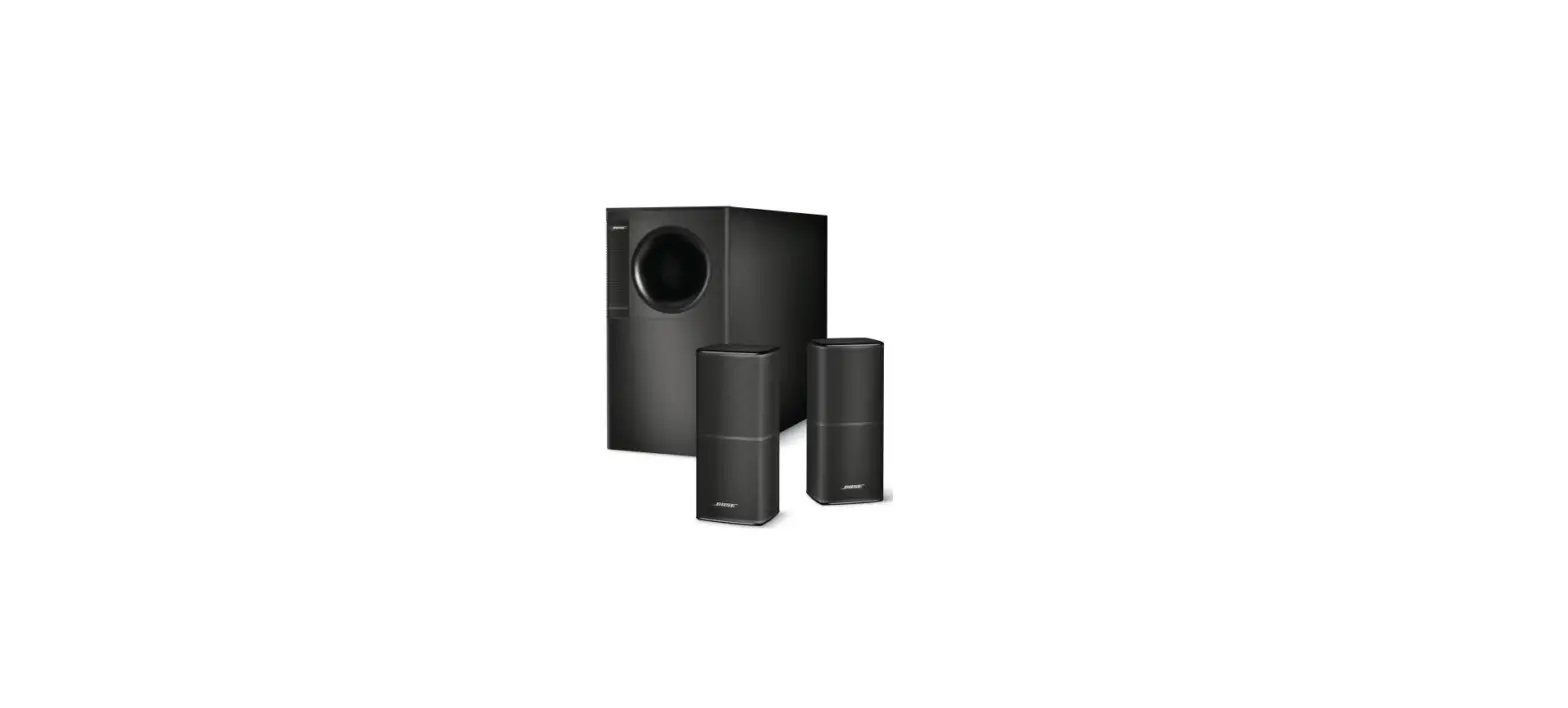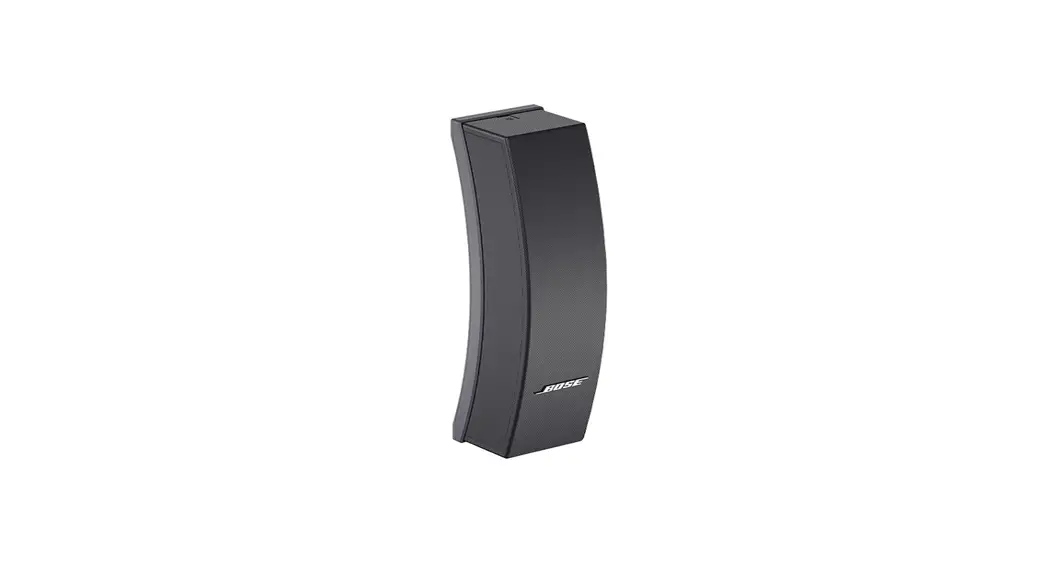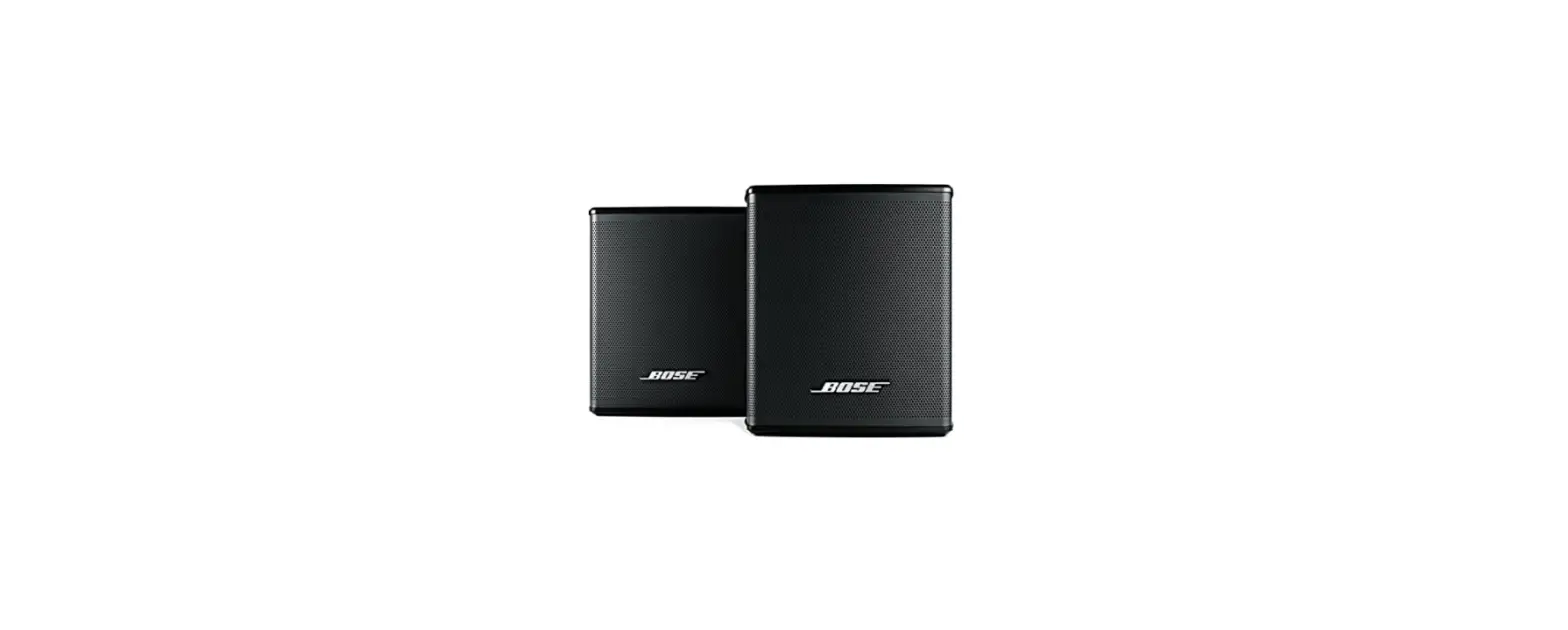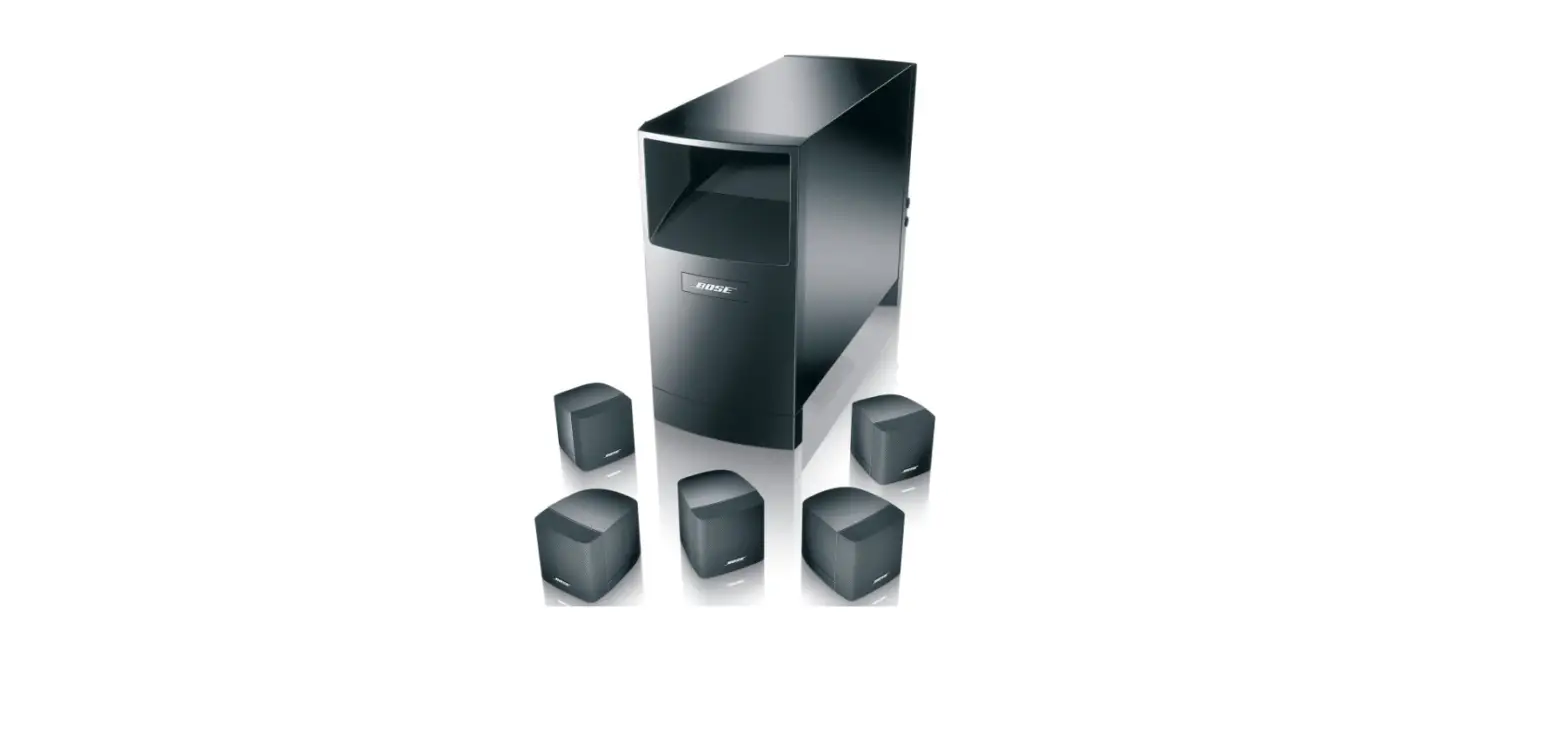

Bose 29275 Acoustimass 6-Home Entertainment Speaker System
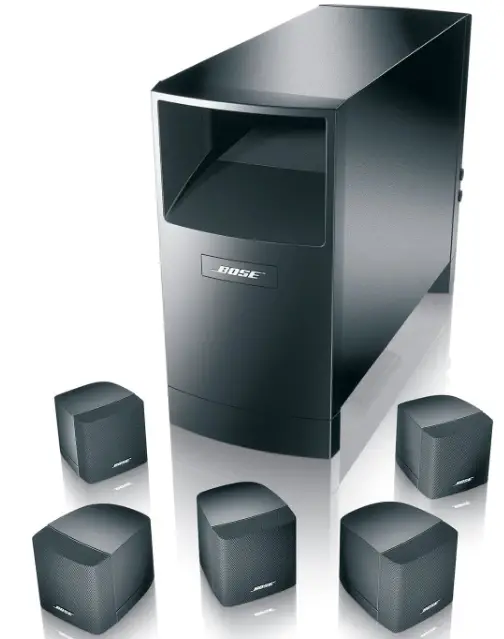
Setting Up
Before you begin
Bose® Virtually Invisible® speaker technology allows you to enjoy lifelike home performances from the very latest surround sound encoded movies, CDs, and television shows, without a room full of speakers.
Your video sound source (stereo VCR, laserdisc or digital video player, or stereo television) sends the encoded program material to the surround sound receiver, which interprets it by distributing various sounds to particular speakers. Although the sound mix varies with different types of programs, dialogue is usually sent to the center speaker while sounds from the left or right side of the picture go to the left or right front speakers. Ambient sounds and special effects are directed to one or both of the surround (rear) speakers. The unique, easy-to-hide Acoustimass® module delivers bass for all channels. At any point in a surround sound performance, you may hear sound from all or just a few of the speakers, but the overall experience puts you in the center of the action.
To select surround-encoded program material, look for any of the terms Surround, Dolby Surround, and the double-D symbol * on tapes and discs, and the word “surround” preceding a TV broadcast. Your Acoustimass-6 home theater speakers are also compatible with Dolby Digital (AC-3) receivers and program material. The special settings for Dolby Digital are described on page 14.
You can also enjoy a wide variety of stereo programming that is not surround-encoded with your Acoustimass-6 speakers. Simply adjust your receiver as described on page 14.
*Dolby and the double-D symbol are trademarks of Dolby Laboratories Licensing Corporation.
Setting Up
Unpack the carton
- Remove any staples from the opened carton flaps.
- Lift out the two brown inner cartons.
- Remove the five cube speakers from their packaging.
- Remove the Acoustimass® module end cover from its packaging.
- Gently roll the carton over onto its side and then onto its opening.
- Carefully lift the carton from around the Acoustimass module and packing cushions.
- Do not detach the removable cables connected to the Acoustimass module.
- If the speakers or the Acoustimass module appear damaged, do not use them. Repack everything in the original carton and contact your authorized Bose® dealer immediately.
Note: Now is a good time to record the serial number of these speakers on page 2 of this guide and on your warranty card. It is a good idea to save all packing materials for possible future use.
WARNING:
The Acoustimass module weighs 19 pounds (8.6 kg). Use good lifting practice to avoid injury.
To avoid danger of suffocation, keep the plastic bags that wrap these speakers out of the reach of children
What comes in the carton: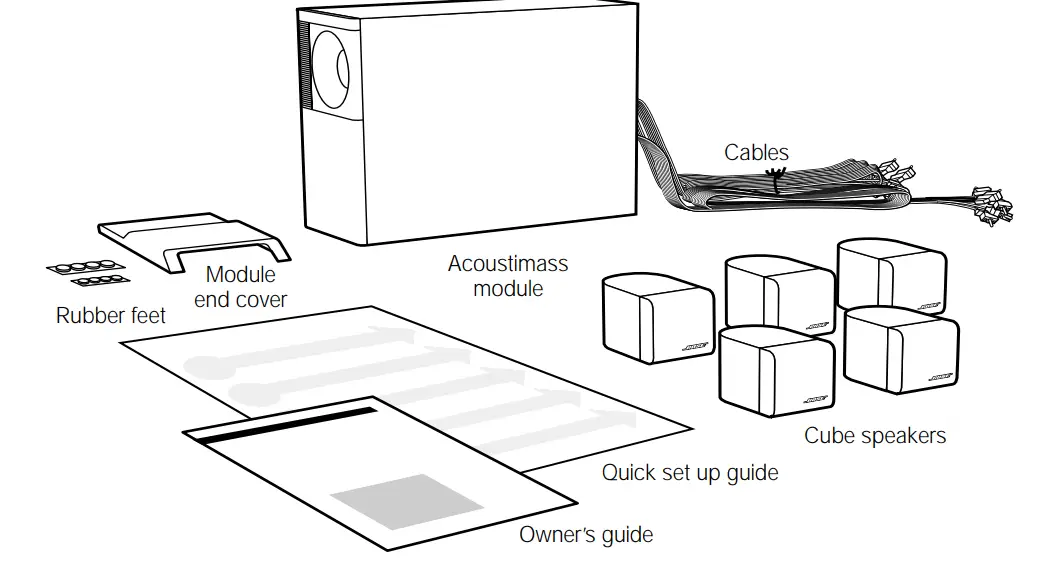
- Acoustimass module
- Module end cover
- 5cube speakers
- 20′ (6 m) speaker input cable
- 20′ (6 m) front speaker output cable
- 50′ (15 m) rear speaker output cable
- 8 protective rubber feet
- Owner’s guide
- Quick set up guide
Placing your Acoustimass®-6 speakers to achieve realistic home theater sound
The center speaker localizes action and dialogue on your screen. Sound from the center speaker should seem to come from within the picture.
The left and right front speakers create a sound image wider than the screen that seems natural to viewers sitting anywhere in the room.
The surround speakers add subtle sounds and special effects that expand the visual image, bringing the viewer into the center of the action. The surround speakers should be positioned to allow the sound to reach the viewer from both sides, rather than from directly behind.
You can place the front and center speakers near a TV screen with no picture interference, because all of the cube speakers are magnetically shielded.
The Acoustimass module is not magnetically shielded and should be at least 2 feet (60 cm) from your screen, but at the same end of the room as the front and center speakers. Bose®
Acoustimass speaker technology takes advantage of the fact that the source of bass sound is difficult to locate, so you can hide the Acoustimass module conveniently out of sight.
Placing it near a corner increases bass output from the module.
A suggested home theater layout that conforms to the guidelines described above is shown in Figure 2.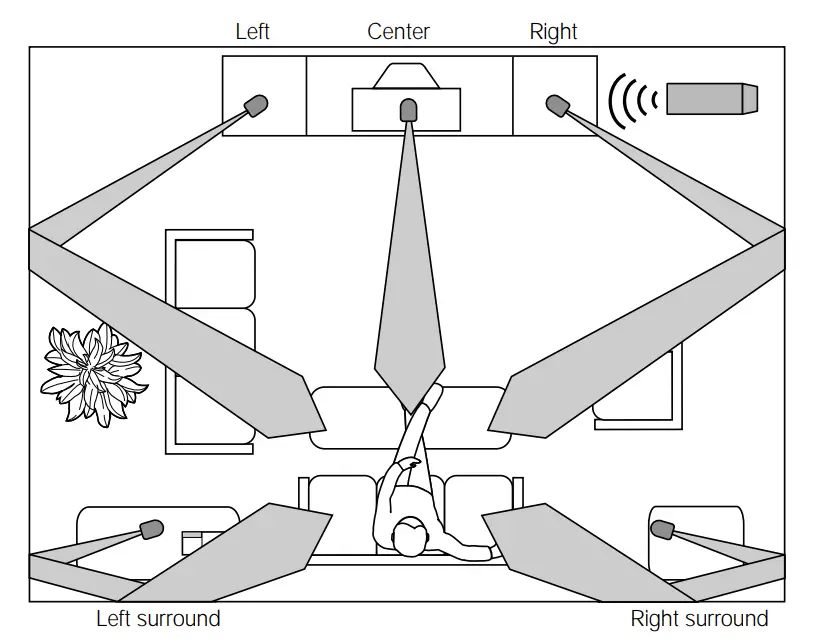
You may choose to place the speakers differently, to take advantage of the sound characteristics of different rooms. For instance, where walls are absent or the room is large, you may prefer not to angle the left and right speakers as shown. You can experiment to find the best position.
Your speakers come with sufficient cable lengths to allow you to have the following distances between components:
- Up to 20 feet (6 m) between the Acoustimass module and the receiver.
- Up to 20 feet (6 m) between the Acoustimass module and the front and center cube speakers.
- Up to 50 feet (15 m) between the Acoustimass module and the surround speakers.
Select the locations for your speakers
The lengths of cable supplied with your Acoustimass®-6 system provide a great deal of flexibility in speaker placement. Optional Bose® extension cable, add-on connectors, wall brackets, and floor stands can add to your choices. See “Accessories” on page 17.
Left and right front cube speakers
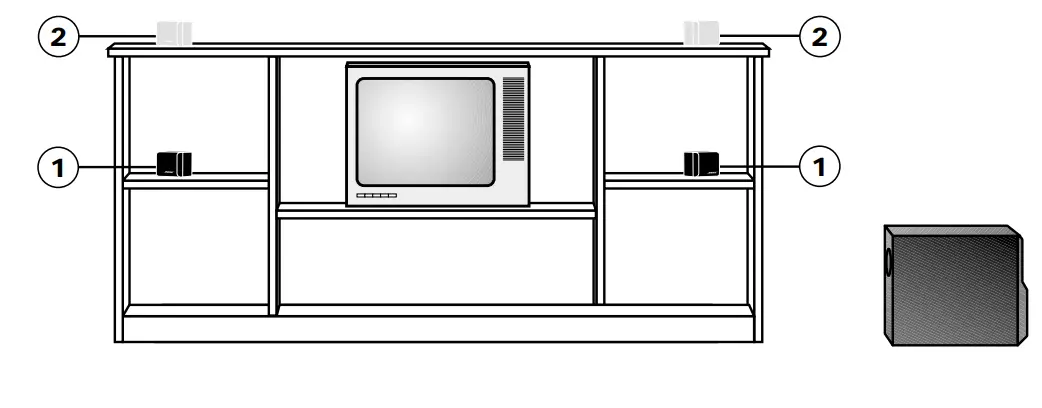
Use the two cube speakers with black terminals that are marked L/R (Figure 3).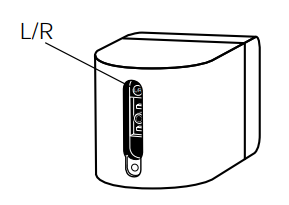 There are several ways to achieve an accurate left and right sound image (Figure 4).
- Place the front speakers on either side of your TV, at least 6 feet (2 m), or as much as 15 feet (5 m) apart.
- Place them in line with the center of the screen for the best sound balance (position 1).
Placing them in a line above the top of the TV is another choice (position 2). - Aim the speakers inward for more accurate imaging or outward for a more spacious effect. Adjust them according to your preference.
- The speaker on the left as you face the TV connects to the LEFT FRONT jack on the Acoustimass module.

Center cube speaker
Select one speaker with a gray terminal marked C/S as the front center speaker (Figure 5). Sound from the center speaker should seem to come from within the picture.
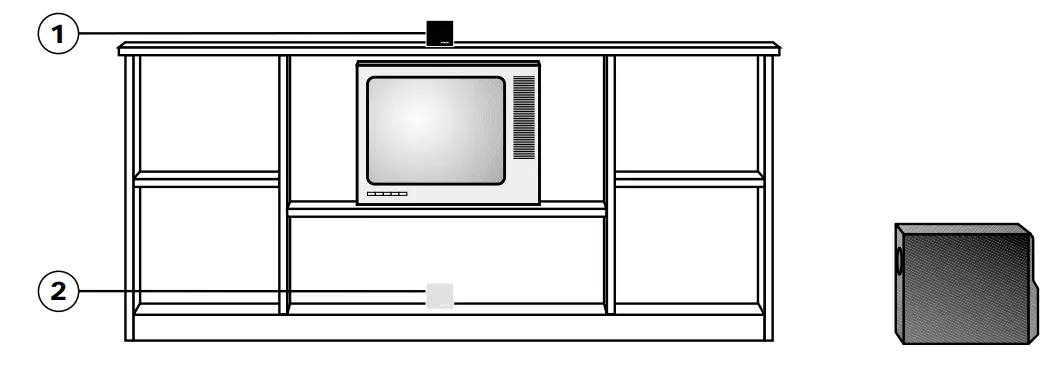
Figure 6 shows suggested positions for the center speaker.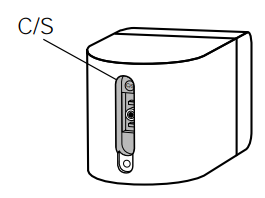
- Place the center cube speaker above, below, or on top of your television. If below, be sure that the cube speaker is not supporting the weight of the television in any way.
- Aim this speaker straight ahead for onscreen imaging.
- Keep it as close to the vertical center of the screen as possible, for the most accurate dialogue reproduction (positions 1 or 2).
Note: To obtain additional rubber feet, free, call Bose® Customer Service (listed on the inside back cover), and ask for Part Number 178321-04.
Surround cube speakers
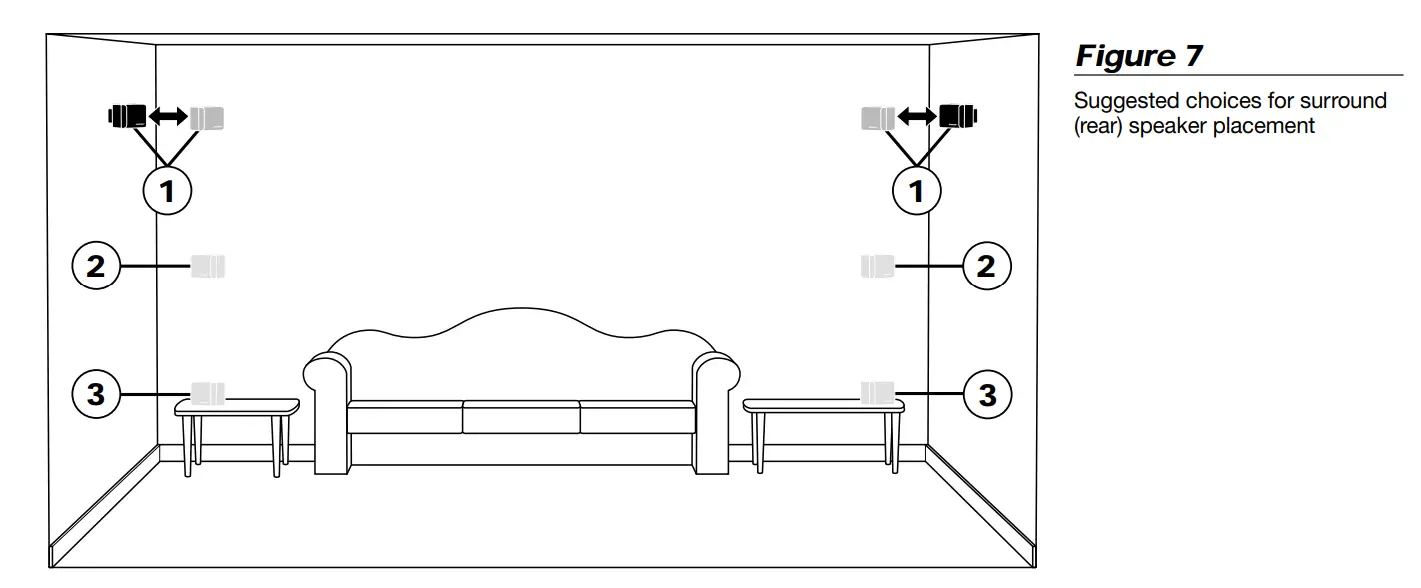
The remaining two speakers with gray terminals marked C/S are the surround speakers. Their left and right rear channel sound should reach the viewer from both sides, rather than from directly behind (Figure 7).
- Put one on the left and the other on the right, beside or just to the rear of the home theater seating area.
- Position them so they do not create a direct sound path to the ears of the listeners (position 1).
- Generally aim them away from the viewers, toward the rear or side walls (positions 2 or 3).
- If you want these speakers directly behind the seating area, make sure they are not directed at the viewers.
- The rear speaker to your left as you face the TV connects to the LEFT SURROUND jack on the Acoustimass® module.

Acoustimass® module
Bose® recommends putting your Acoustimass module at the same end of the room as the television monitor. To prevent interference, keep the module at least 2 feet (60 cm) from the television.
- You may hide the Acoustimass module behind or under furniture, but do not block the opening. Be sure there is at least 2 inches (5 cm) between the opening and any surface.
- Placing the module close to a corner increases the bass output. Moving it toward the center of the wall reduces the output.
- If the opening faces the wall, it further increases the bass. If it faces away, it decreases the bass. For the most bass response, place the opening 2 to 3 inches (5 to 8 cm) from a wall or corner.
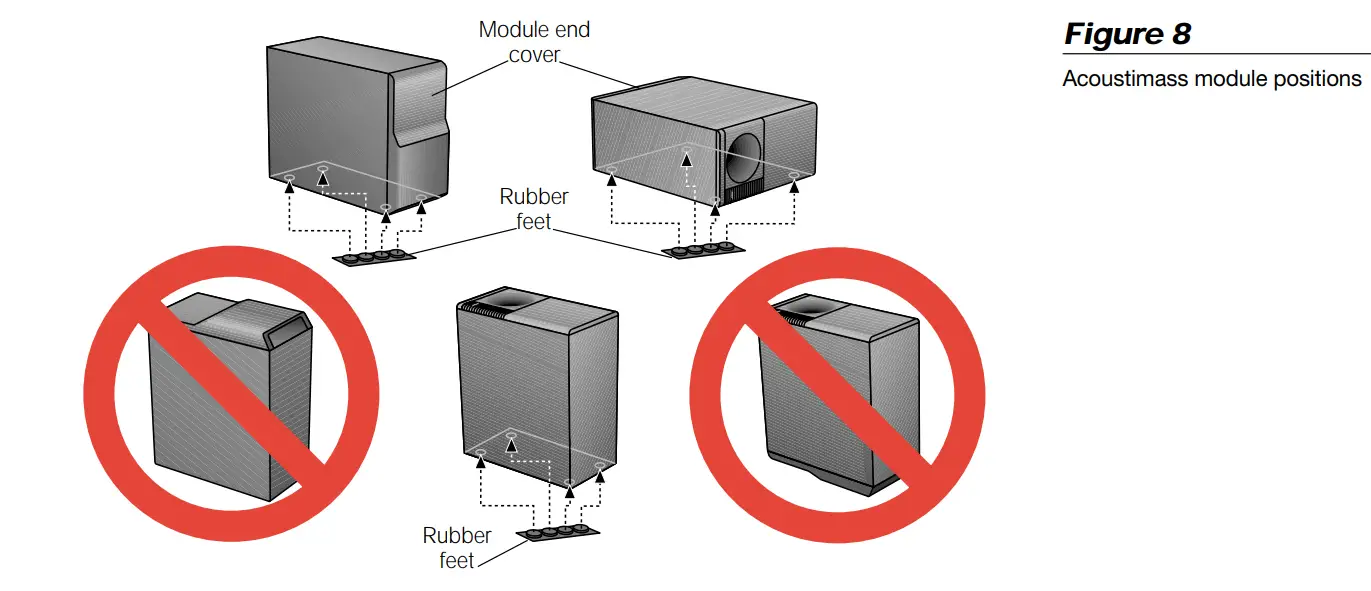
- Stand the module vertically or horizontally (Figure 8). Attach the large set of rubber feet to the bottom surface. If you plan to stand the module on the cable connection end, do not use the module end cover, but be sure to attach the large rubber feet to protect the connections.

Connect the speakers
Note: You can refer to Figure 12 on page 12 for an overview of the completed connections.
The supplied cables make it easy for you to connect your system. Each cable connector is colored gray or black and embossed with a letter to identify the cube speaker, the output, or the input it matches. The connections at the Acoustimass® module are already made for you. There are three sets of cables, joined together to form ribbons, which may be separated or “unzipped” as needed to comfortably reach the speakers (Figure 9). Separate the cables as you are laying out the cable lengths. However, you may want to keep the unextended length of cable joined, making it easier to hide.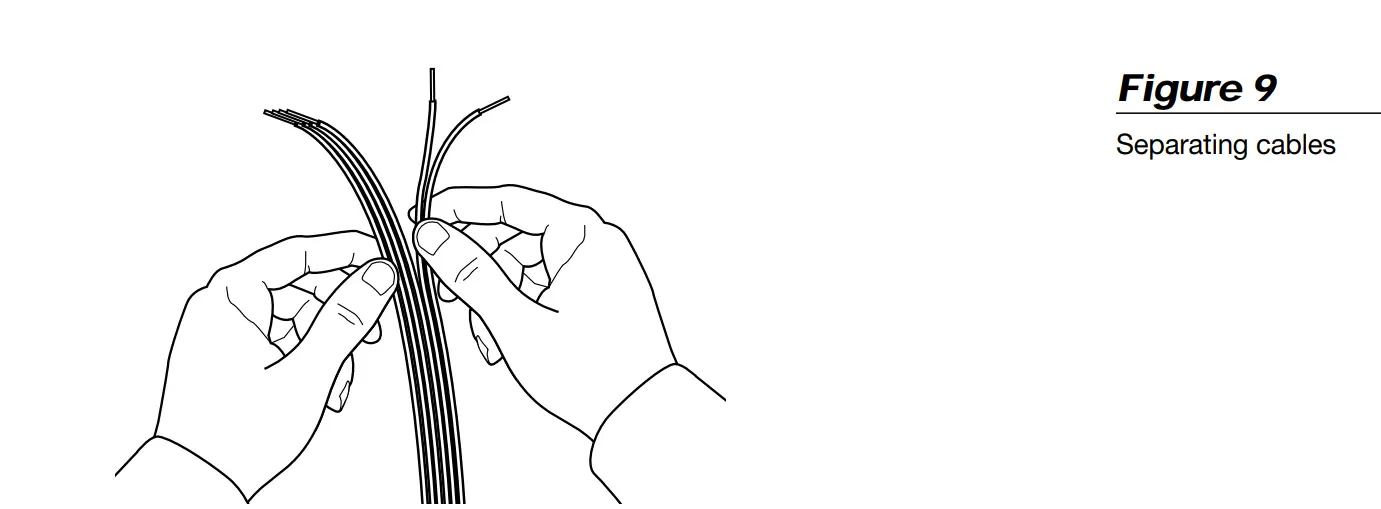
CAUTION:
Before making any connections turn off your receiver or amplifier and unplug it from the outlet (AC power mains). Not doing so may result in damage to your system.
- The 20 foot (6 m) cable with three pairs of wires connects the Acoustimass module to the center, left front, and right front cube speakers.
- The 50 foot (15 m) cable with two pairs of wires connects the Acoustimass module to the left and right surround cube speakers.
- The 20 foot (6 m) cable with five pairs of wires connects the Acoustimass module to the outputs on the receiver. Separate these wires just enough to reach the connectors.
Note: If you have already installed cable behind walls or under floors, or believe you need to splice the supplied cables for any other reason, inquire about the add-on connectors and extension cable available from Bose® Customer Service. Refer to page 17 for details on these accessories. Bose Customer Service telephone numbers are listed on the inside back cover.
Connect the Acoustimass module to the center and front cube speakers
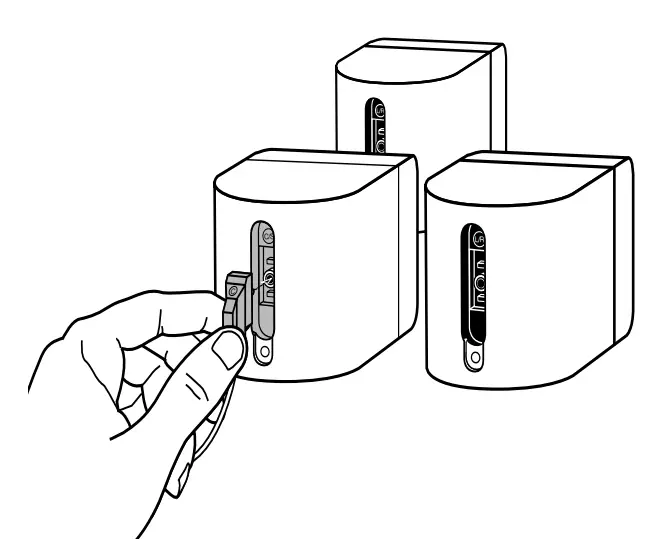
Use the 20 foot (6 m) cable with three pairs of wires to connect the Acoustimass module to the center and front cube speakers. Just press the custom connectors into place.
- The gray connector goes into the gray terminal on the center speaker (Figure 10).
- The black connector marked L goes into the black terminal on the left front speaker (to the left of the TV as you face it).
- The black connector marked R goes into the black terminal on the right front speaker
 CAUTION:
Never connect the cubes directly to the receiver. Always connect the cube speakers to the Acoustimass module, then connect the Acoustimass module to the receiver.
 CAUTION:
At the Acoustimass® module, check to be sure the connectors are firmly inserted into the proper OUTPUT TO CUBE SPEAKER jacks.
- The black L connector goes into the L jack.
- The gray C connector goes into the C jack.
- The black R connector goes into the R jack.
Connect the module to the surround cube speakers
Use the 50 foot (15 m) cable with gray connectors to join the Acoustimass module to the surround speakers.
- The gray connector marked LS goes into the gray terminal on the left surround speaker (to your left as you face the TV).
- The gray connector marked RS goes into the gray terminal on the right surround speaker.
At the Acoustimass module, make sure the gray connectors are firmly inserted into the LS and RS OUTPUT TO CUBE SPEAKER jacks.
Connect the module to the receiver
Use the 20 foot (6 m) cable with five wire pairs to connect the Acoustimass module to your surround sound receiver.
- Connect all wires to the receiver in phase (+ to + and – to –).
- Connect each wire marked with a red collar (+) to the appropriate red (+) output.
- Connect each plain wire (–) to the appropriate black (–) output.
- Match the label on the red collar of each wire pair to the SPEAKER OUTPUT label on the receiver:
- LEFT wires go to the LEFT FRONT SPEAKER OUTPUT connections.
- CENTER wires go to the CENTER SPEAKER OUTPUT connections.
- RIGHT wires go to the RIGHT FRONT SPEAKER OUTPUT connections.
- LEFT SURROUND wires go to the LEFT SURROUND (rear) SPEAKER OUTPUT connections.
- RIGHT SURROUND wires go to the RIGHT SURROUND (rear) SPEAKER OUTPUT connections.
- At the Acoustimass module, check to make sure all connectors are firmly inserted into the proper INPUT FROM RECEIVER OR AMPLIFIER jacks. Black connectors go into L and R jacks. Gray connectors go into C, LS, and RS jacks.
CAUTION:
Do not connect the Acoustimass module directly to your television unless the television provides surround decoding circuitry and amplified outputs for all channels.
Check the connections
Check all connections from the receiver to the Acoustimass® module and the module to the cube speakers, making sure the two speakers with black terminals are connected as front speakers (Figure 11). 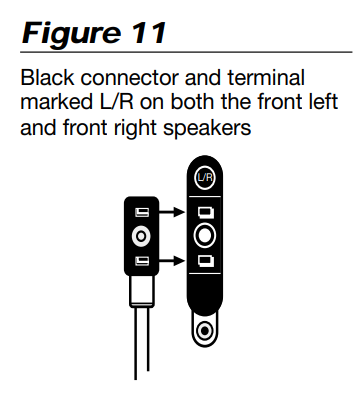 Check to be sure all speakers are connected to the proper terminals according to their position in your room (Figure 12).
At the receiver, make sure the wires are connected in phase (+ to + and – to –). Incorrect wiring can result in a total loss of Acoustimass module output.
Be sure to correct any wiring problems before you plug your receiver in and turn it on.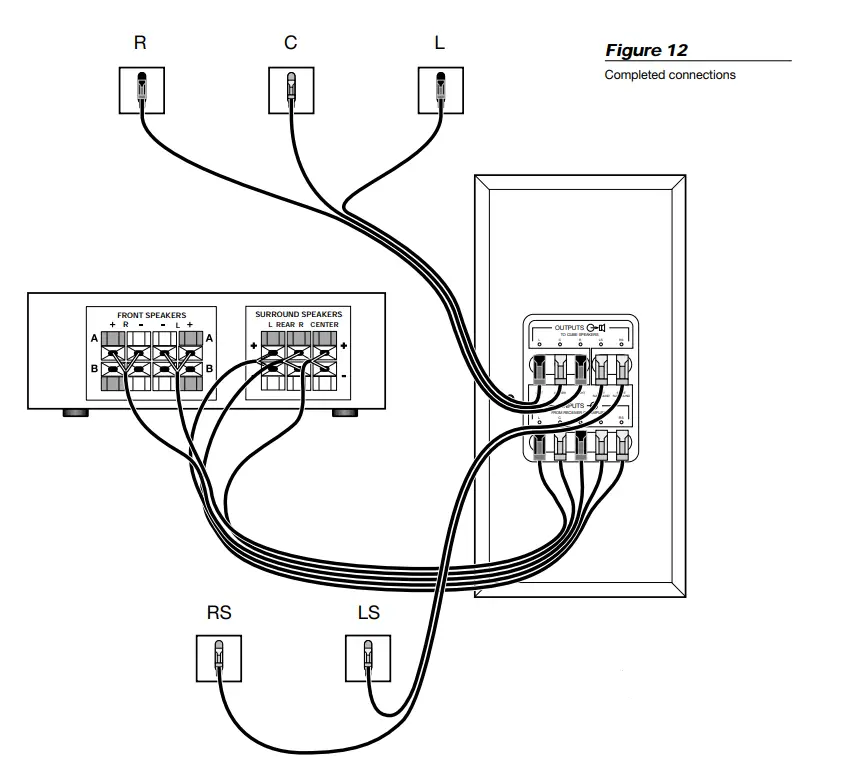
Attach the module end cover, if needed
The module end cover is designed to hide the cabling and extend the smooth, clean lines of the Acoustimass® module. However, because the cover has a beveled surface, you cannot stand the module on that end with the cover in place.
If you plan to use the cover, attach it to the cable end after all connections have been checked (Figure 13). Gently push the end cover into the grommets on the Acoustimass module.
Your set up is complete. Enjoy your Acoustimass-6 speaker system.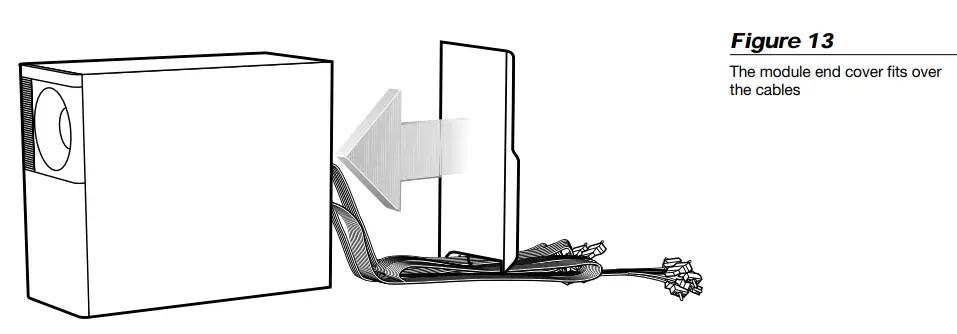
Using Your Acoustimass®-6 Speakers
For realistic home theater sound
Each speaker produces only the sound directed to it by the steering logic in your surround sound receiver. During a surround sound program, the front and center speakers will emit sound almost constantly, while the surround speakers may be silent for periods of time.
How to set your Pro-Logic receiver
For use in video applications, be sure the SURROUND SOUND center mode setting of your receiver is on NORMAL (Figure 14). 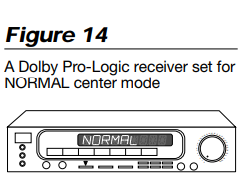 You may press in the button labeled Loudness (Bass Boost or Super Bass on some receivers) to see if you prefer that video sound. Use the test tone on your receiver to further verify connections and to adjust the volume level of the speakers.
To use the test tone
- Press test tone ON at the remote.
- Listen and confirm that each speaker reproduces sound as the tone moves from speaker to speaker in this order: LEFT, CENTER, RIGHT, SURROUND. One tone should come
from both SURROUND speakers at the same time. - Adjust the volume levels of the CENTER and SURROUND speakers to achieve the balance you prefer for your listening area.
- Instructions for this process vary, depending on the brand and model of receiver you are using. Follow your receiver owner’s guide instructions for more details on using the test tone.
To balance the bass and treble
Upholstered furniture, wall-to-wall carpets, or heavy drapes can muffle treble (high notes), making your speaker system sound bass heavy. Bare floors and walls and hard surface furniture can make your speaker system sound too shrill. After listening to your speakers, you may want to adjust the balance of bass and treble. You can use the bass and treble controls on your receiver.
Suggestion for spacious stereo sound
Try setting your receiver to the PHANTOM surround mode while listening to music from a CD or cassette tape. This will enable you to enjoy a wide stereo image reproduced by the front speakers, plus the ambience and spaciousness provided by your surround speakers. If your receiver has a Loudness button, turn that off during regular stereo playback.
How to set your Dolby Digital (AC-3) receiver
Your Acoustimass-6 speakers are compatible with the output from Dolby Digital (AC-3) receivers. Take special care to set the channel output according to the specifications listed in the chart below. The Acoustimass speaker system is a full-range system and must be set as LARGE speakers on the Dolby Digital screen menu. An exception is the center speaker, which must be set as SMALL. Turn the subwoofer OFF. Finally, turn the LFE (low-frequency effects) ON and set the crossover frequency to 200 Hz.
Receiver channel output Proper setting
- Left and Right Front …………………………………….. LARGE
- Center ……………………………………………………….. SMALL
- Left and Right Surround ………………………………. LARGE
- Subwoofer ……………………………………………………. OFF
- LFE (low-frequency effects) ………………………………ON
- Crossover frequency ……………………………………. 200 Hz
Follow the receiver owner’s guide instructions for using the receiver test tone to verify your connections and to adjust the volume levels of the speakers.
Maintaining Your Acoustimass®-6 Speakers
Troubleshooting
If you have a problem with your Acoustimass-6 speakers, turn off your sound source and try the solutions below. If you still have a problem, contact your Bose® dealer to arrange for service. Or, to contact Bose directly, refer to the inside back cover of this guide.
Cleaning the speakers
Wipe the cube speakers using a damp cloth. Do not use solvents or chemicals. Do not allow liquids to spill on or objects to drop into the Acoustimass module or the speaker grilles. You may vacuum the grilles carefully; the drivers are directly behind the grille cloth.
No other maintenance is needed.
Product Information
Warranty period
Bose® Acoustimass®-6 speakers are covered by a limited 5-year transferable warranty. Details of the coverage are explained on the warranty card packed with your speakers. Please fill out the information section on your card. The serial number is located on the Acoustimass module; you may choose to record it on page 2 of this guide. Then, please detach and mail the card to Bose in the pre-addressed envelope. Bose will try to remedy any problem within the terms of your limited warranty.
Technical information
Features
- Acoustimass speaker technology combined with Adaptive Energy SummingTM speaker design
- Virtually Invisible® speaker design
- Magnetically shielded cube speakers
- Automatic system protection circuitry
- Syncom® computer quality control
Speaker driver complement
Cube speakers: one 21⁄2″ (6.3 cm) TwiddlerTM speaker
Acoustimass module: two dual-voice coil 51⁄4″ (13.3 cm) woofers for front and surround channels
Connectivity
Compatible with A/V receivers rated from 10 to 100 watts per channel; rated from 4 to 8 ohms
Finish
Cube speakers: Black or Arctic white finish
Acoustimass module: Scratch-resistant black or Arctic white textured finish
Size/Weight
- Cube speakers: 31⁄8″H x 3″W x 43⁄4″D (7.9 cm x 7.6 cm x 12.2 cm) 1.1 lb (.5 kg)
- Acoustimass module: 14″H x 71⁄2″W x 161⁄2″D (35.5 cm x 19 cm x 41.9 cm) B19 lb (8.6 kg)
- Packed system: 205⁄8″H x 111⁄8″W x 241⁄2 “D (52.3 cm x 28.2 cm x 62.2 cm) 36 lb (16.4 kg)
Accessories
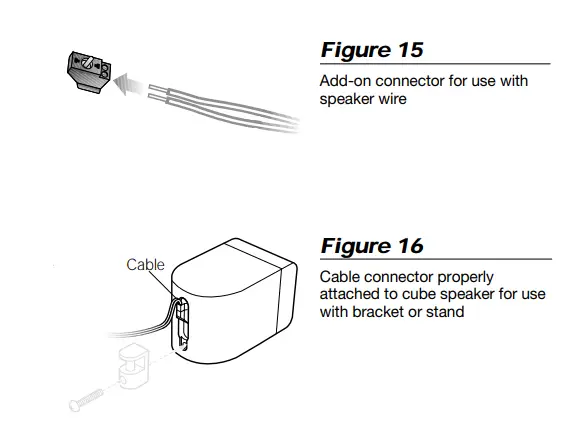
- Add-on connector: PN189830 (shown)
- Adapts other speaker cable for use with Acoustimass®-6 speakers
- Extension cable: PN187092-1 (black), PN187092-2 (white) 50′ (15 m) ribbon with five pairs of wire
- Floor stands: UFS-20B (black), UFS-20W (white)
- Wall brackets: UB-20B (black), UB-20W (white)
Note: Both UFS-20 floor stands and UB-20 wall brackets fit Acoustimass-6 cube speakers. However, before attaching a stand or a bracket, it is necessary to change the orientation of the cable connector. Turn the connector upside down before inserting it into the terminal on the back of the cube speaker. When it is correctly attached for use with a floor stand or bracket, the cable will run up rather than down from the cube speaker.
For more information, or to purchase accessories, contact your authorized Bose® dealer. Or, to call Bose directly, refer to the Bose Customer Service telephone numbers listed on the inside back cover.
USA
Bose Corporation, The Mountain Framingham, MA 01701-9168 1-800-367-4008
Phone hours – ET (eastern time): Weekdays 9 a.m. to 8 p.m. Saturdays 9 a.m. to 3 p.m.
Canada
Bose Ltd., 1-35 East Beaver Creek Road Richmond Hill, Ontario L4B 1B3 1-800-465-2673
Phone hours – ET (eastern time): Weekdays 9 a.m. to 5 p.m.
European Office
Bose Products B.V., Nijverheidstraat 8
1135 GE Edam, Nederland
TEL 0299-390111 FAX 0299-390114
Australia
Bose Australia, Inc., 1 Sorrell Street
Parramatta, N.S.W. 2150
TEL 02 204-6111 FAX 02 204-6122
Belgique/België
Bose N.V., Limesweg 2, B-3700 Tongeren
TEL 012-390800 FAX 012-390840
Danmark
Bose A/S, Industrivej 7, 2605 Brøndby
TEL 4343-7777 FAX 4343-7818
Deutschland
Bose GmbH, Max-Planck-Straße 36d
D-61381 Friedrichsdorf
TEL 06172-71040 FAX 06172-710419
France
Bose S.A., 6, rue Saint Vincent
78100 Saint Germain en Laye
TEL 01-30616363 FAX 01-30614105
India
Bose Corporation India Private Limited W-16, Greater Kailash-II New Delhi 110 048
TEL (011) 648 4462 FAX (011) 648 4463
Ireland
Bose Corporation Carrickmacross, Co Monaghan
TEL 042-61988 FAX 042-61998
Italia
Bose S.p.A., Via della Magliana 87600148 Roma
TEL 06-65670802 FAX 06-65680167
Japan
Bose K.K., Shibuya YT Building 28-3 Maruyama-cho Shibuya-ku, Tokyo 150
TEL 3-5489-0955 FAX 3-5489-0592
Nederland
Bose B.V., Nijverheidstraat 8 1135 GE Edam
TEL 0299-390111 FAX 0299-390109
Norge
Bose A/S, Solheimsgate 11 N-2001, Lillestrøm
TEL 63-817380 FAX 63-810819
Österreich
Bose Ges.m.b.H., Vienna Business Park Wienerbergstrasse 7 (10.OG) A-1100 Vienna
TEL 01-60404340 FAX 01-604043423
Schweiz
Bose AG, Rünenbergerstrasse 13 4460-Gelterkinden
TEL 061-9815544 FAX 061-9815502
Sverige
Bose A/S, JohanneFredsgatan 4
S-43153 Mölndal
TEL 31-878850 FAX 31-274891
United Kingdom
Bose Limited, Unit G2 Trinity Trading Estate Sittingbourne, Kent ME10 2PD
TEL 01795-475341 FAX 01795-427227
From other locations
Bose Customer Service, 1 New York Ave.
Framingham, MA 01701-9168 USA
TEL (508) 766-1900 FAX (508) 766-1919
World Wide Web www.bose.com
©1999 Bose Corporation, The Mountain Framingham, MA 01701-9168 USA 189815 AM Rev.04 JN97846
FAQS
The Bose Acoustimass is not a receiver. It requires an amplified audio output to individual speakers. The Directtv box does not provide this output. You need to feed the HDMI output from the Directv box to a receiver to feed the speaker system.
It is intended as using one as the center, or a 3 front, 2 surround rear. It can also be set up as a 5 front system that has really great sound. I actually run it as a 5 front and added 2 rear Polks to my Yamaha 7.2 system and it is amazing
Yes, it is necessary for the Acoustimass 6 to be connected to a receiver or amplifier. The receiver or amplifier would have a remote.
Standard 16gage speaker wire for in room application and 16gage AWS (shielded) for in crawl space, attic or basement
No, you need to connect them to a receiver. You can connect you computer to a receiver in order to get the desired sound
The UB20 II speaker brackets are recommended for this system to ensure compatibility. The WB50 brackets can not be used with the Bose Acoustimass 6 Home Entertainment Speaker System. There are other companies that make speaker brackets that may work with the Bose system, but we can not guarantee compatibility.
What is the difference between bose acoustimass 6 series iii and series v home entertainment speaker system?
The Acoustimass 6 V systems include Virtually Invisible Series II speakers. This is an improved model of the original Virtually Invisible speakers that came with the Acoustimass 6 III.
All you need is a 5.1 channel stereo receiver, preferably 100+ watts per channel. I would also recommend buying the Bose SL2 Wireless Bluetooth receiver adapter, which will allow you to have wireless speakers in the back of the room. So there’s no need to run wires all over your living room. You can find a pretty decent receiver for around 299.00 or you could always buy a used one from someone who’s always looking to upgrade. There is always that guy who always wants the new toys when they come out. So check out online yardsales or let it go app, etc.
No, it does not. This is a HOME THEATER system designed to connect to a RECEIVER.
The Acoustimass 6 is not wireless. The speakers are connected via cables to the bass module, and the bass module is wired to a receiver or amplifier.