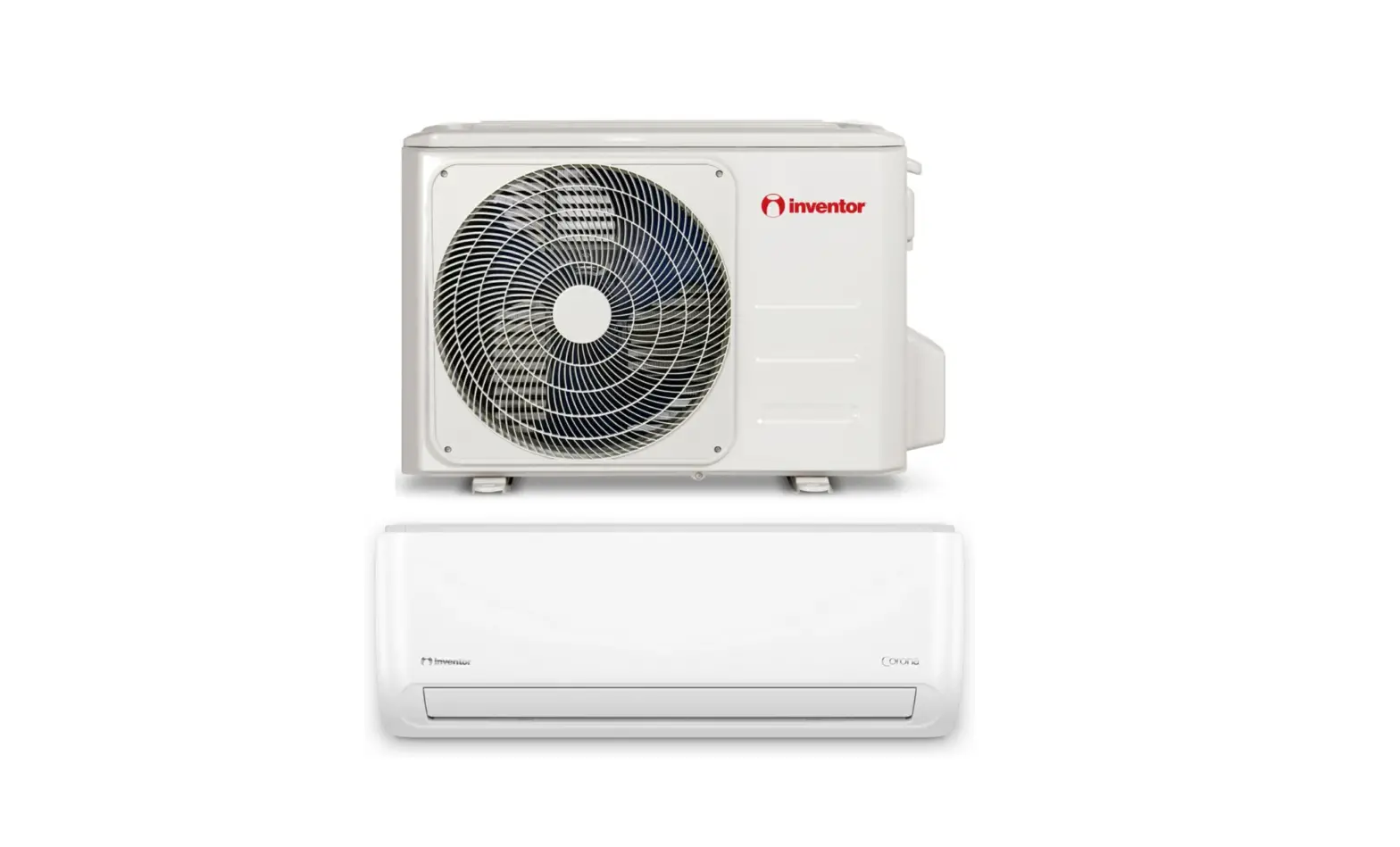
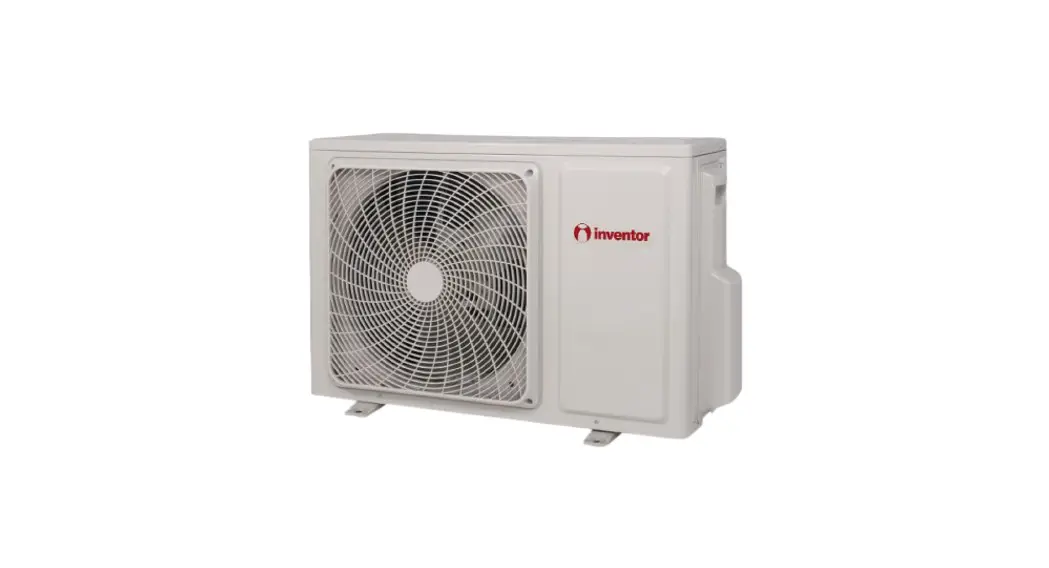
DR2VI Series Wall Mounted Unit Air Conditioning System
AIR CONDITIONING SYSTEMS – WALL MOUNTED UNIT
Models:
- DR2VI-09WFI/DR2VO-09
- DR2VI-12WFI/DR2VO-12
- DR2VI32-09WFI/DR2VO32-09
- DR2VI32-12WFI/DR2VO32-12
- DR2VI32-18WFI/DR2VO32-18
- DR2VI32-24WFI/DR2VO32-24
Precautions:
- Read the precautions in this manual carefully before operating
the unit. - This appliance is filled with R32.
- Keep this manual where the user can easily find it.
WARNING:
- Do not use means to accelerate the defrosting process or to
clean, other than those specified. - Do not pierce or burn the unit.
- If the supply cord is damaged, it must be replaced by the
manufacturer, its service agent, or a qualified person. - Children shall not play with the appliance. Cleaning and user
maintenance shall not be made by children without supervision. - The wiring method should be in line with the local wiring
standard.
Parts and Functions:
Indoor Unit:
- Inlet grille
- Inlet
- Air Purifying Filter (inside)
- Outlet
- Horizontal flap (adjust up and down air flow)
- Display board (inside, don’t adjust it manually)
- Emergency Switch
- Vertical blade (adjust left and right air flow)
- Display board 1
- Signal receiver hole
- Ambient temp. display
- COOL display
- HEAT display
- HEALTH display
- DRY display
Outdoor Unit:
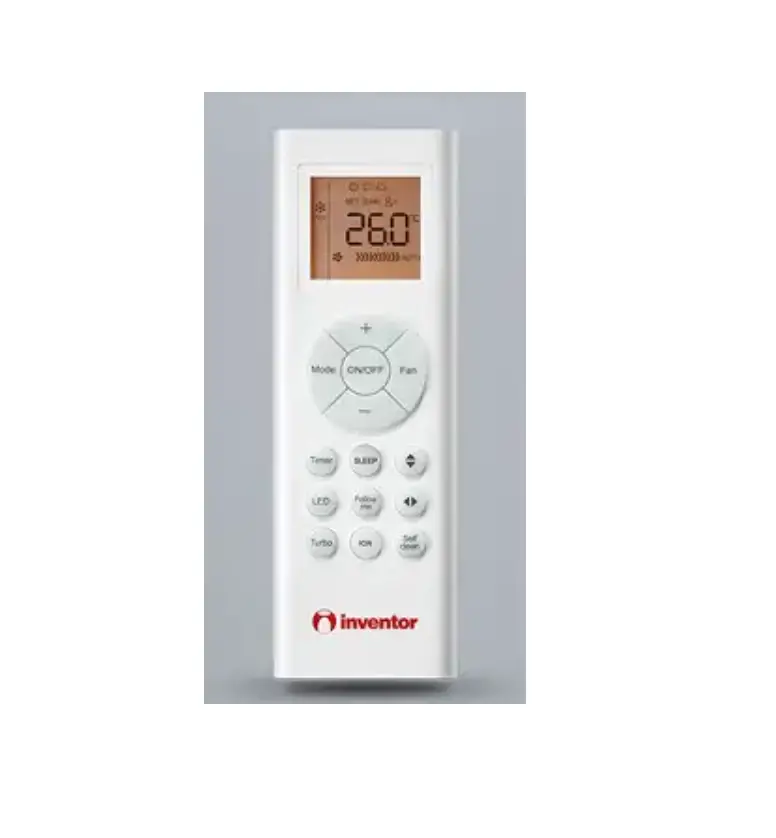
- Remote controller
- ON / OFF button
- Display of each function status
- Operation mode display
- WIFI and CLOCK display
- TEMP display
- Humidity display
- FAN SPEED display
- SWING display (Swing up/down and swing left/right)
- TIMER ON display
- TIMER OFF display
- CLOCK display
- FAN button
- QUIET button
- POWER button
- HEAT button
- DRY button
- SMART button (Unavailable on some models)
- COOL button
- TEMP button
Connecting Piping and Electrical Wiring:
Refer to the user manual for detailed instructions on connecting
the piping and electrical wiring.
Usage Instructions:
- Before operating the air conditioner, read the precautions in
the manual carefully. - Ensure that the unit is filled with R32 refrigerant.
- Keep the user manual in a place where it can be easily
accessed. - Do not use any means to accelerate the defrosting process or
clean the unit other than those specified in the manual. - Do not pierce or burn the unit.
- If the supply cord is damaged, it must be replaced by the
manufacturer, its service agent, or a qualified person. - Ensure that children do not play with the appliance. Cleaning
and user maintenance should not be done by children without
supervision. - Follow the local wiring standard when connecting the unit.
- Refer to the parts and functions section in the manual to
understand the different components of the indoor and outdoor
units. - Use the remote controller to operate the air conditioner. The
buttons on the remote controller have specific functions:
- ON / OFF button: Press this button to turn the unit on or
off. - Operation mode display: Displays the current operation mode
(e.g., COOL, HEAT, HEALTH, DRY). - WIFI and CLOCK display: Displays WIFI and CLOCK status if
available. - TEMP display: Displays the current set temperature.
- Humidity display: Displays the current humidity if available
(unavailable on some models). - FAN SPEED display: Displays the current fan speed.
- SWING display: Displays the current swing direction (up/down
and left/right). - TIMER ON display: Displays the timer on status.
- TIMER OFF display: Displays the timer off status.
- CLOCK display: Displays the current time.
- FAN button: Use this button to adjust the fan speed.
- QUIET button: Use this button to activate the quiet mode.
- POWER button: Use this button to turn the unit on or off.
- HEAT button: Use this button to activate the heat mode.
- DRY button: Use this button to activate the dry mode.
- SMART button: Use this button to activate the smart mode
(unavailable on some models). - COOL button: Use this button to activate the cool mode.
- TEMP button: Use this button to change the set
temperature.
Note:
- Humidity display is unavailable on some models.
- If the model has a WIFI function, press the ON/OFF button for 5
seconds to emit the WIFI binding signal. Follow the instructions in
the APP to complete the binding process.
For detailed instructions on operation, refer to the user
manual.
AIR CONDITIONING SYSTEMS
WALL MOUNTED UNIT
· USER’S MANUAL · · MANUAL UTILIZATORULUI · BENUTZERHANDBUCH
MODELS:
DR2VI-09WFI/DR2VO-09 DR2VI-12WFI/DR2VO-12 DR2VI32-09WFI/DR2VO32-09 DR2VI32-12WFI/DR2VO32-12 DR2VI32-18WFI/DR2VO32-18 DR2VI32-24WFI/DR2VO32-24
ENGLISH | | ROMANA | DEUTSCH
Read the precautions in this manual carefully before operating the unit.
This appliance is filled with R32.
Keep this manual where the user can easily nd it.
WARNING:
Do not use means to accelerate the defrosting process or to clean, other than those
·recommended by the manufacturer. ·The appliance must be stored in a room without continuously operating ignition sources (for
example: open flames, an operating gas appliance or an operating electric heater). Do not pierce or burn.
·Be aware that refrigerants may not contain an odour. ·The appliance must be installed, operated and stored in a room with a floor area larger than ·3 .
If the supply cord is damaged, it must be replaced by the manufacturer,its service agent or
·similarly qualified persons in order to avoid a hazard. ·This appliance can be used by children aged 8 years and above and persons with reduced
physical, sensory or mentao capabilities or lack of experience and knowledge if they have been given superivision or instruction concering use of the appliance in a safe way and understand the hazards involved. Children shall not play with the appliance. Cleaning and user maintenance shall not be made by children without supervision. The wiring method should be in line with the local wiring standard.
·All the cables shall have got the European authentication certificate. During installation, when the ·connecting cables break off, it must be assured that the grouding wire is the last one to be broken off.
The explosion-proof breaker of the air conditioner should be all-pole switch. Distance between its two contacts should not be no less than 3mm. Such means for disconnection must be incorporated in the
·wiring. Make sure installation is done according to local wiring regulation by professional persons.
·Make sure ground connection is correct and reliable. ·A leakage explosion-proof breaker must be installed. ·Do not use a refrigerant other than the one indicated on the outdoor unit(R32) when installing, ·moving or repairing. Using other refrigerants may cause trouble or damage to the unit, and
personal injury.
Please read this operation manual before using the air conditioner. Keep this operation manual for future reference This appliance is filled with R32.
Contents
PARTS AND FUNCTIONS ………………………………………………………………………………………. 2 OPERATION …………………………………………………………………………………………………………. 3 INDOOR UNIT INSTALLATION ……………………………………………………………………………….. 12 MAINTENANCE …………………………………………………………………………………………………….. 15 CAUTIONS ……………………………………………………………………………………………………………. 16 TROUBLE SHOOTING …………………………………………………………………………………………… 17
1
Parts and Functions
Indoor Unit
Inlet grille
Inlet
Air Purifying Filter (inside)
Outlet
Horizontal flap
(adjust up and down air flow Display board
Don’t adjust it manually)
(inside)
Emergency Switch
Vertical blade
(adjust left and right air flow)
Display board 1
2
3
5
1 Signal receiver hole
4
6
2 Ambient temp.display
When receiving the remote control signal, display the set temperature.
3 COOL display
4 HEAT display 5 HEALTH display 6 DRY display
Actual inlet grille may vary from the one shown in the manual according to the product purchased
Outdoor Unit
Remote controller
Outer side of the controller
5. ON / OFF button
6. Display of each function
8
9
status
10
7. Operation mode display
7
11
8. WIFI and CLOCK display
TIMER
6
12
9. TEMP display
13
10. Humidity display
11. FAN SPEED display
12. SWING display
5
Swing up/down display
swing left/right display
4
14
13. TIMER ON display
15
TIMER OFF display
CLOCK display
3
16
14. FAN button
2
SMART
17
15. QUIET button
1
POWER
16. HEAT button
1. POWER button 2. DRY button
Used to set DRY operation.
17. SMART button
Used to set SMART operation. (This function is unavailable on some models.)
3. COOL button Used to set COOL operation.
4. TEMP button used to change setting temperature
NOTE: a. Humidity display is unavailable on some models
b. If the model you buy has a WIFI function, press the”ON/OFF” button for 5s to emit the WIFI binding signal. Once in the binding mode, the APP will show how to bind.
4
OUTLET INLET
CONNECTING PIPING AND ELECTRICAL WIRING
DRAIN HOSE
2
Operation
23
22
FAN MODE
21
20
19 18
18. TIMER button
19. CLOCK button
20. 10 ºC button special heating set function: 10 degree heating maintaining (valuable for RS)
21. HEALTH button 22. FAN MODE button
23. SWING up/down button 24. SWING left/right button
25. SLEEP button 26. HEALTH AIRFLOW button
27. LIGHT button
Control the lightening and
extinguishing of the indoor
LED display board.
24
28. CODE button
25
A-b yard
26
29. APPLY button
27
30. °F/°C button
28
29
30
Clock set
FAN MODE
1 Press CLOCK button,
2 Press “+” or “-” to set correct time.
Each press will increase or decrease 1min. If the button is kept pressed, time will change quickly.
3
press APPLY, “AM” and starts working.
Note:
Press “HEALTH”+”HEALTH AIRFLOW” simultaneously can set and cancel the “LOCK” function ( )
Note: The distance between the signal transmission head and the receiver hole should be up to 7m without obstacles.
change-over wireless telephone is installed in the
in receiving the signals, so the distance to the indoor unit should be shorter. Full display or unclear display during operation indicates the batteries have been used up. Please change batteries. If the remote controller can’t run normally during operation, please remove the batteries and reload several minutes later
Hint: Remove the batteries in case unit won’t be in usage for a long period.
3
Operation
QUIET Operation
SMART POWER
QUIET Operation
COOL,HEAT and DRY Operation
1
Unit start.
2 Select operation mode.
Press the COOL button on the remote control.
SMART POWER
QUIET
Press the HEAT button on the remote control.
You can use this function when silence is needed for rest or reading.
Press once , and the Air Conditioner starts the QUIET function operation. In QUIET operation mode, fan speed automatically takes low speed of AUTO fan mode. Press QUIET button again, disappears, and the QUIET the operation stops.
Press the DRY button on the remote control.
1. In DRY mode, when room temperature becomes lower than temp. setting +2 ºC, unit will run intermittently at LOW speed regardless of FAN setting.
2. Remote controller can memorize each operation status. When starting it next time, just press ON/ OFF button and the unit will return to the previous status.
4
Operation
1
button.
pressed, temp. setting increases ºC.
pressed, temp. setting decreases ºC.
SMART Operation
(This function is unavailable on some models) One press can provide a more comfortable room. The Air Conditioning unit can read the indoor temperature and humidity and make adjustments accordingly
SMART POWER
Press until you reach the desired set temmperature
2 AN Operation
SMART SMART start
SMART POWER
Press SMART button ” ” is displayed on the remote controller.
changes as follows: Unit will run at selected fan speed.
Under the cooling, heating and dehumidifying mode, press the smart key to enter the smart function. Under the smart running mode, the air conditioner will automatically select between cooling, heating, dehumidifying or fan mode. When the smart function is running, press the “cooling”, “heating” or “dry” key to switch to that mode, and exit from the smart function.
5
Operation
HEALTH AIRFLOW Operation
Press once to activate the
function
appears on the display. Avoid
TIMER
the body.
FAN MODE
again, appears on the display. direct to the body.
Press again to deactivate function
FAN MODE Operation
TIMER
FAN MODE
FAN MODE
Fan mode: default low fan speed,fan mode , the setting temperature will not display, the temperature of indoor display is 24¥
and outlet grills of the air conditioner are opened, and the unit goes on working under the condition before the
grille will close automatically. Notice: Do not adjust the outlet grille by hand. Otherwise, the grille will run incorrectly. If the grille does not move correctly, stop for a minute and then start, adjusting by remote controller. Remote controller can memorize each operation status. when starting it next time, just press ON/OFF button and unit will run in previous status.
Note:
2. In heating, it is better to select the mode. 3. In cooling, it is better to select the mode. 4. In cooling and dry, using the air conditioner for a
long time under the high air humidity, a phenomenon falling drips of water occurs at the outlet grille. 5. Select the appropriate fan direction according to the actual conditions.
6
Operation
SWING Operation
TIMER Operation
Set Clock correctly before starting Timer operation. You can
let unit start or stop automatically at set times, like before
1
you wake up in the morning, or get back from outside or after you fall asleep at night.
FAN MODE
For each press of ”
” button, air
displays as follows according to different operation modes:
TIMER
COOL/DRY:
HEAT:
1 Select your desired operation mode. Select your desired TIMER ON. Remote controller: “TIMER ON”
Select your desired TIMER OFF.
Remote controller: “TIMER OFF”
SMART:
FAN MODE
2 Time setting.
Initial state
2
For each press of ” displays as follows:
remote controller:
” button, remote controller
Initial state
Every time the button is pressed, time setting increases or decreases
by 1 min, if kept pressed, it will increase rapidly. The time setting can be up to 24 hours.
3
“ON” or “OFF”
APPLY
When humidity is high, condensate water might occur at air outlet if all vertical louvers are adjusted to left or right.
position for a long time in COOL or DRY mode, otherwise, condensate water might occur.
better air circulation
To cancel TIMER mode Just press TIMER button several times until TIMER
dispiay disappear.
7
Operation
Comfortable SLEEP
Before going to bed, you can simply press the SLEEP button and unit will operate in SLEEP mode and bring you a sound sleep.
Temp. under SLEEP mode is lower than temp. setting so that the room temperature won’t be too high for sleep.
FAN MODE
Press SLEEP button.
Operation Mode
1. In COOL, DRY mode
1 hour after SLEEP mode starts, temp. will become 1°C higher than temp. setting. After another 1 hour, temp. rises by 1°C again. The unit will run for another 6 hours then stop. Temp. under sleep mode is higher than temp. setting so that room temperature won’t be too low for sleep.
SLEEP operation starts
SLEEP operation stops
Approx. 6hrs
1 hr
Rises 1 ºC
1 hr
Rises 1 ºC
Temp. setting
Unit stop
In COOL, DRY mode
2. In HEAT mode
1 hour after SLEEP mode starts, temp will become 2°C lower than temp. setting. After another 1 hour, temp decrease by 2°C again. After another 3 hours, temp. rises by 1°C. The unit will run for another 3 hours and then stop.
Temp. setting
Unit stop
1 hr
Decreases 2 ºC
1 hr Decreases 2 ºC
3 hrs
3 hrs Rises 1 ºC
SLEEP operation starts
SLEEP operation stops
In HEAT mode
4. When SLEEP mode is set to 8 hours the time can not be adjusted. When TIMER function is set, the SLEEP mode can’t be set up. After the SLEEP mode is set up, if user resets TIMER function, the SLEEP mode will be cancelled; the machine will be in the state of timingon, if the two modes are set up at the same time, either
automatically, and the other mode will be cancelled.
Power Failure Resume Function
not start running unless 3 minutes have passed. When the power resumes after power failure, the unit will run automatically, and 3 minutes later the compressor starts running.
Note to the power failure resume:
enter function after hearing four sounds. And press the
this function after hearing two sounds.
8
Operation
HEALTH Operation
The Ionizer generates ions in the air, and helps provide better air quality by killing bacteria and speeding up the dust sediment in the room.
FAN MODE
Press HEALTH button
Pressing the HEALTH button once, is displayed on the remote controller and the ionizer operation starts
ON/OFF operation and test operation
ON/OFF Operation:
Use this operation only when the remote controller is defective or lost. For the Emergency Operation, use only for a limited time. When the emergency operation switch is pressed, a sound is heard once, which means the start of this operation.
emergency operation starts, the unit will run automatically in the following modes:
Room Designated Timer Fan Operation temperature temperature mode speed mode
Above 24 ºC 24 ºC
No AUTO COOL
Below 24 ºC 24 ºC
No AUTO HEAT
It is impossible to change the settings of temp. and fan speed, It is also not possible to operate in timer or dry mode.
Test operation:
Test operation switch is the same as emergency switch. Use this switch in the test operation when the room temperature is below 16 ºC, do not use it in the normal operation. Continue to press the test operation switch for more than 5 seconds. After you hear a beep sound twice,
Pressing the HEALTH button again will deactivate the ionizer operation.
When indoor fan motor is running, it has healthy process function. (It’s available under any mode) When the fan in the indoor unit does not work, the health lamp lights up, but the anion generator does not release anion.
Loading of the battery
1
Remove the battery cover;
2 Load the batteries as illustrated. 2 R-03 batteries, resetting key (cylinder); Be sure that the loading is in line with the “+”/”-“;
3
Load the battery, then put on the cover again.
9
Pair the Air Conditioner with the Inventor Control application
Before you start: l Verify that the router is broadcasting at 2.4GHz. l If the router has dual band broadcasting, verify that the network names (SSIDs) are different. For additional help, contact your router/internet provider. l Verify that the Wi-Fi password is WPA2-PSK encrypted, and the authorization type is set to AES. l Make sure that the router is close to the air conditioner for unhindered pairing prossess and wireless operation.
Step 1: Download and install the “Inventor Control” application from the Google Play Store or IOS App Store.
Step 2: Select “Register” to create a new account or “Log in with Existing Account”
Notes: Carefully read the Privacy Policy and select “Agree” to continue. To create an account, an email or a mobile number are required. Enter the code that you received in your registered email or phone number, in the “Enter Verification Code” field to proceed with the pairing process.
10
Step 3: To add the device, select “My appliances” and press “+” on the top right corner, or “Add Device” and select Air Conditioner.
Step 4: Select the Wi-Fi Network and enter the password. Press Confirm to proceed. The pairing process may take some time.
Note: The pairing indication on the display of the air conditioner, may disappear during this step.
Step 5: Plug in the air conditioner to the power supply and turn it on. Set the air conditioner to Cooling Mode, Low Fan Speed and 30°C Temperature. Press Confirm to proceed.
Step 6: Press “Go to Connect” to enter your mobile device settings. Connect to the WiFi with name (SSID) “U-AC-XXXX”. Return to Inventor Control once connected.
Step 7: Press “Confirm hot spot connection, next” as marked in the image above to start the pairing process.
Troubleshooting: If the pairing process is not successful: l Verify that the router is broadcasting at 2.4GHz. l If the router has dual band broadcasting, verify that the network names (SSIDs) are different. For additional help, contact your router/internet provider. l Verify that the Wi-Fi password is WPA2-PSK encrypted, and the authorization type is set to AES. l Make sure that the router is within WLAN range of the air conditioner and no repeaters are installed. l Power off the router, the air conditioner, and the device (tablet or mobile) and allow 5 minutes. l Restart the pairing process from Step 2. l If the pairing is not successful, repeat the process with a different smart device (tablet or mobile). l Contact Inventor’s After Sales Dept.
11
IMPORTANT INFORMATION REGARDING THE REFRIGERANT USED
Contains fluorinated greenhouse gases A
R32
1=
2
2=
1
kg
B
kg
C
1+2=
kg
D
FE
This product contains fluorinated greenhouse gases.
Do not vent into the atmosphere. Refrigerant type:R32 GWP* value:675 GWP=global warming potential Please fill in with indelible ink,
and
on the refrigerant charge label supplied with the product. The filled out label must be adhered in the proximity of the product charging port (e.g. onto the inside of the stop value cover). A contains fluorinated greenhouse gases
B factory refrigerant charge of the product: see unit name plate C additional refrigerant amount charged in the field D total refrigerant charge E outdoor unit F refrigerant cylinder and manifold for charging
EUROPEAN REGULATIONS CONFORMITY FOR THE MODELS
Climate:T1 Voltage:230V
CE
All the products are in conformity with the following European provision: – 2014/53/EU(RED)
– 2014/517/EU(F-GAS)
– 2009/125/EC(ENERGY)
– 2010/30/EU(ENERGY)
– 2006/1907/EC(REACH)
RoHS
The products are fulfilled with the requirements in the
directive 2011/65/EU of the European parliament and of
council on the Restriction of the use of Certain Hazardous
Substances in Electrical and Electronic Equipment (EU
RoHS Directive)
WEEE
In accordance with the directive
of the European
parliament, herewith we inform the consumer about the disposal requirements of the electrical and electronic products.
DISPOSAL REQUIREMENTS:
Your air conditioning product is marked with this
symbol.This means that electrical and electronic products shall not be mixed with unsorted household waste. Do not try to dismantle the system yourself : the dismantling of the air
conditioning system,treatment of the refrigerant, of oil and of
other part must be done by a qualified installer in accordance with relevant local and national legislation. Air conditioners must be treated at a specialized treatment facility for reuse, recycling and recovery. By ensuring this product is disposed of correctly, you will help to prevent potential negative consequences for the environment and humen health. Please contact the installer or local authority for more information. Battery must be removed from the remote controller and disposed of separately in accordance with relevant local and
nationl legislation.
Wi-Fi
-Wireless maximum transmit power (20dBm) -Wireless operating frequency range (2400~2483.5MHz)
12
Indoor Unit Installa ion
Necessary Tools for Installation
Driver Nipper Hacksaw Hole core drill Spanner(17,19 and 26mm) Gas leakage detector or soap-and-water solution
Torque wrench (17mm,22mm,26mm) Pipe cutter Flaring tool Knife Measuring tape Reamer
Selection of Installation Place
Power Source
Before inserting power into receptacle, check the voltage without fail. The power supply is the same as the corresponding nameplate. Install an exclusive branch circuit of the power. A receptacle shall be set up in a distance where the power cable can be reached.Do not extend the cable by cutting it.
Selection of Pipe
Place, robust not causing vibration, where the body can be supported sufficiently. Place, not affected by heat or steam generated in the vicinity, where inlet and outlet of the unit are not disturbed.
Place, possible to drain easily, where piping can be conne-
cted with the outdoor unit. Place, where cold air can be spread in a room entirely. Place, nearby a power receptacle, with enough space around.
Place where the distance of more than lm from televisions, radios, wireless apparatuses and fluorescent lamps can be left. In the case of fixing the remote controller on a wall, place where the indoor unit can receive signals when the fluorescent lamps in the room are lightened.
FOR 09K 12K FOR 18K 24K
Drawing for the installation of indoor units
The models adopt HFC refrigerant R32.
more than 15 cm
Attention must be paid to the rising up of drain hose
more than 10cm
Arrangement of piping directions
Rear left
Left
Rear
right
Right Below
more than 10cm
If using the left side drain pipe, make sure the hole is got through. The distance between the indoor unit and the floor should be morethan 2m. Please be subject to the actual product purchased,the above picture is just for your reference.
13
Indoor Unit Installation
Fitting of the Mounting Plate and Positioning of the wall Hole When the mounting plate is first fixed
1. Carry out, based on the neighboring pillars or lintels, a proper leveling for the plate to be fixed against the wall, then temporarily fasten the plate with one steel nail.
2. Make sure once more the proper level of the plate, by hanging a thread with a weight from the central top of the plate, then fasten securely the plate with the attachment steel nail.
3. Find the wall hole location A/C using a measuring tape
B= 60
B= 60
40mm
40mm
A=100mm
C=110mm
DR2VI32-24WFI
B= 60
B= 60
A=195mm B= 60mm
C=165mm B= 60mm
41.5mm
41.5mm
DR2VI32-18WFI
10mm
10mm
A=135mm
50mm
C=50mm
DR2VI-09WFI DR2VI32-09WFI
DR2VI-12WFI DR2VI32-12WFI
Pay attention to the following points before installation of machine:
1. Take out cushion blocks on the left and right angle beads as shown in the following Figure.
2. Remove 2 gaskets under t cross-flow fan.
3. Clean the burr on the surface of fractu to avoid the power wire from being scratched after removing the virtual opening of the outgoing line slot on the case by hands in indoor power-on process.
When the mounting plate is fixed side bar and lintel
Fix to side bar and lintel a mounting bar, Which is separately sold, and then fasten the plate to the fixed mounting bar. Refer to the previous article, ” When the mounting plate is fi rst fixed “, for the position of wall hole.
In case of left-rear piping, bend the pipes according to the piping direction to the mark of hole for left-rear piping which is marked on heat insulation materials.
1. Insert the drain hose into the dent of heat insulation materials of indoor unit.
2. Insert the indoor/outdoor electric cable from backside of indoor unit, and pull it out on the front side, then connect them.
3. Coat the flaring seal face with refrigerant oil and connect pipes.
Cover the connection part with heat insulation materials closely, and make sure fixing with adhesive tape
Lid for right piping
Lid for under piping pipe
Heat insulation material
Lid for left piping Drain hose
Indoor/outdoor electric cable
Piping Pipe supporting plate
Fix with adhesive tape
Indoor/outdoor electric cable and drain hose must be bound with efrigerant piping by protecting tape.
[ Other direction piping ]
Cut away, with a nipper, the lid for piping according to the piping direction and then bend the pipe according to theposition of wall hole. When bending, be careful not to crash pipes. Connect beforehand the indoor/outdoor electric cable, and then pull out the connected to the heat insulation of connecting part specially.
Fixing the indoor unit body
Hang surely the unit body onto the upper notches of the mounting plate. Move the body from side to side to verify its secure fixing.
In order to fix the body onto the mounting plate,hold up the body aslant from the underside and then put it down perpendicularly.
mounting plate
Unloading of indoor unit body
When you unload the indoor unit,please use your hand to arise the body to leave agraffe,then lift the bottom of the body outward slightly and lift the unit aslant until it leaves the mounting plate.
Making a Hole on the Wall and Fitting the Piping Hole Cover
Make a hole of 60 mm in diameter, slightly descending to outside the wall Install piping hole cover and seal it off with putty after installation
Wall hole
Ø60mm
Indoor side
(Section of wall hole)
Outdoor side Thickness of wall
G Piping hole pipe
Installation of the Indoor Unit
Drawing of pipe
agraffe mounting plate
Connecting the indoor/outdoor Electric Cable
Removing the wiring cover
Remove terminal cover at right bottom corner of indoor unit, then take off wiring cover by removing its screws.
When connecting the cable after installing the indoor unit
Correct
Incorrect
1. Insert from outside the room cable into left side of the wall
hole, in which the pipe has already existed. 2. Pull out the cable on the front side, and connect the cable
making a loop.
Lean Damage of flare Crack Partial Too outside
On Drainage
When connecting the cable before installing the indoor unit
Insert the cable from the back side of the unit, then pull it out on the front side. Loosen the screws and insert the cable ends fully into terminal block, then tighten the screws. Pull the cable slightly to make sure the cables have been properly inserted and tightened. After the cable connection, never fail to fasten the connected cable with the wiring cover.
Indoor unit
Please install the drain hose so as to be downward slope without fail. Please don’t do the drainage as shown below.
Less than 5cm
It becomes The end is imm- It waves. The gap with the There is the bad
high midway. ersed in water.
ground is too small. smell from a ditch
Please pour water in the drain pan of the indoor unit, and confirm that drainage is carried out surely to outdoor. In case that the attached drain hose is in a room, please apply heat insulation to it without fail.
To Outdoor unit
Note:
When connecting the cable, confirm the terminal number of indoor and outdoor units carefully. If wiring is not correct, proper operation can not
be carried out and will cause defect.
Connecting wiring 4G mm 2
1. If the supply cord is damaged, it must be replaced by the manufacturer or its service agent or a similar qualified person. The type of connecting wire is H05RN-F or H07RN-F.
2. If the fuse on PC board is broken please change it with the type of T.3.15A/250VAC (Indoor).
3. The wiring method should be in line with the local wiring standard. 4. After installation, the power plug should be easily reached. 5. A breaker should be incorporated into fixed wiring. The breaker should be
all-pole switch and the distance between its two contacts should be not less
than 3mm.
Power Source Installation
The power source must be exclusively used for air conditioner. In the case of installing an air conditioner in a moist place, please install an earth leakage breaker.
For installation in other places, use a circuit breaker as far as possible.
Cutting and Flaring Work of Piping
Pipe cutting is carried out with a pipe cutter and burs must be removed. After inserting the flare nut, flaring work is carried out.
Flare tool for R410A
Conventional flare tool
Clutch-type clutch-type(Rigid-type) Wing-nut type (Imperial-type)
A
0~0.5mm
1.0~1.5mm
1.5~2.0mm
Flare tooling die
1.Cut pipe
2.Remove burs
3.Insert the flare nut
4.Flare pipe
On Drainage
Code indication Trouble description Analyze and diagnose
E1
Room temperature sensor failure
Faulty connector connection; Faulty therm istor;
E2
H e a t-e xc h a n g e sensor failure
Faulty PCB;
Faulty EEPROM data;
E4
Indoor EEPROM error
Faulty EEPROM ; Faulty PCB;
Com m unication Indoor unit- outdoor unit signal
fault between
transm ission error due to wiring
E7
indoor and outdoor error;
units
Faulty PCB;
Operation halt due to breaking
of wire inside the fan m otor;
E14
Indoor fan m otor m alfunction
Operation halt due to breaking of the fan m otor lead wires;
Detection error due to faulty
indoor unit PCB;
Check for Installation and Test Run
Please kindly explain to our customers how to operate through the instruction manual.
Check Items for Test Run
Put check mark in boxes
Gas leak from pipe connecting? Heat insulation of pipe connecting? Are the connecting wirings of indoor and outdoor firmly inserted to the terminal block? Is the connecting wiring of indoor and outdoor firmly fixed? Is drainage securely carried out? Is the earth line securely connected? Is the indoor unit securely fixed? Is power source voltage abided by the code? Is there any noise? Is the lamp normally lighting? Are cooling and heating (when in heat pump) performed normally? Is the operation of room temperature regulator normal?
15
Maintenance
For Smart Use of The Air Conditioner
Setting of proper room temperature
Do not block the air inlet or outlet
Remote Controller
Indoor Body
Proper temperature
Close doors and windows Use the timer effectively during operation
During cooling operation prevent the penetration
of direct sunlight with curtain or blind
If the unit is not to be used for a long time, turn off the power supply main switch.
Use the louvers effectively
OFF
Do not usewater,wipe the controller
with a dry cloth.Do not use glass cleaner or chemical cloth.
wipe the air conditioner by using a
soft and dry cloth.For serious stains, use a neutral detergent diluted with water.Wring the water out of the cloth before wiping,then wipe off the detergent completely.
Do not use the following for cleaning
Gasoline,benzine, thinner or cleanser Hot water over 40OC(104OF) may may damage the coating of the unit. cause discoloring or deformation.
Air Filter cleaning
Open the inlet grille by pulling it upward.
Remove the filter.
Push up the filter’s center tab slightly until it is released from the stopper, and remove the filter downward.
Clean the filter.
Use a vacuum cleaner to remove dust, or wash the filter with water.After washing, dry the filter completely in the shade.
Attach the filter.
Attach the filter correctly so that the “FRONT” indication is facing to the front.Make sure that the filter is
completely fixed behind the stopper.If the right and left filters are not attached correctly, that may cause defects.
Once every two weeks
Close the inlet grille.
Replacement of Air Purifying Filter
1.Open the lnlet Grille
Prop up the inlet grille by using a small device named grille-support which located in the right side of the indoor unit.
2.Detach the standard air filter
Slide the knob slightly upward to release the filter, then withdraw it.
Detach old Air Purifying Filter
3.Attach Air Purifying Filter
Put air purifying filter appliances into the right and left filter frames.
4.Attach the standard air filter
(Necessary installation)
ATTENTION:
The white side of the photocatalyst air purifying filter face outside,and the black side face the unit The green side of the bacteria-killing medium air purifying filter face outside,and the white side face the unit.
5.Close the Inlet Grille
Close the Grille surely
NOTE:
The photocatalyst air purifying filter will be solarized in fixed time. In normal family, it will be solarized every 6 months.
The bacteria-killing medium air purifying filter will be used for a long time,no need for replacement. But in the period of using them ,you should remove the dust frequently by using vacuum cleaner or flaping them lightly,otherwise , its performance will be affected.
Please keep the bacteria-killing medium air purifying filter in the cool and dry conditions avoid long time directly sunshine when you stop using it,or its ability of sterilization will be reduced.
16
Cautions
WARNING
Please call Sales/Service Shop for the Installation. Do not attempt to install the air conditioner by yourself because improper works may cause electric shock, fire, water leakage.
When abnormality such as burnt-small found, immediately stop the operation button and contact sales shop.
WARNING
Use an exclusive power source with a circuit breaker
Check proper installation of the drainage securely
OFF
Connect power supply cord to the outlet completely
STRICT ENFORCEMENT
Use the proper voltage
STRICT ENFORCEMENT
Do not use power supply cord in a bundle.
STRICT ENFORCEMENT
Take care not to damage the power supply cord.
STRICT ENFORCEMENT
1.Do not use power supply cord extended or connected in halfway
2.Do not install in the place where there is any possibility of inflammable gas leakage around the unit. 3.Do not get the unit exposed to vapor or oil steam.
PROHIBITION Do not insert objects into the air inlet or outlet.
PROHIBITION
Do not start or stop the operation by disconnecting the power supply cord and so on.
PROHIBITION
Do not channel the air flow directly at people, especially at infants or the aged.
Do not try to repair or reconstruct by yourself.
PROHIBITION
Connect the earth cable.
PROHIBITION
PROHIBITION
Do not use for the purpose of storage of food, art work, precise equipment, breeding, or cultivation.
CAUTION
Take fresh air occasionally especially when gas appliance is running at the same time.
earthing
Do not operate the switch with wet hand.
PROHIBITION
Do not install the unit near a fireplace or other heating apparatus.
STRICT ENFORCEMENT
Check good condition of the installation stand
PROHIBITION
Do not pour water onto the unit for cleaning
PROHIBITION
Do not place animals or plants in the direct path of the air flow
PROHIBITION
Do not place any objects on or climb on the unit.
PROHIBITION
Do not place flower vase or water containers on the top of the unit.
PROHIBITION
PROHIBITION
PROHIBITION
17
Trouble shooting
Before asking for service, check the following first.
Phenomenon The system does not restart immediately.
Noise is heard
Normal Performance inspection
Smells are generated. Mist or steam are blown out.
Cause or check points
When unit is stopped, it won’t restart immediately until 3 minutes have elapsed to protect the system. When the electric plug is pulled out and reinserted, the protection circuit will work for 3 minutes to protect the air conditioner.
During unit operation or at stop, a swishing or gurgling noise may be heard.At first 2-3 minutes after unit start, this noise is more noticeable. (This noise is generated by refrigerant flowing in the system.) During unit operation, a cracking noise may be heard.This noise is generated by the casing expanding or shrinking because of temperature changes. Should there be a big noise from air flow in unit operation, air filter may be too dirty.
This is because the system circulates smells from the interior air such as the smell of furniture, paint, cigarettes.
During COOL or DRY operation, indoor unit may blow out mist. This is due to the sudden cooling of indoor air.
In dry mode,fan speed can’t be changed.
Multiple check
Poor cooling
In DRY mode, when room temperature becomes lower than temp. setting+2 oC,unit will run
intermittently at LOW speed regardless of FAN setting.
Is power plug inserted? Is there a power failure? Is fuse blownout?
Is the air filter dirty? Normally it should be cleaned every 15 days. Are there any obstacles before inlet and outlet? Is temperature set correctly? Are there some doors or windows left open? Is there any direct sunlight through the window during the cooling operation?(Use curtain)
Are there too much heat sources or too many people in the room during cooling operation?
Cautions
Do not obstruct or cover the ventilation grille of the air conditoner.Do not put fingers or any other things into the inlet/outlet and swing louver.
This appliance is not intended for use by persons (including children) with reduced physiced, sensory or mental capabilities or lack of experience and knowledge, unless they have been given supervision or instruction concerning use of appliance by person responsible for their safety. Children should be supervised to ensure that they do not play with the appliance.
Specifications
The refrigerating circuit is leak-proof.
The machine is adaptive in following situation
1.Applicable ambient temperature range:
Maximum:D.B Indoor Minimum:D.B
Cooling
Maximum:D.B
Outdoor Minimum: D.B
Maximum:D.B Indoor Minimum: D.B Heating Outdoor Maximum:D.B
Minimum:D.B
Outdoor Maximum:D.B (INVERTER) Minimum:D.B
3 oC 21oC
4 oC oC
27oC 1 oC
24oC – 7 oC
24oC -15oC
2. If the power supply cord is damaged, it must be replaced by the manufacturer or its service agent or a similar qualified person.
3.If the fuse of indoor unit on PC board is broken,please change it with the type of T. 3.15A/ 250V. If the fuse of outdoor unit is broken,change it with the type of T.25A/250V
4. The wiring method should be in line with the local wiring standard.
5. After installation, the power plug should be easily reached.
6. The waste battery should be disposed properly.
7. The appliance is not intended for use by young children or infirm persons without supervision.
8. Young children should be supervised to ensure that they do not play with the appliance.
9. Please employ the proper power plug,which fit into the power supply cord.
10.The power plug and connecting cable must have acquired the local attestation.
11.In order to protect the units,please turn off the A/C first, and at least 30 seconds later, cutting off the power.
18
All the pictures in the manual are for explanatory purposes only. The actual shape of the unit you purchased may be slightly different, but the operations and functions are the same. The company may not be held responsible for any misprinted information. The design and the specifications of the product for reasons, such as product improvement, are subject to change without any prior notice. Please consult with the manufacturer at +30 211 300 3300 or with the Local Distributor for further details.
Scan here to download the latest version of this manual. www.inventorairconditioner.com/media-library
19
l l
Activate your Warranty
l Follow the next quick steps to activate your warranty: SlTEP 1 Visit our website via the link:
https://www.inventorairconditioner.com/warranty-inventor or by scanning the QR code, as follows:
l Fill all the fields as shown below
l
SFliTllEFiPniTlol2taahctlievlattoehbtheleigwfiaaertrlaodnrtsyycaafrside, pslldehasoseawfisllnirnetbhqeeufloolelowswtinegdfieildns the “Owner’s details” and “Unit’s details”:
To activate the warranty card, please fill in the following fields
s
Owner details
Owner details
Full Name*
Unit details
Unit details
Unit Type*
Address*
Serial Number of the unit*
STEP 3 Click SEND button at the end of the submission form:
E-mail*
WitShubstchribee tcouInrvernetonr’stNwewaslrerttaer
* Required field
SEND With the current warranty card you accept the terms and conditions.
SEND
þ * once Required field the warranty submission has been completed a confirmation message will be sent to your email
þþ once the warranty submission has been completed a confirmation message will be
STEP 4 Wait for the confirmation email you will receive at the email address you have filled
þin – polenacseethaelswoacrhraenctkyysouubrmsispsaiomn fhoalsdbeer.en completed a confirmation message will be
STEP 5 Inventor warranty is now valid!
:
. 1,2m2.
R32. .
8
. H07RN-F.
3mm
R32)
…………………………………………………………………………………………………………… 1 …………………………………………………………………………………………………………………………………… 2
…………………………………………………………………………….. 13 …………………………………………………………………………………………………………………………………… 16
………………………………………………………………………………………………………………………………. 17 ………………………………………………………………………………………………………… 18
2
3 7
4 1
8
6 5
, .
.
4
5.
ON/OFF
6.
8
9
7.
10
8. WIFI
CLOCK
7
11
(
)
9. TEMP (
)
12
TIMER
13
10.
6
11. FAN
SPEED
(
)
5
12. SWING (
)
14
/
4
/
15
13. TIMER ON (
ON)
TIMER OFF
3
16
(
OFF)
2
SMART
17
CLOCK
14. FAN (
)
1
POWER
15. QUIET 16. HEAT 17. SMART
1. POWER 2. DRY
3. COOL
4. TEMP
DRY COOL.
”
:
a.
b.
WIFI
,
ON/OFF
WIFI
.
.
1
A
23
22
FAN MODE
21
20
19 18
18. TIMER 19. CLOCK 20. 10 °C
21. HEALTH 22. SMART ()
SMART
24 23. 25 24.
26
25.
27
26.
28 29
27.
30
28.
29.
SWING SWING
SLEEP ( HEALTH
) AIRFLOW
/ .
CODE (
)
–
APPLY (
)
30. °F/°C
CLOCK (
)
1
2
FAN MODE
1 . .
3
, “APPLY”, “PM” “AM” , .
: HEALTH + HEALTH AIRFLOW ( ).
7 . , . . , 5 .
2
QUIET (
)
SMART POWER
QUIET AUTO
COOL, HEAT DRY
1 2
SMART POWER
1.
DRY
2.
C,
FAN
ON/OFF
3
A
1
SMART
1.0
1.0
.
SMART POWER
2
SMART POWER
FAN SPEED
H .
SMART
4
HEALTH AIRFLOW
FAN MODE
TIMER FAN MODE
HEALTH AIRFLOW, .
.
HEALTH AIRFLOW, . .
HEALTH AIRFLOW
TIMER
FAN MODE
FAN MODE
4
.
ON / OFF
1. 2. 3. 4.
5.
5
SWING
FAN MODE
TIMER
, ,
TIMER FAN MODE
:
A
: :
.
COOL DRY , , .
COOL
APPLY
ON
OFF
TIMER TIMER
TIMER
6
SLEEP
SLEEP .
FAN MODE
1. SLEEP COOL DRY, 1°C 1 1°C 1 . 6 .
3. SLEEP SMART, COOL, DRY HEAT, SMART.
4. SLEEP TIMER. .
. SLEEP
2. SLEEP , 2°C 1 2°C 1 . 3 1°C 3 .
7
A
HEALTH
, , .
ON/OFF
ON/OFF . .
FAN MODE
HEALTH
–
24 °C 24 °C
24 °C 24 °C
:
T MER FAN
AOTO COOL
AUTO HEAT
HEALTH HEALTH
C “”.
R+/-
8
Inventor Control
: l router 2,4 GHz. l router (dual band), (SSID) . router. l Wi-Fi WPA2-PSK AES. l .
1: Inventor Control Google Play Store IOS APP Store.
2: “Register” “Log in with Existing Account” .
: (Privacy Policy) “” (Agree) .
, email . email , “Enter Verification Code” .
3: , “My appliances” “+” “Add Device” “Air Conditioner”.
9
4: Wi-Fi . Confirm . .
: .
5: . Cooling, Low 30°C. Confirm .
7: “Confirm hot spot connection, next” . 10
6: “Go to Connect” . “U-AC-XXXX”. , Inventor Control.
: : l router 2,4 GHz. l router (dual band), (SSID) . router. l WiFi WPA2-PSK AES. l WLAN router . l router, (tablet ) 5 . l 2. l , (tablet ). l fter Sales Inventor.
R32
GWP*:675 GWP=
1 2 1+2
). B C D E F
. ,
:R32 (global warming potential)
. ( ..
:.
Climate : T1 Voltage: 230V CE
– 2014/53/EU(RED) – 2014/517/EU(F-GAS) – 2009/125/EC(ENERGY) – 2010/30/EU(ENERGY) – 2006/1907/EC(REACH)
RoHS
RoHS )
WEEE
2011/65/
2012/19/EU .
.
. .
Wi-Fi
, ,
,
,
. ,
)
:
( , . .
: .
)
11
(17
, 22
, 26
)
(17,19 26
)
,
.
.
.
.
.
. ,
. ,
,
.
,
. , .
.
lm
,
.
,
09K 12K 18K 24K
ø 6.35×0.8mm ø 9.52×0.8mm ø 6.35×0.8mm ø 12.7×0.8mm
HFC R32. 15
10
12
10 2.
.
1
1.
,
,
,
.
2.
,
,
.
3.
A/C
B= 60mm
B= 60mm
40mm
40mm
A=100mm
C=110mm
DR2VI32-24WFI
A=195mm B= 60
C=165mm B= 60mm
DR2VI32-18WFI
41.5mm
41.5mm
B= 60mm
B= 60mm
1.
10mm
10mm
A=135mm
50mm
C=50mm
2.
DR2VI-09WFI DR2VI-12WFI
DR2VI32-09WFI DR2VI32-12WFI
.
2
. ,”
0 mm,
, “,
60
1.
.
2.
/
,
,
3. . ,
/
[]
.
,
.
/
.
. . , .
, .
4
(
)
3
[]
,
[·
–
]
,
.
–
.
Agraffe
/
,
.
13
POLSKI
1. .
2. .
wewn trzna
.
.
. ,
7
,
.
: , . .
4G , mm2
1.
.
2. T.3.15A/250VAC (
3.
.
4.
,
5.
5
. .
.
6
, H05RN-F H07RN-F. ).
3mm
. .
, ,
.
,
.
R410A A 0~0,5 mm
(
)
1,0~1,5 mm
1.
( ) 1,5~2,0mm
2.
,
8
E1 E2
E4
EEPROM
E7
/
E14
9
.
;
5 .
. .
· ·
EEPROM· EEPROM·
/ ·
·
·
; ; ;
/ ;
; ; ;
; ;
. , PCB PCB PCB
; ;
4. 3.
14
POLSKI
,
1.
.
2.
, .
3.
.
.
,
,
.
.
.
,
1.
.
2.
, .
.
3.
4.
. stopper.
5.
.
. , .
,
, .
.
40 C, .
. ,
“FRONT”
4.
(
:
,
5.
) ,
. .
:
,
6
.
,
.
,
,
.
, .
, .
15
/
,
. ,
.
,
.
1. 2.
. 3.
.
.
,
,
,
.
.
.
.
.
16
,
, 3
.
, 3 .
, swishing .
(
2-3 , .
) , .
.
, .
,
,
,
COOL DRY. .
dry,
DRY,
+2 oC,
.
.
. ;
; ;
;
15
.
; ;
;
;
(
)
/ (
. )
.
.
, ,
.
1.
:
2.
3. ,
T.25A/250V 4.
5. 6. 7
8.
9.
10.
11.
(
)
(INVERTER)
.
. ,
.
.
.
.
A / C
,
:D.B :D.B :D.B
3¥ 21¥ 4 ¥
: D.B ¥
:D.B 27¥ : D.B 1 ¥ :D.B 24¥
:D.B -7¥
:D.B 24¥ :D.B -15¥
,
. 3.15A / 250V. ,
. .
,
, 30
;
17
. , . . . , 211 300 3300 . , .
. www.inventoraircondition.gr/media-library
18
l
llinklink
l ,
link :
l1
link
:
https://www.inventoraircondition.gr/egiisi-inventor
QR:
l
l 2 .. ,
l””: ” ”
,, ,
*
*
..
*
*
.. 3
, :
email*
.. newsletterInventor * A .
A
þ
email
þþ 4 il mail il email .
þ. il
5
Inventor!
19
Continut
Componente si functii ………………………………………………………………………………………………………… 2 Operare …………………………………………………………………………………………………………………………… 3 Instalarea unitatii interioare ………………………………………………………………………………………………. 14 Intretinere ………………………………………………………………………………………………………………………. 18 Avertizari………………………………………………………………………………………………………………………… 19 Depanare……………………………………………………………………………………………………………………….. 20
2
Componente si Functii
Unitate interna
Grilaj de admisie
Admisie de aer
aer (interior)
Evacuare Lamela orizontala (ajustare vertical a
ajustati manual)
(interior) Lamela verticala (ajustare
1
2
3
5
1 Receptie semnal
4
6
2 semnalul de control al telecomenzii, displayul
3
5
4
6
Telecomanda
partea externa a telecomenzii
5. buton ON/OFF
8
7
TIMER
6 5
6.
9
7.
10
11 8.
9.
12
10.
13
11.
12.balaiaj lamele (pe orizontala si pe verticala)
13.cronometru pornire/
14
cronometru oprire
4
15
14.buton ventilator
3
16
15.buton mod SILENTIOS
2
SMART
17
16.buton mod INCALZIRE
1
POWER
17.buton mod SMART
1. buton POWER 2. buton mod USCARE
(utilizat in operatiunea mod USCARE) 3. buton mod RACIRE (utilizat in operatiunea mod RACIRE) 4. buton TEMP (utilizat
temperaturii)
Romana
Grilajul de admisie poate varia in functie de prodsul achizitionat.
Unitate exterioara
NOTE Humidity display is unavailable on some models If the model you buy has a WIFI function, press the ON/OFF button for 5s to emit the WIFI binding signal. Once in the binding mode, the APP will show how to bind.
Daca modelul pe care il achizitionati are o functie WIFI, apasati pe butonul ON/OFF timp de 5s pentru a emte semnalul de legare la WIFI. Odata ajunsa in modul de legare, aplicatia va arata cum sa se lege.
4
EVACUARE AER ADMISIE AER
CONECTARE TEVI SI FIRE ELECTRICE
FURTUN SCURGERE
3
Operare
23
22
FAN MODE
21
20
19 18
18.buton CRONOMETRU
19.buton CEAS
20.buton 10ºC (functie speciala de incalzire: mentinere
incalzire 10 grade/pretios pentru RS
21.buton SANATATE
22.buton SMART (folosit pentru functia SMART/aceasta optiune nu este valabila la unele modele)
23.buton balaiaj lamele pe vertical
24.buton balaiaj lamele pe
orizontal
24
25.buton SLEEP
25
23
26.buton SANATATE FLUX
26
AER
22
27
21
27.buton LUMINA (controleaza
28
iluminatul si oprirea LEDului 20
29
de afisaj a unitatii interne) 19
30
28.buton CODE
18
29.buton APPLY
30.buton ºF/ºC
Setarea orei
1 Apasati butonul CLOCK
2Apasati “+” sau “-” pentru a seta ora corecta
FAN MODE
Orice apasare va creste
sau va descreste cu
1minut. Daca butonul este
mentinut apasat, ora se va
schimba rapid.
24
3 confimati ora
25
26
Dupa ce ora este
27
confirmata, apasati
28
APPLY, “AM” si “PM” se
29
vor opri din intermitenta,
30
in timp ce ceasul va
functiona.
Note: 1. SMART + SLEEP Cand modul de functionare a luminii
este activat, aparatul va fi in modul . Daca aparatul decteaza ca lumina interioara este mai slaba pentru cateva minute, senzorul de lumina porneste automat.
Daca aparatul nu detecteaza miscari timp de 20 de minute si lumina dectectata este slaba, va intra automat in modul SMART + SLEEP. Aparatul va functiona precum ciclul de hibernare. (vezi functia SLEEP de la pagina 7) Conditii de inlaturare:
1) aparatul detecteaza ca lumina interioara este mai
puternica decat setarea facuta pentru 20 de minute,
2) aparatul este in modul 8h SMART + SLEEP 3) functia LUMINA AMBIENTALA este dezactivata Cand oricare din conditiile de mai sus se aplica aparatul
va iesi din modul SMART + SLEEP. Odata iesit din modul SMART + SLEEP, aparatul va functiona sub setarile initiale facute pe telecomanda. Note: 1) aceasta functie nu este valabila in modul FAN
2) aceasta functie nu este valabila in modul SLEEP 3) cand este in modul REMOTE SLEEP sau TIMER
este pornit, aparatul va iesi din aceasta functie.
4) sursele de lumina, precum lampi interioare,
lumina LED a TVurilor si miscarea frecventa
a animalelor de companie, va afecta aceasta
functie.
Nota: Distanta intre capul de transmisie a semnalului si emitator trebuie sa fie pana la 7m fara obstructionari. Cand in camera este instalata o lampa fluorescenta sau schimbare in telefon wireless, adaptorul este apt sa fie deranjat primind semnalele, astfel incat distanta pana la unitatea interioara sa fie mai scurta. Afisajul complet sau neclar indica faptul ca bateriile au fost consummate. Va rugam schimbati bateriile. Daca telecomanda nu poate functiona normal in timpul acestui process, va rugam scoateti bateriile si reincercati cateva minute mai tarziu.
Sfat: Scoateti bateriile in caz ca nu veti folosi aparatul pentru o perioada indelungata.
2. Apasarea HEALTH+HEALTH AIRFLOW simultan va seta sau anula functia LOCK ( )
4
OOppeerararetion
Operare silentioasa
Modurile de operare COOL, HEAT si DRY
1
ON/OFF Unitatea porneste
2 Selecteaza modul de operare
Apasa pe butonul COOL de pe telecomanda.
SMART POWER
Operare silentioasa
SMART POWER
QUIET Silentios
Puteti folosi aceasta functie cand aveti nevoie de liniste pentru odihna si pentru citit Apasand pe butonul atunci cand este afisat, A/C-ul va incepe sa functioneze in modul silentios. In modul de operare silentios, ventilatorul opereaza la viteza redusa. Apasad pe modul QUIET inca o data, aceasta functie va fi dezactivata.
Apasa pe butonul HEAT de pe telecomanda. Apasa pe butonul DRY de pe telecomanda.
1. In modul DRY, cand temperatura devine mai scauzta decat temperatura setata +20 C, aparatul va rula intermitent la viteze scazute, indiferent de setarea ventilatorului.
2. Telecomanda poate memora fiecare status al operatiunilor Cand porniti aparatul data viitoare, apasati pe butonul ON/OFF si aparatul se va intoarce la statusul anterior.
5
Operare
1 Apasa pe butonul TEMP. De fiecare data cand acest buton este apasat, temperatura creste cu 0.5°C De fiecare data cand acest buton este apasat, temperatura scade cu 0.5°C
Functionarea fluxului de aer sanitar
Apasati o data
pentru a activa functia fluxului de aer sanatos.
1) Apasati butonul fluxului de aer
sanatos, atunci cand apare pe
afisaj. Evitati fluxul de aer puternic
TIMER
directionat catre corp.
2) Apasati din nou butonul fluxului de aer sanatos, cand apare pe
ecran. Evitati loviturile puternice de flux direct de aer.
SMART POWER
Unitatea va functiona pentru a
atinge temperatura setata pe afisaj.
FAN MODE
Apasati din nou
pentru a dezactiva functia fluxului de aer sanatos.
2 Modul de operare FAN
Apasa pe butonul FAN SPEED. Pentru fiecare apasare, viteza se schimba dupa cum urmeaza:
Unitatea va functiona la viteza selectata a ventilatorului.
Apasati din nou butonul fluxului de aer sanatos, atat grilele de intrare cat si de iesire ale aparatului de aer conditionat sunt deschise, iar unitatea continua sa functioneze in conditii inainte de setarea functiei de flux de aer sanatos. Dupa oprire, grila de evacuare se va inchide automat.
Observatie Nu ajustati grilajul de evacuare manual. In caz contrar, grilajul va functiona incorrect. Daca grilajul nu se deplaseaza correct, opriti-l pentru un minut apoi porniti, ajutat de telecomanda. Telecomanda poate memora fiecare stare a operatiunii. Cand va porni data viitoare, doar trebuie apasat butonul ON/OFF unitatea va functiona conform starii anterioare.
Note 1. Dupa setarea functiei fluxului de aer sanatos, pozitia grilelor de intrare si de iesire este fixa. 2. In modul incalzire, este mai bine sa selectati modul
3. In modul racire, este mai bine sa selectati modul 4. In racire si uscare, folosind aparatul de aer conditionat pentru o lunga perioada de timp sub umiditatea ridicata a aerului, la grila de iesire apare un fenomen care scade numarul picaturilor de apa. 5. Selectati directia corespunzatoare a ventilatorului in functie de conditiile reale.
6
Operare
Operatiunea SWING
1 balaiajul fluxului de aer
FAN MODE
Pentru fiecare apasare de buton
a
, directia fluxului de aer,
pe afisajul telecomenzii urmeaza
diferite moduri de operare:
COOL/DRY: RACIRE / USCARE: HEAT: INCALZIRE SMART:
Operatiunea CRONOMETRU
Setati Ora Exacta inainte sa incepeti operatiunea Cronometru. Puteti lasa unitatea sa porneasca sau sa se opreasca automat, cand se atinge momentul potrivit, ca de exemplu, inainte sa va treziti dimineata, sau cand va intoarceti de afara sau dup ace veti adormi, pe parcursul noptii.
1
FAN MODE
Selectati-va CRONOMETRUL PORNIT preferat
Telecomanda: “TIMER ON” va clipi
Selectati-va CRONOMETRUL OPRIT preferat
Telecomanda: “TIMER OFF” va clipi
2 Setarea orei exacte
Starea initiala
2 directia pe orizontala a fluxului de aer
Pentru fiecare apasare de buton ” telecomenzii arata urmatoarele:
telecomanda
“, afisajul
starea initiala
· Cand umiditatea este ridicata, apa condensate poate interfera cu evacuarea aerului daca fantele verticale sunt ajustate pe orizontala
· Se recomanda sa nu se mentina flapsul orizontal pe pozitie joasa pentru o perioada indelungata pe modul RACIRE si USCARE, caci apa condensata va s-ar putea produce
· cand aerul rece circula in pozitie joasa, in modul RACIRE, ajustarea fluxului de aer pe orizontala va fi benefice pentru circularea acestuia
De fiecare data cand butonul este apasat, setarea de ora exacta va creste sau descreste cu 1 minut, si daca este mentinut apasat, va creste rapid. Ora exacta poate fi setata pana
3 la 24 de ore. Confirmarea setarii
Dupa ce ati selectat ora exacta corecta, apasati butonul APPLY pentru confirmare si “ON” sau “OFF” pe telecomanda
Pentru a anula modul CRONOMETRU Doar apasati butonul TIMER de cateva ori pana afisajul TIMER va disparea.
7
Operare
Somn odihnitor
Inainte de a merge la culcare, puteti apasa butonul SLEEP si unitatea va rula in modul SOMN si va va adduce un somn linistit
FAN MODE
Apasati butonul SLEEP
Modul Operational
1. In modul RACIRE, USCARE
la o ora dupa ce modul SOMN porneste, temperatura va fi cu 1°C mai mare decat temperatura programata. Dupa inca 1h, temperatura creste din nou cu 1°C. Unitatea va functiona pentru inca 6h apoi se opreste. Temperatura in modul SOMN este mai mare decat cea programata, astfel incat temperatura din incapere nu va fi prea scazuta.
operatiunea SOMN va incepe
operatiunea SOMN se va opri
aproximativ 6 ore
1 ora
creste cu 1°C
1 ora
creste cu 1°C
setarea temperaturii
unitatea se opreste
in modul RACIRE, USCARE
2. in modul INCALZIRE la o ora dup ace modul SOMN incepe, temperature va fi mai mica cu 2°C decat cea programata. Dupa inca o ora, temperature scade din nou cu 2°C. dupa inca 3 ore,
temperatura creste cu 1°C. Unitatea va functiona pentru
inca 3 ore si se va opri.
emperatura in modul SLEEP este mai mica decat cea programata, astfel incat temperatura incaperii nu va fi ridicata pentru somn.
8
setarea temperaturii
unitatea se opreste
1 ora
scade cu 2°C
1 ora
scade cu 2°C
3 ora
3 ora creste cu 1°C
operatiunea SOMN va porni
operatiunea SOMN se va opri
in modul INCALZIRE
3. In modul SMART Unitatea va functiona in modul somn, fiind adaptat automat si selectat modul de functionare
4. cand modul SLEEP este setat la 8 ore, cronometul nu poate fi ajustat. Cand functia CRONOMETRU este setata, modul SLEEP nu poate fi programat. Dupa ce modul SLEEP este setat, daca utilizatorul reseteaza functia CRONOMETRU, modul SLEEP va fi anulat; aparatul va fi in starea de sincronizare, daca cele doua moduri sunt setate in acelasi timp, fie timpul de functionare se va termina primul, unitatea se va opri automat si celalalt mod va fi anulat.
Functie de repunere in functiune dupa o pana de curent daca aparatul este pornit pentru prima data, compresorul nu va porni doar daca 3 minute au trecut. Dupa ce electricitatea isi revine dupa pana de current, aparatul va functiona automat si 3 minute mai tarziu compresorul va incepe sa functioneze
Nota legata de pana de curent Apasati butonul SLEEP de 10 ori in 5 secunde si se intra in functie dupa ce se aud 4 sunete. Apasati butonul SLEEP de 10 ori in 5 secunde si se iese din aceasta functie dupa ce se aud 2 sunete.
Operare
Operatiunea SMART
(aceasta functie nu este disponibila la anumite modele)
o singura apasare poate furniza mai mult decat o incapere confortabila
unitatea de Aer Conditionat poate indica temperatura din interior si umiditatea si poate face modificari in consecinta
SMART POWER
SMART
pornirea SMART
apasati butonul ON/OFF si aparatul va porni. Apasati butonul SMART ” ” este afisat pe telecomanda
SMART FRESH
decongelare inteligenta viteza ventilatorului inteligenta SMART FAN HEALTH uscare inteligenta SMART SOFT
control inteligent al temperaturii
sau
SMART se va opri
In modul racire, incalzire sau dezumidificare, apasati tasta SMART pentru a intra in functia inteligenta. In timpul rularii modului inteligent, cand aerul conditionat functioneaza, va selecta automat racire, incalzire,
dezumidifcare sau mod suflare si atunci cand functia inteligenta functioneaza, apasati tasta “racire” , “incalzire” sau “dezumidificare” pentru a comuta in modul anterior, si a iesi din functia SMART
9
Operare
Operatiunea HEALTH
.
TIMER
Operatiunea ON/OFF si operatiunea de test
Operatiunea ON/OFF · Folositi aceasta operatiune doar cand telecomanda
este defecta sau pierduta. Pentru operatiuni Urgente, a se folosi pentru o perioada limitata · Cand intrerupatorul de operatiune de urgenta este apasat, un sunet se va auzi o singura data, cee ace inseamna inceputul acestei operatiuni · Cand intrerupatorul de energie electrica este pornit pentru prima data si operatiunea de urgenta incepe, aparatul va functiona in modurile urmatoare
FAN MODE
apasati butonul HEALTH
apasand butonul HEALTH o singura data, este afisata pe telecomanda si operatiunea de ionizare incepe.
apasand din nou butonul HEALTH va dezactiva operatiunea de ionizare
Functia de ionizator poate fi folosita atunci cand ventilatorul intern functioneaza (disponibil la orice model) Cand ventilatorul aparatului intern nu functioneaza, pictograma HEALTH va aparea, dar ionizatorul nu va opera pana ventilatorul nu va porni.
Scoaterea bateriei
1
Eliminati capacul pentru baterie
2
Introduceti bateriile ca in imagine. 2 baterii
R-03, tasta de resetare (cilindru), asigurati-va
ca sunt aliniate cu semnul “+” sau “-”
3 Introduceti bateriile, apoi puneti capacul din nou
9 10
Temperatura Temperatura Mod viteza mod
incaperii desemnata Crono- ventila- opera-
metru torului tional
mai mare de 24ºC
24 ºC
Nu AUTO RACIRE
mai mic de 24ºC
24 ºC
Nu
AUTO
INCALZIRE
· Este imposibil sa schimbam setarea temperaturii si
viteza ventilatorului. De asemenea, nu este posibila folosirea cronometrului in modul uscare
.
peratiunea de test · ntrerupatorul operatiunii de test
este identic cu cel de urgenta · Utilizati acest intrerupator
in operatiunea de test cand temperatura interioara este sub 160C, a nu se folosi in operarea
normala.
· Continuati sa apasati intrerupatorul
de test mai mult de 5 secunde.
Dupa ce se aude un sunet scurt de doua ori, ridicati degetul dumneavoastra de pe intrerupator,
operatiunea de racire va incepe alaturi de fluxul de aer.
Pi Pi Pi Pi
IMPERECHEATI APARATUL DE AER CONDITIONAT INVENTOR CU APLICATIA DE CONTROL
Inainte de a incepe: l Verificati daca routerul transmite la 2.4 GHz. l Daca routerul are transmisie cu banda duala, verificati daca numele retelelor (SSID-urile) sunt diferite. Pentru suport suplimentar, contactati providerul dvs. de internet. l Verificati daca parola Wi-Fi este criptata WPA2-PSK, iar tipul de autorizare este setat pe AES. l Asigurati-va ca router-ul este aproape de aparatul de aer conditionat pentru a nu aparea probleme in procesul de imperechere a aplicatiei cu aparatul A/C.
Pasul 1: Descarcati si instalati aplicatia “Inventor Control” din Google Play Store sau din iOS App Store.
Romana
Pasul 2: Selectati “Register” pentru a crea un cont nou sau “Log in with Existing Account”
Note:
Cititi cu atentie Politica de Confidentialitate si selectati “De acord” pentru a putea continua.
Pentru a crea un cont, este necesara o adresa de email sau un numar de telefon mobil. Introduceti codul pe care l-ati primit pe email sau la numarul de telefon inregistrat, in campul “Enter Verification Code”, pentru a continua procesul de imperechere.
Pasul 3: Pentru a adauga unitatea, selecteaza “My appliances” si apasa pe butonul “+” in partea din dreapta sus, sau pe “Add Device” pentru a selecta aparatul de aer conditionat.
11
Romana
Pasul 4: Selectati reteaua Wi-Fi si introduceti parola. Apasati “Confirm” pentru a continua. Procesul de imperechere poate dura ceva timp.
Note: Indicatia de asociere de pe afisajul aparatului de aer conditionat poate disparea in acest stadiu.
Pasul 5: Conectati aparatul de aer conditionat la sursa de energie electrica si porniti unitatea. Setati aparatul pe modul “COOL”, viteza ventilatorului “LOW” si temperatura la 30°C. Apasati pe butonul “Confirm” ca sa avansati.
Pasul 6: Apasati pe “Go to Connect” pentru a inregistra setarile dispozitivului dumneavoastra mobil. Conectativa la reteaua Wi-Fi (SSID) “U-AC-XXXX”. Apoi trebuie sa va intoarceti la meniul “Inventor Control” o data ce v-ati conectat cu succes.
Pasul 7: Apasati pe “Confirm hot spot connection” asa cum puteti vizualiza in imaginea de deasupra pentru a incepe procesul de imperechere.
12
Depanare: Daca procesul de imperechere nu este incheiat cu succes: l Verificati daca routerul transmite pe frecventa de 2,4 GHz. l Daca routerul are transmisie cu banda dubla, verificati daca numele retelelor (SSID) sunt diferite. Pentru ajutor suplimentar contactati providerul dvs. de internet. l Verificati daca parola Wi-Fi este criptata WPA2PSK, iar tipul de autorizare este setat pe AES. l Asigurati-va ca routerul se afla in raza WLAN a aparatului de aer conditionat si ca nu sunt instalate repetoare. l Opriti routerul, aparatul de aer conditionat si dispozitivul (tableta sau telefon mobil), si asteptati 5 minute. l Reporniti procesul de asociere de la pasul 2. l Daca imperecherea nu are succes, repetati procesul cu un dispozitiv inteligent diferit (tableta sau telefon mobil). l Contactati departamentul de vanzari al companiei Inventor.
Romana
INFORMATII IMPORTANTE CU PRIVIRE LA TIPUL DE AGENT FRIGORIFIC FOLOSIT
CERTIFICAT DE CONFORMITATE EUROPEAN PENTRU ACESTE MODELE
efect de sera reglementate
R32
1=
2 1
2= 1+2=
FE
A
kg
B
kg
C
kg
D
reglementate . Nu aerisiti in atmosfera.
Valoarea GWP: 675 GWP = potential de incalzire globala Va rugam sa completati cu cerneala, · ·
eticheta si ·
cu produsul.
portului de incarcare a produsului (de exemplu, in interiorul capacului valorii de oprire):
E unitate exterioara
Climat: T1 Voltaj: 230 V Declaratie conformitate Toate produsele sunt in conformitate cu urmatoarele dispozitii europene: 2014/53/EU (RED) 2014/517/EU (F-GAS) 2009/125/EC (ENERGY) 2010/30/EU (ENERGY) 2006/1907/EC (REACH)
RoHS Produsele sunt aliniate cu cerintele Directivei 2011/65/ UE a Parlamentului European si a consiliului referitor la restrictionarea utilizarii anumitor substante periculoase in echipamentele electrice si electronice. (Directiva ROHS UE)
WEEE In conformitate cu Directiva 2012/19/EU a Parlamentului European, informam orice consummator, prin aceasta, despre cerintele de eliminare a deseurilor electrice si electronice.
CERINTE DE RECICLARE Aerul dumneavoastra conditionat este marcat cu acest simbol. Asta inseamna ca produsele electrice si electronice nu trebuie amestecate cu deseurile menajere. Nu incercati sa demontati singuri sistemul:
demontarea sistemului de aer conditionat, tratatarea
legislatia nationala si locala in vigoare. Aerul conditionat trebuie trimis la o unitate specializata pentru reutilizare, reciclare si recuperare. Prin asigurarerea ca acest produs este eliminate corect, veti preveni consecintele posibile negative asupra mediului inconjurator si a sanatatii umane. Va rugam sa contactati instalatorul sau autoritatea locala pentru mai multe informatii. Bateria trebuie scoasa din telecomanda si aruncata separat, in conformitate cu legislatia nationala actuala.
Wi-Fi Putere maxima de transmisie wireless (20dBm) Interval de frecventa operare wireless (2400~2483.5MHz)
13
Romana
Instalarea unitatii interioare
Instrumente necesare pentru instalare
Surubelnita Cleste Fierastrau Burghiu cu miez Cheie (17, 19 si 26 mm) Detector de scurgeri de gaze sau solutie de sapun si apa
Cheie dinamometrica (17, 22 si 26 mm) Freza de teava Instrument de ardere Cutit Banda de masurare Alezor
Sursa de energie
tensiunea fara a se defecta.
corespunzatoare.
Un recipient trebuie instalat la o distan unde se poate ajunge la cablul de alimentare. Nu extindei cablul taindu-l.
Selectarea locului de instalare
Selectarea conductei
Loc robust, care nu provoaca vibratii, unde corpul poate
Locul care nu este afectat de caldura sau abur generat in apropiere, unde intrarea si iesirea unitatilor nu sunt perturbate.
conectate cu unitatea exterioara.
Conducta de lichid Pentru 09K 12K Conducta de gaz
Conducta de lichid Pentru 18K 24K Conducta de gaz
intr-o camera. Plasati, in apropiere, un recipient de alimentare, cu
m de televizoare, radio, aparate wireless si lampi
unitatea interioara poate primi semnale atunci cand
Schita pentru instalarea unitailor interioare
Modelele adopta refrigerant R32 HFC
Mail mult de 15cm
Trebuie acordat atentie cresterii furtunului de
scurgere
Mail mult de 10cm
Dispunerea directiilor conductelor
Stanga
Spate stanga
Spate dreapta
Dreapta Mai jos
Mail mult de 10cm
Va rugam sa faceti obiectul produsului achizitionat, imaginea de mai sus are strict rol orientativ.
14
Instalarea unitatii interioare
Romana
1 Fixarea placii de montare i pozitionarea gaurii in perete
3 Instalarea unitatii interne Trasarea conductei [Conducta din spate]
otel. 2. Asigurati-va inca o data ca nivelul corespunzator al placii,
3. Gasiti locaia A/C a gaurii de perete folosind o banda de masurare.
B= 60
B= 60
40mm 40mm
A=100mm
C=110mm
DR2VI32-24WFI
banda adeziva
[Stanga · Conducta spate stanga] In cazul tubulaturii din partea stanga, taiati cu ajutorul unui butuc, capacul pentru conductele din stanga. In cazul conductelor din spate stanga, indoiti conductele in functie spate stanga, care este marcat pe materialele de izolare termica.
1. Introduceti furtunul de scurgere in materialul de izolare termica al unitatii interioare. 2. Introduceti cablul electric interior / exterior din spatele unitatii interioare si trageti-l pe partea din fata, apoi conectati-le.
conectati conductele. Acoperiti partea de racord cu materiale de
A=195mm B= 60mm
C=165mm B= 60mm
41.5mm 41.5mm
DR2VI32-18WFI
B= 60
B= 60
10mm 10mm
NN
A=135mm
C=50mm
DR2VI-09WFI
DR2VI-12WFI
DR2VI32-09WFI
DR2VI32-12WFI
Capac pentru conducta din dreapta
Capac pentru conducta de dedesubt
Fixati cu banda adeziva
Cablul electric al unitatii interne / externe
Capac pentru conducta din stanga
Material izolant termic
Furtun de scurgere
Tevi
Placa de sustinere a conductei
Cablul electric al unitatii interne / externe si furtunul de scurgere nda.
[Conductele orientate in alte directii] Taiati capacul pentru tubulatura in conformitate cu directia
din perete. Cand indoiyi, aveti grija sa nu prabusiti conductele. Conectati in prealabil cablul electric interior / exterior, apoi scoateti conexiunea la izolarea termica a piesei de conectare speciale.
Fixarea corpului unitatii interne
Agatati cu siguranta corpul unitatii pe crestaturile superioare ale placii de montare. Mutati corpul dintr-o
laterala i cu lintea Fixeaza pe bara laterala si aliniaza o bara de montare, care
stabila. Consultati articolul precedent, ,,Cand placa de montare este
2 gaurii conductei
Faceti o gaura cu diametrul de 60 mm, coborand usor spre exteriorul peretelui. Instalati capacul gaurii de conducte si sigilati-l cu chit dupa instalare.
Gaura in perete
Ø60mm
tineti corpul inclinat de partea inferioara si apoi puneti-l in jos perpendicular.
Placa de montareå
Descarcarea corpului unitatii interne
Cand descarcati unitatea interioara, va rugam sa folositi mana pentru a ridica corpul pentru a parasi agraful, apoi ridicati usor partea inferioara a corpului spre exterior si ridicati unitatea aslant pana cand parasete placa de montare.
Agraf Placa de montare
Partea interioara
Partea exterioara
Sectiunea gaurii din perete G Teava gaurii de conducta
15
4 Conectarea cablului electric a unitatii interne/externe
Scoaterea capacului de cablare
Indepartati capacul terminalului in coltul din dreapta jos al unitatii interioare, apoi scoateti capacul de cabluri indepartand suruburile.
Cand conectati cablul dupa instalarea unitatii interioare 1. Introduceti din exterior cablul camerei in partea stanga a orificiului de perete, in care teava a fost montata deja. 2. Scoateti cablul din partea frontala si conectati cablul facand o bucla.
Instrument pentru flacara pentru R410A
Tip clatci
Instrument de flacara conventional
Tip clatci (tipul rigid)
Piulita cu aripi (tip Imperial)
A
0~0.5mm
1.0~1.5mm
1.5~2.0mm
Matriu pentru scule de flacara
1. Cutter pentru teava 2. Eliminati burs
3. Insereaza piulita
4. Teava de flacara
Cand conectati cablul inainte de a instala unitatea interioara
Introduceti cablul din partea din spate a unitatii, apoi scoateti-l pe partea din fata. Desfaceti suruburile si introduceti capetele cablului complet in blocul terminal, apoi strangeti suruburile. rageti usor de cablu pentru a va asigura ca a fost introdus si strans corect. Dupa conectarea cablului, nu reusiti niciodata sa fixati cablul conectat cu capacul de cablur
Unitate interna
Corect
Inclinare Daune ale flacarii
7 La scurgere
Incorect Spartura Partial
Prea in exterior
Scoaterea capacului de cablare
Catre unitatea externa Nota: Cand conectati cablul, confirmati cu atentie numarul terminalului
de unitati interioare si exterioare. Daca cablarea nu este corecta,
functionarea corecta nu poate fi efectuata si va cauza defecte.
Va rugam sa instalati furtunul de scurgere, astfel incat sa fie in jos. Va rugam sa nu faceti drenajul asa cum se arata mai jos.
Mai putin de 5cm
Conectarea cablajului
4G1.0mm 2
1. Daca cablul de alimentare este deteriorat, acesta trebuie inlocuit de catre producator sau agentul de service sau de catre o persoana calificata. Tipul de fir de conectare este H05RN-F sau H07RN-F. 2. Daca sigurana de pe placa PC este rupta, schimbati-l cu tipul T.3.15A / 250V AC (interior). 3. Metoda de cablare trebuie sa fie in conformitate cu standardul de cablare local. 4. Dupa instalare, mufa de alimentare trebuie sa fie usor accesibila. 5. Un intrerupator trebuie incorporat in cablarea fixa. Intrerupatorul trebuie sa fie polarizat, iar distanta dintre cele doua contacte ale sale nu trebuie sa fie mai mica de 3 mm.
Devine inalt Partea de final Vala Decalajul la
Exista
la jumatatea este cufundata
impamantare miros urat
drumului
in apa
este prea mic
Va rugam sa turnati apa in tava de scurgere a unitatii interioare si sa confirmati ca drenajul este realizat cu siguranta la exterior. In cazul in care furtunul de scurgere atasat se afla intr-o camera, va rugam sa-i aplicati izolatie termica fara a esua.
5 Instalarea sursei de alimentare
Sursa de alimentare trebuie utilizata exclusiv pentru aparatul de aer conditionat. In cazul instalarii unui aparat de aer conditionat intr-un loc umed, va rugam sa instalati impamantare. Pentru instalare in alte locuri, utilizati un intrerupator.
6 Taierea si arderea lucrarilor la conducte
Taierea conductelor se realizeaza cu ajutorul unui taietor de teava si trebuie indepartate bursierele. Dupa introducerea piulitei pentru flacara, se efectueaza lucrari de ardere.
16
8 La drenaj
Indicarea Descrierea codului problemelor
Defectiune la
E1
senzorul de temperatura al
camerei
Defectiune
E2
la senzorul schimbului de
caldura
Analiza si diagnostic
Conectarea defecta a conectorului Termistor defect PCB defect
Eroare
Eroare la EEPROM data
E4 EEPROM la
Eroare EEPROM
unitatea interna PCB defect
Eroare de
Eroare de transmisie a
comunicare
semnalului unitatii interne/
E7 intre unitatea externe din cauza erorii de
interna si
cablare
externa
PCB defect
Oprirea functionarii datorita
cablajului intrerupt din interiorul
E14
Defectiune la motorul unitatii interne
motorului ventilatorului Oprirea functionarii din cauza ruperii firelor de plumb ale motorului ventilatorului
Eroare de detectare datorata
PCB-ului unitatii interne defecte
9 Verificarea instalarii si testarea Va rugam sa explicati clientilor modul de operare cu
ajutorul manualului de instructiuni
Verificati elementele pentru testare
£ Puneti marcajul P in casete
£ Scurgeri de gaz din conexiunea tevilor? £ Izolatia termica a conexiunii conductelor? £ Sunt conectate bine cablurile de conexiune ale unitatii
interne si externe in blocul terminal? £ Cablul de conectare este fixat bine? £ Drenajul este in regula? £ Impamantarea este conectata cu succes? £ Unitatea interna este fixata in siguranta? £ Tensiunea sursei de alimentare este respectata? £ Exista zgomot? £ Lampa lumineaza corect? £ Racirea si incalzirea se realizeaza in mod normal (pompa
de caldura)? £ Functionarea regulatorului de temperatura din camera
este normala?
17
Intretinere
Pentru folosirea inteligenta a Aerului Conditionat
cadru propice pentru temperatura din camera
Proper temperature
NU blocati admisia de aer sau evacuarea
Inchideti usile si
geamurile in timpul procesului
Folositi temporizatorul eficient
During cooling operation prevent
the penetration
of direct sunlight with curtain or blind
Daca unitatea nu se va folosi pentru o perioada indelungata, deconectati-o de la alimentarea cu energie
Folositi fantele eficient
OFF
Telecomanda
Corpul intern
NU folositi apa, stergeti telecomanda cu o carpa uscata. NU folositi detergent de vase sau agenti chimici
Curatati aerul conditionat folosind o carpa moale si uscata. Pentru pete grave, folositi un detergent neutru diluat in apa. Stoarceti apa din carpa inainte de stergere si apoi stergeti complet detergentul.
NU folositi urmatoarele pentru curatire
Gasolina, benzenul, agentul de subtiere si de curatare pot distruge stratul unitatii.
Apa fierbinte peste 40ºC (104ºF) pot cauza decolorari sau deformari.
Curatarea Filtrelor de Aer
1. Apasati butonul SMART pentru 5secunde pentru a
ridica partial panoul
2. Deschideti manual panoul si
sprijiniti-l de un support
3. Scoateti filtrul
4. Curatati filtrul
5. Asezati filtrul
6. Scoateti suportul si inchideti panoul
7. Apasati indelung butonul SMART si panoul va cobori automat si
Once every two weeks
se va inchide.
Inlocuirea filtrului de purificare a aerului
1. Deschideti grilajul de admisie Apasati butonul SMART pentru 5secunde pentru a ridica partial panoul 2. Detasati filtrul standard de aer Glisati usor mansonul in sus pentru a elibera filtrul si apoi eliberati-l
Detach old Air Purifying Filter
3. Atasati filtrul de purificare Puneti filtrul de purificare in ramele filtrului din stanga si din dreapta
18
4. Atasati filtrul standard de aer
(Necesita instalare)
ATENTIE: Partea alba a filtrului foto catalizator este exterioara, iar partea neagra este orientata spre unitate. Partea verde a filtrului ce omoara bacteriile trebuie sa fie in afara si partea alba trebuie orientata spre unitate.
5. Inchideti grilajul de admisie a aerului Apasati indelung butonul SMART si panoul va cobori automat si se va inchide.
NOTE: Filtrul de purificare a aerului pentru foto catalizator trebuie solarizat la un interval fix. In mod current, acesta va fi solarizat la fiecare 6luni. Filtrul de purificare pentru uciderea bacteriilor poate fi folosit mult timp, fara a fi nevoie de o inlocuire. Insa, cand este folosit, trebuie frecvent eliminate praful, folosind un aspirator, sau sa-l scuturati usor. In caza contrar, performantele acestuia vor fi afectate. Pastrati filtrul de purificare pentru uciderea bacteriilor in conditii uscate si reci, evitand expunere in lumina solara indelungata, atunci cand incetati sa il folositi sau cand capacitatea de sterilizare a acestuia va fi redusa.
Avertizari
Atentie
Va rugam apelati la Departamentul Vanzari/Service pentru instalare. Nu incercati sa instalati aerul conditionat de dumneavoastra insiva pentru ca lucrarile improprii pot cauza soc
electric, foc, risipa de apa.
Cand se gasesc anomalii, precum mici arsuri, imediat opriti imediat butonul de alimentare si contactati departamentul de vanzari. Folositi o sursa excusive alaturi de un intrerupator. Verificati instalarea concreta a scurgerii.
Atentie
XXXX
XXXX
OFF
STRICT
ENFORCEMENT
Conectati complet cablul de alimentare la prize.
Folositi tensiune corespunzatoare.
STRICT ENFORCEMENT
Nu folositi cablul de alimentare intr-un pachet.
STRICT ENFORCEMENT
Aveti grija sa nu distrugeti cablul de alimentare.
STRICT ENFORCEMENT
1. Nu folositi cabluri de alimentare extinse sau conectate pe jumatate. 2. Nu instalati in locuri in care exista posibilitatea formarii scurgerilor de gaz inflamabil in jurul unitatii. 3. Nu o lasati expusa la vapori sau la aburi de ulei.
PROHIBITION
Nu introduceti obiecte in admisia de aer sau evacuare.
PROHIBITION
Nu porniti sau opriti operatiunea deconectand cablul si asa mai departe.
PROHIBITION
Nu dirijati fluxul aerului catre persoane, in special copii, sau persoanele in varsta.
Nu incercat sa reparati sau reconstruiti singuri.
PROHIBITION
Conectati cablul de impamantare.
PROHIBITION
PROHIBITION
Nu folositi pentru pastrarea alimentelor, operelor de arte, echipament precis, imperechere sau cultivare.
Avertizare
Aerisiti ocazional, in mod special atunci cand aparatul pe gaz functioneaza in acelasi
earthing Nu operati priza cu mainile ude.
PROHIBITION
Nu instalati unitatea langa un semineu sau langa un aparar de incalzire.
STRICT ENFORCEMENT
Verificati conditia optima a locului de instalare.
PROHIBITION
Nu varsati apa pe unitate cand faceti curatenie.
PROHIBITION
Nu amplasati animale sau plante in calea directa a fluxului de aer.
PROHIBITION
Nu amplasati unele obiecte deasupra unitatii sau nu va urcati pe ea.
PROHIBITION
Nu amplasati vaze cu flori sau recipente cu apa deasupra unitatii.
PROHIBITION
PROHIBITION
PROHIBITION
15
19
Romana
Depanare
Avertizari
urmatoarele aspecte intai.
Inspectia performantei normale
Fenomen
Sistemul nu porneste imediat.
Se aude zgomot.
Cauza sau puncte de reper
Cand unitatea este oprita, nu va porni imediat, nu inainte sa treaca 3 minute,
pentru a proteja sistemul. Cand stecherul este scos si reintrotus, circuitul de protective va functiona timp de 3 minute pentru a proteja aerul conditionat.
In timpul functionarii unitatii sau la oprirea acesteia se aud fosnete si plescaituri. Dupa 2-3 minute dupa ce unitatea porneste, aceste zgomote devin mai evidente. In timpul operarii unitatii, pocnituri se pot auzi. Zgomotul acesta este generat de carcasa ce se extinde sau micsoreaza datorita schimbarii de temperature.
Mirosuri sunt generate. Aburi sunt eliminati.
In modul uscare, viteza ventilatorului schimbata.
multiple
Acestea sunt datorita circuitului aerului din interior si precum mirosul mobilei, vopsele si tigari.
Pe timpul modului RACIRE sau USCARE, unitatea interna poate elimina aburi. Acest aspect se datoreaza racirii bruste a aerului din interior.
In modul USCARE, cand temperatura din camera devine mai mica decat temperature programata +2oC, unitatea va rula intermintent la viteza REDUSA indifferent de setarea VENTILATORULUI.
Este conectat la prize? Este o problema la curentul electric? A sarit siguranta?
Racire precara
In mod normal acesta trebuie curatat o data la 15 zile. Sunt impedimente in admisia de aer si evacuare? Temperatura este programata correct? Sunt anumite usi sau geamuri ramase deschise? Este vorba de lumina directa venita din geam, in timpul procesului de racire? (folositi perdelele) Sunt folosite prea multe surse de caldura sau prea multa lume in camera pe timpul procesului de racire?
Nu obstructionati sau acoperiti grilajul de admisie al aerului conditionat. Nu introduceti degetele sau alte lucruri in admisia de aer sau evacuare si fantele batante. Acest aparat nu este pentru folosirea de catre persoanele
reduse sau lipsite de experienta sau judecata, nu inainte de a li se oferi supraveghere sau instructiuni referitoare la folosirea aparatului de catre persoanele responsabile pentru siguranta lor. Copii trebuie supravegheati pentru a se asigura ca nu se
joaca cu aparatul.
Circuitul refrigerant este rezistent la scurgeri.
Aparatul este adaptabil in urmatoarea situatie 1. Aplicabil in raza temperaturii ambientala:
Maximum:D.B Indoor Minimum:D.B
Cooling
Maximum:D.B
Outdoor Minimum: D.B
Maximum:D.B Indoor Minimum: D.B Heating Outdoor Maximum:D.B
Minimum:D.B
Outdoor Maximum:D.B (INVERTER) Minimum:D.B
3 oC 21oC
4 oC oC
27oC 1 oC
24oC – 7 oC
24oC -15oC
2. Daca cablul de alimentare este deteriorate, trebuie inlocuit de producator sau agentului de service sau de o persoana
3. Daca siguranta unitatii interioare este defecta, va rugam schimbati-o cu modelul T.3.15A/250V. Daca siguranta unitatii exterioare este defecta, va rugam schimbati-o cu modelul T.25A/250V
6. Deseul de baterii trebuie depozitat corespunzator. 7. Aparatul nu este intentionat utilizarii de catre copii mici sau
8. Copii mici trebuie supravegheati pentru a se asigura ca nu se joaca cu aparatul.
9. Va rugam folositi stechere potrivite, ce pot intra cu usurinta cablurile de alimentare.
10. Stecherul si cablul de conectare trebuie sa aiba atestare locala.
11. Pentru a proteja unitatile, va rugam opriti intai aerul conditionat si dupa cel putin 30 de secunde mai tarziu, opriti alimentarea.
20
Toate imaginile din acest manual au scop pur informativ. Forma reala a produsului pe care l-ati cumparat poate fi usor diferita insa functiile si operatiile sunt aceleasi. Compania nu isi asuma nici o responsabilitate pentru greselile de tipar. Aspectul fizic si specificatiile tehnice se pot schimba fara o notificare prealabila datorita imbunatatirii continue a echipamentelor noastre. Pentru mai multe detalii, va rugam sa contactati producatorul la numarul de telefon: +30 211 300 3300, sau vanzatorul echipamentului. Toate actualizarile acestui manual vor fi disponibile pe website-ul nostru si va recomandam sa verificati intotdeauna pentru aparitia unei noi versiuni.
Scanati codul QR pentru a descarca ultima versiune a manualului. www.inventoraerconditionat.ro/biblioteca-media
21
l l
Activeaza-ti garantia w.inventorhatetrpcso:/n/dwiwtiown.iantv.reon/tcoeratiefirccaotnudl-ditieo-ngart.arnot/icee-irntivfiecnatourl-dae-rg-caornandtitieio-innavte-snit-eolr l
Urmeaza pasii de mai jos pentru activarea garantiei: PlAhStUtpLs:/1/www.inventoraerconditionat.ro/certificatul-de-garantie-inventor-aer-conditionat-si-electrocasnice Viziteaza site-ul nostru urmand linkul:
https://www.inventoraerconditionat.ro/certificatul-de-garantie-inventor-aer-conditionat-si-electrocasnice https://www.inventoraerconditionat.ro/certificatul-de-garantie-inventor-aer-conditionat-si-electrocasnice
sau scaneaza cu telefonul tau codul QR de mai jos:
l
l
PClAomSUpLle2teaza campurile “Detaliile cumparatorului” si “Detaliile aparatului”:
tiva garantiaPe,nvtrPuaaeranucttgivraaugmaaransataica,tcvioavrmauggapmalesraatcanomttipialuet,ravmtiauarmrtuaotgoaaarremelelecasmacpaucmroi mpuprlietati urmatoarele campuri
Detalii propietar
Detalii propietar
Nume complet*
DetDaliieutnaitalitei unitate
Tip aparat*
Adresa*
Numarul de Serie al aparatului*
PASUL 3
Dati clic pe butonul TRIMITE, situat in partea stanga jos a formularului de completare a datelor:
E-mail*
Cu aAcboensatti-vcaelarNteiwfislcetatetr-udl eInvgenatorrantie acceptati
* Camp obligatoriu
TRIMITE Cu acest certificat de garantie acceptati Termenii si Conditiile.
TRIMITE
þ Imediat ce formularul pentru garantie a fost completat un mesaj de
Cu acest ccerotifnicaftirdme gaararnetievaaccefpitattri imis pe adresa ta de email
þþ PASUL 4 Un email de confirmare va fi trimis la adresa de email pe care ati declarat-o. In cazul in þcare nu ati primit un email avem rugamintea sa verificati de asemenea si folderul Spam. PASUL 5 Ati activat cu succes Garantia Inventor!
22
23
Lesen Sie die Hinweise in diesem Handbuch sorgfältig durch, bevor Sie das Gerät in Betrieb nehmen.
Dieses Gerät ist befüllt mit R32.
Bewahren Sie diesem Handbuch an dem Ort, wo der Benutzer es leicht finden kann.
Warnung:
Verwenden Sie die Methode die Enteisung oder Reinigung nicht zu beschleunigen, wenn dies nicht vom Hersteller empfohlen sind.
Das Gerät muss in einem Raum ohne Zündquellen, die kontinuierlich arbeitet, aufbewahrt werden. (z.B.: offenes Feuer, ein betreibendes Gasgerät oder eine betreibende elektrische Heizung).
Durchbohren oder Verbrennen ist verboten.
Achten Sie darauf, dass das Kältemittel kein Geruch enthalten darf. Das Gerät muss in einem Raum mit Grundfläche größer als 1,2 m2 installiert, bedient und aufbewahrt werden.
Falls das Netzkabel beschädigt ist, muss es durch den Hersteller, seinen Kundendienst oder entsprechendes qualifiziertes Personal ersetzt werden, um die Gefahr zu vermeiden.
Dieses Gerät ist nicht für die Bedienung durch Personen bestimmt (einschließlich Kindern ab 8 jahre alt), die geminderte physische, sensorische oder mentale Fähigkeiten, oder einen Mangel an Erfahrungen und Kenntnissen haben, außer, wenn Sie von Personen dazu angeleitet oder instruiert wurden, die für deren Sicherheit zuständig sind. Kinder sollten dazu angeleitet werden, nicht mit der Klimaanlage zu spielen. Reinigung und Benutzer-Wartung darf nicht von den Kinder ohne Instruktion durchgeführt werden.
Das Verdrahtungsverfahren sollte im Einklang mit dem lokalen Verdrahtungsstandard sein.
Der Type der Anschlussdraht ist H07RN-F
All die Kabel sollen die europäische Authentifizierungszertifikat erhalten haben. Bei der Installation ist es zu gewährleisten, dass das Erdungskabel zuletzt abgebrochen werden wird, wenn die Verbindungskabel abgebrochen wären.
Der Kreis-Schutzschalter der Klimaanlage muss ein allpoliger Schalter sein; und der Abstand zwischen seinen zwei Anschlüssen soll nicht kleiner als 3mm sein. Solche Abschaltungmethode soll in der Verkabelung ausgeführt werden.
Stellen Sie sicher, dass die Installation durch das professionelle Personal in Übereinstimmung mit den lokalen Verkabelungsvorschriften gefertigt worden ist.
Stellen Sie sicher, dass die Erdung korrekt und zuverlässig ist.
Ein Erdschluss-Leckage-Schutzschalter und Kreis-Schuzuschalter müssen installiert werden.
Bei der Installation, Umstellung oder Wartung verwenden Sie bitte kein anderes Kältemittel als R32, dasjenige für Außeneinheit festgelegt ist. Der Einsatz anderes Kältemittels könnte zum Problem oder zur Beschädigung der Einheit und Körperverletzung führen.
Inhalt
TEILE UND FUNKTIONEN ……………………………………………………………………………………… 2 BETRIEB ………………………………………………………………………………………………………………. 3 INSTALLATION DES INNENGERÄTS ……………………………………………………………………… 14 WARTUNG ……………………………………………………………………………………………………………. 17 VORSICHTSMASSNAHMEN…………………………………………………………………………………… 18 FEHLERBEHEBUNG ……………………………………………………………………………………………… 19
1
Beuteile und Funktionen
Deutch
English
Inneneinheit
Einlass Einlassgitter
Auslass
Notschalter
Waagerechte Lamellen Anzeige (Luftstrom nach oben und unten (innen) anpassen Nicht manuell einstellen)
Senkrechte Lamellen
(Luftstrom rechts und links anpassen)
Entsprechend dem gekauften Produkt könnte das tatsächliche Einlassgitter von dem in der Anleitung abweichen.
Anzeigetafel
1
2
3
5
1 Fernbedienungs-Signale 4
6
mpfängerloch
2 Raumtemperatur
Wenn das Fernbedienungssignal empfangen wird, zeigt die eingestellte Temperatur.
3 COOL (Kühlung) 5 HEALTH (Gesundheit )
4 HEAT (Heizung ) 6 DRY (Entfeuchtung )
Außeneinheit
Luftaustritt Lufteinlass
2
Verbindungsrohrleitung
und
elektrische
Verkabelung
Ablaufschlauch
Fernbedienung
Außenseite der Fernbedienung
5. Taste ON/OFF (EIN/OFF)
6. Anzeige der einzelnen
Funktionzustände
8
9 7. Betriebsweise
10 8. WIFI und CLOCK (Uhr)
9. TEMP (Temperatur)
7
11
10. Feuchtigkeit
TIMER
6 5
12 11.
13
12.
FAN SPEED ( Ventilator-Geschwindigk eit)
SWING (Luftleitlamellen-Schwing ung) Nach oben/ Nach unten Nach links/ Nach rechts
13. TIME
ON(TIMER
eingeschaltet)
14
TIMER OFF (TIMER
4
ausgeschaltet)
15
CLOCK(Uhranzeige)
14. Taste FAN
3
16 15. Taste QUIET (Ruhe)
2
SMART
17 16. Taste HEAT (Heizung)
17. Taste SMART
1
POWER
1. Taste 1E0C8OP&I3LOT 2. Taste DRY (Entfeuchtung)
Drücken um auf den Entfeuchtungsmodus einzustellen.
3. Taste COOL (Kühlung)
Drücken um auf den Kühlungsmodus einzustellen.
4. Taste TEMP (emperatur)
Drücken um die gewählte Temperatur zu ändern
Anmerkung:
a. Die Anzeige der Feuchtigkeit ist nicht verfügbar auf einigen Modi.
b. Falls die von Ihnen gekaufte Modell WIFI-Funktion
besitzt, drücken Sie die T
ON/ OFF
5
Sekunden um das WIFI-Bindungssignal zu
emittieren. Die App wird bei dem Bindung-Modus die
Anweisung zur Bindung anzeigen.
Deutsch
Bedienung
23
22
FAN MODE
21
20
19 18
Anmerkung: 1. SMART+SLEEP:
18. Taste TIMER
19. Taste CLOCK(Uhr)
20. Taste 10 °C Spezifische Heizungsfunktion: 10°C-Heizung beibehalten (verfügbar für RS)
21. Taste
HEALTH
(Gesundheit)
22. Taste SMART wird zur
Einstellung
des
SMART-Betrieb
verwendet. (Diese Funktion
ist nicht verfügbar auf
einigen Modi. )
24 23. Taste
SWEING(Schwingung)
25
nach oben/ nach unten
26 24. Taste SWING nach links/
27
nach rechts
28 25. Taste SLEEP(Nacht)
29 26. Taste
HEALTH
30
AIRFLOW
(Gesundheit-Luftstrom)
27. Taste LIGHT (Licht)
Kontrolliert das Beleuchten
und Erlöschen des
Anzeigetafels
der
Innen-LED.
28. Taste CODE A-b-Yard
29. Taste APPLY (Anwenden)
30. Taste °F/°C
Wenn die Lichtsensor-Funktion
eingeschaltet ist, wird das Klimagerät auf dem Modus
eingestellt. Falls das Gerät erkennt, dass das Licht im Zimmer
für einigen Minuten schwach (schwächer als der eingestellte
Wert) ist, wird die Lichtsensor-Funktion automatisch
einschalten. Wenn das Gerät für 20 Minuten keine Bewegung
der Personen erkennt, während das Licht schwächer als der
eingestellte Wert, dann wird es automatisch in den Modus
SMART+SLEEP
Das Gerät wird nach der
Schlafkurve arbeiten.
Seite 7)
Bedingungen für Abbrechen:
1) Das Gerät erkennt, dass das Licht im Zimmer stärker als der eingestellte Wert für 20 Minuten.
2)
SMART+SLEEP .
3)
-Funktion ist ausgeschaltet.
Wenn eine der oben genannten Bedingungen erfüllt ist, wird das Gerät
SMART+SLEEP
Wenn es außer dem
SMART+SLEEP
Betriebszustand arbeiten, der anfangs auf der Fernbedienung
eingestellt wurde.
Anmerkung:
1) Diese Funktion ist nicht verfügbar auf dem Modus
2)
3) wird das Gerät diese Funktion abbrechen.
4) Die Lichtquellen wie Lampen und das LED-Licht des Fernsehens im Zimmer sowie die Bewegung der Tiere werden diese Funktion beeinflussen.
2.
HEALTH
HEALTH AIRFLOW
gleichen Zeit kann die Funkt oder abgebrochen werden.
) eingestellt
CLOCK-Einstellung
FAN MODE
Anmerkung: Der Abstand zwischen dem Signalübertragungskopf und dem Empfängerloch soll nicht größer als 7m sowie auch ohne Hindernis sein. Wenn elektrisch gestartete Leuchtstofflampen oder drahtlose Umschalt-Telefon im Typ der Leuchtstofflampen oder Zimmer installiert werden, wird der Empfänger leicht gestört beim Empfang der Signale, somit sollte der Abstand zu der Inneneinheit kürzer sein. Vollständige oder unklare Anzeige beim Betrieb deutet es an, dass die Batterie aufgebraucht ist. Bitte wechseln Sie die Batterie. Falls die Fernbedienung beim Betrieb automatisch arbeiten kann, entfernen Sie bitte die Batterie und laden Sie es einige Minuten später neu. Hinweis: Entfernen Sie die Batterie, falls die Einheit nicht langfristig im Betrieb sein wird.
3
Bedienung
QUIET-Bedienung
Bedienung der COOL, HEAT und DRY
Deutsch
SMART POWER
SMART POWER
Sie können diese Funktion verwenden, wenn Ruhe für Rast oder Lesen benötigt wird.
Für jede Drücke ist
die Anzeige für den Start der
QUIET-Funktion der Klimaanlage. Im QUIET-Modus wird die
Ventilator-Geschwindigkeit AUTO auf den AUTO-Ventilator-Modus
mit niedriger Geschwindigkeit eingestellt. Drücken Sie die Taste
QUIET noch mal, wird auf.
verschwinden und dann hört die Arbeit
1. Im Modus Entfeuchtung, wenn die Raumtemperatur niedriger als die Temperatureinstellung +2 °C wird, wird die Einheit unabhängig von der Ventilator-Einstellung intermittierend mit niedriger Geschwindigkeit betreiben.
2. Fernbedienung kann jeden Bedienungszustand merken. Für den nächsten Start brauchen Sie nur die Taste ON/ OFF drücken und das Gerät wird in dem vorherigen Zustand arbeiten.
4
Bedienung
HEALTH AIRFLOW-Bedienung
Deutsch Deutsch
SMART POWER
TIMER FAN MODE
Drücken Sie die Taste FAN SPEED. Mit jeder Drücke wird die Ventilator-Geschwindigkeit sich wie folgt ändern: Die Einheit wird mit der ausgewählten Ventilator-Geschwindigkeit arbeiten.
5
Drücken Sie die Taste HEALTH AIRFLOW wieder mal, dann wird die beide Einlass- und Austrittgitter des Klimagerätes geöffnet und arbeitet die Einheit unter der Bedingung, die vor der Gesundheit-Luftstrom-Funktion eingestellt wurde. Das Austrittgitter wird nach dem Abschalten automatisch schließen.
Anmerkung:
Das Austrittgitter darf nicht manuell direkt gepresst werden. Andernfalls wird das Gitter nicht korrekt arbeiten. Falls das Gitter unsachgemäß arbeitet, dann schalten Sie das Gerät für einige Minuten aus und dann starten und einstellen mit der Fernbedienung.
Für den nächsten Start brauchen Sie nur die Taste ON/ OFF drücken und das Gerät wird in dem vorherigen Zustand arbeiten. Die Fernbedienung kann jeden Bedienungszustand merken.
Anmerkung:
1. Nach
der
Einstellung
der
Gesundheit-Luftstrom-Funktion ist die Position des
Einlass- und Austrittgitters befestigt.
2. Für die Heizung ist der Modus zu empfehlen.
3. Für die Kühlung ist der Modus zu empfehlen.
4. Für die Kühlung und Heizung ist die Klimaanlage unter hoher Luftfeuchtigkeit für lange Zeit zu verwenden, fällt Wassertropfen am Austrittgitter ab.
5. Wählen Sie die entsprechende Ventilatorsrichtung nach den aktuellen Bedingungen aus.
5
Bedienung
SWING-Bedienung
TIMER-Bedieunung
Stellen Sie bitte die Uhr richtig ein, bevor Sie den Timer bedienen. Sie können die Einheit automatisch ein- oder ausschalten wie folgt: Bevor Sie am Morgen aufwachen oder von außen zurückkommen oder nachdem Sie in der Nacht eingeschlafen sind.
1
FAN MODE
FAN MODE
2
Für jede Drücke der Taste folgt an:
Fernbedienung:
zeigt die Fernbedienung wie
Ausgangszustand
Wenn die Feuchtigkeit hoch ist, könnte Kondenswasser auf dem Luftaustrittgitter auftreten, falls alle vertikalen Lamellen nach links oder rechts eingestellt sind.
Es ist zu empfehlen, das Horizontales Gitter im Kühlung- oder Heizungsmodus an unterer Position nicht für lange Zeit zu halten, andernfalls könnte Kondenswasser erzeugt werden.
Wenn der kalte Luftstrom im Kühlungsmodus nach unten fließt, wird die horizontale Einstellung des Luftstroms viel mehr hilfreich.
3
Nachdem die korrekte Uhrzeit eingestellt wird, drücken Sie die Taste
APPLY
ON
OFF
auf zu blinken.
Abbrechen des TIMER-Modus
Drücken Sie einfach die Taste TIMER mehrmals bis die Anzeige TIMER verschwindet.
6
Bedienung
Komfortabler SLEEP
Bevor Sie ins Bett gehen, können Sie die Taste SLEEP einfach drücken und die Einheit wird in SLEEP-Modus arbeiten, damit Ihnen guten Schalf bringt.
Deutsch
TIMER FAN MODE
3. Im SMART-Modus
Das Gerät arbeitet in geeignetem Schlafmodus, der automatisch auf den gewählten Betriebsmodus angepasst wird.
4. Wenn die Ruhiger-Schlaf-Funktion auf 8 Stunden eingestellt ist, kann die Zeit des Ruhigen-Schlafs nicht angepasst werden. Wenn der TIMER-Funktion eingestellt wird, dann kann die Ruhiger-Schlaf-Funktion nicht eingestellt werden. Nachdem die Schlaf-Funktion eingestellt ist, wenn der Benutzer die TIMER-Funktion rückstellt, dann wird die Schlaf-Funktion abgebrochen; die Maschine wird im Zustand Timing-Auf liegen, falls die beide Modi gleichzeitig eingestellt werden, dann wenn einer von beiden seinen Betrieb zuerst endet, wird die Einheit automatisch ausschalten und der andere Modus abgebrochen.
Stromausfall-Wiederherstellungsfunktion
Wenn die Einheit für das erste mal gestartet wird, wird der
Kompressor innerhalb 3 Minuten nicht arbeiten starten. Wenn der
Spannungsversorgung
nach
dem
Stromausfall wiederhergestellt wird, wird die Einheit automatisch
arbeiten und der Kompressor nach 3 Minuten arbeiten starten.
Anmerkung zur Wiederherstellung gegen den Stromausfall:
Drücken Sie die Taste Schlaf zehn mal innerhalb 5 Sekunden und starten die Funktion nach Anhörung vier Tönen. Und drücken Sie die Taste Schlaf zehn mal innerhalb 5 Sekunden und brechen die Funktion nach Anhörung zwei Tönen ab.
2. Im HEAT modus Die Temperatur wird nach 1 Stunde SLEEP 2 °C höher als die eingestellte Temperatur. Nach 1 weiterer Stunde wird die Temperatur weiter um 2 °C abnehmen. Nach 3 weiterer Stunde wird die Temperatur weiter um 1 °C steigen. Die Einheit wird für weitere 3 Stunden arbeiten und dann ausschalten. Die Temperatur ist niedriger als die eingestellte Temperatur, damit sie nicht zu hoch für Ihren Schalf sein wird.
7
Deutsch
Bedienung
SMART-Bedienung
SMART POWER
SMART FRESH SMART ENTEISUNG SMART FAN SPEED SMART FAN HEALTH SMART DRY SMART SOFT SMART Temperaturkontrolle
Unter der Kühlung-, Heizung- und Entfeuchtungsmodus drücken Sie die SMART-Taste um die SMART-Funktion einzutreten. Unter der SMART-Betriebsmodus, wenn das Klimagerät im Betrieb ist, wird es Kühlung-, Heizung, Entfeuchtung- oder Blasen-Modus automatisch auswählen. Sie können im Betrieb der SMART-Funktion die Taste der anderen Modus zu wechseln, danach werden Sie die SMART-Funktion abbrechen.
8
Deutsch
Bedienung
HEALTH-Bedienung
Der Wasser-Ionen-Generator im Klimagerät kann eine große Menge von Anionen herstellen und die Qualität der Position und Anionen in der Luft balancieren und kann auch die Bakterien abtöten sowie auch die Staub-Sedimentationen im Zimmer beschleunigen und die Luft im Zimmer reinigen.
TIMER
FAN MODE
Drücken Sie Taste HEALTH
Für jede Drücke wird angezeigt und das Klimagerät startet die Gesundheit-Anionen-Funktion.
Drücken Sie die Taste HEALTH zwei mal und dann verschwindet, damit hört die Bedienung auf.
Wenn der Motor des Innenventilators arbeitet, hat es gesundliche Prozessfunktion. (Es ist verfügbar unter jedem Modus) Wenn der Ventilator in der Inneneinheit nicht arbeitet, dann leuchtet die Gesundheitslampe, aber der Anion-Generator erzeugt keine Anion.
ON/
OFF-Bedienung
und
Prüfungsbedienung
ON/OFF-Bedienung:
Bitte verwenden Sie die Bedienung nur wenn die Fernbedienung defekt oder ausgefallen ist, und das Klimagerät kann mit der Notfall-Funktion automatisch für eine Weile weiter arbeiten.
Wenn die Taste der Notfall-Bedienung gedrückt wird, kann der
Bedienung an.
Wenn der Netzschalter für das erste mal eingeschaltet wird und startet die Notfall-Bedienung, dann wird die Einheit iautomatisch in den folgenden Modi arbeiten:
Pi
Venti
Bestimmt TIM lator-
Raumtem e ER- Gesc Betriebs
peratur Temperat Mod hwin weise
ur
us digke
it
Oberhalb 24 °C
24 °C
No
AUT O
COOL
Pi
Unterhalb 24 °C
24 °C
No
AUT O
HEAT
Es ist unmöglich, die Einstellungen der Temperatur und die Ventilator-Geschwindigkeit zu ändern und im Timer oder Entfeuchtungsmodus zu bedienen.
Prüfungsbedienung:
Der Schalter der Prüfungsbedienung ist gleich wie der Notfall-Schalter.
Verwenden Sie den Schalter in der Prüfungsbedienung, wenn die Raumtemperatur unter 16°C liegt, nutzen Sie ihn bitte nicht in der normalen Bedienung.
Drücken Sie den Schalter der Prüfungsbedienung für weitere 5Sekunden. Nachdem Sie eine Ton von
entfernen Ihren Finger von dem
Schalter: Die Kühlungsbedienung
startet
mit
der
Luftstrom-
Ladung der Batterie
Entnehmen Sie die Abdeckung der Betterie;
Pi Pi Pi Pi
Laden Sie die Batterie wie dargestellt. 2 R-03 Batterien, Rücksetzungstaste (Zylinder); Stellen Sie sicher, dass die
ausgeführt wird;
Laden Sie die Batterie, dann setzsen Sie die Abdeckung wieder auf.
9
VERBINDEN SIE DIE KLIMAANLAGE MIT DEM INVENTOR STEUERUNGSANWENDUNG
Bevor Sie beginnen: l Überprüfen Sie, ob der Router bei 2,4 GHz übersandt. l Überprüfen Sie, ob die Netzwerknamen (SSIDs) unterschiedlich sind, falls der Router über Dual-
Band-Broadcasting verfügt. Weitere Hilfe erhalten Sie bei Ihrem Router/Internetanbieter. l Stellen Sie sicher, dass sich der Router in der Nähe der Klimaanlage befindet, um einen
ungehinderten Paarungsprozess und kabellosen Betrieb zu ermöglichen.
Schritt 1: Laden Sie die Anwendung “Inventor Control” aus dem Google Play Store oder dem IOS App Store herunter und installieren Sie diese Applikation.
Deutch
Schritt 2: Wählen Sie “Registrieren”, um eine neue Konto oder “Mit bestehendem Konto anmelden”
Anmerkungen:
Lesen Sie die Datenschutzerklärung sorgfältig durch und wählen Sie “Einverstanden”, um fortzufahren. Um ein Konto zu erstellen, ist eine E-Mail oder eine Handynummer erforderlich.
Um ein Konto zu erstellen, ist eine E-Mail oder eine Handynummer erforderlich. Geben Sie den Code, den Sie in Ihrer registrierten E-Mail oder Telefonnummer erhalten haben, in das Feld “Verifizierungscode eingeben” ein, um mit dem Kopplungsprozess fortzufahren.
10
Schritt 3: Um das Gerät hinzuzufügen, wählen Sie “Meine Geräte” und drücken Sie “+” in der oberen rechten Ecke, oder “Gerät hinzufügen” und wählen Sie “Klimaanlage”.
Schritt 4: Wählen Sie das Wi-Fi-Netzwerk und geben Sie das Passwort ein. Drücken Sie auf Bestätigen, um fortzufahren. Der Kopplungsprozess kann einige Zeit in Anspruch nehmen.
Anmerkung: Die Paarungsanzeige auf dem Display des Klimagerätes kann während dieses Schrittes verschwinden.
Schritt 5: Schließen Sie die Klimaanlage an die Stromversorgung an und schalten Sie sie ein. Stellen Sie das Klimagerät auf Kühlmodus, niedrige Gebläsegeschwindigkeit und 30°C Temperatur ein. Drücken Sie Bestätigen, um fortzufahren.
Schritt 6: Apasati pe “Go to Connect” pentru a inregistra setarile dispozitivului dumneavoastra mobil. Conectativa la reteaua Wi-Fi (SSID) “U-AC-XXXX”. Apoi trebuie sa va intoarceti la meniul “Inventor Control” o data ce v-ati conectat cu succes.
Deutch
Schritt 7 : Drücken Sie “Confirm hot spot connection, next”, wie im Bild oben markiert, um den Kopplungsprozess zu starten.
Fehlerbehebung: Wenn der Paarungsprozess nicht erfolgreich ist: l Überprüfen Sie, ob der Router bei 2,4 GHz übersandt l Überprüfen Sie, ob die Netzwerknamen (SSIDs) unterschiedlich sind, falls der Router über Dual-BandBroadcasting verfügt. Weitere Hilfe erhalten Sie bei Ihrem Router/Internetanbieter. l Vergewissern Sie sich, dass das Wi-Fi-Passwort WPA2PSK-verschlüsselt ist und der Autorisierungstyp auf AES eingestellt ist. l Stellen Sie sicher, dass sich der Router innerhalb der WLAN-Reichweite des Klimageräts befindet und keine Repeater installiert sind. l Schalten Sie den Router, die Klimaanlage und das Gerät (Tablet oder Handy) aus und lassen Sie sich 5 Minuten Zeit. l Starten Sie den Paarungsprozess von Schritt 2 an erneut. l Wenn die Paarung nicht erfolgreich ist, wiederholen Sie den Vorgang mit einem anderen Gerät (Tablet oder Handy). l Kontaktieren Sie die Kundendienstabteilung des Inventor.
11
WICHTIGE INFORMATIONEN ZUM VERWENDETEN KÄLTEMITTEL
R32
2 1
FE
1= 2= 1+2=
A
kg
B
kg
C
kg
D
Nicht in die Atmosphäre entweichen lassen. Kältemitteltyp: R32 GWP-Wert*: 675 GWP = Global Warming Potential (Treibhauspotential) Bitte tragen Sie folgende Daten mit unverwischbarer Tinte ein:
Auf dem im Lieferumfang des Produkts enthaltenen Kältemittel-Etikett eintragen. Das ausgefüllte Etikett muss nahe dem Einfüllstutzen des Produkts angebracht werden (z. B. an der Innenseite der Abdeckung über der Höchststandanzeige). A B Kältemittelfüllung ab Werk: siehe Typenschild C im Feld zugefügte Kältemittelmenge D Kältemittel gesamt E Außenaufstellung F Zylinder und Stutzen zum Befüllen
KONFORMITÄT DER MODELLE MIT EUROPÄISCHEN VERORDNUNGEN
Klima:TI Stromspannung:230V
CE
Alle Produkte erfüllen die folgenden europäischen Vorschriften:
– 2014/53/EU(RED) – 2014/517/EU(F-GAS) – 2009/125/EC(ENERGY) – 2010/30/EU(ENERGY) – 2006/1907/EC(REACH)
RoHS-Richtlinie Die Produkte entsprechen den Vorschriften der Richtlinie 2011/65/EU des Europäischen Parlaments und denen des Rates zur Beschränkung der Verwendung bestimmter gefährlicher Stoffe in Elektro- und Elektronikgeräten (RoHS).
WEEE Gemäß der Richtlinie 2012/19/EU des Europäischen Parlaments, informieren wir hiermit den Verbraucher über die Entsorgungsbedingungen der elektrischen und elektronischen Produkte.
ENTSORGUNGSBEDINGUNGEN:
Ihr Klimagerät ist mit diesem Symbol gekennzeichnet. Dies bedeutet, dass elektrische und elektronische Geräte nicht mit dem unsortierten Hausmüll entsorgt werden dürfen. Versuchen Sie nicht, das System selbst zu demontieren: Die Demontage des Klimageräts, die Handhabung von Kältemittel, Öl und anderen Teilen darf in Übereinstimmung mit den entsprechenden lokalen und nationalen Rechtsvorschriften nur von Fachpersonal durchgeführt werden. Klimageräte müssen in einer auf Wiederverwendung, Recycling und Rückgewinnung spezialisierten Aufbereitungsanlage behandelt werden. Durch eine sachgemäße Entsorgung helfen Sie, potenziell negative Folgen für Mensch und Umwelt zu vermeiden. Um weitere Informationen zu erhalten, wenden Sie sich an den Installateur oder die örtliche Behörde. Die Batterien müssen der Fernbedienung entnommen und gemäß geltender örtlicher und nationaler Vorschriften getrennt entsorgt werden.
Wi-Fi
– Drahtlose maximale Sendeleistung (20 dBm) – Drahtloser Betriebsfrequenzbereich (2400 ~ 2483,5 MHz)
Deutch
12
Installation des Innengeräts
Erforderliche Werkzeuge für die Installation
Schraubendreher Zange Metallsäge Kernlochbohrer Schraubenschlüssel (17, 19 und 26 mm) Gasspürgerät oder Seifenlauge
Drehmomentschlüssel (17 mm, 22 mm, 26 mm) Rohrschneider
Bördelwerkzeug Messer Maßband Reibahle
Auswahl des Installationsstandorts
Robuster, vibrationsfreier Standort mit ausreichender Abstützung des Gehäuses. Standort ohne Hitze- oder Dampfentwicklung aus der näheren Umgebung, an dem Ein- und Auslass des Geräts nicht gestört werden. Standort mit guter Ablaufeigenschaft, an dem die Verbindungsleitung zum Außengerät installiert werden kann. Standort, von dem aus kalte Luft im gesamten Raum verteilt werden kann. Standort in der Nähe einer Netzsteckdose mit ausreichend Platz. Standort, an dem ein Mindestabstand von 1 m von Fernsehern,
werden kann. Wenn Sie die Fernbedienung an der Wand befestigen, platzieren Sie diese so, dass das Gerät Signale empfangen
Stromversorgung
Vergewissern Sie sich vor dem Anschluss an die Netzsteckdose, dass die Versorgungsspannung konstant ist. Die Stromversorgung ist auf dem entsprechenden Typenschild angegeben. Installieren Sie einen eigenen Nebenstromkreis. Eine Netzsteckdose sollte in Reichweite der Stromversorgung installiert werden. Verlängern Sie das Kabel nicht durch Zerschneiden.
Leitungsauswahl
FOR 09K 12K FOR 18K 24K
Flüssigkeitsleitung Gasleitung Flüssigkeitsleitung Gasleitung
Deutch
Abbildung für die Installation von Innengeräten
Model ten przyjmuje czynnik chlodniczy HFC R32.
NFISBMTDN
%FS “CMBVGTDIMBVDI EBSGLFJOF,OJDLFPEFS 4UFJHVOHFOBVGXFJTFO
NFISBMT DN
NFISBMTDN
Anordnung der Rohrleitungsrichtungen
Links
Hinten links Hinten rechts
Rechts Unten
Ist der linke Abflussschlauch zu nutzen, dann stellen Sie sicher, dass das Loch ausreichend groß ist. Beim Innengerät muss der Abstand zwischen Gerät und Boden mindestens 2 m betragen. Beziehen Sie die Angaben auf das von Ihnen erworbene Gerät. Die obige Abbildung dient nur als Referenz.
13
Installation des Innengeräts
Deutch
1 Anbringen der Montageplatte und Positionieren der Wandbohrung Beim ersten Befestigen der Montageplatte
2. Überprüfen Sie noch einmal die korrekte Ausrichtung der Platte, indem Sie von der Mitte der Platte ein Gewicht an einer Schnur herunterhängen lassen. Befestigen Sie die Platte anschließend mit dem Montagestahlnagel.
3. Messen Sie die Position für die Wandbohrung A/C mit einem Messband aus.
B= 60
B= 60
[Verrohrung links, links hinten] Für die Rohrführung nach links entfernen Sie den Deckel für die Rohrleitung links mit einer Zange. Biegen Sie die Rohre bei einer Rohrführung nach hinten links in Richtung der Bohrungsmarkierung für die Rohrführung nach hinten links, die auf der Wärmeisolierung markiert ist.1. Schieben Sie den Ablaufschlauch in die Öffnung der Wärmeisolierung des Innengeräts.
2. Führen Sie das elektrische Innen- bzw. Außenkabel durch die Rückseite des Innengeräts, und ziehen Sie es an der Vorderseite heraus. Verbinden Sie die Kabel anschließend.
Schmiermittel, und verbinden Sie die Rohre. Bedecken Sie das Verbindungsstück sorgfältig mit der Wärmeisolierung, und befestigen Sie diese gut mit Klebeband.
Elektrisches Kabel Innen-/Außenberät
40mm 40mm
A=100mm
C=110mm
DR2VI32-24WFI
A=195mm B= 60mm
C=165mm B= 60mm
41.5mm
41.5mm
DR2VI32-18WFI
B= 60
B= 60
10mm
10mm
NN
A=135mm
C=50mm
DR2VI-09WFI
DR2VI-12WFI
DR2VI32-09WFI
DR2VI32-12WFI
Nach Anbringen der Montageplatte
Befestigen Sie eine Montagestange (nicht im Lieferumfang enthalten) an Seitenstange und Sturz, und befestigen Sie die Platte an der montieren Montagestange.
Die Position der Wandbohrung entnehmen Sie bitte dem vorhergehenden Abschnitt ,,Beim ersten Befestigen der Montageplatte”.
2
Bohren einer Öffnung in die Wand und Einpassen der Rohröffnungsabdeckung
Bohren Sie eine Öffnung mit 60 mm Durchmesser und leichtem Gefälle in die Außenwand.
Installieren Sie die Rohröffnungsabdeckung, und versiegeln Sie diese anschließend mit Spachtelmasse.
Wandöffnung
Ø 60 mm
Wärmeisolierung
Rohrleitung
Deckel für Rohrleitung rechts
Deckel unter der Rohrleitung
Deckel für Ablaufschlauch Rohrleitung links
Mit Klebeband befestigen
Elektrische Innen- und Außenkabel und der Ablaufschlauch müssen mittels Schutzklebeband mit den Kältemittelleitungen verbunden sein.
[Verrohrung in der anderen Richtung]
Entfernen Sie mit einer Zange den Deckel für die Rohrleitung gemäß der Rohrleitungsrichtung, und biegen Sie das Rohr entsprechend der Position der Wandöffnung. Achten Sie beim Biegen der Rohre darauf, diese nicht zu zerbrechen.
Schließen Sie zuvor das elektrische Außen- bzw. Innenkabel an, und ziehen Sie anschließend den mit der Wärmeisolierung verbundenen Teil heraus.
Befestigen des Gehäuses des Innengeräts
Hängen Sie das Gerätegehäuse in die oberen Kerben der Montageplatte ein. Schieben Sie das Gehäuse von rechts nach links, um zu prüfen, ob es sicher befestigt ist.
Um das Gehäuse an der Montageplatte zu befestigen, heben Sie es schräg von unten an und lassen es senkrecht nach unten ab.
Montageplatte
Abnehmen des Innengerätegehäuses
Beim Abnehmen des Innengerätes das Gehäuse anheben und es leicht an der Unterseite leicht nach vorn kippen. Dann die Einheit schräge anheben, bis sie sich von der Montageplatte abheben lässt.
agraffe
Montageplatte
4 Anschließen des elektrischen Innen-/Außenkabels
Innenseite
Wanddicke
Außenseite
(Querschnitt durch die Wandöffnung) G Rohrleitungsöffnung
3 Installation des Außengeräts
Rohrverlegung
Entfernen der Kabelabdeckung
Nehmen Sie die Abdeckung der Anschlussklemme in der unteren rechten Ecke des Innengeräts ab, und entfernen Sie die Kabelabdeckung durch Lösen der Schrauben.
Bei Anschluss des Kabels nach erfolgter Installation des Innengeräts
Richtig
Falsch
1. Führen Sie das Kabel von außerhalb des Raums durch die linke Seite der
2. Ziehen Sie das Kabel an der Vorderseite heraus, und schließen Sie es mit ausreichender Reserve (Kabelschlaufe) an.
Bei Anschluss des Kabels vor der Installation des Innengeräts
Führen Sie das Kabel an der Rückseite des Geräts ein, und ziehen Sie es an der Vorderseite heraus. Lockern Sie die Schrauben, und führen Sie die Kabelenden vollständig in die Anschlussklemme ein, dann ziehen Sie die Schrauben wieder an. Ziehen Sie leicht an dem Kabel, um eine ordnungsgemäße Befestigung sicherzustellen. Versäumen Sie niemals, das angeschlossene Kabel mit der Kabelabdeckung zu sichern.
Innengerät
Schief Beschädigte Bördelung Riss Einseitig Zu weit außen
7 Ablauf
Installieren Sie den Ablaufschlauch mit durchgehendem Gefälle. Installieren Sie den Ablaufschlauch nicht wie unten abgebildet.
Weniger als 5 cm
Steigung in der Mitte.
Das Ende ist in Wellenbil- Unangenehmer Der Abstand Wasser getaucht. dung. Geruch aus einem zum Boden ist
zu gering.
Füllen Sie Wasser in die Ablaufwanne des Innengeräts, und vergewissern Sie sich, dass der Ablauf nach außen zuverlässig funktioniert.
statten Sie ihn unbedingt mit einer Wärmeisolation aus.
Zum Außengerät
HINWEIS: Überprüfen Sie beim Anschließen des Kabels die Anschlussklemmennummern von Innen- und Außengerät sorgfältig. Bei nicht sachgemäßer Verkabelung ist kein einwandfreier Betrieb möglich, und es können Defekte auftreten.
Anschlussleitungen
4G 1,0mm 2
8 Ablauf
Codeanzeige Problembeschreibung
E1
Ausfall des
Raumtemperatursensors
E2
Fehlerhafter Wärmeaustauschsensor
Analysieren und Diagnostizieren
Fehlerhafter Anschluss Fehlerhafter NTC-Widerstand Fehlerhafte Leiterplatte
1. Wenn das Netzkabel beschädigt ist, muss es vom Hersteller, einem
E4
EEPROM-Fehler
Innengerät
EEPROM-Datenfehler EEPROM-Defekt Fehlerhafte Leiterplatte
werden. Der Anschlusskabeltyp ist H05RN-F oder H07RN-F.
2. Im Falle einer defekten Sicherung auf der Leiterplatte ersetzen Sie diese
E7
mit einer Sicherung vom Typ T. 3,15 A/250 V Wechselstrom (Innenbereich).
Kommunikationsfehler zwischen Innen- und Außengerät
Signalübertragungsfehler zwischen Innen- und Außengerät aufgrund eines Verkabelungsfehlers Fehlerhafte Leiterplatte
3. Die Verkabelung muss dem örtlichen Verkabelungsstandard entsprechen.
4. Nach der Installation muss der Netzstecker leicht zugänglich sein.
5. In die feste Verkabelung muss ein Schutzschalter eingebaut werden. Als
Betriebsstopp aufgrund eines Drahtbruchs im Ventilatormotor
Schutzschalter ist ein allpoliger Schalter zu verwenden, und die Entfernung
E14
Defekter Ventilatormotor
Betriebsstopp aufgrund des Bruchs der
zwischen seinen beiden Kontakten muss mindestens 3 mm betragen.
des Innengeräts
Hauptkabel des Ventilatormotors
Erkennungsfehler aufgrund fehlerhafter
5 Stromversorgungsinstallation
Leiterplatte des Innengeräts
Die Stromversorgung darf ausschließlich für das Klimagerät verwendet werden. Bringen Sie bei der Installation eines Klimageräts an einem feuchten Standort einen Fehlerstromschutzschalter an. Verwenden Sie für die Installation an anderen Standorten, so weit möglich, einen Schutzschalter.
6 Schneiden und Bördeln der Rohrleitungen
9 Installationsüberprüfung und Testbetrieb
Erklären Sie unseren Kunden den Betrieb anhand der Bedienungsanleitung
Checkliste für den Testbetrieb
Das Schneiden der Rohre wird mit einem Rohrschneider durchgeführt, und Grate müssen entfernt werden.
Nach dem Einsetzen der Bördelmutter wird die Bördelung durchgeführt.
Bördelwerkzeug für R410A
Kupplungstyp
Herkömmliches Bördelwerkzeug
Kupplungstyp (starrer Typ)
Typ Flügelmutter (Zoll)
A
0~0,5 mm
1,0~1,5 mm
1,5~2,0 mm
Einlassung für Bördelwerkzeug 1. Zuschneiden des Rohrs
2. Entfernen Sie Grate.
3. Einsetzen der Bördelmutter 4. Bördeln des Rohres
Setzen Sie ein Häkchen
in die Kästchen.
Tritt Gas aus der Rohrverbindung aus?
Ist die Rohrverbindung wärmeisoliert? Sind die Anschlussleitungen von Innen- und Außengerät fest an den Klemmenblock angeschlossen? Sind die Anschlussleitungen von Innen- und Außengerät gut befestigt?
Funktioniert der Ablauf einwandfrei? Ist die Erdung sicher angeschlossen? Ist das Innengerät sicher befestigt? Hält die Spannung der Stromversorgung die Vorschriften ein? Treten Geräusche auf?
Leuchtet die Lampe ordnungsgemäß? Funktionieren Kühlung und Heizung (bei Wärmepumpe) ordnungsgemäß? Funktioniert die Regelung der Raumtemperatur ordnungsgemäß?
15
Wartung
Intelligente Verwendung des Klimageräts
Stellen Sie eine angemessene Raumtemperatur ein.
Blockieren Sie Lufteinlass und Luftauslass nicht.
Fernbedienung
Gehäuse des Innengeräts
Angemessene Temperatur
Schließen Sie während des Betriebs Türen und Fenster.
Vermeiden Sie direkte Sonneneinstrahlung im Kühlbetrieb durch
Vorhänge oder Jalousien.
Wenn das Gerät längere Zeit nicht gebraucht wird, schalten Sie die Stromversorgung ab.
AUS
Verwenden Sie den Timer auf
Verwenden Sie kein Wasser. Wischen Sie die Fernbedienung mit einem trockenen Tuch ab. Verwenden Sie keinen Glasreiniger oder chemische Reinigungstücher.
Wischen Sie das Klimagerät mit einem weichen und trockenen Tuch ab. Verwenden Sie bei hartnäckigen Flecken einen in Wasser gelösten Neutralreiniger. Wringen Sie das Tuch vor dem Abwischen aus, und wischen Sie den Reiniger vollständig ab.
Folgende Mittel dürfen nicht zur Reinigung verwendet werden.
Benzin, Leichtbenzin, Verdünner oder chemische Reiniger können die Beschichtung des Geräts beschädigen.
Über 40 ºC (104 ºF) heißes Wasser kann zu Verfärbungen oder Verformungen führen.
Verwenden Sie die Lüftungsschlitze
Drücken Sie die Taste ,,SMART” für 5 Sekunden um die Platte teilweise anzuheben
Öffnen Sie die Platte mit der Hand und unterstützen die Platte mit einem Halter
Entnehmen Sie den Filter
Once every two weeks
Reinigen Sie den Filter
5 Setzen Sie den Filter wieder auf
6 Entnehmen den Halter und schließen Sie die Platte
7 Drücken Sie die Taste ,,SMART” haltend und dann wird die Platte
automatisch langsam nach unten bewegen und geschlossen werden
1. Öffnen Sie das Einlassgitter
Drücken Sie die Taste ,,SMART” für 5 Sekunden um die Platte teilweise anzuheben
Schieben Sie den Knopf leicht nach oben, um den Filter zu lösen, und entnehmen Sie ihn.
Entfernen Sie den
3. Setzen Sie einen
Stecken Sie in den linken und rechten
16
4. Setzen Sie den
(Notwendige Installation)
ACHTUNG:
die schwarze in Richtung Gerät. Die grüne Seite des antibakteriellen
5. Schließen Sie das Einlassgitter.
Drücken Sie die Taste ,,SMART” haltend und dann wird die Platte automatisch langsam nach unten bewegen und geschlossen werden
HINWEIS:
Intervalls durch Solarisation unbrauchbar gemacht. In der Regel dauert dies 6 Monate.
und muss nicht ausgetauscht werden. Während des Gebrauchs sollten Sie allerdings regelmäßig mit einem Staubsauger den angesammelten Staub entfernen oder die Filter abklopfen, da ihre Wirkungsweise ansonsten beeinträchtigt wird.
Wenn der Filter mit dem antibakteriellen Medium nicht verwendet wird, sollte er an einem kühlen und trockenen Ort aufbewahrt werden und keiner direkten Sonneneinstrahlung ausgesetzt sein, da seine Sterilisierungsfunktion andernfalls beeinträchtigt werden kann.
Vorsicht
WARNUNG
Versuchen Sie nicht, das Klimagerät selbst zu installieren, da eine unsachgemäße Durchführung zu Stromschlägen, Bränden und Wasserleckagen führen kann.
Wenn Betriebsstörungen wie Brandgeruch auftreten, stoppen Sie sofort den Betrieb, und wenden Sie sich an
WARNUNG
Verwenden Sie eine eigene Stromversorgung mit einem Schutzschalter.
Vergewissern Sie sich, dass der Ablauf sicher installiert ist.
AUS
Verbinden Sie das Netzkabel vollständig mit dem Auslass.
STRIKT EINZUHALTEN Verwenden Sie das Netzkabel nicht im aufgewickelten Zustand.
STRIKT EINZUHALTEN
STRIKT EINZUHALTEN
Verwenden Sie die geeignete Spannung. 1. Verlängern oder verkürzen Sie das Netzkabel nicht. 2. Installieren Sie das Gerät nicht an einem Ort, an dem unter Umständen brennbares Gas austreten kann. 3. Setzen Sie das Gerät keinen Wasser- oder Öldämpfen aus.
STRIKT EINZUHALTEN
Achten Sie darauf, dass das Netzkabel nicht beschädigt wird.
VERBOTEN Führen Sie keinesfalls Objekte in den Lufteinlass oder Luftauslass ein.
VERBOTEN
Stoppen Sie den Betrieb nicht durch Ziehen des Netzsteckers usw.
VERBOTEN
Richten Sie den Luftstrom nicht direkt auf Personen, insbesondere nicht auf Kleinkinder oder ältere Personen.
VERBOTEN
Versuchen Sie nicht, selbst Reparaturen oder Umbauten durchzuführen.
Schließen Sie das Erdungskabel an.
VERBOTEN
VERBOTEN
Erdung
ACHTUNG!
Verwenden Sie das Gerät nicht für die Lagerung Sorgen Sie gelegentlich für Frischluftzufuhr,
von Lebensmitteln, Kunstgegenständen,
insbesondere dann, wenn zur selben Zeit ein
Präzisionsausrüstung, zur Zucht oder zum Anbau. Gasgerät in Betrieb ist.
Betätigen Sie den Schalter nicht mit nassen Händen.
VERBOTEN
Installieren Sie das Gerät nicht in der Nähe eines Kamins oder eines Heizgeräts.
STRIKT EINZUHALTEN
Überprüfen Sie den Zustand des Installationsuntergrunds.
VERBOTEN
Gießen Sie kein Wasser zur Reinigung auf das Gerät.
direkten Luftstrom aus.
VERBOTEN
VERBOTEN
Stellen Sie keine Gegenstände auf das Gerät, und klettern Sie nicht auf das Gerät.
VERBOTEN
Stellen Sie keine Blumenvase oder Wasserbehälter auf das Gerät.
VERBOTEN
VERBOTEN
VERBOTEN
17
Fehlerbehebung
Überprüfen Sie folgende Punkte, bevor Sie sich an den Kundendienst wenden.
Problem
Das System startet nicht sofort neu.
Ein lautes Geräusch ist zu hören
Normale Leistungsüberprüfung
Es werden Gerüche erzeugt.
Ursache und Ausgangskontrollen
Wenn das Gerät abgeschaltet wird, startet es erst nach 3 Minuten neu, um das System zu schützen. Wenn das Stromkabel herausgezogen und wieder angesteckt wird, schaltet sich die Schutzschaltung für 3 Minuten ein, um das Klimagerät zu schützen.
Während das Gerät in Betrieb ist, oder wenn es ausgeschaltet wird, ist möglicherweise ein rauschendes oder gluckerndes Geräusch zu hören. Erst 2 bis 3 Minuten, nachdem das Gerät gestartet wurde, wird das Geräusch lauter. (Das Geräusch wird durch den Fluss des Kühlmittels im System erzeugt.) Während das Gerät in Betrieb ist, ist möglicherweise ein knackendes Geräusch zu hören. Dieses Geräusch wird durch das Gehäuse erzeugt, das sich aufgrund von Temperaturänderungen ausdehnt oder zusammenzieht. Wenn ein lautes Geräusch aus der Luftausblasrichtung kommt, während das Gerät in
verschmutzt.
Dies ist der Fall, da das System Gerüche aus dem Innenbereich, wie z. B. den Geruch von Möbeln, Farbe oder Zigaretten, zirkuliert.
Dunst oder Dampf wird ausgestoßen.
Während des Kühl- oder Entfeuchtungsbetriebs entweicht möglicherweise Dunst aus dem Innengerät. Dies tritt aufgrund der plötzlichen Abkühlung der Luft auf.
Im Entfeuchtungsbetrieb kann die Ventilatorgeschwindigkeit nicht verändert werden.
Wenn die Raumtemperatur im Entfeuchtungsbetrieb +2 ºC unter der Temperatureinstellung liegt, läuft das Gerät unabhängig von der Ventilatoreinstellung intermittierend mit geringer Geschwindigkeit.
Ist der Netzstecker angeschlossen? Gibt es einen Stromausfall? Ist die Sicherung durchgebrannt?
Mehrfachprüfung
Schlechte Kühlleistung
Normalerweise sollte er alle 15 Tage gereinigt werden. Gibt es vor der Luftzuführung und dem Luftaustritt irgendwelche Hindernisse? Wurde die Temperatur korrekt eingestellt? Sind Türen oder Fenster geöffnet? Kommt es durch das Fenster während des Kühlbetriebs zu direkter Sonneneinstrahlung? (Ziehen Sie einen Vorhang vor) Gibt es während des Kühlbetriebs zu viele Wärmequellen oder sind zu viele Personen im Raum?
Vorsicht
Blockieren oder bedecken Sie das Lüftungsgitter des Klimageräts nicht. Stecken Sie keine Finger oder Gegenstände in den Einlass/ Auslass und die Schwenklamellen.
Dieses Gerät ist für Personen (einschl. Kinder) mit eingeschränkten physischen, sensorischen oder psychischen Fähigkeiten nur dann geeignet, wenn eine angemessene Aufsicht oder ausführliche Anleitung zur Benutzung der Gefriertruhe durch eine verantwortliche Person sichergestellt ist. Achten Sie darauf, dass Kinder nicht mit dem Gerät spielen.
Technische Daten
Der Kühlkreislauf ist lecksicher.
Das Gerät ist unter folgenden Bedingungen betriebsfähig:
1. Umgebungstemperaturbereich:
Innen
Kühlbetrieb Außen
Maximum: D.B/W.B Minimum: D.B/W.B
Maximum: D.B/W.B Minimum: D.B
Innen Maximum: D.B
Maximum: D.B
1
Heizbe-
Maximum: D.B/W.B
trieb
Außen Minimum: D.B
2. Wenn das Netzkabel beschädigt ist, muss es vom Hersteller, einem
werden. 3. Im Falle einer defekten Sicherung auf der Leiterplatte des Innengeräts
ersetzen Sie diese mit einer Sicherung des Typs T. 3,15 A/250 V. Im Falle einer defekten Sicherung auf der Leiterplatte des Außengeräts ersetzen Sie diese mit einer Sicherung des Typs T. 25 A/250 V. 4. Die Verkabelung muss dem örtlichen Verkabelungsstandard entsprechen. 5. Nach der Installation muss der Netzstecker leicht zugänglich sein. 6. Altbatterien müssen sachgemäß entsorgt werden. 7. Das Gerät darf nicht von kleinen Kindern oder gebrechlichen Personen ohne Aufsicht bedient werden. 8. Achten Sie darauf, dass kleine Kinder nicht mit dem Gerät spielen. 9. Verwenden Sie den zum Netzkabel passenden Netzstecker. 10. Der Netzstecker und das Verbindungskabel müssen dem örtlichen Standard entsprechen. 11. Schalten Sie zum Schutz der Einheiten zuerst die Wechselstromversorgung ab, und schalten Sie frühestens 30 Sekunden später die Stromversorgung ab.
Deutch
18
Die Abbildungen in diesem Handbuch dienen lediglich zur Erläuterung der Funktionen. Die tatsächliche Form der Einheit, die Sie gekauft haben, kann etwas abweichen, aber die Bedienung und Funktionen sind gleich. Das Unternehmen übernimmt keinerlei Haftung für eventuell in diesem Dokument enthaltene falsch gedruckte Informationen. Der Inhalt dieses Handbuchs und die technischen Daten dieses Produkts können für Verbesserungsgründe ohne Vorankündigung geändert werden. Bitte wenden Sie sich an den Hersteller unter +30 211 300 3300 oder an die Verkaufsagentur, um weitere Informationen zu erhalten. Alle zukünftigen Aktualisierungen des Handbuchs werden auf die Service-Website hochgeladen. Es wird empfohlen, immer nach der neuesten Version zu suchen.
Scannen Sie bitte hier, um die neueste Version dieses Handbuchs herunterladen zu können. www.inventorairconditioner.com/media-library
RED Declaration of Conformity (DoC)
Unique identification of this DoC: 20210308001
We, INVENTOR A.G. ELECTRIC APPLIANCES S.A. declare under our sole responsibility that the product:
product name: Wi-Fi Module trade name: Inventor type or model: WFM-H20 relevant supplementary information: N.A. to which this declaration relates is in conformity with the essential requirements and other relevant requirements of the RE Directive (2014/53/EU). The product is in conformity with the following standards and/or other normative documents: HEALTH & SAFETY (Art. 3(1)(a)): EN 62311:2008, EN 62368-1:2014/A11:2017 EMC (Art. 3(1)(b)): EN 301 489-17 V3.2.4 (2020-09),EN 301 489-1 V2.2.3 (2019-11) SPECTRUM (Art. 3(2)): ETSI EN 300 328 V2.2.2 (2019-07) OTHER (incl. Art. 3(3) and voluntary specs): N.A. Limitation of validity (if any): N.A. Supplementary information: N.A. Notified body involved: N.A. Technical file held by: INVENTOR A.G. ELECTRIC APPLIANCES S.A. Place and date of issue (of this DoC): Athens, Greece / 08 March 2021 Signed by or for the manufacturer:
Name (in print): Georgia Lazaridou Title: Product Director
AIR CONDITIONING SYSTEMS
WALL MOUNTED UNIT
V:3.0.072023
Manufacturer: INVENTOR A.G. S.A.
24th km National Road Athens – Lamia & 2 Thoukididou Str., Ag.Stefanos, 14565 Tel.: +30 211 300 3300, Fax: +30 211 300 3333 – www.inventor.ac
 heard.at is available for purchase - Sedo.com
 Κλιματιστικά Inverter WiFi, Ψυγεία, Αφυγραντήρες, Air Conditioners - Inventor
 Biblioteca media - Inventor
 Αρχεία και Υποστήριξη - Inventor
 Media Library & Support - Inventor