7578 Cool Beats Penguin
Cool Beats Penguin #7578
Product Information:
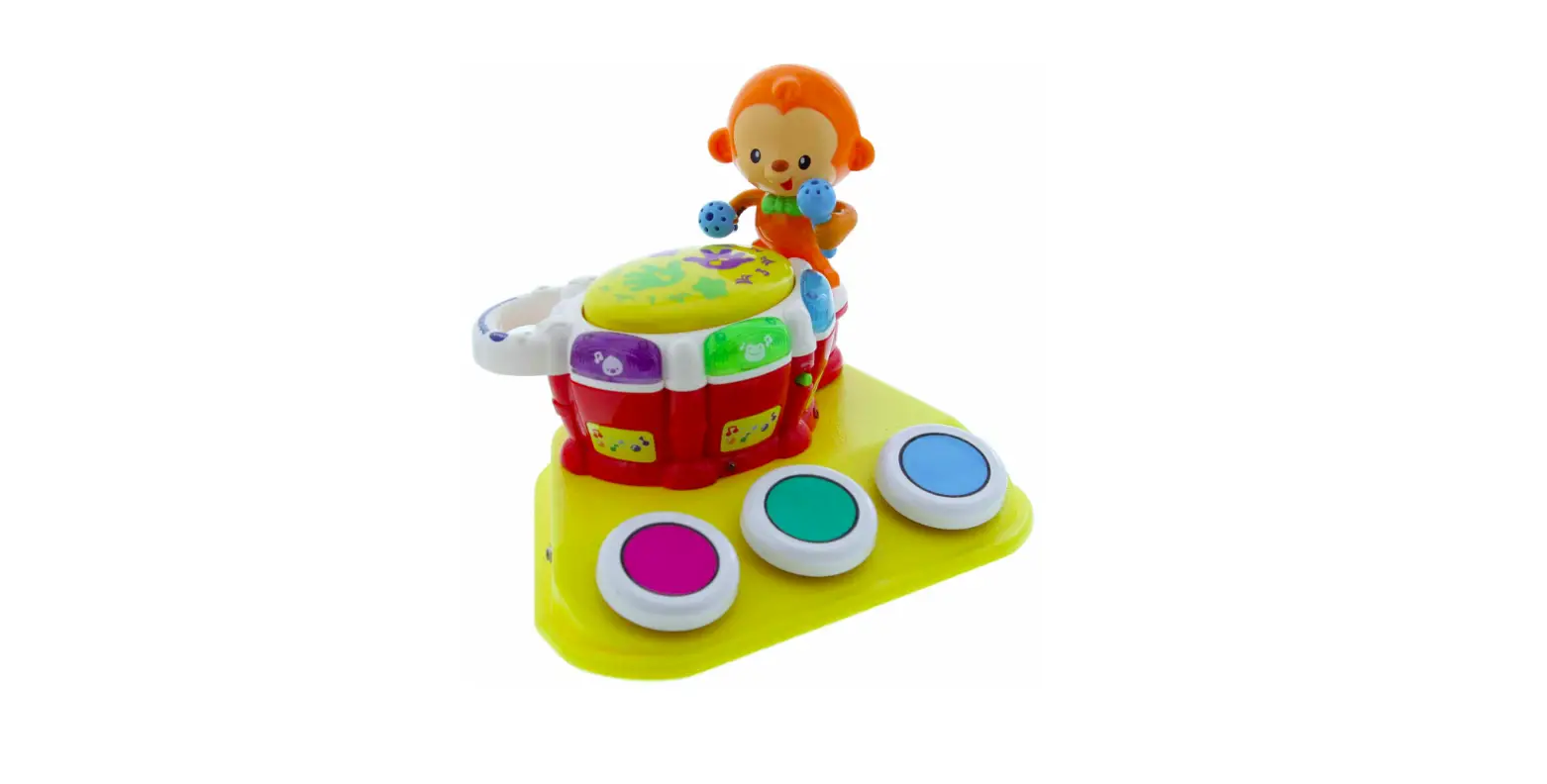
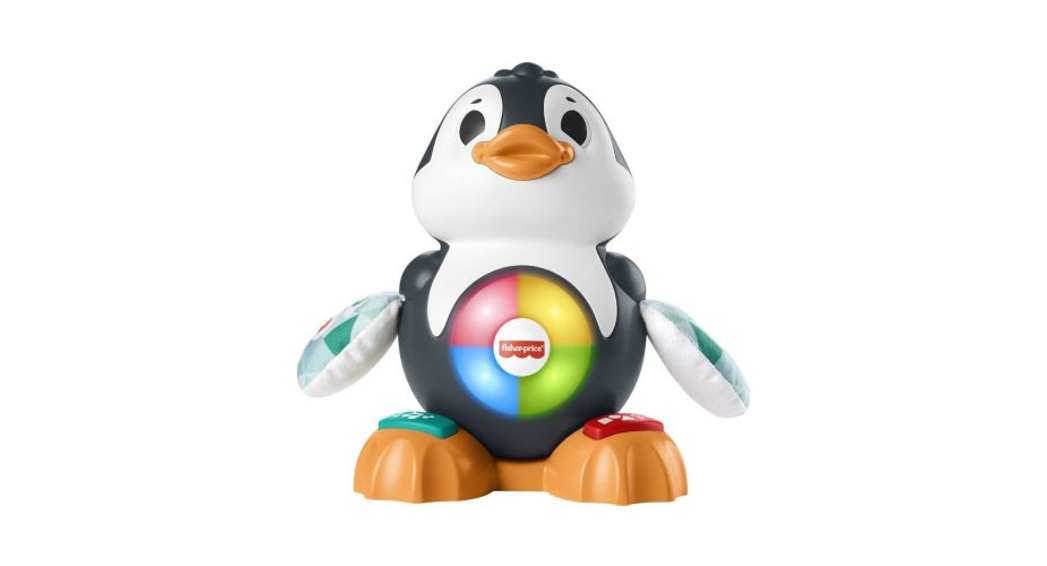
Cool Beats Penguin is a fun and interactive toy designed to
entertain children. It features lights, sounds, songs, and a moving
head to provide an engaging play experience. The toy also has two
external switch input cord jacks, allowing users to connect their
own capability switches if needed. Cool Beats Penguin helps
introduce counting and colors through its songs and phrases.
To ensure proper functioning, Cool Beats Penguin requires 4 AA
batteries. It is recommended to use alkaline batteries such as
Duracell or Energizer brand. Rechargeable batteries or other types
of batteries should not be used as they may supply lower voltage
and affect the toy’s performance. It is important not to mix old
and new batteries, as well as different brands or types of
batteries together.
The battery compartments are located under the toy’s feet. To
replace the batteries, carefully remove the screws from the covers
using a Phillips head screwdriver and lift the cover off. Install 4
AA size batteries into the holders, observing the correct (+) and
(-) battery polarity. Then, replace the covers and screws. The
ON/OFF/VOLUME switch should be set to Low or High.
Additionally, Cool Beats Penguin offers the option to connect
external capability switches. Simply plug your switch into the
desired jack on either side of the toy, ensuring it is fully
inserted without any gaps. Activating the switch will replicate the
corresponding built-in button on the front of Cool Beats
Penguin.
Product Usage Instructions:
- Ensure Cool Beats Penguin is powered by inserting 4 AA alkaline
batteries into the battery compartments located under the toy’s
feet. Make sure to observe the correct battery polarity. - Set the ON/OFF/VOLUME switch to either Low or High.
- If using external capability switches, plug them into the
desired jack on either side of Cool Beats Penguin. Ensure a secure
connection without any gaps. - To start the fun, activate your capability switches or press
the two buttons on the front of Cool Beats Penguin. - Enjoy the lights, sounds, songs, and watch as Cool Beats
Penguin’s head moves from side to side. The toy helps introduce
counting and colors through its songs and phrases.
Troubleshooting:
Problem: Cool Beats Penguin does not work.
- Rotate (spin) the batteries within the battery compartment to
ensure a good connection. Check that all batteries are installed
properly. - Check all batteries for freshness. If weak or dead, replace
them with new alkaline batteries (e.g., Duracell or Energizer
brand).
Problem: Cool Beats Penguin does not work with a
switch.
Try using a different switch with Cool Beats Penguin to
determine if the toy is the source of the problem.
Care Instructions:
Cool Beats Penguin can be cleaned using any mild household
multi-purpose, non-abrasive cleaner and disinfectant. We recommend
using Simple Green, a non-toxic biodegradable all-purpose cleaner.
Avoid using abrasive cleaners that may scratch the surface of the
toy. Do not submerge the unit, as it may damage the electrical
components.
Rev 4/8/2022
Cool Beats Penguin #7578 USER’S GUIDE
For Technical Support: Call our Technical Service Department Monday through Friday, 9 a.m. to 5 p.m. (EST)
1-800-832-8697 [email protected]
50 Broadway Hawthorne, NY 10532 Tel. 914.747.3070 / Fax 914.747.3480 Toll Free 800.832.8697 www.enablingdevices.com
A new best friend! Lights, sounds and songs play while Cool Beats Penguin’s head moves side to side. Just activate your capability switches to get the fun started. 85 songs, and phrases help introduce counting and colors. Size: 6″L x 5″W x 9″H. Requires 4 AA Batteries. Weight: 1½ lbs.
Operation:
1. Cool Beats Penguin requires 4 AA batteries. Use alkaline batteries only (e.g. Duracell or Energizer brand). Do not use rechargeable batteries or any other type of batteries because they supply lower voltage and the unit will not perform properly. Never mix old and new batteries together or different brands or types of batteries together.
2. The battery compartments are located under the toy’s feet. Carefully remove the screws from the covers using a Phillips head screwdriver, and lift the cover off. Observing proper (+) & (-) battery polarity, install 4 AA size batteries into the holders. Replace the covers and screws. Next set the ON/OFF/VOLUME switch to Low or High.
3. Cool Beats Penguin has two external switch input cord jacks so you can use your own capability switches if needed. To use an external switch, plug your switch into the desired jack on either side of Cool Beats Penguin. Make sure your switch is plugged in all the way. There should be no gaps. Activating your switch will replicate the corresponding built in button on the front of Cool Beats Penguin.
4. Just activate your capability switches or the two buttons on the front of Cool Beats Penguin to get the fun started. Lights, sounds and songs play while Cool Beats Penguin’s head moves from side to side. Songs and phrases help introduce counting and colors.
For more detailed information on all Cool Beats Penguin, features and functions please read the original manufactures user’s guide.
Troubleshooting:
Problem: Cool Beats Penguin does not work.
Action #1: Rotate (spin) the batteries within the battery compartment to ensure a good connection. Check that all batteries are installed properly.
Action #2: Check all batteries for freshness, if weak or dead replace with new batteries. Use an alkaline battery (E.G. Duracell or Energizer brand).
Problem: Cool Beats Penguin does not work with a switch.
Action: Try a different switch with Cool Beats Penguin to rule out that Cool Beats Penguin is the source of the problem.
Care of the Unit:
Cool Beats Penguin can be wiped clean with any mild household multi-purpose, non-abrasive cleaner and disinfectant. We recommend Simple Green, which is a non toxic biodegradable all-purpose cleaner.
Do not use abrasive cleaners, as they will scratch the surface of the unit.
Do not submerge the unit, as it will damage the electrical components.
Rev 4/8/2022
 Products For People With Special Needs | Enabling Devices