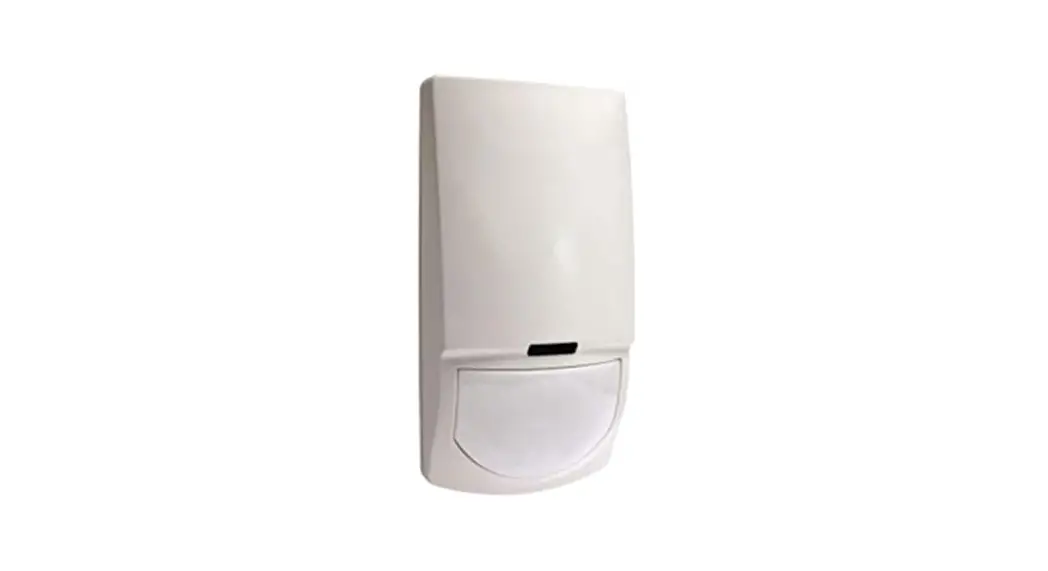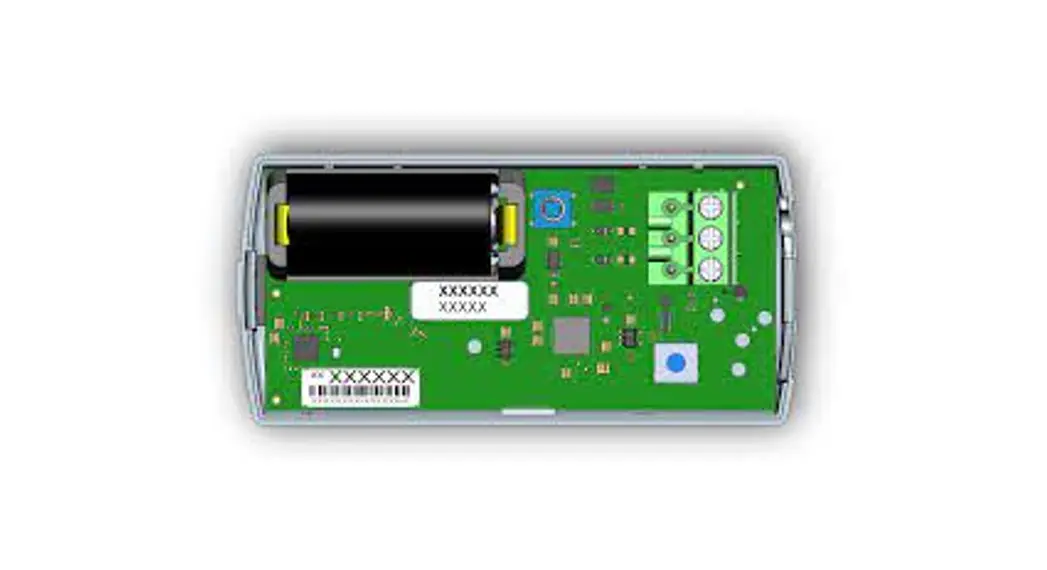

EN1550EP Encoder Pulse Transmitter
Installation and Operation Manual
Overview
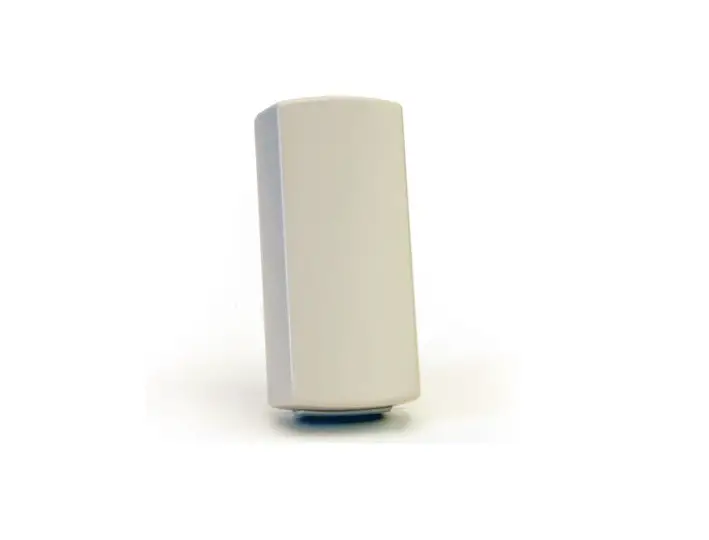
Connected to an E-CODER®, ProRead™ or ProCoder™ register for submetering, the EN1550EP encoder pulse meter transmitter will transmit data to an RF receiver that is connected to an Inovonics receiver and data logger.
1.1 Inovonics Wireless Contact Information
If you have any problems with this procedure, contact Inovonics Wireless technical services:
• E-mail: [email protected]
• Phone: (800) 782-2709; (303) 939-9336
1.2 EN1550EP Components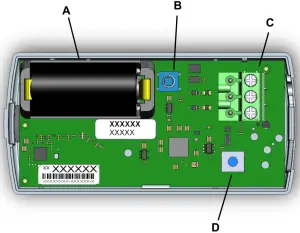
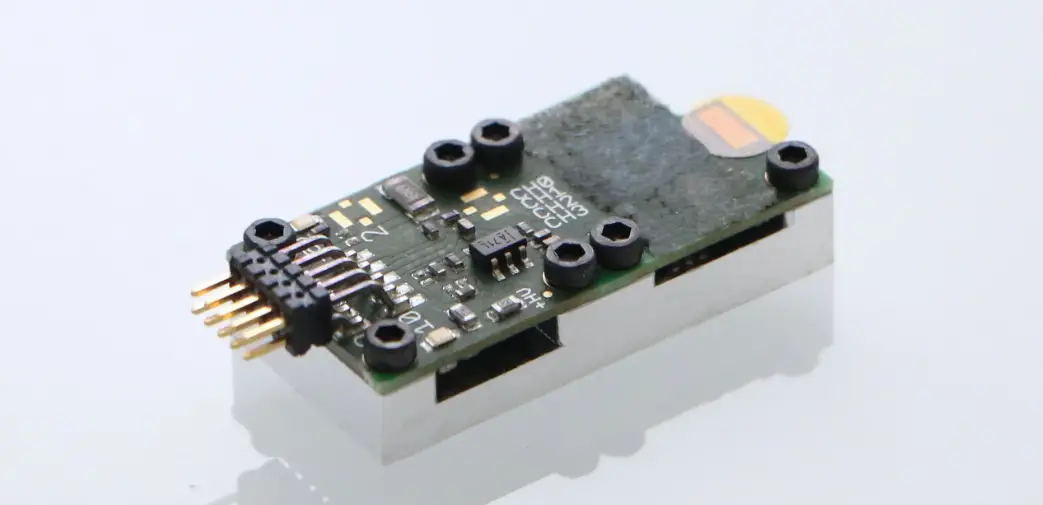
Figure 1 EN1550EP Components
A Battery
B Tamper switch
C Removable header terminal
D Reset button
Installation and Startup
2.1 Installation Notes
- These products are designed to be maintained by professional submetering technicians.
- Products are tested for indoor use.
- All products should be manually tested weekly.
2.2 Connect Transmitter to Register
Connect the transmitter to the register as follows:
- Open the housing by pressing down on the base tab near the wiring through-hole while lifting away the cover.
- As desired, remove the removable header terminal for ease of installation.
- Insert the stripped wires into the removable header terminal per Figure2.
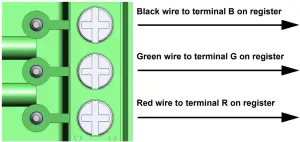 Figure 2 Connect the transmitter to the register
4. Use a small Phillips screwdriver to tighten the removable header terminal screws, securing the wires.
5. If removed, replace the removable header terminal, ensuring they match Figure 2.
6. Press the transmitter’s reset button so that it learns the serial number of the connected meter
2.3 Mount the Transmitter
- Use double-sided tape to mount the transmitter to a clean wall.
- As desired, secure the transmitter to the wall with the mounting bracket, screws, anchors, and/or mounting tape.
Note: To secure the EN1550EP, you will need to remove the battery to access the mounting screw hole. Make sure to press the reset button after replacing the battery to initialize the transmitter. - Route wiring through the housing’s access wiring through-hole.
- Replace the housing.
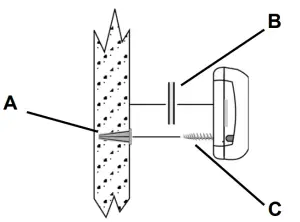
Figure 3 Mount the Transmitter
A Anchor installed on the wall
B Double-sided tape
C Mounting screw
2.4 Register the Transmitter
1. Confirm that transmitter is connected to the meter.
2. Confirm that the battery is installed.
3. Press reset to take the transmitter out of the shipping/sleep model.
4. See the appropriate user documentation for specific registration instructions.
3 Replace the Battery
When the low battery message is received, you will need to replace the EN1550EP battery.
- Open the housing by pressing down on the base tab near the wiring through-hole while lifting away the cover.
- Remove the old battery, taking note of the battery orientation.
- Insert the new battery, making sure it is aligned correctly.
- Press the transmitter’s reset button to initialize the transmitter and restore programming.
Note: The EN1550EP transmitter retains programming data in non-volatile memory and does not require reprogramming after the loss of power. When the transmitter reset button is pressed, its count will go to zero and the initial meter read count will be updated in the data logger.
Note: When disposing of this device or depleted batteries, please do so in accordance with federal, state, and local regulations.
Troubleshooting
| Problem | Possible Solutions |
| No data from the registered transmitter. | Ensure the transmitter has been wired to the register per section 2.2, “Connect Transmitter to Register” on page 1. Ensure the register has been connected to the meter per the register’s installation instructions. Ensure the meter has been installed per the meter’s installation instructions. |
Specifications
Dimensions: 3.57″ x 1.70″ x 0.85″.
Operating environment: -20°- 60°C (-4°- 140°F), 90% relative humidity, non-condensing.
Typical battery life: 10-year battery life in a climate-controlled environment with the specified Panasonic CR123A battery.
Battery type: 3.0V lithium (BAT604). The battery is always supervised.
Note: Inovonics supports recycling and reuse whenever possible. Please recycle these parts using a certified electronics recycler.
Television and Radio Interference
This equipment has been tested and found to comply with the limits for a Class B digital device, pursuant to Part 15 of the FCC Rules. These limits are designed to provide reasonable protection against harmful interference in a residential installation. This equipment generates, uses, and can radiate radio frequency energy and, if not installed and used in accordance with the instructions, may cause harmful interference to radio communications. However, there is no guarantee that interference will not occur in a particular installation. If this equipment does cause harmful interference to radio or television reception, which can be determined by turning the equipment off and on, the ser s encouraged to try to correct the interference by one or more of the following measures:
- Reorient or relocate the receiving antenna.
- Increase the separation between the equipment and receiver.
- Connect the equipment into an outlet on a circuit different from that to which the receiver is connected.
- Consult the dealer or an experienced radio/TV technician for help.
7 FCC Part 15 and Innovation, Science and Economic Development Canada (ISED) Compliance
This device complies with part 15 of the FCC Rules, and ISED license-exempt RSS standard(s). Operation is subject to the following two conditions: (1) this device may not cause interference, and (2) this device must accept any interference that may cause undesired operation of the device.
Caution: Changes or modifications not expressly approved by the party responsible for compliance could void the user’s authority to operate the equipment.
Radiation Exposure Limits
8.1 FCC
This equipment complies with FCC radiation exposure limits set forth for an uncontrolled environment. In order to avoid the possibility of exceeding theFCC radio frequency exposure limits, human proximity to the antenna shall not be less than 20 cm during normal operation and must not be co-located or operating in conjunction with any other antenna or transmitter.
8.2 IS
This equipment complies with ISED RSS-102 radiation exposure limits set forth for an uncontrolled environment. This transmitter must be installed to provide a separation distance of at least 20 cm from all persons and must not be co-located or operating in conjunction with any other antenna or transmitter.
 10.13.21 357-00003-03 Rev A © Inovonics, 2021 – www.inovonics.com