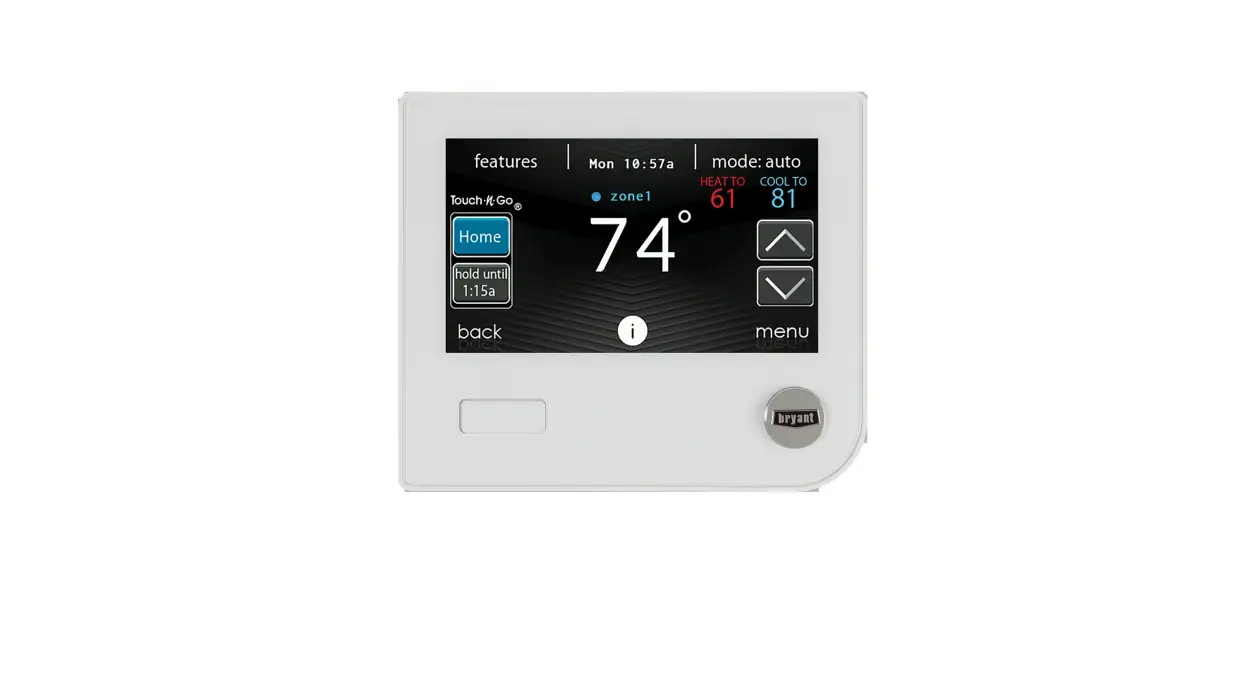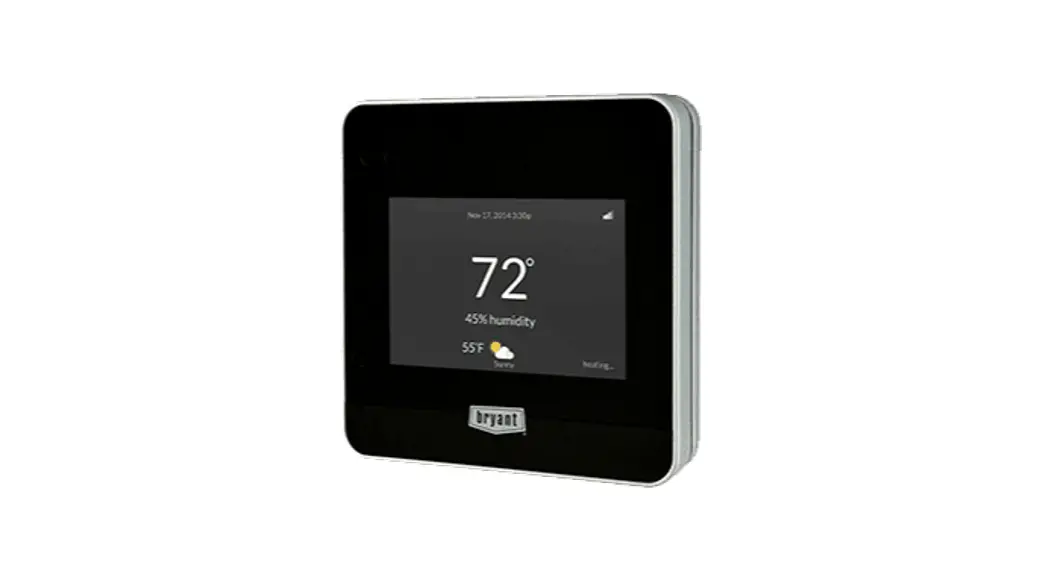

EVOLUTIONTM CONNEXTM CONTROL REGISTRATION INSTRUCTIONS
from the Evolution Connex Control
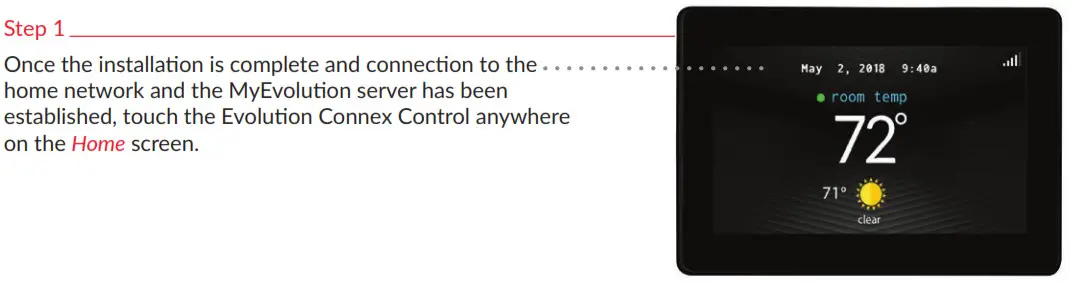
Note: You can check the status of the connections to the home network and MyEvolutionConnex server by touching the “view remote access status” option above the “MyEvolution registration info” shown in Step 5.
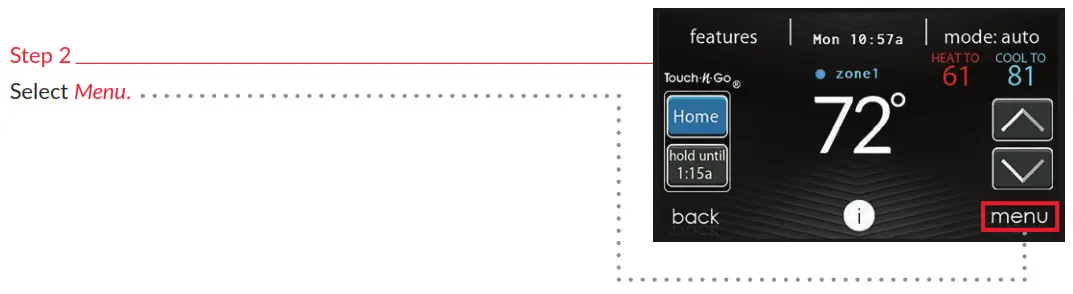
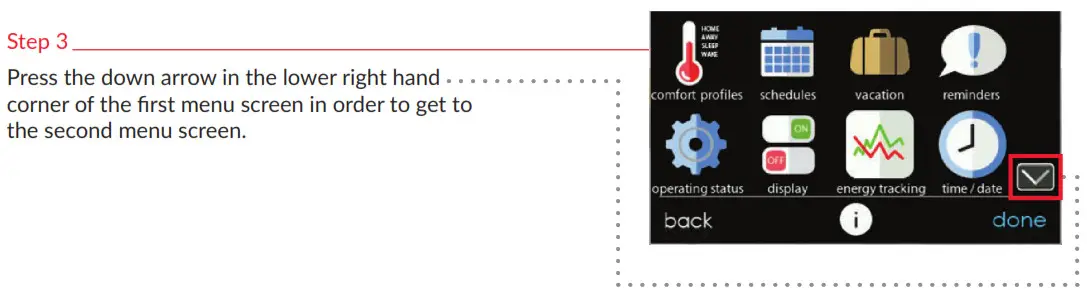
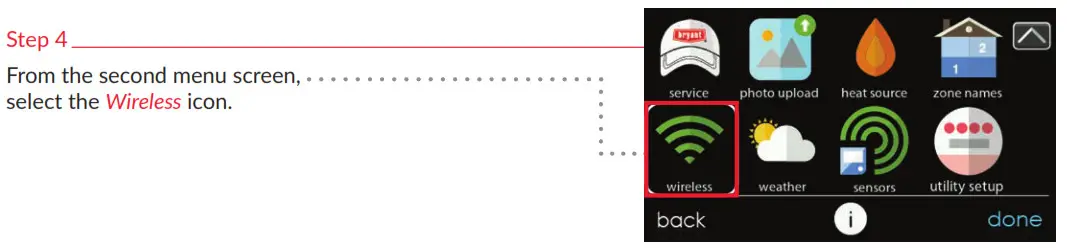
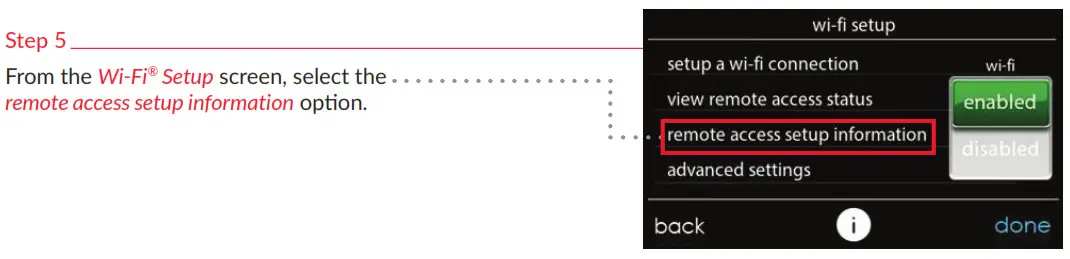
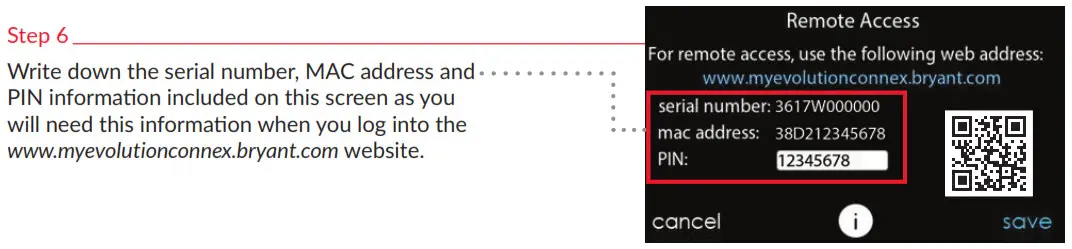
Note: If you do not wish to write this information down, you can also take a photo of this screen using your smart phone to use as a visual reference when you are entering the website.
EVOLUTION CONNEX CONTROL REGISTRATION INSTRUCTIONS
from the Bryant® Home app
Step 1 From your mobile device, download the Bryant Home app from either the App Store or Google Play.
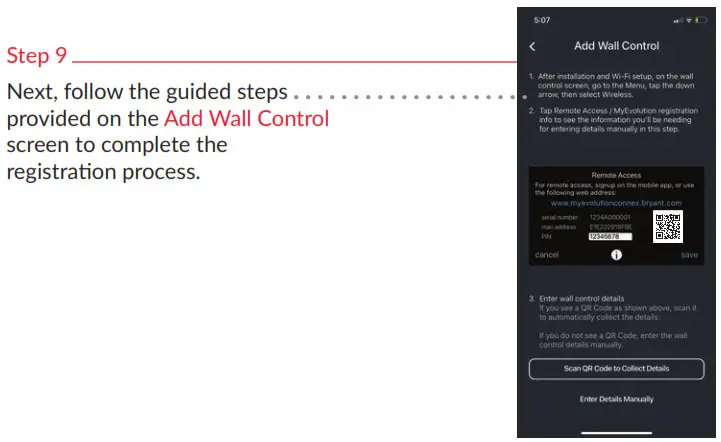
Note: Registration requires the serial number, MAC address and PIN information from your control (see Side 1, Step 6 for reference).
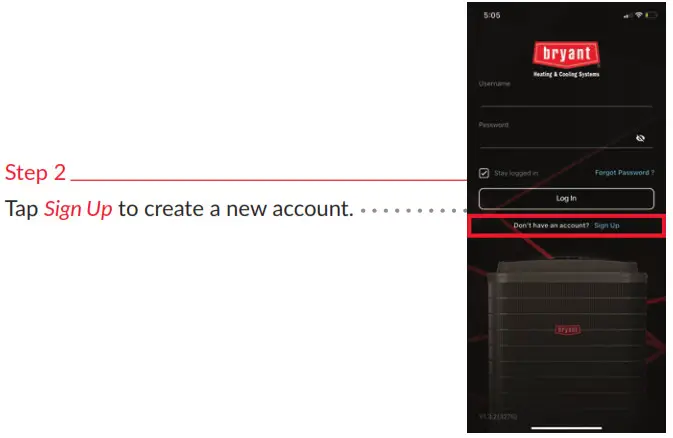
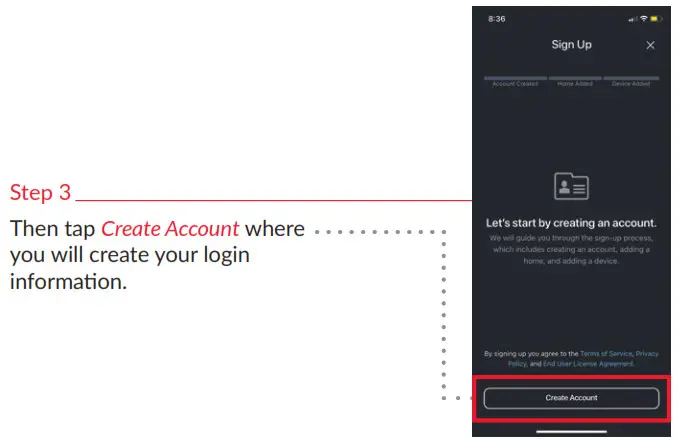
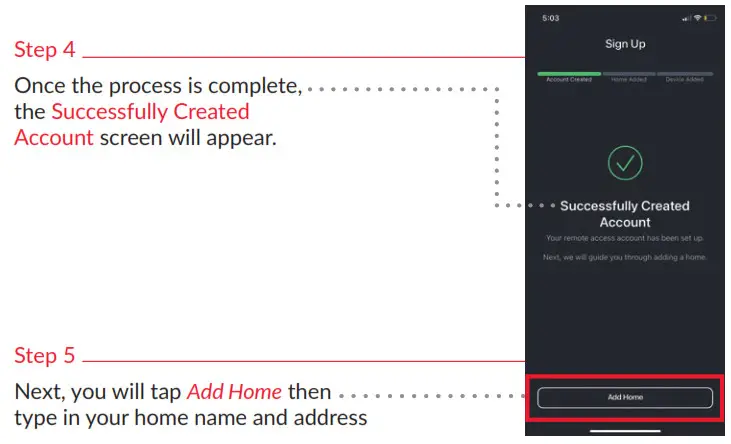

Manufacturer reserves the right to discontinue, or change at any time, specifications or designs without notice or without incurring obligations. Third-party trademarks and logos are the property of their respective owners.
SYSTXBBECC-05RI
©2021 Carrier. All Rights Reserved.