
H637
White Noise Sleeping Box
User Manual
Some important cautions and use methods are written in this manual. Please read it before use and keep it properly
apter I: Caution 

- Please study this manual carefully before using this speaker.
- Keep the speaker away from high temperature, no naked flame source, such as lighted candles.
- Do not throw or drop it, avoid destroying it.
- Please use the right adapter to recharge it.
- If necessary, please use a soft cloth to clean the surface of the speakers.
- In order to protect your ear, please adjust the volume to a suitable level
- The speaker should not be exposed to dripping or splashing, and the objects filled with liquids, such as vases, should not be placed on the apparatus. As with any electronics product, take care not to spill liquids into any part of the system.
- The speaker is made of wood, do not expose the product to rain or moisture.
- Don’t open and repair the speaker by yourself.
- In order to protect the environment, please dispose of the used batteries properly, following any local regulations. Do not incinerate.
Chapter II: Features
- Original solid beech wood
The shell is made of Australian beechwood with a clear and natural texture. - Environmental
Using environmental protection varnish, nontoxic, and harmless.
Precision polishing keeps the surface smooth and subtle. - Sensitive Touch button
Touch control button, volume control by rotating, easy operation. - Support Aux Input
AUX3.5 standard interface input to play in specific occasions - Soft skin-friendly textile
Using soft ramie textile for the surface, smooth and absorbency to skin. - Good Sound
45mm high-performance stereo speakers, the sound is clean and clear, and penetrating. - Long playtime
2200mAh battery support 18 hours play. no need to recharge frequently.
Chapter III: accessories
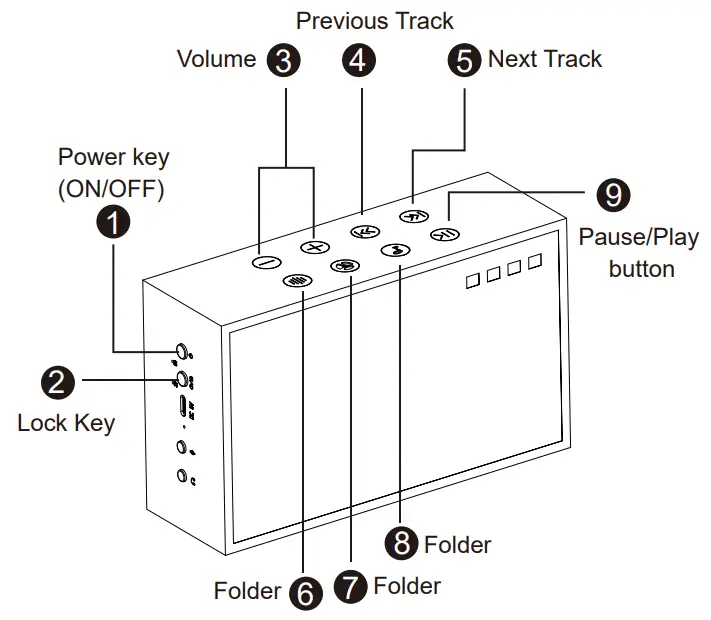
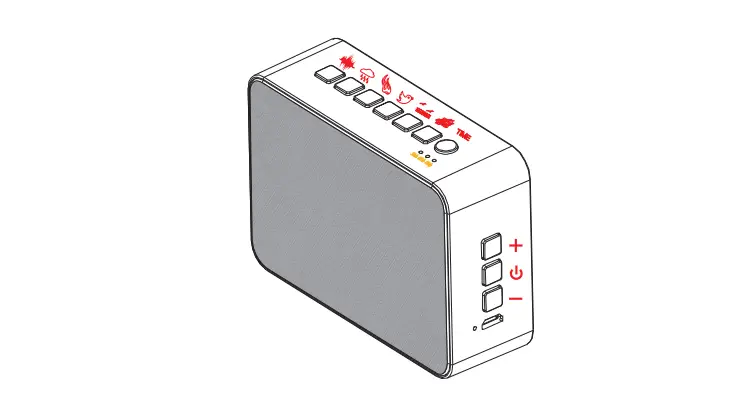
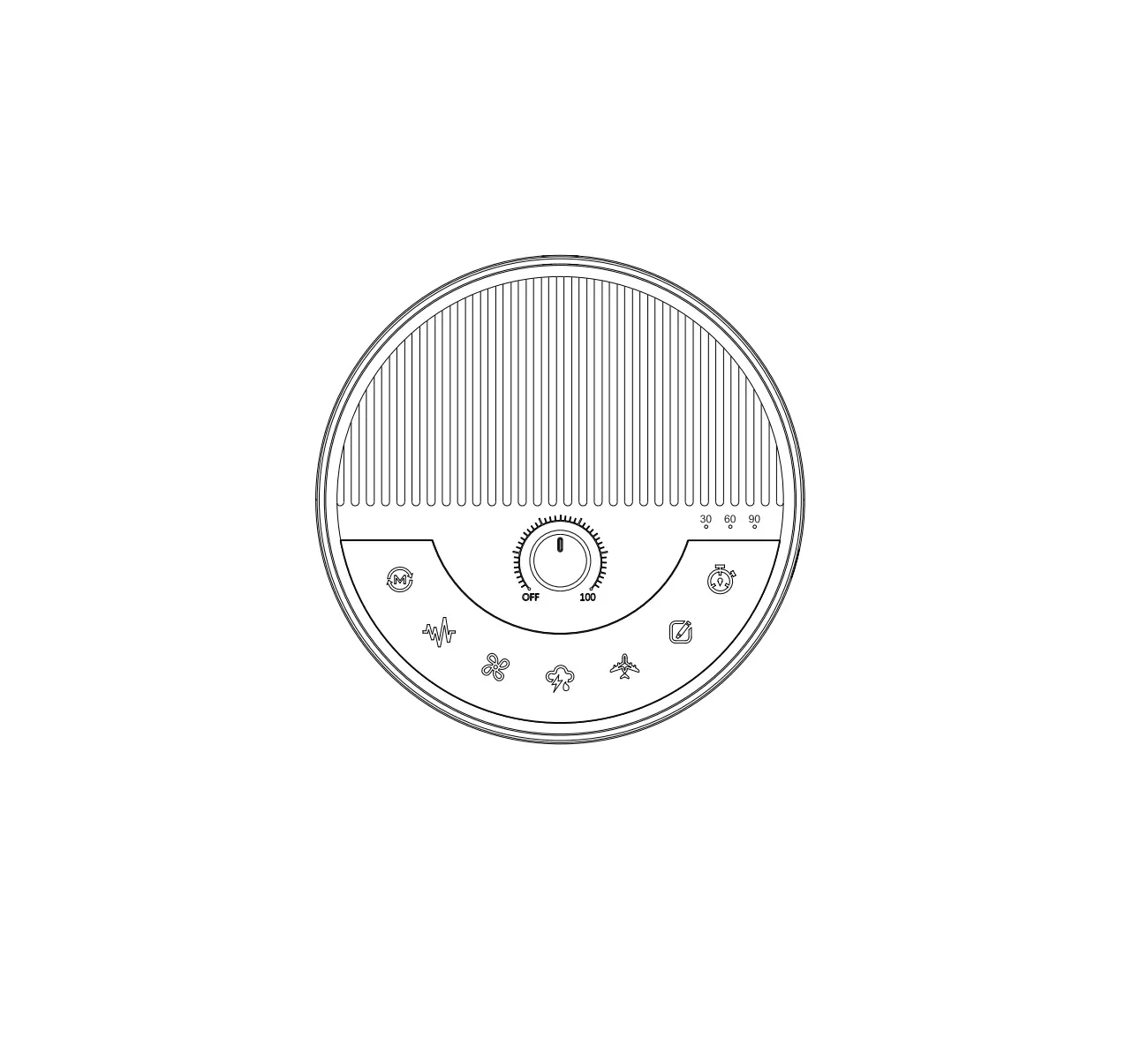
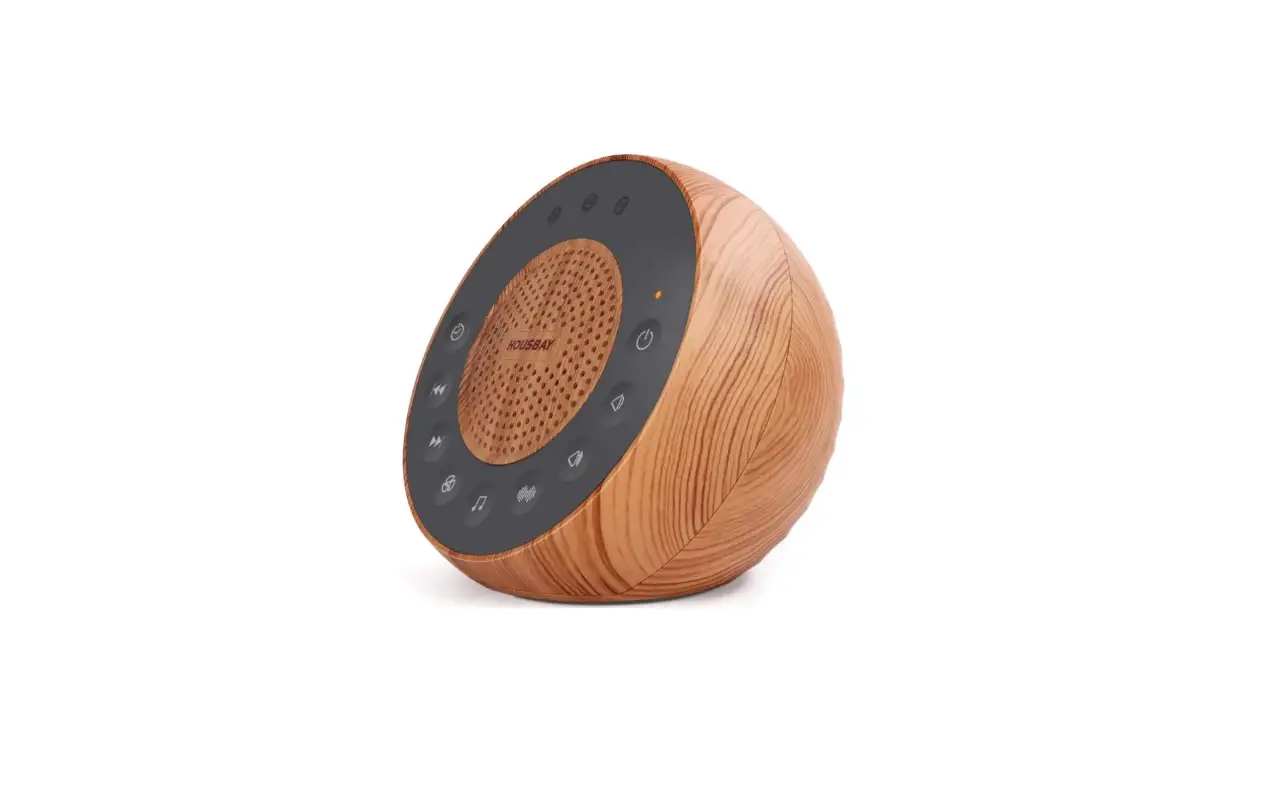
- Power key (ON/OFF)
Press and hold for 2 seconds to turn on (Note: the boot is slow, the sound increases from zero to the last shutdown volume, for 2 seconds) , long press for 3 seconds to turn off
(Note: the shutdown is a slow shutdown, the sound decreases from large to 0, Lasts 2 seconds). - Lock Key
Short press once, the speaker will automatically shut down after 30 minutes (the 30 LED hole lights up in green).
Short press twice, the speaker will automatically shut down after 60 minutes (60LED hole lights up in green).
Long press: Keep the current play state, all the buttons touch function is invalid, long press again to cancel. After locking, the status indicator turns on in Orange - Volume
Short press: decrease the volume, long press: decrease the volume quickly,
Short press: increase the volume, long press: increase the volume quickly. - Previous Track
Previous song key: switch to the previous song, - Next Track
Next song key: switch to the next song. - Folder
Select the track in the current folder, can only choose Previous/Next song in the current folder. - Folder
Select the track in the current folder, can only choose Previous/Next song in the current folder. - Folder
Select the track in the current folder, can only choose Previous/Next song in the current folder. - Pause/Play button
Short press to pause \ play music
***If the system crashes, use a small object to click the reset button in the earphone hole to restore factory settings
The Chapter V: Indicators
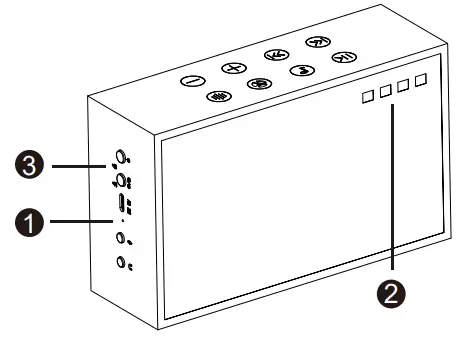
- Charge indicator
It stays on when charging and turns green when fully charged. - Working status indicator
White light:
The white light is on when the white noises are playing, and it flashes slowly when it is paused.
Orange light:
Lock status light, the orange indicator light will be on after the lock key is on
Red light:
When the battery is low (less than 10%), the red light flashes slowly, Please recharge.
Greenlight:
The green light is on when the AUX hole is inserted, and the green light flashes slowly when “pause” - Timing Indicator
Short press once, shut down after 30min
Short press twice, shut down after 60min
Short press again, cancel timing
Long press once, Lock all keys, again, cancel the lock.
The Chapter VI: Track List 

- Brook xx
- Brook with wind
- Sea wave x
- Sea wave
- water drop x
- water drop
- Waterfall
- waterfall
- Wood songbirds x
- Wood Songbirds I
- Frog in rain
- Wood song words
- Cicadas in the night sky

- Pure rain
- Rain to Fall Asleep
- Rain Concentrate
- Rain with wind
- Rainfall
- Endless thunderstorm
- Rain and Thunder
- Soft Rain & Gentle Thunder
- Windy
- Fire in the fireplace
- Fire with wind

- Pink Noise for Babies
- Relaxing Pink Noise for Babies
- Soothing Pink Noise
- White Noise_ Torrential
- White Noise_ Waves
- Standing Fan
- Fan I
- FanII
- Fan with Fault
- Industrial Fan
- Clock
- Train
- Heartbeat
The Chapter VII: Specification
Model No.: H637
Speaker unit: 1.75” speaker + subwoofer
Power: 4K 3Wx2
Play mode: Built-in music playing/AUX
Battery: built-in 22000mAh lithium battery
Input: DC5V,1A (Micro USB port )
Speaker size: 168*100*55mm
Speaker N.W.: 510g