
RTX3741 USB Dect Dongle
Trademarks
RTX and the combinations of its logo thereof are trademarks of RTX A/S, Denmark. Other product names used in this publication are for identification purposes and maybe the trademarks of their respective companies.
Disclaimer
The contents of this document are provided about RTX products. RTX makes no representations with respect to completeness or accuracy of the contents of this publication and reserves the right to make changes to product descriptions, usage, etc., at any time without notice. No license, whether express, implied, to any intellectual property rights are granted by this publication
Confidentiality
This document should be regarded as confidential, unauthorized copying is not allowed © Jan-2020 RTX A/S, Denmark, All rights reserved http://www.rtx.dk
About This Document
This document describes the configuration, customization, management, operation, maintenance and troubleshooting of the RTX3741 DECT Dongle. For customer specific modes, refer to specific customer agreements, which describe the software operational deviations from this document.
Audience
Who should read this guide? First, this guide is intended for networking professionals responsible for designing and implementing RTX based enterprise networks. Second, network administrators and IT support personnel that need to install, configure, maintain, and monitor
elements in a “live” SME VoIP network will find this document helpful. Furthermore, anyone who wishes to gain knowledge on fundamental features in the RTX DECT system, can also benefit from this material.
When Should I Read This Guide
Read this guide before you install the core network devices of VoIP SME System and when you are ready to setup or configure the RTX724x DECT headsets or DECT Speakerphones. This manual will enable you to set up components in your network to communicate with each other and deploy a fully functionally system.
Important Assumptions
This document was written with the following assumptions in mind:
- You understand network deployment in general
- You have working knowledge of basic TCP/IP/SIP protocols, Network Address Translation, etc…
- A proper site survey has been performed, and the administrator have access to these plans
What’s Inside This Guide
We summarize the contents of this document in the table below:
WHERE IS IT? CONTENT PURPOSE
| CHAPTER 2 | Product overview | Learn about the product |
| CHAPTER 3 | Product features | Check the available features |
| CHAPTER 4 | PC setup tool | Overview of a software configuration tool |
| CHAPTER 5 | Use case scenarios | See an example setup |
| Appendix | General requirements | Read more about the regulatory and environmental compliances |
What’s Not in This guide
This guide provides overview material on network deployment, how-to procedures, and configuration examples that will enable you to begin configuring your system. It is not intended as a comprehensive reference to all detail and specific steps on how to configure other vendor specific components/devices needed to make the SME VoIP System functional. For such a reference to vendor specific devices, please contact the respective vendor for documentation.
References/Related Documentation
- RTX8663 SME VoIP System Guide_SIP_V4.8
- How to Deploy SME VOIP System v1.4
- PC setup tool
Document History
| REVISION | AUTHOR | ISSUE DATE | COMMENTS First release |
| 1.0 | DKO | 29.01.2020 |
Documentation Feedback
We always strive to produce the best and we also value your comments and suggestions about our documentation. If you have any comments about this guide, please enter them through the Feedback link on the RTX website. We will use your feedback to improve the documentation.
Product overview
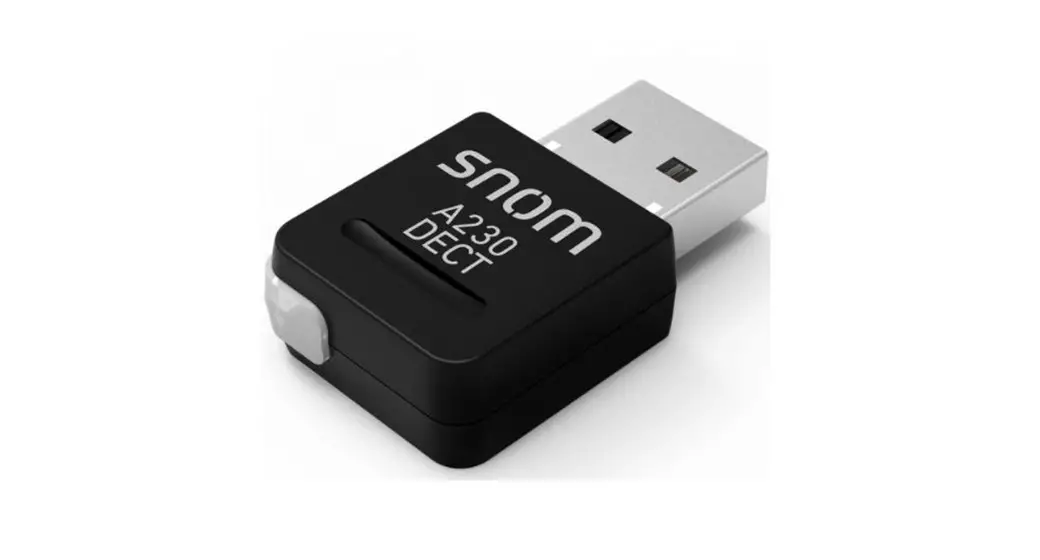
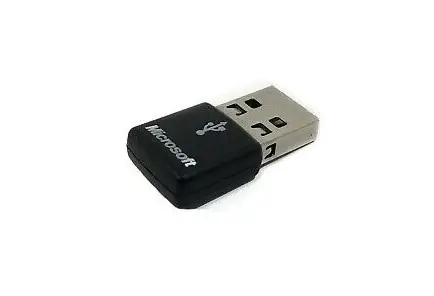
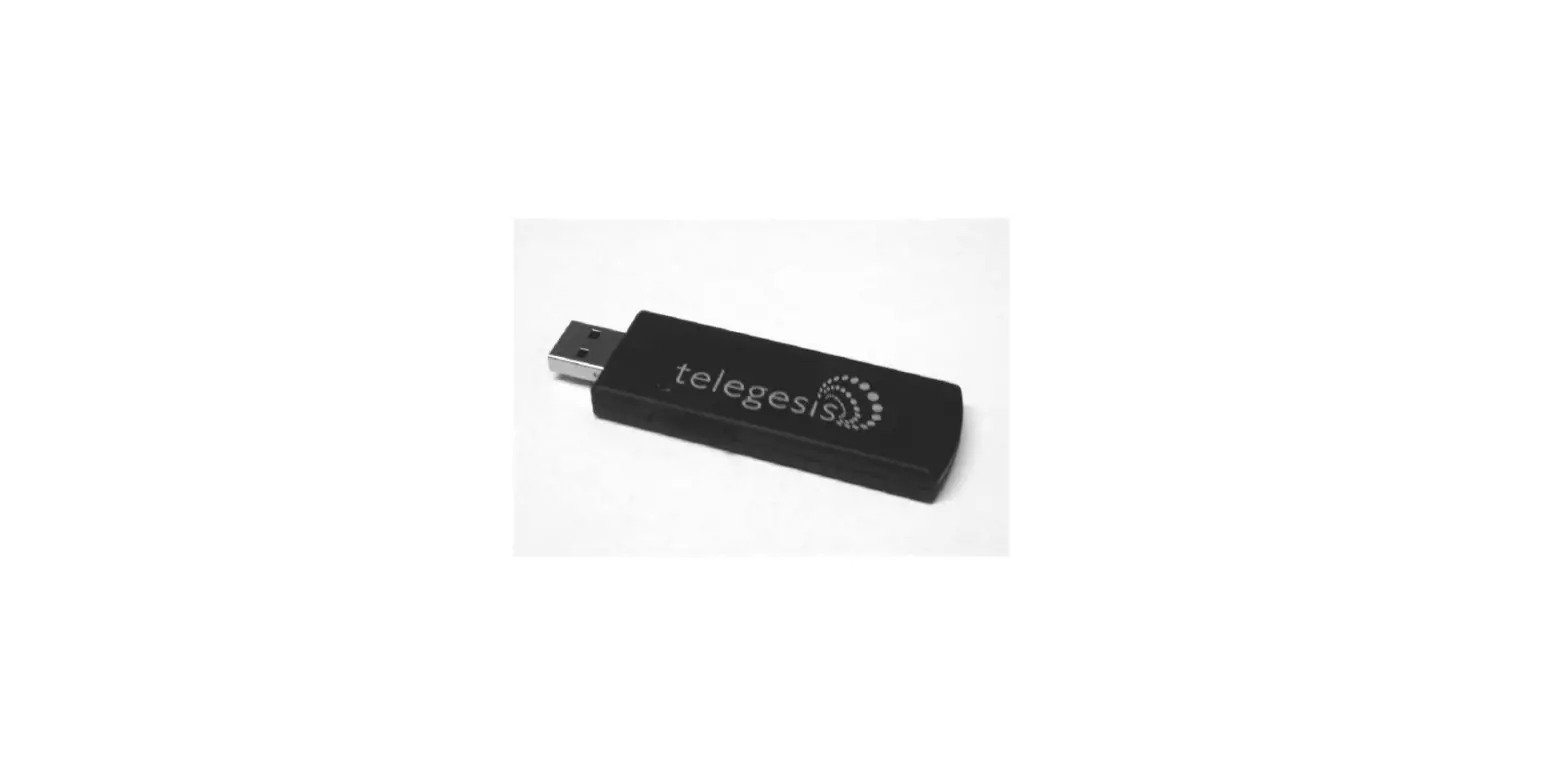
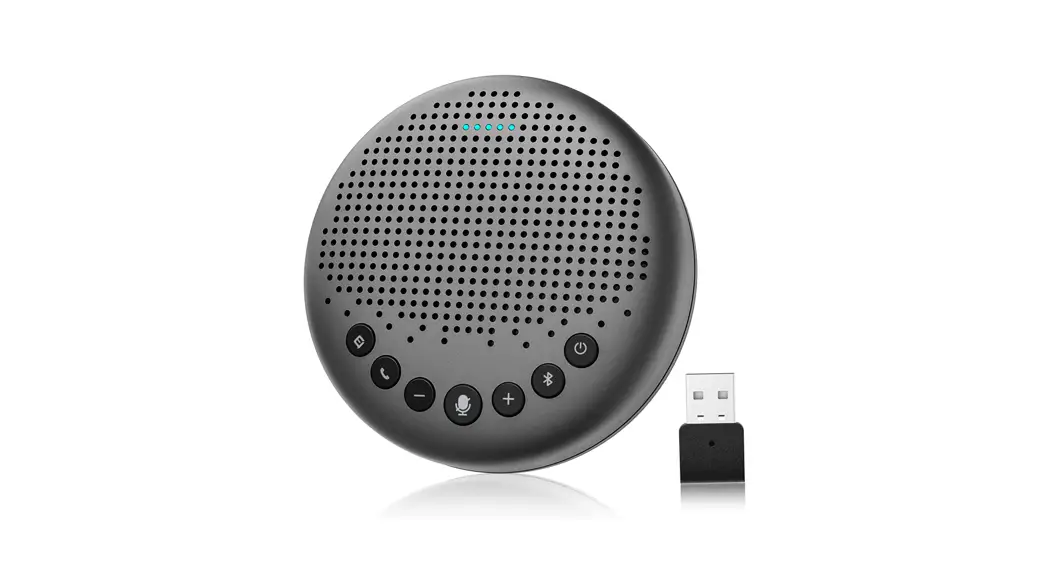
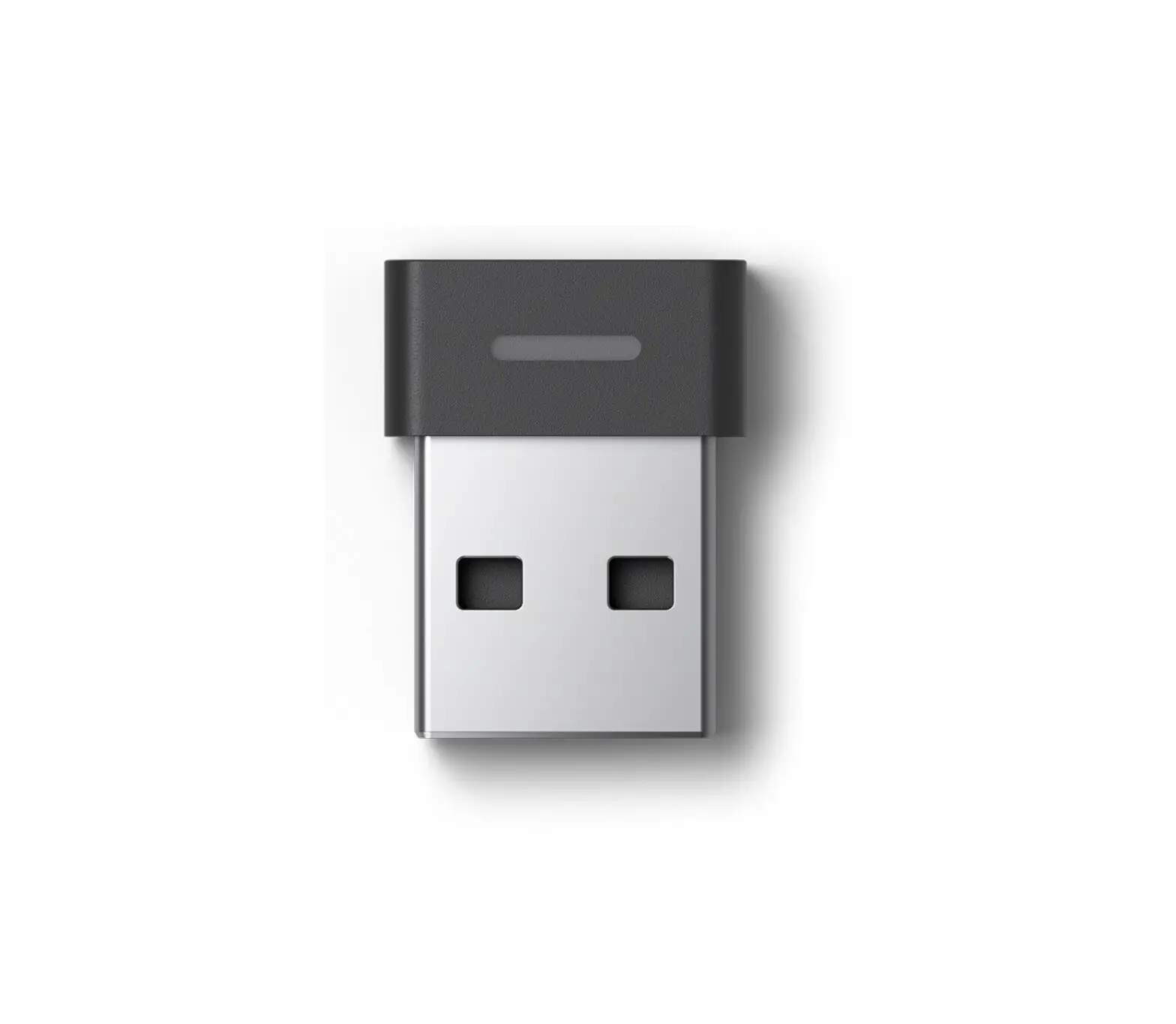
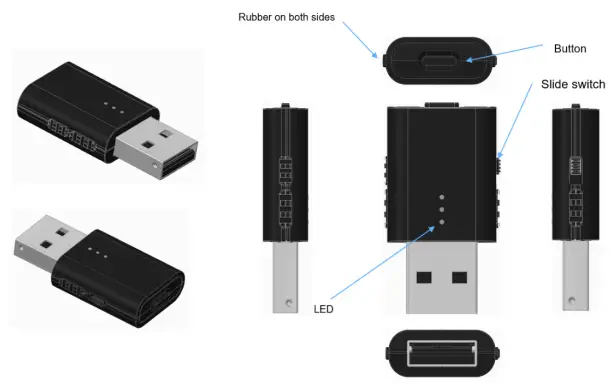
RTX3741 is a USB type A dongle with slide switch that can establish a wireless connection with the RTX headsets from the RTX725x series and B169 DECT Speakerphone. The dongle supports dual mode, meaning that it can be used either as a Fixed part (FP), or Portable part (PP).
- Base / FP mode:
Acts as a DECT base for the RTX725x headsets
Acts as a DECT base for the B169 DECT speakerphone - Headset / PP part:
Enables DECT access for a USB desktop phone on the RTX VoIP system
Since the DECT dongle can run one mode at a time, you can switch between the two functionalities by using the slider switch.
The device is designed to be easy to use with a desk phone/PC/laptop with a very good sound quality. The chosen microphone is balanced together with the headset filters to reduce the background noise, in order to provide an ultimate speech intelligibility. The receivers are balanced to the receiver housing and cushion, allowing the headset to provide the user extreme stereo experience. Since the device is using the DECT technology, it can remember 4 registrations – one primary and three secondary. However, only one single registration can be a DECT speakerphone. The audio can be directed to the headset or speakerphone, depending on the user’s choice. When the headset is connected via the RTX3741 DECT Dongle to a PC, the user may access calls from Soft Call Clients, such as Skype for Business (see 3.2 Soft Client support for more details).
Package – Contents/Damage inspection
Before Package Is Opened
Please, examine the shipping package for evidence of physical damage or mishandling prior to opening. If there is a proof of mishandling prior to opening, you must report it to the relevant support center of the regional representative or operator.
Contents of Package
Please, make sure all relevant components are available in the package before proceeding to the next step. Every shipped unit package/box contains a DECT dongle and a safety sheet.
Damage Inspection
The following is the recommended procedure for you to use for inspection:
- Examine all relevant components for damage.
- Make a “defective on arrival – DOA” report or RMA to the operator. Do not move the shipping carton until the operator has examined it. If possible, send pictures of the damage. The operator/regional representative will initiate the necessary procedure to process this RMA. They will guide the network administrator on how to return the damaged package if necessary.
- If no damage is found, then unwrap all the components and dispose of empty package/carton(s) in accordance with country specific environmental regulations.
RTX DECT Dongle Mechanics
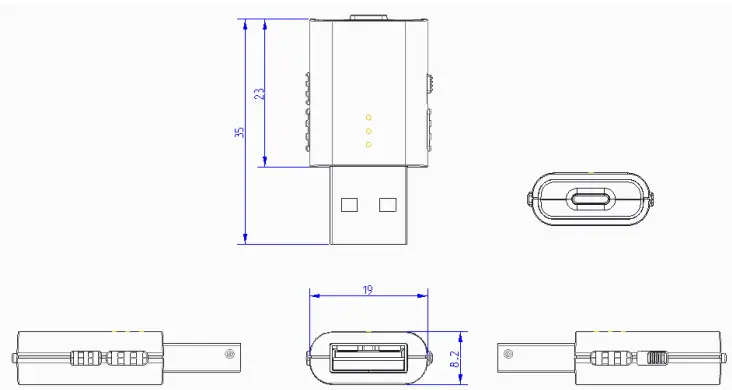
With such small dimensions as 35mm (length) and 19mm (width), the device can be easily carried and plugged into any computer, supporting a USB. For more details, please see the drawing below.
LED Indicators
The dongle has 3 LED indicators that signal different functional states of the device. The indicators are off when the unit is not powered on. To give you a better understanding of the LED color and states, we have numbered them as LED 1, LED 2 and LED 3.
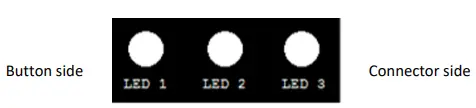
Depending on the LEDs color, they will indicate call and registration status to the user. Each LED has its own color identification, which is presented in the table below.
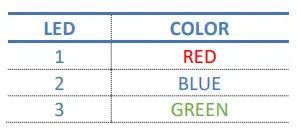
LED Patterns
The LED supports different kinds of patterns, such as fast/normal/slow blink and breathing. Technical details are explained in the table below.
| LED | COLOR |
| BLINKING | 500ms ON, 500ms OFF |
| BREATHING | OFF-ON-OFF, 166 steps, 20ms per step |
LED Indications
The table summarizes the various LED states. It shows the LED indication for different statuses of the DECT dongle.
FUNCTION STATUS LED PATTERN
| SYSTEM | Dongle reset started | Red, Blue and Green | Blink 3 times |
| DECT CONNECTION | Registration, In progress | Blue | Blink alternately |
| Registration, Success | Blue and Green | Blink 3 times | |
| Registration, Failed | Blue and Red | Blink 3 times | |
| Master headset registered | Blue | ON | |
| Master headset lost link | Red | ON | |
| CALL | Ringing | Green | Blink |
| Talk or Hold | Green | ON | |
| Conference or intrusion call | Green | Breathing |
Button features
The DECT dongle has one key which serves for starting the DECT registration and for resetting the device. Therefore, all setup is done by using the PC Setup tool.
Product features
The following chapter will introduce you to the features of the RTX3741. The two tables represent two separate categories – dongle and main features. Each of the features are followed by a short description.
Dongle features
| FEATURES | DESCRIPTION |
| LED INDICATOR | 3x LED, see 2.3. LED indicators |
| HARDWARE FEATURES |
| Button | Yes |
| Functionality | Registration and reset |
| Slider switch | Yes, switch between base and headset mode |
| Operating conditions | -0 ⁰C to 45⁰C |
| CALL FEATURES | |
| Call waiting | Yes |
| Hold / Retrieve | Yes |
| No. of simultaneous calls | 2, only 1 on hold |
| Call conference | Yes |
| Call swap | Yes |
| DECT | |
| Output power | 18dBm |
| Sensitivity | -92dBm |
| Antenna | 2 for fast antenna diversity |
| Range | 200m LOS |
| SOFTWARE UPDATE | |
| Downloadable | Yes, using PC tool |
Main features
| MAIN FEATURES | RTX3741 |
| COMPATIBLE WITH: | |
| Headset RTX725x | Yes |
| B169 Speakerphone | Yes |
| CONFERENCE SUPPORT | Up to 4 users (headsets only) |
| RINGER BUILT-IN BASE | No |
| CUSTOMER LOGO | Silk screen |
| DONGLE COLOR OPTIONS | <TBD> |
| CALL INDICATION LED ON DONGLE | Yes |
| BATTERY CHARGE INDICATION ON DONGLE | No |
| DECT CONNECTION STATUS LED ON DONGLE | Yes |
| CONNECTION TO LAPTOP / PC | Yes, via USB |
| CONFIGURABLE VIA PC SETUP TOOL | Yes, via USB |
| FIRMWARE UPDATE SUPPORT | Yes, via PC Setup Tool |
| USB CONNECTOR | Type A |
| PC WINDOWS SUPPORT | Yes |
| MACOS SUPPORT | Yes |
| DECT AUDIO SUPPORT | |
| Wideband Audio | CELT, G.722, BV32 |
| Narrowband Audio | G.726, BV16 |
| CALL CLIENT SUPPORT | |
| Skype for business | Yes |
| ADEPTIVE POWER CONTROL (DECT) | Yes |
Soft Client Support
Combined with one of our four RTX headsets, the DET dongle supports the audio and USB API for the Skype for Business (Lync) application. Moreover, other call clients can be supported, but they require either a PC tool to be running (see chapter 4 PC setup tool), or an RTX USB HID API to be supported by the client. All call related controls are managed via the headset controls and/or desk phone/PC. The call is initiated from the Soft Call Client running on the PC/laptop. It cannot be initiated from the speakerphone. It is outside the scope of the RTX3741 product.
4 PC setup tool
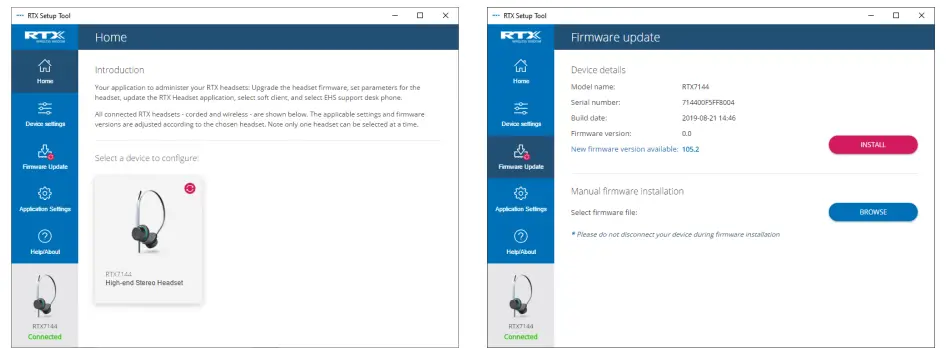
An external PC configuration tool is available for the DECT headset/dongle/base. It allows you to configure these devices by changing their parameters, upgrading their firmware and do upgrades of the PC tool itself. It is compatible with corded and wireless headsets – RTX7xxx series. The PC Tool is available in a Windows version and a MacOS version. An example of the GUI interface is shown in the screenshots below. For a more detailed guide of the PC setup tool, please refer to the PC tool manual.
Use case scenarios
The following chapter aims to give you an example of a certain system setup in order to show the connection and functionality of the device.
DECT USB dongle on PC
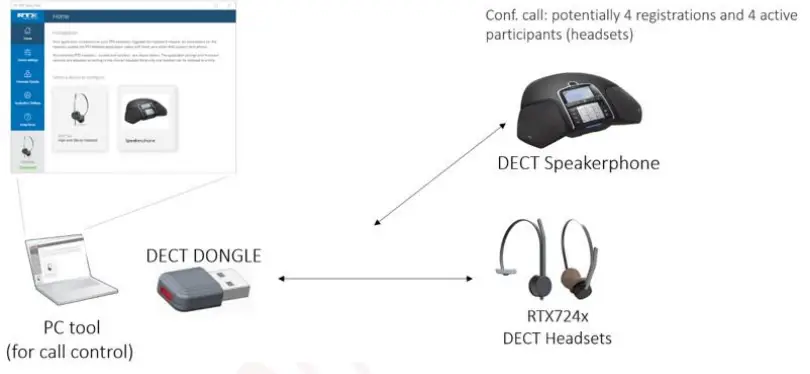
The following use case presents a DECT dongle connected to a laptop that acts like a base with Call control (e.g. Skype for Business).
Use case details:
- All calls are originated from the Windows / MacOS PC using e.g. Skype for Business
- The DECT registration of the headset and the DECT speaker phone is done by putting both dongle and headset in registration mode.
- The user selects the DECT headset or the DECT speaker phone on the Windows / MacOS PC. One active audio device can be selected at a time. The active device is chosen via the PC Tool.
- The user can mute/un-mute headset either from PC (softphone) or from headset.
- No call controls are mapped from the speakerphone to the call application on the Windows / MacOS PC.
- The connected device is visible in the PC Tool
- The Windows / MacOS PC audio devices settings apply to the connected master devices.
DECT USB dongle on corded phone (FP)
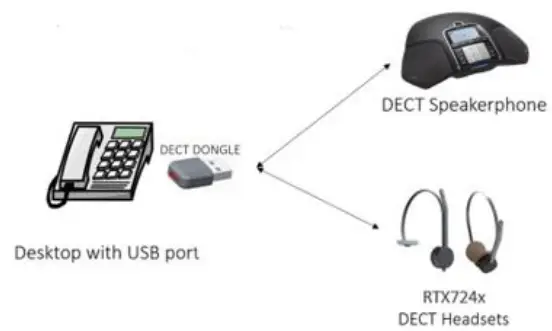
The following presents a use case where the DECT dongle is connected to a desk phone and acts as a base for the DECT headsets/speakerphone. A Desktop phone support is required in order to select the audio device (headset or DECT speaker phone). RTX will provide HID interface, however, the customer is responsible for the implementation of relevant phones.
Use case details:
- All calls are originated from the desk phone (with USB DECT dongle). Call control to be provided by customer for the desk phone. RTX provides the API.
- The DECT registration of the headset and the DECT speaker phone is done by setting both dongle and headset in registration mode. Functionality can also be added to the desk phone by the customer.
- The user selects the DECT headset or the DECT speaker phone on the desk phone. One active audio device can be selected at a time.
- The user can mute/un-mute headset from the headset.
- No call controls are mapped from the DECT speakerphone to the call application on the desk phone.
- The DECT dongle is configured using the Windows / MacOS PC audio.
DECT USB dongle on corded phone (PP)
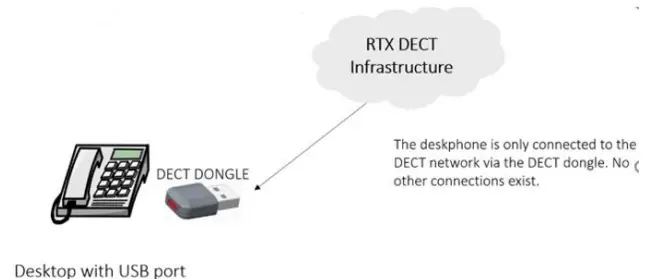
This use case presents the DECT dongle acting as a headset when connected to a desk phone. As mentioned in the previous chapter, a desktop phone support is required. The HID interface is provided by RTX, whereas the customer is responsible for the implementation of the relevant phones.
Use case details:
- The user plugs-in the USB DECT dongle to the desk phone, and it is registered to the RTX VoIP network. The functionality is added and controlled by the customer, whereas RTX provides the API for the configuration
- The DECT registration of the desk phone to the VoIP network is done as effortless as possible.
- The DECT dongle is configured using the Windows / MacOS PC tool.
Appendix
General requirements
| Requirements | Descriptions |
|
DECT frequency bands: | 1880 – 1895 MHz (Taiwan) 1880 – 1900 MHz (EMEA) 1910 – 1920 MHz (Brazil & Uruguay) 1910 – 1930 MHz (LATAM, Argentina, Chile) 1920 – 1930 MHz (USA, Canada) |
| Narrowband Audio: | G726, BV16 |
| Wideband Audio (HD): | G722, BV32 |
| Music | CELT 128 kbit/s |
| DECT Registration | Possible to remember 4 registrations, one primary and three secondary registrations. |
Environmental Compliances
RoHS
Per Directive 2011/65/EU on the Restriction of the use of certain Hazardous Substances in Electrical and Electronic Equipment
REACH
Per Directive 2006/121/EC on Registration, Evaluation and Authorization of Chemicals
WEEE
Per Directive 2012/19/EU on Waste Electrical and Electronic Equipment (RTX will add waste bin information on product labels).
Packaging: EU Directive 97/129/EC establishing the identification system for packaging materials pursuant to European Parliament and Council Directive 94/62/EC on packaging and packaging waste.
Regulatory compliances
| Approval | Standard |
| General – Safety | |
| Safety | CB Test Report IEC62368, EN62368, IEC60950, EN60950 with the national difference |
| Safety | UL62368 and cUL 62368 |
| Safety | CB Scheme Certificate |
| US | |
| FCC | FCC Part 15B |
| FCC | FCC Part 15D |
| FCC | FCC Part 15.247 |
| FCC | FCC SAR evaluation |
| FCC | FCC ID |
| Canada | |
| IC | ICES-003 Issue 6, 2016 |
| IC | IC RSS-213 Issue 3,March 2015 |
| IC | IC RSS-102 issue 5 SAR evaluation |
| IC | IC REL Cert and registration |
| IC | ISED ID |
| European | |
| CE | EN55032:2015 EMC-EMI&EMS EN55024:2010 EN55035 |
| CE | EN62479:2010 |
| CE | EN301489-1 V2.2.0 (2017-03) EN301489-6 V2.2.0 (2017-03) |
| CE | IEC61000-4-2 Level 3 criteria B (Contact+/-8KV,Air +/-15K) EN61000- 4-3 Level 3 criteria A |
| CE | EN301406V2.2.2(2016-09) |
| CE | SAR-EN62209-1:2006/EN62209-2:2010 ; EN50360 :2001+A1:2012 EN 50566:2013/AC:2014 |
| CE | AOC certificate |
| Australia/NZ | |
| RCM | AS/NZS CISPR 32:2015 |
| RCM | EMC-AS/NZS CISPR 22:2009+A1:2010 |
| RCM | RF-AS/NZS 4268:2017 |
| RCM | SAR-AS/NZS 2772.1; AS/NZS 2772.2:2011 |
| RCM | Acoustic AS/CA S004 |
| RCM | HAC AS/ACIF S040 |
FCC Caution
This device complies with part 15 of the FCC Rules. Operation is subject to the following two conditions:
- This device may not cause harmful interference, and
- this device must accept any interference received, including interference that may cause undesired operation.
Any Changes or modifications not expressly approved by the party responsible for compliance could void the user’s authority to operate the equipment.
Note: This equipment has been tested and found to comply with the limits for a Class B digital device, pursuant to part 15 of the FCC Rules. These limits are designed to provide reasonable protection against harmful interference in a residential installation. This equipment generates uses and can radiate radio frequency energy and, if not installed and used in accordance with the instructions, may cause harmful interference to radio communications. However, there is no guarantee that interference will not occur in a particular installation. If this equipment does cause harmful interference to radio or television reception, which can be determined by turning the equipment off and on, the user is encouraged to try to correct the interference by one or more of the following measures:
- Reorient or relocate the receiving antenna.
- Increase the separation between the equipment and receiver.
- Connect the equipment into an outlet on a circuit different from that to which the receiver is connected.
- Consult the dealer or an experienced radio/TV technician for help.
IC Warning
This device complies with Industry Canada licence-exempt RSS standard(s). Operation is subject to the following two conditions:
- This device may not cause interference, and
- This device must accept any interference, including interference that may cause undesired operation of the device.
RF Exposure Information and Statement
The SAR limit of USA is 1.6 W/kg averaged over one gram of tissue. Device types: USB DECT Dongle (IC: 4979B-U3741) has also been tested against this SAR limit. The highest SAR value reported under this standard during product certification for properly worn on the body is 0.082W/kg. This device was tested for typical body-worn operations kept 5mm from the body. To maintain compliance with IC RF exposure requirements, use accessories that maintain a 5mm separation distance. The use of accessories that do not satisfy these requirements may not comply with IC RF exposure requirements, and should be avoided.
Body-worn Operation
This device was tested for typical body-worn operations. To comply with RF exposure requirements, a minimum separation distance of 5mm must be maintained, including the antenna. Accessories used by this device should not contain any metallic components.
Body-worn accessories that do not meet these requirements may not comply with RF exposure requirements and should be avoided. Use only the supplied or an approved antenna.
 Wireless solutions - RTX