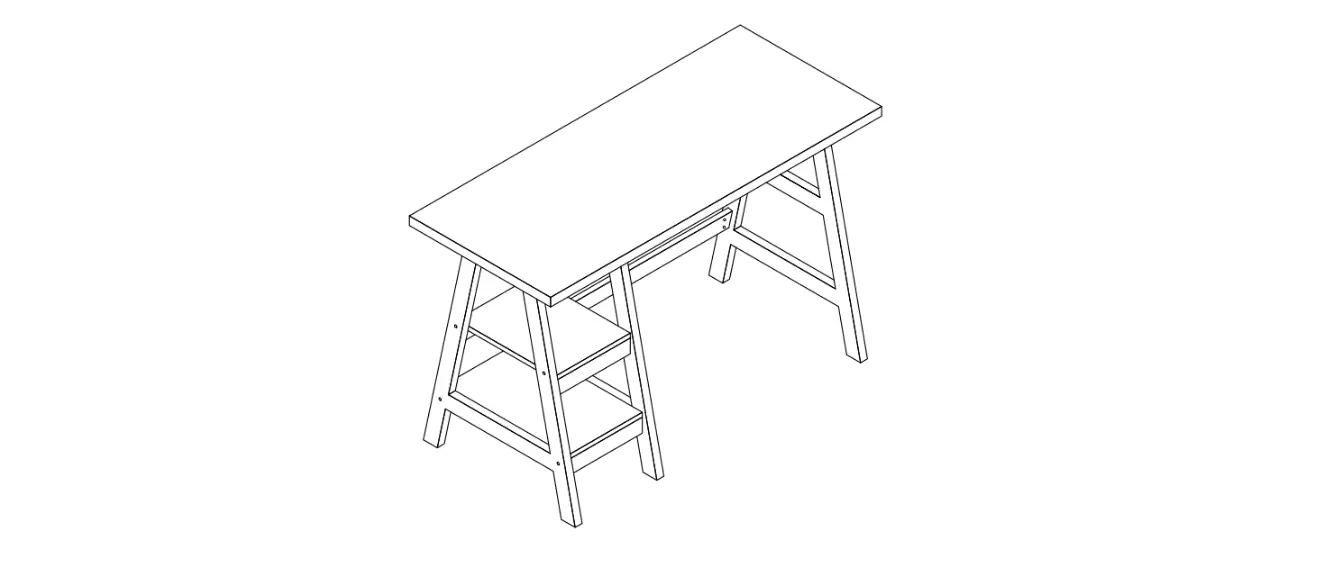
eKinekt Bike Desk
eKinekt Bike Desk User’s Manual
Table of Content
01 Safe to Use
- 04 Product Breakdown Diagram Components
- 05 Packaging Perspective Views
- 06 Package Removal
- 07 Assembly Instructions
Product Breakdown Diagram Components
Item# Part Description
- 01 Desk
- 02 Main frame
- 03 Ground support
- 04 Cushion
- 05 Backrest
- 06 Right pedal
- 07 Left pedal
Packaging Perspective Views
Package Removal
- A. Remove the top of the carton 1.
- B. Remove the dividers and corner boards 2.
- C. Remove the desk box and the accessory box 3.
- Accessory box: left and right pedals, cushion, and tool
kit.
Assembly Instructions
Precautions before assembly:
Correct way of moving: Two people, each on one side, are
required to grasp the metal tube of the bottom frame. Then, remove
and sit the machine smoothly in place.
Incorrect way of moving: The following four scenarios are the
incorrect ways of handling.
Step 1: Unpack the boxes and verify the parts
A. Disassemble the accessory box and the desk box. Keep the desk
box intact for subsequent assembly.
- Accessory box: left and right pedals, cushion, and tool
kit.
B. Unpack the toolkit.
- Item# Qty. Hardware Description
- 08 4 M8*15L screws
- 09 4 M8*35L screws
- 10 6 M8*25L screws
- 11 2 M8 curved washers
- 12 12 M8 flat washers
- 13 1 L-shaped hex wrench
- 14 1 Open wrench
Step 2: Remove the front and rear posts
- A. Lay the desk box on the floor according to the illustrated
direction. Place the machine steadily onto the desk box and have
one person support the machine. - B. The other person removes the front and rear posts with 13
hex wrench.
- Desk box (note the placement direction).
- Remove counterclockwise.
- L-shaped hex wrench (x1).
the bottom of the carton. One person should maintain holding to
prevent the mainframe from tipping over.
Step 3: Install the ground support
- A. Place the ground support on the desk box.
- Desk box (note the placement direction).
(note the direction of) firmly.
- The main frame Front should be aligned with the ground support
Front.
and M8 flat washers 12. Only tighten when all four screws are in
place.
Step 4: Disassemble the seat wood board and backrest
- A. Move the machine back onto the carton bottom.
- B. Remove the wood board and Backrest from the seat tube with
hex wrench 13.
- Wood board (note the placement direction).
- Remove counterclockwise.
- L-shaped hex wrench (x1).
Step 5: Install the cushion
- A. Attach Cushion 04 to Main Frame 02.
- B. Use L-shaped hex wrench 13 to tighten 4x M8*25L screws 10
with M8 flat washers 12.
Product Information:
The eKinekt Bike Desk is a product that allows you to exercise
while working. The bike desk has a desk, a main frame, a ground
support, a cushion, a backrest, a right pedal, and a left pedal.
The accessory box includes left and right pedals, cushion, and tool
kit. The toolkit includes screws, washers, and hex wrenches.
Product Usage Instructions:
- Unpack the boxes and verify the parts.
- Remove the front and rear posts.
- Install the ground support.
- Disassemble the seat wood board and backrest.
- Install the cushion.
Before assembly, make sure to follow the precautions mentioned
in the user manual. Two people are required to move the machine
smoothly in place. Verify that all the parts are available before
starting the assembly process. Follow the steps mentioned in the
user manual to assemble the bike desk.
eKinekt Bike Desk User’s manual
Table of Content
Safe to Use……………………………………………………………………………………………….. 2 Product Breakdown Diagram…………………………………………………………………… 3 Package Removal …………………………………………………………………………………….. 4 Assembly Instructions……………………………………………………………………………… 6 Operation Instructions…………………………………………………………………………… 17 Display Navigation…………………………………………………………………………………. 18 Safety Notice………………………………………………………………………………………….. 20 Battery information……………………………………………………………………………….. 20
Safe to Use
When using the eKinekt Bike Desk, one should always follow basic precautions, including: · Never drop or insert anything into any openings. If items fall, remove them carefully
or call customer service. · Do not use the eKinekt Bike Desk if it is damaged or partially submerged in water. · Do not use outdoors or in areas with high humidity or extreme temperatures. · Do not use the eKinekt Bike Desk in places with aerosol spray atmosphere or oxygen
delivery. · Clean only with mild detergent and a damp cloth. Do not use solvents. However,
areas around the screen, buttons, and charging ports must be cleaned with a dry cloth to prevent water from entering. · Use the product for the intended use as described in this manual, and do not use accessories not recommended. · Keep hands away from all moving parts. · Place the eKinekt Bike Desk on a sturdy, horizontal surface. Do not operate the product on thick plush or shag carpets, which may damage the carpets. · The product is equipped with Bluetooth and can be used while Bluetooth is off. Kids & Pets · Children and pets should stay at least 10 feet (3m) apart while using the product. · This eKinekt Bike Desk is not intended for children aged 12 and under. · Children cannot clean and maintain the product without supervision. · Keep children away from the product. Some areas may cause injuries.
1
04
05
01
07
06 02
03
Product Breakdown Diagram Components
Item# Part Description 01 Desk 02 Main frame 03 Ground support 04 Cushion 05 Backrest 06 Right pedal 07 Left pedal
2
Packaging Perspective Views
Package Removal
Step: A. Remove the top of the carton 1 . B. Remove the dividers and corner
boards 2 . C. Remove the desk box and the
accessory box 3 .
Divider 2
Divider 2 Corner board 2
Corner board 2
Top of the carton 1
Accessory box 3
Desk box 3
3
Package Removal
D. Remove the ground support and the divider 4 .
Ground support 4
Divider 4
Divider 4
Divider 4
Divider 4
Divider 4
E. Disassemble the bottom of the carton 5 . F. Remove the corner boards 6 .
4
Assembly Instructions Precautions before assembly:
Correct way of moving: Two people, each on one side, are required to grasp the metal tube of the bottom frame. Then, remove and sit the machine smoothly in place.
Incorrect way of moving: The following four scenarios are the incorrect ways of handling.
5
Assembly Instructions
Step 1: Unpack the boxes and verify the parts A. Disassemble the accessory box and the desk box. Keep the desk box intact for
subsequent assembly.
Accessory box: left and right pedals, cushion, and tool kit
Left pedal
Right pedal
Cushion
Desk box
Honeycomb board
Honeycomb board
Honeycomb board
Honeycomb board
B. Unpack the toolkit. Toolkit
Item# Qty. Hardware Description
08
4 M8*15L screws
09
4 M8*35L screws
10
6 M8*25L screws
11
2 M8 curved washers
12
12 M8 flat washers
13
1 L-shaped hex wrench
14
1 Open wrench
6
Honeycomb board
Desk set
08
09
10
13
x4 x4
x6
x1
11
12
x2 x12
14
x1
Assembly Instructions
Step 2: Remove the front and rear posts A. Lay the desk box on the floor according to the illustrated direction. Place the
machine steadily onto the desk box and have one person support the machine. B. The other person removes the front and rear posts with 13 hex wrench.
Desk box (note the placement direction)
Remove counterclockwise
L-shaped
hex wrench
(x1)
C. When removing the front and rear posts, place it back onto the bottom of the carton. One person should maintain holding to prevent the mainframe from tipping over.
7
Assembly Instructions Step 3: Install the ground support A. Place the ground support on the desk box.
Desk box (note the placement direction) B. Two people place the main frame onto the ground support (note the direction of
) firmly.
The main frame Front should be aligned with the ground support Front
8
Assembly Instructions C. Connect Main Frame 02 and Ground Support 03 . D. Use L-shaped hex wrench 13 to tighten 4x M8*35L screws 09 and M8 flat washers
12 . Only tighten when all four screws are in place.
02
03
Tighten clockwise
M8*35L screw (x4)
M8 flat
washers
L-shaped
hex wrench
(x1)
9
Assembly Instructions
Step 4: Disassemble the seat wood board and backrest A. Move the machine back onto the carton bottom. B. Remove the wood board and Backrest from the seat tube with hex wrench 13 .
Wood board
Wood board
Remove counterclockwise
Backrest
L-shaped
hex wrench
(x1)
Step 5: Install the cushion
A. Attach Cushion 04 to Main Frame 02 . B. Use L-shaped hex wrench 13 to tighten 4x M8*25L screws 10 with M8 flat washers
12 . Only tighten when all four screws are in place.
04
Tighten clockwise
02
M8*25L screws (x4)
M8 flat
washers
(x4)
L-shaped
hex wrench
(x1)
10
Assembly Instructions Step 6: Install the backrest A. Install Backrest 05 to Main Frame 02 . B. Use L-shaped hex wrench 13 to tighten 2x M8*25L screws 10 with M8 flat washers
12 . Only tighten when all two screws are in place.
05
04
Tighten clockwise
M8*25L screws (x4)
M8 flat
washers
(x4)
L-shaped
hex wrench
(x1)
11
Assembly Instructions Step 7: Install the left and right pedals A. First, identify the left and right pedals. Left Pedal 07 is labeled L, and Right Pedal 06
is labeled R. B. Mount Left Pedal 07 to the left crank (L) counterclockwise. C. Mount Right Pedal 06 to the right crank (R) clockwise. D. Use an open wrench to lock the left and right pedals.
02
07
(L) Tighten counterclockwise
(R) Tighten clockwise
06
Open wrench (x1)
12
Assembly Instructions
Step 8: Install the desk A. Two people are required to assemble the desk.
B.
First, connect the 2-PIN connector of Desk 01 to the 2-PIN connector of
Main Frame 02 . Then connect the 6-PIN connector of Desk 01 to the 6-PIN
connector A of Main Frame 02 .
Before
After
01 A 02
C. Remove Cable Tie 02 on the 6 and 2-PIN connectors.
2-PIN 6-PIN
01
02 02
13
Assembly Instructions D. Insert the Desk 01 into Main Frame 02 .
Before
01 02
After
01
02
E. Use L-shaped hex wrench 13 to tighten 4x M8*15L screws 08 with M8 flat washers 12 and M8 curved washers 11 . Only tighten when all four screws are in place.
Tighten clockwise
01
02
M8*15L screws (x4)
M8 flat washers (x4)
M8 curved
L-shaped
washers
hex wrench
(x2)
(x1)
Note: · M8 flat washers 12 are installed on the left and right flat surfaces. · M8 curved washers 11 are installed on the front and rear curved surfaces.
14
Assembly Instructions Step 9: Calibration A. There are four adjustment feet B under the ground support. Gently shake the
machine back and forth to check if any feet are not in contact with the floor. Turn clockwise with fingers to raise and counterclockwise to lower. Adjust the feet until both the front and rear feet sit on the floor.
B
Clockwise to raise Counterclockwise to lower
15
Operation Instructions
eKinekt Bike Desk Features & Specifications:
Power Battery USB Port Stampede resistance Seat height Desk height Desk front and rear adjustment
Hook load Desk load Cushion Backrest Power generation indicator Moving wheels Noise decibel Power generation
Stampede powering For electric control module only 2*Type A (5W), 1*Type C (65W) Four-level adustment (Lv1~Lv4) Pneumatic manual adjustment, 78cm~98cm (±2cm) Electrical adjustment 110cm~140cm (±2cm) Press and hold the front and rear adjustment levers on the left and right sides of the desk to adjust the front and rear position simultaneously. 5 kgs (±0.5kg) 20 kgs (±2kg) Foam vacuum forming Foam-forming artificial leather Single green light bar
Front mounted*2 58dB (@30KPH, in a quiet room) Max. 75 watt/hour (Wh) @60RPM
Display Specifications:
Screen Information display
Bluetooth
2.4″TFT LCD
Calorie, Speed, Power Generation, Battery Level, Resistance Stage, Desk Height, Metric/Imperial Unit Switch
Bluetooth 5.0
Type C Type A
Front and rear adjustment levers
Screen
Desk height
Stampede resistance
Desk
16
Display Navigation 4
1
2 220
CAL
63
WATTS
5
25 6
KM/H
3
Edward’s iPhone
7
Stampede exercise screen
Display: : Power generation : Calories (calories burned in current exercise) : When Bluetooth is connected, the Bluetooth icon is always on. : Water ripple is illuminated during stampede powering. : 4-level battery indicator (25/50/75/100%) : Speed (Metric/KMH; Imperial/MPH) : The name of the connected phone
17
Display Navigation
Resistance
Resistance
LV.
2 LV.
Resistance adjustment screen
Desk Height
135 CM
Desk Height
53.1″
Desk height screen Operating Instructions: 1. The product is designed with a built-in power-saving mode. When there’s no
stampede for more than 2 minutes, the screen will enter the power saving mode. 2. To activate it, there are two ways to wake the screen:
a. Press any key; b. Start stampede. 3. Desk height adjustment: press and hold the ” ” or ” ” button on the desk to display
the current height and height line icon. 4. Stampede resistance adjustment: Press the ” ” or ” ” button on the desk, and the
icon blinks for 0.5 sec. After three flashes, the stampede resistance will be set to the current level. 5. Press the ” ” buttons on the desk simultaneously for three seconds and show the unit switch (Metric/Imperial) screen. Press ” ” or ” ” for the Metric/Imperial unit. Press ” ” to confirm the selection.
System of Unites
Metric
Imperial
Press toconfirm
18
Safety Notice
Maintenance Do not attempt to service the product yourself, as opening or removing covers may expose you to dangerous voltage points or other risks. Refer all servicing to qualified service personnel. · Liquid was spilled into the product. · The product was exposed to rain or water. · The product has been dropped, or the case has been damaged. · The product exhibits a distinct change in performance, indicating a need for service. · The product does not operate normally after following the operating instructions.
Battery information
· Do not attempt to replace the built-in rechargeable battery. The battery must be replaced by an authorized service center. Please follow the product instructions for charging the battery.
· If you plan to store the device for a long time, please keep it in a dry and wellventilated place at at room temperature (0°C – 35°C), with humidity between 45% and 80%. Avoid direct sunlight, high temperatures, and high humidity.
· Do not leave the product’s battery completely discharged for an extended period; this may cause battery deformation or damage. We recommend checking and charging the battery to approximately 50% capacity every six months.
WARNING
· Batteries may explode if improperly handled. Do not disassemble or dispose of batteries in the fire.
· Do not short external contacts, crush, puncture, or otherwise tamper with batteries.
· Do not throw this electronic equipment into the trash when discarding. To minimize pollution and ensure the utmost protection of the global environment, please recycle properly. For more information on the Waste from Electrical and Electronics Equipment (WEEE) regulations, please visit www.acer-group.com/public/Sustainability
19
ABD330
eKinekt Bike Desk / eKinekt / eKinekt Bike Desk 3
02-2790-4680 11224 Manufacturer: Acer Inc. 8F. 88, Sec.1 Xintai 5th Rd., New Taipei City, Taiwan EU importer: Acer Italy s.r.l Viale delle Industrie 1/A, 20020 Arese (MI), Italy UK importer: Acer UK Ltd Heathrow Boulevard III 282 Bath Road West Drayton Greater London UB7 0DQ
Version 1.0
 ACER CSR