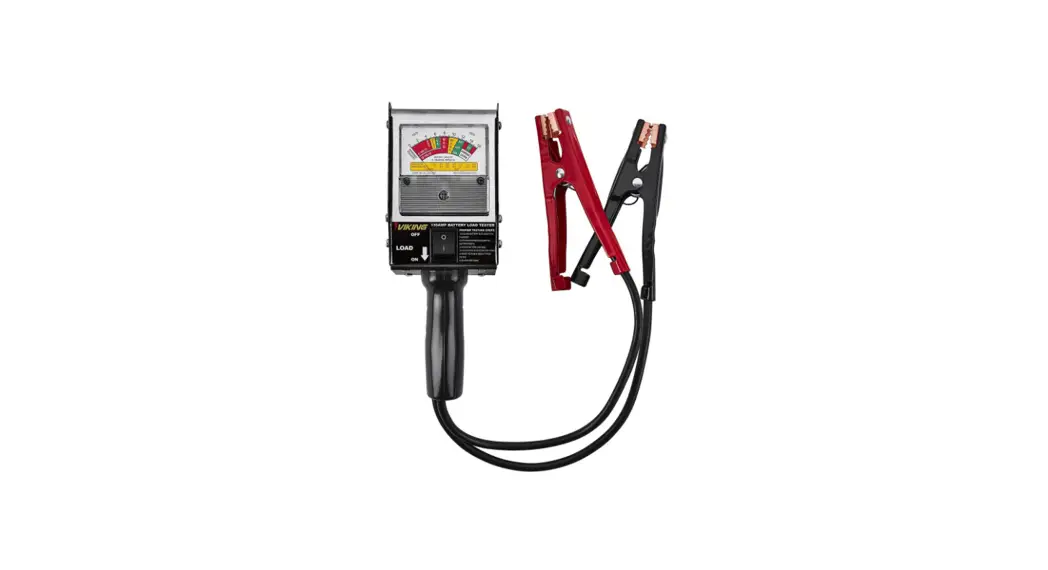
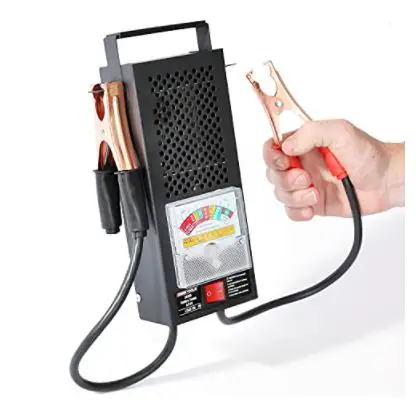
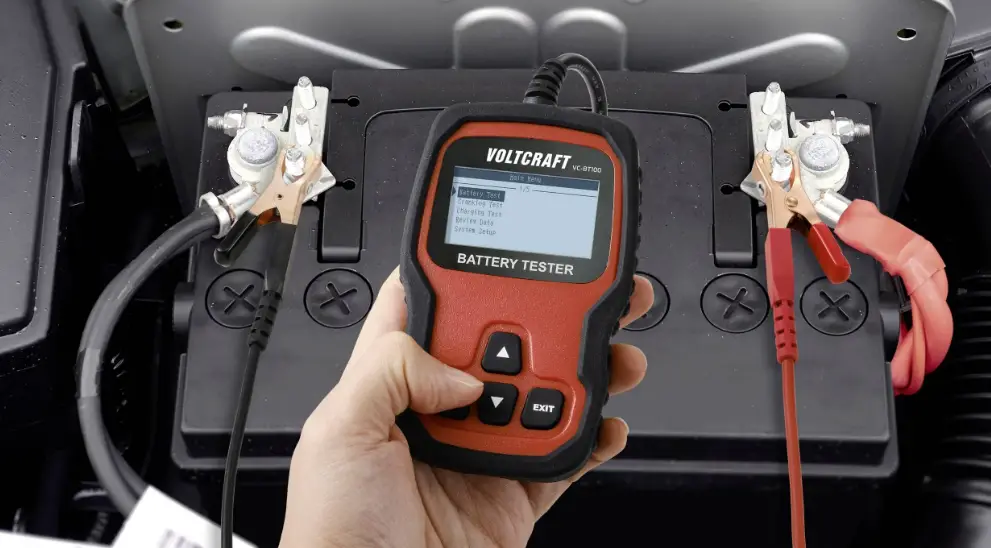
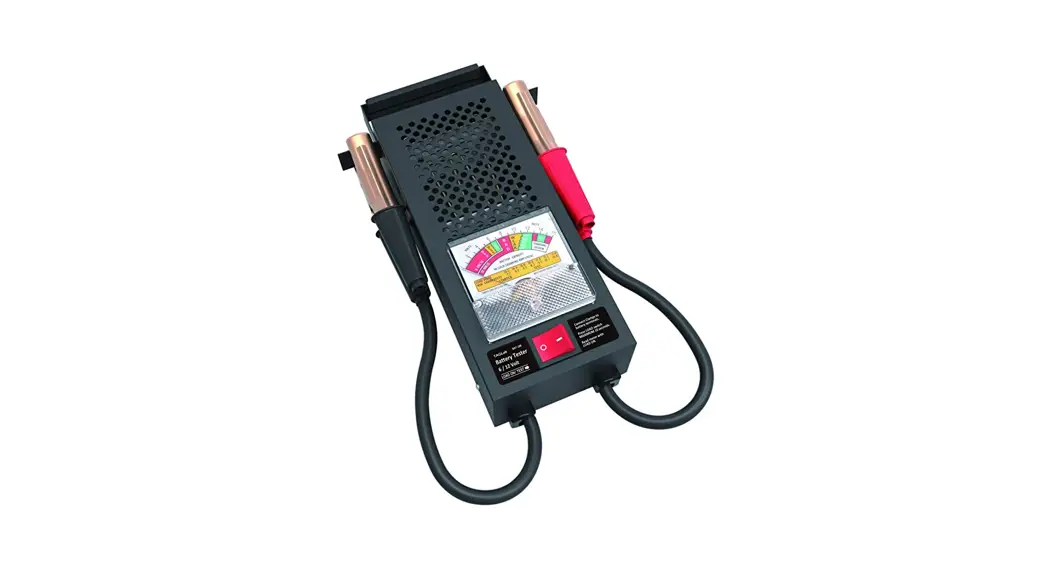
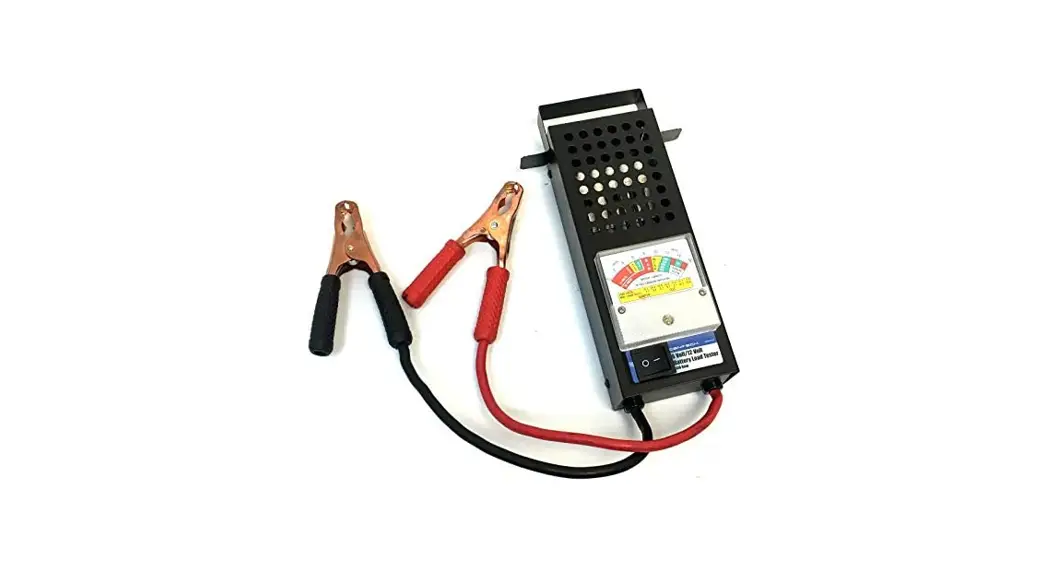
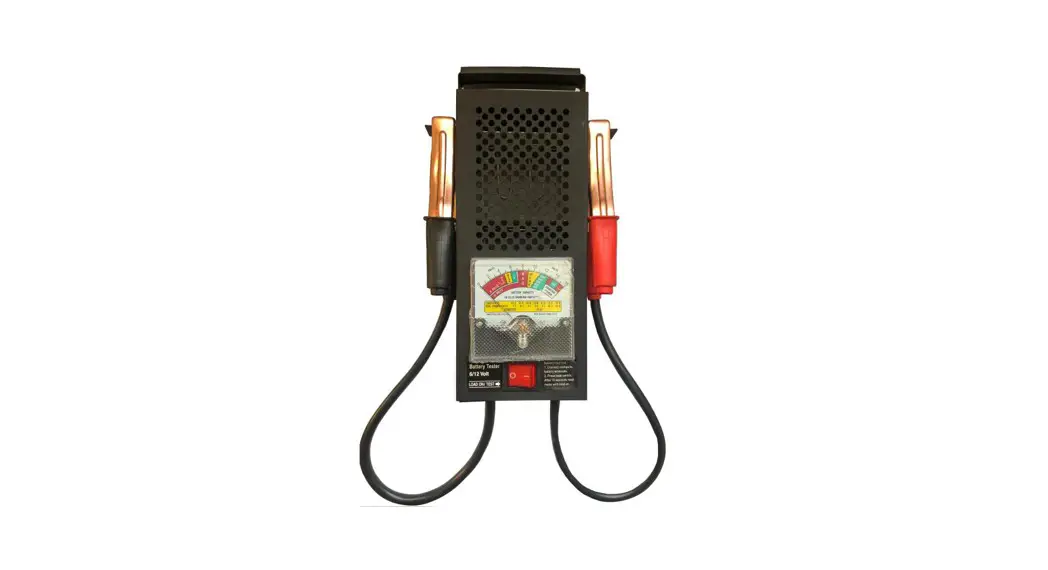
58933 Carbon Pile Battery and System Load Tester
Product Information: Battery Tester
The Battery Tester is a device used to test batteries for their
performance and functionality. It is a compact and portable device
that can be used for testing various types of batteries.
Safety Instructions:
- Wear ANSI-approved safety goggles during set up and use of the
Battery Tester. - Test in a well-ventilated area. Explosive gases may be produced
during testing. Do not smoke, cause sparks, or strike matches near
the battery when testing. - Refer to the user manual of the Battery being tested for
testing instructions and precautions prior to using the Battery
Tester. - Do not expose this product to rain or wet conditions.
- Maintain this product. Check for breakage of parts and any
other condition that may affect this product’s operation. If
damaged, have the unit repaired before use. - Use this product in accordance with these instructions, taking
into account the working conditions and the work to be performed.
Use of this product for operations different from those intended
could result in a hazardous situation. - This product is not a toy. Keep it out of reach of
children. - Maintain labels and nameplates on the unit. These carry
important safety information. If unreadable or missing, contact
Harbor Freight Tools for a replacement. - People with pacemakers should consult their physician(s) before
use. Electromagnetic fields in close proximity to heart pacemaker
could cause pacemaker interference or pacemaker failure. Caution is
necessary when near coil, spark plug cables, or distributor of
running engine. Engine should be off during distributor
adjustment.
Product Usage Instructions:
- Unpack the Battery Tester and check that all parts are intact
and undamaged. If any parts are missing or broken, please call
1-888-866-5797 as soon as possible. - Read the user manual carefully before using the Battery
Tester. - Wear ANSI-approved safety goggles during set up and use of the
Battery Tester. - Test the battery in a well-ventilated area. Do not smoke, cause
sparks, or strike matches near the battery when testing. - Refer to the user manual of the Battery being tested for
testing instructions and precautions prior to using the Battery
Tester. - Connect the Battery Tester to the battery terminals according
to the instructions provided in the user manual. - Turn on the Battery Tester and follow the instructions for
testing the battery’s performance and functionality. - After testing, turn off the Battery Tester and disconnect it
from the battery terminals. - Maintain the product by checking for breakage of parts and any
other condition that may affect this product’s operation. If
damaged, have the unit repaired before use. - Store the Battery Tester in a safe and dry place for future
reference.
Owner’s Manual & Safety Instructions
Save This Manual Keep this manual for the safety warnings and precautions, assembly,
operating, inspection, maintenance and cleaning procedures. Write the product’s serial number in the
back of the manual (or month and year of purchase if product has no number). Keep this manual and the
receipt in a safe and dry place for future reference.
22g
Visit our website at: http://www.harborfreight.com Email our technical support at: [email protected]
When unpacking, make sure that the product is intact and undamaged. If any parts are missing or broken,
please call 1-888-866-5797 as soon as possible.
Copyright© 2022 by Harbor Freight Tools®. All rights reserved. No portion of this manual or any artwork contained herein may be reproduced in any shape or form without the express written consent of Harbor Freight Tools. Diagrams within this manual may not be drawn proportionally. Due to continuing improvements, actual product may differ slightly from the product described herein.
Tools required for assembly and service may not be included.
Read this material before using this product. Failure to do so can result in serious injury. SAVE THIS MANUAL.
Table of Contents
Safety ………………………………………………… 2 Specifications ……………………………………… 4 Functions ……………………………………………. 4
Operation……………………………………………. 5 Maintenance ………………………………………. 10 Warranty ……………………………………………. 11
SAFETY
SPECIFICATIONS
OPERATION
WARNING SYMBOLS AND DEFINITIONS This is the safety alert symbol. It is used to alert you to potential personal injury hazards. Obey all safety messages that follow this symbol to avoid possible injury or death. Indicates a hazardous situation which, if not avoided, will result in death or serious injury.
Indicates a hazardous situation which, if not avoided, could result in death or serious injury.
Indicates a hazardous situation which, if not avoided, could result in minor or moderate injury.
Addresses practices not related to personal injury.
IMPORTANT SAFETY INSTRUCTIONS
INSTRUCTIONS PERTAINING TO A RISK OF FIRE, ELECTRIC SHOCK, OR INJURY TO PERSONS
WARNING When using tools, basic precautions should always be followed, including the following:
1. Wear ANSI-approved safety goggles during set up and use of the Battery Tester.
2. Test in a well ventilated area. Explosive gases may be produced during testing. Do not smoke, cause sparks, or strike matches near the battery when testing.
3. Refer to the user manual of the Battery being tested for testing instructions and precautions prior to using the Battery Tester.
4. Do not expose this product to rain or wet conditions.
5. Maintain this product. Check for breakage of parts and any other condition that may affect this product’s operation. If damaged, have the unit repaired before use.
6. Use this product in accordance with these instructions, taking into account the working conditions and the work to be performed. Use of this product for operations different from those intended could result in a hazardous situation.
7. This product is not a toy. Keep it out of reach of children.
8. Maintain labels and nameplates on the unit. These carry important safety information. If unreadable or missing, contact Harbor Freight Tools for a replacement.
9. People with pacemakers should consult their physician(s) before use. Electromagnetic fields in close proximity to heart pacemaker could cause pacemaker interference or pacemaker failure. Caution is necessary when near coil, spark plug cables, or distributor of running engine. Engine should be off during distributor adjustment.
10. Undercharged lead-acid batteries will freeze during cold weather. Do not test or charge a frozen battery.
Page 2
For technical questions, please call 1-888-866-5797.
Item 58933
MAINTENANCE
SAFETY
11. When connecting the Battery Cables to the battery, avoid creating sparks. Explosive gases are created during charging. Sparking could also damage the vehicle electrical system.
12. Do not touch the cooling vents on the Battery Tester during or immediately after testing the battery. They become very hot.
13. When placing the Battery Tester in the vehicle’s engine compartment, take special care that the metal housing of the Tester does not come in contact with either terminal of the battery or other electrical connections.
14. Be certain of the test battery polarity before connecting the test Cable Clamps. The red Cable Clamp goes to the positive terminal of the battery. The black Cable Clamp goes to the negative terminal of the battery. Reversing Battery Tester Cable Clamps on the battery will damage the tester.
15. Do not drop the Battery Tester as it may affect proper operation.
16. Do not smoke or have open flames near the battery.
17. Do not connect the Battery Tester to the battery while the engine is running. Turn the engine off before connecting.
18. The warnings and precautions discussed in this manual cannot cover all possible conditions and situations that may occur. It must be understood by the operator that common sense and caution are factors which cannot be built into this product, but must be supplied by the operator.
19. Always turn Load Knob to OFF position before and after testing.
20. Load is full level during shipping to prevent carbon disc damage.
21. It is important to turn Load Knob to OFF position immediately after unpacking the tester.
SAVE THESE INSTRUCTIONS.
SPECIFICATIONS
OPERATION
MAINTENANCE
Item 58933
For technical questions, please call 1-888-866-5797.
Page 3
SAFETY
SPECIFICATIONS
Specifications
Battery Application Load Range AH Range CCA Range:
Voltages Range
Test Duration
6/12/24 VDC 0-1000 A DC 0-320 AH 0-2000 CCA 0-7.5V DC (on 6V Battery) 0-15V DC (on 12V Battery) 0-30V DC (on 24V Battery) 15 seconds (with alarm)
Functions
Reversed Polarity Indicator
AMP Gauge
Clamps/Cable Management on Handle
Voltage Gauge
Gauge Zero Adjuster
Temperature Compensation
Chart
Voltage Selector
Knob
Cooling Fan
Red Positive Cable Clamp
Quick Instruction
Variable Load Adjusting Knob
Black Negative Cable Clamp
OPERATION
MAINTENANCE
Page 4
For technical questions, please call 1-888-866-5797.
Item 58933
SAFETY
SPECIFICATIONS
Operating Instructions
Read the ENTIRE IMPORTANT SAFETY INFORMATION section at the beginning of this manual including all text under subheadings therein before set up or use of this product.
Prepare Battery For Testing
1. To help ensure a good connection, wipe battery terminals with a cloth to remove any dirt and grease.
2. Make sure the battery is charged to at least 75% on an open-circuit voltage before load test. You can connect tester to the battery without turning on the load to confirm battery voltage. (see Open Circuit Voltage section for Percentage of Charge determination on page 6.)
3. Identify available battery CCA (Cold Cranking AMPS), and/or AH (AMP-Hour) This information is usually located on the battery label and in your vehicle owner’s manual.
Note: For flooded battery type, make sure distilled water is filled to designated level before testing.
Note: A battery that has just finished charging, or the vehicle’s engine has just shut down, needs to stabilize for 15 minutes or remove the surface charge by turning on the head lamps on high beam for 4-6 seconds before battery test can be performed.
Note: If the battery is outside of the vehicle, connect the tester clamps to the battery posts. Make sure load test is set to OFF before connecting to battery posts, then turn Load Knob to approximately 60A for 4-6 seconds.
Prepare Tester
1. IMPORTANT: During the first use of the Tester, you will notice smoke and/or a burning smell. This is normal and temporary. Also note that the moisture build up on the internal components may have caused this vapor temporarily.
2. Make sure there is nothing blocking the cooling vents on both sides of the Tester.
3. Place the Tester on a sturdy surface.
4. Make sure the Test Cables are away from engine belt and fan.
5. Inspect the Tester for any cracks or damages on the enclosure, cables and clamps.
6. Make sure the gauge needle is in line with the 0 mark. If not, use a flat head screw driver to adjust the needle by turning the Gauge Zero Adjuster screw until the needle lines up at the 0 mark.
7. Make sure the Voltage Selection is set according to the voltage of the battery being tested.
8. Make sure the Variable Load Adjustable Knob is set to zero or OFF.
Determine Load (or Amps) for Test Use
1. Load (AMPS) needed is 1/2 of the CCA rated on the battery.
Example: The AH battery is rated at 18 AH, The AMPS load needs to be set to 54A on the AMP Gauge.
Example: Battery is rated at 800 CCA – AMPS load needs to be set to 400A on the Amp Gauge. Apply the same method if battery is MCA (Marine Crank AMPS).
2. A battery with AH requires 3x the rated AH.
OPERATION
MAINTENANCE
Item 58933
For technical questions, please call 1-888-866-5797.
Page 5
SAFETY
Battery Temperature Compensation
Battery Temperature +20°F 0°F -20°F
Crank Amps Loss 50A 100A 150A
Note: Never load test a cold battery. If battery is cold, allow it to warm up by running the engine for a few minutes before testing in a ventilated area.
Open Circuit Voltage
If the load indicates poor battery condition, allow the battery to stabilize for a few minutes and check the open circuit voltage by voltmeter:
a. Battery is considered charged if it measures 75% or more. If it failed the load test with 75% charge, replace battery.
b. If Battery charge measures less than 75%, it should be charged and load tested again. Replace battery if it fails again.
c. The values in the following table are for a 12V battery. Divide values in half for a 6V battery.
Open Circuit Voltage
11.7V or Lower 12.0V 12.2V 12.4V
12.6V or Higher
% of Charge
0% 25% 50% 75% 100%
Amps & Volts Gauges
AMPS Gauge
SPECIFICATIONS
OPERATION
MAINTENANCE
· Indicates Current or Load applied to battery for test. · Shows scale in AH (Amp-Hour) in CCA (Cold Crank Amps)
Volts Gauge
· Indicates Reversed Polarity when clamps are connected to the battery in reverse polarity. · Shows 3 scales of battery voltages: 6V (0-7.5V), 12V (0-15V), and 24V (0-30V). · Shows Battery Test result where Red is FAIL and Green is PASS. · Shows the Battery State of Charge where Red is recommended for recharging the
battery and Green is the acceptable state to proceed with a Load Test
Page 6
For technical questions, please call 1-888-866-5797.
Item 58933
SAFETY
Battery Test
1. Read Prepare Battery for Testing, Prepare Tester, and Determine Load sections of this manual.
2. Turn Variable Load Adjusting Knob to the Off position.
3. Select the appropriate battery voltage using the Voltage Selector Knob.
4. Firmly connect the Red (+ Positive) Clamp to battery positive (+) post, and the Black (-Negative) Clamp to the battery (-) post.
5. Apply a load (AMPS) by slowly turning the Variable Load Adjusting Knob from the OFF position to obtain the desired load (AMPS).
6. Hold the load (AMPS) for 15 seconds until the test timer alarms goes off.
7. Read the result and voltage level on the Voltage Gauge at the end of 15 seconds, then turn the Variable Load Adjusting Knob to the OFF position.
8. Remove the Clamps from the battery posts.
9. Use the Temperature Compensation Chart on the side of the Tester to compensate for the temperature the battery is tested at. If voltage read on the Tester is above the voltage shown at the specific temperature, the battery test is a PASS. Otherwise it is a FAIL.
Note: It is recommended to allow 1 minute between tests for proper cooling of the tester.
Note: It is recommended to allow a few minutes for proper cooling of the tester between tests if load is greater than 500A.
Note: Never load test a cold battery. If battery is cold, allow it to warm up by running the engine for a few minutes before testing in a ventilated area.
SPECIFICATIONS
OPERATION
MAINTENANCE
Item 58933
For technical questions, please call 1-888-866-5797.
Page 7
SAFETY
Alternator/Regulator/Charging System Test
AVOID CARBON MONOXIDE POISONING. This gas comes from the vehicle’s exhaust and is colorless and odorless. It can cause SERIOUS INJURY or DEATH if inhaled.
Note: This test should be done by 2 persons. One at the battery tester, another at the steering wheel.
Note: A load is not required for this test.
1. Turn the Variable Load Adjusting Knob to the OFF position.
2. Select the appropriate battery voltage using the Voltage Selector Knob.
3. Firmly connect the red (+) Clamp to the battery (+) post and the black (-) clamp to the battery (-) post.
4. Start the engine and allow it to reach a normal operating temperature, or when the RPM drops between 600-1000.
5. Make sure the gear shift is in PARK (P).
6. Rev the engine between 1500 – 2000 RPM and hold at this level for 15 seconds.
7. After 15 seconds, read the D.C. Volts gauge. If the needle points to the red block then the charging system has undercharged the battery. If the needle points beyond the OK block, the charging system has overcharged the battery.
8. Turn off engine and remove the clamps from the battery posts.
SPECIFICATIONS
OPERATION
MAINTENANCE
Page 8
For technical questions, please call 1-888-866-5797.
Item 58933
SAFETY
Cranking/Starting Test (For 12V Lead Acid Battery Only)
AVOID CARBON MONOXIDE POISONING. This gas comes from the vehicle’s exhaust and is colorless and odorless. It can cause SERIOUS INJURY or DEATH if inhaled.
Note: This test should be done by 2 persons. One at the battery tester, another at the steering wheel.
Note: A load is not required for this test.
1. Turn the Variable Load Adjusting Knob to the OFF position.
2. Select the appropriate battery voltage using the Voltage Selector Knob.
3. Disable the ignition system so the vehicle does not start. Refer to the vehicle owner’s manual for instruction.
4. Firmly connect the red (+) Clamp to the battery (+) post and the black (-) clamp to the battery (-) post.
5. Start the engine and observe the D.C. Volts gauge reading. A reading of 9 volts or less on a 12V battery indicates excessive current draw. This may be due to a poor connection, a failing starter, or an insufficient size battery for the motor.
6. Disconnect the Cable Clamps when finished and restore ignition.
SPECIFICATIONS
OPERATION
MAINTENANCE
Item 58933
For technical questions, please call 1-888-866-5797.
Page 9
SAFETY
User-Maintenance Instructions
Procedures not specifically explained in this manual must be performed only by a qualified technician.
TO PREVENT SERIOUS INJURY FROM ACCIDENTAL OPERATION: Do not use damaged equipment. If abnormal noise or vibration, occurs, have the problem corrected before further use.
Inspection, Maintenance, and Cleaning
Note: These procedures are in addition to the regular checks and maintenance explained as part of the regular operation of the air-operated tool.
1. Periodically check all nuts, bolts, and screws for tightness.
2. Store in a clean, dry location.
3. Clean the outside of the unit with a damp cloth. Never use solvents to clean any parts of this tool. Allow tool to dry completely before use.
4. Use compressed air to blow out debris from the load vents.
5. After each use, clean the Cable Clamps of any possible battery electrolyte. Apply a thin coat of silicone grease to prevent corrosion.
SPECIFICATIONS
OPERATION
MAINTENANCE
Record Product’s Serial Number Here:
Note: If product has no serial number, record month and year of purchase instead. Replacement parts are not available for this item. Reference UPC 193175451514.
Page 10
For technical questions, please call 1-888-866-5797.
Item 58933
Limited 90 Day Warranty
Harbor Freight Tools Co. makes every effort to assure that its products meet high quality and durability standards, and warrants to the original purchaser that this product is free from defects in materials and workmanship for the period of 90 days from the date of purchase. This warranty does not apply to damage due directly or indirectly, to misuse, abuse, negligence or accidents, repairs or alterations outside our facilities, criminal activity, improper installation, normal wear and tear, or to lack of maintenance. We shall in no event be liable for death, injuries to persons or property, or for incidental, contingent, special or consequential damages arising from the use of our product. Some states do not allow the exclusion or limitation of incidental or consequential damages, so the above limitation of exclusion may not apply to you. THIS WARRANTY IS EXPRESSLY IN LIEU OF ALL OTHER WARRANTIES, EXPRESS OR IMPLIED, INCLUDING THE WARRANTIES OF MERCHANTABILITY AND FITNESS.
To take advantage of this warranty, the product or part must be returned to us with transportation charges prepaid. Proof of purchase date and an explanation of the complaint must accompany the merchandise. If our inspection verifies the defect, we will either repair or replace the product at our election or we may elect to refund the purchase price if we cannot readily and quickly provide you with a replacement. We will return repaired products at our expense, but if we determine there is no defect, or that the defect resulted from causes not within the scope of our warranty, then you must bear the cost of returning the product.
This warranty gives you specific legal rights and you may also have other rights which vary from state to state.
Item 58933
For technical questions, please call 1-888-866-5797.
Page 11
26677 Agoura Road · Calabasas, CA 91302 · 1-888-866-5797