
Instruction Manual
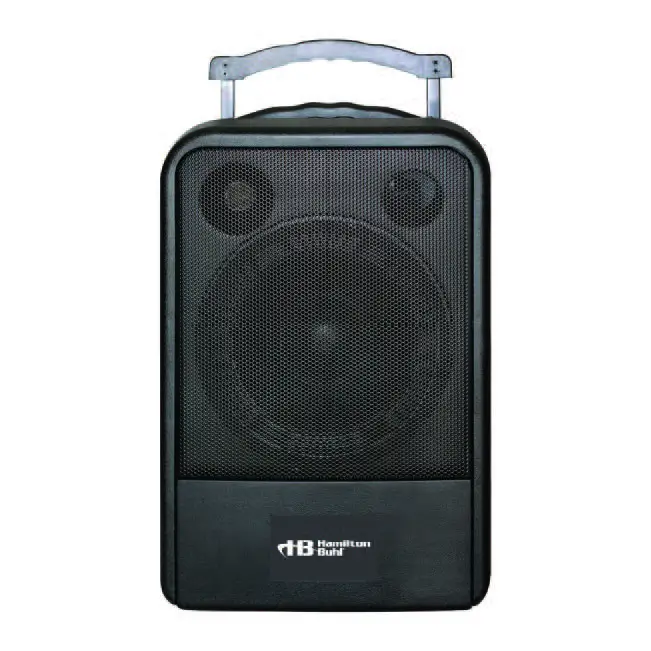
VENU100W
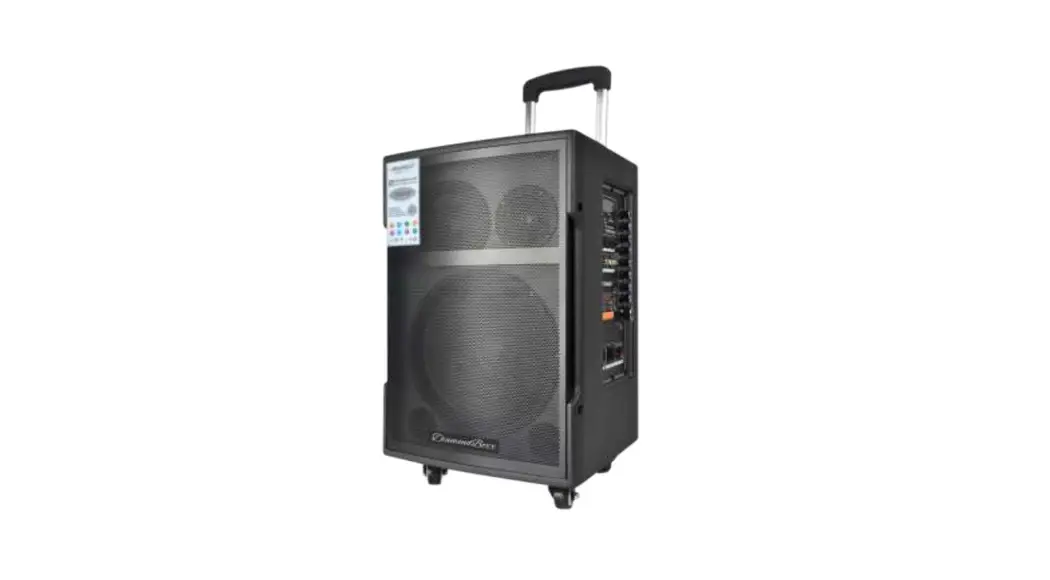
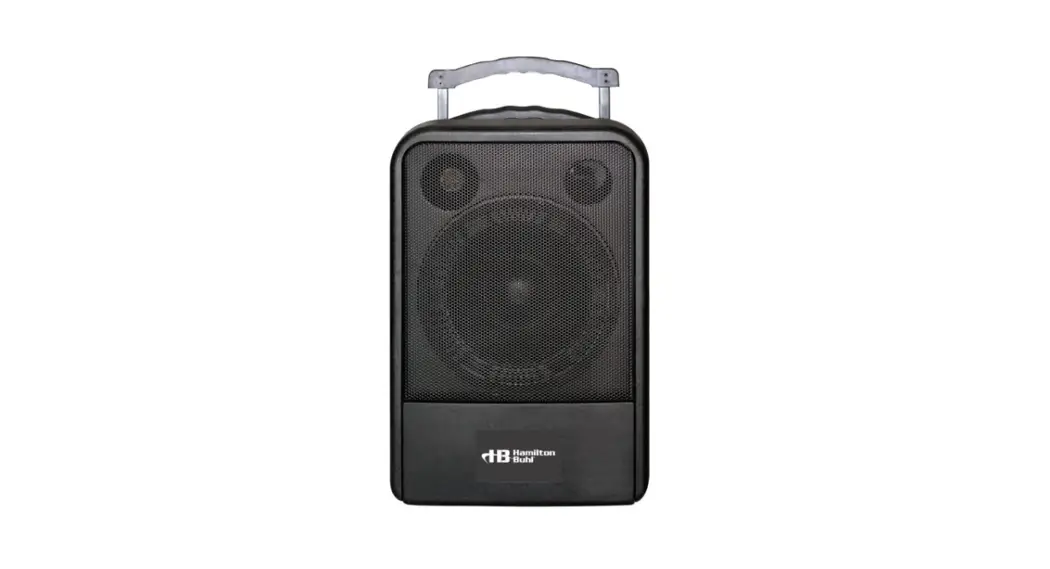
Water-Resistant (IP54) Portable Amplifier System
 80 Little Falls Road, Fairfield, NJ 07004
1-800-631-0868
www.HamiltonBuhl.com
Introduction and Product Specifications
Introduction
Thank you for choosing the HamiltonBuhl VENU100W IP54 All Weather PortableAmplifier System. Please read this manual carefully before using it and retain for future reference. Please recharge this unit every month to achieve the best performance.
1.2 Product Specifications
| Power Output | RMS 75W |
| Speakers | One 10″ Woofer Speaker; One 1″ Tweeter |
| Amplifier | class D |
| Power supply | AC: 120VAC/60Hz |
| DC: 2 x 12V 7A lead-Acid Batteries | |
| Charging time | 8-11 Hours |
| Operation time | 5-7 Hours |
| Frequency response | 50Hz-18KHz±3dB |
| Dimensions | 20.3×14.6×13.5 inches |
| Weight | 37.5 lbs. |
Important Safety Information
When a failure or problem occurs, please contact the manufacturer for further troubleshooting, evaluation, and/or repair. One receiver cannot receive a signal from two of the same frequency microphones simultaneously. Other brand microphones with different frequencies cannot be used with this receiver.
| Do not open or attempt to fix or adjust this product yourself. To reduce the risk of fire or electric shock, do not remove the cover. High voltage parts are inside. | Do Not Disassemble  |
| To reduce the risk of electric shock, do not touch the power outlet during thunderstorms. Do not touch the power plug with wet hands. Do not put liquid containers or small metal parts on the top of the equipment. Do not drop metal parts or flammables into the equipment. | Do Not Touch |
| To reduce the risk of fire or electric shock from a damaged power cord, do not pull hard when pulling out the power plug. Always grasp the plug tightly, then pull it out gently. Turn off the power if this equipment will not be used for a long period of time. | Pull Out AC Plug |
| To reduce the risk of electric shock, use the specified power voltage only. Do not expose this equipment or power cord to the sun, moist or dusty places. Keep away | Caution |
| To prevent damage, never put heavy items on top of this equipment. Place and use on flat, stable surfaces only. | |
Always insert the power plug fully into a power outlet. Please pull out the power plug and contact the manufacturer if the following occurs.
(If the core is exposed or cord is frayed) | Warning  |
Parts Description
Main Unit
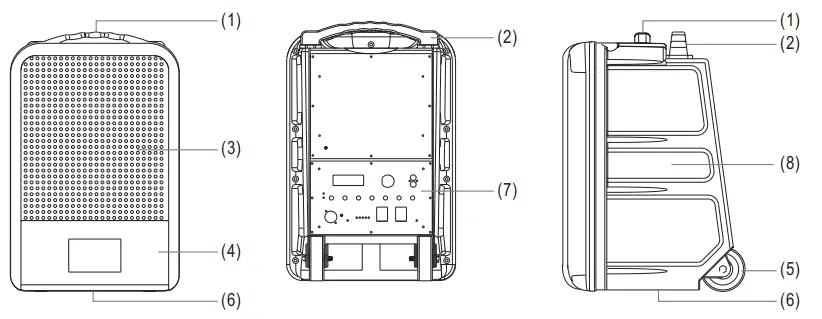
- Handle
- Telescopic Trolley
- Metal Shield
- Battery Compartment
- Wheels
- Pole Mount
- Control Panel
- Cabinet
Control Panel
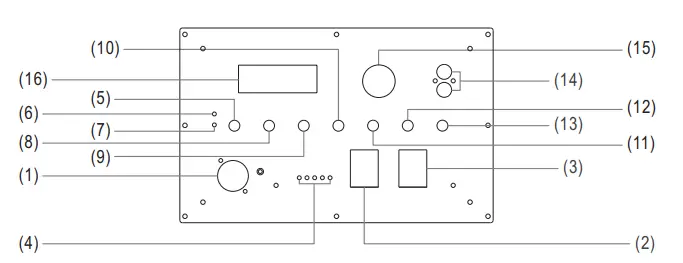 |  |
- AC Power input
- Power Switch
- Voice Priority Switch
- Battery Status
- MIC Volume Control
- Wireless MIC CH-A RF LED indicator
- Wireless MIC CH-B RF LED indicator
- TONE Control
- ECHO Control
- AUX / MP3 Volume control
- BASS Control
- TREBLE Control
- MASTER Volume Control
- RCA AUX In
- USB Port
- Audio Module Displayer
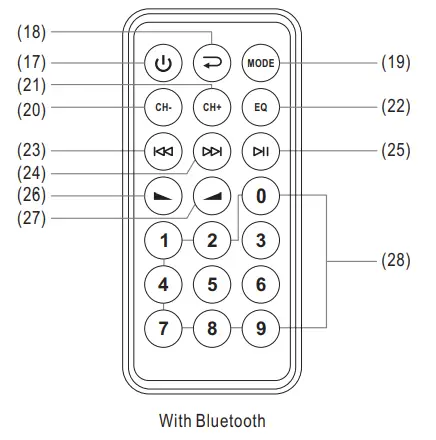
- MP3 Power: ON / OFF
- Repeat: LCD displayed “PONE” indicate repeat one file,” PALL” indicated repeat all
- Mode: Select between USB I Bluetooth mode.
- CH-: Previous file
- CH+ : Next file
- EQ : Select EQ 00—NORMAL/ 01—POP / 02—ROCK / 03—JAZZ/ 04—CLASSIC / 05—COUNTRY.
- Previous File
- Next File
- Pause / Play
- VOL-: Volume Down
- VOL + : Volume Up
- Number Keys: To fast select two digit files. Press 0 then press desire two digits.
For example to fast select file #65. Press 0 and 6 and 5.
Main — Operations Guide
Quick Start
- Set the POWER switch (2) to ON.
The battery charge is indicated by the LEO indicator (4). Please charge the unit if the level is LOW.
The unit will switch off automatically when the battery runs low.
Insert the power cord into the DC input jack (1) to charge the unit.
- Turn on the microphone power switch. The RF LED (6) or (7) on the control panel will light. This means that the receiver is receiving the signal and is in normal working condition.
- To use an external sound source, insert a signal cable into the AUX / MP3 input (14). Adjust the volume via the LINE! MP3 volume control (10).
- The unit has TONE control (8), ECHO control (9) for a microphone effect, BASS (11), and TREBLE (12) controls.
- Set the overall volume via the MASTER control (13).
- Voice Priority: Set the switch (3) to on. If you speak into the microphone, the music will be cut off and resume once the microphone is not used anymore.
Charging The Unit
- Prior to using this system for the first time, please insert the AC lead into the AC socket of the player and plug the other end into a suitable wall outlet. Charging time is approx. 8-11 hours.
- Please recharge once every 3 months if you don’t use the unit for a long period of time.
NOTE: Please turn the power off when you are not using the
Operation
- Bluetooth connection: Turn on the Bluetooth function on your mobile device. Search, select, and pair with “PA SYSTEM” for Bluetooth connection.
- Selecting an audio file: Press the number keys on the remote control to select the desired If the number has two digits, press 0 first and then enter the other two digits. Example: 58 = 0+5+8.
 NOTE: If ever dispose of this unit, please take it to a recycling center in your area.
Wireless Transmitter
Wireless Handheld Microphone (UHF 3V) Parts Description
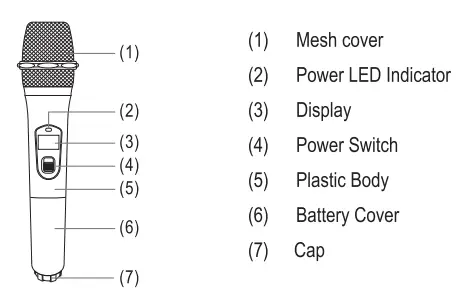
- Open battery cover (6) and insert batteries (insert carefully paying attention to positive and negative poles). Close the battery cover.
- Turn on the microphone power switch (4) and the power LED indicator (2) will flash on once then When indicator (2) stays red, it indicates battery power is low. Please change the battery.
- When switching on microphone power, please operate the switch step-by-step. When the switch moves to the center, please wait for at least 0.2 seconds or it may cause noise. Then only – move to on position.
| Microphone Type | Dynamic Handheld |
| Frequency | 902MHz-928MHz |
| Spurious Emissions | >55dBm |
| Power Source | 2 x “AK 1.5V Batteries (included) |
| Operating Time | Approx. >6 Hours |
| On-board Indicators | Power Status/On/Off Switch |
| Dimensions | 0 2′, L-10.2″ |
| Weight | 0.36 lbs. |
Optional Wireless Body Pack Transmitter
Optional Wireless Body Pack Transmitter (UHF 3V) Parts Description
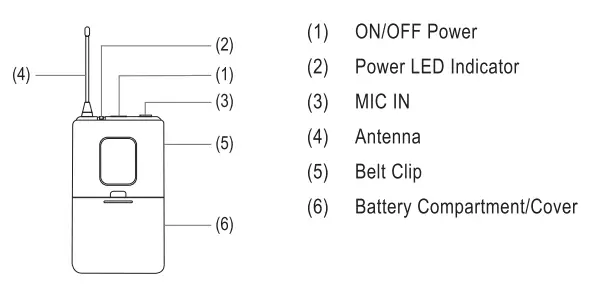
- Open the battery cover (6) and insert 2 x *AA” batteries according to the polarity indicate( with + or -.
- Turn ON POWER switch (1). The POWER LED indicator (2) will turn green, indicating good battery voltage.
- Plugin headset microphone into MIC IN (1).
Optional Wireless Body Pack Transmitter Specifications
| Frequency | UHF 902MHz-928MHz |
| Spurious Emissions | >55dBm |
| Power Source | 2 x ‘AA” 1.5V batteries (included) |
| Operating Time | 5-7 Hours |
| On-board Indicators | Power Status/On/Off Switch |
| Dimensions | 2.7″x 1.0N4.3″ |
| Weight | 0.22 lbs. |
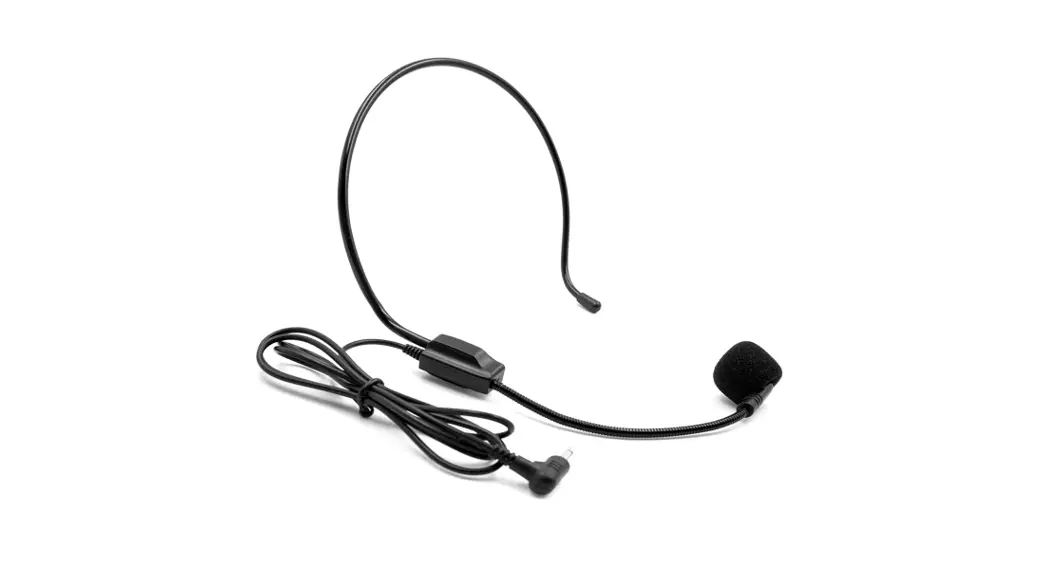
Headset Microphone Specifications
| Microphone Type | Condenser |
| Frequency Range | 50Hz-16KHz |
| Directional Characteristic | Uni-Directional |
| Sensitivity | -46dB±3dB (1V / PA @1KHz) |
| Output Connector Cable | φ0.14″CLR |
| Material | Black Shield Cover |
| Dimensions | 0.0r x40″ |
| Weight | 0.16 lbs |
Remote Control Battery
Battery Installation
First, open the battery cover and remove the protective PVC plastic film from the contacts before using the remote control.
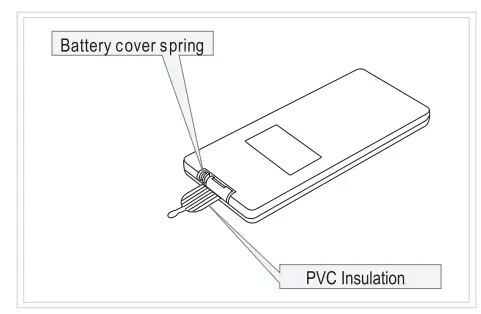
Changing the Battery
Battery life is approximately one year, depending on usage frequency and operation. If the remote control does not work when it is near the unit, please change the battery.
Remote Control Range of Operation
- Remotecontroloperationrange: Within 12 feet from the front panel -.45°.
- Effective distance of remote control may be different according to differences in the
Valve Regulated Sealed Lead Acid Battery
- Please follow these instructions to use and maintain the battery:
When the battery is fully depleted, charge it fully within 72 hours, to avoid battery damage. Charging the battery in a timely manner will help prevent an internal short circuit, outer case distortion, plate corruption, or a voltage drop.
- Sealed lead acid battery features:
A. The battery can be charged at any time.
B. Battery efficiency can be affected by environmental factors (temperature, humidity). (The optimal temperature is 68 – 78 F.)
C. To avoid a dead battery, charge once a month when not in use.
D. The normal lifespan of a battery is one year. - IMPORTANT NOTE:
A. Be sure to charge for 24 hours the first time charging.
B. Recharge the battery once per month when not in use.
C. Charge the battery fully before each use.
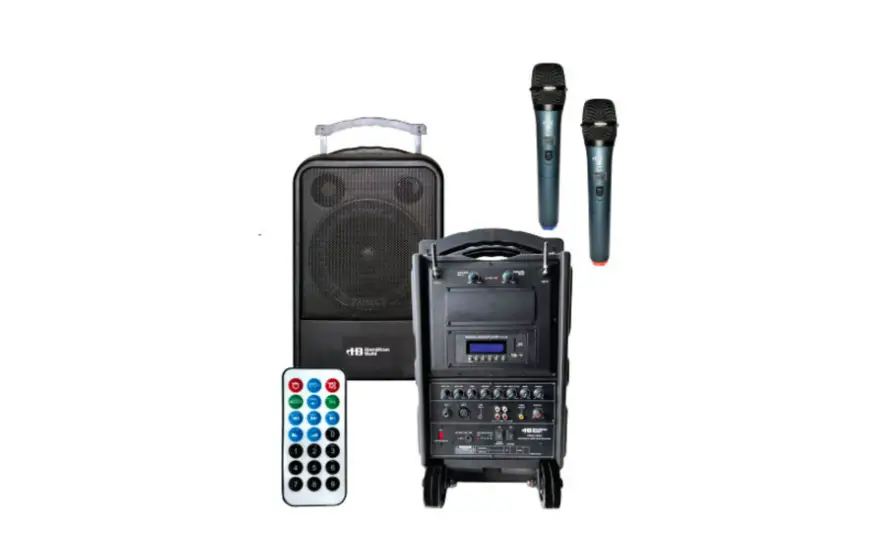
Basic Set
| 1 | Main Unit | 1 pc. |
| 2 | AC Cord | 1 pc. |
| 3 | Wireless Handheld Microphones | 2 pcs. |
| 4 | 1.5V AA Battery | 4 pcs. |
| 5 | Instruction Manual | 1 pc. |
| 6 | Remote control | 1 pc. |
| 7 | USB cover | 1 pc. |
Product Registration:
Visit www.HamiltonBuhl.com
- Click on Customer Care
- Click on Product Registration Icon
- Please fill out all fields marked with to register
 Warranty:
 Warranty:
Warranty begins the date the item ships from our warehouse.
All products have a one-year warranty from the original date of shipment unless otherwise noted.
80 Little Falls Road, Fairfield, NJ 07004
1-800-631-0868
www.HamiltonBuhl.com