 AMP30
AMP30
Instruction Manual
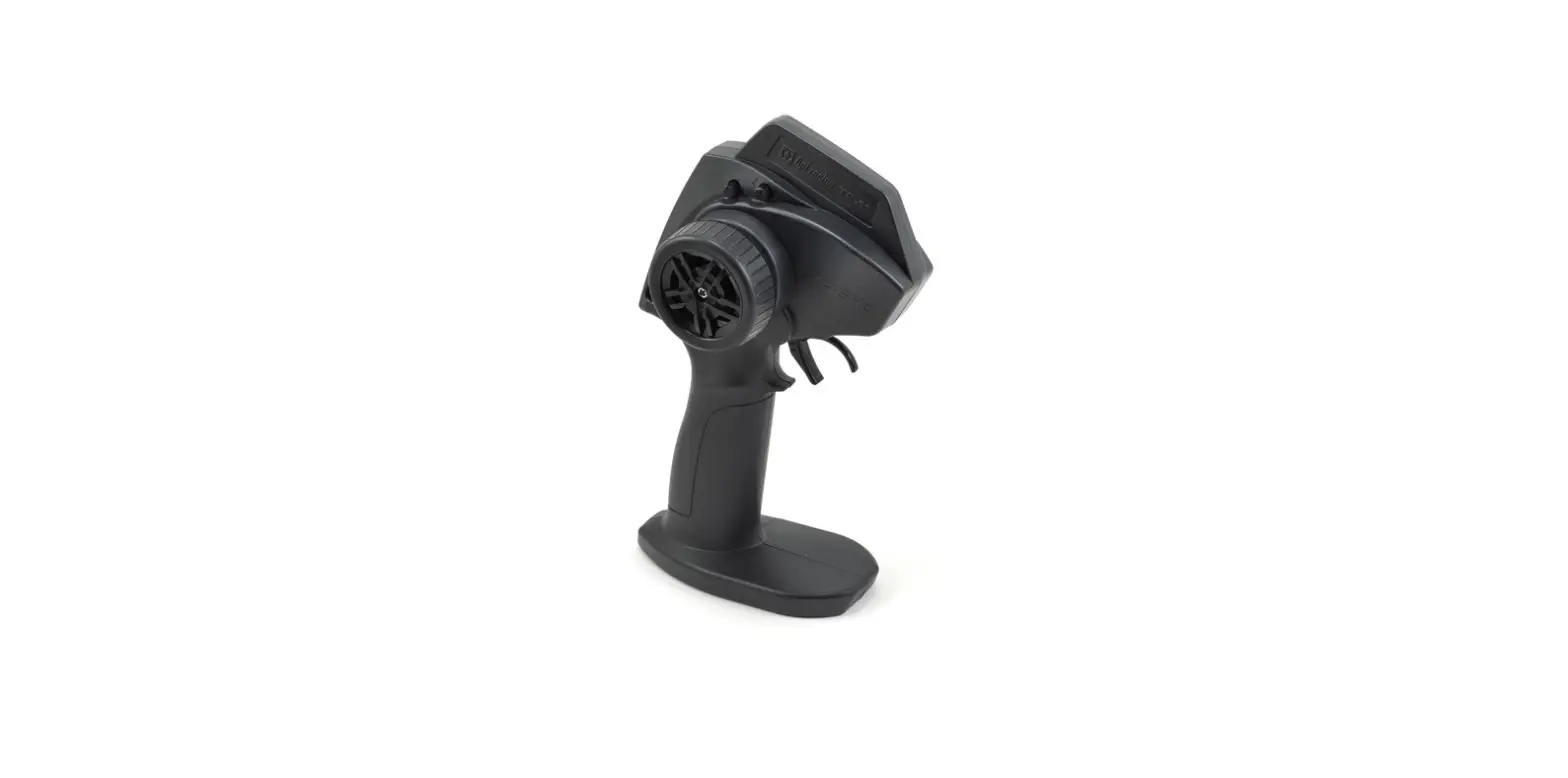
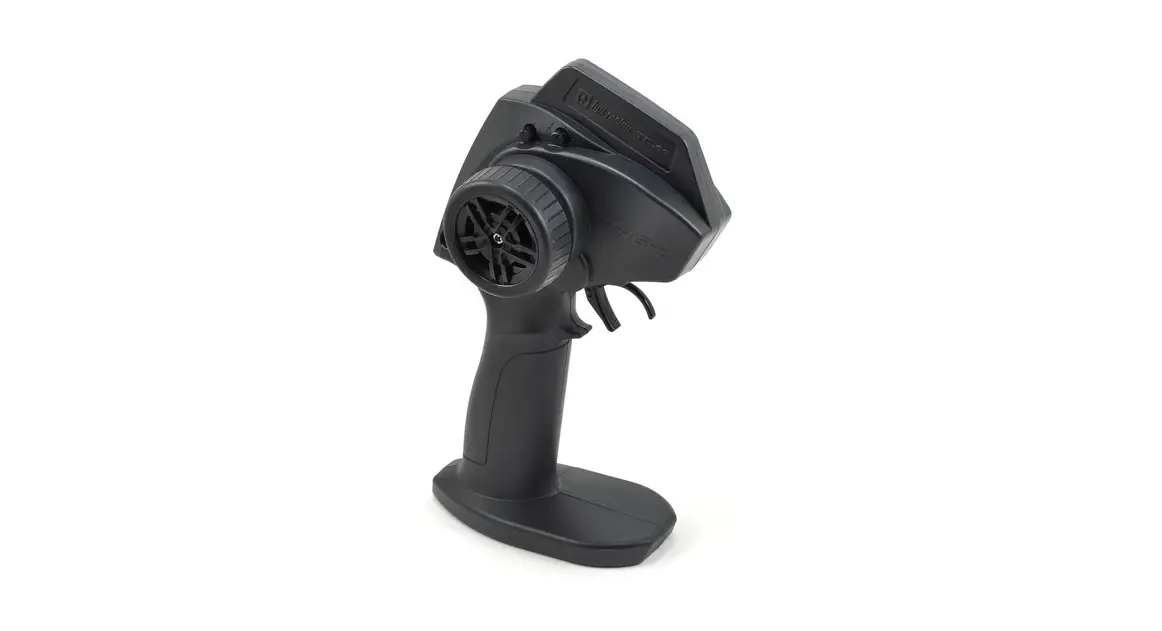
Transmitter Feature Diagram
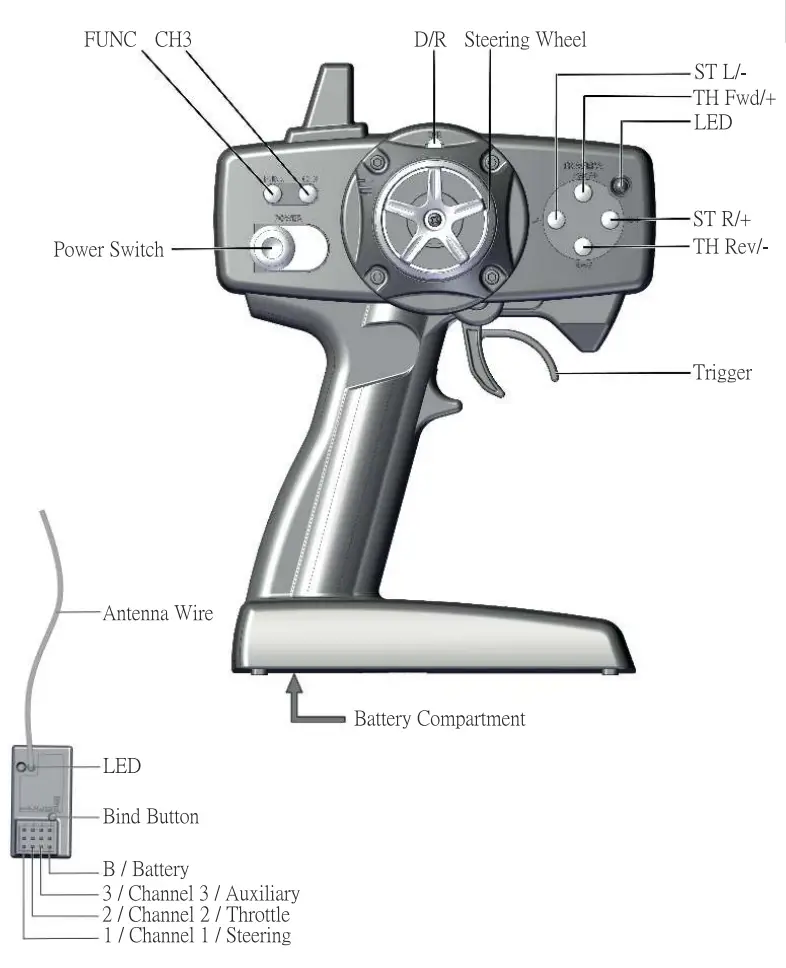
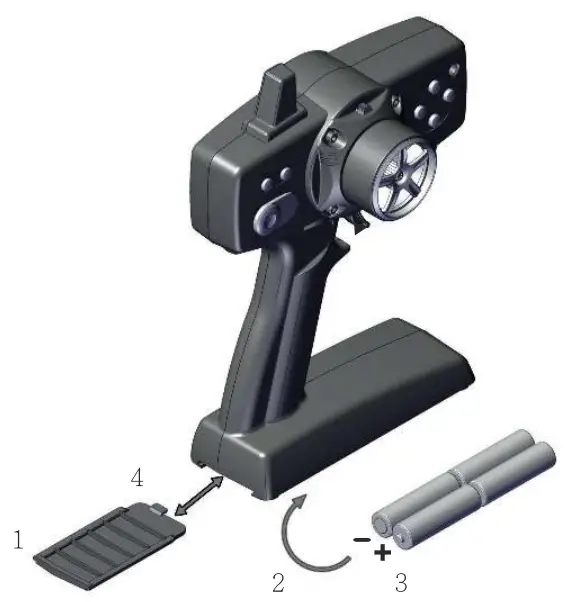
Install Batteries
- Remove the battery cover from the transmitter
- Install 4 AA alkaline dry cell batteries
- Insert the 4 AA batteries according to the polarity
- Replace the battery cover
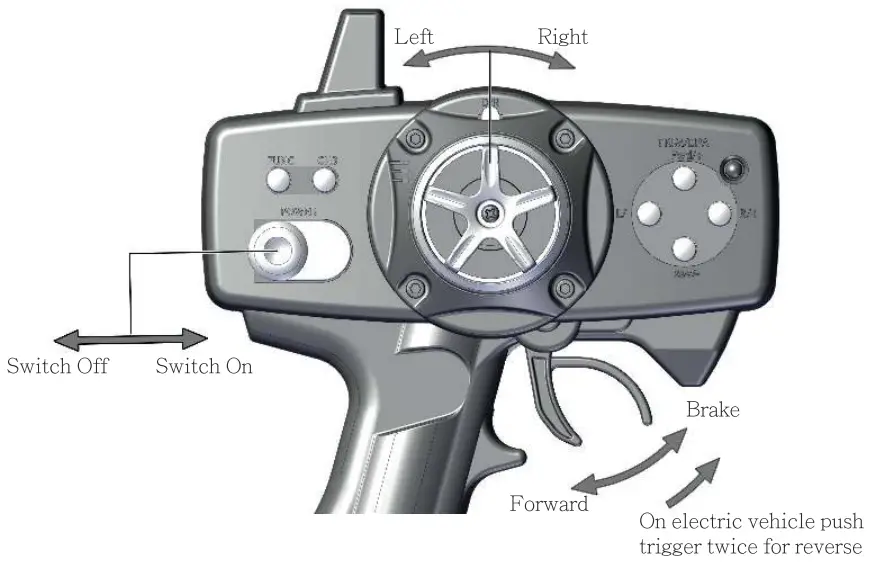
Basic Operation
Transmitter Binding
- Each transmitter is assigned a random unique ID number. In order to begin using the transmitter system, you will have to bind the receiver to the transmitter.
Follow the receiver binding instruction on page 10.
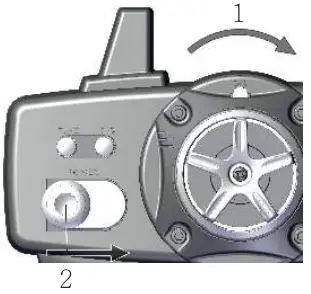
Lock key button
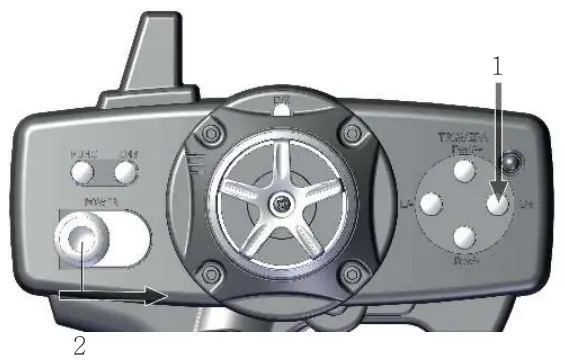
- Push the “DIR” switch key toward to right
- While holding the DIR switch to the right, the transmitter power switch to On
- Two short “beep” sounds indicate confrontation
- The LED light flashes
- Now all key button functions are Locked.
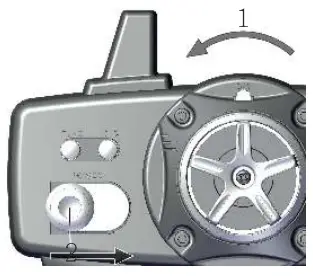
Unlock Key button
- Push the “DIR” switch key toward to left
- While holding the DIR to left, tum the transmitter power switch On
- Two short “beep” sounds indicate confrontation
- Now all key button functions are unlocked.
Steering Adjustment
Servo Reverse
- Press and hold the “ST RI” key button
- While pressing the “ST RI+” key button, turn on the transmitter power switch
- Two short “beep” sound indicate conformation
- Now the steering has reversed.
Steering End Point Adjustment
Left Steering End Point Adjustment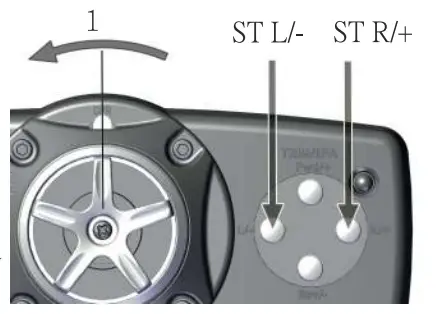
- Tum the steering wheel fully to left
- Once the value reaches the limit, a long steady “beep” will sound Decrease value: Tum the steering wheel fully to left and press the “STAL-” key button Increase value: Tum the steering wheel fully to left and press the “STAL+” key button
- Use this to perform steering angle adjustment/ decrease or increase
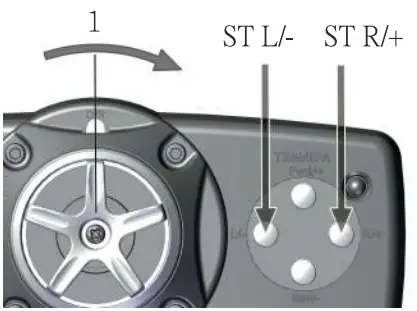
Steering Digital Trimming
- Once the value reaches the limit, a long steady “beep” will sound
- Two short “beep” sounds indicate the steering is at the neutral position Decrease: Press the “ST LI-” key button Increase: Press the “ST R/+ key button
- When the vehicle is not moving, This the function allows adjusting the steering to neutral position.
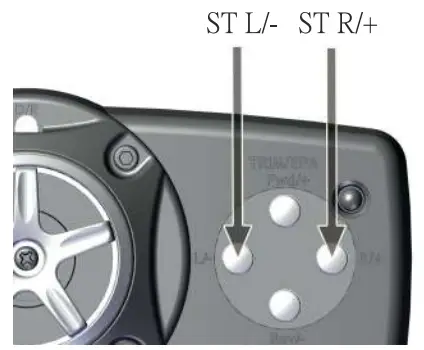
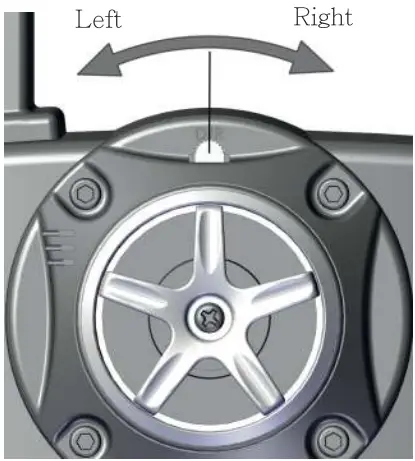
Dual Rate Steering Adjustment
Decrease: Push the “DIR” button key to left
Increase: Push the “DIR” button key to the right
- Once the value reaches the limit, a long steady “beep” will sound
- Steering dual-rate allows on-the-fly travel adjustment to both sides (left and right) of the steering servo.
Throttle Adjustment
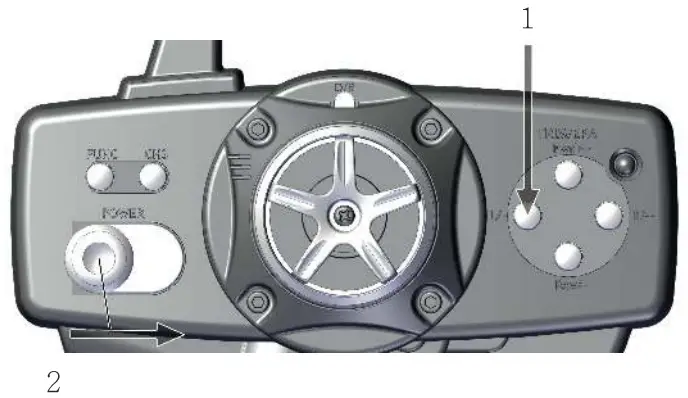
Throttle Reverse
- Press and hold STU- key button.
- While holding ST L/- button key turn the transmitter power switch to On
- Two short “beep” sounds indicate conformation
- Now the throttle trigger has reversed.
Throttle End Point Adjustment
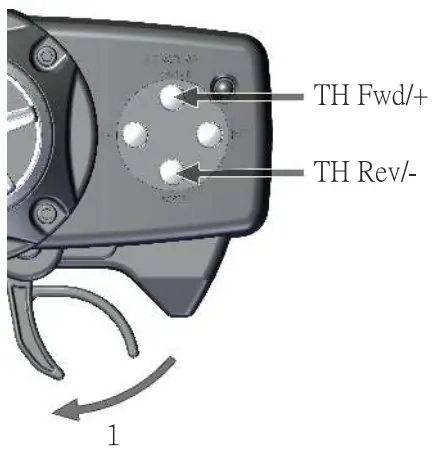
Throttle (Accelerate)
- Pull and hold the throttle trigger fully to the high-side
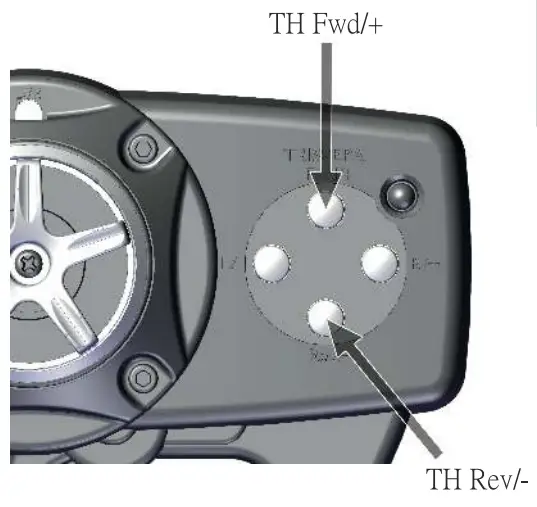
- Once the value reaches the limit, a long steady “beep” will sound Decrease: While holding the throttle trigger, press the TH Rev/- key button Increase: While holding the throttle trigger, press the TH Fwd/+ key button
- Use the TH Rev/- or TH Fwd/+ key buttons to adjust the throttle to desired throw 4, This can also be performed when the receiver power is off.
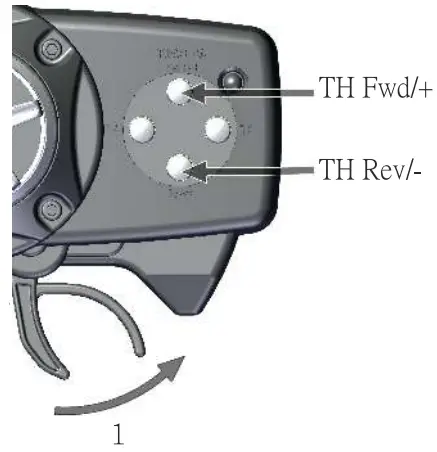
Brake (Deaccelerate)
- Push the throttle trigger fully to the brake-side
- Once the value reaches the limit, a long steady “beep” will sound Decrease: While holding the brake trigger, press the TH Rev/- key button Increase: While holding the brake trigger, press the TH Fwd+ key button
- Use the TH Rev/- or TH Fwd/+ key bun~Ru to adjust the brake to the desired throw
- This can also be performed when the receiver power is off.
Throttle Digital Trimming
- Once the value reaches the limit, a long steady “beep” will sound
- Two short “beep” sounds indicate confrontation Decrease: Press TH Rev/- key button Increase: Press TH Fwd/+ key button
- When the vehicle is not moving, This function allows adjusting the throttle to the neutral position.
Auxiliary Channel 3 Adjustment Reverse
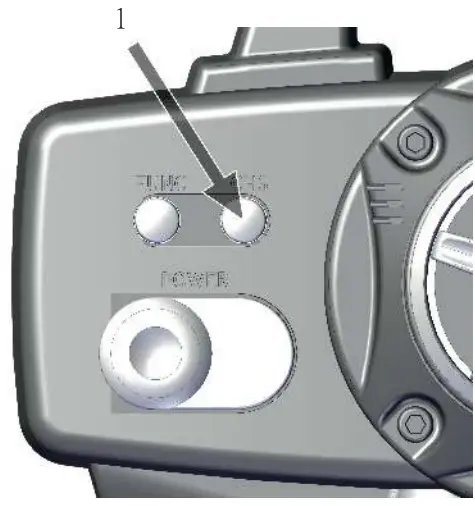
- Press and hold the “CH3” key button
- While tum on the power switch
- Two short “beep” sounds for the confrontation
- Now Channel 3 has reversed.
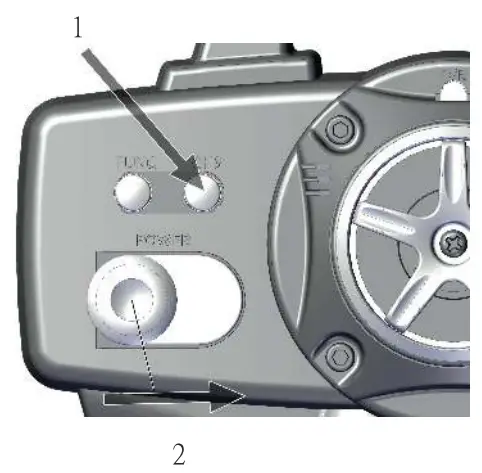
Tum On or Off CH3 Switch
- With two quick presses of the CH3 key button Tum-On: Two short beep sound
Tum-Off: One short beep sound - This function allows to tum On/Off the CH3 key button.
Factory Reset
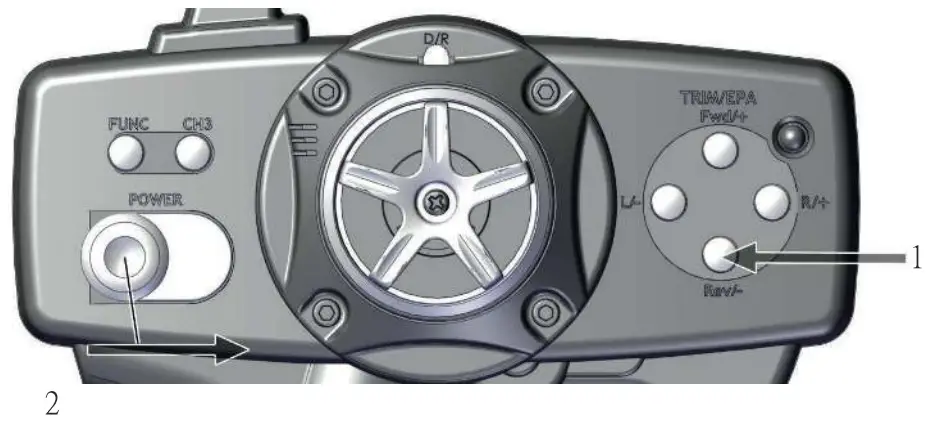
• Factory Default Setting
- Press and hold the “TH Rev/-” key button
- While holding the “TH Rev/-” key button turn the transmitter power switch to On
- Two short beeps for confirmation
- Now your transmitter has reset to the factory setting.
FUNC
FUNC Mode
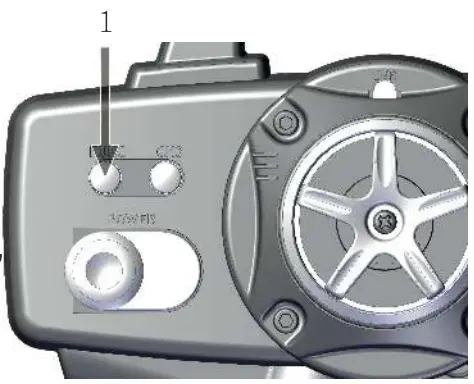
- Enter the FUNC mode, Turn the transmitter power switch to On, press and hold the FUNC key button, and two short “beep” sound for confrontation
- To Leave the FUNC mode, press the FUNC key button once, two short “beep’ sound for confrontation
- To FUNC mode locks all the key buttons and throttle except the steering wheel.
Receiver
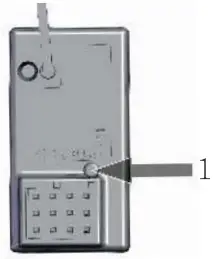
Receiver Binding
- Tum the transmitter power switch to On
- Press and hold the “binding button” on the receiver
- While holding the binding button, turn the vehicle power switch to On
- The LED of the receiver will blink indicating that it is searching for a transmitter to bind with
- Once the transmitter and the receiver are bound together, the receiver’s LED light will tum solid
- This may take up to 30 seconds, otherwise, repeat step I to 5
 Fail-safe Adjustment
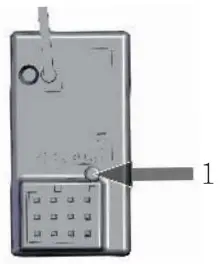
- Press and hold the receiver binding button until the LED light flashes
- Adjust the throttle trigger and steering wheel to adjust the position
- Press the binding button to program. Once the position is programmed, the LED light will flash and stay solid
- The failsafe function is to drive the servos (or ESC) to a pre-programmed position once the receiver cannot receive the signals from the transmitter. This can be due to low voltage from the battery or radio interference.
Power Alarm
- No Activity Alann: When the steering wheel (ST), throttle trigger (TH), or any button is not operated for I5 minutes, a slow beeping alarm will sound to indicate that there has no action and the power should be turned off.
- Low Battery Voltage Alann: A quick beeping alarm sounds and the power LED light will blink.
Certification
- Doc Declaration Hereby, [GTI Modelsport Co.Ltd.] declares that the radio equipment type [AMP30] is in compliance with Directive 2014/53/EU. The full text of the EU declaration of conformity is available at the following inter net address:www.cenracingusa.com
- FCC Statement This device complies with Part 15 of the FCC Rules. Operation is subject to the following two conditions: (1) This device may not cause harmful interference, and (2) this device must accept any interference received, including interference that may cause undesired operation.
This equipment has been tested and found to comply with the limits for a Class B digital device, pursuant to Part 15 of the FCC Rules. These limits are designed to provide reasonable protection against harmful interference in a residential installation. This equipment generates, uses and can radiate radio frequency energy and, if not installed and used in accordance with the instructions, may cause harmful interference to radio communications. However, there is no guarantee that interference will not occur in a particular installation. If this equipment does cause harmful interference to radio or television reception, which can be deter mined by turning the equipment off and on, the user is encouraged to try to correct the interference by one of the following measures:
- Reorient or relocate the receiving antenna.
- Increase the separation between the equipment and receiver.
- Connect the equipment into an outlet on a circuit different from that to which the receiver is connected.
- Consult the dealer or an experienced radio/TV technician for help.
FCC Caution: Any changes or modifications not expressly approved by the party responsible for compliance could void the user’s authority to operate this equip ment.
This transmitter must not be co-located or operating in conjunction with any other antenna or transmitter.
Old electric appliances must not be disposed of together with the residual waste, but have to be disposed of separately. The disposal at the communal collecting point via private persons is for free. The owner of old appliances is responsible to bring the appliances to these collecting points or to similar collection points. With this little personal effort, you contribute to recycling valuable raw materials and the treatment of toxic substances.
Specification
| SPECIFICATION | |
| Tx(Transmitter) Channels: 3 RF: ISM Band (2.4GHz) Power: DC6V Distance: Open Space 100m Battery: Alkaline” AA” ( Do not charge Alkaline batteries) Blue LED: indicators Color: Black | Rx(Receiver) Antenna: Do not roll Antenna up CHL: for steering servo. CH2: for ESC CH3:AUX Power: DC 4V ~ DC9V Button: Binding/ Fail-Safe Blue LED: indicators Color: Black |
Memo

Manufactured by
CEN Racing Co.
10F, No.11, Ln 122,Sec.2 Ganyuan St.
Shulin Dist, New Taipei City 23853, Taiwan https://www.cenracingusa.com