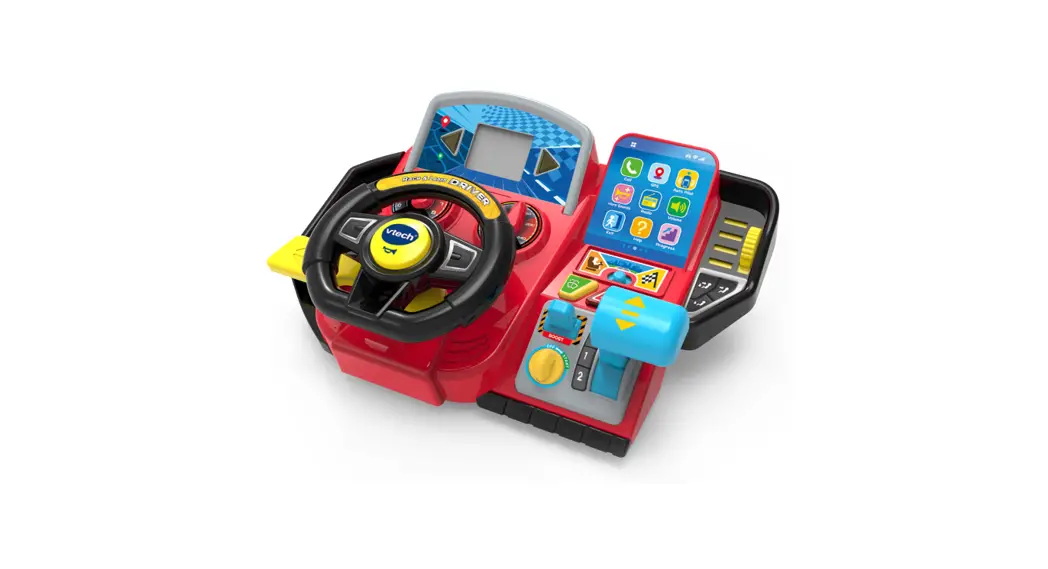
 558900 Race and Discover Driver
Instruction Manual
Race &Discover
DRIVER™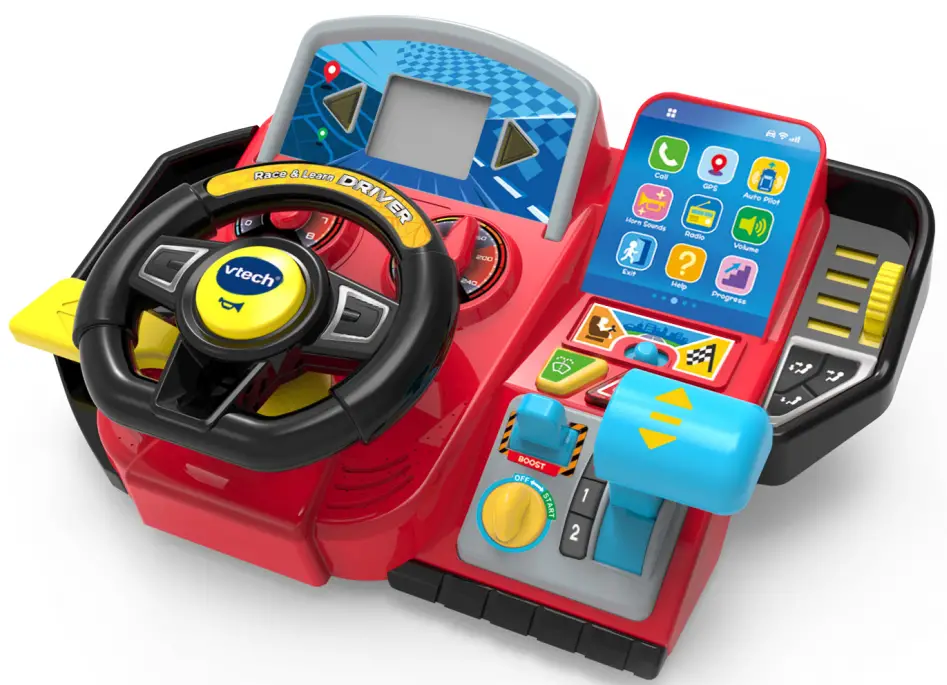
INTRODUCTION
Thank you for purchasing the Race & Discover Driver™! Start your engines, zoom around exciting racetracks, go on special road trips, help friends and pick up preschool skills on the way! Turn the wheel, slide the turn signal, press the dashboard buttons and more. Let’s cruise!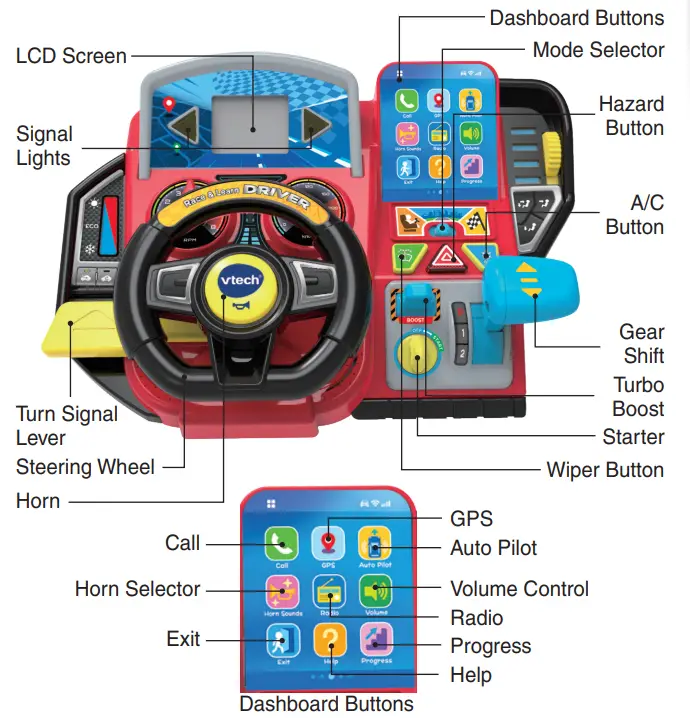
INCLUDED IN THIS PACKAGE
- Race & Discover Driver™
- 2 Support Legs

- Quick Start Guide
WARNING
All packing materials such as tape, plastic sheets, packaging locks, removable tags, cable ties, cords and packaging screws are not part of this toy, and should be discarded for your child’s safety.
NOTE
Please save this Instruction Manual as it contains important information.
Unlock the Packaging Locks
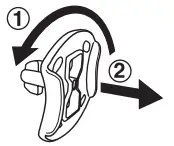
- Rotate the packaging locks 90 degrees counterclockwise.
- Pull out the packaging locks and discard.
GETTING STARTED
Battery Removal and Installation
- Make sure the unit is turned Off.
- Find the battery cover located on the side of the unit, use a screwdriver to loosen the screw, and then open the battery cover.

- Remove old batteries by pulling up on one end of each battery.
- Install 4 new AA (AM-3/LR6) batteries following the diagram inside the battery box. (For best performance, alkaline batteries or fully charged Ni- MH rechargeable batteries are recommended.)
- Replace the battery cover and tighten the screw to secure.
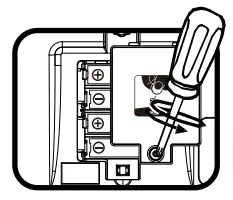
 WARNING: Adult assembly required for battery installation. Keep batteries out of reach of children.
IMPORTANT: BATTERY INFORMATION
- Insert batteries with the correct polarity (+ and -).
- Do not mix old and new batteries.
- Do not mix alkaline, standard (carbon-zinc) or rechargeable batteries.
- Only batteries of the same or equivalent type as recommended are to be used.
- Do not short-circuit the supply terminals.
- Remove batteries during long periods of non-use.
- Remove exhausted batteries from the toy.
- Dispose of batteries safely. Do not dispose of batteries in fire.
RECHARGEABLE BATTERIES:
- Remove rechargeable batteries (if removable) from toy before charging.
- Rechargeable batteries are only to be charged under adult supervision.
- Do not charge non-rechargeable batteries.
Exit Try-Me Mode
Attention: The unit is in Try-Me mode in the package. To exit this mode, follow the steps below:
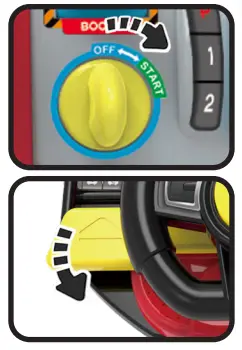
- Turn the Starter right to the START position to turn on the unit.

- Next, slide the Turn Signal Lever down.
- The Hazard Button and Turn Signal Lights will flash 3x with horn sounds to indicate Normal Play mode is active. The unit will restart.
ASSEMBLY INSTRUCTIONS
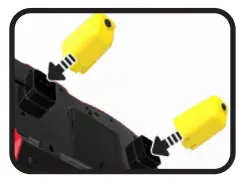
With the Race & Discover Driver™, safety comes first. Adult assembly required. For your child’s safety, do not let them play with this toy until it is fully assembled.
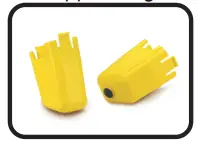
- Insert the Yellow Support Legs into the Driver base as shown.

PRODUCT FEATURES
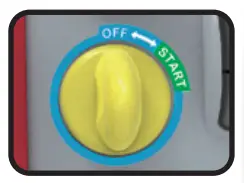
- Starter
Turn the Starter right to the START position to turn on the unit.
Turn the Starter left to the OFF position to turn off the unit.
- Shifter
 Shift up to P (park) to stop the car.
Shift down to 1 to start driving.
Shift down to 2 to drive faster.
Shift back up to 1 to drive slower.
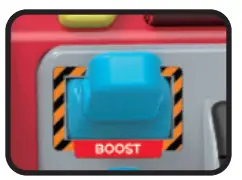
- Turbo Boost
Use the Turbo Boost for a blast of super speed when driving (except Drive Around Mode).
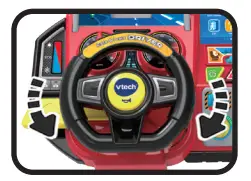
- Steering Wheel
When driving, use the Steering Wheel to turn the car.
In menu screens or games, turn the Steering Wheel to make selections.
Press the Horn to confirm your choices.
- Horn
When driving, press the Horn to make honking sounds.
In menu screens or games, press the Horn to confirm choices.
- Turn Signal Lever
Slide the Lever up to turn on the Right Turn Signal Light.
Slide the Lever down to turn on the Left Turn Signal Light.
Move the Lever to the middle to turn off the Turn Signal Lights.  Mode Selector
Slide the Mode Selector to choose from three activities: Pretend Play, Drive Around or Racing mode. Wiper Button
Press the Wiper Button to clean the windshield. Hazard Button
Press the Hazard Button to turn on the Hazard Signal Lights and pull the car over to the side. A/C Button
In Pretend Play and Drive Around Mode, press the A/C Button to adjust the temperature.- Dashboard Buttons
 Call
Call
In Pretend Play Mode press Call to hear phone calls from friends.
In Drive Around Mode press Call to go on errands for friends. GPS
GPS
In Pretend Play Mode, press GPS to select a location.
In Drive Around Mode, press GPS to select a location and follow the directions to your destination. Auto Pilot
In Drive Around Mode, press Auto Pilot to drive to your chosen location automatically. Horn Selector
Press the Horn Selector to choose a horn sound. Radio
Radio
Press the Radio Button to hear traffic, weather and music.
Press the Radio Button again to turn off the music. Volume Control
Use the Volume Control to adjust the sound level. Exit
Exit
In Drive Around Mode, press Exit to leave Learning Games and return to driving.
In Racing Mode, press Exit to leave the race and return to the race selection menu. Help
Help
Press the Help Button to hear hints and instructions.Progress
In the Drive Around Mode, press the Progress Button to check your game progress.
In the Racing Mode, press it to view earned trophies and collectibles.
 Shift up to P (park) to stop the car.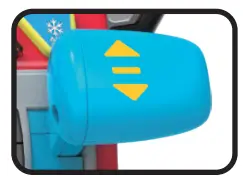

 Mode Selector
 Wiper Button
 Hazard Button
 A/C Button
 Call
Call GPS
GPS Auto Pilot
 Horn Selector
 Radio
Radio Volume Control
 Exit
Exit Help
Help Progress
Battery Status
When the batteries are almost depleted, a low battery icon will flash few times on the LCD Screen. Then, the unit will automatically power off.
New batteries should be inserted before further use.
Automatic Shut-Off
To preserve battery life, the unit will automatically power down after approximately three minutes without input.
ACTIVITIES
 Pretend Play Mode
In pretend play mode, children focus on manipulative play by turning the Steering Wheel, honking the Horn, using the Turn Signal Lever and exploring Dashboard Buttons.
 Drive Around Mode
Receive fun missions as you explore the city, country and town. Learn about car parts, maintenance and repair while running errands and helping friends.
 Pretend Play Mode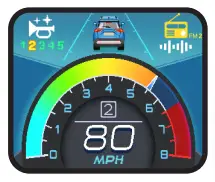
 Drive Around Mode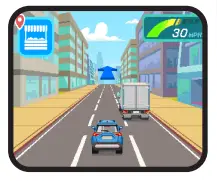
Mini Games in Drive Around Mode
For fun mini games, drive to the:
Gas Station, Farmers Market, Service Station or Wildlife Park.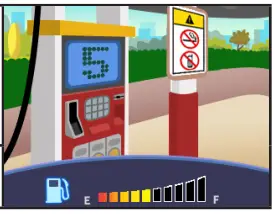
Gas Station
Fill ‘err up! Do you have a flat tire? Low on gas? Count the missing bars to learn how much gas or air is needed.
Curriculum: Numbers, Counting, Simple Addition & Subtraction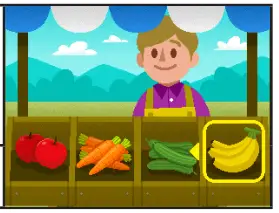
Farmers Market
Drop by the Farmers Market and help the farmer identify colors, sizes, and letters as you shop for a friend.
Curriculum: Colors, Size Comparison, Beginning Letters, Vocabulary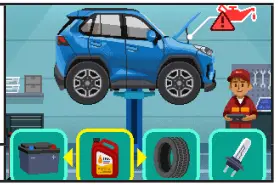
Service Station
Time for a tune up? Our friendly mechanic will explain the problem while you find the missing part.
Curriculum: Problem Solving 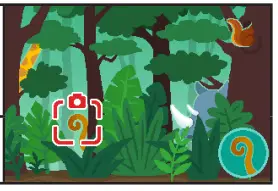
Wildlife Park
Visit the Wildlife Park to look for animals and take their pictures.
Curriculum: Animals (names, sounds, features)
Friend Missions

Press the Call Button to talk with friends, run errands, give rides and meet for fun outings.
Driving Events
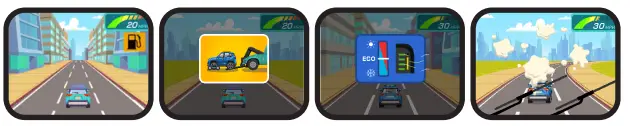
The Car System will guide young drivers through a variety of Driving Events from basic AC adjustment and windshield cleaning to low tires and mechanical issues. Follow voice prompts or GPS directions to resolve the issues.
Game Progress – Scoring Guide
 | Avoid hitting other cars. Reduce speed in the city. | 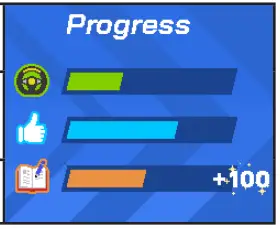 |
 | Give rides to your friends and help them with errands to get likes. | |
 | Play learning games and level up to earn points. |
 Racing Mode
Participate in 9 unique races that include 3 track styles with 3 levels on each track.
Each track begins with Level 1. Win races to level up and unlock new track levels.
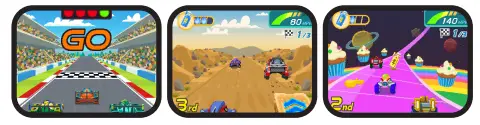
Win races to earn trophies and unlock collectibles.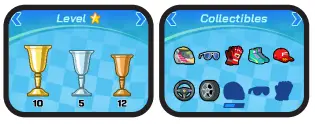
RESET INSTRUCTIONS
To erase game save data, follow the steps below:
Move the selector to Racing Mode. In the race selection menu, press the following buttons in this order:
Call – Auto Pilot – Exit – A/C – Wiper – Exit.
When sequence is entered correctly, a horn sound will play and the unit will restart.
NOTE: This will erase all progress records, trophies and collectibles from the game file.
CARE & MAINTENANCE
- Keep the unit clean by wiping it with a slightly damp cloth.
- Keep the product out of direct sunlight and away from any direct heat sources.
- Remove the batteries if the unit will not be in use for an extended period of time.
- Do not drop the product on a hard surface and do not expose the product to excess moisture or water.
TROUBLESHOOTING
If the unit still isn’t functioning, or if for some reason the unit stops working, please follow these steps:
- Turn the unit Off.
- Interrupt the power supply by removing the batteries.
- Let the unit stand for a few minutes, then replace the batteries.
- Turn the unit back On. The unit should now be ready to use again.
- If the unit still does not work, install a new set of batteries.
IMPORTANT NOTE
If the problem persists, please call our Consumer Services Department at 1-800-521-2010 in the U.S., 1-877-352-8697 in Canada, or by going to our website vtechkids.com and filling out our Contact Us form located under the Customer Support link. Creating and developing Vetch ® products is accompanied by a responsibility that we take very seriously. We make every effort to ensure the accuracy of the information, which forms the value of our products. However, errors sometimes can occur. It is important for you to know that we stand behind our products and encourage you to contact us with any problems and/or suggestions you might have. A service representative will be happy to help you.
CAUTION
Changes or modifications not expressly approved by the party responsible for compliance could void the user’s authority to operate the equipment.
NOTE
This equipment has been tested and found to comply with the limits for a Class B digital device, pursuant to Part 15 of the FCC Rules. These limits are designed to provide reasonable protection against harmful interference in a residential installation. This equipment generates, uses and can radiate radio frequency energy and, if not installed and used in accordance with the instructions, may cause harmful interference to radio communications. However, there is no guarantee that interference will not occur in a particular installation. If this equipment does cause harmful interference to radio or television reception, which can be determined by turning the equipment off and on, the user is encouraged to try to correct the interference by one or more of the following measures:
- Reorient or relocate the receiving antenna.
- Increase the separation between the equipment and receiver.
- Connect the equipment into an outlet on a circuit different from that to which the receiver is connected.
- Consult the dealer or an experienced radio/TV technician for help.
Supplier’s Declaration of Conformity
47 CFR § 2.1077 Compliance Information
Trade Name: Vetch ®
Model: 5589
Product Name: Race & Discover Driver™
Responsible Party: Vetch Electronics North America, L.L.C.
Address: 1156 W. Shure Drive, Suite 200 Arlington Heights, IL 60004
Website: vtechkids.com
THIS DEVICE COMPLIES WITH PART 15 OF THE FCC RULES. OPERATION IS SUBJECT TO THE FOLLOWING TWO CONDITIONS: (1) THIS DEVICE MAY NOT CAUSE HARMFUL INTERFERENCE, AND (2) THIS DEVICE MUST ACCEPT ANY INTERFERENCE RECEIVED, INCLUDING INTERFERENCE THAT MAY CAUSE UNDESIRED OPERATION. CAN ICES-003 (B)/NMB-003(B)
Visit our website for more information about our products, downloads, resources and more.
vtechkids.com
vtechkids.ca
Read our complete warranty policy online at
vtechkids.com/warranty
vtechkids.ca/warranty
TM & © 2023 Vetch Holdings Limited.
All rights reserved.
IM-558900-000
Version:0
 VTech Canada | Official Electronic Learning Toys & Games for Kids
 Best Kids Tech Toys | Electronic Learning Toys | VTech America