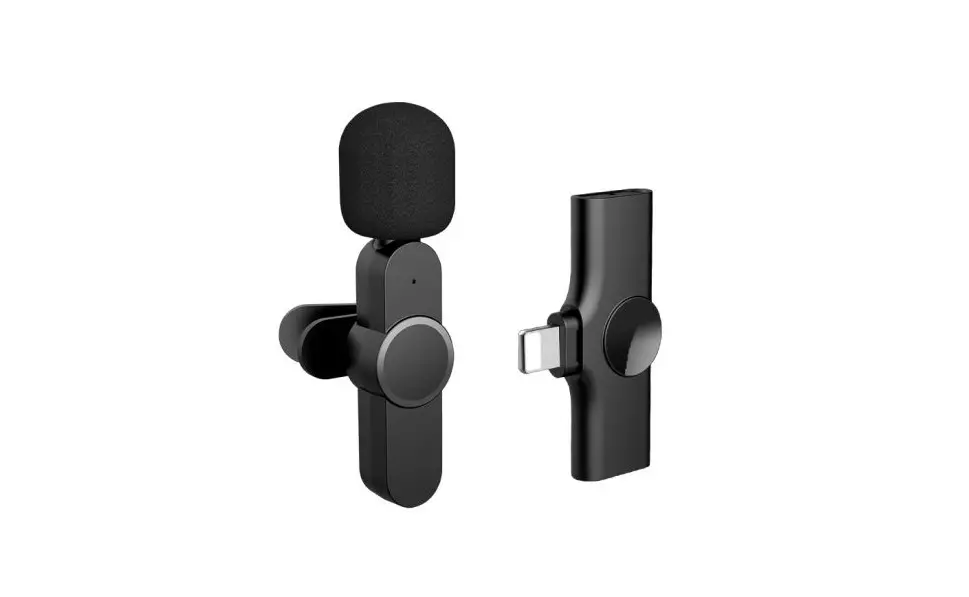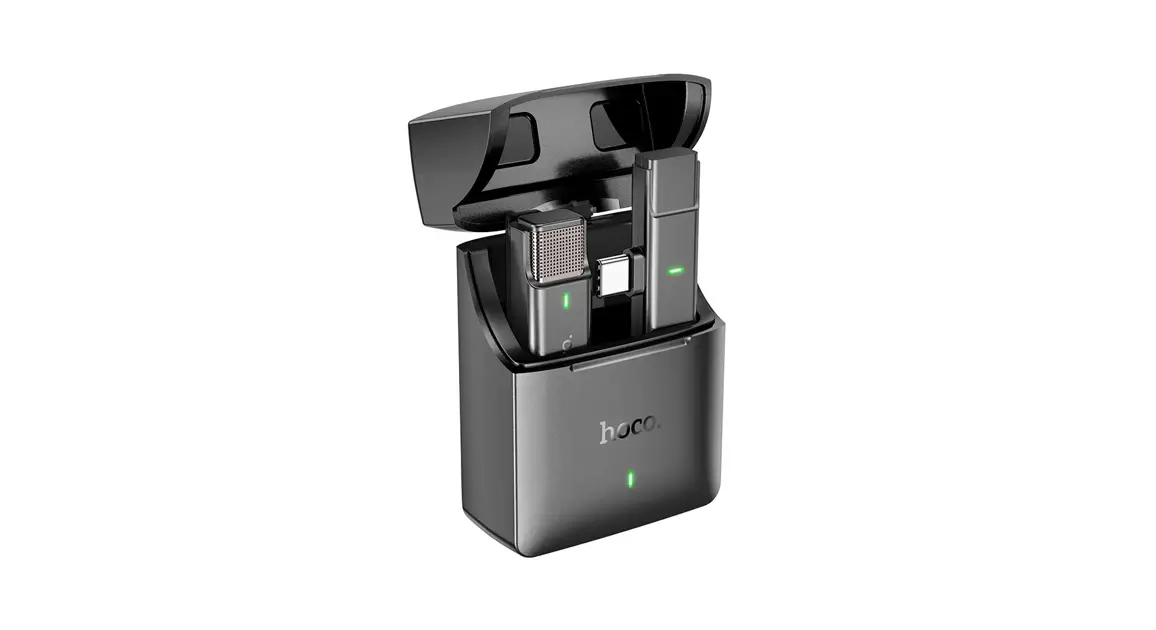

Wireless Microphone
Type-c Receiver
User Manual
 MADE IN CHINA
Introduction
Thanks for choosing our product.
This product is a smart wireless microphone that provides professional-grade recording output. Plug and play, no app required. It can be used in different circumstances such as Live, Video recording, Interviewing, Online Teaching, and others.
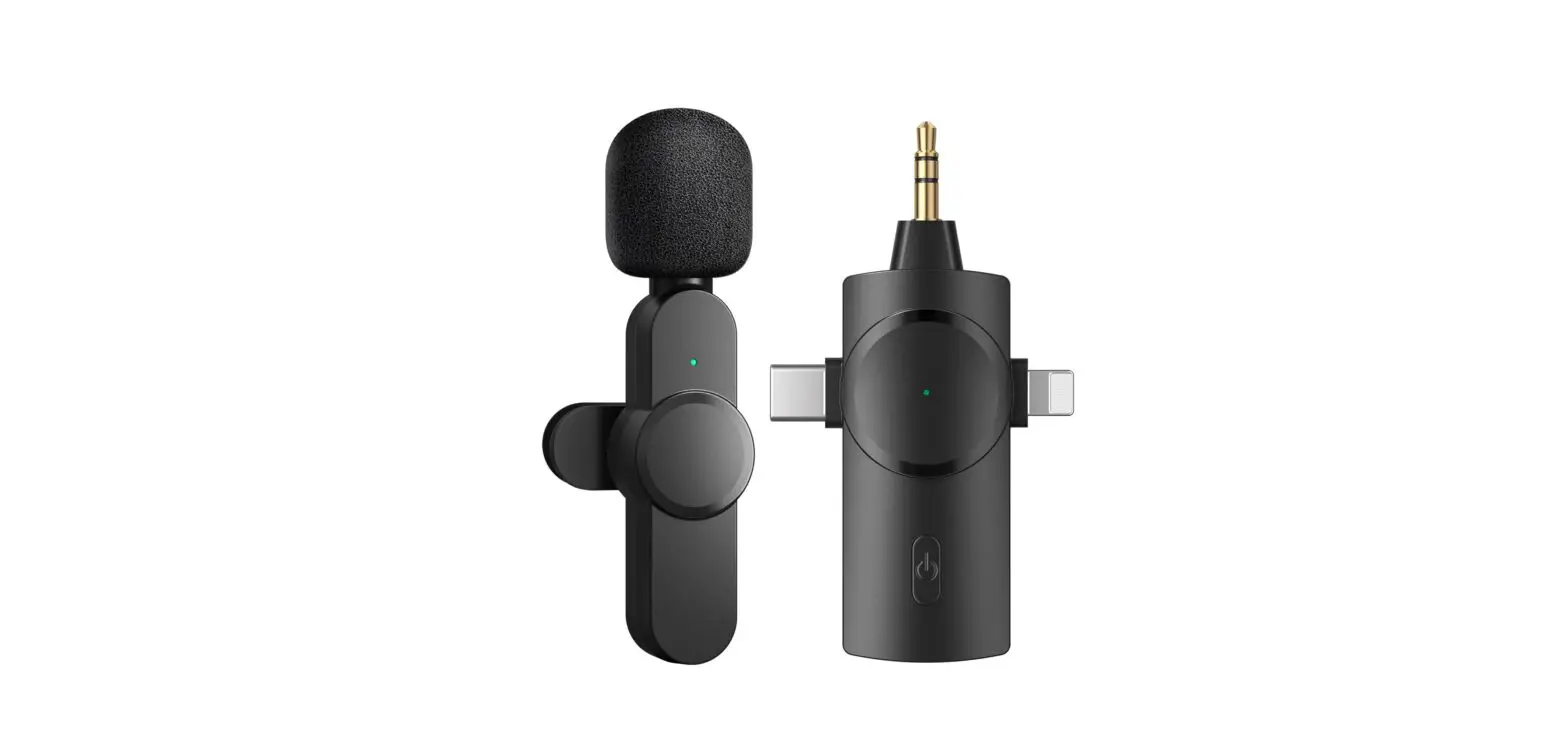
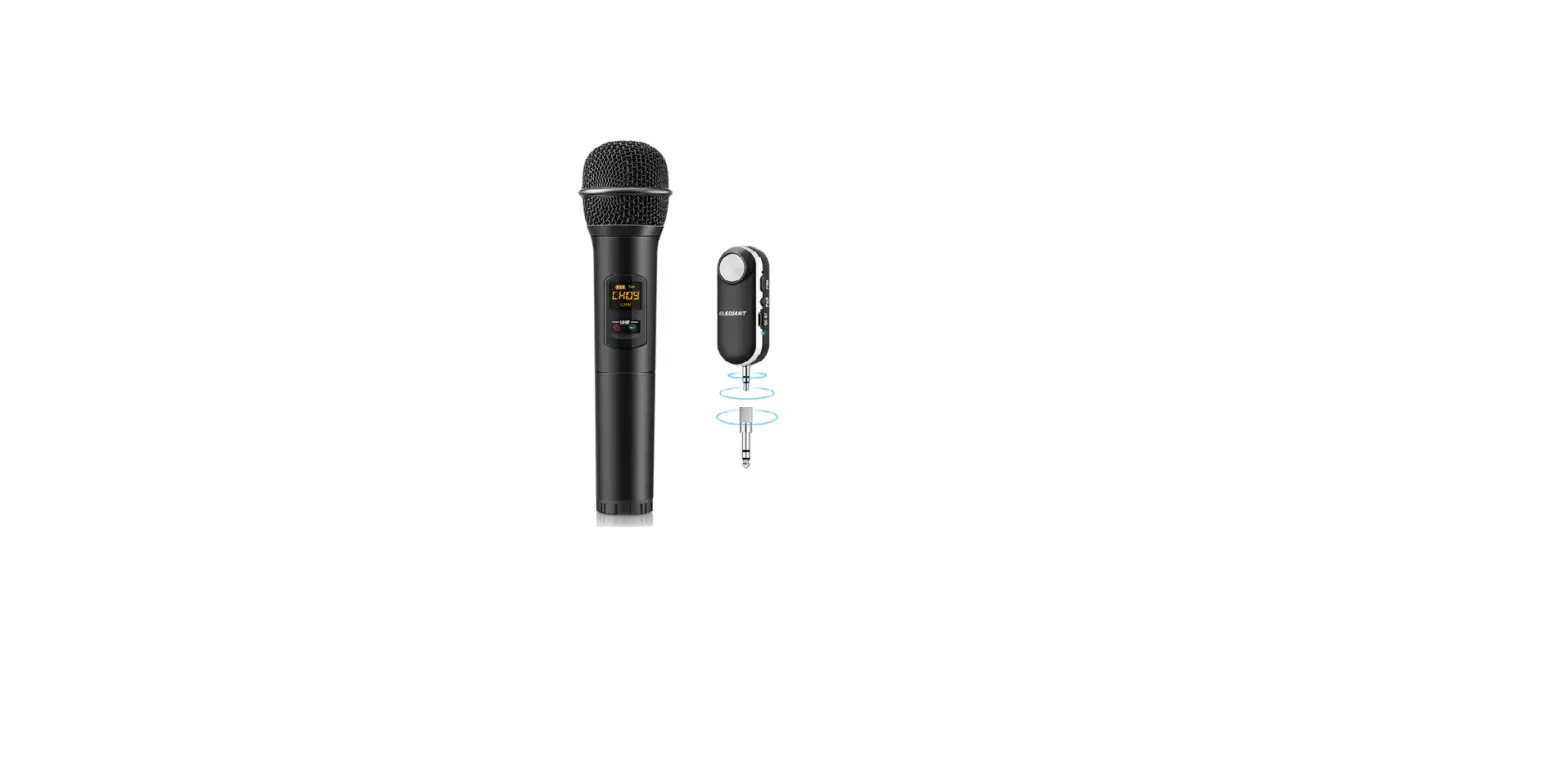
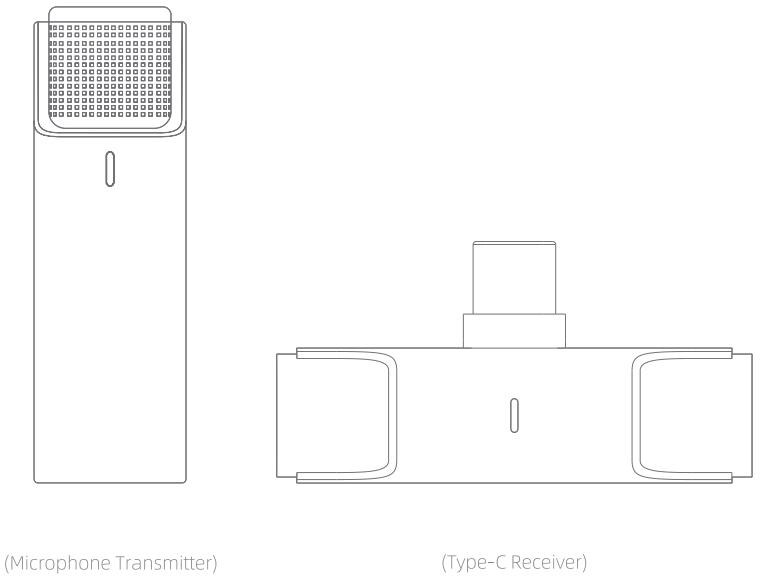
The wireless Microphone consists of two parts, one is a Microphone transmitter, the other one is a Type-C receiver. (See as below picture)
ID Diagram
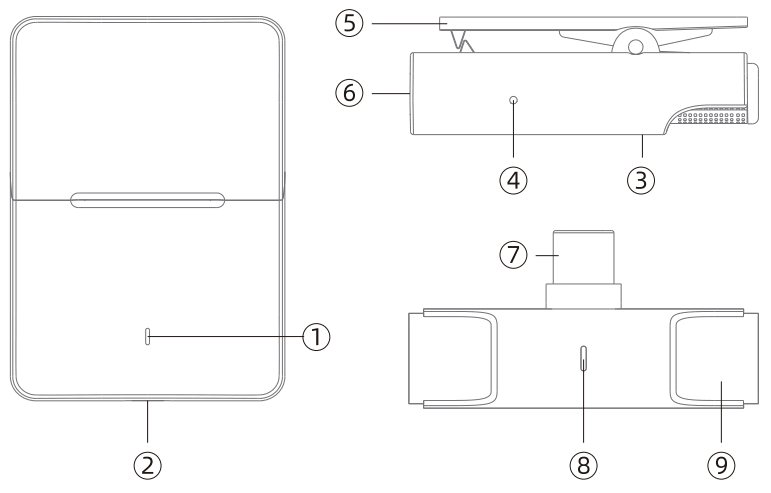
| 1. The indicator light of the case 2. Type-c port of the case 3. The indicator light of the microphone 4. Reset key of microphone 5. Microphone clip | 6. Metal contact of microphone 7. Type-c port 8. The indicator light of the receiver 9. Reset key of the receiver |
Note:
- The indicator light (3) faces outward when putting the microphone into the charging case, otherwise, it can’t be charged normally.
- The indicator light (e) faces outward when putting the receiver into the charging case, otherwise, it can’t be sucked (built-in magnet) and will cause shaking.
*****Some Android phones may have incompatibility problems due to the system, please consult your dealer for details*****
How to use
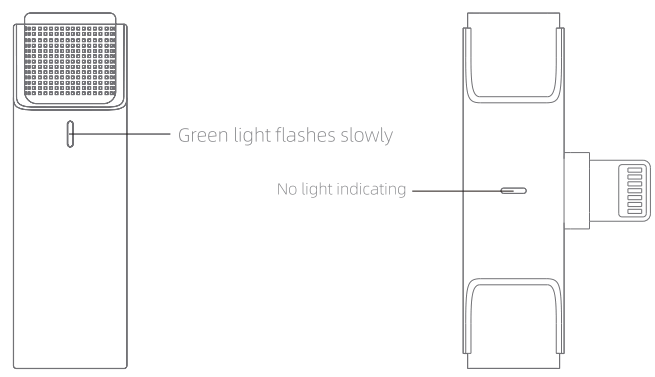
First: Open the storage case. The microphone will be turned on and the green light will flash slowly. The Type-C receiver has no light indicating.
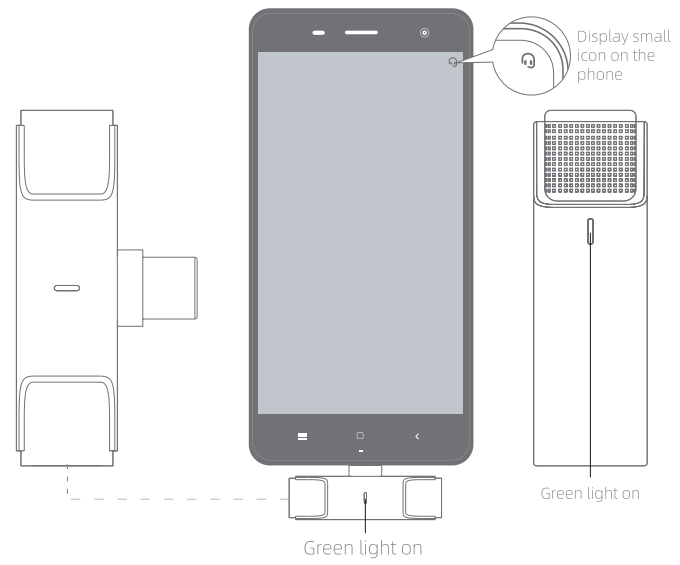
Secondly: Connect the Type-C receiver to the phone. It is paired successfully when the green light of the receiver and the green light of the microphone keeps always on. Then open the phone camera, live Apps, or others to use the microphone to receive sound.
About UI
Microphone Transmitter
| Function | How to use | Light |
| Power on | Open the case | Greenlight on |
| Power off | a.Put it into the case and close the cover b.Auto power off if no reconnection in 3 min | / |
| Charging | Put it into the case | / |
| Reset | Press reset key for 3 seconds | / |
| Low battery alarm | The battery is below 20% | Blue light flashes slowly |
| Pairing | Automatically search for pairing Auto starting-up | Greenlight flashes slowly |
| Paired | Auto pairing | Greenlight on |
| Clear pairing | Press the reset key twice quickly | Greenlight flashes quickly |
Type-C Receiver
| Function | How to use | Light |
| Power on | Plugin the device | Greenlight on |
| Power off | Plug off the device | / |
| Reset | Press reset key for 3 seconds | / |
| Pairing | Automatically search for pairing once starting-up | Greenlight flashes slowly |
| Paired | Auto pairing | Greenlight on |
| Clear pairing | Press the reset key twice quickly | Greenlight flashes quickly |
The indicator light of the case
| Function | Light |
| Case charging | Charging: red light always keeps on Fully charged: red light off |
| Storage case recharges microphone | Charging: Greenlight flashes slowly Fully charged: Greenlight off |
| The battery level of the case indicating | Greenlight on:100%-75% The blue light on: 74%-36% Red light flashes: 35%-0% |
Packing List
- Microphone transmitter
- Type-C receiver
- Storage case
- Type-C charging cable
- User manual
Wireless Microphone
Lightning Receiver
User Manual
MADE IN CHINA
Introduction
Thanks for choosing our product.
This product is a smart wireless microphone that provides professional-grade recording output. Plug and play, no app required. It can be used in different circumstances such as Live, Video recording, Interviewing, Online Teaching, and others.
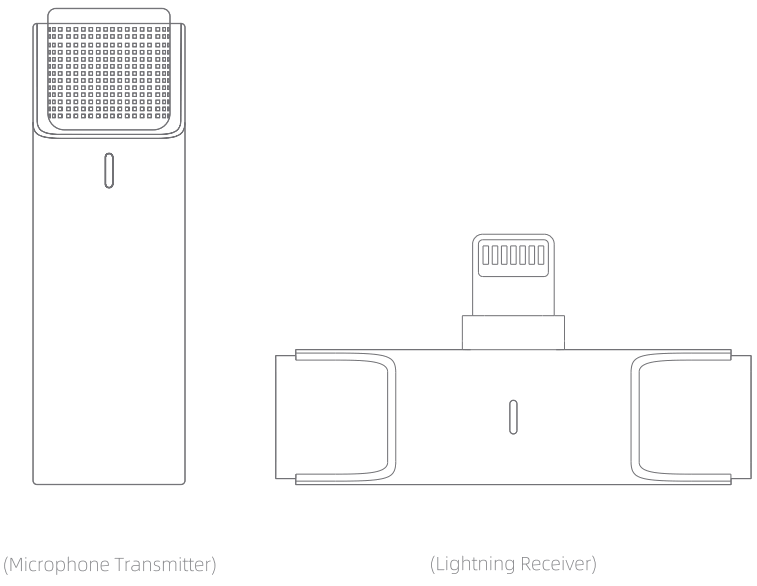
The wireless Microphone consists of two parts, one is a Microphone transmitter, the other one is a Lightning receiver. (See as below picture)
ID Diagram
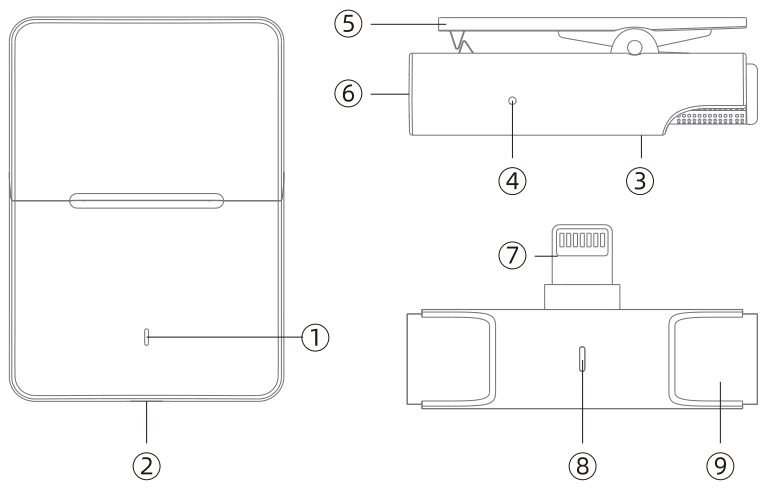
| 1. The indicator light of the case 2. Type-c port of the case 3. The indicator light of the microphone 4. Reset key of microphone 5. Microphone clip | 6. Metal contact of microphone 7. Lightning port 8. The indicator light of the receiver 9. Reset key of the receiver |
Note:
- The indicator light (3) faces outward when putting the microphone into the charging case, otherwise, it can’t be charged normally.
- The indicator light (8) faces outward when putting the receiver into the charging case, otherwise, it can’t be sucked (built-in magnet) and will cause shaking.
How to use
First: Open the storage case. The microphone will be turned on and the green light will flash slowly. The lightning receiver has no light indicating..
Secondly: Connect the lightning receiver to the phone. It is paired successfully when the green light of the receiver and the green light of the microphone keeps always on. Then open the phone camera, live Apps, or others to use the microphone to receive sound.
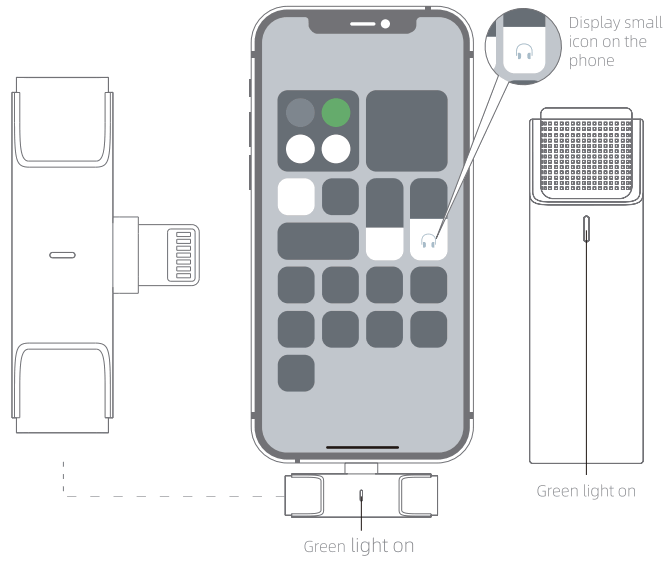
About UI
Microphone Transmitter
| Function | How to use | Light |
| Power on | Open the case | Greenlight on |
| Power off | a.Put it into the case and close the cover b.Auto power off if no reconnection in 3 min | / |
| Charging | Put it into the case | / |
| Reset | Press reset key for 3 seconds | / |
| Low battery alarm | The battery is below 20% | Blue light flashes slowly |
| Pairing | Automatically search for pairing Auto starting-up | Greenlight flashes slowly |
| Paired | Auto pairing | Greenlight on |
| Clear pairing | Press the reset key twice quickly | Greenlight flashes quickly |
Type-C Receiver
| Function | How to use | Light |
| Power on | Plugin the device | Greenlight on |
| Power off | Plug off the device | / |
| Reset | Press reset key for 3 seconds | / |
| Pairing | Automatically search for pairing once starting-up | Greenlight flashes slowly |
| Paired | Auto pairing | Greenlight on |
| Clear pairing | Press the reset key twice quickly | Greenlight flashes quickly |
The indicator light of the case
| Function | Light |
| Case charging | Charging: red light always keeps on Fully charged: red light off |
| Storage case recharges microphone | Charging: Greenlight flashes slowly Fully charged: Greenlight off |
| The battery level of the case indicating | Greenlight on:100%-75% The blue light on: 74%-36% Red light flashes: 35%-0% |
Packing List
- Microphone transmitter
- Lightning receiver
- Storage case
- Type-C charging cable
- User manual
Wireless Microphone
3.5mm Receiver
User Manual
MADE IN CHINA
Introduction
Thanks for choosing our product.
This product is a smart wireless microphone that provides professional-grade recording output. Plug and play, no app required. It can be used in different circumstances such as Live, Video recording, Interviewing, Online Teaching, and others.
The wireless Microphone consists of two parts, one is a Microphone transmitter, the other one is a 3.5mm receiver. (See as below picture)
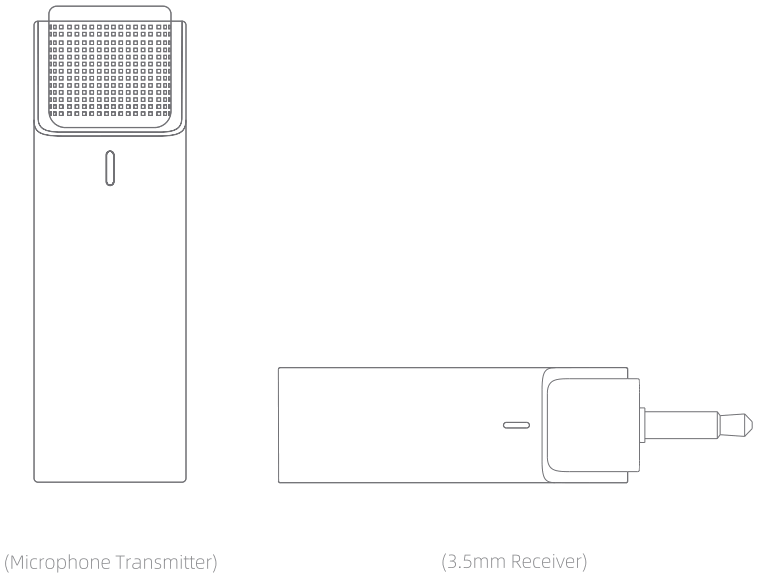
ID Diagram
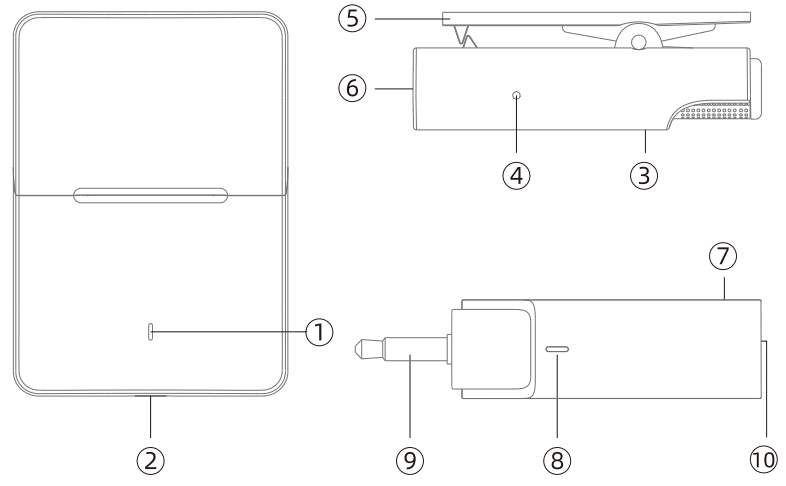
| 1. The indicator light of the case 2. Type-c port of the case 3. The indicator light of the microphone 4. Reset key of microphone 5. Microphone clip | 6. Metal contact of microphone 7. Reset key of receiver 8. The indicator light of the receiver 9.3.5mm port 10 . Metal contact of receiver |
Note: The light faces (3)/(8) outward when putting the microphone and receiver into the charging case, otherwise it can’t be charged normally
How to use
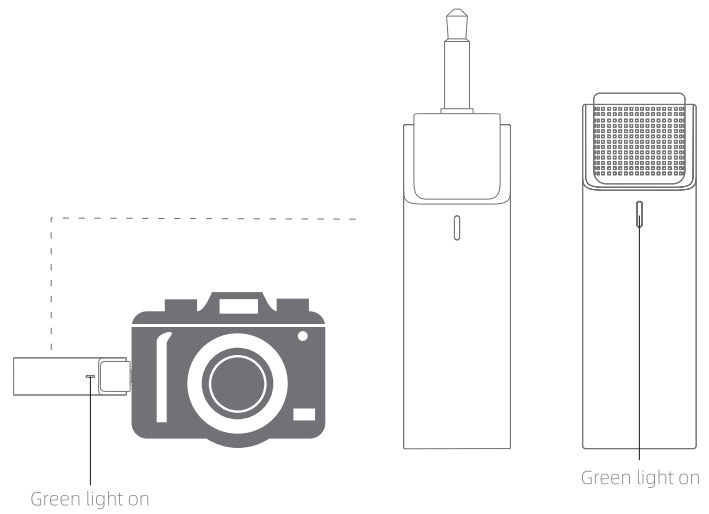
First: Open the storage case. The microphone and 3.5mm receiver will be turned on and the green light of the microphone and the green light of 3.5mm receiver always keep on.
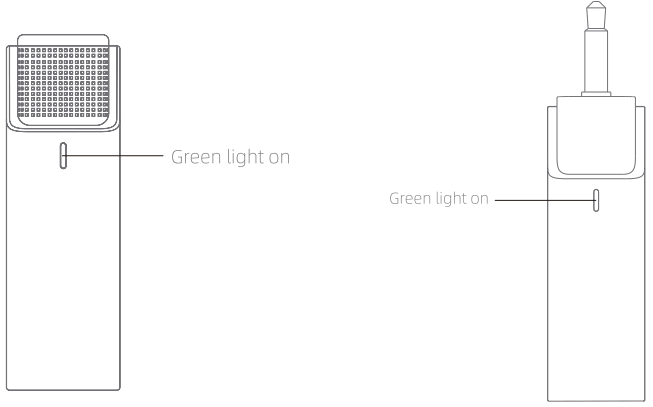
Secondly: Connect the 3.5mm receiver to the device. It is paired successfully when the green light of the receiver and the green light of the microphone keeps always on. And then to use the microphone to receive sound.
About UI
Microphone Transmitter
| Function | How to use | Light |
| Power on | Open the case | Greenlight on |
| Power off | a.Put it into the case and close the cover b.Auto power off if no reconnection in 3 min | / |
| Charging | Put it into the case | / |
| Reset | Press reset key for 3 seconds | / |
| Low battery alarm | The battery is below 20% | Blue light flashes slowly |
| Pairing | Automatically search for pairing Auto starting-up | Greenlight flashes slowly |
| Paired | Auto pairing | Greenlight on |
| Clear pairing | Press the reset key twice quickly | Greenlight flashes quickly |
3.3mm Receiver
| Function | How to use | Light |
| Power on | Plugin the device | Greenlight on |
| Power off | Plug off the device | / |
| Reset | Press reset key for 3 seconds | / |
| Pairing | Automatically search for pairing once starting-up | Greenlight flashes slowly |
| Paired | Auto pairing | Greenlight on |
| Clear pairing | Press the reset key twice quickly | Greenlight flashes quickly |
The indicator light of the case
| Function | Light |
| Case charging | Charging: red light always keeps on Fully charged: red light off |
| Storage case recharges microphone | Charging: Greenlight flashes slowly Fully charged: Greenlight off |
| The battery level of the case indicating | Greenlight on:100%-75% The blue light on: 74%-36% Red light flashes: 35%-0% |
Packing List
- Microphone transmitter
- 3.3mm Receiver
- Storage case
- Type-C charging cable
- User manual
FCC Caution:
This device complies with part 15 of the FCC Rules. Operation is subject to the following two conditions: (1) This device may not cause harmful interference, and (2) this device must accept any interference received, including interference that may cause undesired operation.
Any changes or modifications not expressly approved by the party responsible for compliance could void the user’s authority to operate the equipment.
Note: This equipment has been tested and found to comply with the limits for a Class B digital device, pursuant to part 15 of the FCC Rules. These limits are designed to provide reasonable protection against harmful interference in a residential installation. This equipment generates uses and can radiate radio frequency energy and, if not installed and used in accordance with the instructions, may cause harmful interference to radio communications. However, there is no guarantee that interference will not occur in a particular installation. If this equipment does cause harmful interference to radio or television reception, which can be determined by turning the equipment off and on, the user is encouraged to try to correct the interference by one or more of the following measures:
-Reorient or relocate the receiving antenna.
-Increase the separation between the equipment and receiver.
-Connect the equipment into an outlet on a circuit different from that to which the receiver is connected.
-Consult the dealer or an experienced radio/TV technician for help.
The device has been evaluated to meet general RF exposure requirements. The device can be used in portable exposure conditions without restriction.