SD30i Intelligent Amplifier
Product Information
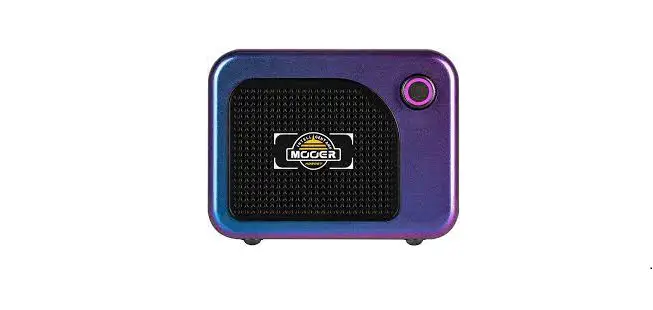
The SD30i is a digital modeling amplifier based on the MOOER
iAMP system. It is capable of audioplayback from external media
devices through Bluetooth connection or OTG-audio. The amplifier
features preset switching, tone editing, and saving presets
capabilities. It also has an OTG recording function designed for
easy and direct recording on mobile platforms.
Precautions
- To avoid electrical shock, short circuit, injury, fire hazard,
or any other dangerous factors causing damage or death, please read
the instructions carefully before using the device. - Operate the device at a suitable distance from radios and
televisions to avoid interference with reception. - Avoid dropping or heavy blows to the amplifier.
- Do not modify the unit without authorization.
- Always turn off the amplifier and other devices before setting
up connections to avoid malfunctions and unexpected damage. - Before moving the amplifier, ensure it is powered off and
disconnected from other devices. - Avoid exposing the device to direct sunlight, extreme
temperature or humidity, excessively dusty or dirty locations,
magnetic fields, high humidity or moisture, or strong vibrations or
shocks to prevent deformation, discoloration, or other serious
damage.
Usage Instructions
Connecting External Devices for Audio Playback
The SD30i can connect to external devices for audio playback
through Bluetooth or OTG-audio. Follow the steps below:
- For Bluetooth connection, open the Bluetooth menu of your
mobile device, search for a new device, select SD30iAudio, and
confirm the connection. For OTG-audio connection, connect the SD30i
to your mobile device using the USB-C jack and an OTG adapter or
connect it to a computer using the USB-C to USB-A cable. - After establishing a successful connection, start the audio
playback on your device/computer. - Rotate the AUDIO knob on the SD30i to adjust the volume level
for Bluetooth or OTG playback. You can also adjust the volume using
the audio controls on your device/computer.
Preset Switching, Tone Editing, and Saving Presets
The SD30i features preset switching, tone editing, and saving
presets capabilities. Follow the steps below:
- Use the control elements on the top panel to switch between
presets. - Edit tones using the control elements on the top panel.
- To save the currently selected preset, press and hold the
PRESET button. The PRESET button will blink quickly to indicate
successful saving and then stop blinking. To discard changes,
simply switch to another preset without saving the current preset.
When you return to the current preset, it will have reverted to the
previous settings.
OTG Recording
The OTG recording function of the SD30i is designed for easy and
direct recording on a mobile platform. Follow the steps below:
- Connect the SD30i to your mobile device using an OTG
cable/adapter (USB-C to USB-A female) for connection to a mobile
device or using the included USB-C to USB-A cable for connecting to
a computer. - Start recording on your mobile device using the MOOER iAMP app
or any other compatible recording app.
Note that the OTG recording function cannot replace a
professional audio interface and may have compatibility issues with
Windows DAWs. Please download ASIO4ALL drivers for Windows
applications.
Owner’s Manual
Content
INTRODUCTION—————————————————————————————————————- 01 FEATURES———————————————————————————————————————— 03 LAYOUT—————————————————————————————————————————- 03 CONNECTIONS—————————————————————————————————————— 05 GETTINGSTARTED————————————————————————————————————-05 PRESETEDITINGONTHETOPPANEL———————————————————————————–06 AUDIO PLAYBACK————————————————————————————————————- 07 OTG RECORDING/PLAYBACK———————————————————————————————–07 MOOERiAMPAPP————————————————————————————————————–08 PRESETEDITINGUSINGTHEiAMPAPP——————————————————————————–10 MOOERF4WIRELESSFOOTSWITCH————————————————————————————-18 SPECIFICATIONS————————————————————————————————————— 21 TONE—————————————————————————————————————22
INTRODUCTION
TheSDamplifierseriesisaharmoniousmarriagebetweenMOOER’sfamousdigitalpreamptechnologyandanewtakeon t ra d i t i o n a ls o l i d – stateC l a s sDa m p l i fi cat i o nte c h n i q u e st h atd e l i v e rp ro fe s s i o n a l” t u b el i ke”p e r fo r m a n ce ,to u c ha n dfe e l ,ate n t r y levelprices. E a c hm o d e li nt h eS Ds e r i e sco m e sf u l l yl oa d e dw i t haw h o l eh o sto fs p e c i a l – feat u re sa n de ffe ctst h atp ro v i d ee v e r y t h i n gy o un e e d tocraftincredibleguitartonesforcreatingmusicon-stageorinthepracticeroom. Thesetonescanbestoredin40presetslotsandbeeasilyrecalledusingtheiAmpapporawirelessfootswitch(notincluded). SDampsfeatureauniqueJAMsectionthatcontainsawholesuiteoftoolsforsoloperformersandcreativeaficionadosalike,such asanintegratedlooper,syncableDrumMachineandBluetoothconnectionforplaybackofyourfavoriteaudiotracksfroman externaldevice.
Precautions
Toa v o i de l e ct r i cs h o c k ,s h o r tc i rc u i t ,i n j u r y,fi reh a za rd ,o ra n yot h e rd a n ge ro u sfa cto r sca u s i n gd a m a geo rd eat h ,p l ea s erea dt h e instructionscarefullybeforeusingthedevice:
PowerSupply Pleaseusetheincluded19V2.5Apoweradaptorforcharging. TheoriginalpowersupplyisdesignedforMOOERdevicesonly.Pleasedonotuseitforotherdevices. PleaseuseapowersupplythatmeetsthepowerrequirementsoftheMOOERdevice.Thepowersupplyshouldbeapprovedby t h ere l e va n ta u t h o r i t i e sa n dm e ett h el o ca lreg u l ato r yre q u i re m e n ts( U L ,CS A ,V D E ,CCC ) . Pleaseensurethatthemainsvoltagemeetstherequirementsstatedonthepoweradaptor. Pleasedonotusethepowersupplyinahumidenvironment. Afterusingthedeviceforanextendedperiodoftime,pleasecheckthatjackandpowercordarestillinproperworkingorder. Removedustanddirtdepositstoavoidunexpecteddamage. Pleaseunplugthepowersupplyfromthesocketifthedeviceisnotusedforalongtimeorduringanelectricalstorm. Pleasepowerofftheamplifier,andunplugthepowersupply,iftheamplifierisnotusedforalongperiodoftime.
01
Battery Inordertoavoidelectricshock,damagetothedeviceorfire,pleasedonotactivateorchargethedeviceinahumidenvironment. Toavoiddamages,pleaseusethespecifiedpoweradaptorforcharging. Toa v o i da na cc i d e n t ,p l ea s ed on otc h a rget h ebatte r yi na ne n v i ro n m e n tw i t hfl a m m a b l em ate r i a l so rex p l o s i v e s .E n s u ret h at youcanquicklyunplugthepowercordincaseofanaccident. Shouldpeculiarsmellsorstrangenoisesoccurduringcharging,pleasestopchargingassoonaspossibleandcontactthe after-salesteamforrepairorreplacement. Incaseofleakingliquid,donotlettheliquidcomeincontactwithyourskinoreye.Shouldcontactoccur,werecommend contactingadoctorassoonaspossible. Toa v o i dfi reo rex p l o s i o n ,p l ea s ed on otd i s a s s e m b l et h ebatte r y.D on ots q u e e zei to rt h ro wi ti n tofi reo rwate r.P l ea s ed on ot u s et h ebatte r yi fi tb u l ge s . Pleasedonotexposethedeviceheatanddonotuseitafteritwassoakedinwater.
Interferencewithotherelectricaldevices Radiosandtelevisionsplacednearbymayexperienceinterferencewithreception.Operatethisdeviceatasuitabledistancefrom radiosandtelevisions.
Operation
Pleasedonottoggletheswitchorrotatetheknobswithexcessiveforce.
Pleasedonotdroptheamp,andavoidheavyblows. Pleasedonotmodifytheunitwithoutauthorization. Shouldrepairsberequired,pleasecontacttheMOOERsupportteamformoreinformation. Alwaysturntheamplifierandotherdevicesoffbeforesettingupconnectionstoavoidmalfunctionsandunexpecteddamage. Beforemovingtheamplifier,pleaseensurethatitispoweredoffanddisconnectedfromotherdevices.
Storageandusagelocations Toavoiddeformation,discoloration,orotherseriousdamage,donotexposethisdevicetoanyofthefollowingconditions:
directsunlight
extremetemperatureorhumidity excessivelydustyordirtylocations magneticfields highhumidityormoisture strongvibrationsorshocks
02
FEATURES
DigitalmodelingamplifierbasedontheMOOERiAMPsystem
52ampmodelscreatedwithMNRStechnology,and49classicandexperimentaleffects 30-wattstereoamplifierwith2four-inchloudspeakers 40drummachinevarietiesand10metronomes 80-secondlooperthatcansyncwiththedrummachine Comeswithtunerfortuningyourinstrumenteasily Re c h a rgea b l ebatte r yw i t hu pto5h o u r sbatte r yl i fe SpecializedMOOERiAMPAppforcompleteeffectsediting,firmwareupdates,andtheabilitytoupload/downloadtonesfrom MOOERCloud Supportforwirelessfootswitchcontrol Bluetooth5.0highqualityaudioinputforaudioplaybackorpractice USB-Cportforhigh-qualityaudiorecordingandplayback
LAYOUT
03
DCIN:Connectto19V2.5A(centerpositive)powersupply.Originalpowersupplyisrecommendedforavoiding unexpectednoiseissue. Powe rI n d i cato r :I n d i catet h eO n /O ffstat u sa n dt h ebatte r yl i fe .G R E E Nfo rm o ret h a n5 0 %batte r yl i fe ;Y E L LO Wfo r2 5 % 5 0 %batte r yl i fe ;R E Dfo rl e s st h a n2 5 %batte r yl i fe ,re co m m e n dtoc h a rget h ed e v i cea ss o o na sp o s s i b l e . PowerToggle:ToggleupforpowerOn;toggledownforpowerOff. PRESET:PresetcontrolLEDbutton.Presstogothroughfourpresetsofcurrentpresetbank.ThecoloroftheLED indicatesthecurrentselectedpreset. TAP:Pressforseveraltimestosetupaspeedofdelaytime. USB-C:ForOTGdirectrecordingandaudioplayback. Notes:TheUSBportisdesignedfordirectrecordingviayourmobiledevice,itcannotplaytheroleof professionalaudiointerfaceforlowlatencyrecording.IfyouwouldliketouseitintheDAWofWINplatform, ASIOdriverisneeded,whichwillcausecompatibilityissue.
HEADPHONE:3.5mmTRSheadphonejackforheadphoneconnection. INPUT:6.35mmTSinstrumentinputjackforconnectingtoguitaroranyotherelectricinstrument. AMP:Rotatetoselectfrom9differentampmodelsquickly. GAIN:RotatetoadjustthegainvalueofAMP. BASS:RotatetoadjustthebassfrequencyofAMP. MID:RotatetoadjustthemiddlefrequencyofAMP. TREBLE:RotatetoadjustthetreblefrequencyofAMP. VOL:RotatetoadjustthevolumelevelofAMP. CHORUS/VIBRATO:Rotatetoadjustthechorus/vibratoeffect.TheLeftpartof theknobisforchoruseffect;therightpartisforvibrato.Rotatetothefarlefttoturnofftheeffect. ECHO/PLATE:Rotatetoadjusttheecho/plate-reverbeffect.TheLeftpartoftheknobisforechoeffect;therightpartis forplatereverb.Rotatetothefarlefttoturnofftheeffect. INSTRUMENT:Rotatetoadjusttheinputleveloftheinstrumentsignal.Itislinkedwiththe”INSTRUMENT”controlinthe mixerofthecontrolApp,sometimesyoumayneedtotweakalittlebittogettheidealvalue. AUDIO:ThemastervolumelevelofBluetoothaudio,OTGplayback.
04
CONNECTIONS
Note:Theinternalspeakerswillbemutedwhenaheadphoneispluggedintotheheadphonejack.
GETTINGSTARTED
1.PowerOn Toavoidunexpectedissueswithloudnoise,pleaseturntheINSTRUMENTandAUDIOcontrolstotheminimumvaluebefore switchingtheSD30ion. 2.Connectyourinstrument ConnectyourguitartotheINPUToftheSD30iwithaninstrumentcable,switchtheSD30ionandwaituntilitbootsup successfully.RotatetheINSTRUMENTknobtothedesiredvolumelevel. 3.ConnecttoBluetoothdevice OpentheBluetoothmenuofyourmobiledevice,searchforanewdevice,select”SD30iAudio”andconfirmtheconnection. AfterestablishingasuccessfulconnectionyoucanusetheSD30iforaudioplayback.RotatetheAUDIOknobtoadjustthe Bluetoothplaybackvolumelevel.
05
PRESETEDITINGONTHETOPPANEL
TheSD30iusesaspecializediAMPAppforcontrollingtheampandsoundediting,butyoucanalsocontrolsomeofthefeatures oftheSD30iusingthecontrolelementsonthetoppanel.
PresetSwitching
TheSD30ifeatures10presetbanks;eachbankincludes4presetpatchesforatotalof40presetpatches.YoucanpressthePRESET buttontoswitchbetweenfourpresetpatchesinthecurrentlyselectedbank.ThecolorofthePRESETbuttonindicatesthe selectedPreset(A=blue,B=green,C=purple,D=red). ThebankcanonlybeselectedintheiAMPapporusinganoptionalfootswitch.Tochangebanks,opentheappandselectany presetinthedesiredbank(e.g.4C).ThePRESETbuttonwillthenswitchthroughthepresetsinthisbank(e.g.4Athrough4D). Switchingtoadifferentpresetdoesnotchangethepositionsoftheknobsontheamp,sotheymaynotrepresenttheactual settingsofthecurrentlyselectedpreset(i.e.apresetmayuseacleanampmodelwithlowgainsettingwhiletheindicatorsonthe AMPandGAINknobspointtoahigh-gaincrunchsetting). TurningaknobwillactivatethesettingindicatedontheknobandthePRESETKnobstartsblinkingtoindicateachangeinsettings.
ToneEditing
RotatetheAMPknobtoswitchbetween9differentAMPtypes. RotatetheGAIN,BASS,MID,TREBLEandVOLknobstoadjustthemainparametersofyoursound. RotatetheCHORUS/VIBRATOandECHO/PLATEknobstoadjustthemodulationeffects. Ifthecurrentpresetfeaturesadelayeffect(ECHO),youcanpresstheTAPbuttonseveraltimestosetthedelaytimeofeffect.The TAPbuttonwillblinktoindicatethedelaytime. RotatetheINSTRUMENTknobtoadjusttheinputleveloftheinstrumentinputsignal,includingtheguitar,drummachine,and loopersignal.RotatetheAUDIOknobtoadjusttheplaybackvolumelevelforBluetoothaudioand/orOTGaudio. Afterchangeshavebeenmade,thePRESETbuttonstartsblinkingtoindicatethatchangeshavebeenmadetothispreset.
SavingPresets
Aftereditingiscomplete,pressandholdthePRESETbuttontosavethecurrentlyselectedpreset.ThePRESETbuttonwillblink quicklytoindicatesuccessfulsavingandthenstopblinking. Ifyouwanttodiscardyourchanges,simplyswitchtoanotherpresetwithoutsavingthecurrentpreset.Whenyoureturntothe currentpreset,itwillhaverevertedtotheprevioussettings.
06
AUDIOPLAYBACK
SDAmpsarecapableofaudioplaybackfromyourfavoriteexternalmediadevice.Therearetwowaysforconnectingexternal deviceswiththeSD30iampforaudioplayback: Bluetooth-Connection:OpentheBluetoothmenuofyourmobiledevice,searchforanewdevice,select”SD30iAudio” andconfirmtheconnection. OTG-Audio:ConnecttheSD30itoyourmobiledeviceusingtheUSB-CjackandanOTGadapterorconnectittoacomputerusing theUSB-CtoUSB-Acable. Afterestablishingasuccessfulconnection,youcanusetheSD30iforaudioplayback:
Starttheaudioplaybackonyourdevice/computer.
RotatetheAUDIOknobontheSD30itoadjustthevolumelevelforBluetoothorOTGplayback.Youcanalsoadjustthevolume usingtheaudiocontrolsonyourdevice/computer.
OTGRAEUCDOIRODPILNAGY/BPALCAYKBACK
ByconnectingtoaSmartphone,computerortablet,theSD30isupportsaudioplaybackanddirectrecordingoverOTGusingthe USB-Cportonthepanel.
Forconnectiontoamobiledevice,anOTGcable/adapter(USB-CtoUSB-Afemale)mayberequired(tobepurchasedseparately). YoucanusetheincludedUSB-CtoUSB-Acableforconnectingtoacomputer.
TheOTGrecordingfunctionoftheSD30iisdesignedforeasyanddirectrecordingonamobileplatform.Itcannotreplacea professionalaudiointerface.Specifically,itcannotmeettherequirementsforlowlatencyrecordingonWindowsDAWsothere maybesomecompatibilityissues(pleasedownloadASIO4ALLdriversforWindowsapplications).
07
MAUODOIEORPiLAAMYPBAPCKP
DownloadtheMOOERiAMPApp
PleasedownloadtheMOOERiAMPAppfromGooglePlayStoreorAppleAppStore.
DownloadtheMOOERiAMPApp
ActivateBluetoothonyourmobiledevice. OpentheiAMPApp,select”ShadowSeries”ontheHomescreen,tapon”Searching Device”andtaponSD30iunder”Device”.Waitafewsecondsuntiltheconnectionis establishedand”Connected”isdisplayed. TapontheimageoftheSD30itoopentheEditpage.
Userinterface
Thetopofeachscreenshowsthefollowingtabs:
08
? ( M e n u ) ,E ffe cts ,L i b ra r y,M i xe ra n d
Tappingon”?”displayshelpiconsovereachelementonthescreen. Taptheiconstoreadadescriptionoftherespectiveelement. CancelthehelpmodebytappingtheXintheupperrightcorner. Thebottomofthescreenshows:
Housebuttontoreturntothehomescreen Footswitchbuttonforconnectingtoawirelessfootswitch Bluetoothicon:BlueifBluetoothconnectionissuccessful. IftheBluetoothbuttonisgrey,theAmpiseitheroff,insleepmodeoroutof range.Turntheamponorwakeituporbringitclosertoyourmobiledevice andtaptheBluetoothbuttontore-establishtheconnection. BatterystatusofyourSD30i Scanbutton:Thisbuttonisonlyshownwhentheappisusedforthefirst time.UsethescanbuttontoscantheQRCodeonthebackofyouramp.
09
PRESETEDITAIUNDGIOUPSLINAYGBTAHCEKiAMPAPP
EffectPage
Presetselection TheAppcomespre-configuredwith40samplepresets. Thecurrentlyactivepresetisshownbelowthepagetabs. Taponthepresetnametoopenthepresetlistandselectanotherpreset. ThepresetindicatedintheAppalsochangeswhenyoutapthePRESETbutton
ontheSD30iorwhenyouusetheoptionalfootswitch.
Ifyouswitchpresetsafteryouhavemadechangestoapreset,youneedtosave
thepresetfirstbytappingtheSaveiconbehindthePresetname. NOTE:Ifyouswitchpresetsafteryouhavemadechanges,yourchangeswillbe discardedwithoutwarning,unlessyousavethembeforeswitching.
Presetselection
Thenextrowshowsthechainofeffectmodules.Thefollowingmoduletypes areavailable: OD=overdriveanddistortioneffects AMP=amplifiersimulations DYNA=dynamiceffects MOD=modulationeffects DELAY=delayandechoeffects REVERB=reverbeffects M odulesshowningreyarenotactive.Modulesshownincolorareactive. T aponamoduletoactivateordeactivateit. S lidetotherightorlefttoshowmoremodules. T apandholdamoduleanddragitleftorrighttochangeitspositionintheeffectchain.
10
Presetselection TaptheSaveiconbehindthepresetnametore-nameandsavethepreset.Youwillbe
promptedtospecifyanameandastoragelocation. Editthenametoyourliking.IfyouuploadyourPresettothecloud,itwillbe publishedunderthisname. Specifyastorageslot. TheSD30iprovides10presetbanks(0through9)with4slotseach(AthroughD). NOTE:Thenumber(0-9)determinesthebankandtheletter(A-D)determinesthe positionofthePresetwithinthebank.The4positionsinabankcanbetoggledwiththe PRESETbuttonontheAmp.ThecolorofthePRESETbuttonindicatestheselected Preset(A=blue,B=green,C=purple,D=red). NOTE:SavingaPresetinaslotwilloverwritethepresetcurrentlystoredinthisslot. TapSAVEtosavethePresetorCANCELtodiscardyourchanges.
LibraryPage
Thispageshowsalistofpre-configuredsoundsyoucanuseasabasisforyour owncreations.Thesamplesaregroupedbystyleforeasieridentification. SelectasoundandusetheSaveicontostoreitinaPresetslotandthenadjustit toyourlikingontheEffectpage.
11
MixerPage
Thispageshowsamixerwithfaderstoadjusttheoutputlevelsfordifferent sources(Bluetooth,USB,Instrument)aswellasaMastervolumefader. TheInstrumentfaderinteractswiththeInstrumentknobontheamp.
Menu
Accountinfo
Thispageshowsamixerwithfaderstoadjusttheoutputlevelsfordifferent sources(Bluetooth,USB,Instrument)aswellasaMastervolumefader. TheInstrumentfaderinteractswiththeInstrumentknobontheamp.
12
Yourprofileisshownafteryouhaveregistered.YoucantapyourProfileinfo toopenalistofyourDownloadsandUploadsaswellasandyourBackup/ Restoreoptionswhereyoucanbackupallyoursettingstothecloud.Always useBackup/RestorebeforeyouupdateorresetyourSD30i. YoucanlogoutbyclickingtheiconontheHOMEscreen.
Upload
Afterregistering,youcanusethisfeaturetouploadyourcurrentPresettothe cloudandshareitwithotherusersthisway. NameyourPreset,addadescriptionandselectastyle.Thentap DonetouploadorCanceltoreturnwithoutuploading.
Clouds Afterregistering,youcanusethisfeaturetoexplorepresetsthathave beensharedbyotherusers. Taptheheadphoneicontotestthepresetorthedownloadiconto downloadthepresetintoyouramp.Youwillbepromptedtospecifya presetslotwherethedownloadedPresetisstored. NOTE:ThedownloadedPresetwilloverwritethePresetcurrently storedinthisslot!
13
Setting
GlobalBypass Ac va ng this feature bypasses all effects and lets you EQ your amp without interference from presets.
GlobalEQ HereyoucanactivateandadjustglobalEQsettingsfortheamp, independentofanyPresetsettings.
InputGain
ThissettingadjuststheinputgainfortheAmp.Useittoattenuate clippingifyouareusingpre-amplifyingeffectsinfrontoftheamp.
SleepSettings TheSD30ifeaturesasleep/standbymodeforpowersaving.
Iftheampisidleforthetimespecifiedinthissetting,itwillenterthe Sleepmode. ThepowerLEDwillblinkslowlyandallotherLEDwillbeturnedoff. Youcan”wake”yourampbyturninganyknoborpressingabutton.
NOTE:ThefollowingconditionswillpreventtheSD30ifromenteringthe standby/sleepmode:
The drum machine, tuner or looper is ac ve. A track has been recorded in the looper. (To ensure that the recorded loop is not deleted automa cally a er return from standby mode.) T he SD30i is charging. A signal is detected on the input jack. Se ngs are being adjusted on the SD30i.
14
BluetoothRename UsethissettingtospecifyhowyourampisshowninthelistofBluetoothdevices.
Version ThisfieldshowsthecurrentVersionoftheAppandtheSD30iFirmware. Ta po nt h efi e l dtop e r fo r mam a n u a lu p d atec h e c ko rare s ettofa cto r ys ett i n g s . UpdateCheck You can use Update Check to manually check for updates. P lease back up your presets to the cloud before performing an update. T he SD30i supports firmware updates via App. When new firmware is launched, an update window will pop up in the App. Normally, the App also needs to be updated in this case. F ollow the prompts to update the firmware. The device will then be booted into update mode. Please wait for a few minutes. The device will reboot automa cally a er the update is complete.
Reset
ThiswillresetyourSD30iAmpandtheApptofactorysettings! Pleasebackupallyourpresetstothecloudtopreventthemfrombeingdeleted.Youcanlaterrestorethemfrom thecloud. Tools
Metronome
Youcanselectoneof10differentmetronomes. AdjustthemetronomevolumewiththehelpoftheSpeakerbutton. TaptheTAPbuttonseveraltimestoadjustthetempo.Usetheleft/rightarrowsforfinetuning.
15
DrumMachine Tap on the name of the drum pa ern to select one of 40 different drum pa erns. A djust the volume with the Speaker icon. T ap the TAP bu on several mes to adjust the tempo. Use the le /right arrows for fine tuning. U se SYNC to sync the Drum Machine with the Looper. (The Drum Machine will start a er a count-in when you start recording in the Looper.) Tap the Play bu on to start / stop the Drum Machine.
Tuner The Tuner bar indicates whether your string is sharp or flat.
Perfect tune is indicated by a green line in the center. The tuner automa cally detects the string you are trying to tune. You can adjust the standard pitch A by tapping on the arrows next to the frequency readout
(standard A is 440 Hz) Use the Speaker bu on to enable/disable silent tuning. NOTE: If you are not using silent tuning, any effects will be disabled during tuning and you can hear your guitar in a clean amp configura on.
16
Looper YoucanusetheLoopertorecordloopsofupto80seconds. Adjuststheplaybackvolume. Startsalooprecording(includingacount-inwhenthedrummachineis synchedwiththelooper),startsoverdubforthesecondlayeroftheloop Stopstherecordingandplaystheloop Stopsrecordingorplayback Clears(deletes)therecordedloop.
17
MOOERF4AWUIDRIEOLPELSASYFBOAOCTKSWITCH
TheSD30isupportsMOOER’sF4wirelessfootswitch(tobepurchasedseparately).Itallowsuserstocontrolpreset switching,drummachine,looperandtuneranditprovidesataptempofunction.Pleaseconsultthemanualforthe F 4fo ots w i tc hfo rbatte r ys p e c sa n dc h a rg i n gre q u i re m e n ts .
Pairing YoumustusetheiAMPApptopairthefootswitchwithyourSD30ibeforeyoucanuseitforthefirsttime. P owertheGWF4footswitchon,pressandholdfootswitchAandCtoenterpairingmode,andthefootswitchLEDs willstarttoblink. T apthefootswitchiconatthebottomoftheiAMPapppagetostartpairing. A fterpairingiscomplete,thescreenontheF4footswitchwillshowthecurrentlyselectedpresetnumberandthe LEDsstopblinking.
NOTE:Thefootswitchonlyneedstobepairedonce(orafterareset)andwillthenautomaticallyconnectwhenSD30i AmpandF4Footswitchareturnedon. Aftertheinitialpairingthroughtheapp,thefootswitchcanbeusedtocontroltheSD30ievenwithouttheiAMPapp beingactiveorconnected.
PresetSwitching
TheFootswitchwillalwaysindicatetheselectedpreset,regardlessofwhetheritwasselectedusingthePRESETbuttononthe amp,thepresetselectionlistintheiAMPapportheA-Cbuttonsonthefootswitch. P resstheA/B/C/Dbuttonstoswitchbetweenfourpresetpatchesinthecurrentbank.
TheselectedpresetwillbeindicatedbytherespectiveLEDabovethefootswitchandinthefootswitchscreen:thenumber indicatesthebankandthenetterindicatesthepresetwithinthebank(e.g.”3d”).Forbetterreadability,AandCarerepresented ascapitalletters; banddaslowercaseletters.
18
BankSwitching P ressswitchesAandBsimultaneouslytoscrollupthroughthepresetbanks. P ressswitchesCandDsimultaneouslytoscrolldownthroughthepresetbanks.
Oncethebankisselected,thepresetindicationinthefootswitchscreenstartsblinking,butthepresetisnotyet active.Youneedtotaponeofthefourfootswitchbuttons,toselectapresetwithintheselectedbank.Onlythenwill theampactivatetheselectedpresetandthefootswitchindicationstopsblinking.
TapTempo
I faDelayeffectisactiveforthecurrentlyselectedpreset,therespectivefootswitchLEDwillblinktoindicatethe tempoforthedelaytime. T apthisfootswitchrepeatedlyinthedesiredtempotodirectlyadjustthedelaytime.Thetaptempomaynot exceedthemax/mindelaytimefortheselectedeffect.
NOTE:TheTap-TempoModeisindicatedbydotsbeingshownbehindthelettersandnumbersinthefootswitch screen(e.g.”3.C.”).Youcanadjustthetaptempowhilethedotsareshown.Thetaptempomodewillbedeactivated after2.5secondswithoutinput,thedotsdisappearandthefootswitchreturnstopresetswitchingmode.
Tuner
PressandholdanyfootswitchtoentertheTUNERmode. NOTE:TheiAMPapp(ifactiveandconnected)willalsoentertheTUNERMode,butyoucanusethefootswitchfor tuningwithouttheapp. Theleftblockofthescreenshowsthenearestnote,whiletherightblockshowsthepitch.semi-notesareindicated by#(e.g.”A#0″) Therightblockdoesnotmoveifthestringisintune,itwillrotatecounterclockwiseifthenoteisflatorclockwiseif thenoteissharp. Tapanyfootswitchbuttononcetoleavethetuningmodeandreturntopresetswitchingmode.
NOTE:TuningwillbesilentifyouhaveactivatedthesilenttuningmodeintheiAMPapp(speakericonintheTunerpage). Ifyouarenotusingsilenttuning,anyeffectswillbedisabledduringtuningandyoucanhearyourguitarinacleanamp configuration.
19
DrumMachine/LooperControl
TheSD30iisequippedwithabuilt-in80-secondlooperandadrummachinewith40grooves. Thelooperandthedrummachinecanworksimultaneously.UsetheF4footswitchforabettercontrolexperience.
Opening/closingDrumMachineandLooperMode
I npresetswitchingmode,pressswitchesBandCsimultaneouslytoentertheDrumMachineandLoopermode. Thefootswitchscreenwillshow”Ld”. P ressswitchesBandCsimultaneouslyagaintoreturntothepresetmode.
ControllingtheLooper
In”Ld”mode,footswitchesAandBareusedforloopercontrol:
A :REC/PLAY/DUB TappingAwillstarttherecording,tappingAagainwillplaytherecordedtrack,tappingAyetagainwillstartan overdubrecordingoverthefirsttracklayerandsoon TheALEDblinksduringRecord/OverdubandiscontinuouslylitduringPlayback. IfDrumMachineSyncisactivatedintheiAMPapp,tappingAwillinitiateacount-inandthenplaytheselected drumgroovewhilerecordingtheloop. B :STOP/HoldtoCLEAR TheBLEDislitwhenRecording /Playbackisstoppedandoff,afterthetrackwascleared. ControllingtheDrumMachine
In”Ld”mode,footswitchesCandDareusedforloopercontrol:
C :TapTempo. Taptempoinputforthedrummachineworksthesamewayasfordelaytempo: TapbuttonCseveraltimeswhiledotsareshowninthescreen(“L.d.”) D :Play/Stop.Starts/StopstheDrumMachine P ressandholdfootswitchCin”Ld”ModetoentertheGrooveselectionmode. Thescreenwillindicatethenumberofthecurrentlyselectedgroove. PressswitchesCorDtoscrolldown/upbetweengrooves.RefertotheiAMPappfornamesandnumbersofthe grooves. Thegrooveselectionwillbedeactivatedafterafewsecondswithoutinputandthefootswitchreturnsto”Ld”mode
20
ASUPDEICOIFPILCAAYTBIAOCNKS
Ratedpower:30W(2*15W) Mono/Stereo:S tereo Speaker:2 *4-inchcustomizedfullrangeflatresponsespeaker Frequencyrange:2 0Hz-20kHz Numberofeffects:5 2ampmodels,49effects(dynamic/distortion/modulation/reverb) Looper:8 0-secondstereolooper Wirelessfootswitch:s upported Bluetooth:B luetoothaudioplaybackandAppcontrol USBdigitalaudio:O TGaudiorecording,OTGaudioplayback Inputimpedance:1MOhm Headphoneimpedance:1Ohm Powerrequirements:1 9V2.5(centerpositive) Battery:4 000mAh,14.8V,63.2Wh Dimensions:3 50mm(D)x180mm(W)x193mm(H) Weight:5.13kg Accessories:P owersupply,quickguide
21
AUDITOOPNLEAYBACK
OD
seriarlnumbernameserialnumber
1PureBoostBasedonMOOER@PureBoosteffect 2FlexBoostBasedonMOOER@FlexBoosteffect 3TubeDRBasedonBK.Butler@Tubedriveroverdriveeffect 4808BasedonIbanez@TS808overdriveeffect 5GoldClonBasedonKlonCentaur@Goldoverdriveeffect 6D-DriveBasedonBarber@DirectDriveoverdriveeffect 7JimmyODBasedonPaulCochrane@TimmyODoverdriveeffect 8FullDRBasedonFulltone@Fulldrive2overdriveeffect 9BeebeePreBasedonXoticBBPreampOverdrivedistortioneffect 10BeebeeBasedonXotic@BBPlusoverdrivedistortioneffect 11BlackRatBasedonProco@Ratdistortioneffect 12GreyFazeBasedonDunlop@FuzzFacefuzzeffect 13MuffyBasedonEH@BigMufffuzzeffect 14FullDSBasedonFulltoneGT-500distortioneffect 15ShredBasedonMarshall@ShredMasterdistortioneffect 16RietBasedonSuhr@Riotdistortioneffect 18MTLZoneBasedonBoss@MetalZoneeffect 19MTLMasterBasedonDigitechMETALMASTERdistortioneffect 20ObsessiveDistBasedonFulltone@OCDdistortioneffect
22
AMP
seriarlnumbernameserialnumber
1
65USDLXBasedonFender@65DeluxReverbpreampmodule
2
65USTWBasedonFender@65TwinReverbpreampmodule
3
59USBassBasedonFender@59Bassmanpreampmodule
4
USSonicBasedonFender@SuperSonicpreampmodule
5
USBlueCLBasedonFender@BluesDeluxepreampmodulecleanchannel
6
USBlueODBasedonFender@BluesDeluxepreampmoduleoverdrivechannel
7
E650CLBasedonENGL@E650preampmodulecleanchannel
8
PowerbellCLBasedonENGL@E645preampmodulecleanchannel
9
BlacknightCLBasedonENGL@E650BlackmoreSignaturepreampmodulecleanchannel
10
MarkIIICLBasedonMesa/Boogie@MarkIIIpreampmodulecleanchannel
11
MarkVCLBasedonMesa/Boogie@MarkVpreampmodulecleanchannel
12
TriRecCLBasedonMesa/Boogie@TripleRectifierpreampmodulecleanchannel
13
Ro c k v r bC LB a s e do nO ra n ge ®Ro c ke r v e r bC l ea nC h a n n e l
14
DrZee18JRBasedonOrange@DrZee18JRpreampmodulecleanchannel
15
DrZeeReckBasedonDR.Z@Z-Wreckpreampmodule
16
Jet100HCLBasedonJetCity@JCA100Hpreampmodulecleanchannel
17
Jazz120BasedonRoland@JC120preampmodule
18
UK30CLBasedonVoxAC30preampmodulecleansetup
19
UK30ODBasedonVoxAC30preampmoduleoverdrivesetup
23
AMP
seriarlnumbernameserialnumber
20
HWT103BasedonHiwatt@DR-103preampmodule
21
PV5050CLBasedonPeavey@5150preampmodulecleanchannel
22
RegalToneCLBasedonToneKing@FalconpreampmoduleRhythmchannel
23
RegalToneOD1 BasedonToneKing@FalconpreampmoduleTweedchannel
24
CarolCLBasedonTwoRock@Coralpreampmodulecleanchannel
25
CardeffBasedonTwoRock@Cardiffpreampmodule
26
EV5050CLBasedonEVH@5150preampmodulecleanchannel
27
HTClubCLBasedonBlackstar@HTStage100preampmodulecleanchannel
28
HugenCLBasedonDiezel@Hagenpreampmodulecleanchannel
29
KocheODBasedonKoch@Powertonepreampmoduleoverdrivechannel
30
J800BasedonMarshall@JCM800preampmodule
31
J900 Based on Marshall@ JCM900 preamp module
32
PLX100BasedonMarshall@Plexi100preampmodule
33
E650DSBasedonENGL@E650preampmoduledistortionchannel
34
PowerbellDSBasedonENGL@E645preampmoduledistortionchannel
35
BlacknightDSBasedonENGL@650Blackmorepreampmoduledistortionchannel
36
MarkIIIDSBasedonMesa/Boogie@MarkIIIpreampmoduledistortionchannel
37
MarkVDSBasedonMesa/Boogie@MarkVpreampmoduledistortionchannel
24
AMP
seriarlnumbernameserialnumber
38
TriRecDSBasedonMesa/Boogie@TripleRectifierpreampmoduledistortionchannel
39
RockvrbDSBasedonOrange@Rockverbpreampmoduledistortionchannel
40
Citrus30BasedonOrange@AD30preampmodule
41
Citrus50BasedonOrange@AD50preampmodule
42
Slow100CRBasedonSoldano@SLO100preampmodulecrunchchannel
43
Slow100DSBasedonSoldano@SLO100preampmoduledistortionchannel
44
Jet100HODBasedonJetCity@JCA100Hpreampmoduleoverdrivechannel
45
PV5050DSBasedonPeavey@5150preampmoduledistortionchannel
46
RegalToneOD2 BasedonToneKing@FalconpreampmoduleLeadchannel
47
CarolODBasedonTwoRock@Coralpreampmoduleoverdrivechannel
48
EV5050DSBasedonEVH@5150preampmoduledistortionchannel
49
HTClubDSBasedonBlackstar@HTStage100preampmoduledistortionchannel
50
HugenODBasedonDiezel@Hagenpreampmoduleoverdrivechannel
51
HugenDSBasedonDiezel@Hagenpreampmoduledistortionchannel
52
KocheDSBasedonKoch@Powertonepreampmoduledistortionchannel
25
DYNA
seriarlnumbernameserialnumber
1
NGBasedonMOOER@NosieKillernoisegate
2
CompBasedonMOOER@BlueCompcompressoreffect
3
TouchWahBasedonMOOER@Envelopeflitereffect
4
AutoWahBasedonMOOER@WAHautowaheffect
MOD
seriarlnumbernameserialnumber
1
Phaserliquidlikephasereffect
2
StepPhaserBasedonsquarewavephasereffect
3
FlangerClassicflangereffect
4
JetFlangerBasedontheMOOER@JETFLANGER
5
TremloTremoloeffectwithperiodicallychangingvolumelevel
6
StutterStuttereffectwithperiodicallychangingvolumelevel
7
VibratoVibratoeffectwithperiodicallychangingpitch
8
PitchShiftEffectforchangingthepitch
9
Rota r yRota r ye f fe ct
10
AnaChorusWarmanaloglikechoruseffect
11
TriChorusModernmultichoruseffect
12
RingCanproducetheringliketone
13
Q-FilterModulationfiltereffect
14
LofiDownsamplingeffect
15
SlowGearSlowpronunciationeffect
26
DELAY
seriarlnumbernameserialnumber
1
DigitalClearandprecisedigitaldelayeffect
2
AnalogClassicwarmanaloglikedelay
3
RealEchoRealspacelikedelayeffect
4
TapeVintagetapedelayeffect
5
ModDelaywithmodulationeffect
6
ReverseDelaywithreversedsignal
REVERB
seriarlnumbernameserialnumber
1
RoomSmallroomreverb
2
HallConcertHallreverb
3
PlateStudiostyleplatereverb
4
SpringVintagespringreverbtank
5
ModReverbwithmodulationeffect
27
www.mooeraudio.com
SHENZHENMOOERAUDIOCO.LTD
6F,UnitD,JinghangBuilding,Liuxian3rdRoad,
Bao’an 71 District, Shenzhen, China. 518133
 MOOER Audio