
User Manual
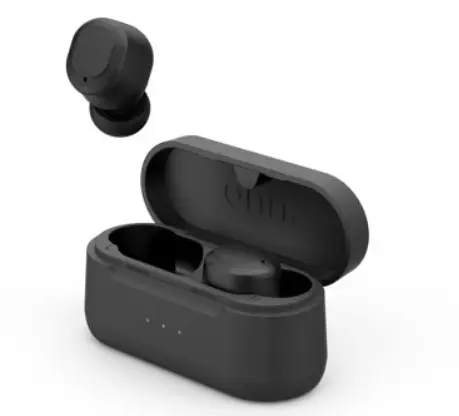
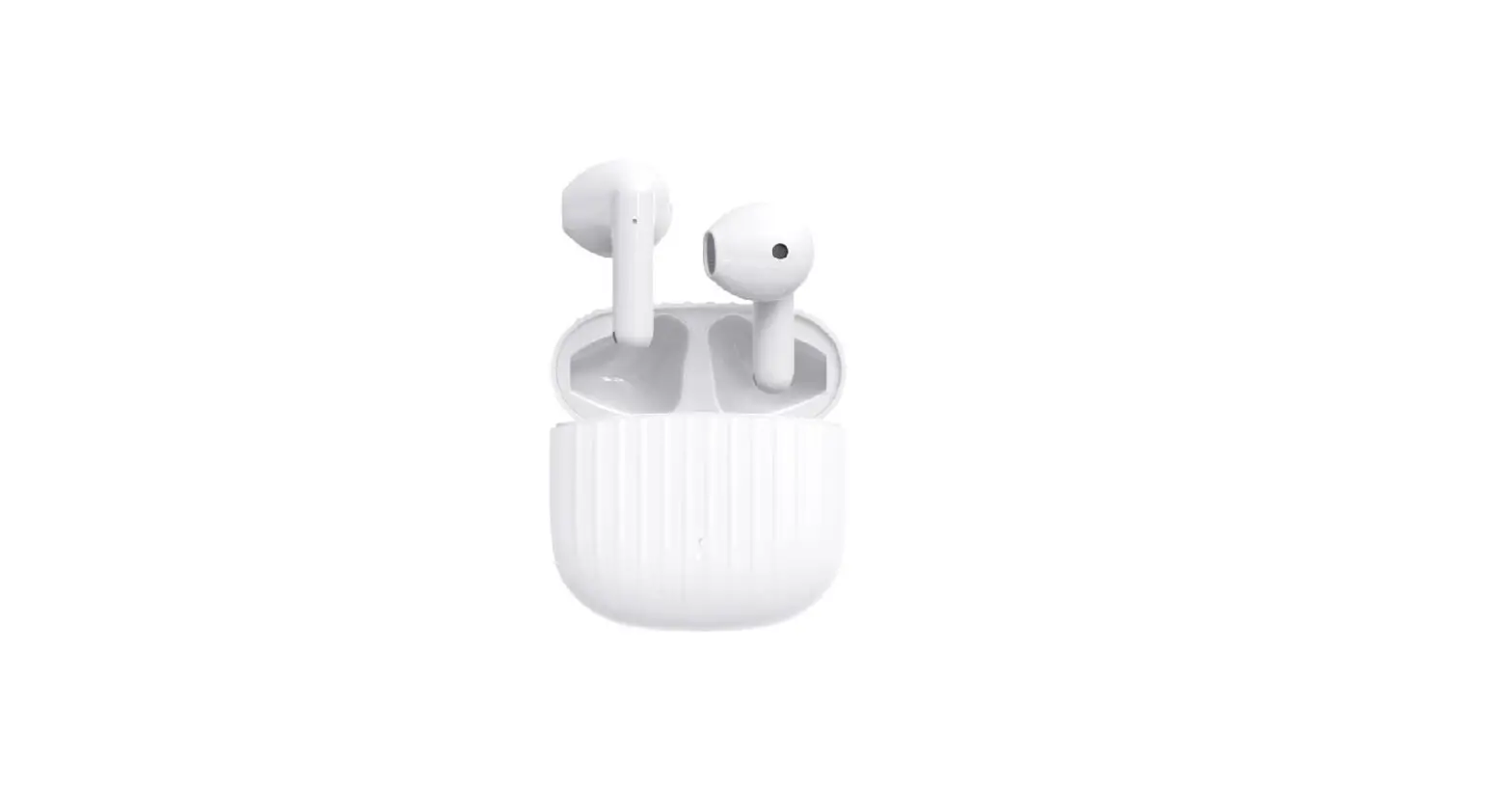
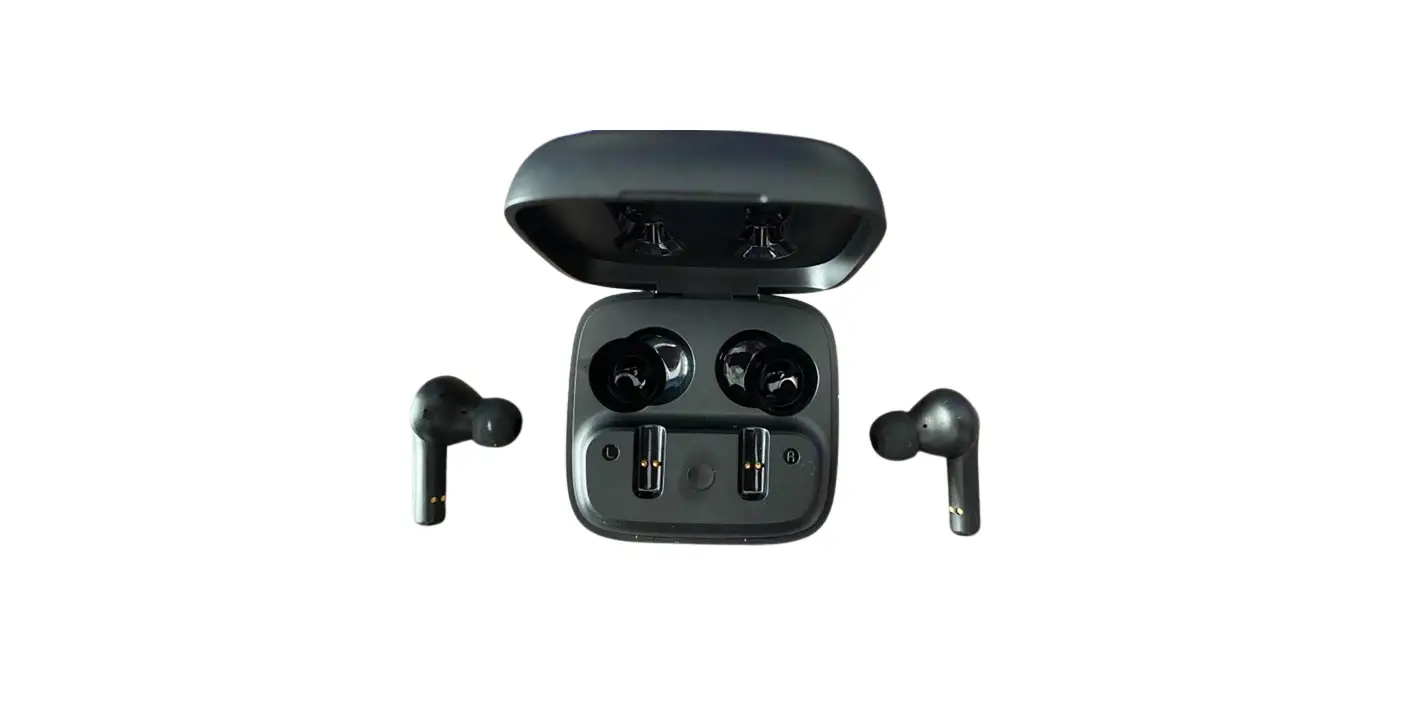
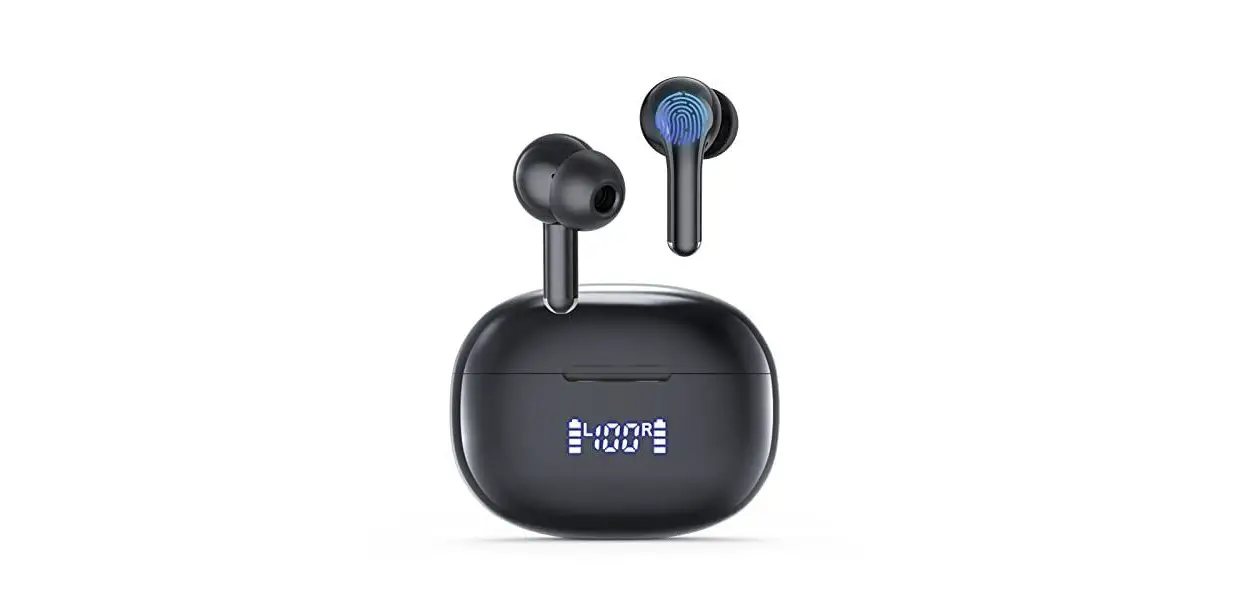
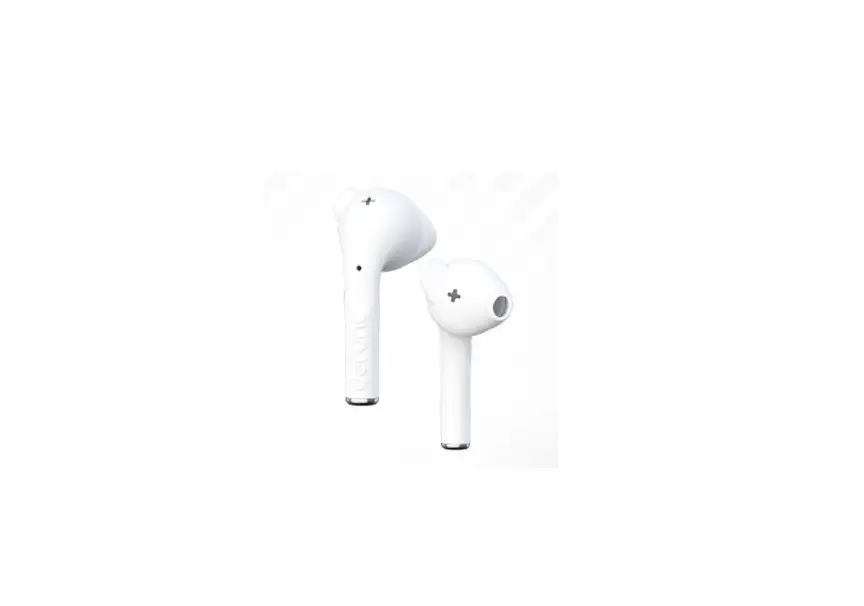
Genie 10 true Wireless Earbuds

 [email protected]
 [email protected]
Contact us for any questions:
- Fit issue
- Pairing issue
- Cut-in/Cut-off issue
- Sound quality
- Call issue
- Battery/Charging issue
- Quality related issue
- Others
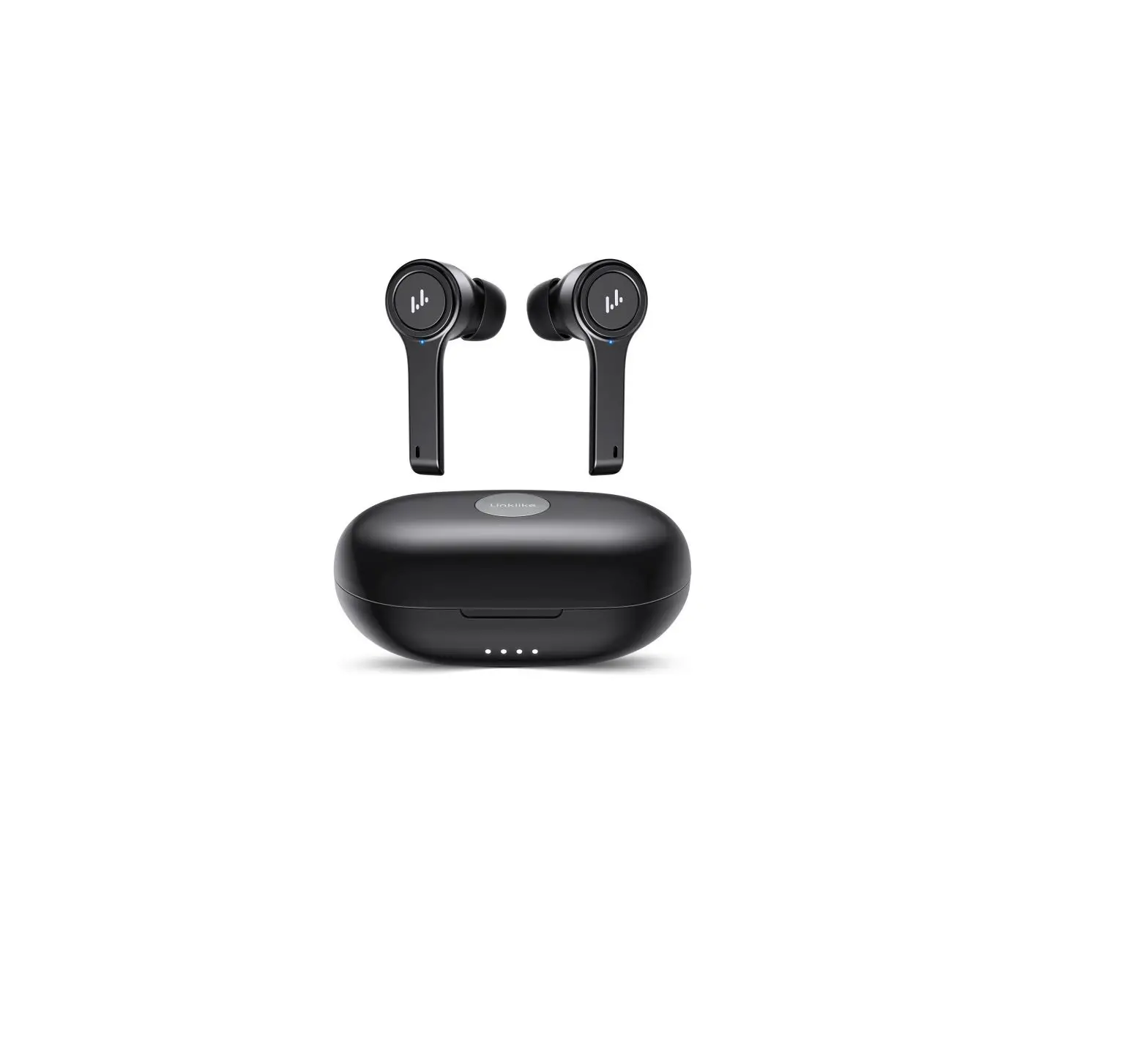
PRODUCT OVERVIEW
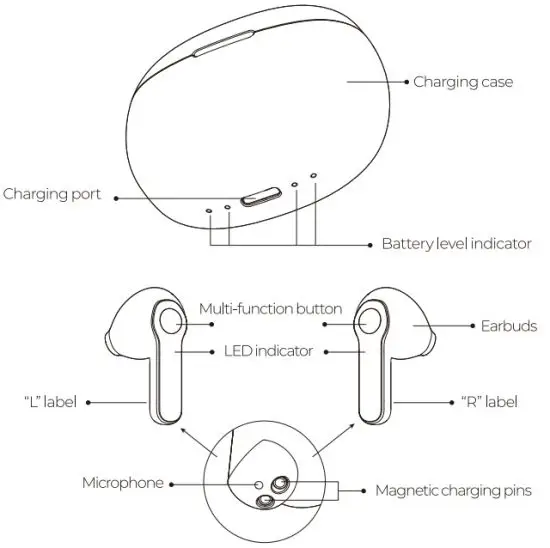
CHARGING
Before the first-time use, please fully charge the earbuds and the charging case. Simply check the battery status of the charging case by flashing the LED indicators.
Charging the Charging Case
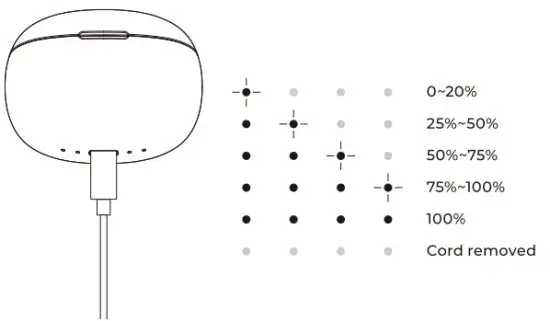
To charge the charging case, connect the USB-C charging cable to the charging case and then to an adapter (not included). It takes approx.1.5 hours to fully charge the charging case.
When the charging case is being charged, the battery level indicator on the charging case shows the charging case’s battery level as below
Charging the Earbuds
- When the earbuds are being charged, the battery level indicator on the charging case shows the charging case’s battery level. After 4 seconds, the lights will turn off.
- To charge the earbuds, please put them back into the charging case (the charging case must have a battery). It takes approx.1.5 hours to fully recharge the earbuds. Check the earbud’s battery status in your phone’s notification bar after connecting.
WEARING
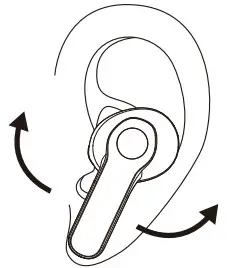
Step: 1 Please check the “R” and “L” labels on the earbuds.
Step: 2 Put the earbuds into the corresponding ears.
Step: 3 Try rotating the pod to make sure the pod fits comfortably and securely in the ear canal. Otherwise, the pod can easily fall off during a workout.
POWERING ON/OFF
Power On
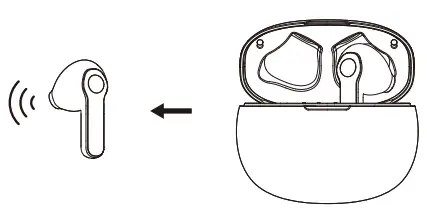
- Open the charging case, the earbuds will automatically power on (the charging case must have a battery).

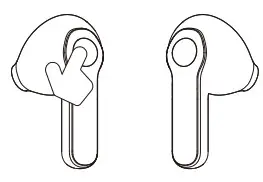
- To manually power on the earbuds, press and hold the multi-function buttons on both earbuds for about 3 seconds.
Power Off
- Put the earbuds back into the charging case and close the case, the earbuds will automatically power off (the charging case must have a battery).
- To manually power off the earbuds, press and hold the multi-function buttons on both earbuds for about 6 seconds.
- The earbuds will automatically power off when connected to no devices for more than 5 minutes; Put the earbuds back into the charging case, close and then open the case, and the earbuds will power on again.
- The earbuds will automatically power off when the battery is low.
WARRANTY CARD
Buyer Name:—————————————–
Phone Number:———————————–
Order ID:—————————————
Issue:——————————————
Date of Purchase:—————————
Address:————————————–
Warranty Period: ————–12 Months———————–
PAIRING
Initial Pairing
To pair smoothly, please connect the earbuds to your Bluetooth device within a 0.5 meters range. Before the first time use, please ensure that the earbuds are kept in the charging case properly.
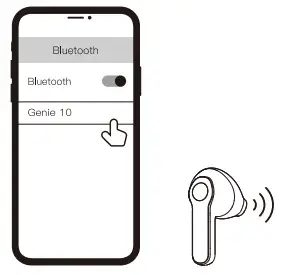
Step:1 Take both earbuds (Binaural mode) or one earbud (Single-use mode) out of the charging case, the earbuds will automatically power on, and complete TWS pairing. And then, the earbuds enter into Bluetooth connection mode and can be paired to your Bluetooth device.
Step: 2 Search and tap”Genie 10″ in your device’s Bluetooth settings to connect.
Re-connection
- When you open the charging case, the earbuds will automatically power on and try to reconnect to the most recently connected Bluetooth device.
Note: The Bluetooth device must be powered on and within the Bluetooth transmission range (33 ft. or 10 m). - When the Bluetooth device is beyond the transmission range for less than 5 minutes, the earbuds can complete auto re-connection. If the re-connection fails, please tap “Genie 10” in your device’s Bluetooth settings to connect.
- The earbuds will automatically power off when connected to no devices for more than 5 minutes.
LED INDICATOR
Status | LED Indicator |
| Power on | Flash while for 3 times |
| Power off | Flash red for 3 times |
| Pairing mode | Binaural mode: Right earbud slow flash white and red, the left earbud does not light up; Single-user mode: Slow flash white and red |
| Connected | LED Indicator lights off |
| Low battery | Flash red once every second |
TOUCH CONTROLS
Music | |
| Pause/ Play | Tap the multi-function button once |
| Previous track | Double-tap the multi-function button on the left earbud |
| Next track | Double-tap the multi-function button on the right earbud |
| Volume down | Press and hold the multi-function button on the left earbud for more than 1 second |
| Volume up | Press and hold the multi-function button on the right earbud for more than 1 second |
Calls | |
| Answer calls | Tap the multi-function button once |
| Hang up/ Reject calls | Press and hold the multi-function button for about 2 seconds |
| Activate voice assistant* | Triple tap the multi-function button |
RESET
Reset the earbuds If the earbuds can not connect with each other properly or cannot connect with your device properly.
Step: 1 Clear the pairing histonj of ‘Genie 10″ in your device’s Bluetooth Settings.
Step: 2 Press and hold the multi-function buttons on both earbuds for about 6 seconds to power off the earbuds.
Step: 3 Press and hold buttons on both earbuds for about 10 seconds, and then put the earbuds back into the charging case and close the case, the reset will be done.
Step: 4 Take the earbuds out of the charging case. Search and tap
“Genie10′ in your device’s Bluetooth settings to connect.
SPECIFICATIONS
| Name | True Wireless Earbuds |
| Model | Geniel0 |
| Bluetooth Version | 5.0 |
| Bluetooth Transmission Range | 510 m /Open areas without obstacles or interruption) |
| Charging Port | USB-C |
| Input | SV= 0.5A |
| Charging Case Capacity | 400 mAh /1.48 Wh |
| Charging Case Charging Time | -41.5 h |
| Earbud Battery Capacity | 45 mAh / 0.166 Wh |
| Earbud Charging Time | m1.5 h |
| Limited Charge Voltage | 4.2 V |
| Working Temperature | 0t-45″C |
| Storage Temperature | -10°C ^ 60 t |
Based on the test results of Link like Lab, for reference only.
WARNING
- Do not use a corrosive detergent to clean this product.
- Keep the product away from extremely high temperatures or humidity Do not let this product be heated, close to a fire, or placed in a fire, such as a cooking stove, to avoid fire hazards or explosion.
- The product does not Install any self-maintainable parts, do not remove or refit the headset for any reason.
- If you do not intend to use this product for a long period of time, please put the earbuds back into the charging case, store Them in a dry environment, and charge the earbuds at least once a month to prolong their life.
- Do not charge below zero degrees Celsius. Charging below zero degrees Celsius may damage the battery.
- Do not use the device in thunderstorm weather. Thunderstorms may cause abnormal operation of the device and increase the risk of electric shock
- Permanent hearing damage may occur when the earbuds are used at high volume levels for long periods of time.
- Do not use the product in situations that require focused attention (e.g. When driving or performing skilled Jobs).
- Please purchase or use a charger that has obtained CCC certification and is compliant with the applicable country’s safety standards.
- In order not to affect the normal use of this product, please use a USB-C charging adapter that is compliant with the applicable country’s safety standards.
- Keep the product, accessories, and packaging parts out of reach of children and pets to prevent accidents and choking hazards.
Battery Warning
1. Forbidden to disassemble, hit, crush or throw into fire. Do not place it in a high-temperature environment.
2. If the battery is improperly replaced, there is a risk of explosion, and only the same or equivalent type of battery can be replaced.
3. The battery (battery pack or assembled battery) shall not be exposed to such an overheated environment as sunlight, fire, and so on.
4. Forbidden to use the battery after soaking in water.
5. It contains a lithium battery, please separate it from household garbage. In order to reduce pollution and protect the global environment to the greatest extent, please recycle it.
6. If the battery is used improperly, it may explode or leak, causing burns or other personal injuries. If the battery leaks, you should be careful and immediately dispose of the battery in accordance with local battery disposal laws and regulations.
This device complies with Part 15 of the FCC Rules. Operation is subject to the following two conditions:(I) this device may not cause harmful interference, and (2) this device must accept any interference received, including interference that may cause undesired operation.
Changes or modifications not expressly approved by the party responsible for compliance could void the user’s authority to operate the equipment.
This equipment has been tested and found to comply with the limits for a Class B digital device, pursuant to Part 15 of the FCC Pules. These limits are designed to provide reasonable protection against harmful interference in a residential installation. This equipment generates uses and can radiate radio frequency energy and, if not installed and used in accordance with the instructions, may cause harmful interference to radio communications. However, there is no guarantee that interference will not occur in a particular installation. If this equipment does cause harmful interference to radio or television reception, which can be determined by turning the equipment off and on, the user is encouraged to try to correct the interference by one or more of the following measures:
— Reorient or relocate the receiving antenna.
— Increase the separation between the equipment and receiver.
— Connect the equipment into an outlet on a circuit different from that to which the receiver is connected.
— Consult the dealer or an experienced radio/TV technician for help This device complies with part 15 of the FCC rules. Operation is subject to the following two conditions (1)this device may not cause harmful interference, and (2) this device must accept any interference received, including interference that may cause undesired operation.
Link like (Shenzhen) Technology Co., Ltd.
ADD: PM1709, BLK C, Zhantao Technology BLDG, Minzhi Avenue, Minzhi ST, Longhua DIST, Shenzhen, China
Email us to enroll in our VIP program and gain an extra half a year warranty. linklike-audio.com [email protected] [email protected]
Link like is a trademark registered in the USA and other countries. All rights reserved.
Made in China