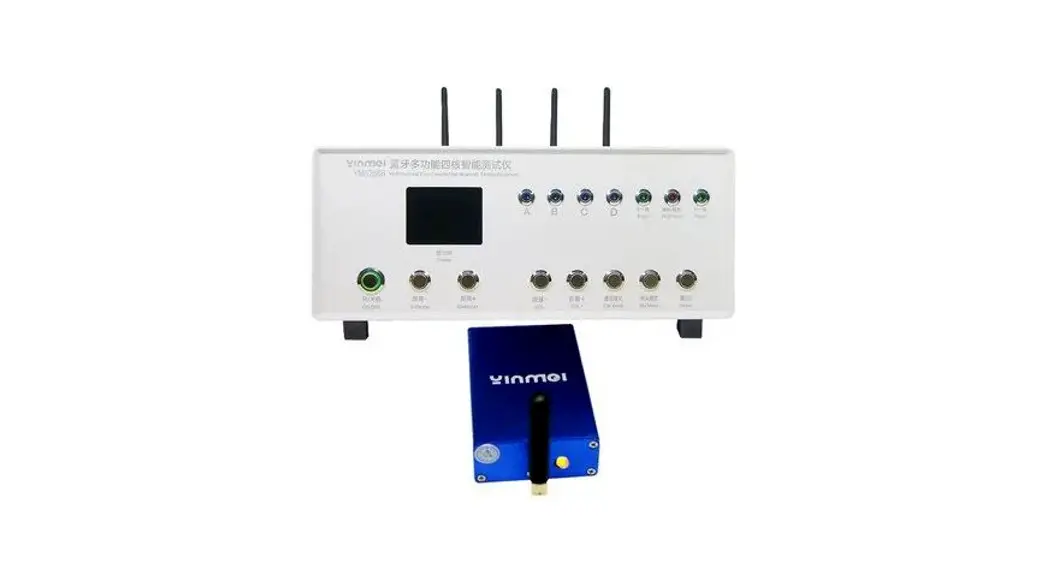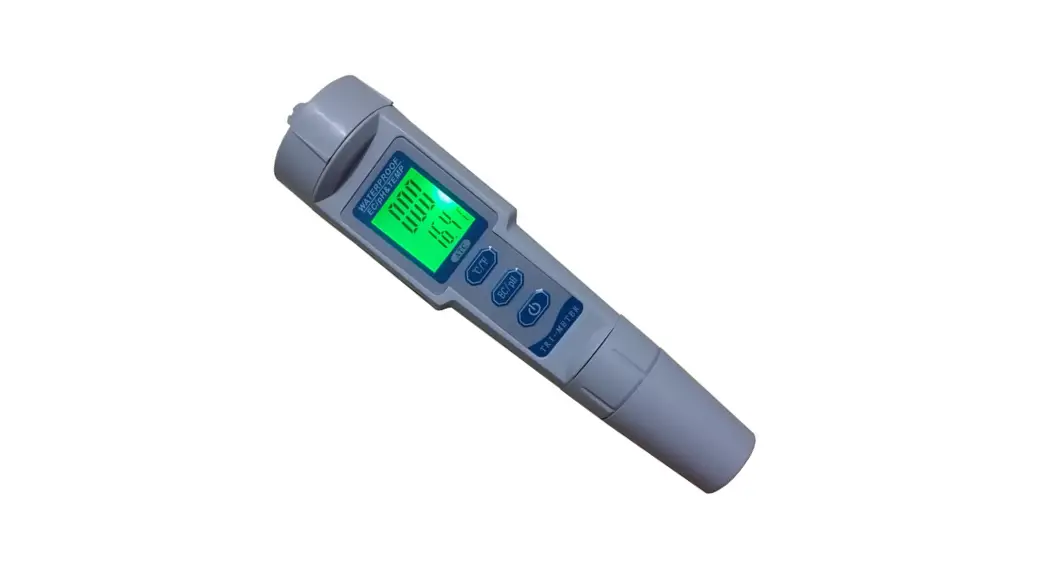

BLE-9909 Bluetooth 5 in 1 Water Quality Tester
Instruction Manual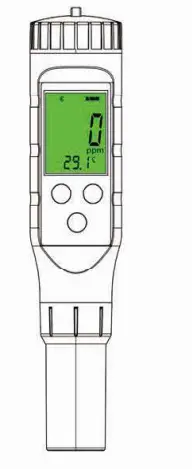
Water Quality Tester
PARAMETER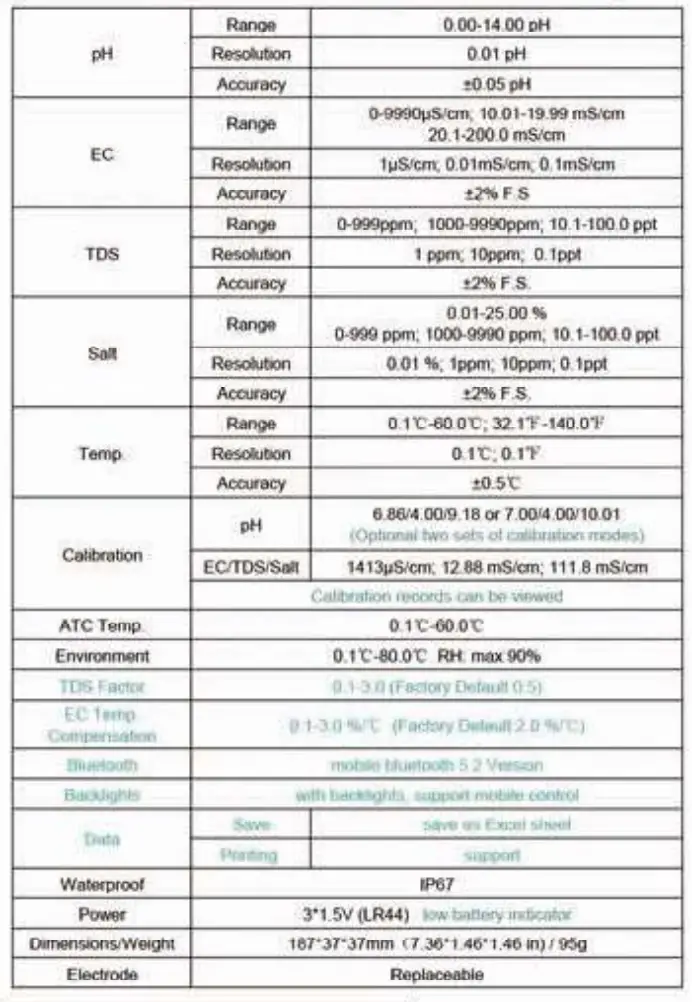
BUTTON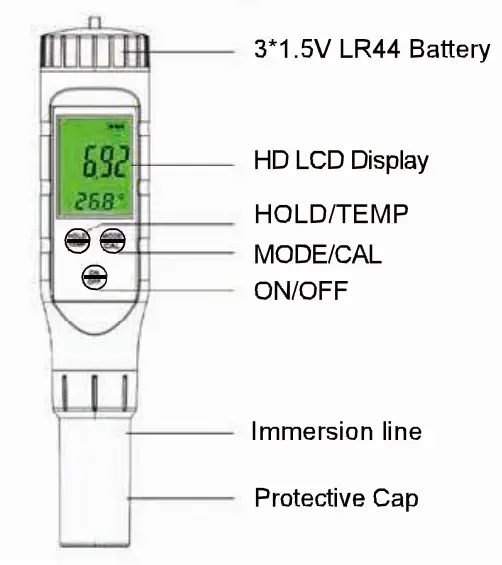
OPERATION
1. Scan the OR code to download the APP.
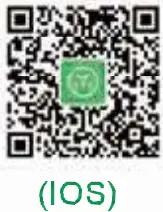 | 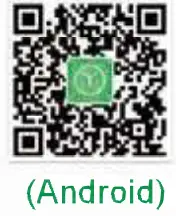 |
| http://www.zghuiquan.com/app/yinmik.apk | http://www.zghuiquan.com/app/yinmik.apk |
Click  can switch between Chinese and English.
Turn on the meter by pressing ‘ON/OFF°. S. Put the electrode into the testing solution. Waft until the testing is stabilized. Press the “MODE° button to convert Salinity, EC, TDS, and pH Mode. Press “HOLD/TEMP’ to HOLD the testing. long-press the ‘HOLD/TEMP’ button to convert temperature between and.
Bluetooth Function:
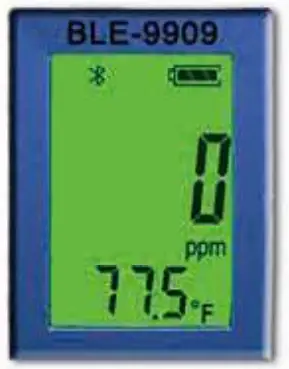
long press ‘ON/OFF” , which will display on the screen. Open the APP, APP will match the meter model automatically.
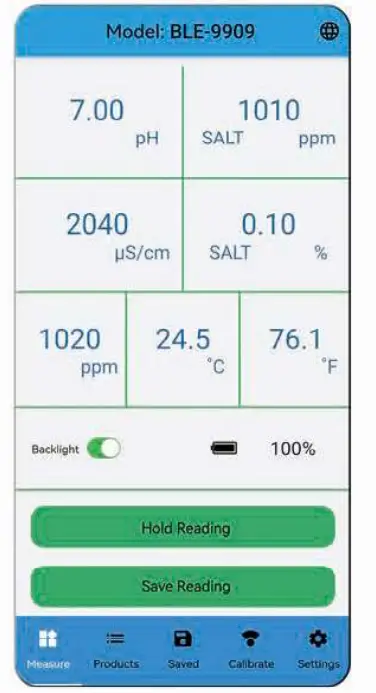
Press  in APP, All testing results (pS/cm/ppm/%/pH/t/T) can be viewed on the APP. The model number is displayed on top of the screen.
 | 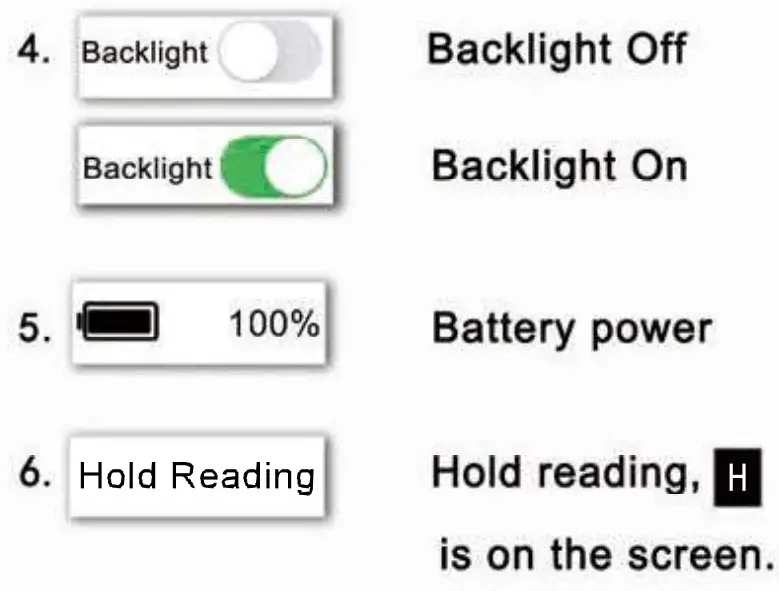 |  |
 |  |  |
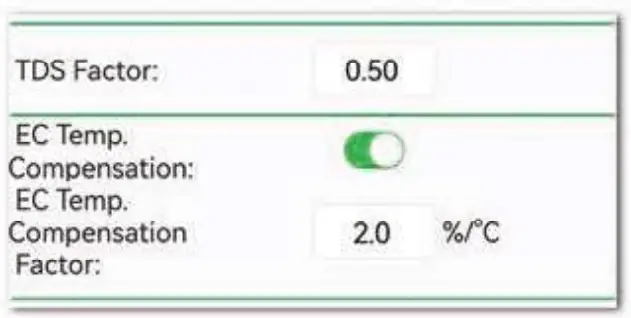
9. Set pH/EC Max or Mln Limit values according to the user’s requirement. If testing results are out of range, the digits will display in red.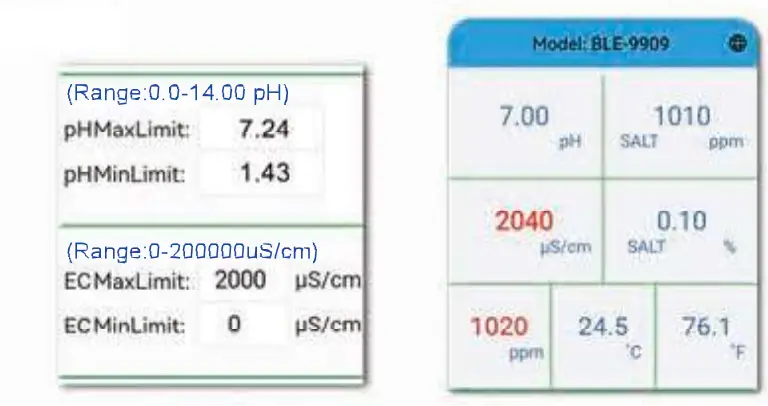 10. Set TDS Factor: Factory default 0.5; The ids MUM Of 0.0-3.0 can be set. Set EC temperature compensation Factor: Factory default 2.0 %ft; The EC Temperature factor of 0.0-3.0%/t can be set.
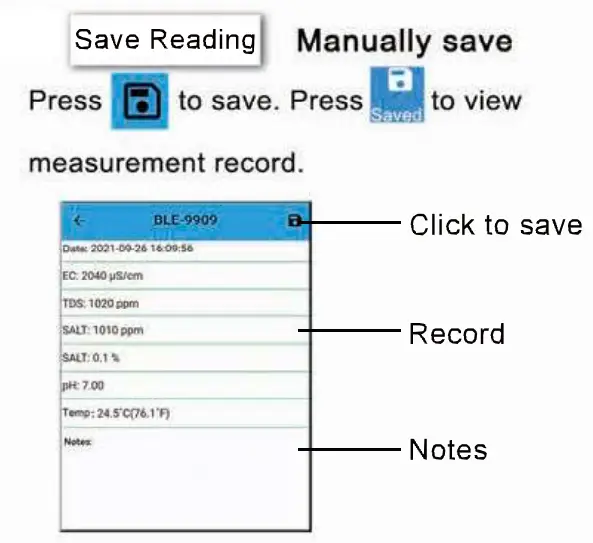
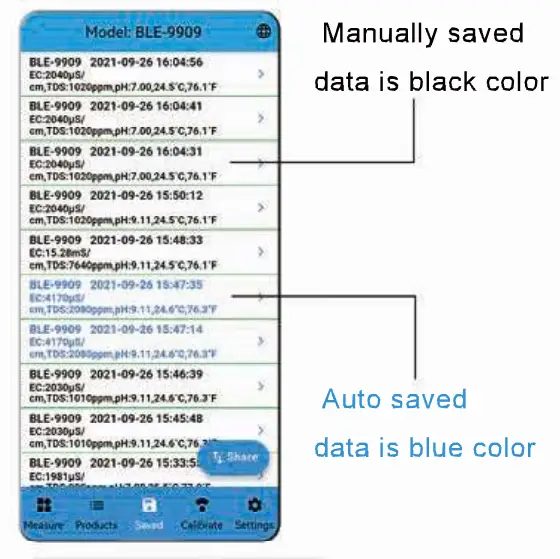
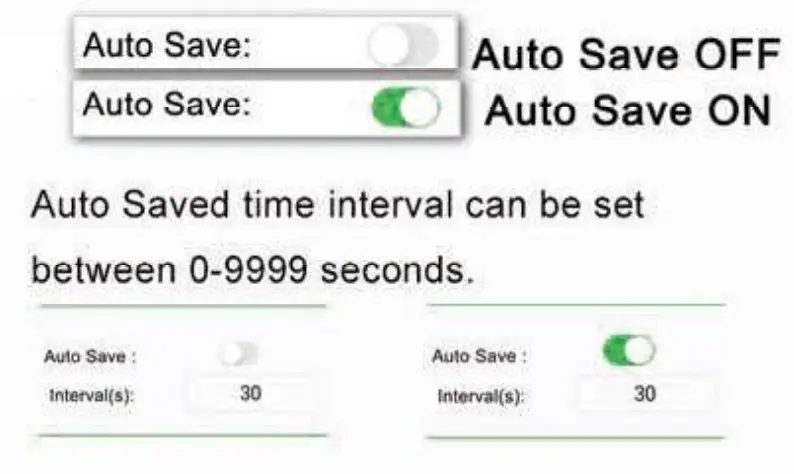
 11.Save/Shere and Print ‘, Press
 to view records. Press
  to share the file. If connect to the printer, the testing records can be printed.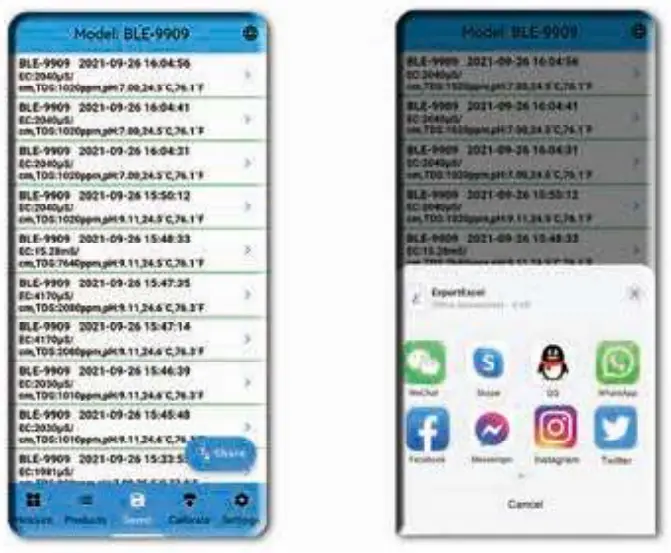
 ph Solution: Dissolve each buffer solution into 3 cups which is filled with 250m1 distilled water. Convert to p1-1 mode.
- Put electrode into 6.88 solutions; Wait until the testing is stabilized. press ‘CAL” for 5 seconds, release button; Wait for 6.86 flashes 3 times, finished 8.86 calibrations.
- Put electrode into 4.00 solution: Wait until the testing is stabilized, press ‘CAL” for 5 seconds, release button; Wait for 4.00 flash 3 times, finished 4.00 calibration.
- Put electrode into 9.18 solution; Wait until the testing is stabilized, press ‘CAL” for 5 seconds, release button; Wait for 9.18 flash 3 times, finished 9.18 calibration.
7.00/4.00/10.01 are the same calibration steps. 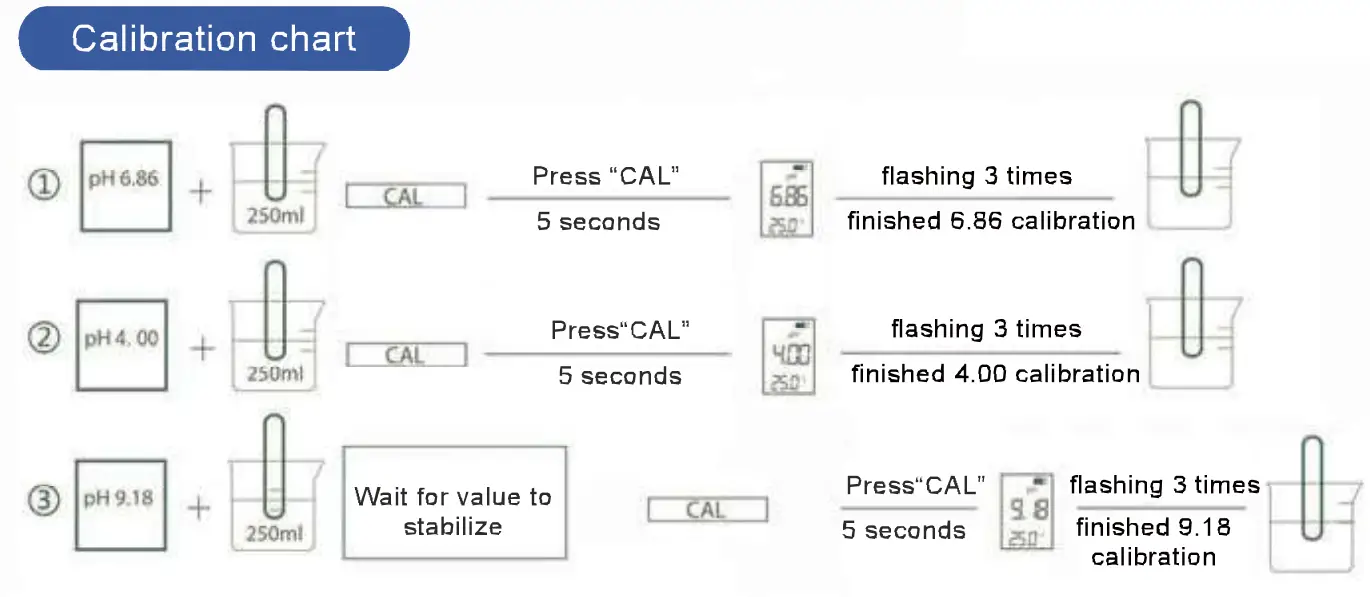
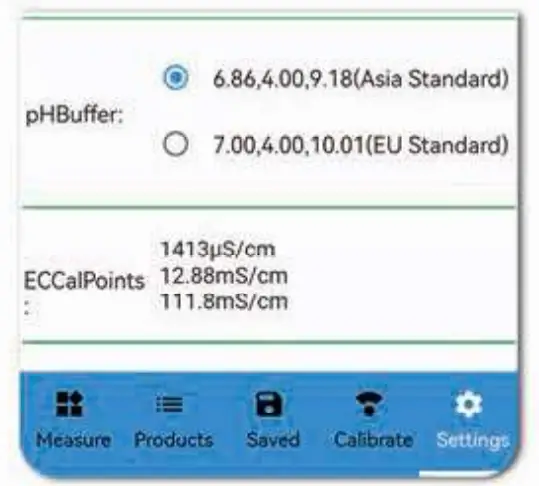
There have two sets of calibration points: 6.86/4.0019.18 and 7.0014.00110.01. It can be chosen in 
 Press
Press  can view calibration records.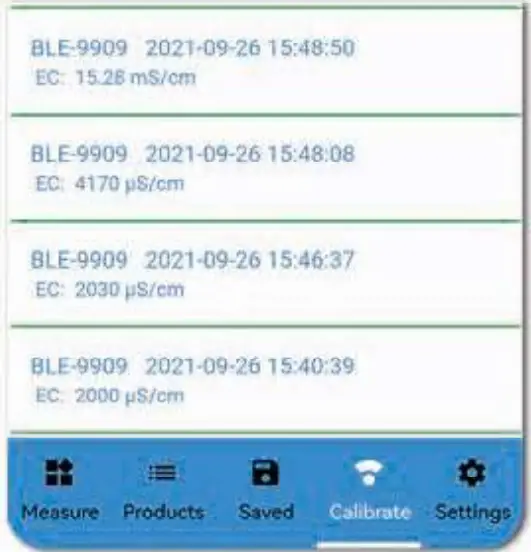
TDS/EC/SALT I CALIBRATION
1413up S/cm Calibration
- Press,
 convert to EC Mode
- Put electrode into 1413pS/cm standard solution. wait until the testing is stabilized, press for 5 seconds, the screen displays the testing values. Press
 up arrow to add digits. Press down arrow to reduce digits until the showing digit is 1413. Release key.
 - 1413 flashes 3 times. finished 1413 calibration.
- Clean electrode with distilled water.
 convert to EC Mode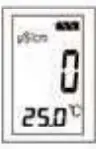
 up arrow to add digits. Press down arrow
 12.88mS/cm Calibration
- Press convert to EC Mode
- Put electrode into 12.88mS/cm s and d solution. wait until the testing is stabilized, press for 5 seconds, screen d splays the 1/4″
- testing values. Press up arrow to add digits. Press down arrowto reduce digits until the showing digit is 12.88. Release Key.
- 12.88 flashes 3 times, finished 12.88 calibrations.
- Clean electrode with distilled water.
Please choose a standard solution that is close to your test solution for EC calibration.
111.8mS/cm Calibration
- Press,` convert to EC Mode.
- Put electrode into 111.8mS/cm standard solution, wait until the testing is stabilized. pressfor 5 seconds. the screen displays the ae testing values. Press up arrow to add digit. Press down arrow to reduce digits until the showing digit is 111.8. Release Key.
- 111.8 flashes 3 times, finished 111.8 calibrations.
- Clean electrode with distilled water.
WARRANTY’
Meter warranty time: 12 months Electrode warranty time: 6 months During the warranty period, the meter will be repaired or replaced free of charge due to damage caused by the meter quality.
The following are not covered by the warranty:
- Damaged by wrong use or self-assembly or repair.
- Damaged by the human factors.
- Damaged by force majeure.
This device complies with part 15 of the FCC Rules. Operation is subject to the following two conditions: (1) this device may not cause harmful interference, and (2) this device must accept any interference received, including interference that may cause undesired operation. Any changes or modifications not expressly approved by the party responsible for compliance could void the user’s authority to operate the equipment.
NOTE: This equipment has been tested and found to comply with the limits for a Class B digital device, pursuant to Part 15 of the FCC Rules. These limits are designed to provide reasonable protection against harmful interference in a residential installation. This equipment generates, uses, and can radiate radio frequency energy and, if not installed and used in accordance with the instructions, may cause harmful interference to radio communications. However, there is no guarantee that interference will not occur in a particular installation. If this equipment does cause harmful interference to radio or television reception, which can be determined by turning the equipment off and on, the user is encouraged to try to correct the interference by one or more of the following measures:
— Reorient or relocate the receiving antenna.
— Increase the separation between the equipment and receiver.
— Connect the equipment into an outlet on a circuit different from that to which the receiver is connected.
— Consult the dealer or an experienced radio/TV technician for help.
The device has been evaluated to meet general RF exposure requirements. The device can be used in portable exposure conditions without restriction FCC ID: