
User Guide
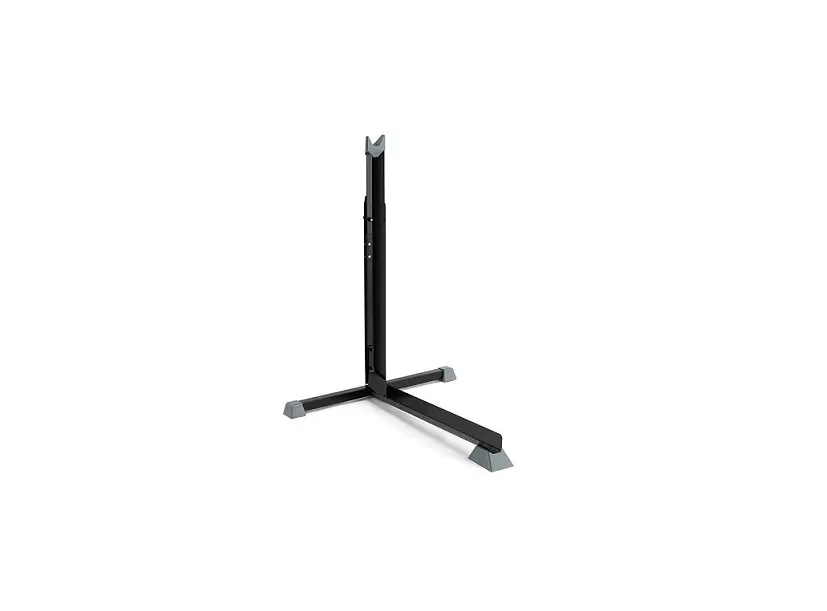
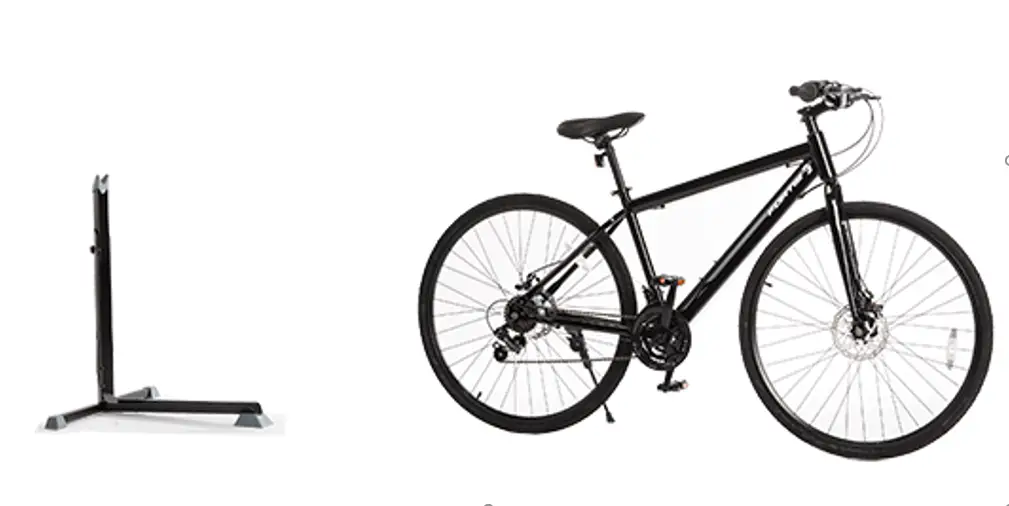
Free-Standing Bike Storage Rack
KABKSTFREEA
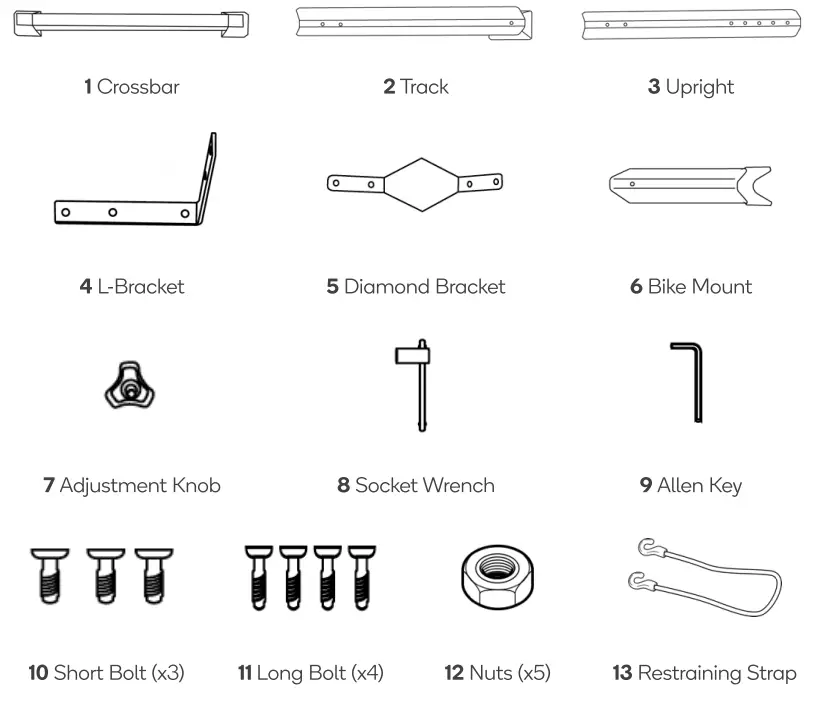
COMPONENTS
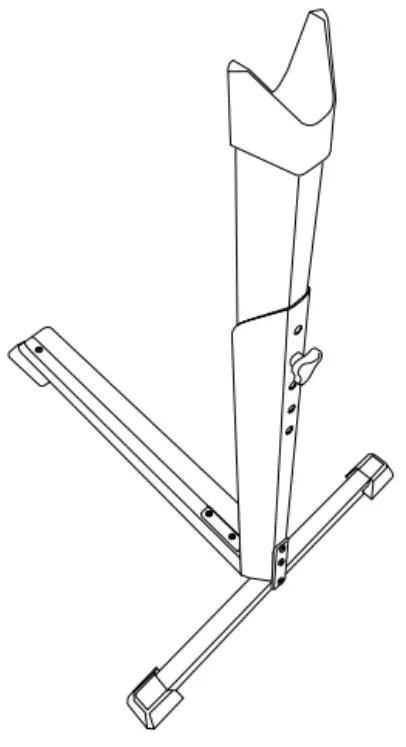
ASSEMBLY
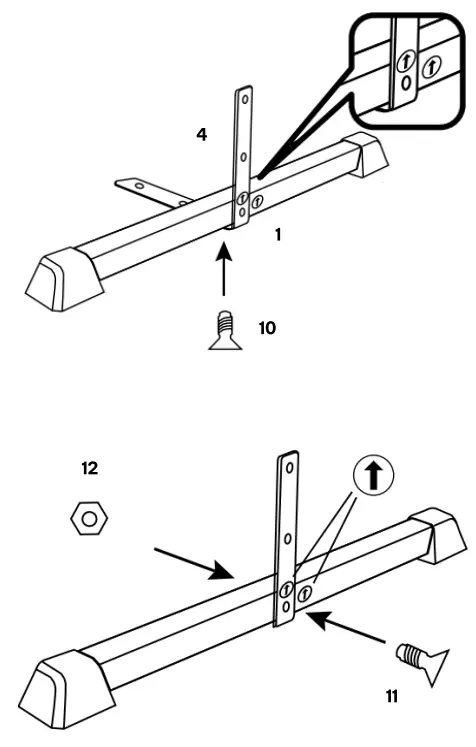
Step 1: Attaching L-Bracket to Crossbar
- Align the arrow on the L-Bracket (4) with the arrow on the Crossbar (1).
- Attach the L-bracket (4) to the Crossbar (1) with a Short Bolt (10) then tighten using the Allen Key.
- Secure the L-bracket (4) in place with a Long Bolt (11) and Nut (12) then tighten using the Allen Key and Socket Wrench.
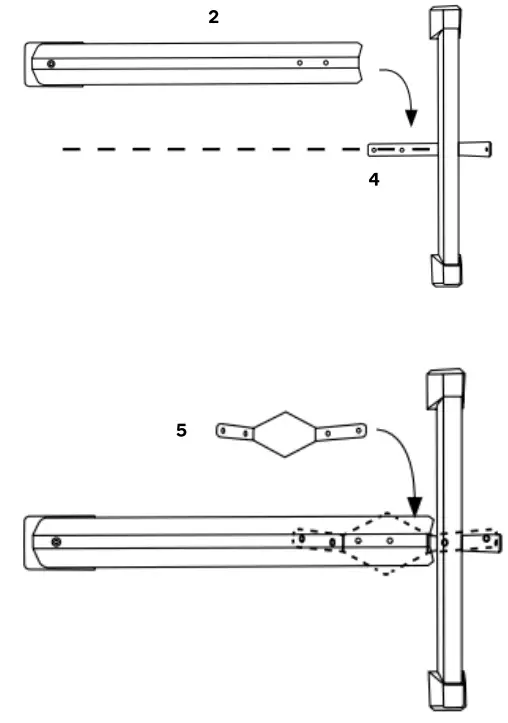
Step 2: Attach the Track to the Crossbar
- Place the Track (2) on top of the L-Bracket (4) and then align the holes on the Track (2) with the holes on the L-Bracket (4).
- Place the Diamond Bracket (5) on top of the Track (2) and ensure the holes on the Diamond Bracket (5), Track (2), and L-Bracket (4) are all aligned.
Step 3: Secure the Diamond Bracket (5) in place with 2 Long Bolts (11) and 2 Nuts (12) and tighten using the Allen Key and Socket Wrench.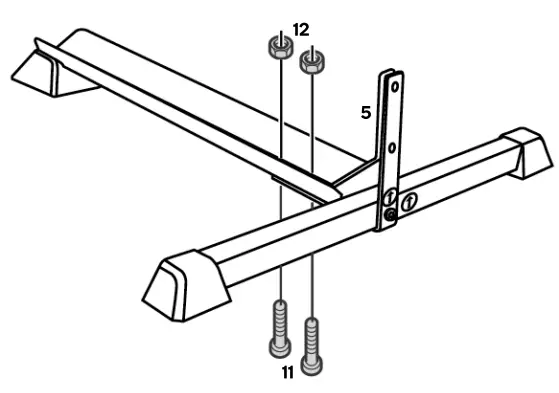 Note: ensure the Diamond Bracket and L-Bracket are parallel to each other with a gap between them.
Step 4: Attach the Upright to the Crossbar
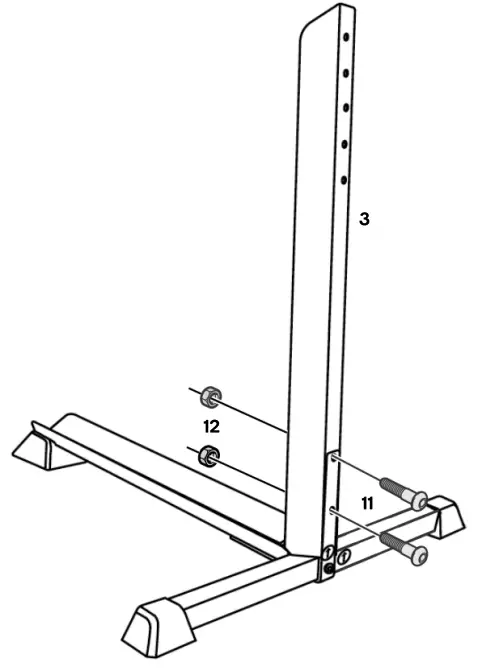
- Place the Upright (3) in the gap between the Diamond Bracket (5) and the L-Bracket (4).
- Ensure the holes in the Diamond Bracket (5), the Upright (3), and the L-Bracket (4) are all aligned.
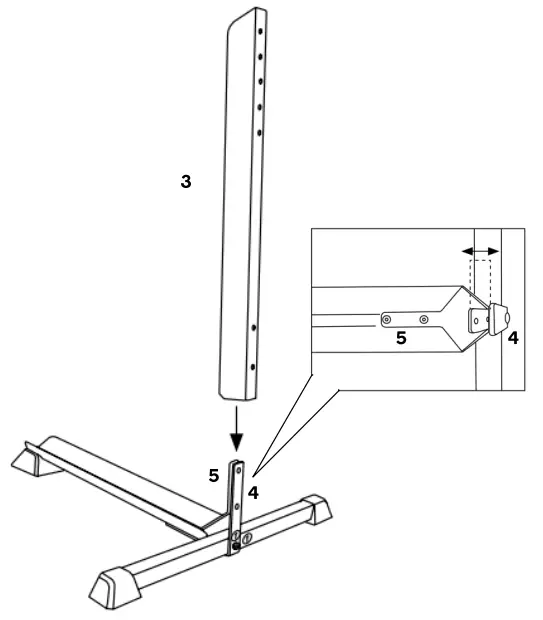
Step 5: Secure the Upright (3) in place with 2 Long Bolts (11) and 2 Nuts (12) and tighten using the Allen Key and Socket Wrench.
Step 6:
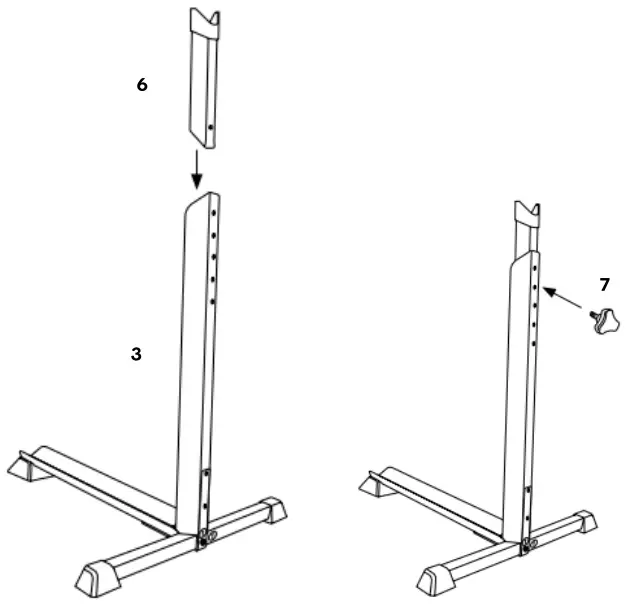
- Insert the Bike Mount (6) into the Upright (3).
- Adjust the Bike Mount to the desired height of your bike and secure it in place using the Adjustment Knob (7).
OPERATION
Storing Your Bicycle Horizontally
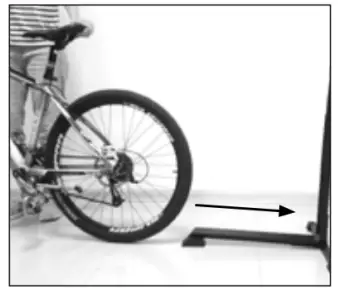
- Position the rear wheel of the bicycle facing the storage rack.
- Roll the rear wheel of the bicycle over the ramp and up onto the track until the rear wheel makes contact with the upright.
Storing Your Bicycle Vertically
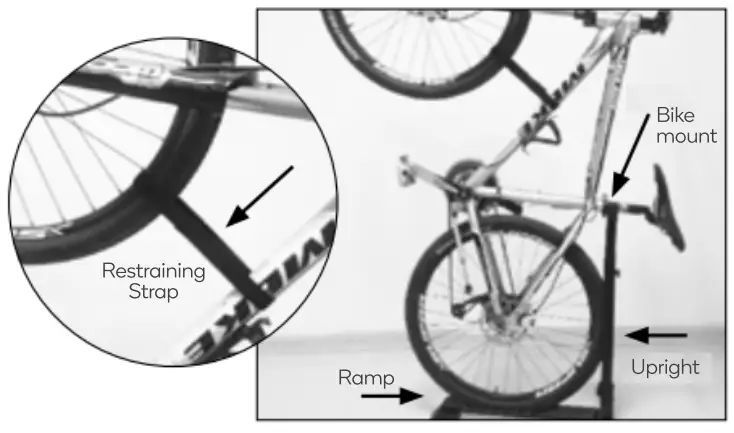
To store the bicycle in a vertical position, lift the front wheel upwards and place the seat post in the slot on top of the bike mount.
Important: Ensure that the bicycle is stable and rests securely on the bike mount. If not, return the bicycle to the horizontal position and adjust the height of the bike mount.
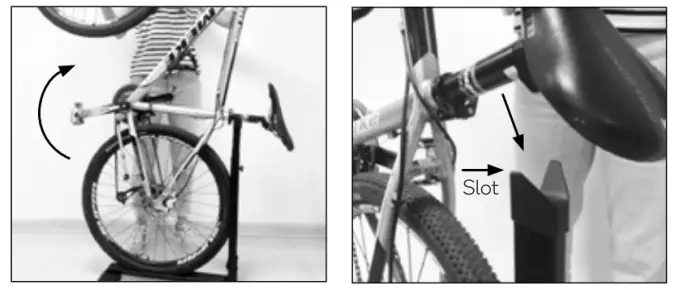
Use the Restraining Strap (13) to secure the front wheel to the bike frame.
Important: When storing the bicycle in the vertical position, ensure that the bike mount is set at a height so that the weight (and center of gravity) of the bicycle leans towards the upright and not the ramp.
Need more information?
We hope that this user guide has given you the assistance needed for a simple setup.
For the most up-to-date guide for your product, as well as any additional assistance you may require, head online to
help.kogan.com