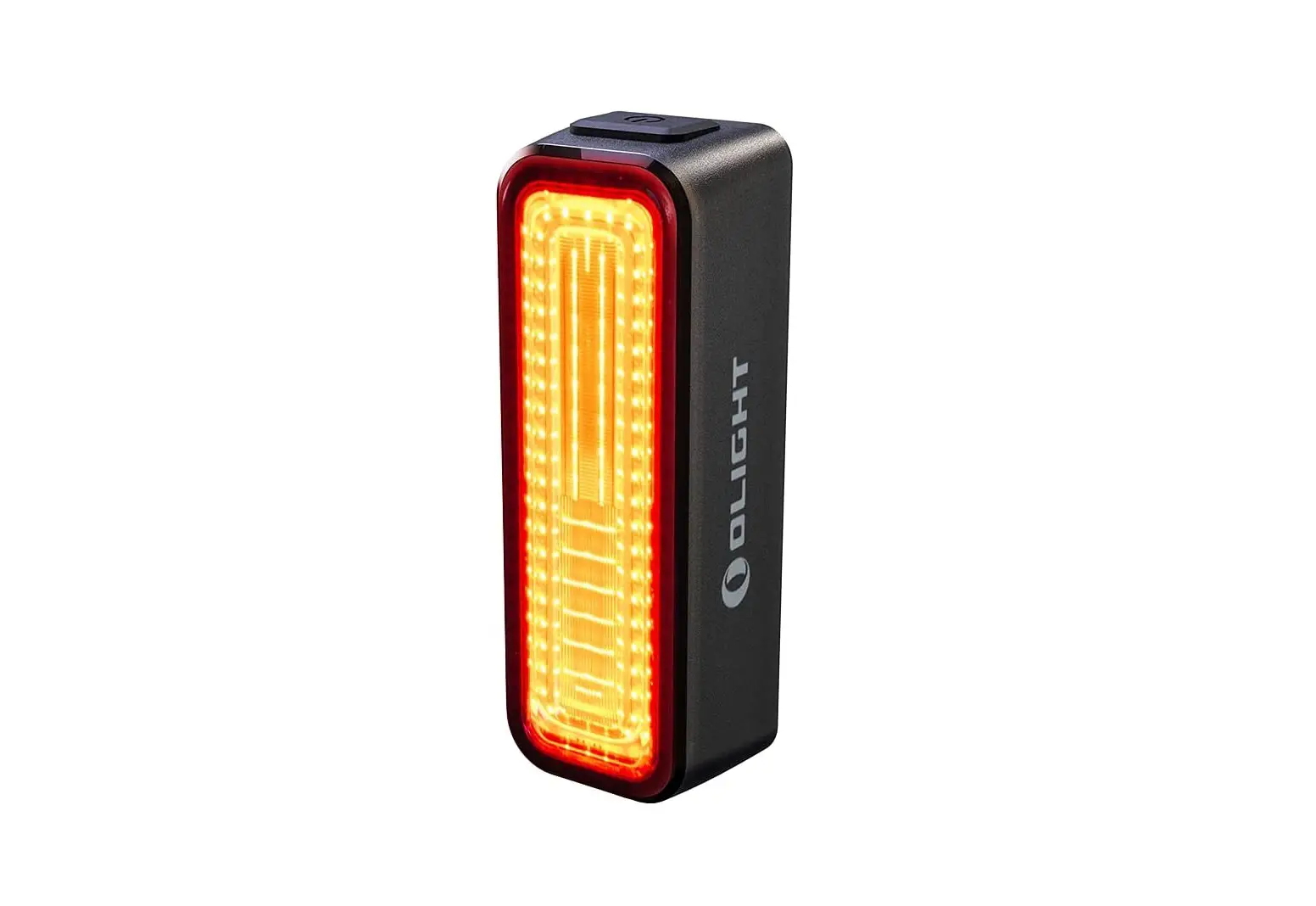
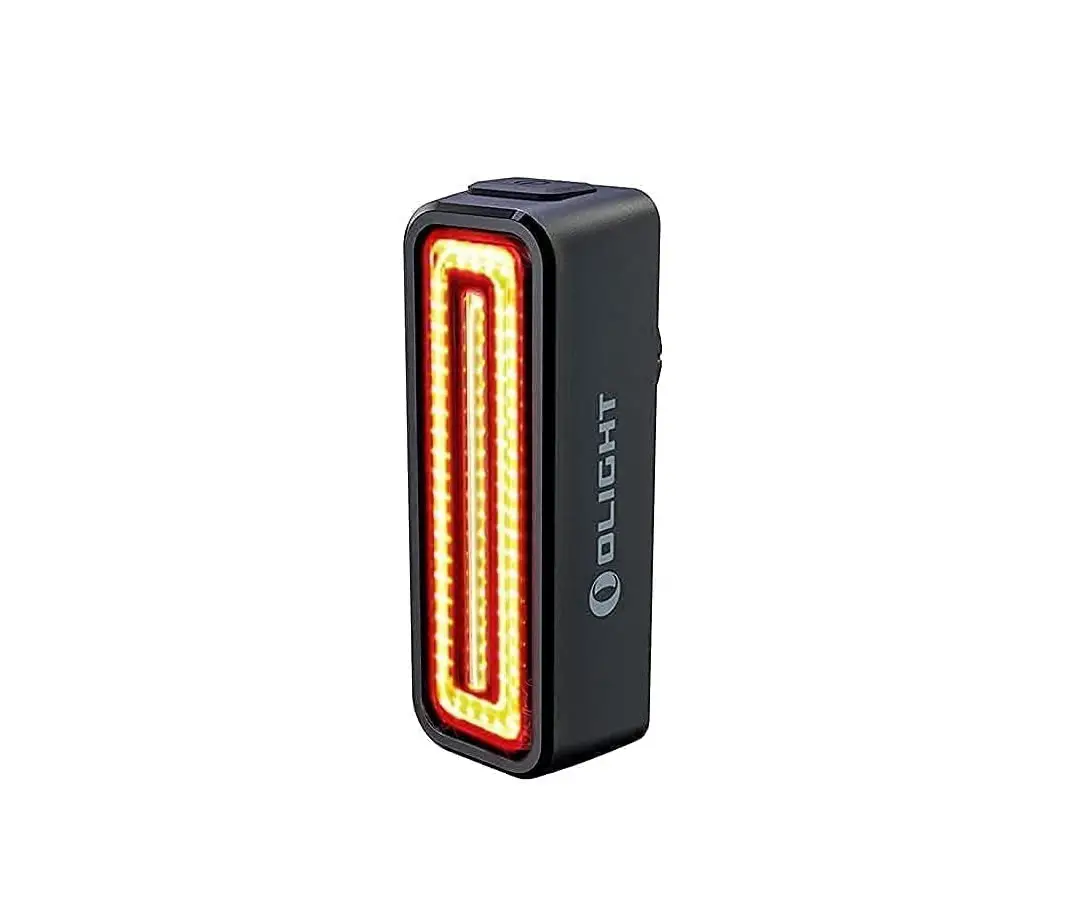
Solas 250 Taillight
SolasTM 250 Taillight User Guide – English
Parts List and Identification
Please verify the contents of your SolasTM 250 lighting
system:
- A. SolasTM 250 Taillight
- B. Rubber Seat Post Strap Mount
- C. USB Charging Cable
Mounting the Rubber Seat Post Strap Mount
The Rubber Seat Post Strap Mount (RSPSM) is designed to fit onto
most standard seat posts.
- Position RSPSM with Mounting Rails facing towards the rear of
the bike. Release Tab should be facing downward. - While holding mount in position, pull rubber strap out and
around seat post, ensuring even tension throughout the length of
the strap. - Hook rubber strap using the appropriate notch and secure into
position.
Mounting the Taillight onto the Rubber Seat Post Strap
Mount
- With the taillight facing rearward, align Clothing Clip of
light to Mounting Rails of RSPSM. Slide light downwards within the
rails until tab engages and locks into place. - Test for a secure fitment by pushing light upward, ensuring
there is no movement and that the Lock Tab has engaged into the
Clothing Clip. Do not push the release tab when testing for a
secure fitment. - To remove taillight from RSPSM, depress Release Tab and slide
light upward.
Note: After mounting the taillight, adjust angle to achieve
maximum visibility.
Operation
Unplug light from charger before use.
- A single press of the power button will power up the
taillight. - Press power button to go through flashing and steady light
modes. - To power off, press and hold power button. Low battery
indicator will appear. See FIG.5.
Run Times
Low battery indicator will light up blue when battery levels are
greater than 20%. When battery levels are below 20%, the indicator
will light up red.
Battery Charging and Care
- Plug the USB Charging Cable into the USB port located on the
bottom of the light. Then plug the other end into a powered-on
computer or directly to a wall outlet using an AC adapter (not
included). - The LED indicator in the power button will light up red while
the battery is charging. When the battery is fully charged, the LED
will change to blue. - Unplug the AC Adapter from the taillight by grasping the
connectors rather than the cable. - It is good practice to store your taillight away with a full
charge. For extended periods, charge the taillight every three
months to maximize its lifespan.
Charge times may vary.
Protecting Your Investment
Properly charge your battery to maximize its lifespan (see the
Battery Charging and Care section for detailed information). The
SolasTM 250 will perform in wet weather conditions, but submerging
it in water will damage the system. To prevent water damage, ensure
USB port cover remains tightly sealed while operating your
taillight.
For complete warranty information, please visit our website at
www.NiteRider.com
SolasTM 250 Taillight Guía del Usuario – Español
Lista de Piezas e Identificación
Verifique el contenido de su sistema de iluminación SolasTM
250:
- A. SolasTM 250 Luz Trasera
- B. Montaje de Correa de Asiento de Goma
- C. Cable de Carga USB
Montaje del Asiento de Goma Post Correa de Montaje
El Montaje de Correa de Asiento de Goma (RSPSM) está diseñado
para adaptarse a la mayoría de los postes de asiento estándar.
- Posicione RSPSM con los Rieles de Montaje orientados hacia la
parte trasera de la bicicleta. La pestaña de liberación debe estar
hacia abajo. - Mientras mantiene el montaje en posición, tire de la correa de
goma alrededor del poste del asiento, asegurando una tensión
uniforme a lo largo de la longitud de la correa. - Gancho la correa de goma utilizando la muesca adecuada y
asegúrela en su posición.
Montaje de la Luz Trasera en el Asiento de Goma
- Con la luz trasera mirando hacia atrás, alinee el Clip de Ropa
de la luz con los Rieles de Montaje de RSPSM. Deslice la luz hacia
abajo dentro de los rieles hasta que la pestaña se enganche y se
bloquee en su lugar. - Compruebe un ajuste seguro empujando la luz hacia arriba,
asegurándose de que no haya movimiento y que la pestaña de bloqueo
se haya enganchado en el Clip de Ropa. No presione la pestaña de
liberación al probar un ajuste seguro. - Para quitar la luz trasera de RSPSM, presione la pestaña de
liberación y deslice la luz hacia arriba.
Nota: Después de montar la luz trasera, ajuste el ángulo para
lograr una máxima visibilidad.
Funcionamiento
Desenchufe la luz del cargador antes de usarla.
- Un solo toque del botón de encendido encenderá la luz
trasera. - Pulse el botón de encendido para pasar por los modos de luz
intermitente y luz fija. - Para apagar, mantenga presionado el botón de encendido.
Aparecerá el indicador de batería baja. Ver figura 5.
Tiempos de Funcionamiento
El indicador de batería baja se iluminará en azul cuando los
niveles de batería sean superiores al 20%. Cuando los niveles de
batería estén por debajo del 20%, el indicador se iluminará en
rojo.
Carga y Cuidado de la Batería
- Conecte el cable de carga USB al puerto USB ubicado en la parte
inferior de la luz. Luego, conecte el otro extremo a una
computadora encendida o directamente a una toma de corriente con un
adaptador de CA (no incluido). - El indicador LED en el botón de encendido se iluminará en rojo
mientras la batería se está cargando. Cuando la batería esté
completamente cargada, el LED cambiará a azul. - Desenchufe el adaptador de CA de la luz trasera sujetando los
conectores en lugar del cable. - Es recomendable almacenar su luz trasera con una carga
completa. Para períodos prolongados, cargue la luz trasera cada
tres meses para maximizar su vida útil.
Los tiempos de carga pueden variar.
Protección de su Inversión
Cargue correctamente su batería para maximizar su vida útil
(consulte la sección Carga y Cuidado de la Batería para obtener
información detallada). El SolasTM 250 funcionará en condiciones de
clima húmedo, pero sumergirlo en agua dañará el sistema. Para
evitar daños por agua, asegúrese de que la cubierta del puerto USB
permanezca bien sellada mientras utiliza su luz trasera.
Para obtener información completa sobre la garantía, visite
nuestro sitio web en www.NiteRider.com
SOLASTM 250 TAILLIGHT USER GUIDE – ENGLISH
NITERIDER® INITIATIVE In 2012, NiteRiders’ initiative campaign “Lights 4 Lives” dramatically improved the cycling landscape; sparking awareness for the need to use bike lights for both Day and Nightime riding. Since then, Daytime Visibility for cycling has been gaining more traction, instilling the idea of added safety for avid cyclists in an age of multi-tasking drivers.
PARTS LIST AND IDENTIFICATION Please verify the contents of your SolasTM 250 lighting system: A. SolasTM 250 Taillight B. Rubber Seat Post Strap Mount C. USB Charging Cable
MOUNTING THE RUBBER SEAT POST STRAP MOUNT SEE
The Rubber Seat Post Strap Mount (RSPSM) is designed to fit on to most standard seat posts. 1. Position RSPSM with Mounting Rails facing
towards the rear of the bike. Release Tab should be facing downward. 2. While holding mount in position, pull rubber strap out and around seat post, ensuring even tension throughout the length of the strap. 3. Hook rubber strap using the appropriate notch and secure into position.
MOUNTING THE TAILLIGHT ONTO THE RUBBER SEAT POST STRAP MOUNT SEE
1. With the taillight facing rearward, align Clothing Clip of light to Mounting Rails of RSPSM. Slide light downwards within the rails until tab engages and locks into place.
2. Test for a secure fitment by pushing light upward, ensuring there is no movement and that the Lock Tab has engaged into the Clothing Clip. Do not push the release tab when testing for a secure fitment.
3. To remove taillight from RSPSM, depress Release Tab and slide light upward.
Note: After mounting the taillight, adjust angle to acheive maximum visibility
OPERATION SEE
Unplug light from charger before use 1. A single press of the power button will power up
the taillight. 2. Press power button to go through flashing
and steady light modes. 3. To power off, press and hold power button. Low
battery indicator will appear. See FIG.5.
RUN TIMES SEE
LOW BATTERY INDICATOR SEE
When powering off, it will light up blue when battery levels are greater than 20%. When battery levels are below, less than 20%, the Indicator will light up red.
BATTERY CHARGING AND CARE SEE
1. Plug the USB Charging Cable into the USB port located on the bottom of the light. Then plug the other end into a powered-on computer or directly to a wall outlet using an AC adapter (not included).
2. The LED indicator in the power button will light up red while the battery is charging. When the battery is fully charged, the LED will change to blue.
3. Unplug the AC Adapter from the taillight by grasping the connectors rather than the cable.
4. It is good practice to store your taillight away with a full charge.
For extended periods, charge the taillight every three months to maximize its lifespan.
CHARGE TIMES 4:00h *Charge times may vary.
OPTIMAL VIZ WITH NITERIDER® While a SolasTM 250 lighting system will improve and increase your overall visibility and enjoyment of riding, please remember that cycling can be an inherently dangerous activity. In addition to using your lighting system properly and riding with extreme caution, NiteRider® urges you to: · Obey your local traffic laws · Always let someone know where you are going · Wear a helmet, highly visible and reflective clothing · Carry an auxiliary light and emergency supplies · Make sure the taillight and seat post strap mount
are securely fastened · Fully charge your taillight after use to exercise
good battery health
PROTECTING YOUR INVESTMENT Properly charge your battery to maximize its lifespan (see the “Battery Charging and Care” section for detailed information). The SolasTM 250 will perform in wet weather conditions, but submerging it in water will damage the system. To prevent water damage, ensure USB port cover remains tightly sealed while operating your taillight.
SUPPORT If you experience difficulties during product installation or operation, NiteRider® provides free telephone support on weekdays from 8:00 am to 4:30 pm (Pacific Time) at 800.466.8366, Ext 4. You may also e-mail us at [email protected].
WARRANTY NiteRider® stands behind its products with the following warranties: · Lifetime warranty: Covers any defects in material
and workmanship, mechanical components (housings, covers, mounts and fasteners) and LEDs · 2-year warranty: Printed circuit boards, switches, and AC adapters · 1-year Warranty: Rechargeable battery cells To obtain warranty service have your original sales receipt. Contact the NiteRider® Customer Service Department at 800.466.8366, Ext. 4 to obtain a Return Merchandise Authorization (RMA) number. The RMA number must be prominently displayed on the outside of your package. The product must be properly packaged to prevent damage in transit.
For International customers, please contact your local NiteRider® Distributor. Go to: niterider.com/pages/international-distributors
For complete warranty information, please visit our website at www.NiteRider.com
GUÍA DEL USUARIO SOLASTM 250 TAILLIGHT – ESPAÑOL
INICIATIVA NITERIDER® En 2012, la campaña de iniciativa de NiteRiders “Lights 4 Lives” mejoró dramáticamente el panorama del ciclismo; despertar la conciencia de la necesidad de usar luces de bicicleta para montar tanto de día como de noche. Desde entonces, la visibilidad diurna para el ciclismo ha ido ganando más tracción, inculcando la idea de mayor seguridad para los ciclistas ávidos en una era de conductores multitarea.
LISTA DE PIEZAS E IDENTIFICACIÓN Verifique el contenido de su sistema de iluminación SolasTM 250: A. Luz trasera SolasTM 250 B. Montaje de correa de poste de asiento de goma C. Cable de carga USB
MONTAJE DEL ASIENTO DE GOMA POST CORREA DE MONTAJE VER
El soporte de correa para poste de asiento de goma está diseñado para adaptarse a la mayoría de los postes de asiento estándar. 1. Coloque el montaje con los rieles de montaje
mirando hacia la parte trasera de la bicicleta. La lengüeta de liberación debe mirar hacia abajo. 2. Mientras sostiene el soporte en su posición, jale la correa de goma hacia afuera y alrededor del poste del asiento, asegurando una tensión uniforme a lo largo de la correa. 3. Enganche la correa de goma con la muesca adecuada y asegúrela en su posición.
MONTAJE DE LA LUZ TRASERA EN EL ASIENTO DE CAUCHO VER
1. Con la luz trasera mirando hacia atrás, alinee la pinza de la ropa con los rieles de montaje del montaje Deslice la luz hacia abajo dentro de los rieles hasta que la lengüeta encaje y encaje en su lugar.
2. Compruebe si hay un ajuste seguro empujando la luz hacia arriba, asegurándose de que no haya movimiento y que la lengüeta de bloqueo se haya enganchado en el clip para ropa. No presione la lengüeta de liberación cuando pruebe un accesorio seguro.
3. Para quitar la luz trasera del montaje, presione la pestaña de liberación y deslice la luz hacia arriba.
Nota: Después de montar la luz trasera, ajuste el ángulo para lograr la máxima visibilidad.
FUNCIONAMIENTO VER
Desenchufe la luz del cargador antes de usar 1. Una sola pulsación del botón de encendido
encenderá la luz trasera. 2. Presione el botón de encendido para pasar
por los modos de luz intermitente y constante. 3. Para apagar, mantenga presionado el botón de
encendido. Aparecerá el indicador de batería baja. Ver FIG.5.
TIEMPOS DE EJECUCIÓN VER
INDICADOR DE BATERÍA BAJA VER
Cuando se apaga, se iluminará en azul cuando los niveles de batería sean superiores al 20%. Cuando los niveles de la batería están por debajo, menos del 20%, el indicador se iluminará en rojo.
CARGA Y CUIDADO DE LA BATERÍA VER
1. Enchufe el cable de carga USB en el puerto USB ubicado en la parte inferior de la luz y luego conecte el otro extremo a una computadora encendida o directamente a una toma de corriente con un adaptador de CA (no incluido).
2. El indicador LED en el botón de encendido se iluminará en rojo mientras la batería se está cargando. Cuando la batería esté completamente cargada, el LED cambiará a azul.
3. Desenchufe el adaptador de CA de la luz trasera agarrando los conectores en lugar del cable.
4. Es una buena práctica guardar la luz trasera con una carga completa. Durante períodos prolongados, cargue la luz trasera cada tres meses para maximizar su vida útil.
TIEMPOS DE CARGA 4:00h * Los tiempos de carga pueden variar.
OPTIMAL VIZ CON NITERIDER® Si bien un sistema de iluminación SolasTM 250 mejorará y aumentará su visibilidad general y el disfrute de la conducción, recuerde que el ciclismo puede ser una actividad inherentemente peligrosa. Además de utilizar su sistema de iluminación correctamente y conducir con extrema precaución, NiteRider® le insta a: · Obedecer las leyes de tránsito locales. · Siempre hazle saber a alguien a dónde vas · Use un casco, ropa muy visible y reflectante. · Lleve una luz auxiliar y suministros de emergencia. · Asegúrese de que la luz trasera y el soporte de la correa del poste del asiento estén bien sujetos · Cambie completamente su luz trasera después de usarla para ejercer una buena salud de la batería.
PROTEGIENDO SU INVERSIÓN Cargue adecuadamente la batería para maximizar su vida útil (consulte la sección “Carga y cuidado de la batería” para obtener información detallada). El SolasTM 250 funcionará en condiciones de clima húmedo, pero sumergirlo en agua dañará el sistema. Para evitar daños causados por el agua, asegúrese de que la tapa del puerto USB permanezca bien sellada mientras opera su luz trasera
APOYO Envíenos un correo electrónico a soporte [email protected].
GARANTÍA NiteRider® respalda sus productos con las siguientes garantías: · Garantía de por vida: cubre cualquier defecto en el material y mano de obra, componentes mecánicos (carcasas, cubiertas, soportes y sujetadores) y LED · Garantía de 2 años: placas de circuito impreso, interruptores y adaptadores de CA · Garantía de 1 año: pilas recargables Para obtener el servicio de garantía, tenga su recibo de compra original.
Para clientes internacionales, comuníquese con su distribuidor local de NiteRider®. Ir: niterider.com/pages/international-distributors
Para obtener información completa sobre la garantía, visite nuestro sitio web en www.NiteRider.com
GUIDE D’UTILISATION FEU ARRIÈRE SOLASTM 250 – FRANÇAIS
INITIATIVE NITERIDER® En 2012, la campagne d’initiative de NiteRiders «Lights 4 Lives» a considérablement amélioré le paysage cycliste; suscitant une prise de conscience de la nécessité d’utiliser des lampes de vélo pour la conduite de jour comme de nuit. Depuis lors, la visibilité diurne pour le cyclisme gagne en popularité, inculquant l’idée d’une sécurité accrue pour les cyclistes passionnés à l’ère des conducteurs multitâches.
LISTE DES PIÈCES ET IDENTIFICATION Veuillez vérifier le contenu de votre système d’éclairage SolasTM 250: A. Feu arrière SolasTM 250 B. Support de sangle de tige de selle en caoutchouc C. Câble de charge USB
MONTAGE DU SUPPORT DE SANGLE DE SELLE EN CAOUTCHOUC VOIR
Le support de sangle de tige de selle en caoutchouc monter est conçu pour s’adapter à la plupart des tiges de siège standard. 1. Positionnez le monter avec les rails de montage
orientés vers l’arrière du vélo. L’onglet Release doit être orienté vers le bas. 2. Tout en maintenant le support en position, tirez la sangle en caoutchouc vers l’extérieur et autour de la tige de selle, assurant une tension uniforme sur toute la longueur de la sangle. 3. Accrochez la sangle en caoutchouc à l’aide de l’encoche appropriée et fixez-la en position.
MONTAGE DE LA FEU ARRIÈRE SUR LE SUPPORT DE SANGLE DE SELLE EN CAOUTCHOUC VOIR
1. Le feu arrière étant orienté vers l’arrière, alignez l’attache de vêtements de la lumière sur les rails de montage du monter. Faites glisser la lumière vers le bas à l’intérieur des rails jusqu’à ce que la languette s’enclenche et se verrouille en place.
2. Testez pour un montage sûr en poussant la lumière vers le haut, en vous assurant qu’il n’y a pas de mouvement et que la languette de verrouillage s’est engagée dans le clip de vêtements. Ne poussez pas la languette de déverrouillage lorsque vous testez un ajustement sûr.
3. Pour retirer le feu arrière du monter, appuyez sur la languette de dégagement et faites glisser la lumière vers le haut.
Remarque: Après avoir monté le feu arrière, ajustez l’angle pour obtenir une visibilité maximale
OPÉRATION VOIR
Débranchez la lumière du chargeur avant utilisation 1. Une simple pression sur le bouton d’alimentation
allume le feu arrière. 2. Appuyez sur le bouton d’alimentation pour passer
par les modes d’éclairage clignotant et fixe. 3. Pour éteindre, maintenez enfoncé le bouton
d’alimentation. L’indicateur de batterie faible apparaîtra. Voir FIG.5.
TEMPS D’EXÉCUTION VOIR
INDICATEUR DE BATTERIE FAIBLE VOIR
Lors de la mise hors tension, il s’allume en bleu lorsque les niveaux de batterie sont supérieurs à 20%. Lorsque les niveaux de batterie sont inférieurs à moins de 20%, l’indicateur s’allume en rouge.
CHARGE ET ENTRETIEN DES BATTERIES VOIR
1. Branchez le câble de chargement USB dans le port USB situé au bas de la lumière. Branchez ensuite l’autre extrémité sur un ordinateur sous tension ou directement sur une prise murale à l’aide d’un adaptateur secteur (non inclus).
2. L’indicateur LED du bouton d’alimentation s’allume en rouge pendant que la batterie est en charge. Lorsque la batterie est complètement chargée, la LED passe au bleu.
3. Débranchez l’adaptateur secteur du feu arrière en saisissant les connecteurs plutôt que le câble.
4. Il est recommandé de ranger votre feu arrière avec une charge complète. Pour des périodes prolongées, chargez le feu arrière tous les trois mois pour maximiser sa durée de vie.
TEMPS DE CHARGE 4:00h *Les temps de charge peuvent varier.
OPTIMAL VIZ AVEC NITERIDER® Bien qu’un système d’éclairage SolasTM 250 améliore et augmente votre visibilité globale et votre plaisir de conduire, n’oubliez pas que le vélo peut être une activité intrinsèquement dangereuse. En plus d’utiliser correctement votre système d’éclairage et de rouler avec une extrême prudence, NiteRider® vous invite à: · Respectez les lois de la circulation locales · Faites toujours savoir à quelqu’un où vous allez · Portez un casque, des vêtements très visibles et réfléchissants · Transportez un éclairage auxiliaire et des fournitures d’urgence · Assurez-vous que le support du feu arrière et de la sangle de la tige de selle est solidement fixé · Rechargez complètement votre feu arrière après utilisation pour exercer une bonne santé de la batterie
PROTÉGER VOTRE INVESTISSEMENT Chargez correctement votre batterie pour maximiser sa durée de vie (voir la section «Charge et entretien de la batterie» pour des informations détaillées). Le SolasTM 250 fonctionnera par temps humide, mais le plonger dans l’eau endommagera le système. Pour éviter les dommages causés par l’eau, assurez-vous que le couvercle du port USB reste bien scellé lors de l’utilisation de votre feu arrière
SOUTIEN Écrivez-nous au support [email protected].
GARANTIE NiteRider® soutient ses produits avec les garanties suivantes: · Garantie à vie: couvre tous les défauts de matériau et fabrication, composants mécaniques (boîtiers, couvercles, supports et attaches) et LED · Garantie de 2 ans: cartes de circuits imprimés, commutateurs et adaptateurs secteur · Garantie d’un an: piles rechargeables Pour obtenir le service de garantie, ayez votre ticket de caisse d’origine.
Pour les clients internationaux, veuillez contacter votre distributeur NiteRider® local. Aller à: niterider.com/pages/international-distributors
Pour des informations complètes sur la garantie, veuillez visiter notre site Web à www.NiteRider.com
FIG.1
1
2
MOUNTING RAILS RIELES DE MONTAJE
RAILS DE MONTAGE
NOTCHES MUESCAS ENCOCHES
RELEASE TAB PESTAÑA DE LIBERACIÓN ONGLET DE LIBÉRATION
3
FIG.2
CLOTHING CLIP
CLIP DE ROPA
CLIP DE VÊTEMENTS
2
1
LOCK TAB PESTAÑA DE BLOQUEO
3
FIG.3
ON
EN SUR
1x
4
MODOS
FIG.4
4 MODES FAST PULSE HIGH LOW
MODOS RÁPID VIBR. ALT. BAJO
VITE
HAUTE FAIBLE
6:30h 4:30h 7:30h 40:00h
FIG.5
F
F
>
E
E
FIG.6
4:00h
150-24732-001 Rev A
SOLASTM 250 RÜCKLICHT-BENUTZERHANDBUCH – DEUTSCH
NITERIDER® INITIATIVE Im Jahr 2012 hat die NiteRiders-Initiative ,,Lights 4 Lives” die Fahrradlandschaft dramatisch verbessert. Sensibilisierung für die Notwendigkeit, Fahrradlichter sowohl für Tag- als auch für Nachtfahrten zu verwenden. Seitdem hat die Sichtbarkeit am Tag für das Radfahren an Zugkraft gewonnen und die Idee einer zusätzlichen Sicherheit für begeisterte Radfahrer in Zeiten von Multitasking-Fahrern eingeführt.
TEILELISTE UND IDENTIFIZIERUNG Bitte überprüfen Sie den Inhalt Ihres SolasTM 250-Beleuchtungssystems: A. SolasTM 250 Rücklicht B. Gummisattelstützenhalterung C. USB-Ladekabel
MONTAGE DER GUMMI ITZ-POST-STRAP-MONTAGE SEHEN
Die Gummisattelstützenhalterung (RSPSM) passt auf die meisten Standard-Sattelstützen. 1. Positionieren Sie RSPSM so, dass die
Montageschienen zur Rückseite des Fahrrads zeigen. Die Freigabelasche sollte nach unten zeigen. 2. Während Sie die Halterung in Position halten, ziehen Sie das Gummiband heraus und um die Sattelstütze. Sorgen Sie für eine gleichmäßige Spannung über die gesamte Länge des Riemens. 3. Haken Sie das Gummiband mit der entsprechenden Kerbe ein und sichern Sie es.
MONTAGE DES RÜCKLICHTES AUF DEM GUMMISITZ POST STRAP MOUNT SEHEN
1. Richten Sie den Lichtclip mit dem Rücklicht nach hinten an den Montageschienen von montieren aus. Schieben Sie das Licht innerhalb der Schienen nach unten, bis die Lasche einrastet und einrastet.
2. Prüfen Sie, ob eine sichere Passform vorhanden ist, indem Sie das Licht nach oben drücken, um sicherzustellen, dass keine Bewegung erfolgt und die Verriegelungslasche in den Kleidungsclip eingreift. Drücken Sie nicht auf die Entriegelung slasche, wenn Sie auf einen sicheren Sitz prüfen.
3. Um das Rücklicht von montieren zu entfernen, drücken Sie die Entriegelungslasche und schieben Sie das Licht nach oben.
Hinweis: Stellen Sie nach der Montage des Rücklichts den Winkel ein, um maximale Sichtbarkeit zu erzielen
BETRIEB SEHEN
Ziehen Sie vor dem Gebrauch das Licht vom Ladegerät ab 1. Durch einmaliges Drücken des Netzschalters
wird das Rücklicht eingeschaltet. 2. Drücken Sie die Ein- / Aus-Taste, um den Blinkund Dauerlichtmodus zu durchlaufen. 3. Zum Ausschalten halten Sie die Ein-/Aus-Taste
gedrückt. Es erscheint eine Anzeige für niedrigen Batteriestand. Siehe FIG.5.
LAUFZEITEN SEHEN
NIEDRIGE BATTERIEANZEIGE SEHEN
Beim Ausschalten leuchtet es blau, wenn der Batteriestand mehr als 20% beträgt. Wenn der Batteriestand unter 20% liegt, leuchtet die Anzeige rot auf.
LADEN UND PFLEGEN DER BATTERIE SEHEN
1. Stecken Sie das USB-Ladekabel in den USB-Anschluss an der Unterseite der Leuchte. Schließen Sie dann das andere Ende mit einem Netzteil (nicht im Lieferumfang enthalten) an einen eingeschalteten Computer oder direkt an eine Steckdose an. 2. Die LED-Anzeige im Netzschalter leuchtet rot, während der Akku aufgeladen wird. Wenn der Akku vollständig aufgeladen ist, leuchtet die LED blau. 3. Ziehen Sie den Netzadapter vom Rücklicht ab, indem Sie die Stecker und nicht das Kabel greifen. 4. Es wird empfohlen, das Rücklicht mit voller Ladung aufzubewahren. Laden Sie das Rücklicht über einen längeren Zeitraum alle drei Monate auf, um die Lebensdauer zu maximieren.
LADEZEITEN 4:00 h * Ladezeiten können variieren.
OPTIMAL VIZ MIT NITERIDER® Während ein SolasTM 250-Beleuchtungssystem Ihre allgemeine Sichtbarkeit und Ihren Fahrspaß verbessert und verbessert, denken Sie bitte daran, dass Radfahren eine von Natur aus gefährliche Aktivität sein kann. NiteRider® verwendet Ihr Beleuchtungssystem nicht nur ordnungsgemäß und fährt mit äußerster Vorsicht, sondern fordert Sie außerdem auf: · Befolgen Sie die örtlichen Verkehrsregeln · Lassen Sie immer jemanden wissen, wohin Sie gehen · Tragen Sie einen Helm, gut sichtbare und reflektierende Kleidung · Tragen Sie eine Zusatzleuchte und Notversorgung · Stellen Sie sicher, dass das Rücklicht und die Sattelstützenhalterung sicher befestigt sind · Laden Sie Ihr Rücklicht nach Gebrauch vollständig auf, um eine gute Batteriegesundheit zu erreichen
SCHÜTZEN SIE IHRE INVESTITIONEN Der SolasTM 250 funktioniert bei nassem Wetter, aber wenn er in Wasser getaucht wird, wird das System beschädigt. Um Wasserschäden zu vermeiden, stellen Sie sicher, dass die USB-Anschlussabdeckung während des Betriebs Ihres Rücklichts dicht verschlossen bleibt
UNTERSTÜTZUNG Mailen Sie uns beim [email protected].
GARANTIE NiteRider® steht mit folgenden Garantien hinter seinen Produkten: · Lebenslange Garantie: Deckt alle Materialfehler ab und Verarbeitung, mechanische Komponenten (Gehäuse, Abdeckungen, Halterungen und Befestigungselemente) und LEDs · 2 Jahre Garantie: Leiterplatten, Schalter und Netzteile · 1 Jahr Garantie: Wiederaufladbare Batteriezellen Um einen Garantieservice zu erhalten, haben Sie Ihren Original-Kaufbeleg. Für internationale Kunden wenden Sie sich bitte an Ihren lokalen NiteRider®-Händler. Gehe zu: niterider.com/pages/international-distributors
Umfassende Informationen zur Garantie finden Sie auf unserer Website unter www.NiteRider.com
SOLASTM 250
NITERIDER® 2012NiteRiders Lights 4 Lives
SolasTM 250 A. SolasTM 250 B. C. USB
1. 2. 3.
1. 2. 3.
1.1 2. 3.
1. USBUSB AC 2.LED LED 3.AC 4. 3
4:00 *
NITERIDER®VIZ SolasTM 250 NiteRider® · · · · · ·
SolasTM 250 USB
NiteRider® 8430 800.466.8366Ext 4 [email protected]
/JUF3JEFS w -&% w”$ w /JUF3JEFS &YU3.” 3.” /JUF3JEFS OJUFSJEFSDPNQBHFTJOUFSOBUJPOBMEJTUSJCVUPST
XXX/JUF3JEFSDPN8FC
SOLASTM 250 TAILLIGHT
NITERIDER® 2012 NiteRiders ” . ” 4 .
.
Solas TM 250 : A. Solas TM 250 B. USB
. 1. . . 2. . 3. .
1. . . 2. Lock . . 3.
. :
1. . 2. . 3. . 5 . .
20 .20 .
1. USB USB . ( ) . 2. LED .
LED . 3. . 4. .
.
4:00 * .
NITERIDER® Solas TM 250 . NiteRider® : · · · · · · Solas TM 250 . USB
[email protected]. NiteRider® : · :
) ( LED · : · :
. NiteRider® 4 . 800.466.8366 (RMA). RMA . . NiteRider® . : niterider.com/pages/international-distributors
www.NiteRider.com
FIG.1
1
2
MONTAGeschienen
KERBEN
RELEASE TAB
5″#
3
FIG.2
KLEIDUNGSCLIP
2
1
LOCK TAB
-0$,
3
FIG.3
ON
AUF
1x
4
MODI
FIG.4
4 MODI SCHNEL IMPULS. HOCH NIEDRIG
6:30h 4:30h 7:30h 40:00h
FIG.5
F
F
>
E
E
FIG.6
4:00h
 INTERNATIONAL DISTRIBUTORS – NiteRider Technical Lighting
 NiteRider Technical Lighting Systems High Powered LED Lights