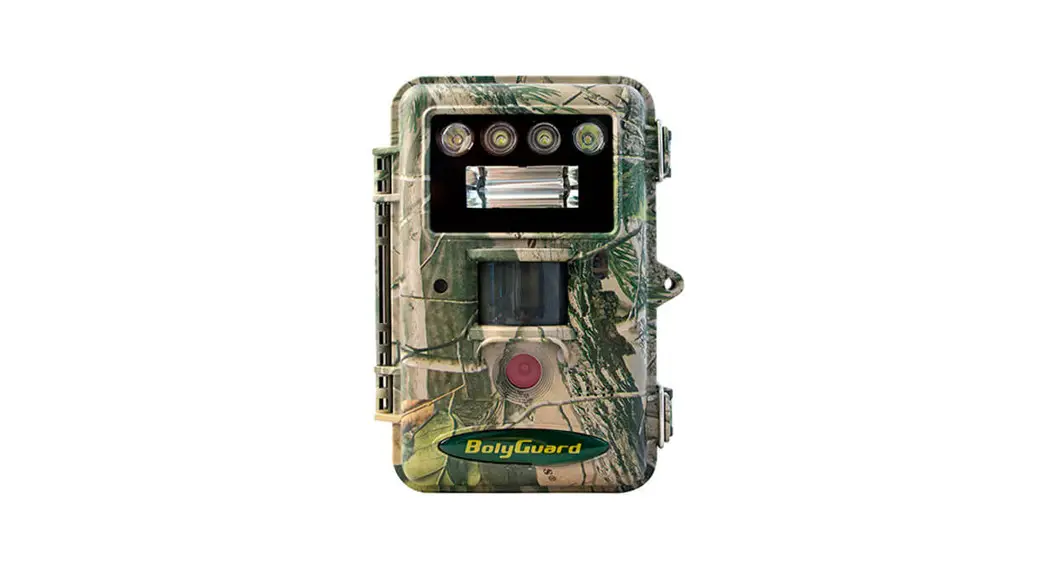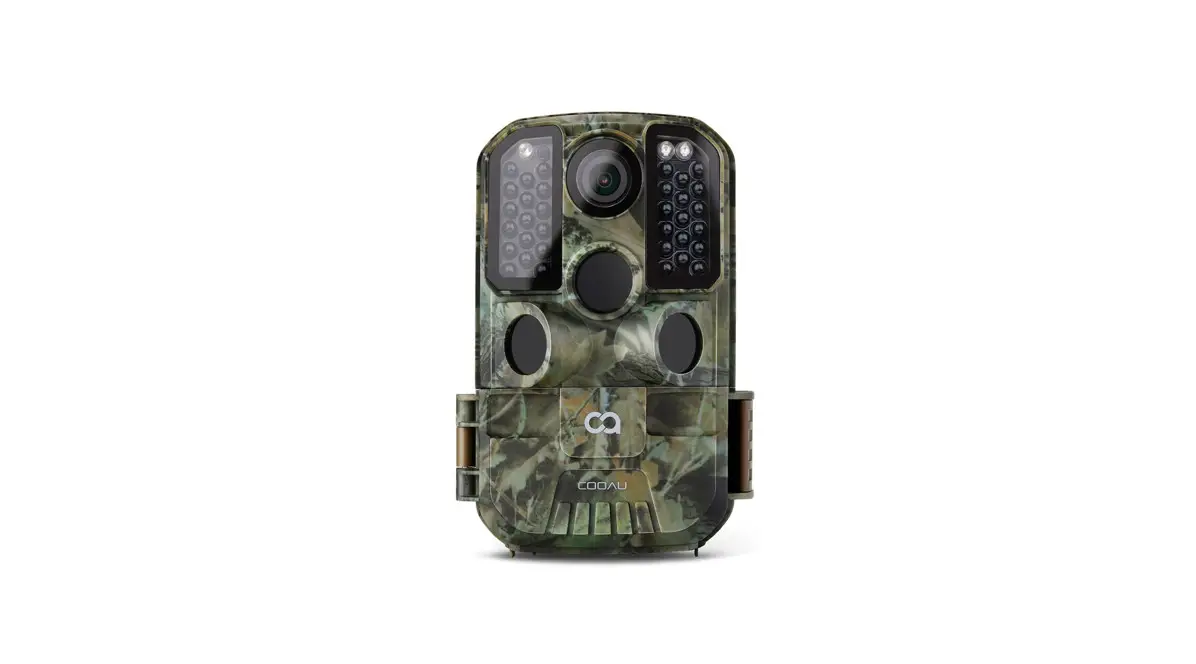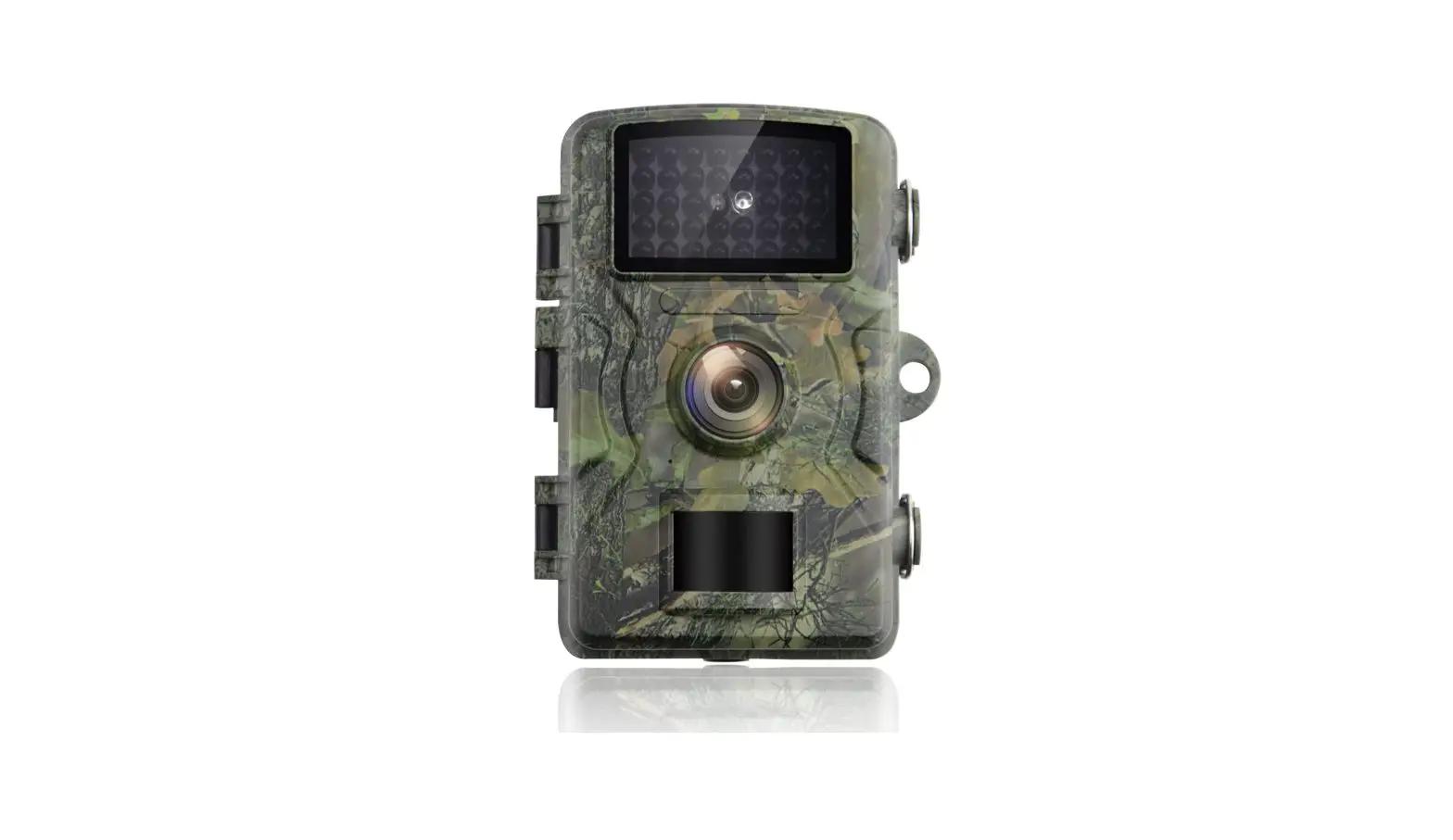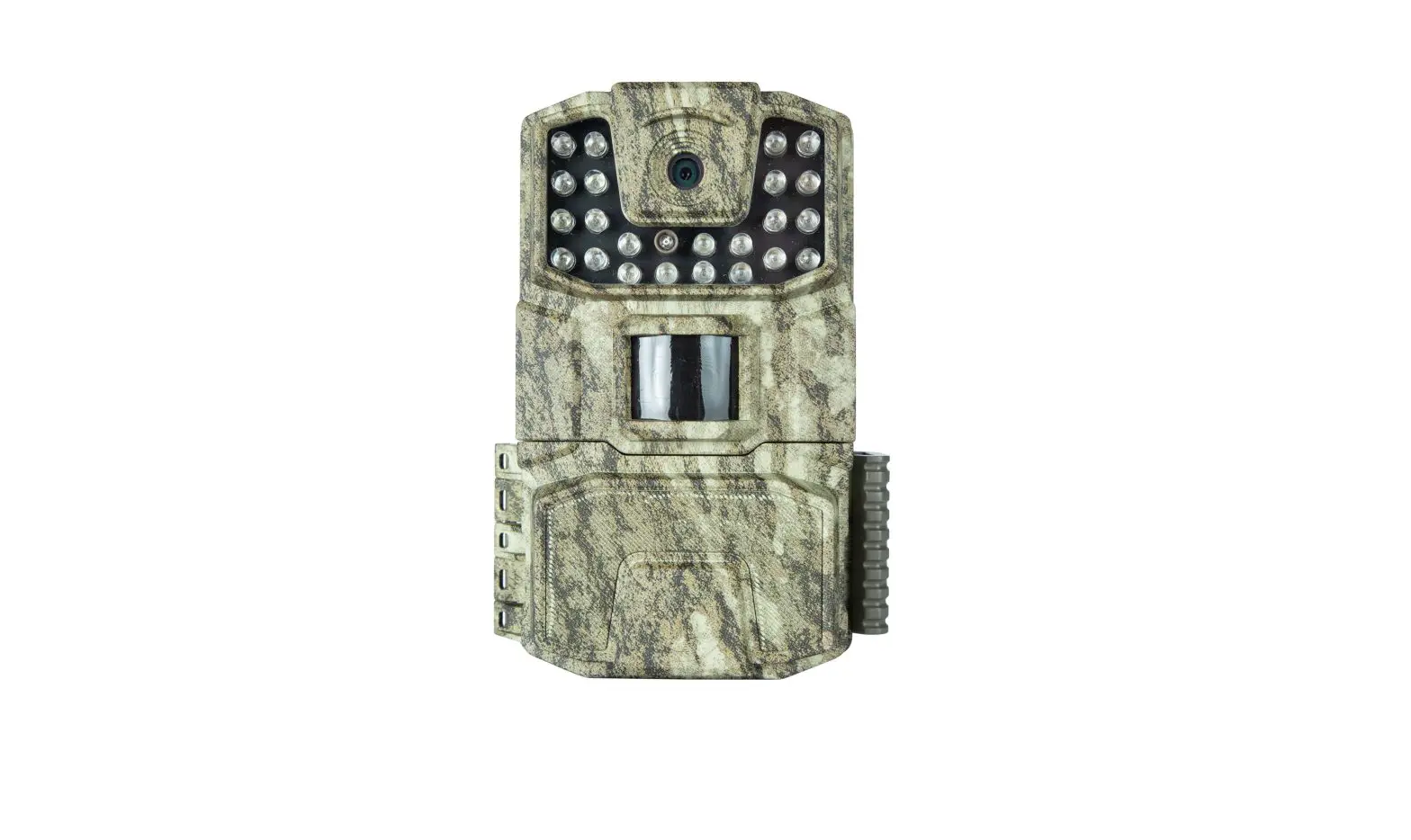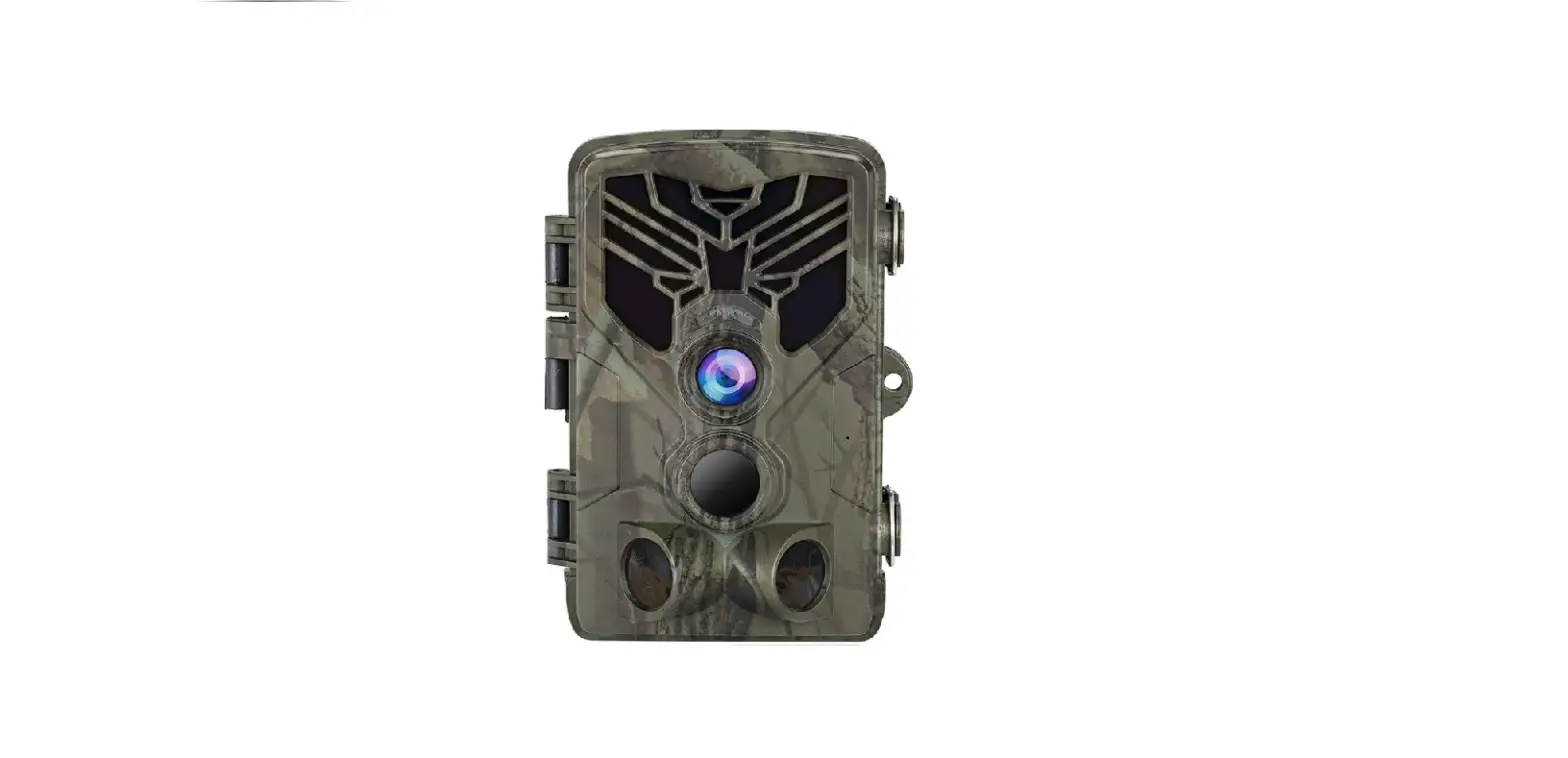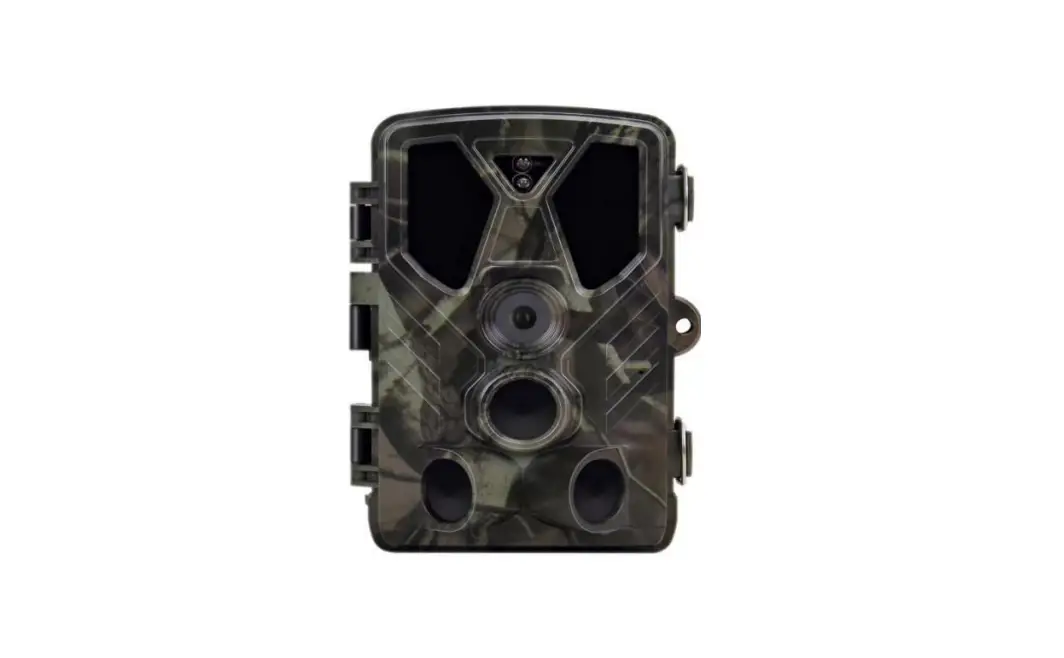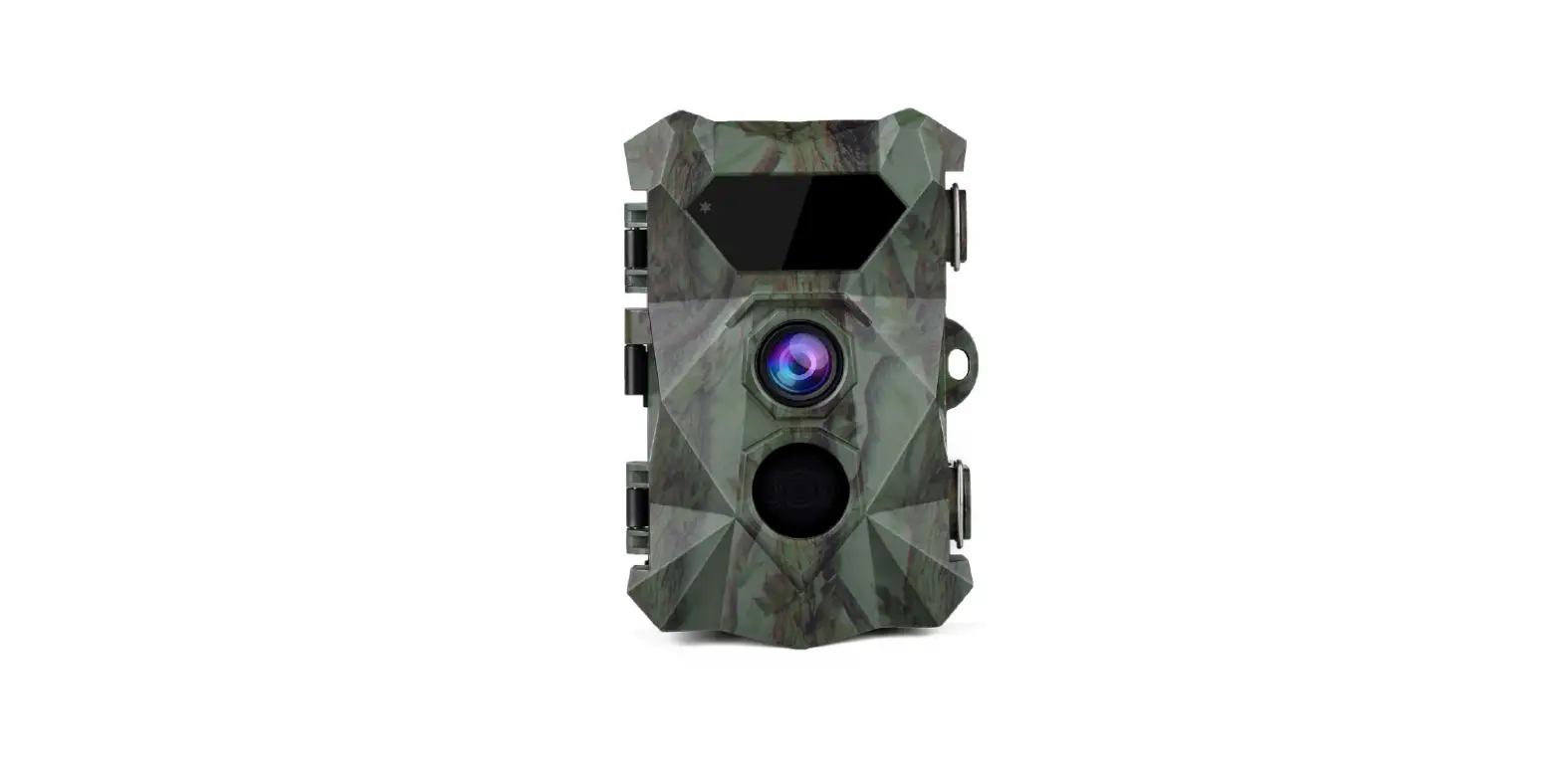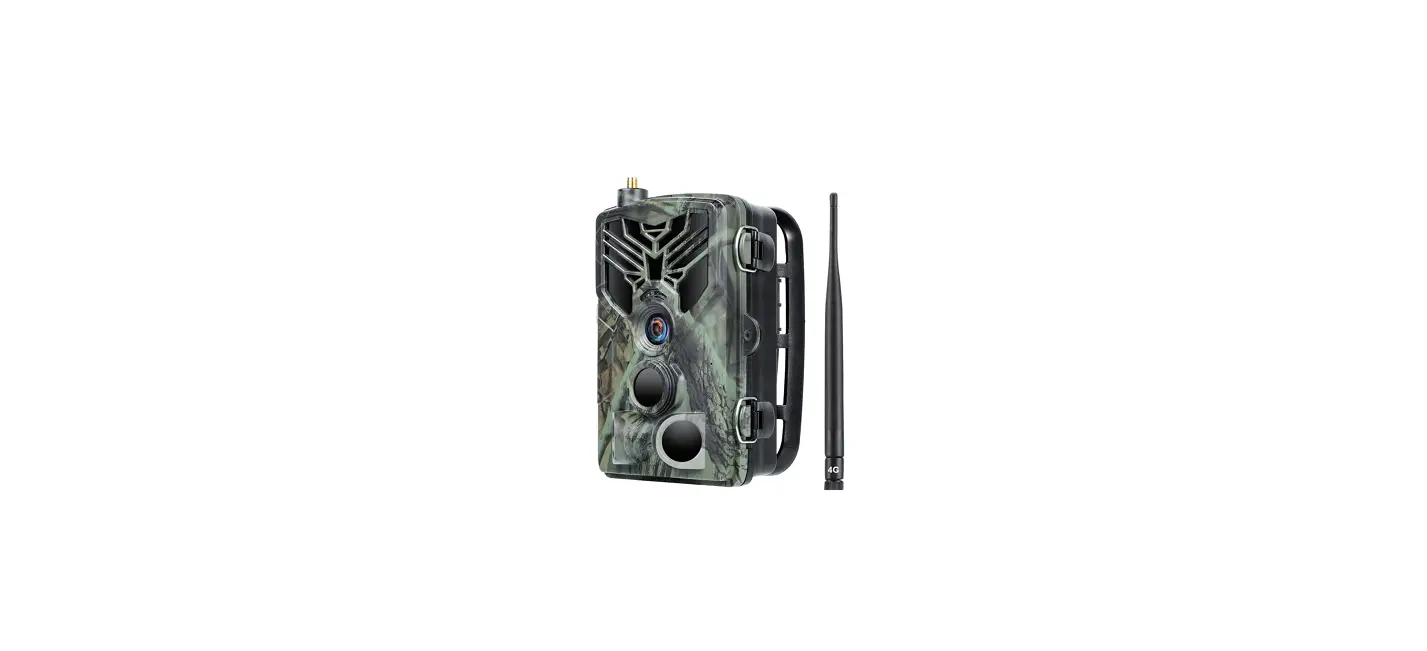
 Trail Camera User’s Manual
(for S688) V1.0 PLEASE READ CAREFULLY BEFORE USING CAMERA
Package Contents
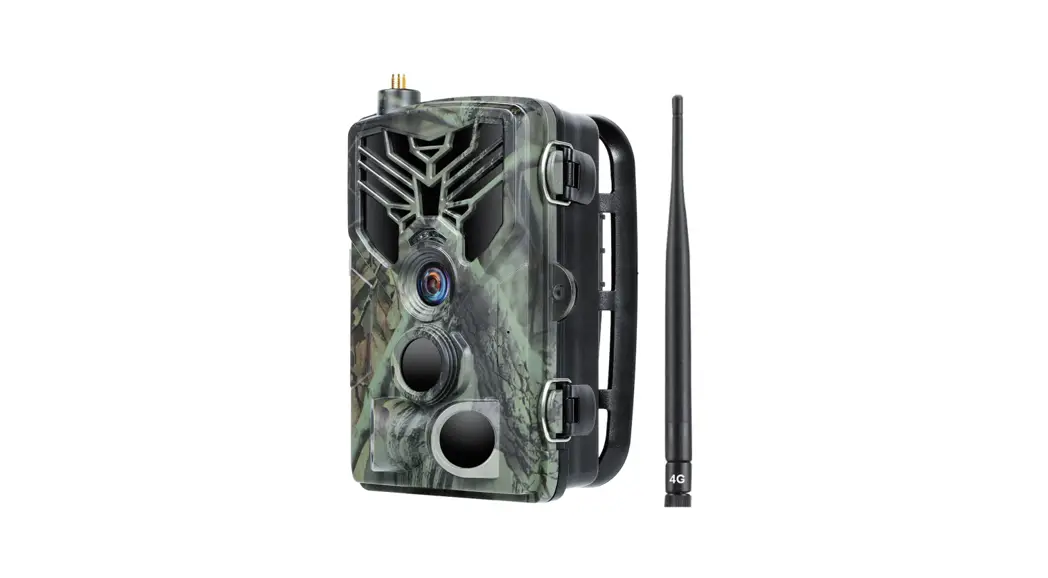
| Mounting Strap | 1 | Trail Camera | 1 |
| Antenna | 1 | User’s Manual | 1 |
Camera Body and Ports
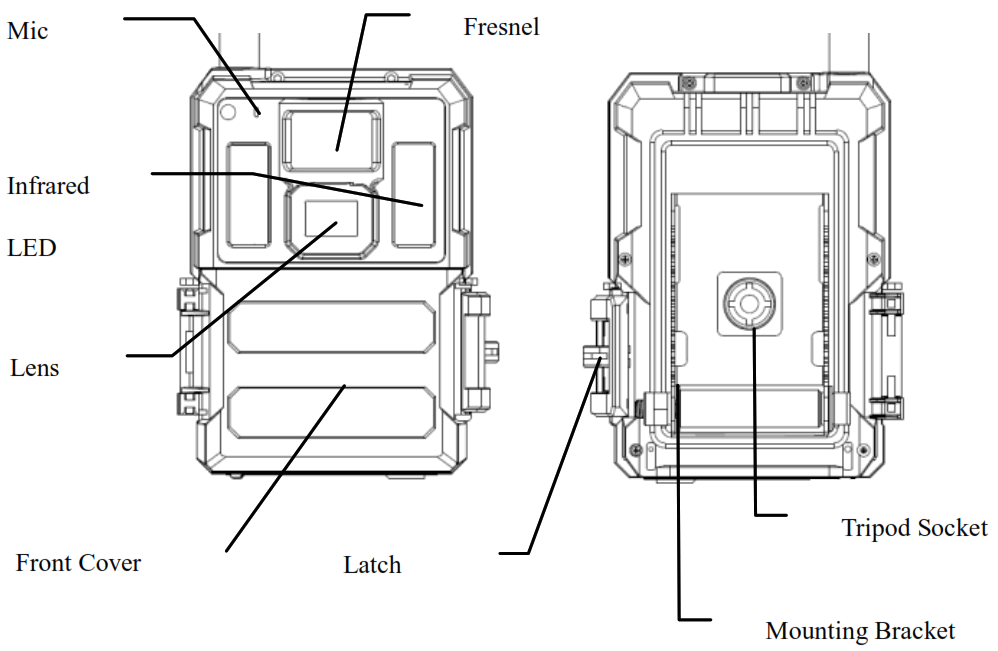
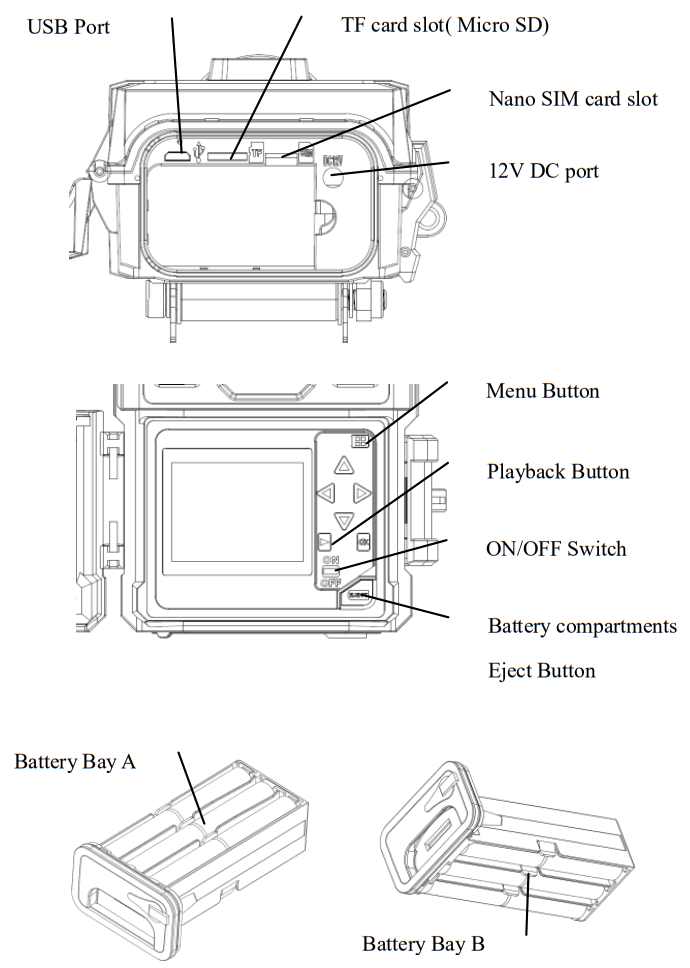
- MENU: Enter the program menu in preview mode
- ▲▼◄►: Move between the menu items and change the value
- OK:
o Save parameter settings in menu mode
o Play videos in playback mode - Playback button
 : In live preview window, switch between playback and preview mode
 - Use Shortcuts: In live preview window,
o ▲ is the shortcut to choose Video mode, and
o ▼ is the shortcut for the Camera mode
o ◄ is the shortcut for Arm the camera(start working)
o ► is the shortcut for GPS information
o OK is for capture photos or record a video manually - ON/OFF(Power) Switch: OFF in the bottom. ON in the top.
Quick Start
- Make sure the power switch is at OFF position. Load the batteries into the battery compartment according to the polarities indicated. Load a set of 12 (recommended), 6(emergency, battery bay A or B) AA batteries. Or connect 12V external power supply to the camera by using the correct cable and external battery.
The following batteries can be used, make sure it is 1.5V AA.
• High-performance alkaline batteries
• Lithium batteries
• Rechargeable Ni-MH batteries - Insert a TF card (32GB or smaller). Open the camera and insert the TF card into the card slot. Refer to the card symbol on the case for proper orientation. The camera supports up to 32 GB TF card.
- Insert a Nano SIM card.
- Screw the antenna onto the antenna jack on the top of the camera.Make sure it’s all the way in but DO NOT over tight it.
- Slide the power switch to the ON position. The camera will enter the live preview mode and start searching the network.
- Wait until the camera finds the network. If the wireless carrier is not found, you will need to go to the Advanced Wireless Setup section on Page 10. If the wireless carrier is found, please go to the next step.
- Press
 button to enter into the menu, then press ◄ or ► buttons to move between the tabs (submenu) which contains different group ofitems. Press the ▲ or ▼ buttons to activate the submenu and edit different items. Press ◄► to change the value. Press the OK button to save.
 - Navigate to the Wireless tab; scroll down to enter the submenus. Change the Send Mode to Instant. Leave the Send To on Phone mode if you are sending the MMS to a cell phone number. Or change to Email mode if you are sending to your email address. Scroll down to Phone or Email and input the phone number or email address of the recipient there. Only Send Via=Internet available if choose Video mode.
- Press button to exit from the submenu. Press the MENU again to exit from setup menu and enter the live preview mode.
- Press the OK button to capture image or record video manually.
- At preview mode, press the playback button to playback. Use the ◄ or ► buttons to go through the images. Press ▲ or ▼ button to choose magnification times. Press OK and press ◄ or ►,▲ or ▼ to move the magnified area.
- Press Playback buttonto exit. Magnification mode.
- While reviewing the image, press button to delete the current image or all the images.
- Press Playback button to exit the playback mode.
- Place the camera at the target area and turn on the camera (press the left key ◄ for 1 second to arm the camera or slide the power switch to ON(5 minutes later start to work)). The camera will take pictures or videos as programmed. The height from the ground for placing the camera should vary with the object size appropriately. In general, 3-6 feet is preferred.
- If camera is working (Switch=on), it goes to setup mode when press any button.
- Push the power switch to the OFF position to power off the camera. Please note that even in the OFF mode, the camera still consumes a small amount of battery power. Therefore, please remove the batteries if the camera is not in use for an extended time.Menu Settings
 button to enter into the menu, then press ◄ or ► buttons to move between the tabs (submenu) which contains different group ofitems. Press the ▲ or ▼ buttons to activate the submenu and edit different items. Press ◄► to change the value. Press the OK button to save.
Switch the camera to SETUP mode & press MENU. Press ▲▼◄► to select the desired value, And then press OK to save.
| Setting Items | Description | |
| Camera | Mode | Choose to take Photo / Video/Photo&Video |
| Photo Size | Choose the image size, e.g. 3MP, 5MP, 8MP, 10MP ,12MP or 24MP. | |
| Photo Burst | Choose the number of images taken after each trigger (1-10). | |
| Burst Interval | Choose the interval time length between the images taken in burst mode (Short 1/2/3s). | |
| Video Size | Choose the video resolution. | |
| Video Length | Set the video length to the desired duration. | |
| Sound | Enable or disable video sound recording. | |
| Trigger | Sensitivity | Select between High,Normal,Low,and OFF. |
| Trigger Interval | The sleeping time after each trigger. |
| Time Lapse | Camera can be triggered by timer at a preset time interval. Please note that even in Time Lapse mode, the camera still can be triggered unless the Sensitivity set to off. | |
| Trigger | Start-Stop 1/2 | The camera can be set to operate only at specific time period. To enable this function select ON and press ok. The start-stop menu will then appear. This menu contains the settings for times to start and stop as well as the trigger interval and time lapse interval. The start-stop setting will override all other general camera settings. Since there are 2 periods available, make sure to not program times that overlap. |
| Work Day | Enable or disable the PIR trigger and Time lapse trigger by day of the week. |
| System | ArmCamera | Make the camera working immediately. |
| Clock | Choose right timezone and press save. | |
| Camera ID | Watermark in the left bottom corner of image, up to 5 digits. | |
| GPS coordinate | Could be written to exit info of photo. | |
| Camera Tracker | Enable of disable camera tracker. |
| Password | This option allows a 6 digits password to be set, keep it in mind. Recommend to use. | |
| Time Stamp | ON /Off. Choose if the image stamp is to be shown or not. | |
| Overwrite | Cycle writing the TF card. | |
| Beep | Enable or disable key tone | |
| LED indicator | Enable or disable blinking of indicator. | |
| FW Update | Start to update FW and MCU once update files copied to TF card root directory. | |
| System | Format | Format the TF card. This will erase all data on the TF card. This cannot be undone. |
| Default | Restore all settings to factory default values. | |
| Language | Choose the menu language. | |
| Information | Show Model Number, HW/FW/MCU version and IMEI(wireless camera only). |
| Wireless (wireless camera only) | Send Mode | Choose to send the photo or video clips instantly, or Daily report (send one picture at preset time, save others) or turn off sending. Both= Instant and Daily report. |
| Send Via | Choose to send the image via MMS (MMS plan) or Internet (Data plan). | |
| Send To | Send the images to Phone, Email or Both. | |
| Phone | Input or revise the recipient Phone number. | |
| Input or revise the recipient Email address. |
| Image From | The text content of Image From will be included in MMS/Email subject | |
| Wireless (wireless camera only) | SMS Control | Turning the SMS command function always on or every n hours. On mode will increase the power consumption. |
| Copy Para | Copy the current network parameter settings to the TF card. | |
| Update Para | If no pre-programmed carrier’s network parameters, you will need to use the Setup Tool to program in manually. After you use the Setup Tool, a MMSCFG.bin file will be generated and put on the TF card. You will need to run Update Para to write the settings to the camera. | |
| Image Quality | Choose the wireless picture quality. | |
| Debug Switch | Generate logs automatically when to set to on. Press save to manually create logs. |
 Playback Button (Viewing Photo or Video)
- Switch to ON position
- Press Playback button to view the latest picture (or video).
- Press OK button to start playing the video clips.
- Press OK button to pause and press playback to quit playing.
- Press ◄ button to view the previous image and press ► button for the next.
- Press ▲ or ▼ button to choose magnification times. Press OK and press ◄ or ►,▲ or ▼ to move the magnified area.
- Press the Playback button playback button again to exit the playback mode.
 Delete Photo or Video
- Press Playback buttonto view the image (or video) which to be deleted.
- Press MENU button.
- Press LEFT or RIGHT to select Delete One or All, then OK to execute or MENU to Exit.
- Files can’t be restored once deleted.
How to use the Setup Tool
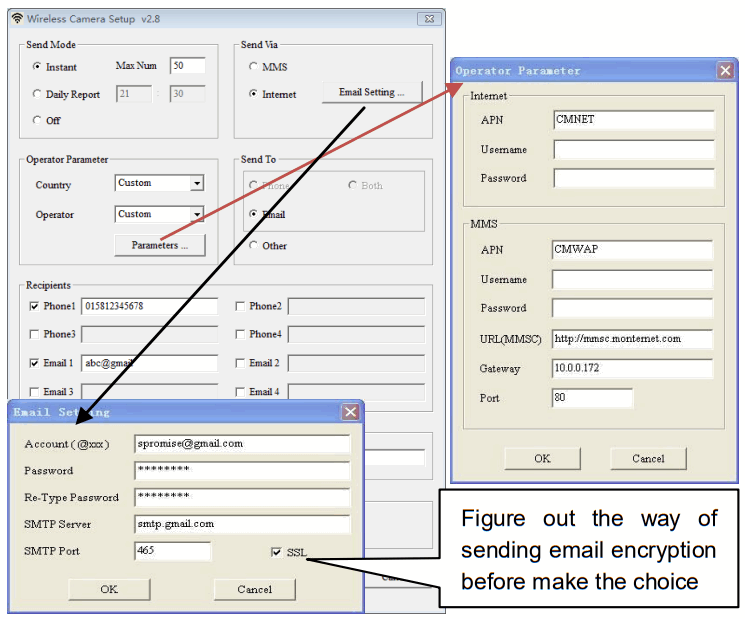
If your wireless carrier’s network parameters are not pre-programmed into the camera from the factory, you will need to use the Setup Tool to program them into the camera manually.
- Download the Setup Tool from the link offered by seller.
- The setup tool will only work on PC(windows). Run wireless.exe or WirelessPlus.exe on your computer.
- You will see the setup window as below.
- Fill in the settings you prefer into the blank fields. These settings will overwrite the existing settings from the camera.
- You can specify the Max sending images in a day(Max Num) ( 00:00:00-23:59:59), all the MMS/email sent at on mode would be included into this Max Num. Choose 0 means no limit.
- Operator Parameters: Choose custom and fill in the parameters obtained from your wireless carrier if settings not preset; or choose country/operator if it is preset; choose auto/auto only when dealer confirms it is ready.
- Email setting: Input the right SMTP server and port, choose SSL or non SSL type(default) email service type accordingly.
- Wireless image quality, normal resolution=640*480; high resolution=1280*960,original photo sending only available on 3G/4G models.
- Image From content will be included in MMS/email subject so the user will know where the image comes from.
- SMS Status Response will allow the camera to send the user a response after it receives the user’s SMS command.
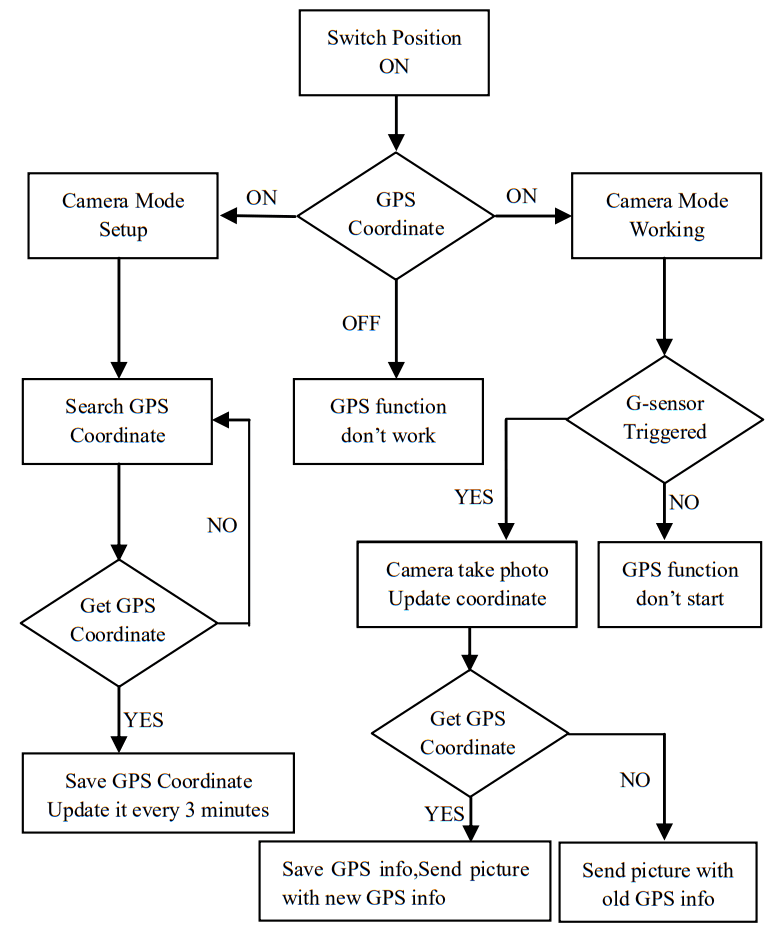
GPS working flow chart
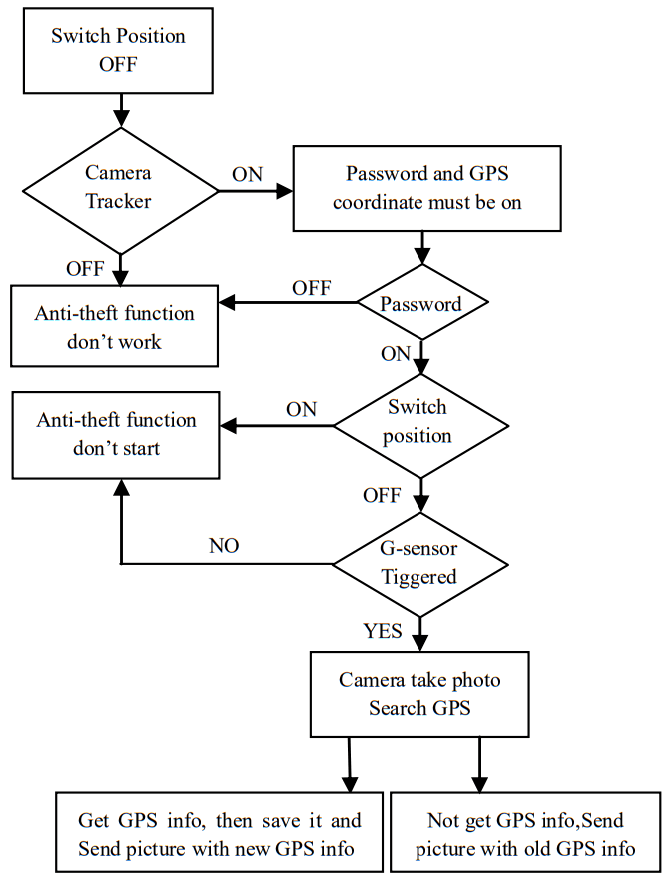
Camera Tracker working flow chart
Technical Specifications
| Picture Resolution | 3MP/5MP/8MP/10MP/12MP/24MP |
| Video Resolution | WVGA@60fps 720P@60fps ,1080P@60fps , 1440p@30fps |
| Trigger Time | 0.4s(picture), 1-1.3s(video) |
| Recovery Time | 2s(picture) |
| Lens FOV | 110°wide angle (diagonal angle) |
| Night Illumination | Infra Red or No Glow |
| Display Screen | 2.0” IPS LCD, 480*360 |
| Memory Card | up to 32GB |
| Trigger | Motion (PIR) / Timer (Time Lapse)/SMS retrieve |
| PIR Sensitivity | Adjustable (High/Normal/Low/Off) |
| Detection Range | Up to 25 meters |
| Flash Range | Up to 18 meters |
| Temperature | -20 – +60℃ (Operation) -30 – +70℃ (Storage) |
| Trigger Interval | 0s – 60 min |
| Time Lapse Interval | Up to 24hrs |
| Photo Burst | 1–10 |
| Video Length | 1–30s |
| Power Supply | 6×AA or 12AA (1.5v AA)/ External Power(12VDC) |
| Stand-by Current | < 0.08mA (SMS off); <3mA (SMS on) |
| Sound Recording | Available |
| Mounting | Tripod/Mounting Strap/Python lock |
| Weight | 0.5kg |
| Dimensions | 142*106.5*85mm(antenna not included) |
| Operation Humidity | 5% – 90% |
SMS Command Code List(wireless camera only)
| Add Phone | *100#number# | Phone number added |
| Delete Phone | *101#number# | Phone number deleted |
| Add Email | *110#email# | Email added |
| Delete Email | *111#email# | Email deleted |
| Send Via MMS | *120#0# | Send via MMS |
| Send Via Internet | *120#1# | Send via Internet |
| Send To Phone | *130#0# | Send to phone |
| Send To Email | *130#1# | Send to email |
| Send To Both | *130#2# | Send to both |
| Send Mode Instant | *140#0# | Send instant photo |
| Daily Report | *140#1# | Send daily report at preset time |
| Send Mode Off | *140#2# | Send is off |
| Check Status | *160# | Signal status; Battery level; TF card status |
| Disable SMS | *170# | SMS control disabled |
| Reset the Max Sending Number per day | *180# | *180#0# //no limit *180#100# //reset to 100 *180# //clear the counter |
| Choose the wireless image size | *190# | *190#0# // choose 640*480 *190#1# // choose 1280*960 *190#2# // choose original photo |
| Camera Mode Photo | *200#0# | Set to photo mode |
| Camera Mode Video | *200#1# | Set to video mode |
| Photo+Video mode | *200#2# | Set to Photo+Video mode |
| Set PIR Level to High | *202#0# | PIR sensitivity high |
| Set PIR Level to Normal | *202#1# | PIR sensitivity normal |
| Set PIR Level to Low | *202#2# | PIR sensitivity low |
| Set PIR Level to Off | *202#3# | PIR sensitivity off |
| Format TF card | *204# | TF card was formatted |
| Set system time | *205#YYYYMMDDHHMMSS# | |
| Set workday | *206#??????? # ?= “0” or “1”, from Mon. to Sun. | *206#1001001# means PIR enabled on Monday, Thursday and Sunday, disabled on other days. |
| Check network Para | *207# | Show current network settings |
| Set SMTP Para | *208#option# | *208#account#password#server #port#ssl type#(ssl=1, no ssl=0) |
| Disable status response | *209#0# | No SMS alert info after SMS command executed |
| Enable status response | *209#1# | With SMS alert info. |
| Check GPS Coordinate | *210# | Show current GPS coordinate |
| Retrieve photo or video clips | *500# | Available at instant mode. Equal to a normal motion trigger. |
| Set Debug Switch to OFF | *502#0# | Debug Switch OFF |
| Set Debug Switch to ON | *502#1# | Logs saved automatically at on mode. |
| Send Log File | *503# | Send all logs file to email |
Notes:
- When install camera, it’s better to put it somewhere 1.5m above the ground, good for night time image and less false trigger.
- If you want to use the camera as a non wireless camera without SIM card, please make sure Send mode is off, SMS control is off.
- When reaches the Max Num, Sending will be stopped; it would restart to send from the next day, or you can reset the Max Num by SMS command.
- In the time stamp, M=motion trigger, T=time lapse trigger, S=*500# trigger, E= manually trigger. G= G-sensor trigger
- Make sure no air condition, chimney or other heat resources in the camera’s field of view. Rising sun or sunset may trigger the PIR, pay attention to the camera orientation.
- If wireless camera stops sending, please check the balance of SIM card or data plan condition. Check if signal is stable there.
- When default the camera, all settings would be set to factory settings.
- Video could be sent at camera mode(video) and send mode(instant), but make sure camera registered to high speed 3G/4G network. If video clip size larger than 25MB, sending would be stopped and changed to WVGA 10s from next trigger.
- Highly recommend to test the network speed by send a picture manually in the field before finish the setup. If registered to 2G network, please don’t try to send original photo or video clip.
- Camera goes to setup mode when camera switch move from OFF to ON, if no operation for 5 minutes, camera goes to working mode automatically. Press left button for 1 second and then press OK at preview mode; it goes to working mode immediately.
- SMS control explanation. Always, camera ready to reply SMS command all the time, consume a lot power. Every n hours, camera SMS turn on for 0.5 hour, then turn off for n-0.5 hours; repeat this again and again. Off, SMS control=Off.
- How to send a picture manually? After network found at preview mode, with right wireless settings, camera mode=photo, send mode =instant; press OK, a picture would be taken first, then you can choose send this photo or not.