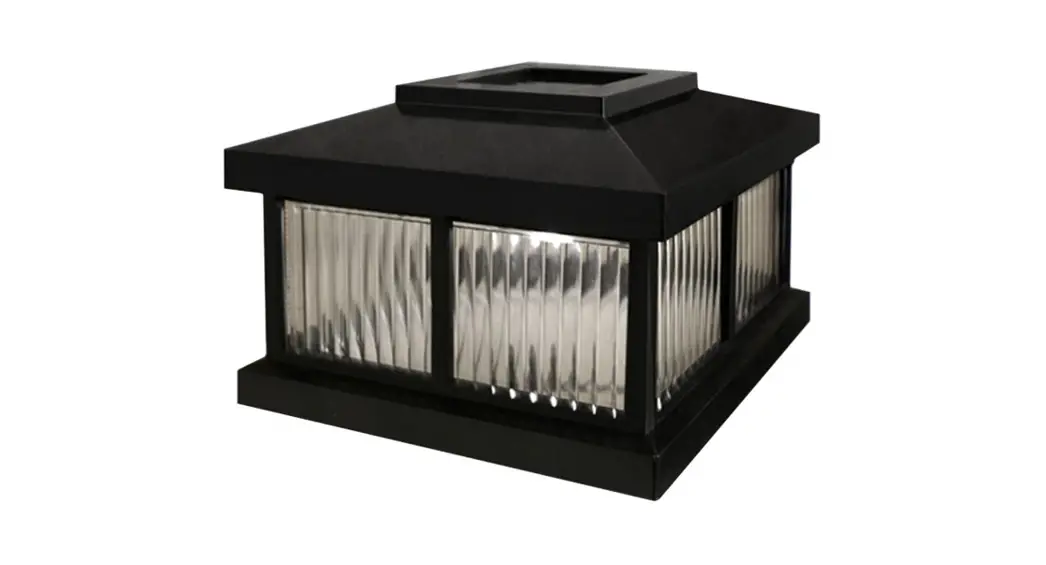

Mayne Solar Cap
model # LZM-625
#MIS041
PACKAGE CONTENTS: Solar Cap, 4x Screws, 1 “AA” Rechargeable Battery
COLORS: Black or White
DIMENSIONS: 6.375″ W x 6.375″D x 4.375″ H
TOOLS REQUIRED: Phillips Screw Driver
IMPORTANT NOTE:
- The rechargeable battery included with the solar cap may not be fully charged upon delivery. Please allow a few days of exposure to the sun to charge the battery.
In the event of missing or defective parts, please email [email protected] or call our customer service department toll-free at 866-363-8834 (available Monday through Friday, 8 am-5 pm EST).
General Information:
- Read instructions carefully before beginning assembly.
- Compatible with the Woodhaven Address Sign Post along with the following Mail Post models: Newport, Westbrook. Rockport. Dover and Signature
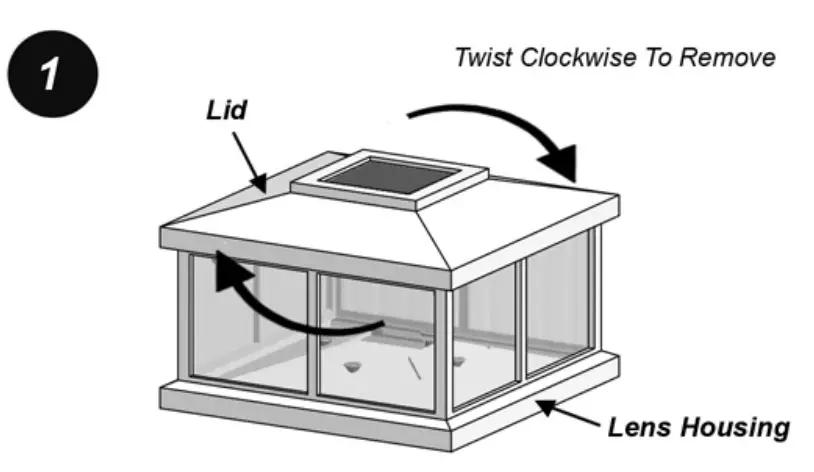
Remove the solar cap lid by holding the lens housing in place and then twist the lid in a clockwise direction. Be careful when twisting the lid to avoid damaging the tabs.
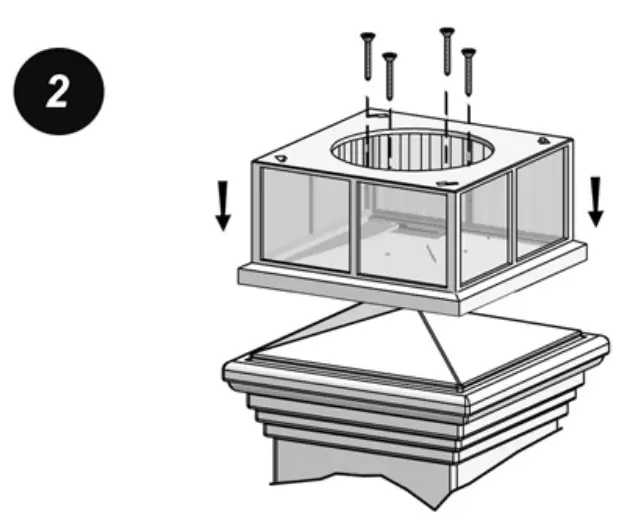 Place the lens housing on top of the post. Secure 4 screws through the holes in the solar cap adaptor plate (access through the circular hole in the lens housing).
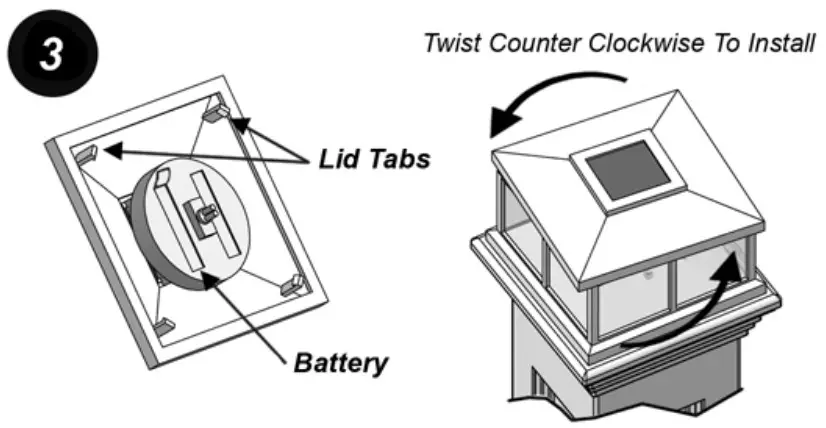
Be sure to pull the plastic tab from the bottom of the lid to activate the battery (also check for the correct orientation of the battery). Next, line up the lid tabs with the slots in the lens housing and twist counterclockwise to lock them in place.