Contents hide

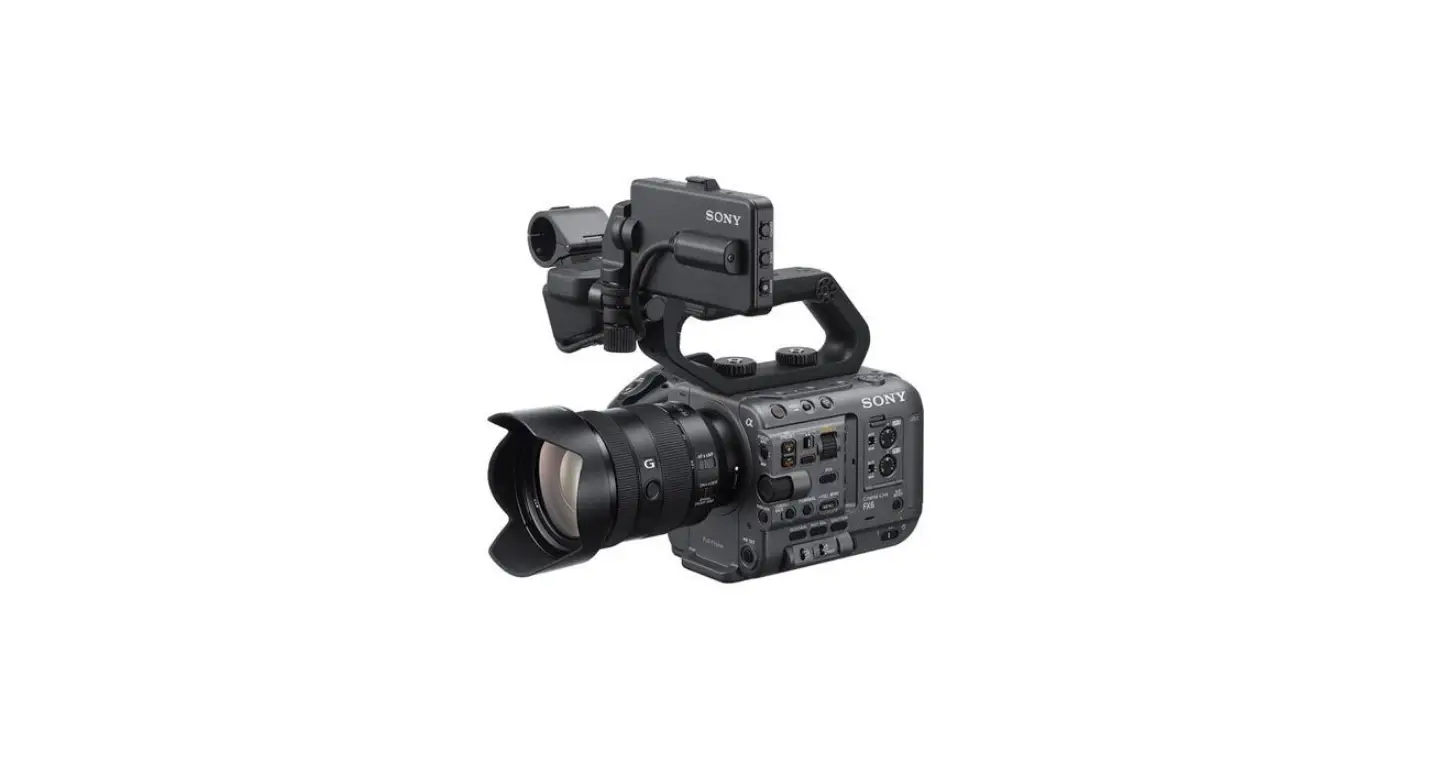
SONY FX6 Full Frame Cinema Camera
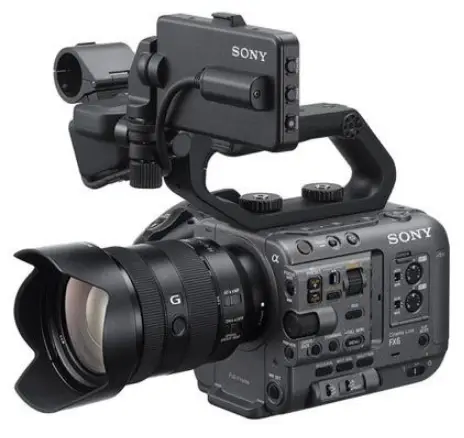
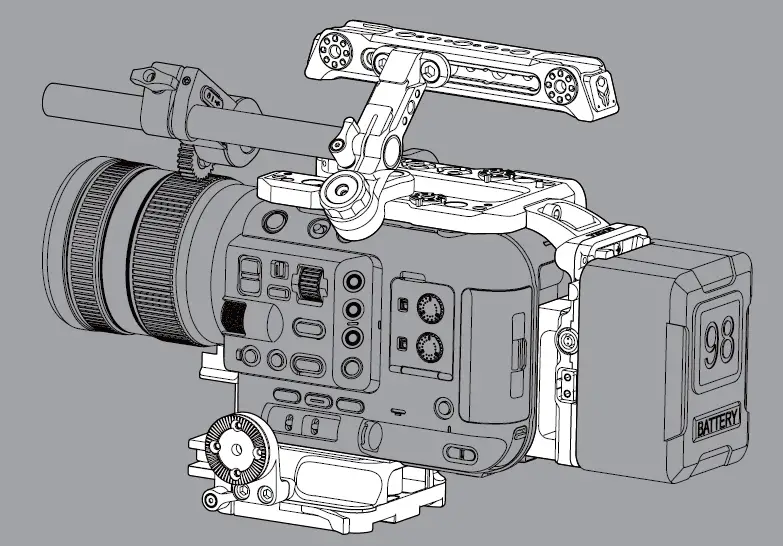
OVERVIEW
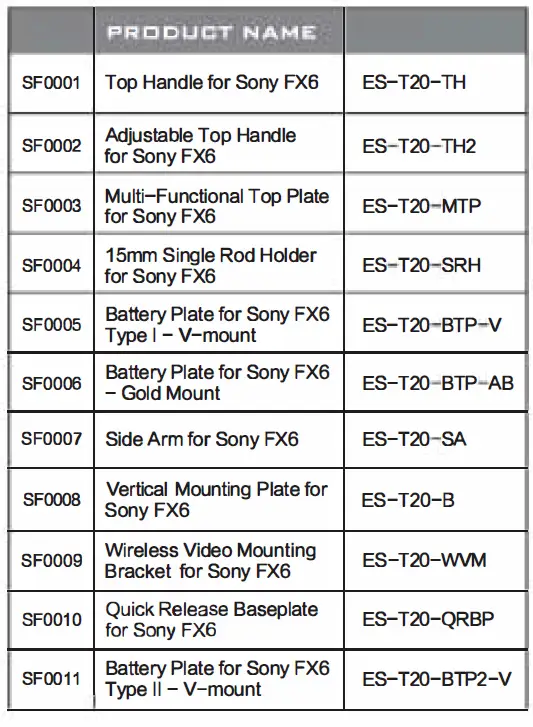
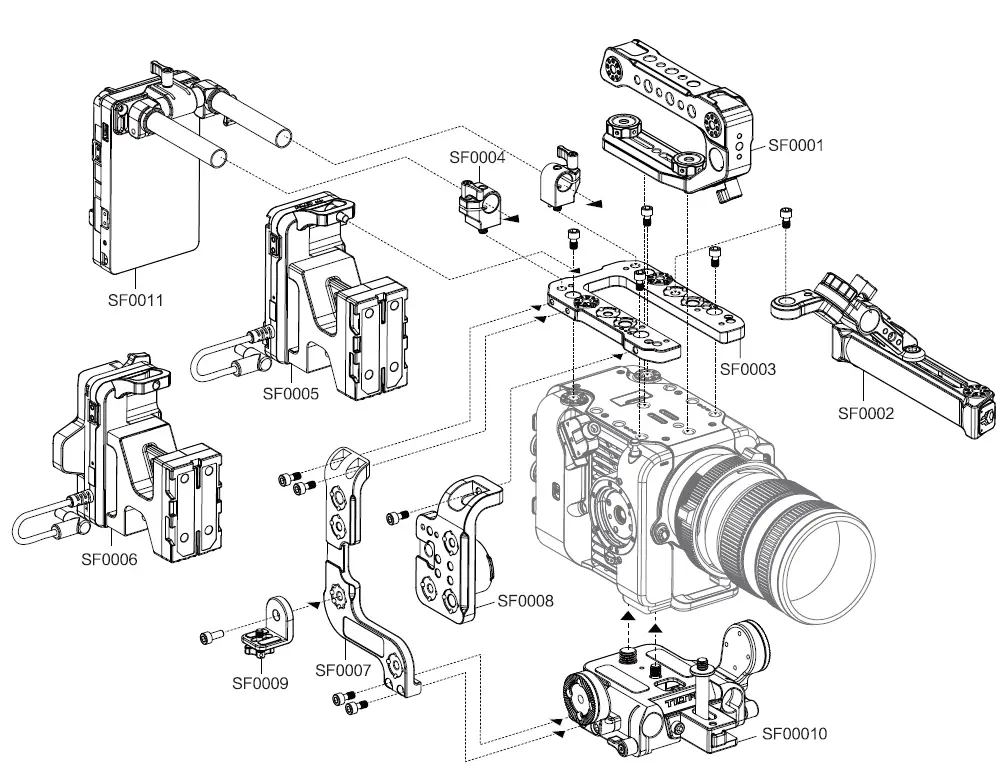
INSTALLING QUICK-RELEASE BASEPLATE 
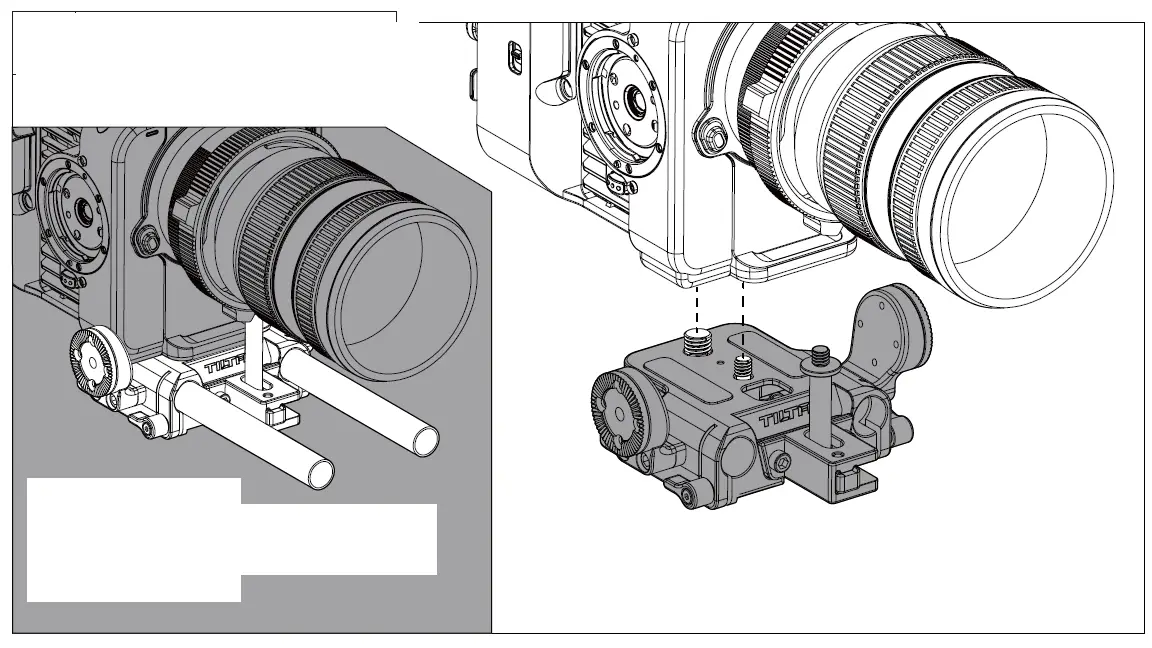
- Install the quick-release baseplate to the camera and tighten the tie-down screws.(Please install the lens support if it’s needed for your setup.)
- The quick-release baseplate has a built-in 15mm rod holder.
- Lens support can be mounted to the front of the baseplate.
MULTl-FUNCTlONAL TOP PLATE
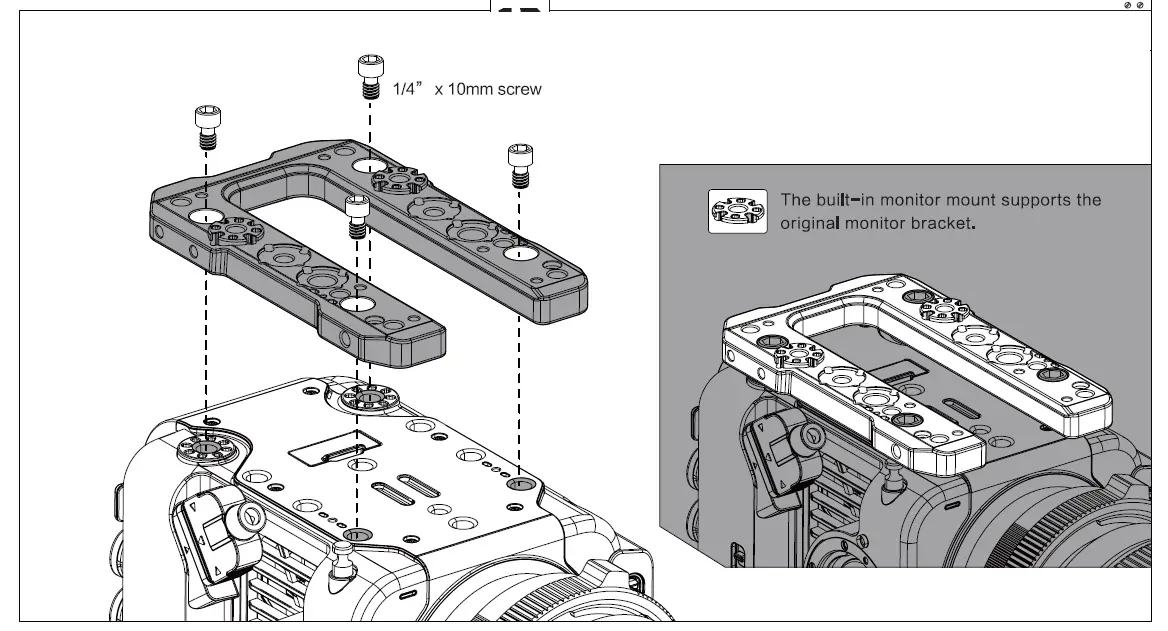
Align lhe threaded screw holes, and install the multi-functional top plate.
SIDE ARM & VERTICAL MOUNTING PLATE 
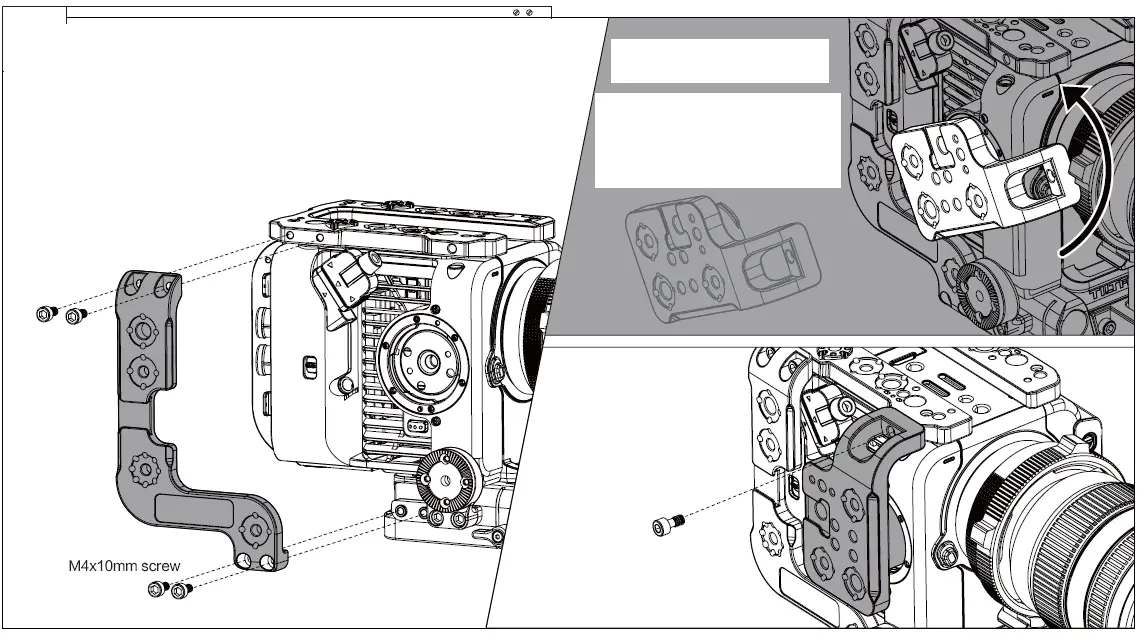
Installing the Side Arm
Align the screw holes on the side arm with the screw holes on the top plate and the quick-release baseplate.
Installing the Vertical Mounting Plata
- Unit the vertical mounting plate. Align the plate with the locating points on the side of the camera body. Rotate to lock into position.
- Secure the vertical mounting plate to the top plate by tightening the M5 x 16mm screws.
WIRELESS VIDEO MOUNTING BRACK
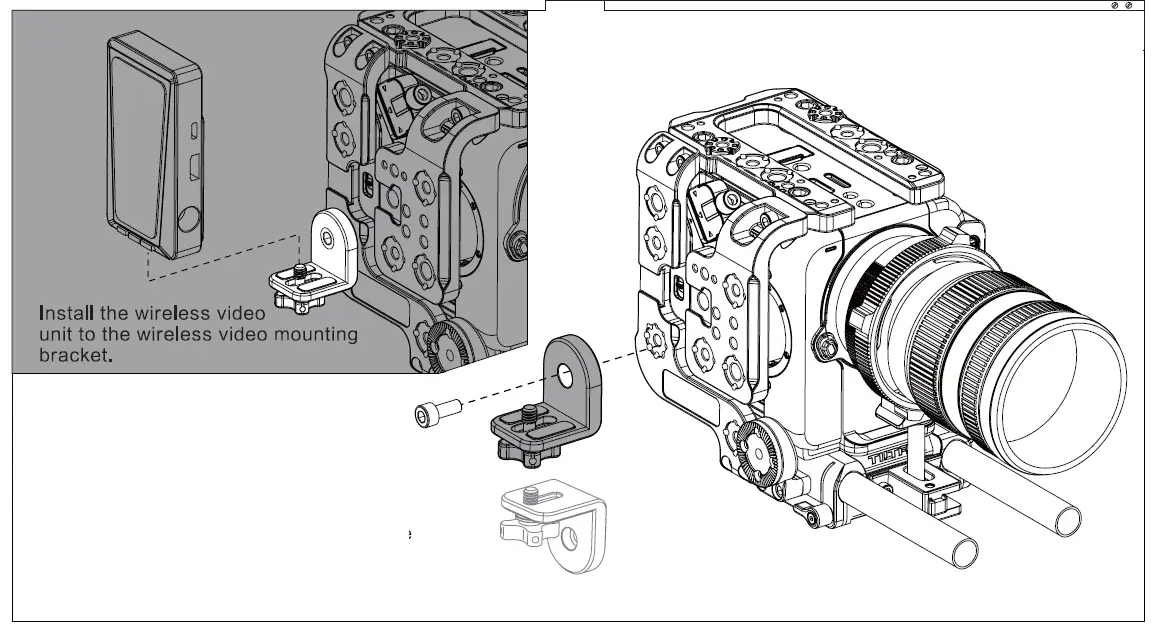
Align the screw holes and install the wireless video mounting bracket to the 1/4″ -20 threaded hole with locating points on the side arm.
( The wireless video mounting bracket can be turned 180° for your setup needs.)
TOP HANDLE & ADJUSTABLE TOP HANDLE
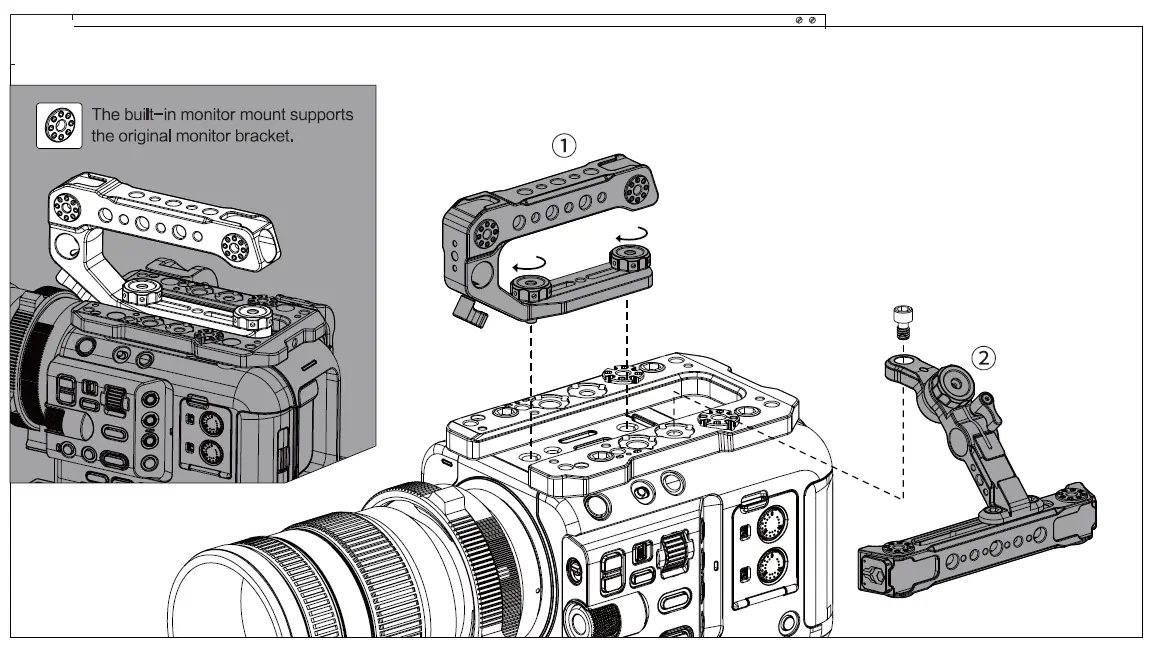
- Install the (j) top handle. Tighten the tie downs on the top handle.(The top handle can be adjusted forward and backward.)
- Install the® adjustable top handle. Secure the handle to the top plate by tightening the 1/4″ -20 screw.
ADJUSTABLE TOP HANDLE & VERTICAL SHOOTING MODE
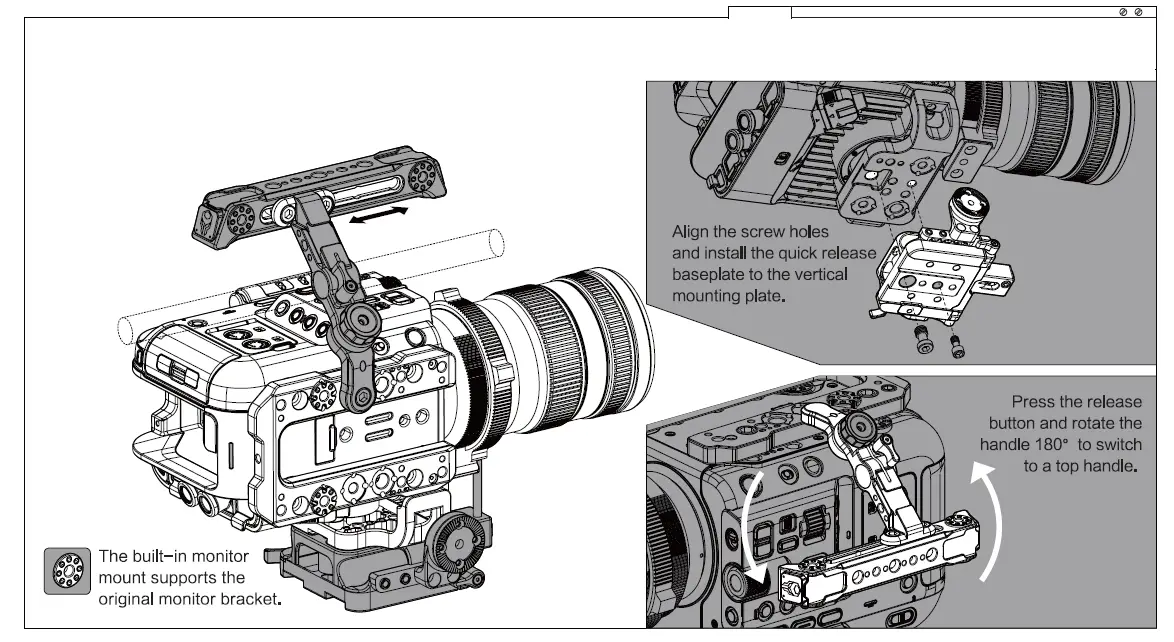
- The adjustable top handle can be turned 180″ to support vertical shooting mode. For better operating help finding the center of gravity, adjust the handle foiward and backward.
- When shooting vertically, the quick release baseplate can be installed to the vertical mounting plate.
V·MOUNT & GOLD MOUNT BATTERY PLATE
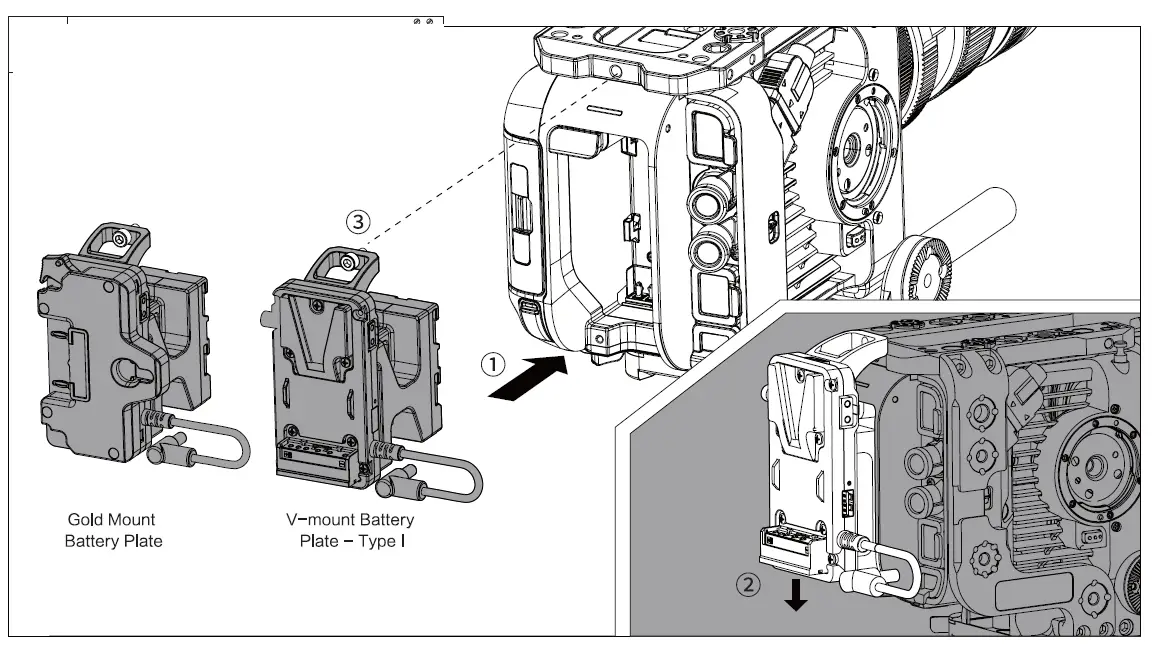
- Align the battery plate with the battery chamber on the camera body.
- Push down to lock into position.
- Tighten the screw to complete the installation.
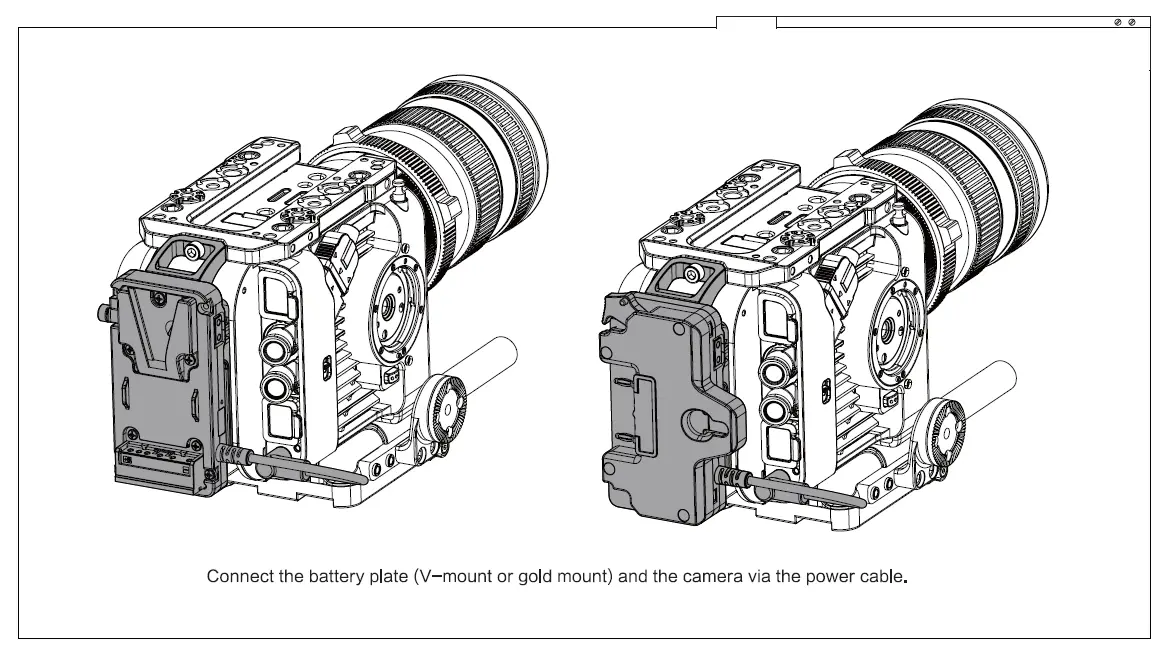
Connect the battery plate (V-mount or gold mount) and the camera via the power cable.
INSTALLING THE 1 SMM SINGLE ROD HOLDER & THE V·MOUNT BATTERY PLATE TYPE II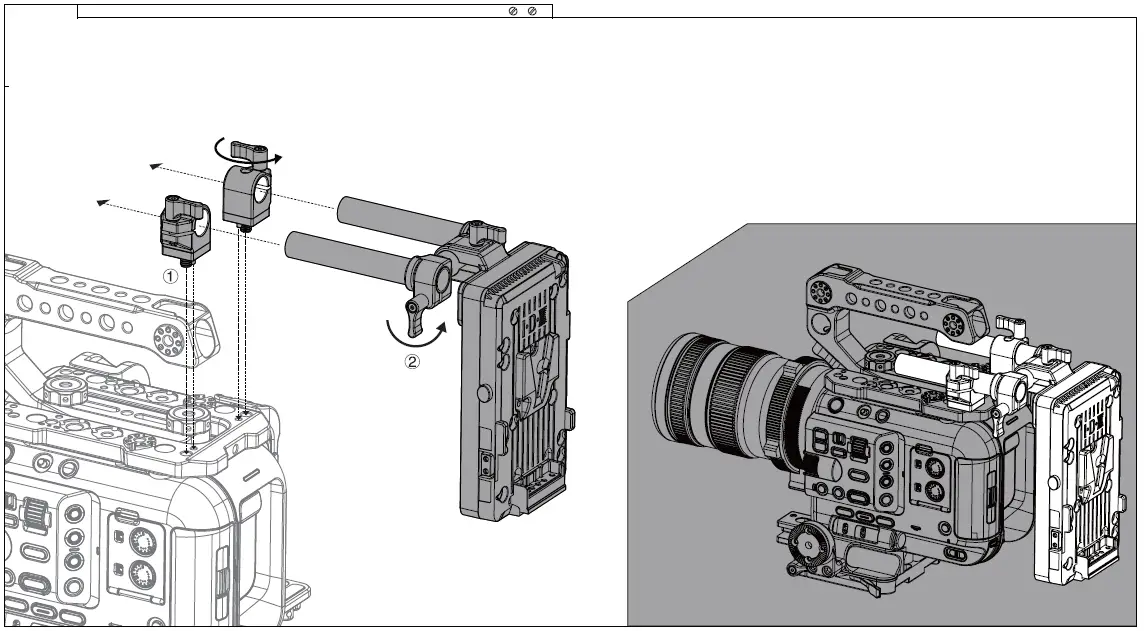
- Install the ©15mm single rod holder. Tighten the tie downs on the rod holders to secure them to the camera.
- Install the® V-mount battery plate type II. Insert the rods on the battery plate into the rod holders and tighten the tie down to complete the installation.