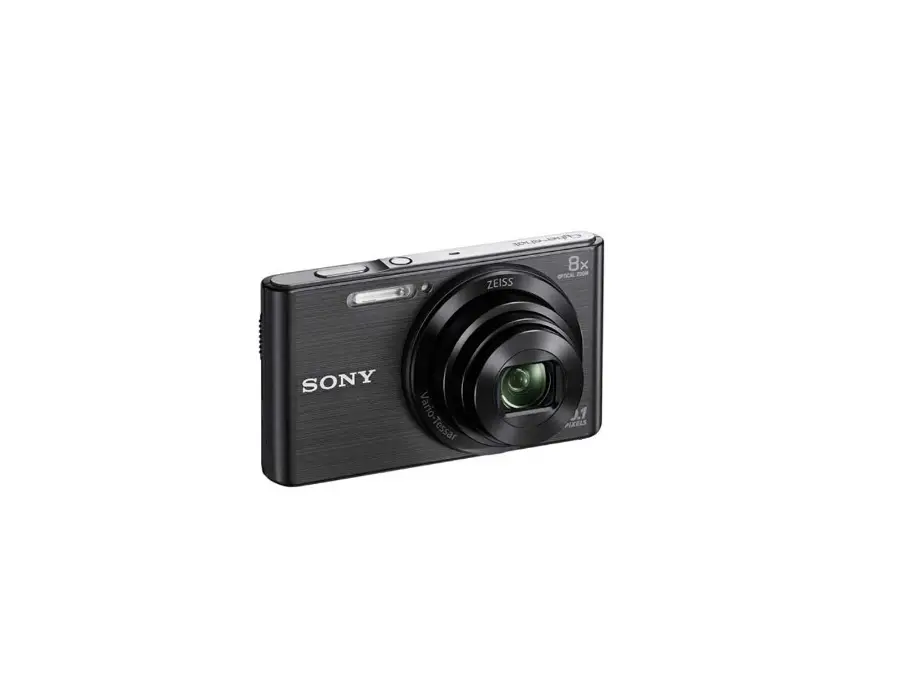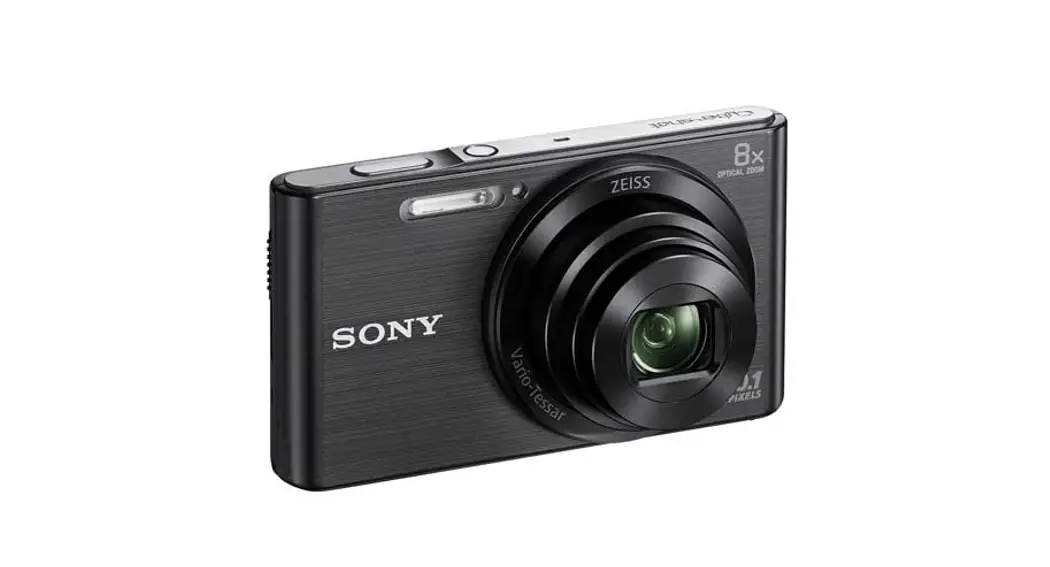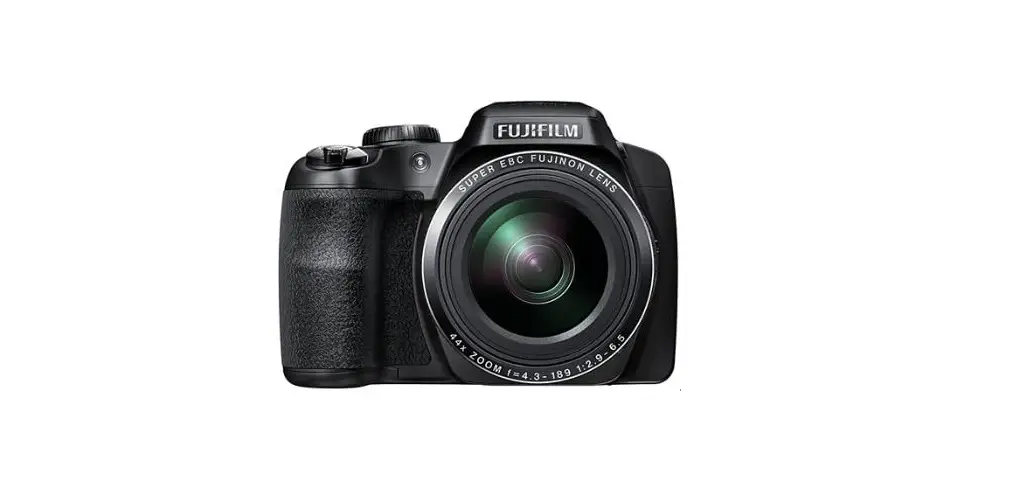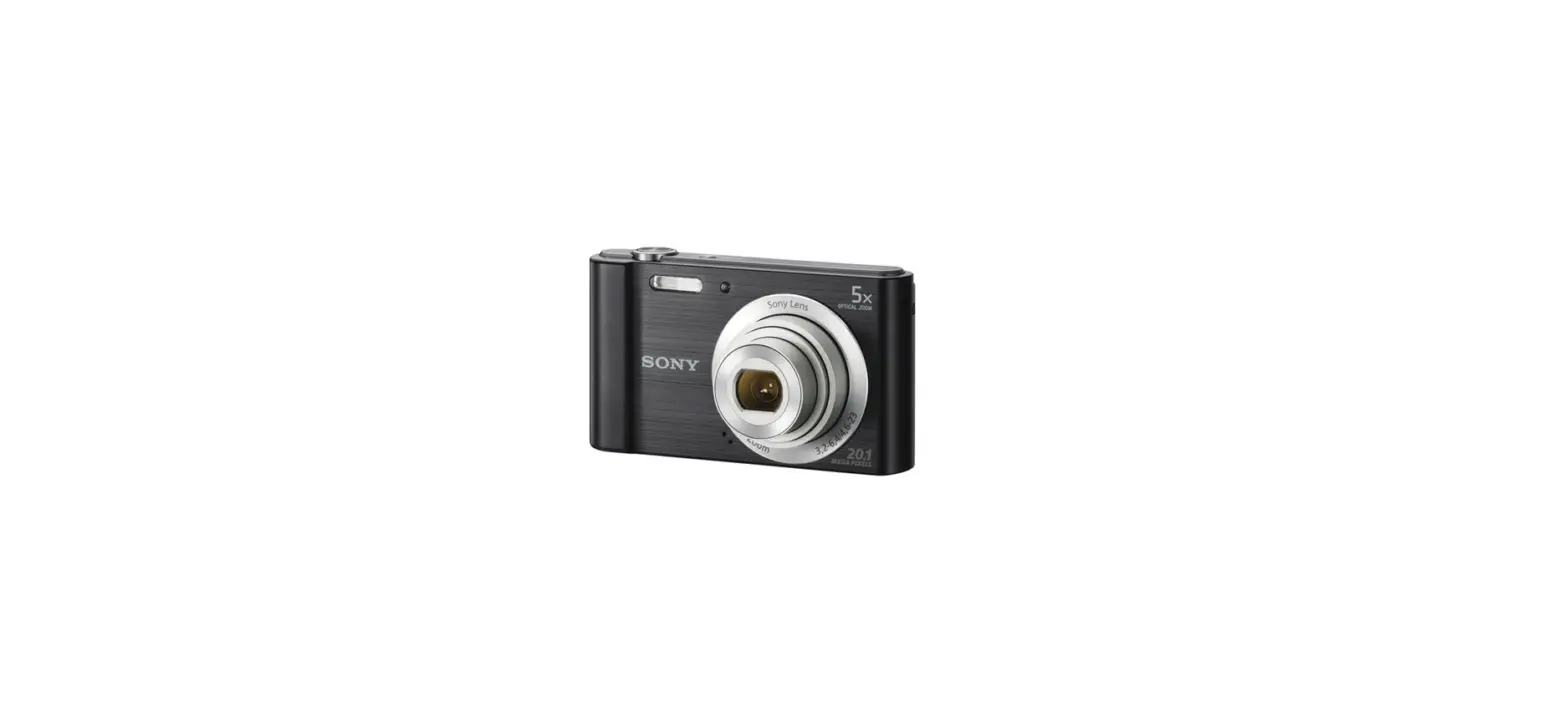

Sony DSCW800-B MP Digital Camera
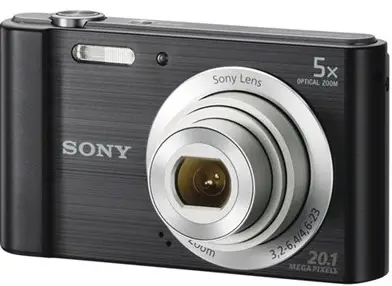
How to use
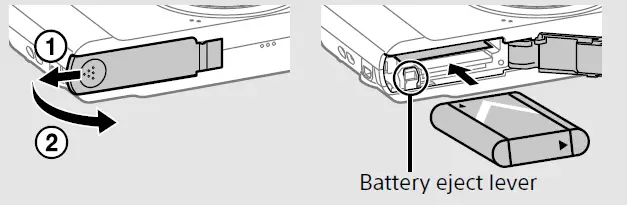
Inserting the battery pack
- Open the cover.
- Insert the battery pack

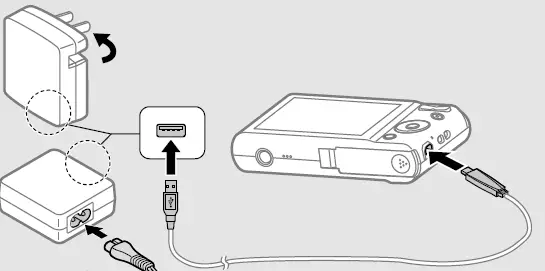
Charging the battery pack
- Turn off the camera while charging the battery.
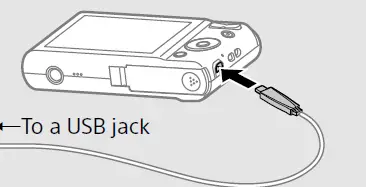
- Connect the camera to the AC Adaptor (supplied), using the dedicated USB cable (supplied).
- Connect the AC Adaptor to the wall outlet.
- Be sure to use only genuine Sony brand battery packs, the dedicated USB cable (supplied) and AC Adaptor (supplied).

Charging time (Full charge)
The charging time is approximately 115 min., using the AC Adaptor (supplied).
To charge by connecting to a computer
The battery pack can be charged by connecting the camera to a computer using the dedicated USB cable.
Battery life and number of images that can be recorded and played back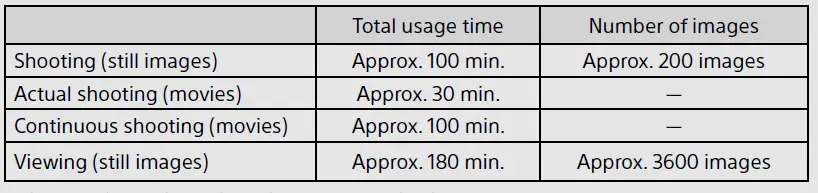
Inserting a memory card (sold separately)
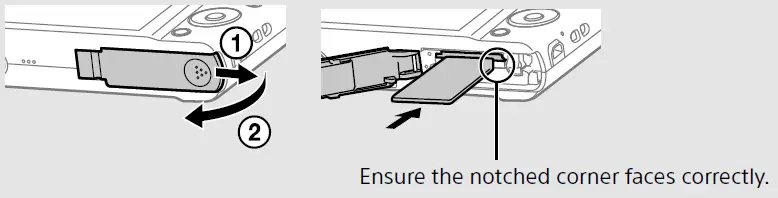
- Open the cover.
- Insert the memory card (sold separately).
Setting the clock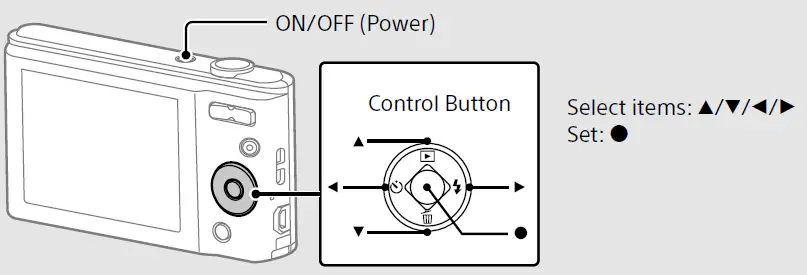
- Press the ON/OFF (Power) button.
- Select a desired language.
- Select a desired geographic location by following the on screen instructions, then press
 on the control button.
 - Set [Date & Time Format], [Summer Time] and [Date & Time], then select [OK].
- Follow the instructions on the screen.
 on the control button.
Shooting still images/movies
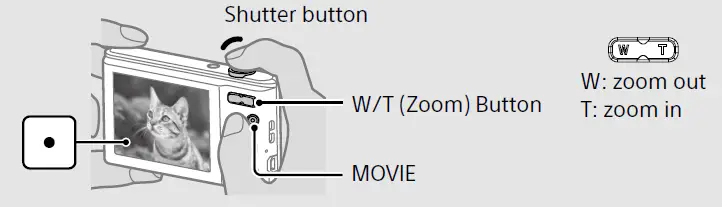
Shooting still images
- Press the shutter button halfway down to focus.
- Press the shutter button fully down to shoot an image.
Shooting movies
- Press the MOVIE (Movie) button to start recording.
- Press the MOVIE (Movie) button again to stop recording.
Viewing images
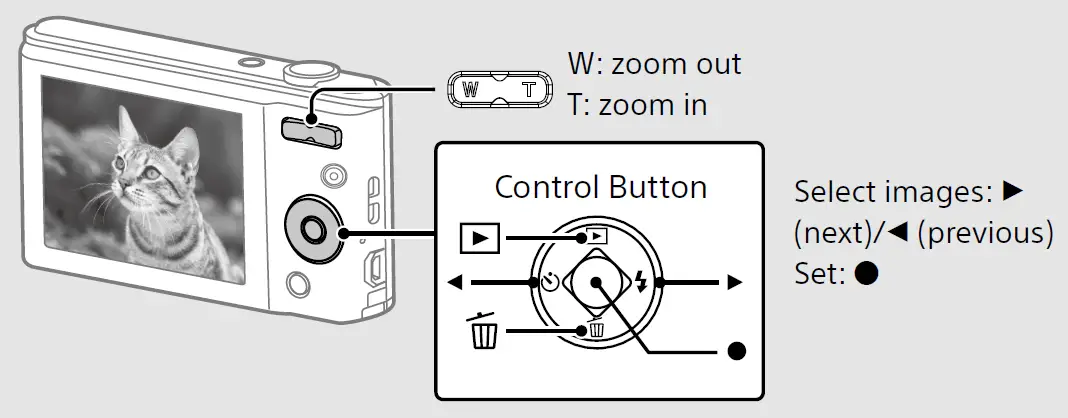
Press (Playback) on the control button.
- To select next/previous image
- Select an image by pressing
 (next)
 / (previous) on the control button. Press in the center of the control button to view movies.
 (next)
 / (previous) on the control button. Press in the center of the control button to view movies.
To delete an image
- Press (Delete) on the control button.
- Select [This Image] with on the control button, then press
Features of PlayMemories Home™
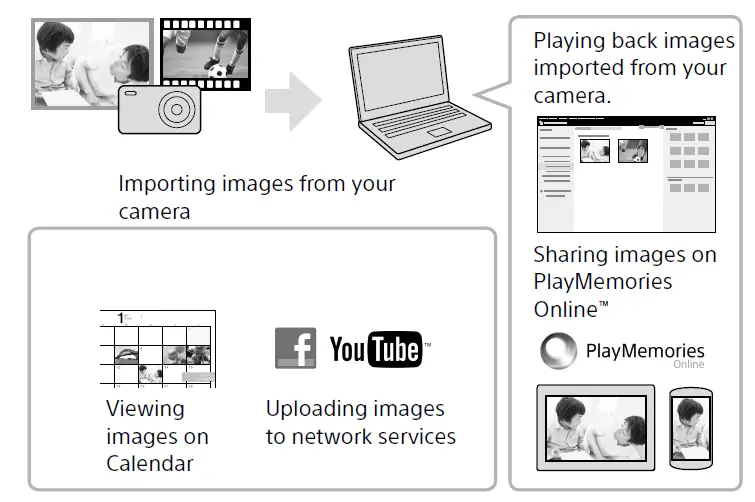
Downloading PlayMemories Home
- You can download PlayMemories Home from the following URL: www.sony.net/pm/
- For details on applications for Mac computers, visit the following URL: http://www.sony.co.jp/imsoft/Mac/
Recommended computer environment
You can check the system requirements for software at the following URL.www.sony.net/pcenv/
Notes on using the camera
On use and care
Avoid rough handling, disassembling, modifying, physical shock, or impact such as hammering, dropping, or stepping on the product. Be particularly careful of the lens.
On database files
When you insert a memory card without a database file into the camera and turn on the power, part of the memory card capacity is used to automatically create a database file. It may take some time until you can perform the next operation. If a database file error occurs, import all the images to a computer using PlayMemories Home, then format the memory card.
Notes on recording/playback
To ensure stable operation of the memory card, we recommend that you use this camera to format any memory card being used with this camera for the first time. Note that formatting will erase all data recorded on the memory card. This data cannot
Specifications
- Camera [System]
- Image device: 7.76 mm (1/2.3 type) CCD, Primary color filter
- Total pixel number of camera: Approx. 20.4 megapixels
- Effective pixel number of camera: Approx. 20.1 megapixels
- Lens: 5× zoom lens
- f = 4.6 mm – 23 mm (26 mm – 130 mm (35 mm film equivalent))
- F3.2 (W) – F6.4 (T)
- While shooting movies (16:9): 31.5 mm – 157.3 mm
- While shooting movies (4:3): 26 mm – 130 mm
- SteadyShot: Electronic
- Burst shooting (when shooting with the largest pixel number):
- Approx. 0.52 image/second (up to 100 images)
File format:
- Still images: JPEG (DCF, Exif, MPF Baseline) compliant, DPOF compatible
- Movies: AVI (Motion JPEG)
- Recording media: Internal Memory (Approx. 29 MB), Memory Stick PRO Duo™ media,
- Memory Stick Micro™ media, SD cards, microSD memory cards
- Flash: Flash range (ISO sensitivity (Recommended Exposure Index) set to Auto):
- Approx. 0.4 m to 3.5 m (1.3 ft to 11.5 ft) (W)
- Approx. 0.6 m to 1.76 m (1.96 ft to 5.77 ft) (T)
[Input and Output connectors]
- USB / A/V OUT jack:
- Video output
- Audio output
- USB communication
- USB communication: Hi-Speed USB (USB 2.0)
[Screen]
- LCD screen: 6.7 cm (2.7 type) TFT drive
- Total number of dots: 230 400 dots
[Power, general]
- Power: Rechargeable battery pack NP-BN, 3.6 V
- AC Adaptor AC-UB10C, 5 V
- Power consumption (during shooting): Approx. 1.0 W
CAUTION
Battery pack
- If the battery pack is mishandled, the battery pack can burst, cause a fire or even chemical burns. Observe the following cautions.
- Do not disassemble.
- Do not crush and do not expose the battery pack to any shock or force such as hammering, dropping or stepping on it.
- Do not short circuit and do not allow metal objects to come into contact with the battery terminals.
- Do not expose to high temperature above 60°C (140°F) such as in direct sunlight or in a car parked in the sun.
- Do not incinerate or dispose of in fire.
- Do not handle damaged or leaking lithium ion batteries.
- Be sure to charge the battery pack using a genuine Sony battery charger or a device that can charge the battery pack.
- Keep the battery pack out of the reach of small children.
- Keep the battery pack dry.
- Replace only with the same or equivalent type recommended by Sony.
- Dispose of used battery packs promptly as described in the instructions.
AC Adaptor
- Use the nearby wall outlet (wall socket) when using the AC Adaptor. Disconnect the AC Adaptor from the wall outlet (wall socket) immediately if any malfunction occurs while using the apparatus.
FCC
This equipment has been tested and found to comply with the limits for a Class B digital device, pursuant to Part 15 of the FCC Rules. These limits are designed to provide reasonable protection against harmful interference in a residential installation. This equipment generates, uses, and can radiate radio frequency energy and, if not installed and used in accordance with the instructions, may cause harmful interference to radio communications. However, there is no guarantee that interference will not occur in a particular installation. If this equipment does cause harmful interference to radio or television reception, which can be determined by turning the equipment off and on, the user is encouraged to try to correct the interference by one or more of the following measures:
- Reorient or relocate the receiving antenna.
- Increase the separation between the equipment and receiver.
- Connect the equipment into an outlet on a circuit different from that to which the receiver is connected.
- Consult the dealer or an experienced radio/TV technician for help.
FAQS
How superior would you say this is compared to a 14mp camera?
Today’s cameras just about all produce very good pictures. The cameras that make the best are those with the largest lenses.
Can you get an external charger to charge the battery, or can you only charge the battery via USB while it is in the camera?
you can charge the battery outside the camera. We recommend using the travel
The dimensions of the camera are given as 0.87 inches x 1.97 inches x 2.13 inch. Yet the display is listed at 2.7″. How is that possible?
Here are the dimensions (Approx.) Approx. 50 mm × 22 mm × 54 mm(2 inches × 7/8 inches × 2 1/4 inches) (W/H/D). The 2.7″ screen is measured diagonally
What does come with the camera? Besides the charger, usb cable, manual.. does it also come with a memory card?
No, it doesn’t come with a memory card. BTW, I do not like this camera. I’m sending mine back. It doesn’t take good photos.
Does the camera work with a selfie stick?
you can attach the camera to a selfie stick through the tripod receptacle at the bottom of the camera. But remote operation can’t be guaranteed
Is this camera good for vlogging?
An iphone or smartphone would be better. The quality on this is not so great. Video is only 720p.
Date and time imprint?
It can by going to the menu, then go to the suitcase icon then under the first menu in there “shooting settings” and go down to “Write Date” change that from off to on
Is this camera truly waterproof?
Honestly, I don’t know. I did not try it and am not willing to dip it inside water to try. The picture quality is poor and I would not buy this camera again.
Is it possible to date and time stamp photos?
It seems to have this option in the menu but I have not tested it.
Does it fit a standard tripod?
the camera has a standard sized tripod receptacle. We recommend using a tripod with a screw less than 5.5 mm (7/32in) long
It doesn’t come with a memory card?
this Sony DSC-W800 doesn’t have an internal memory that is why w/o a memory card inserted
Does this include a CD with software I can load into my HP desktop PC to store pics?
the software CD is not included when you purchase this Sony DSCW800/B. However, you can go to the link given below to download
Can it be mounted onto a tri pod?
Yes, it has a tripod receptacle and you may use a tripod with a screw less than 5.5 mm
does it have a wifi?
It does not support wi-fi connectivity but you can insert an Eye-Fi card which enables you to wirelessly transfer