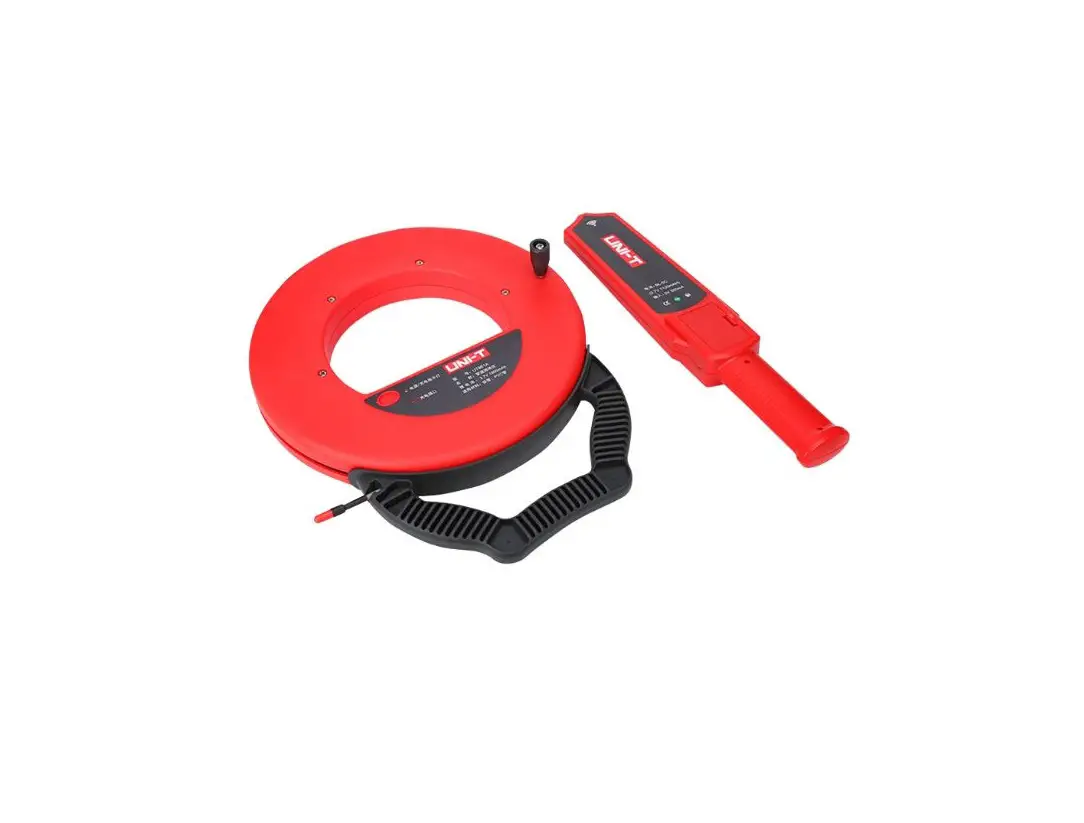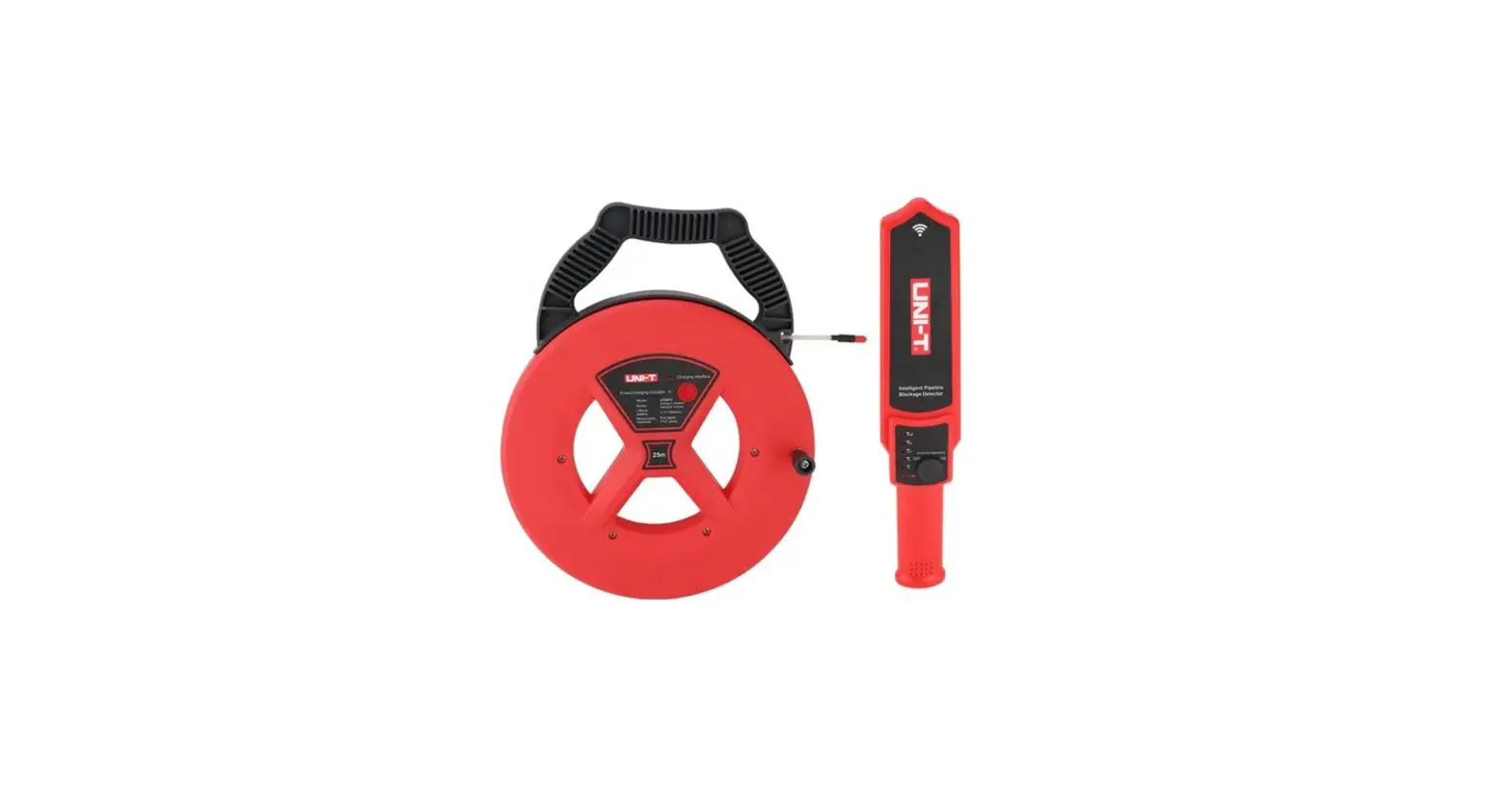
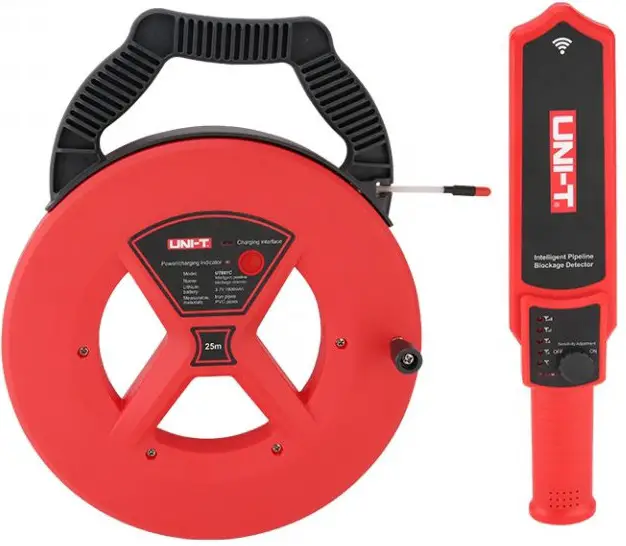
UNI-T UT661C/D Pipeline Blockage Detector User Manual
Introduction
Blockages and obstructions in pipelines can result in significant losses in revenue and severe disruption to operations. It is often critical to correctly identify the location of any blockages or obstructions to allow swift remedial actions to be taken.
UT661C/D can quickly locate any blockages or obstructions to avoid large scale overhaul. It is able to penetrate up to 50cm wall with accuracy of ±5cm.
Cautions
- Turn off the device after use.
- Pull out the probe from the pipe before clearing the pipe.
- Detecting distance may be shortened slightly for detecting steel pipe.
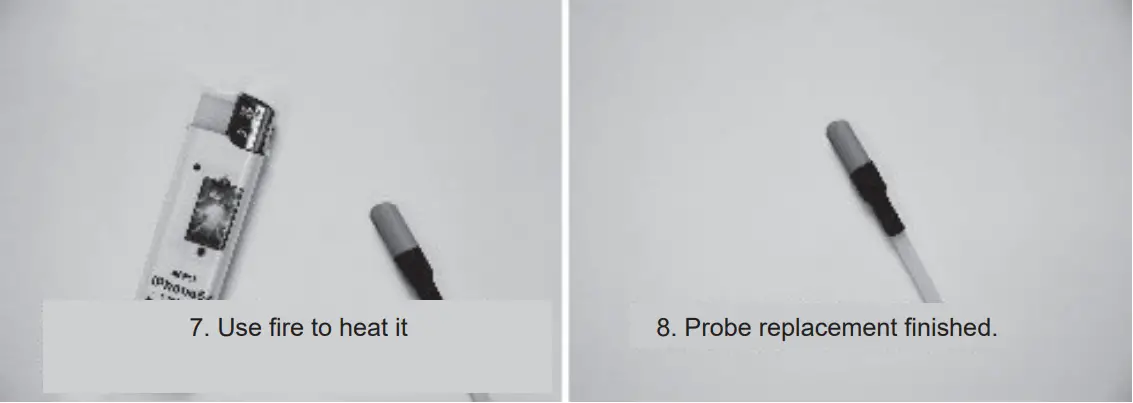
- If the green LEDs of transmitter and receiver are lit normally but no voice is present during detection, please replace the probe.
Power On/Off Transmitter
Long press power button for 1s to power on the device, and short/long press the same button to power off the device. The device will automatically power off after 1 hour. Long press power button for more than 10s to compulsively power off the device.
Receiver: Rotate the power switch clockwise until the power indicator turns on to power on the device. And rotate the power switch anticlockwise until the power indicator turns off to power off the device. The device will automatically power off after 1 hour.
Inspection before Use
Turn on both the transmitter and receiver, rotate the power switch of the receiver clockwise to the end and place it closer to the probe, if the buzzer goes off, it is in well-condition. If not, take off the plastic cap of the probe to check if it is broken or short circuited.
Detection
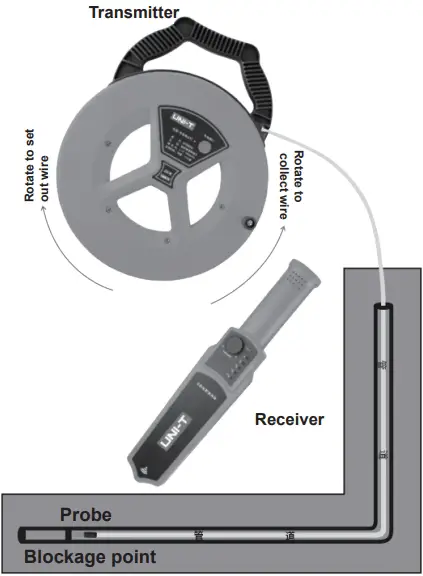
Note: Please hold the handle tightly and rotate the wire coil when setting out or collecting the wire.
Step 1: Insert the probe into the pipe, extend the probe to the longest length possible, to where the blockage is located.
Step 2: Turn on the transmitter and receiver, set the sensitivity of the receiver to MAX by rotating the power switch, then use the receiver to scan from the probe entrance, when the buzzer goes off strongest, mark the point and pull out the probe.
Sensitivity Adjustment
Users can turn the power switch to increase the sensitivity for blockage detection. Users can use high sensitivity position to locate the approximate range then lower the sensitivity to precisely locate the blockage point:
Increase sensitivity: rotate the power switch clockwise; Decrease sensitivity: rotate the power switch anticlockwise.
Power Indicator
| LED | Power |
| Solid green | Full power; when charging: fully charged |
| Flashing green | Low power, please charge |
| Solid red | Charging |
- Charge the device by using standard 5V ‘IA charger with micro USB adapter.
- If not being used for a long time, please fully charge the device and store it in a safe location.
- It is suggested to charge the device once per half year to protect the battery of the device and lengthen lifetime.
Demonstration
Probe Replacement
Specification
| Functions | Basic Accuracy | |
| UT661C | UT661D | |
| Transmitter | √ | √ |
| Signal wire | 25m | 35m |
| Receiver | √ | √ |
| Maximum detection depth | 50cm | 50cm |
| Transmitter current | Shutdown current. < 2uA, operating current: 230-310mA | |
| Receiver current | Shutdown current- < 2uA, standby current- < 40mA, maximum operating current: 150-450mA (1cm distance) | |
| Charging current | 450-550mA | |
| Sound (1cm distance) | >93dB | |
| Sound (0.5cm distance) | >75dB | |
| Battery duration | 10 hours | |
| Operating temperature and humidity | -20″C-60 C 10-80%RH | |
| Measurable pipe materials | Plastic pipes, metal pipes | |
| Buzzer | ||
| Flash | √ | |
| Low battery indication | √ √ | |
| IP rating | IP 67 (probe) | |
| General Characteristics | ||
| Transmitter battery | Built-in lithium battery (3.7V 1800mAh) | |
| Receiver battery | Built-in lithium battery (3.7V 1800mAh) | |
| Product color | Red + gray | |
| Standard accessories | Charging cable, probe kit | |
| Standard individual packing | Gift box, user manual | |
| Standard quantity per carton | 5pcs | |
| Standard carton measurement | 405x90x350mm | |
Note: The measurement distance refers to the maximum effective distance that can be detected when there is no obstruction between the transmitter and the receiver. If there is a metal or wet object between them, the effective distance will be reduced.
| NO. | Item | Quantity | Remarks |
| 1 | Transmitter | 1 | |
| 2 | Receiver | 1 | |
| 3 | Charging cable | 1 | |
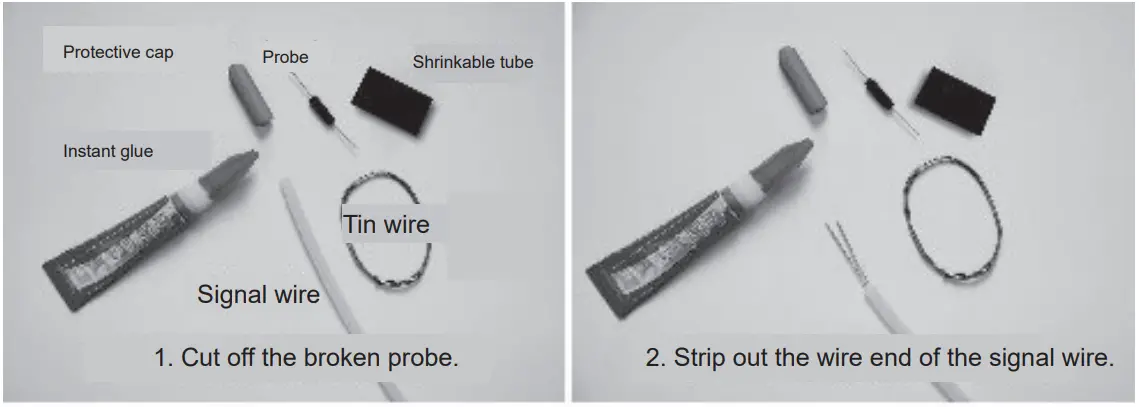
| 4 | Probe kit | 1 | Protective cap, probe, tin wire, shrinkable tube |
| 5 | Instant glue | 1 | |
| 6 | User manual | 1 | |
| 7 | Lithium batteries | 2 | Built-in batteries for transmitter and receiver |