
NEED MORE HELP?
For all support go to jabra.com/support
Jabra
Evolve 80
Quick start guide
jabra.com/evolve80
81-03909 L
GN Making Life Sound Better
HOW TO CONNECT
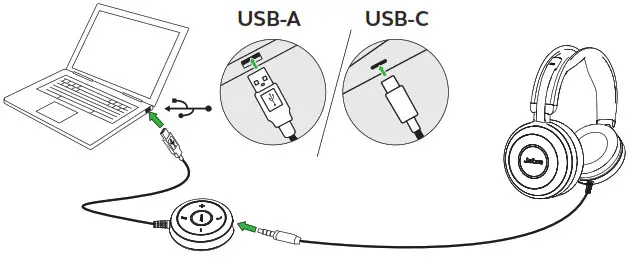
CONNECT TO PC (WITH CONTROLLER)
Fully plug the headset into the controller, and connect the controller to a USB port on the PC. Only use the controller supplied with the Jabra Evolve 80.
 CONNECT TO MOBILE DEVICE (WITHOUT CONTROLLER)
Plug the headset directly into your mobile device.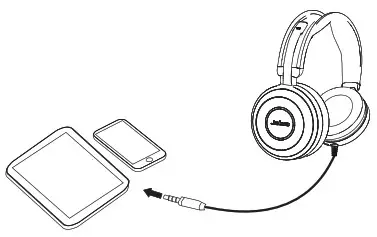
HOW TO WEAR
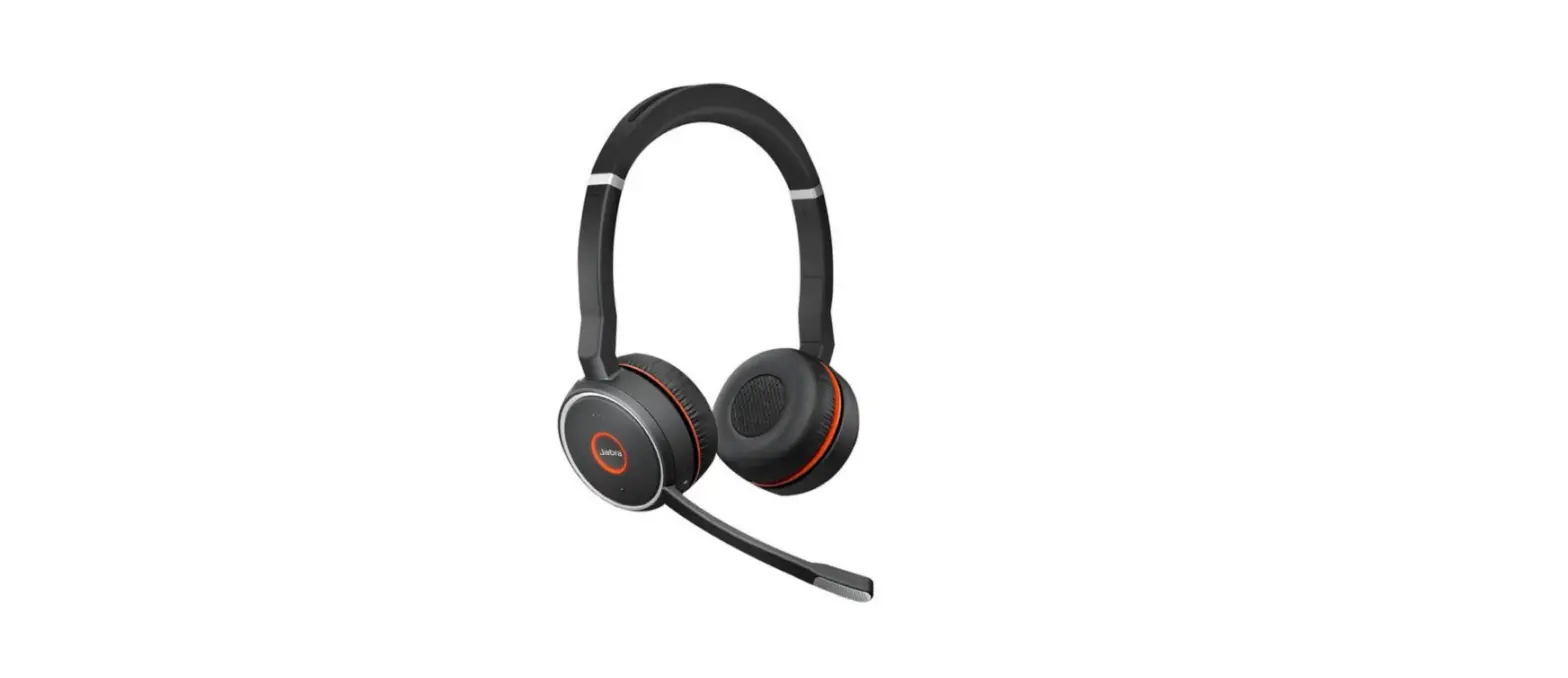
It is recommended to position the microphone close to your mouth (2 cm).
The microphone is bendable for personal preference.
When listening to music or when outdoors, the microphone can be stored in the headband groove.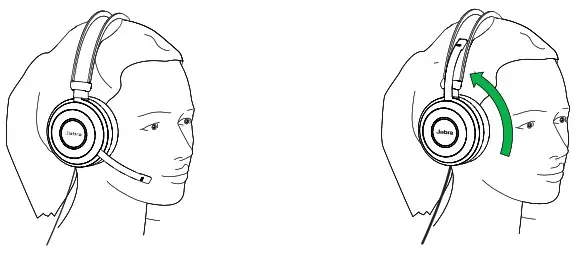 FOLD-FLAT STORAGE
The earcups can be folded flat for easy storage.
The microphone must be removed from the headband groove and swiveled backward before folding the earcups flat.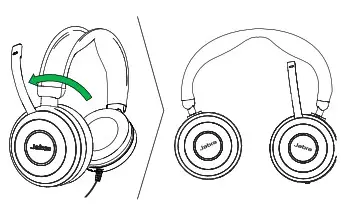
HOW TO USE


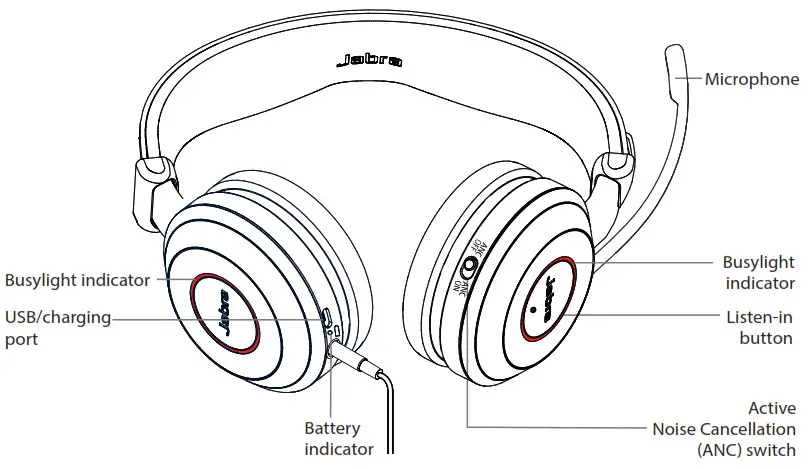
DID YOU KNOW?
You can download the full user manual from jabra.com/evolve80
| FUNCTION | ACTION | |
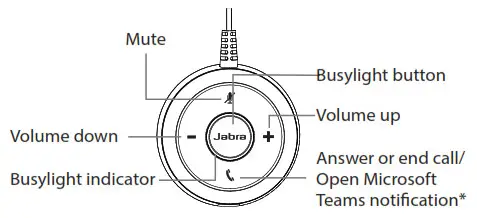
 | Answer/end call | Tap the Answer/end button |
| Open Microsoft Teams notification* | Tap the Answer/end button | |
| Reject call | Double-tap the Answer/end button | |
 | Adjust speaker volume | Tap the Volume up or Volume down button |
 | Busylight | Tap the Busylight button |
 | Mute/unmute | Tap the Mute button, or swivel the microphone up (mute) or down (un-mute) |
| FUNCTION | ACTION | |
 | Active Noise Cancellation (ANC) | Active Noise Cancellation reduces outside disturbance. Slide the Active Noise Cancellation switch on/off |
 | Listen-in | Listen-in lets outside sound into the headset. Tap the Listen-in button (ANC must be on) |
CHARGING THE HEADSET
Normal use of the headset, when connected to the controller, will charge the battery.
The headset will also charge when connected via USB cable.
It takes approx. 3 hours to fully charge.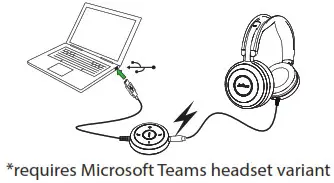
© 2014 GN Audio A/S. All rights reserved. Jabra ® is a trademark of GN Audio A/S.
MADE IN CHINA
MODEL: HSC019
 Declaration of Conformity can be found on www.jabra.com/CP/US/declarations-of-conformity
![Jabra Evolve 75e Active Noise Cancellation Headphones [hsc070w, End040w] User Manual](https://static-data1.manualsee.com/1/img/46/16963/2020/12/Jabra-Evolve-75e-Active-Noise-Cancellation-Headphones-HSC070W-END040W-FEATURED-1568x766.png "Jabra Evolve 75e Active Noise Cancellation Headphones [hsc070w, End040w] User Manual")