 MANUAL
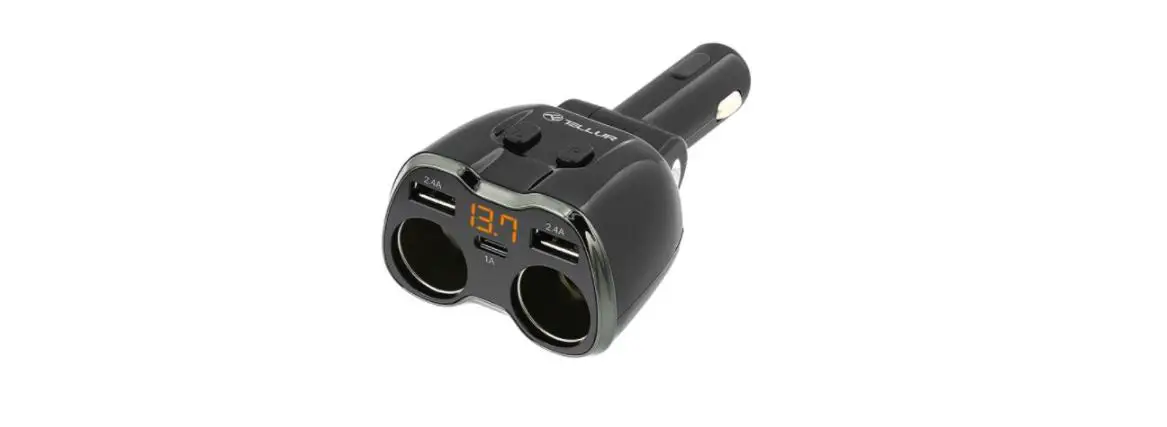
CAR SOCKET SPLITTER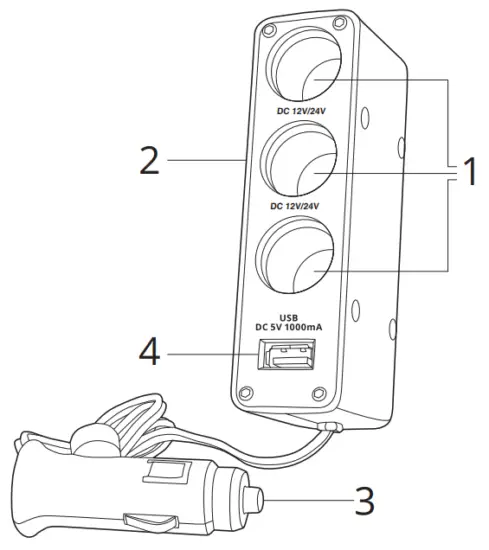
Thank you for purchasing a product by Setty. Before use, please refer to the User’s manual, and save it for future reference. Do not disassemble the device on your own – all repairs should be done by a service technician. Use only original parts and accessories provided by the manufacturer. The device should not be exposed to direct water, moisture, sunlight, fire, and other heat sources. We hope that the product by Forever fulfills your expectations.
Image Description
- Car charger sockets
- LED diode
- Car charger connection
- LLB output
Using the car charger sockets
- Connect the splitter to the car lighter socket.
- Connect the device’s charger to the 3in1 splitter.
- Connect the device to the charger to start charging.
- After the charging is completed, first disconnect the device from the charger, then disconnect the charger.
- Disconnect the 3in1 splitter from the car lighter socket.
 | Electrical and electronic devices may not be disposed of with domestic waste. By recycling, reusing the materials, or other forms of utilizing old devices, you are making an important contribution to protecting our environment. |
 | Giving this type of waste in the right places will help to conserve natural resources |
 | The device and accessories are in line with the directives on operational safety, health and environmental protection referred to in the declaration of conformity. It is compatible with the provisions of the New Approach Directives. |
 | Separate collection of used products and packing al-lows materials to be recycled and used again |