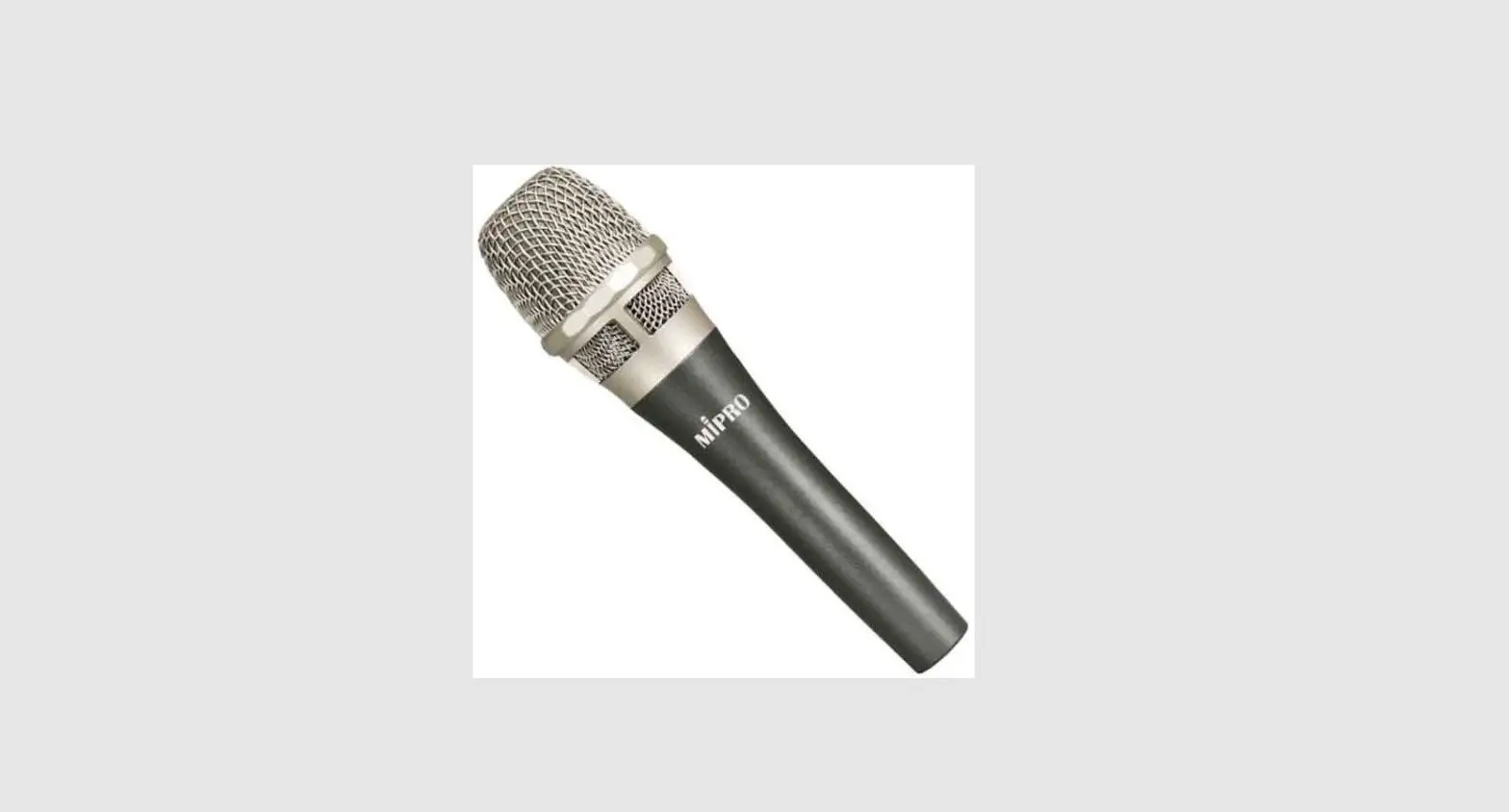
Rode RODELINK TX-M2 Wireless Handheld Condenser Microphone
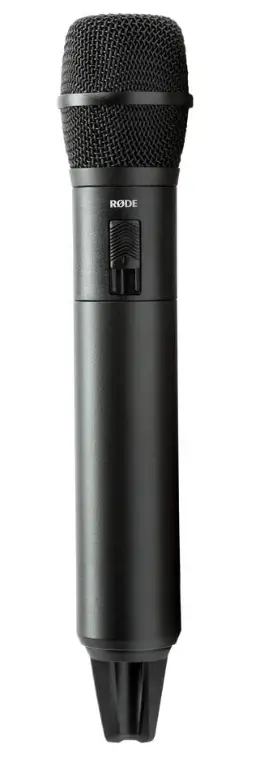
For singers, presenters, and journalists, the RDELink TX-M2 Microphone is a flexible, accurate, and flawlessly balanced wireless condenser mic. It pairs quickly with the RX-DESK and RX-CAM receivers, transmitting a 128-bit encrypted signal on the license-free 2.4GHz frequency, and provides crystal-clear audio and exceptionally low handling noise. To ensure the finest music quality, it constantly scans frequencies and switches to the strongest signal using next-generation digital wireless technology.
The LB-1 Lithium-Ion Rechargeable Battery, which offers over 10 hours of use on a single charge, or two AA batteries, which provide over 6 hours of use, power the TX-M2. The super-cardioid condenser capsule and mute switch are housed in the slim and portable handheld microphone, which makes it a fantastic wireless substitute for the well-known M2 microphone while consistently delivering the sensitivity and adaptability provided by condenser microphones.
The RØDELink TX-M2 Microphone is a versatile wireless condenser microphone. Transmitting a 128-bit encrypted signal on the license-free 2.4GHz spectrum, the TX-M2 pairs easily with the RX-DESK or RX-CAM Receivers, delivering crystal clear audio.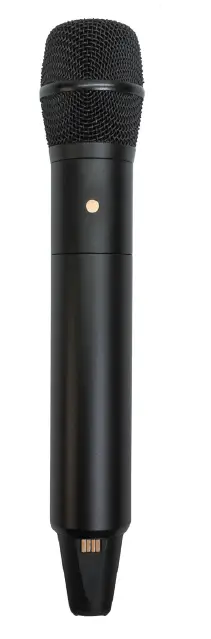
- Series II 2.4GHz Digital Transmission
- 128-Bit Encrypted Signal
- High Quality Condenser Microphone
- Up to 100m range (based on optimal environment)
- Power via LB-1 Rechargeable Battery or 2 x AA Batteries
- Low Handling Noise
- Mute Switch
- Designed and Made in Australia

SPECIFICATIONS
| SPECIFICATIONS
Transmission type: |
2.4GHz fixed frequency agile system |
| System dynamic: | 118dB range |
| Range (distance): | Up to 100m (based on optimal environment) |
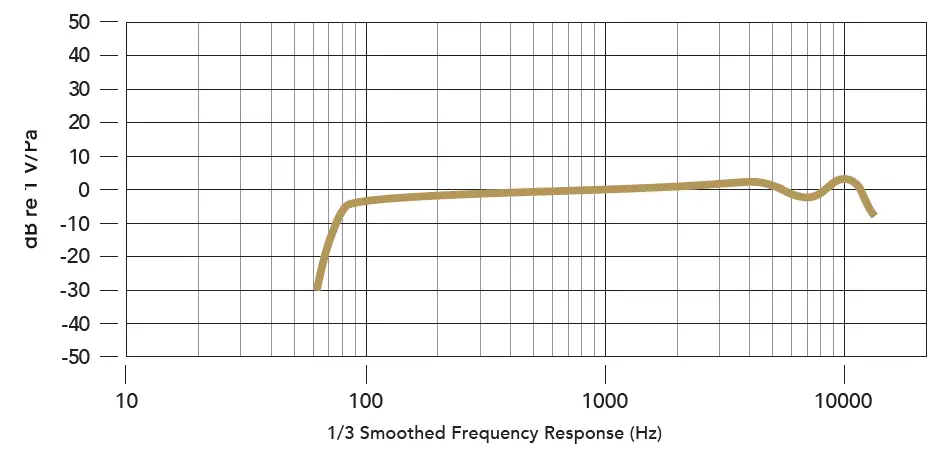
| Frequency Response: | 35Hz – 20 kHz |
| Max input signal level: | 140dB SPL |
| Power source: | RØDE LB-1 4.2v Lithium-ion Rechargeable Battery or 2 x AA Batteries |
| Antenna: | Diversity antenna |
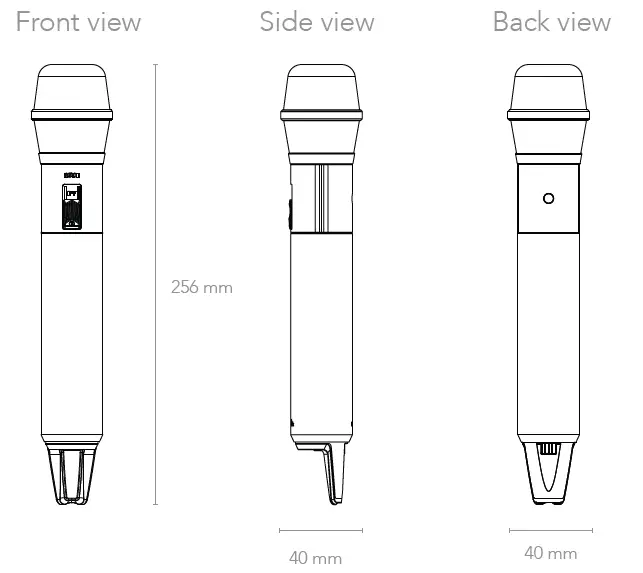
| Dimensions: (W x H x D) | 40mm x 256mm x 40mm |
| Weight: | 222g |
| IN THE BOX (1) TX-M2, (1) LB-1, (1) Mic Clip, (1) Leather Pouch, (1) Charging Cable
COMPATIBLE WITH RX-DESK Receiver RX-CAM Receiver | |
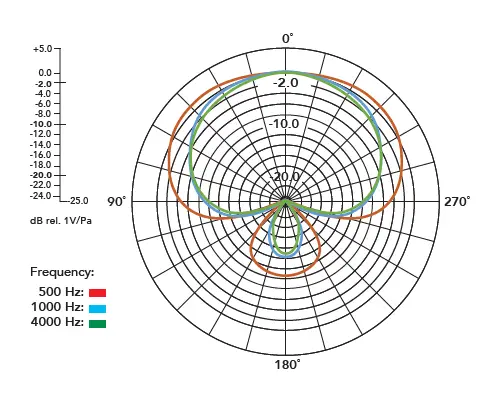
POLAR PATTERN
FREQUENCY RESPONSE
FAQs
How is a Wi-Fi rode set up?
To turn on the TX, press and hold the power button for 3 seconds (transmitter). The TX will automatically switch the audio input if an external microphone is plugged in that is compatible with it. Connect the RX’s 3.5mm TRS output to an audio device, such as the microphone input on a camera.
How can I link my phone to my wireless microphone?
(iOS) using a phone Go to Bluetooth in the settings. Your device should be listed under “OTHER DEVICES” at the bottom. Connect after choosing the device. (Android) Swipe the screen down; tap and hold Bluetooth; select the keyboard from the list of devices; and pair.
Will an iPhone operate with a rode microphone?
High-quality directional microphone with a Lightning connector, the RDE VideoMic Me-L enables you to record even better audio for your iPhone and iPad videos.
How can I link my iPhone to my wireless microphone?
It’s really easy to record video with a cordless iPhone® microphone. Your phones will automatically recognize it as the default audio recording device for voice recording when you simply insert it into the charging port. You can then start recording after that.
Why does my phone’s external microphone not function?
If everything is in order, your apps are the problem. By heading to Settings -> Apps -> App permissions -> Microphone permissions, you can see which apps are accessing the microphone.
Can a speaker and a rode WIFI go together?
You can, indeed. To turn them on, simply insert the wire into the rear. There will be a little PA system for you.
Can a smartphone be used with the Rode Wireless Go?
You have precise control over gain settings and more with the Central mobile app.
How can I link an Android phone to a condenser microphone?
Similar to this, an OTG Adapter is required if you want to use an audio interface to connect your condenser microphone to an Android phone.
What does the Rode Mic’s red light signify?
Green denotes a fully charged battery; amber, a medium charge; red, a low charge; and blinking red, a very low charge. When the mic is linked to a charging device, this LED also shows the state of the charge.
Rode Connect is it free?
Introducing RDE Connect, Free, Easy-to-Use Software for NT-USB Mini Podcasting and Streaming.
I need my Mac to recognize my external microphone; how can I do that?
Make sure the External Microphone is listed under “Select a Device for Sound input” in System Preferences > Sound. If the external microphone isn’t working with your Mac, you might require a TRS to TRRS Adapter.
How do you configure the iPhone’s microphone?
To access the microphone, go to Settings > Privacy. Make sure the app is turned on. Contact the app’s creator if the app is able to access your microphone or if it isn’t listed.
Will the iPhone work with the Rode Wireless Go?
The AI-Micro can easily connect to USB Type-A, USB Type-C, and Lightning devices with the help of the included cables. Use it with a Mac or Windows computer, an iPhone, an iPad, or a tablet running Android.
Why isn’t my microphone working?
Check your device’s sound settings to see if the call or media volume is extremely low or muted. If so, all you need to do is turn up your device’s media and call volume.
What are the settings for my microphone?
Settings. Click on Site Settings. Tap the camera or microphone. Tap to activate or deactivate the microphone or camera.