SU1604 Summation Transformer
Product Information
The product is the ENERGYCONTROL SU1604 Summator, manufactured
by Gossen Metrawatt GmbH. It is a part of the Energy Control System
(ECS) and is designed for transparent cost center accounting. The
SU1604 summator can log, optimize, and bill electrical and
non-electrical energy media to the respective cost centers. It is a
central device within the ECS and is capable of logging and billing
analog and digital quantities.
Product Usage Instructions
- Ensure to read and follow all safety instructions provided in
the documentation to prevent injury and damage to the
instrument. - The SU1604 summator is intended for use in the Energy Control
System (ECS) for cost center accounting. - It can log and bill both analog and digital quantities of
electrical and non-electrical energy media. - Refer to the device description section in the manual for a
detailed understanding of the product. - Measurement data can be obtained using the summator. Refer to
the measurement data section for an overview of available
measurement data. - The operation of the summator is done through display menus.
Refer to the operation section for instructions on navigating the
menus. - Basic configuration of the summator can be performed. Refer to
the basic configuration section for detailed instructions. - Refer to the technical data section for information on the
specifications of the product. - If using the LON Bus System Structure, refer to the LON Bus
System Structure section for details on maximum cable lengths,
cable types, and bus termination. - Maintenance guidelines are provided in the maintenance section.
Follow these guidelines to ensure proper functioning of the
summator. - Contact, support, and service information can be found in the
corresponding section. - For returns and environmentally sound disposal, refer to the
relevant section for proper procedures. - Use the index section to quickly locate specific information in
the manual.
Operating Instructions
ENERGYCONTROL SU1604
Summator
3-447-004-03 4/12.22
Highlights · New modular concept · Software is downward compatible to U1600/1/2/3 summators · Energy Control Language (ECL) for programming analyses, monitoring and optimization
U1604 basic module: · 64 processing channels for calculating energy, power and costs. Physical inputs
(up to 64) or LON meters can be allocated as desired. · Increased processing power by a factor of 10 to 15 as compared with U1601/2/3
summators · LON interface for 64 LON devices · One RS 232 interface (max. 921 kBaud) · One RS 485 interface (max. 921 kBaud, half-duplex) · Two ECS LAN interfaces (max. 375 kBaud) · Ethernet interface (100 MBit/s) with ECL access via TCP/IP
Further optional components: · U1614 power pack module with status relay · U1624 SO input module with twelve S0-compatible meter inputs (up to 6 modules,
max. 64 S0 inputs)
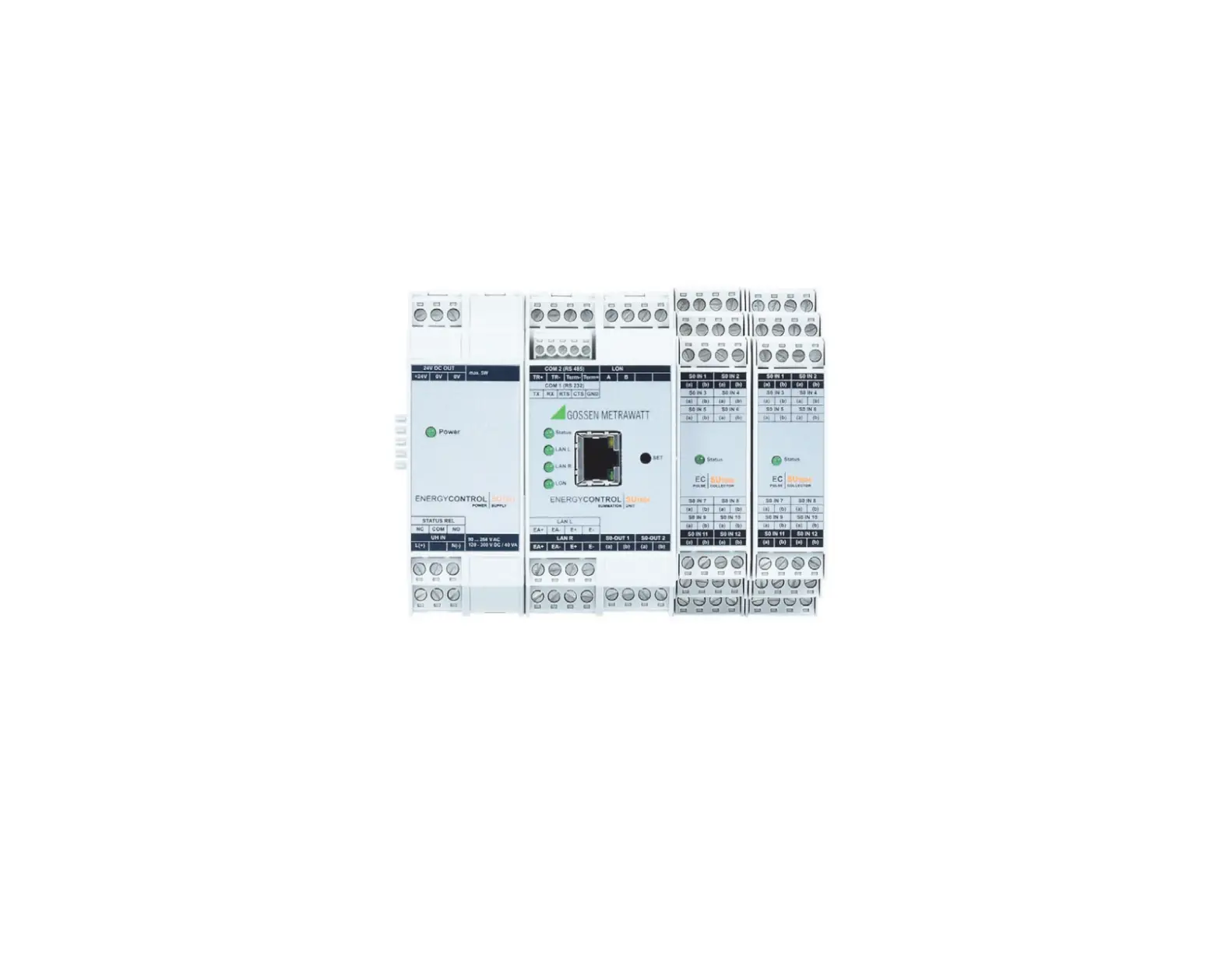
Scope of delivery, SU1604 1 U1604 basic module 1 Split toroidal core 2 ME 22.5 T-bus mounting rail connector 1 Condensed operating instructions
Scope of delivery, SU1614 1 U1614 power pack module 2 ME 17.5 T-bus mounting rail connector 1 Condensed operating instructions
Scope of delivery, SU1624 1 U1624 pulse recording module 1 ME 22.5 T-bus mounting rail connector 1 Condensed operating instructions
2
Gossen Metrawatt GmbH
Table of Contents
Page
1 Safety Instructions. . . . . . . . . . . . . . . . . . . . . . . . . . . . . . . . . . . . . . . . . . . . . . . . . 5
2 Applications . . . . . . . . . . . . . . . . . . . . . . . . . . . . . . . . . . . . . . . . . . . . . . . . . . . . . . 6 2.1 Intended Use / Use for Intended Purpose . . . . . . . . . . . . . . . . . . . . . . . . . . . . . 6 2.2 Use for Other than Intended Purpose . . . . . . . . . . . . . . . . . . . . . . . . . . . . . . . . 6 2.3 Liability and Guarantee . . . . . . . . . . . . . . . . . . . . . . . . . . . . . . . . . . . . . . . . . . . 6 2.4 Opening the Instrument / Repairs . . . . . . . . . . . . . . . . . . . . . . . . . . . . . . . . . . . 6
3 Introduction . . . . . . . . . . . . . . . . . . . . . . . . . . . . . . . . . . . . . . . . . . . . . . . . . . . . . . 7 3.1 Summator Comparison . . . . . . . . . . . . . . . . . . . . . . . . . . . . . . . . . . . . . . . . . . . 7
4 Device Description. . . . . . . . . . . . . . . . . . . . . . . . . . . . . . . . . . . . . . . . . . . . . . . . . 9
4.1 U1604 Device Overview . . . . . . . . . . . . . . . . . . . . . . . . . . . . . . . . . . . . . . . . . . 9 4.2 Channels/Calculations . . . . . . . . . . . . . . . . . . . . . . . . . . . . . . . . . . . . . . . . . . . . 9 4.3 Inputs . . . . . . . . . . . . . . . . . . . . . . . . . . . . . . . . . . . . . . . . . . . . . . . . . . . . . . . 12 4.4 S0 Outputs S1 … S2. . . . . . . . . . . . . . . . . . . . . . . . . . . . . . . . . . . . . . . . . . . . 12 4.5 Self-Test . . . . . . . . . . . . . . . . . . . . . . . . . . . . . . . . . . . . . . . . . . . . . . . . . . . . . 13 4.6 RS 232/485 Port . . . . . . . . . . . . . . . . . . . . . . . . . . . . . . . . . . . . . . . . . . . . . . . 13 4.7 Ethernet Port . . . . . . . . . . . . . . . . . . . . . . . . . . . . . . . . . . . . . . . . . . . . . . . . . . 13 4.8 ECS LAN . . . . . . . . . . . . . . . . . . . . . . . . . . . . . . . . . . . . . . . . . . . . . . . . . . . . . 13 4.9 LAN LED (LANL/LANR) . . . . . . . . . . . . . . . . . . . . . . . . . . . . . . . . . . . . . . . . . . 16 4.10 LON Connection . . . . . . . . . . . . . . . . . . . . . . . . . . . . . . . . . . . . . . . . . . . . . . . 16 4.11 LON LED . . . . . . . . . . . . . . . . . . . . . . . . . . . . . . . . . . . . . . . . . . . . . . . . . . . . . 16
5 Measurement Data . . . . . . . . . . . . . . . . . . . . . . . . . . . . . . . . . . . . . . . . . . . . . . . 17 5.1 Overview of Available Measurement Data . . . . . . . . . . . . . . . . . . . . . . . . . . . . 17 5.2 Synchronizing Interval Measurement Data List . . . . . . . . . . . . . . . . . . . . . . . . . 19
6 Operation (display menus) . . . . . . . . . . . . . . . . . . . . . . . . . . . . . . . . . . . . . . . . . . . 21
6.1 Menu: Overview (main display menu) . . . . . . . . . . . . . . . . . . . . . . . . . . . . . . . . 21 6.2 Menu 1: Display Total Energy, Power, Costs . . . . . . . . . . . . . . . . . . . . . . . . . 22 6.3 Menu 2: Display Interval Energy . . . . . . . . . . . . . . . . . . . . . . . . . . . . . . . . . . . . 23 6.4 Menu 3: Display Maximum Interval Energy Values . . . . . . . . . . . . . . . . . . . . . . 24 6.5 Menu 4: Display Analog Inputs/Outputs . . . . . . . . . . . . . . . . . . . . . . . . . . . . . 25 6.6 In-Service Function . . . . . . . . . . . . . . . . . . . . . . . . . . . . . . . . . . . . . . . . . . . . . 27 6.7 Menu: Display Applications . . . . . . . . . . . . . . . . . . . . . . . . . . . . . . . . . . . . . . . 28 6.8 Menu 5: Display Status Menu (time, relay, errors, interfaces) . . . . . . . . . . . . . . 29
7 Basic Configuration . . . . . . . . . . . . . . . . . . . . . . . . . . . . . . . . . . . . . . . . . . . . . . . 31
7.1 Overview of Setup Parameters . . . . . . . . . . . . . . . . . . . . . . . . . . . . . . . . . . . . 31 7.2 Setup Selection Menu . . . . . . . . . . . . . . . . . . . . . . . . . . . . . . . . . . . . . . . . . . 32 7.3 Summator Parameters (IDs, intervals, tariffs, outputs …) . . . . . . . . . . . . . . . . . 33 7.4 RS 232/485 Menu . . . . . . . . . . . . . . . . . . . . . . . . . . . . . . . . . . . . . . . . . . . . . . 41 7.5 LON Menu. . . . . . . . . . . . . . . . . . . . . . . . . . . . . . . . . . . . . . . . . . . . . . . . . . . . 43 7.6 ECS LAN Menu . . . . . . . . . . . . . . . . . . . . . . . . . . . . . . . . . . . . . . . . . . . . . . . 43 7.7 SETUP Submenus (Edit, Delete, Outputs, Bootstrap Loader, Password) . . . . . 44 7.8 Firmware Update . . . . . . . . . . . . . . . . . . . . . . . . . . . . . . . . . . . . . . . . . . . . . . . 46 7.9 COM Settings . . . . . . . . . . . . . . . . . . . . . . . . . . . . . . . . . . . . . . . . . . . . . . . . . 48 7.10 Ethernet Port . . . . . . . . . . . . . . . . . . . . . . . . . . . . . . . . . . . . . . . . . . . . . . . . . . 49 7.11 Relays and S0 Relays (S0-OUT). . . . . . . . . . . . . . . . . . . . . . . . . . . . . . . . . . . . 51 7.12 Basic Software Configuration. . . . . . . . . . . . . . . . . . . . . . . . . . . . . . . . . . . . . . 53
Gossen Metrawatt GmbH
3
8 Terminal Assignments . . . . . . . . . . . . . . . . . . . . . . . . . . . . . . . . . . . . . . . . . . . . .55 8.1 U1614 Power Pack Module . . . . . . . . . . . . . . . . . . . . . . . . . . . . . . . . . . . . . . .55 8.2 U1604 Basic Module . . . . . . . . . . . . . . . . . . . . . . . . . . . . . . . . . . . . . . . . . . . .56 8.3 U1624-S0IN12. . . . . . . . . . . . . . . . . . . . . . . . . . . . . . . . . . . . . . . . . . . . . . . . .57 8.4 TBUS Connection . . . . . . . . . . . . . . . . . . . . . . . . . . . . . . . . . . . . . . . . . . . . . .58
9 Programming . . . . . . . . . . . . . . . . . . . . . . . . . . . . . . . . . . . . . . . . . . . . . . . . . . . .61 9.1 General Information . . . . . . . . . . . . . . . . . . . . . . . . . . . . . . . . . . . . . . . . . . . . .61 9.2 Parameters Configuration and Data Visualization at a PC . . . . . . . . . . . . . . . . .62 9.3 ECL Extensions and Notes on Compatibility. . . . . . . . . . . . . . . . . . . . . . . . . . .63 9.4 INDEX Command Bug for U1601/2/3 with Use of UTC . . . . . . . . . . . . . . . . . .64
10 Technical Data . . . . . . . . . . . . . . . . . . . . . . . . . . . . . . . . . . . . . . . . . . . . . . . . . . .65
11 LON Bus System Structure. . . . . . . . . . . . . . . . . . . . . . . . . . . . . . . . . . . . . . . . . .68 11.1 Maximum Cable Lengths . . . . . . . . . . . . . . . . . . . . . . . . . . . . . . . . . . . . . . . .69 11.2 Cable Type . . . . . . . . . . . . . . . . . . . . . . . . . . . . . . . . . . . . . . . . . . . . . . . . . . .69 11.3 Bus Termination . . . . . . . . . . . . . . . . . . . . . . . . . . . . . . . . . . . . . . . . . . . . . . . .69
12 Connecting LON Bus Compatible Devices . . . . . . . . . . . . . . . . . . . . . . . . . . . . . .70 12.1 Network Interface. . . . . . . . . . . . . . . . . . . . . . . . . . . . . . . . . . . . . . . . . . . . . . .70 12.2 Functions . . . . . . . . . . . . . . . . . . . . . . . . . . . . . . . . . . . . . . . . . . . . . . . . . . . . .70 12.3 Device Descriptions . . . . . . . . . . . . . . . . . . . . . . . . . . . . . . . . . . . . . . . . . . . . .71 12.4 Reinstalling a LON Device . . . . . . . . . . . . . . . . . . . . . . . . . . . . . . . . . . . . . . . .77 12.5 Configuration at a PC with ECSwin Software . . . . . . . . . . . . . . . . . . . . . . . . . .78 12.6 Replacing a LON Device . . . . . . . . . . . . . . . . . . . . . . . . . . . . . . . . . . . . . . . . .78 12.7 Additional LON Parameters . . . . . . . . . . . . . . . . . . . . . . . . . . . . . . . . . . . . . . .79 12.8 Channel Errors . . . . . . . . . . . . . . . . . . . . . . . . . . . . . . . . . . . . . . . . . . . . . . . . .79
13 Maintenance. . . . . . . . . . . . . . . . . . . . . . . . . . . . . . . . . . . . . . . . . . . . . . . . . . . . .80
14 Contact, Support and Service. . . . . . . . . . . . . . . . . . . . . . . . . . . . . . . . . . . . . . . .81
15 Returns and Environmentally Sound Disposal . . . . . . . . . . . . . . . . . . . . . . . . . . .82
16 Index. . . . . . . . . . . . . . . . . . . . . . . . . . . . . . . . . . . . . . . . . . . . . . . . . . . . . . . . . . .82
4
Gossen Metrawatt GmbH
1 Safety Instructions
Observe this documentation, in particular all included safety information, in order to protect yourself and others from injury, and to prevent damage to the instrument.
· Carefully and completely read and adhere to these operating instructions, as well as the instrument’s condensed operating instructions. The respective documents can be found at http://www.gossenmetrawatt.com.
· Retain these documents for future reference.
· Observe the five safety rules in accordance with DIN VDE 0105-100:2015-10, VDE 0105-100:2015-10, Operation of electrical installations Part 100: General requirements (1. Shut down entirely. 2. Secure against restart. 3. Assure absence of voltage at all poles. 4. Ground and short circuit. 5. Cover neighboring live components, or make them inaccessible.).
· Observe and comply with all safety regulations which are applicable for your work environment.
· Wear suitable and appropriate personal protective equipment (PPE) whenever working with the instrument.
· Use the instrument in undamaged condition only. Inspect the instrument before use. Pay particular attention to damage. Damaged components must be replaced immediately.
· If the instrument or its accessories don’t function flawlessly, permanently remove the instrument/accessories from operation and secure them against inadvertent use.
· Do not use the instrument and its accessories after long periods of storage under unfavorable conditions (e.g. humidity, dust or extreme temperature).
· Only use the instrument and its accessories within the limits of the specified technical data and conditions (ambient conditions, IP protection code, measuring category etc.).
· A suitable surge protector must be used in order to ensure that the installation site meets the requirements specified for overvoltage category II.
· The terminals of the U1614 power pack module may only be disconnected or connected in the current/voltage-free state!
· During operation when auxiliary power is active, the U1614 power pack module may not be mounted to or removed from the TBUS!
· During operation when auxiliary power is active, neither the U1614 basic module nor any other S0 modules may be mounted to or removed from the TBUS.
· Opening the housing of the U1614 power pack module during operation is impermissible! If replacement of the fuse should become necessary, for which the housing must be opened, all terminals must first be disconnected!
· The TBUS may only be used to connect ECS components any combination with non-system
devices with similar backplane connection is impermissible.
Gossen Metrawatt GmbH
5
2 Applications
Please read this important information!
2.1 Intended Use / Use for Intended Purpose The Energy Control System (ECS) is used to ensure transparent cost center accounting. All electrical and non-electrical energy media can be logged, optimized and billed to the respective cost centers. As a central device within the Energy Control System (ECS), the U1604 summator makes it possible to log and bill analog and digital quantities.
These operating instructions describe ECS operating software as of V3.00. Current operating instructions for the latest firmware update are available for download at www.gossenmetrawatt.com.
LON is a registered trade mark of the Echelon Corporation.
2.2 Use for Other than Intended Purpose Using the instrument for any purposes other than those described in the condensed operating instructions or these instrument operating instructions is contrary to use for intended purpose.
2.3 Liability and Guarantee Gossen Metrawatt GmbH assumes no liability for property damage, personal injury or consequential damage resulting from improper or incorrect use of the product, in particular due to failure to observe the product documentation. Furthermore, all guarantee claims are rendered null and void in such cases. Nor does Gossen Metrawatt GmbH assume any liability for data loss.
2.4 Opening the Instrument / Repairs The instrument may only be opened by authorized, trained personnel in order to ensure flawless, safe operation and to assure that the guarantee isn’t rendered null and void. Even original replacement parts may only be installed by authorized, trained personnel. Unauthorized modification of the instrument is prohibited. If it can be ascertained that the instrument has been opened by unauthorized personnel, no guarantee claims can be honored by the manufacturer with regard to personal safety, measuring accuracy, compliance with applicable safety measures or any consequential damages.
6
Gossen Metrawatt GmbH
3 Introduction
The new modular concept of the U1604 permits space-saving setup of an ECS Energy Control System in accordance with actual requirements. Thanks to strict software compatibility with the earlier U1601/2/3 summators and downward compatibility to the U1600 summator, previously used systems can be easily replaced or expanded.
An instrument can be set up using the following modules: · U1604 basic module with the following interfaces: · 1 ea. RS 232 (COM-1), 1 ea. RS 485 (COM-2), ECS LAN left + right, LON, 2 ea. S0
relay output · U1614 power pack module with status relay for supplying power to all components via
the TBUS and an additional 24 V DC output (max. 5 W) overall output power amounts to 20 W · U1624 S0IN12 input module with 12 S0-compatible inputs (up to 6 modules, max. 64 S0 inputs)
Connector Terminals All signals are fed to the instrument via screw terminals which can be unplugged (3, 4 or 5-pole). This assures trouble-free replacement in the event that servicing is required.
TBUS
The individual components are connected to each other via the so-called TBUS. The TBUS is laid out as a 5 conductor system and distributes 24 V DC supply power and signals from the TBUS communications interface (RS-485) to all components. The fifth conductor is used to indicate device status. One or two corresponding TBUS adapters are included with each U1604 component. These TBUS adapters (width: 17.5 or 22.5 mm) are snapped into the DIN top-hat rail in the fully assembled state before mounting the devices. Please note: The U1614 power pack module with an overall width of 35 mm requires two 17.5 mm TBUS adapters, and all other devices require one or two of the 22.5 mm TBUS adapters.
3.1 Summator Comparison
The following table provides an overview of the hardware features included with the various ECS summators:
Hardware Feature Modular concept with TBUS COM-1 (RS 232) COM-2 (RS 232)
COM-2 (RS 485) ECS LAN (L+R) LON
U1604
Max. 921 kBd
—
Max. 921 kBd Max. 375 kBd
U1601/2/3 —
Max. 115 kBd 1 // Max. 115 kBd
— Max. 375 kBd
U1600 —
Max. 38.4 kBd () 2
Max. 9600 bd —
Max. 125 kBd —
Gossen Metrawatt GmbH
7
Hardware Feature
U1604
U1601/2/3
U1600
TCP/IP (10/100 Mbit/s) COM-4 COM-5
Port 5004
—
—
Port 5005
S0 compatible meter inputs
0
0 3
24
with U1624 module (12 S0 ea.)
Max. 64
—
—
Analog inputs (20 mA, 10 V, S0)
0
12 / 0 / 6
—
Analog outputs
—
2 / 0 / 2
—
Status relay (250 V AC, 3-pole)
To U1614
Relay (250 V AC, 3-pole)
—
2 / 0 / 2
4
S0 relay (semiconductor relay)
2
4 / 0 / 4
—
RAM Type
4 MB MRAM 4
1 MB SRAM
128 kB / 512 kB 5 SRAM
Flash memory Type
—
2 MB
512kB
Flash
EPROM
RTC real-time clock (with backup battery) Accuracy 6
5 5 ppm (0 … +10 ppm)
20 ppm
10 ppm
1 COM-2 only available for U1601 with splitter cable 2 COM-2 for U1600 with splitter cable only and only usable for DCF radio controlled clock module or character output
(printer) 3 Analog inputs can be used as S0 inputs (U1601 + U1603) 4 As opposed to SRAM, MRAM does not required a backup battery for data retention 5 U1600 without/with memory expansion 6 Accuracy of 10 ppm RTC gains (+) or loses (-) no more than roughly 0.8 s per day
The following table provides an overview of the software features included with the various ECS summators:
Software Feature
U1604
U1601/2/3 U1600
ECS operating system
ECS V3.xx ECS V2.xx ECS V1.xx
Number of energy channels
64 (1 … 64) 64 (1 … 64) 32 (1 … 32)
Background programs P programs Q programs A variable (double) B variant (double)
EINT measurement data list Recording duration, 32 channels Recording duration, 64 channels UDM user definable menus 8
32 (H 0…31) 32 (P 0…31) 32 (Q 0…31) 64 (A 0…63) 64 (B 0…63) 768 KB 120.5 days 62.1 days
32 (H 0…31) 32 (P 0…31) 32 (Q 0…31) 64 (A 0…63) 64 (B 0…63) 512 KB 80.3 days 41.4 days —
32 (H 0…31) 32 (P 0…31) — 32 (A 0…31) — 64 KB / 448 KB 7 10.0 / 70.3 days 5.2 / 36.2 days
—
7 U1600 without/with memory expansion 8 UDM user definable menus: for the implementation of extensive user-specific menus and applications (as of
August 2017)
8
Gossen Metrawatt GmbH
4 Device Description
4.1 U1604 Device Overview U1614 Power U1604 Ba- U1624 S0 Module Pack Module sic Module
EM228x/EM238x with LON Bus (feature W1)
T-BUS
4.2 Channels/Calculations 64 software channels are available. In the basic configuration, the type of input for these channels can be specified via the CMODE channel parameters (0 4).
OFF
En Any Channel LON Meter
OFF 0
3
S0
1
Analog Value
Power Calculation
LON
Calculation
Channels
2
Energy 4
Energy
Channel Kn
Cyclical Generation of all Channel Registers
Due to the fact that each channel has numerous energy data registers (33 registers without maximum values: Etot, EtotT1, EtotT2, Pmom, 10+1 times Eday, 12+1 times Emon, 4+1 times Eyear), only the most important summations are conducted continuously, and the less important ones in accordance with a rotating schedule. For example, Etot is ascertained continuously but Emon-12 only infrequently (roughly every 30 90 seconds). Power values other than Pmom are always calculated from energy values and thus don’t have to be totaled up.
Gossen Metrawatt GmbH
9
Channel Names A name can be assigned to each channel which can have a length of up to 8 characters. The channel can be better identified for data processing and display purposes with the help of this name. The name also makes it possible to access a specific channel per program system-wide.
<A> Etot Motor5
From summator A: a channel with the name “Motor5” is searched for system-wide and this channel’s total energy is displayed (see also ECL command: FINDER).
Virtual Channels · Each unused channel is available as a virtual channel, in order to generate any desired
sums or differences from physical inputs or other virtual channels. It doesn’t matter which summators the channels are assigned to within the ECS LAN system! · Unused physical channels can also be used as virtual channels, in which case even the maximum value registers of the corresponding physical channel are available. · The synchronizing-interval measurement data list can record data from virtual channels. Differential Coupling (ECL commands dVSUM and dVIRT) As of the moment of definition, incoming energy quanta (~ meter pulses) from the source channels are continuously summed up, and the summed up energy quanta are fed to the virtual channel as if they had actually just been measured. The virtual channel is thus decoupled from the source channels and data can be changed as desired. Application: logical coupling of the input signals (as if the corresponding input signals were connected to a single meter channel).
Example 1 Channel 26 at summator D: generates a cost center consisting of channels 1 5 + 8 of summator B: weighted at 0.7 and channel 4 of summator C: weighted at 0.3
H 1 = `B:DVSUM 1 .. 5+8 0.7, C:VSUM 4 0.3, D:VI
Example 2 Channel 10 is equal to the balance of channels 1 8 and the total sum of channel 9 (sum 1 8 minus channel 9)
H2=’dVSUM 1..8, dVSUM 9 -1, dVIRT 10=’
Numeric Range In order to achieve greatest possible accuracy, all internal calculation operations are conducted with 64-bit floating point numbers. As a result, 15 (!) significant decimal places are available.
10
Gossen Metrawatt GmbH
Switching the Channel Display On/Off The on/off function only determines whether or not a channel is present at the display when scrolling through channel data or in a read-out with “*” (ECL command: ONOFF). Otherwise, the channel’s function is not influenced in any way.
Start/Stop Channel The acceptance of an input’s meter pulses is controlled with the start/stop function (ECL command: STARTSTOP). · A channel generated with “differential coupling” can be influenced by means of an ana-
log signal with the start/stop function. · Due to the fact that a channel’s binary input status is not influenced, this function can
be used, for example, to avoid undesired counting of binary information.
Energy Metering Meter pulses filtered in this way are integrated per channel in a temporary meter. Roughly once every 1 to 2 seconds, the meter values are converted to the corresponding energy values and the total energy registers are counted in as well. Pulses are converted to energy values in accordance with the following formula:
Energy Calculation
Energy kWh
=
———–P—u—l-s–e—s——I-m—-p————-Meter Constant k-I-m-W—-ph-
Uratio Iratio Kfactor
where:
Uratio = U—U-s–e-p–cr–io-m–n–ad—ra-y–r-y-
Iratio = I–s-I-e-p–cr–io-m–n–ad—ra-y–r-y-
Electrical Power Billing
Instantaneous power is determined on the basis of the intervals between the incoming pulses. All other power values are calculated from the corresponding energy value in consideration of the respective time interval. By default, the calculation of power is based on an energy unit of measure per hour (kWh). In the case of other frames of reference (e.g. liters per minute,) the P factor must be correspondingly adjusted (ECL command: PFACTOR). The standard value is 3600, and for the liters per minute example it would be 60. Formula for calculating power from energy E and timespan dt: P = E * Pfactor / dt Only sensors which are connected via the LON network deliver already calculated power and energy values to the summators.
Gossen Metrawatt GmbH
11
4.3 Inputs
Binary Meter Inputs Twelve S0 inputs are available per S0 module (U1624).
S0 IN 1
SO IN 2
(a) | (b)
(a) | (b)
SO IN 3
SO IN 4
(a) | (b)
(a) | (b)
SO IN 5
SO IN 6
(a) | (b)
(a) | (b)
U1624
S0 IN 7
SO IN 8
(a) I (b)
(a) I (b)
SO IN 9
SO IN 10
(a) I (b)
(a) I (b)
SO IN 11 SO IN12
(a) I (b)
(a) I (b)
SO IN 1 … 12
Six 4-pole connector terminals for two S0 inputs each. S0 input characteristics:
Input voltage = max. 30 V, input resistance = 5.1 k, bipolar, electrically isolated Due to the fact that the utilized optocouplers are bipolar, connection polarity is irrele-
vant.
Debounce Time and Counting Edge Debounce time and the counting edge (trigger edge) can be separately configured for each of the 12 inputs. Sampling time over all of the up to 12 channels amounts to 1 ms.
· Debounce time is adjustable from 0 ms to 20 s in 1 ms steps, ECL command: PULSE
· “+” (1) counting edge: Counting when change occurs from level 0 to level 1, ECL command: EDGE
· “-” (0) counting edge: Counting when change occurs from level 1 to level 0 If an input is used as a binary input, the selected debounce time applies to this operating mode as well. For example, if a debounce time of 1 s has been selected, only signals which remain stable at the “1” or “0” level for at least 1 second are further processed. The input status display at the control panel shows only the debounced signal levels.
4.4 S0 Outputs S1 … S2 The two freely programmable S0 outputs make it possible to transmit messages in the event that certain conditions occur. Switchable voltage is limited to 50 V in this respect. Furthermore, the outputs can also be used as floating pulse outputs for remote transmission of meter values with the help of ECL background programs (see ECL command S0REL 1 … 2).
12
Gossen Metrawatt GmbH
4.5 Self-Test As long as the electronics are functional and no system errors have been detected, the status LED and the status relay are on. If an error has occurred at the device electronics, the relay drops out and the LED goes out. A horn, which can be controlled with the status relay’s NC contact, is then able to indicate the error status. The current relay status is displayed in the status window (section 6.8 on page 29). The function test can be expanded by means of appropriate programming (ECL command: STATCHECK, further information in the online help via ? STATCHECK). For example, the output can already be deactivated (error status) when available 24 V supply power drops to below 16 V, or when the status of the lithium battery no longer assures reliable data retention.
4.6 RS 232/485 Port Communication with the host PC, radio controlled clock, terminal, COM server, modem or printer is made possible by the RS 232 serial port.
Access to All Measurement Data A PC connected to the RS 232 port has full access to all of the system’s stored measured values. ECSwin parameters configuration software running at a PC manages all ECS data and permits tabular data evaluation.
Connection Configuration The RS 232 port is laid out with the DTE (data terminal equipment) configuration and the signals are available at a 9-pole D-sub plug connector. This DTE configuration corresponds to the same one that is commonly used for PCs and terminals. Refer to section 8 on page 55 concerning connector cable wiring.
4.7 Ethernet Port In addition to the COM-1 and COM-2 ports, ECL inputs via TCP/IP are available as well (see section 7.10 on page 49).
4.8 ECS LAN For applications which necessitate the use of more than 64 channels, several summators can be connected to each other via a multi-master-compatible RS 485 fieldbus (ECS LAN). Linking can be conducted by means of a 2-wire cable with bus or line structure. Maximum length per segment is 1200 m. Distances of several kilometers between 2 summators can be spanned with fiber-optic transmission lines based on 4-wire technology. Up to 255 summators can be connected to the ECS LAN. And thus a maximum distance of roughly 300 km can be spanned without an additional booster.
Multi-Master System Architecture The essential advantage of multi-master architecture results from the fact that each of the connected bus users has full access to the overall system’s data and functions. This means that it’s not necessary to select a single summator as the bus master.
General Information Concerning ECS LAN
· The connection technology for the individual LAN segments is freely selectable and can be mixed as desired.
· Transmission speed is dictated by the maximum cable length in accordance with RS 485. The ECS LAN normally runs at 62.5 kBaud, and the maximum cable length is thus 1.2 km (see also section 7.6 on page 43).
· The transmission cable must be terminated at both ends (but nowhere else) with terminating resistors. The terminating resistors are integrated and can be activated and deac-
Gossen Metrawatt GmbH
13
tivated via the control panel. Correct functioning of the 2-wire connection can only be assured with integrated terminating resistors. No external resistors may be connected! · Loop resistance of the transmission cable with 2-wire technology may not exceed 100 . · Up to 16 summators can be connected to a bus segment. If the terminating resistors are correctly connected (see above), branch lines have been minimized and the loop resistance of the transmission cable is less than 100 , up to 32 summators can be operated at a single segment. · User statistics can be retrieved via the control panel (device status).
Bus Left, Bus Right Each summator provides 2 complete ECS LAN ports. They’re designated LAN L and LAN R. Each of these ports can be operated with either 2-wire or 4-wire transmission technology (RS 485).
2-Wire A bus system within which several summators are connected to a common bus line must be set up with 2-wire technology.
4-Wire 4-wire technology is used where especially long transmission paths have to be spanned or where boosters are required, in which case only line-to-line connection is possible.
Connection Lengths (LAN bus) If several summators (up to 16) are arranged in relatively close proximity to each other (total bus length of max. 100 m), bus connection with a twisted pair cable is recommended. Line-to-line connection with a twisted four-wire cable should not be set up until the distance between 2 summators is greater than 400 m (max. 1200 m).
14
Gossen Metrawatt GmbH
2-Wire Bus
LANL
LANR
U1604
+I/O -I/O +I -I +I/O -I/O +I -I
ECS LAN Network Example
LANL
LANR
U1604
+I/
+I/
O -I/O +I -I O -I/O +I -I
2-Wire Line-to-Line
LANL
LANR
U1604
+I/
+I/
O -I/O +I -I O -I/O +I -I
LANL
LANR
U1604
+I/
+I/
O -I/O +I -I O -I/O +I -I
2-Wire Line-to-Line
LANL
LANR
U1604
+I/
+I/
O -I/O +I -I O -I/O +I -I
LANL
LANR
U1604
+I/
+I/
O -I/O +I -I O -I/O +I -I
4-Wire Line-to-Line
Suitable for fiber-optic transmission lines and RS 485 boosters
Assignment of ECS LAN Connections
User Directory Directory of ECS LAN Users Each summator automatically prepares an internal directory (ECL command: DIR) of all interconnected ECS LAN users (insofar as unequivocal IDs have been assigned throughout the entire system). Each summator indicates its presence system-wide every 3 seconds with a so-called broadcast message, so that all summators which receive this message can correspondingly update their internal directories. If the message is not transmitted for a period of more than 20 seconds, the respective summator is removed from the internal directories.
Unequivocal Identification An unequivocal summator ID must be assigned to each summator within the ECS LAN system. 255 different, freely selectable IDs are possible. An ID has the following format: A, A1 .. A9, B, B1 … B9, .. , Z, Z1 .. Z4
System-Wide Access to Measurement Data Example: You would like to retrieve total energy for channel 1 at summator D1 from summator A:
<A> D1:Etot 1
Gossen Metrawatt GmbH
15
4.9 LAN LED (LANL/LANR) Two LEDs, one for bus left and the other for bus right, indicate error-free operation of the ECS LAN:
· If no ECS LAN users are connected, the LEDs don’t light up.
· If one or more users are connected to the respective bus segment, the LED lights up.
· If two or more users have the same ID, the corresponding LAN LEDs blink at the users with the same ID. Exception: If the summators with the same ID are connected to the same LAN segment, no unequivocal error message is generated. For this reason, always compare the number of summators with the total shown in the user statistics when installing devices (control panel: device status).
· If the internal terminating resistor is not activated during bus operation, the affected LAN LED blinks.
4.10 LON Connection
LON is an intelligent bus concept which makes it possible for controllers, sensors and actuators to “talk” to each other. Quick and inexpensive wiring is achieved by means of intelligent decentralization. All of the nodes (users) are equipped with a neuron chip and communicate with each other via the LON Talk protocol. Data is transmitted via a standardized, floating, twisted pair cable which can be wired in bus, ring or star topology as desired (free topology!). The electrically isolating FTT10 transceiver used to this end is reverse polarity protected and transmits data at 78 kbps. Up to 63 nodes can thus be additionally connected to a U1604 summator via the integrated LON network. Energy values from the LON meters can be freely assigned to channels K1 to K64 via differential coupling.
4.11 LON LED LON LED off Blinking LON LED LON LED on
All LON channels deactivated (Haupttext, page 36) Error in communication with LON users LON bus OK
16
Gossen Metrawatt GmbH
5 Measurement Data
5.1 Overview of Available Measurement Data
The following measurement data are available for each meter input and each virtual channel:
Energy (cumulative as of a specified starting point)
ETot
Total energy regardless of tariff
ETotT1
Total energy for tariff T1
ETotT2 ETotT1+T2
Total energy for tariff T2 Total energy for tariffs T1 and T2
Energy (cumulative for specified time periods)
EInt EDay EMon EYear
EInt-1 EDay-1 EMon-1 EYear-1
… EInt-xx … EDay-10 … EMon-12 … EYear-4
Cumulative energy for the current and the last xx * intervals (measurement data list)
Cumulative energy for the current and the last 10 days
Cumulative energy for the current and the last 12 months
Cumulative energy for the current and the last 4 years
* Interval value depending upon memory depth
Maximum Values from the Synchronizing Interval Measurement Data (with date and time)
EMax EMaxDay
EMaxMon
EMaxYear
EMax-1 EMaxDay-1
EMaxMon-1
EMaxYear-1
… EMax-xx The xx * highest values … EMaxDay-10 Maximum energy for the current
and the last 10 days … EMaxMon-12 Maximum energy for the current
and the last 12 months … EMaxYear-4 Maximum energy for the current
and the last 4 years
Costs (cumulative as of a specified starting point)
CostT1 CostT2
Costs for tariff T1 Costs for tariff T2
CostT1+T2
Costs for tariffs T1 and T2
Power (mean values for specified time periods)
Pmom
Instantaneous power between the last 2 meter pulses
PInt
PInt-1
… PInt-xx
Power for the current and
the last xx * intervals (measurement data list)
Gossen Metrawatt GmbH
17
PDay PMon PYear
PDay-1 PMon-1 PYear-1
… PDay-10 … PMon-12 … PYear-4
Mean power value for the current and the last 10 days Mean power value for the current and the last 12 months Mean power value for the current and the last 4 years
Maximum values from the synchronizing-interval measurement data (with date and time)
PMax PMaxDay PMaxMon PMaxYear
PMax-1 PMaxDay-1 PMaxMon-1 PMaxYear-1
… PMax-10
The 10 highest values for all measuring intervals
PMaxDay-10 Maximum power value for the current and the last 10 days
… PMaxMon-12 Maximum power value for the current and the last 12 months
… PMYear-4
Maximum power value for the current and the last 4 years
Summary of Available Measurement Data per Channel
Energy Values
Features
Maximum
Maximum
Energy Values Power Values
Etot
Pmom
EtotT1
EtotT2
EtotT1T2
Eint
Pint
Emax
Pmax
EDay
PDay
EmaxDay
PmaxDay
EMon
PMon
EmaxMon
PmaxMon
EYear
PYear
EmaxYear
PmaxYear
Costs
CostT1 CostT2 CostT1T2
Relationship Between Recording Duration and Number of Channels of the Synchronizing-Interval Measurement Data (measurement data list, format 0 3):
Recording Duration in Days with a 15 Minute Interval
800
682
Tagen
700
in M
600
peicherdauerin
beiIntervall=15
500 400 300 200
S
100
409
227
120
120,5
81
70
62
0 2
8
16
32
40
48
56
64
Number of Channels
18
Gossen Metrawatt GmbH
5.2 Synchronizing Interval Measurement Data List The energy values measured during a specific interval can be saved to a measurement data list. This interval (duration: 10 s … 999 hrs., default: 15 minutes) is either derived from system time or the interval limit is determined by the edge of the meter pulse (default: channel 11). Energy measured during the interval (EINT) is entered to the list along with date and time. The mean power value for the interval (PINT) is calculated from EINT and the duration of the corresponding interval.
Formatting the Measurement Data List
!
Attention!
The contents of the measurement data list are deleted during formatting.
The number of entries in the measurement data list depends on the number of channels. The measurement data list can thus be formatted according to the desired number of channels. Formatting is only possible via an interpreter. The resolution of the data range is determined at the same time (ECL command: FORMAT).
Specifying the Number of Entries The format command reserves space within system memory for the selected channels. In this way, the possible number of entries (records) is specified, but not the recording duration which depends entirely on interval time. Example: Only channels 1 through 4, channel 17 and channels 21 through 23 will be recorded to the measurement data list.
<A>FORMAT = 1..4+17+21..23
If the format command is invoked without parameters, status information is read out to the measurement data list. In particular how many entries can be recorded in the measurement data list is shown here.
<A> FORMAT = 1…4 + 17 + 21 …23 <A> format Format (0): 8 channels, 26,214 entries (= 273 days with an interval of 15 minutes) Channels: 1;2;3;4;17;21;22;23
Reading Out the Measurement Data List The data saved to the measurement data list can be read out together with date and time via the serial port by means of ECL command EINT. The following example shows the read-out of all measurement data from channels 1 through 5 in ASCII database format:
<A> Eint/## 1..5 * ** 16.04.93;17:45:00;1;0.5;0.75;0.99;1.36 16.04.93;18:00:00;1.01;0.1;0.76;0.80;0.83 16.04.93;18:15:00;0.99;0.48;0.75;1.02;1.28
…
Gossen Metrawatt GmbH
19
Retrieving a Specific Entry The ECL command INDEX makes it possible to read out data as of a specific date. The following example (in plain text read-out) shows the value from the measurement data list for channel 1 on 16 April 1993 at 6:15 p.m.:
<A> Index 16.04.93 18h15, Eint/ 1 . 16.04.93 18:15:00 : Eint-863 (01:Motor7) = 0.99 kWh
Memory Structure of the Measurement Data List The measurement data list is a ring buffer of fixed size which is correspondingly formatted. It’s accessed by means of an index number. Index 0 always makes reference to the most up-to-date, current interval. Index 1 makes reference to the last interval and index 2 to the next to last etc. The ECL command INDEX converts a timestamp into the corresponding index number.
Ring Buffer When memory capacity has been exhausted, the oldest entry (with the highest index number) is deleted in favor of the new entry. Index 1 is thus assigned to the interval which has just been concluded, and the index numbers of all previous entries are increased by 1.
Measurement Data List Value Range Limitation of Resolution due to Data Reduction All of the summator’s data registers have an internal width of 8 bytes (64-bit floating point). However, this has to be converted to a data format with a width of 2 bytes for the data list (as of Eint-1), for which overall recording duration is directly dependent on available memory capacity (which is associated with reduced accuracy). The fact that only energy values are saved (and not power values because these are calculated) results in the following limitation of the numeric range with standard “0” formatting:
Data range encoding: (0: standard. Resolution specified in [ ]) 0 : 0…+/-0.8191[0.0001]…+/-81.91[0.01]…+/-8191[1]…+/-819100[100] 1 : 0…+/-8,191[0.001]…+/-81.91[0.01]…+/-819.1[0.1]…+/-8191[1] 2 : 0…+/-16383[1]……+/-163830[10] 3 : 0……+32767[1]………+327670[10] 4 : 0..+/-99999999 [8 decimal places, smallest place: 1E-6]
If the number is > 99999999, the leading places are omitted. 1234567890 –> 34567890 Omission of the first 2 places 12345678.9 –> 12345679 8. Place is 5/4 rounded 1234567.8 –> 1234567.8 No limitation 12.345678 –> 12.345678 No limitation 12.3456789 –> 12.345679 8. Place is 5/4 rounded 1.23456789 –> 1.234568 Only 6 places after the decimal (see below)
Notes Encoding types 0, 1, 2 and 3 use two bytes per entry, but encoding type 4 uses four
bytes per entry and memory duration is thus cut in half. Encoding type 4 is only available as of V2.46, and interval data with type 4 encoding
cannot be read out from summators with older firmware versions! With encoding type 4 the smallest resolution is 1E-7, and with faster read-out using
ext.’#’ resolution is 1E-6 (the 6th place after the decimal is 5/4 rounded if required).
20
Gossen Metrawatt GmbH
6 Operation (display menus)
The U1604 summator is not equipped with any display or control elements. ECSwin software is used for communication and parameters configuration. The display in the panel mode corresponds to menu prompting for a U1601 summator. Extreme care is required when changing the parameters of serial ports COM1 and COM2. In the case of different settings no communication is possible between the PC and the summator. Only one interface should be changed at any given time so that the summator can still be controlled with the other. COM2 is set to ECL or ECL+HP to this end.
6.1 Menu: Overview (main display menu)
Main Display Menu
ESC
Menu
OVERVIEW
SETUP: >1s
Press
TOTAL ENERGY F1
INTERVAL
ENERGY
F2
ANALOG INPUTS/OUTPUTS
F3
APPLICATIONS F4
STATUS MENU F5
Display Menus 1 … 5
Display total energy, power, costs (menu 1)
Display interval energy (menu 2)
Display interval energy max. values (menu 3)
Display analog inputs/outputs (menu 4)
Select/start programs
From the channel displays
Status displays (menu 5)
The following applies in gseneral in the display submenus:
Switching 1 channel further: , 10 channels further:
F1 F5
Gossen Metrawatt GmbH
21
6.2 Menu 1: Display Total Energy, Power, Costs
To Main Menu
Multi-Channel Displays
Menu 1
TOTAL ENERGY
ESC
ETOT F1
P-instantaneous Pmom F2
E (tariff 1) ETotT1
F3
E (tariff 2)
ETotT2
F4
E (tariffs T1+T2) ETotT1T2
F5
K01: ETot KK…K… K001206::24P:: mEE…TTooomtt K64:
K01: Cost T1
KK…0012K… K:: 06E24To::tCCT…1oosstt
T1 T1
K64:
K01: Cost T1
KK…0012::K… KE06T24o::tTCC…2oosstt
T1 T1
K64:
F3 F4
Single-Channel Displays K64:
K0EPZ2KWTm:EP0oTmo1tom:oEt mTot ZWPmom ZW
K64: K02: K01: ETotT1,cost (T1) ETotT2,cost (T2) ETotT1T2, Cost (T1+T2)
Menu Switching
K01: Cost T1+T2
F1
F5
KK…0012::K… KE60T42ot::
TC…1o+sTt2T1 Cost
Channel Selection K64:
F1
F5
EInt, PInt, E /Day/Mon/Year Emax, Pmax /Day/Mon/Year
· Multi-Channel Displays (all channels with only 1 measured value)
F2
F4
K# Name
Pmom
K# Name
Pmom
K# Name
Pmom
K0#1 NMamoteor-01 ETot
80.7
0000000001F12345678900000000011234567890:MRCZSRRHHHRCZSRRHHH1uooooaaoo41nuollooooouoaaootll o24nmmmooollsluo32F9ller22emmmsl32322-r-9e-12e2202132:3r-1-51157220261d13125570612F3:
33442335223244621423527653112462854688222133765846500241222865854………241056846213937267………267392143 F42:3P56.4
F1: F2: F3: F4: P F5:
K0#1 EMToottor-01
80.7
0000123400002345 000567000678 00890190
RCoooomler-8211026..72342715 3Z415462728185.22458 3S4u2n296-5240.1698 Room 2245.6587 Room18207.3470 Ha2ll 133365.9487 H2o3u4s5e4361.3414 Hall 2221.7774
334425232kkWWMMkkk62412WWWWV765313WWhha856452282hhhhr84566240hh1h………219342637
1F01: F223:5d6.4F434:4 F4:kPWh
F1: F2: F3: F4: P F5:
K0#1 EMTootor-01 Start Tim8e0.7
0000000012342345
RC22oo33oo..mle11r22-1..100688 Z12432.1221.5028 S2un3.91-22.008
000000567678
R2o3o.m122.058 R2o3o.m122.078 H2a3ll .3132.08
00018990
H2o3u.s1e23.018 H2a3ll .2122.08
1100::223784::01500678282..22 10:1364:3232654.1 1111110000:::::42222577772:::::000002300000145314682265041…..39367 10:27:002356.4
1F01: 23F.21:2d.08F31:0:27F:40:0P
F1: F2: F3: F4: P F5:
Channel selection as above
· Single-Channel Displays (1 channel with all measured values)
Channel 01 ETot
Pmom ZW
01 Motor 01 ETot
LON 80.7321 kWh
Pmom
10.7221 kW
ZW
102376.84 kWh
Full Name, Channel 01 Asynchronous motor no. 1
F1:
F3:
F5:
22
Channel Mode
Further Measured Values
ETotT1, cost T1 ETotT2, cost T2 ETotT1T2, cost T1+T2 EInt, PInt, E /Day/Mon/Year Emax, Pmax /Day/Mon/Year
Gossen Metrawatt GmbH
6.3 Menu 2: Display Interval Energy
To Main Menu ESC
Multi-Channel Displays
K01: PInt KK…0012K… K:: E06I24nt::-EE……TToott
F3
K64:
Single-Channel Displays
K64: K02: K01: EInt-…
Menu 2
INTERVAL ENERGY
EINT F1
E (day) EDay F2
E (month) EMon
F3
K01: PDay
KK…0012::K… KE06d24a::y-CC……oosstt
T1 T1
K64:
E (year) EYear F4
F4 K01: PMon
MAXIMA … F5
KK…0012::K… KE06m24o:: nCC…-oo…sstt
T1 T1
K64:
Jump
to Menu 3
K01: PYear
Menu Switching
F1
F5
K01: K02:
K…E0ye2a:r-K……o
… K64: Kos
Channel Selection K64:
Emax, Pmax /Day/Mon/Year ETot /T1/T2/T1T2
· Multi-Channel Displays
K64: K02: K01: EDay-…
K64: K02: K01: EMon-…
K64: K02: K01: EYear-…
Channel Selection
K# Name
PInt-xxxx
K#01NaMmoetor-01 EInt-xxxx
000000012345670000000023456789MRCZSRR1uoooooRCZSRRHH4noooot1uooooaoo2mmml9e4noloouor2lr–2-mmmsl319220e2112e35r-1570-6122212315570612
80.7 22.2 3456788.2 3422654.1 24.6 180.3 21365.9
10 1H0a/l2l 32/22008 02/13/2015
F1: 0F32.1: 1d.08F3: 1F24.5: 7P.10
F1: F2: F3: F4: P F5:
K# PInt-xxxx
F2
Dimension
shifting
F1 F5 Channel Selection
K0#1 EMInto-txoxrx-x01
0012 0023
RCoooomler-8211026..72342715
00003445
Z31445262718582.2458 S34u2n 296-5240.1698
000000567678
Room 2245.6587 Room18207.3470 Ha2ll 133365.9487
09 House 31
80.7 332442352kkWWMMk1462WWV13576WWhha22286485hhr24108456hhh……..26732193
10 Hal2l 32.210.08 13.20325.165.4
F4
xxxx: with Selectable Interval
F1: 0F32.:1d1.0F83: 1F42:.5P7.10
F1: F2: F3: F4: P F5:
· Single-Channel Displays
Channel 01 EInt
PInt
xxxx: with Selectable Interval ESC Set index to 0. Full Name, Channel 01
01 Motor 01 EInt-xxxx
PInt-xxxx
LON 80.7321 kWh 10.7221 kW
23.10.08
03.11.08
13.02.15 12.57.10
Asynchronous motor no. 1
F1:
F3:
F5:
Channel Mode
Further Measured Values
E, P /Day/Mon/Year Emax, Pmax /Day/Mon/Year ETot, Pmom, ZW /T1/T2/T1T2 Eint, Pint
Gossen Metrawatt GmbH
23
6.4 Menu 3: Display Maximum Interval Energy Values
To Main Menu
Multi-Channel Displays
ESC
K01: Pmax-xx KK…0012K… K:: E06m24::axEE…-TTxooxtt
F3
K64:
Single-Channel Displays K64: K02:
K01: Emax-xx
Menu 3
INTERVAL ENERGY MAXIMA
EmaxInt F1
Emax (day) EmaxDay F2
Emax (month) EmaxMon
F3
Emax (year) EmaxYear F4
F5
K01: PmaxDay-xx
KK…0012::K… KE06m24D:: aCC…yoo-xssxtt
T1 T1
K64:
F4
K01: PmaxMon-xx KK…0012::K… KE06m24a:: xCC…Mooossntt-xTTx11 K64:
K64: K02: K01: EmDay-xx
K64: K02:
K01: EmMon-xx
Menu Switching
K01: PmaxYear-xx
F1 F5 Channel Selection
KK…0012:: K… KE06m24a::xKKY…eooasr-xx K64:
ETot, Pmom /T1/T2/T1T2
K64: K02:
K01: EmYear-…
Eint, Pint, E, P /Day/Mon/Year
· Multi-Channel Displays
K# Name
Pmax-xx
K0#1 NMamoteor-01 Emax-xx 80.7
0000000001F12345678900000000011234567890:MRCZSRRHHHRCZSRRHHH1uooooaaoo41nuollooooouoaaootll o24nmmmooollsluo32F9ller22emmmsl32322-r-9e-12e2202132:3r-1-51157220261d13125570612F3:
33442335223244621423527653112462854688222133765846500241222865854………241056846213937267………267392143 F42:3P56.4
F1: F2: F3: F4: P F5:
F2
K# Name
Pmax-xx
K0#1 EMmaoxt-oxrx-01
80.7
000123000234
RCoooomler-8211026..72342715 3Z415462728185.22458
000000456789000001567890
3S4u2n296-5240.1698 Room 2245.6587 Room18207.3470 Ha2ll 133365.9487 H2o3u4s5e4361.3414 Hall 2221.7774
1F01: F223:5d6.4F434:4
334425232kkWWMMkkk62412WWWWV765313WWhha856452282hhhhr84566240hh1h………219342637 F4:kPWh
F1: F2: F3: F4: P F5:
· Single-Channel Displays
Channel 01 Emax
01 Motor 01 Emax-xx
LON 21:32 kWh
Pmax
Pmax-xx
1279.260 kW
F4
K# Name
Pmax-xx
K0#1 EMmaoxto-xrx-01 Start Tim8e0.7
000000123234
RC22oo33oo..mle11r22-1..100688 Z12432.1221.5028
000000000001456789567890
S2un3.91-22.008 R2o3o.m122.058 R2o3o.m122.078 H2a3ll .3132.08 H2o3u.s1e23.018 H2a3ll .2122.08
1100::223784::01500678282..22 1101::143654::30230265244..16 10:27:00180.3 1100::22772::00230014534665..39 10:27:00 21.7 10:27:002356.4
1F01: 23F.21:2d.08F31:0:27F:40:0P
F1: F2: F3: F4: P F5:
Channel selection as above
Channel Mode
Further Measured Values
ESC Set index to 0.
xx: with Selectable Maximum 0 … 10
23.10.08
03.11.08
13.02.15 12.57.10
Asynchronous motor no. 1
F1:
F3:
F5:
Emax, Pmax /Day/Mon/Year ETot, Pmom, ZW /T1/T2/T1T2 Cost /T1/T2/T1T2 Eint, Pint E, P /Day/Mon/Year
24
Gossen Metrawatt GmbH
6.5 Menu 4: Display Analog Inputs/Outputs
To Main Menu
Menu 4 ANALOG INPUTS
ESC
ANA Maxima AnaMAX Minima AnaMIN Lon ANA Output STATUS
Multi-Channel Displays
Single-Channel Display
F1 F2 F3
F4
F5 F1
F5
E01: AnaR E0K10: 2A:nAaNNAIN E… EA101K… K31201… K:::221A::…2nAAa:NN…AAANIINNAIN A14:
E01: AnaMaxR E0K10: 2A:nAaNMAaIxNN E… EA101K… K31201… K:::221A::n…2AAa:NN…MAAAANXIINNAIN A14:
E01: AnaMinR E0K10: 2A:nAaNMAinINN E… EA101K… K31201… K:::221A::…n2AAa:NN…MAAAINNIINNAIN A14:
F3 F4
A14: E02: E01: Ana AnaN AnaR
A14: E02: E01: AnaMAX AnaMaxN AnaMaxR
A14: E02: E01: AnaMIN AnaMinN AnaMinR
Channel Selection
Channel selection as at left
Menu Switching
Display of actual value read out from analog outputs A1, A2 (in summator status)
Ana: Scaled value with AnaOFFSET, AnaFACTOR R: Raw value in V/mA which is applied to the input N: Physical measured value standardized to 1
(10 V, 20 mA = 1)
A13, 14 correspond here to analog outputs A1, 2
Gossen Metrawatt GmbH
25
· Multi-Channel Displays
K# AnaMIN
[ ]KE#01 AnaMAX80.7321 k[W] KE#0E102 Ana 802.27.3224175 k[WkW] EEEEEEEE00000000EEEEEEEE1234567800000000EEEEEEEE234567890000000134567890 33332443344223522445223146223526221413576214627653312228648513357685465228241056842286458584656240……..4105668426933721…..:……….213943264454474669337214464444458159778745447464748805748159748774880474kkkkkkkkWWWWWWWWkkkkkkkkWWWWWWWWkkkkkkkkWWWWWWWW E0EF9110: F2: 2352F631.4:.74744Fk4Wk: WN F5: EF110: F2: F38:0.73F4k: WN F5:
F1: F2: F3: F4: N F5:
F4
K# AnaMinN
[ ]KE#01 AnaMaxN80.7321 k[W]
KE#0E102 AnaN 802.27.3224175 k[WkW]
EEEEEEEE00000000EEEEEEEE2345678100000000EEEEEEEE234567890000000134567890
3344233523244262415232765316241285462282765331000000008465240185465282…………….846564012233012221392637……..324428134644454721394637525240345918787746444547884757045918487788474704
kWkW kWkW kWkW kWkW kWkW kWkW kWkW kWkW
E0EF9110: F2: 2350F63..24:14744F4k: WN F5:
EF110: F2: F30:.403F4: N F5:
F1: F2: F3: F4: R F5:
K# Name
LonANA
11 C21
22.8
12 Advance 1
73.4
K# AnaMinR
[ ]KE#01 AnaMaxR80.7321 k[W]
KE#0E102 AnaR 802.27.3224175 k[WkW]
EEEEEEEE00000000EEEEEEEE2345678100000000EEEEEEEE234567890000000134567890
3344233522344262145223763516214285642282763513000000845624018564528201223322……..8456640121932637..::::::……..324413284644454721934637525234405981787746444547887457045981487788744704VVVVVVVV
kWkW kWkW kWkW kWkW kWkW kWkW kWkW kWkW
E0EF9110: F2: 2350F632.4::14744FV4k: WN F5:
EF110: F2: F30:8:07F4m: NA F5:
F1: F2: F3: F4: S F5:
Channel selection as above
F1: F2: F3:
F5:
· Single-Channel Displays
Channel 01 Ana AnaN
AnaR
11 C21
LON
LonANA 01 Motor 01
22.8 C
LON
Ana
2356.44 kW
AnaN AnaR
0.235 23.10.9802:35 V
23.10.08 13.02.15
F1:
F3:
F5:
Asynchronous motor no. 1
F1:
F3:
F5:
Channel Mode
Further Values AnaMax, AnaMaxN, AnaMaxR AnaMin, AnaMInN, AnaMinR
26
Gossen Metrawatt GmbH
6.6 In-Service Function
An error bit is used in order to inform the analysis software that a channel is not reading out valid data because, for example, it’s currently being calibrated (ErrChan 24: in-service). The in-service function is activated by configuring the INSERVICE feature: Example: INSERVICE FEATURE = 3 This function is only effective per channel in mode 4 (= LON).
INSERVICE
Explanation
0
In-service not available (default setting)
1
In-service available
3
Same as 1, but direct jumping is also possible from the individual basic display to SETUP CHANNEL menu 4 by pressing the F4 key
5
Same as 1, but in-service can only be activated for one channel
7
Same as 3, but in-service can only be activated for one channel
In-service can be configured with CHANNEL DATA under SETUP in menu 4: In-service OFF / In-service ON / ALL OFF
In-service activation is indicated in the individual basic display.
Z1: U1601Hebl 12:32
SETUP CHANNEL Menu 4
MODE:LON-ANA INSERVICE 1 ON
Channel 21
Channel change
PULSE DURATION 50 ms
EDGE 1:__–
Z1: U1601Hebl 12:32
21¦U1661.1 ¦ ¦LonA
ETot
15615 kW
Pmom
0014 kW
<<<< In-Service ON >>>> Cold water T4
The *ERIS enumeration is used specifically with the in-service function. Example: All: Channel& *eris reads out all channels with the in-service status.
1 Is only displayed when the in-service function is switched on.
Gossen Metrawatt GmbH
27
6.7 Menu: Display Applications
To Main Menu
ESC
(3) (2)
PROGRAM 22 PROGRAM 11
F1
APPLI-
APCPATLIIO-NS
PROGRAM 01
F2
APCPLAIT-ION(S1) CATION(S1)
TIME PROG 2
F3
(1)
AUX PROG 3
F4
MY PROG 44
F5
PROG 1 of 32
15 programs can be specified here which you have created by means of ECL Interpreter and stored to the summator via the interface. These involve 15 of 32 possible P programs which execute an action one-time only after pressing a key, but don’t run any cyclical tasks, for example:
Execute calculations (weighting of energy values)
Read-out of certain energy channels via the interfaces
28
Gossen Metrawatt GmbH
6.8 Menu 5: Display Status Menu (time, relay, errors, interfaces)
To Main Menu ESC
Menu 5 STATUS
TIME+DATE F1 F2
F3
Stat. + channel ERRORS LIST
F4
STATUS F5
To Main Menu
To Last Channel Display
ESC
Display time, date, switching outputs
Channel error DisCsuphmlaanymnaetloerrerorrrors summator errors
LAN status COM/LON status Summator status 2 Summator status 1
Menu Switching
· Display Time, Date, Switching Outputs
To Main Menu
A: U1604
12:32
T I M E 12:32 DATE: 31.03.09
Relay
1 2 3 4 5 6 S
*
· Display Summator/Channel Errors (see errors table)
To Main Menu
To Last Channel Display
ESC
A:
Summator ID
U1604: Summator Name
12:15:00 Current Time
3 … 6: S1 … S2 S: Status Relay * : Active
SUMMATOR ERRORS SUMMATOR: LON error
Channel error pending
F3:CHAN Gossen Metrawatt GmbH
CHANNEL ERRORS CHANNEL xx: Communications error Phase sequence error Overflow Channel error pending
F1: F2: F3: STA F4: F5:
xx: Selectable channel F1
F5
F2
To Next Error Channel
F4
To Previous Error Channel
29
· Status displays
SUMMATOR STATUS
ECSYS V3.00 / 09.07.17
RAM/FLASH: 4 MB/128 MB
RTC BATT. : OK
24 V
: OK
Operating system, version, creation date Summator memory size Battery level display 24 V supply power UV for external switch contacts
Instantaneous values from analog outputs A1, A2
!SUMM/CHAN ERROR (F4)!
Relay 1 2 3 4 5 6 S*
Pending channel or summator error (press F4 for display)
Switching status of relay and S0 outputs:
1.2: Relay 1/2
3 … 6: S1 … S2
S:
Status Relay
(* = active
SUMMATOR STATUS
INTERVAL : 15 m I-SOURCE : TIME FORMAT : 64 channels
TARIFF : T1 T-SOURCE : PROG
E1 – 12 1
5
9
13-24
Selected energy interval time: 1 minute Interval source is the internal clock. Number of channels from which Eint interval values are generated (see FORMAT command)
Currently used tariff Tariff source is a background program which switches the tariffs.
Maximum low level of inputs E1 … E12, when they’re used as
S0 inputs
_
Level of inputs E1 … E12: _low, high
COMSTATUS
COM-1 Baud Parity H/S
: ECL : 115200 : Off : RTS/CTS
COM-2 Baud Parity H/S
: ECL : 115200 : Off : —
COM-4 : ECL/TCP
LAN STATUS
LAN-L Baud Mode Users
: 62K5 : 2 D : 10 (10)
LAN-R Baud Mode Users
: 62K5 : 4 D : 5 (1)
Total users: 16
LON STATUS
1 node ERROR Termination: 50
ECL mode Selected baud rate No use of parity Handshake mode ECL operation and read-out via background programs is possible at COM2.
Selected baud rate 2-wire connection technology (bus) Number of users: Total of 10, of which (10) are direct
Selected baud rate 4-wire connection technology (point-to-point connection) Number of users: Total of 5, of which (1) is direct There are 16 users at LAN-L/R (including this summator)
One meter (node) has been found on the LON bus.
30
Gossen Metrawatt GmbH
7 Basic Configuration
7.1 Overview of Setup Parameters
SUMMATOR
CHANNEL DATA
RS 232
ECS LAN
LON
Time/date Summator name Summator ID Interval time Interval source ——————–Tariff source Tariff unit (EUR) Tariff fixed point Cost factor T1 Cost factor T2 ——————–Password LCD contrast Language Date format ——————–Relay mode IP address IP netmask IP gateway Tests …
…
1
64
CHANNEL: Mode (OFF, LON …) Channel name Long name Energy unit Power unit ———–Chan. visibly on/off Start/stop channel Fixed point C factor ———–Meter constant U ratio I ratio P Factor ———–Pulse duration Edge ————————
LON CHANNEL:
LON sub-channel LON activity Neuron ID ———–LON factor LON offset ————————
ANALOG CHANNEL: Ana factor Ana offset Ana preceding sign I/O range ———–Unit Selection A unit Ana fixed point Resolution Ana interval (A1, A2, command: ANAINT)
COM1: Mode Baud rate Parity Handshake ————-
COM2: Mode Baud rate Parity Handshake
ECS LAN left: Mode Terminated (yes/no) Baud rate
——————ECS LAN right: Mode Terminated (yes/no) Baud rate
Reinstallation Subnet / node address Timing code Poll delay Bus terminator
Gossen Metrawatt GmbH
31
7.2 Setup Selection Menu
Setup Selection Menu
To Main Display Menu
ESC
To Last Display
Menu
From All Displays
> 1 sec
– SETUP –
SUMMATOR F1
Selection CHANNEL DATA F2
RS 232/485 F3
Delete: > 3 sec
Press
ECS LAN F4 LON F5
ESC
Setup Submenus
SumSmStatSataittotoainortsinop-snPa-srPaa-raPmaramaermateemteresteretrer Menus 1 … 4
see page 33
ChSaStantStanSitoteaSitnolattSsinptoai-stoatnPai-rnostPaasi-nomraP-asnrPam-easPartm-aeeraPamrteresamaterremaetremteerteretrer Menus 1 … 4
RSt-a2t3io2n/s4-8P5arameter parameters
ECSSStaLtStaAitotaNinotsinpo-sanP-rsPaa-ramParamaermtaeemteresteretrer
see page 36 see page 41 see page 43
LON bus termination, etc.
see page 43
DELETE menu (see page 44)
32
Gossen Metrawatt GmbH
7.3 Summator Parameters (IDs, intervals, tariffs, outputs …)
From SETUP Selection
ESC
– SETUP –
TIME/DATE F1
SUMMATOR SUMMATOR NAME
Menu 1
BAU 3
F2
STAT. ID A:
F3
INTERVAL 15 m
F4
INTERVAL SOURCE Prog
F5
Submenus/Parameters
Set time/date
EDIT menu
see page 44
e.g. A, A1 … A9, Z1 … Z4
From 10 s to 999 h, 15 minutes in this case
Time, prog, channel 11
– SETUP – SOURCE: Prog F1
SUMMATOR Menu 2
T UNIT EUR
F2
TARIFFS T1 [x] T2 [ ]
T FIXED POINT 2: 0.00
F3
COST FACTOR T1 0.17
F4
COST FACTOR T2 0.11
F5
Prog, channel12
1 to 4 characters, here: EUR 0, 1, 2, 3 places after the decimal point for the display of energy costs 0.001 to 99999
0.001 to 99999
– SETUP –
SUMMATOR Menu 3
PASSWORD F1 F2
F3
LANGUAGE German
F4
DATE FORMAT dd.mm.yy
F5
PASSWORD menu
see page 45
German, English dd.mm.yy, mm/dd/yy, mm-dd-yy
– SETUP –
SUMMATOR Menu 4
F1 IP ADDRESS F2 IP NETMASK F3 IP GATEWAY F4
TESTS F5
_________________________
(preceded by password prompt)
Gossen Metrawatt GmbH
OFF, ON, PROG
Read-out to A1, A2: 0, 4, 20 mA or 0, 2, 5, 10 V 10, 25, 50, 70%
TEST menu
section 7.8 on page 46
33
Date/Time After entering the time to the first line, the cursor jumps to the date line. Entries are immediately active at the integrated real-time clock for which reason the entry cannot be aborted. ECL command: TIME/DATE
Summator Name The summator name must have a length of 1 to 8 characters. If no name is entered, “-” is automatically assigned as the name. The following characters are possible: _+ 0 … 9 A … Z a … z . ECL command: SUMMATOR
Summator ID Unequivocal IDs must be assigned within an ECS LAN. The same ID may never be assigned twice. Up to 255 IDs are possible. The character string has a maximum length of 2 characters. If a blank space is entered as part of the character string, the character string is cut off as of the blank space after the entry has been acknowledged (F4). An ID has the following format: A, A1 … A9, B, B1 … B9 … Z, Z1 … Z4.
Interval Time Entry range for the synchronizing interval: 10 seconds to 999 hours (entry in seconds). ECL command: INTERVALL (ITV)
Interval Source The synchronizing interval can be generated in three different ways: Time: the intervals are generated in accordance with the selected interval duration. Program: An interval is only generated with the ECL command SYNC=. Channel 11: A meter input serves as a binary input for the synchronization signal. The selected pulse duration and edge are taken into consideration. ECL command: INTERVALSOURCE (IS)
Source (tariff source) The valid tariff, T1 or T2, can be selected in two different ways: Channel 12: A meter input serves as a binary input for specifying the valid tariff. The selected pulse duration is taken into consideration. The edge parameter is used to specify which level is assigned to tariffs T1 and T2. If the “+” (1) edge is selected, logical zero (0 V at the input) corresponds to tariff T1, and logical one (24 V) to tariff T2. The opposite applies when the “-” (0) edge is selected. Program: The valid tariff is specified with ECL command TARIFF=1 or TARIFF=2. These assignments only work if “Program” is selected as the source. ECL command: TARIFFSOURCE (TS)
Tariff Unit The character string has a maximum length of 4 characters. The tariff unit must have a length of at least one character. ECL command: TUNIT
T Fixed Point Specifies the number of places after the decimal which will be used for displaying accrued energy costs. ECL command: TFIX
Cost Factors T1 and T2 The procedure for entering the cost factors for tariffs T1 and T2 is the same. The cost factor is used to convert energy to costs. This conversion can be used for the tariffs’ total energy registers: ETotT1, ETotT2 and ETotT1T2. Entry ranges for cost factors: 0.000 to 99.999 ECL command: COSTFAC1 COSTFAC2
34
Gossen Metrawatt GmbH
APasssuwbomrdenu appears here for the selection of passwords for 5 users (see page 45).
LCD Contrast This menu is used to set contrast at the LCD. 20 steps are possible (-5 … +15). The default value is 0 which provides good results in most cases.
Language All menus, ECL messages and online help texts are displayed in the selected dialog language. ECL command: LANGUAGE
Date Format Three display formats are possible: dd.mm.yy, mm/dd/yy, mm-dd-yy.
S0 Mode Selection of the operating mode of S0 outputs S1 … S2. In the PROG position, a user program (H/P program) determines the status of the outputs. ECL command: RELM.
S0/Level The sensitivity of the S0 input channels (S1 … S2) can be specified in steps (10, 25, 50, 70%). ECL command: LEVEL
Bootstrap Loader and Tests Invocation of the bootstrap loader: in the bootstrap loader menu (see page 46). LED test: Display of several important LON parameters LED test: Checks the 4 LEDs for correct functioning. All 4 LEDs light up during this test.
Gossen Metrawatt GmbH
35
Channel Parameters (mode, name, units, displays …)
From SETUP Selection
ESC
– SETUP – MODE: LON F1
CHANNEL Menu 1
CHANNEL NAME MOTOR-01
F2
CHANNEL 1
LONGNAME
ASYNC.MOTOR1
F3
Channel change:
¯
E UNIT kWh
F4
P UNIT kW
F5
Submenus/Parameters
AUS, ANA, METER, LON, LON-ANA, LON-PE, LON-INP, LON REL
1 to 8 characters, here: MOTOR-01
1 to 20 characters, here: ASYNC.MOTOR1
1 to 4 characters, freely definable energy unit
1 to 4 characters, freely definable power unit
– SETUP – MODE: LON F1
CHANNEL Menu 2
Visible ON F2
CHANNEL 1
StartStop START
F3
Channel change:
¯
FIXED POINT 2: 0.00 F4
C FACTOR 01:00
F5
Same mode as at the top ON/OFF
START/STOP 0 to 3 places after the decimal point For the display of energy and power values 0.001 to 99999.999
– SETUP – MODE: LON F1
CHANNEL
Menu 3
METER CONST. 100.00
F2
CHANNEL 1
U RATIO 01:00
F3
Channel change:
¯
I RATIO 01:00
F4
P FACTOR 3600.00
F5
Same mode as at the top 0.001 to 99,999.999 pulses per kWh 0.001 to 99,999.999 0.001 to 99,999.999 0.001 to 99,999.999
– SETUP –
MODE: LON F1
CHANNEL
Menu 4
F2
CHANNEL 1
F3
Channel change:
¯
PULSE DURATION 50 ms
F4
1E:_D_G–E F5
Same mode as at the top
1 to 9999 ms is required for a valid S0 signal 1/0, i.e. S0 signal trigger at positive/negative edge
36
Gossen Metrawatt GmbH
(
(Channel) Mode Depending on the type of summator, the following selection can be made in the following
submenu:
U1604:
Channel modes 0 to 8
0: OFF: 1: ANA: 2: P E: 3: Meter:
4: LON:
The channel is shut down entirely and all functions are off. The U1604 is not equipped with an analog module. PMOM=ANA ENERGY (see section 6.2) A binary input quantity in accordance with the S0 standard is used for energy measurement (COUN) (see section 6.2). Energy measurement data are fed to the system via interconnection of various LON users.
5: LON ANA Analog values via LON for A2000, A210/A230, DME400, U1661, U168X, U128X W1, U138X W1, U228x W1 and U238x W1 (see section 6.5)
6: LON-PE same as LON-ANA, plus energy is also calculated based on LON analog values (see section 6.5)
7: LON-INP binary inputs via LON for U1660 8: LON-REL relay outputs via LON for OCL210
Channel Names A name can be assigned to each physical channel for improved identification. The name doesn’t have to be unique, unless it will be used as a field name in a database. The character string has a maximum length of 8 characters, and has to be at least one character long. ECL command: CHANNEL
Long Name An extended channel name with up to 20 characters. ECL command: LNAME
E Unit, P Unit A freely definable energy unit (e.g. kWh) and a power unit (e.g. kW) can be assigned to each physical channel. The character string has a maximum length of 4 characters, and has to be at least one character long. ECL command: EEINH, PEINH
(Channel) Visible For each physical channel it can be specified whether or not it will be visible in the case of queries executed at the control panel or in “*” lists in the interpreter mode. This has no effect on the functioning of the channel! For example if only channels 1 to 3 are activated, you can only retrieve values from these 3 channels in the normal display the device appears to have become a 3-channel unit. Even “Etot*”, when queried in the interpreter mode, displays total energy from these three channels only. If all channels are shut down, date and time appear in the normal display. Entries become effective immediately and don’t have to be acknowledged. ECL command: ONOFF
Start/Stop Channel
The acceptance of an input’s meter pulses is controlled with the start/stop function. A channel generated with “differential coupling” can be influenced by means of an analog signal with the start/stop function. Due to the fact that a channel’s binary input status is not influenced, this function can be used, for example, to avoid undesired counting of binary information. Entries become effective immediately and don’t have to be acknowledged. ECL command: STARTSTOP (STSP)
Gossen Metrawatt GmbH
37
Fixed Point For each physical channel it can be specified with how many places after the decimal point energy or power values should be displayed (not calculated). (0) no places after the decimal point0(2) two places after the decimal point0.00 (1) one place after the decimal point0.0(3) three places after the decimal point0.000 Entries become effective immediately and don’t have to be acknowledged. ECL command: CFIX
C Factor This makes the following possible, for example: The measured quantity is consumption in cubic meters. This should be displayed as standard cubic meters [Nm3] which makes a correction factor necessary. The C factor is thus a multiplication factor for calculating the energy value of a channel.
Meter Constant The meter constant can be separately defined for each of the physical channels. It indicates how many meter pulses a connected meter delivers per kWh and is used in the energy calculation formula (see page 11). ECL command: MCONST
U Ratio, I Ratio The factors for U ratio and I ratio can be separately defined for each of the physical channels. Calculation formula: see page 11. Change plus or minus sign: Press “<<” (F2) when the cursor is all the way to the left. Entry range for U ratio and I ratio: 0.000 to 99,999.999 A channel can be disabled for meter pulses by setting the Urat or Irat factor to zero. However, it’s better to use the start/stop function. ECL command: URAT, IRAT
Note Detailed descriptions of URAT and IRAT are included in the commands list (3348-870-01).
P Factor The P factor can be separately defined for each of the physical channels. Calculation formula: see page 11. Change plus or minus sign: Press “<<” (F2) when the cursor is all the way to the left. Entry range for the P factor: 0.001 to 99,999.999. ECL command: PFACTOR
Pulse Duration The duration for which a pulse must be applied to a channel’s S0 input in order to be recognized as an S0 pulse (debounce time). ECL command: PULSE
Edge Specifies whether the meter pulse will be triggered at its positive (1) or negative (0) edge. ECL command: EDGE
38
Gossen Metrawatt GmbH
To Setup Channel Parameter (menus 5 to 8)
– SETUP – MODE: LON F1 CHANNEL
Menu 5
F2
CHANNEL 1 LON
Sub-channel 40
F3
U2289 Channel change:
¯
LON activity RUN
F4
NEURON ID 0100221DFC00
F5
– SETUP – MODE: LON F1
CHANNEL Menu 6
LON FACTOR 0.00
F2
CHANNEL 1 LON
LON OFFSET 0.00
F3
U2289
F4
Channel
change:
¯
F5
– SETUP – MODE: LON F1
CHANNEL Menu 7
ANA FACTOR 01:00
F2
CHANNEL 1 ANALOG
ANA OFFSET 0.00
F3
E-01 Channel
Preceding sign Range: +/
F4
change: ¯
I/O range SO
F5
– SETUP – MODE: LON F1
CHANNEL Menu 8 CHANNEL 1
ANALOG
Unit selection Power unit
F2
A unit kW
F3
E-01 Channel
ANA FIXED POINT 9: 0.0 …
F4
change: ¯
Resolution 2000
F5
Submenus/Parameters
AUS, ANA, METER, LON, LON-ANA, LON-PE, LON-INP, LON REL
LON user has 36 channels, channel 40 is represented RUN, STOPPED 12 place address of the selected LON user
Same mode as at the top 0.001 to 99,999.999 0.001 to 99,999.999
Same mode as at the top 0.001 to 99,999.999 0.001 to 99,999.999 +/, +,
Same mode as at the top None, E unit (energy), P unit (power), A unit (analog value) Freely definable dimension, where an analog input quantity (A unit) needs to be represented 0, 1, 2, 3, 9 places after the decimal point for the display 100 to 10,000
Gossen Metrawatt GmbH
39
Mode see page 37 above
LON Channel LON user U2289 with the selected neuron ID has 36 channels. Of these, channel 40 (active energy import) is represented at local channel 1, when channel 1 is set to the LON mode.
LON Activity The LON user can be shown (run) or hidden (stopped) with this function, without having to shut down individual channels.
Neuron ID This is the globally unique address of a LON user and consists of a 12-place hexadecimal value. The summator automatically establishes contact with the LON user to which this address is assigned. If the local channel is set to the LON mode, the remote “LON CHANNEL” (channel 40 in the above example) is represented.
LON Factor, LON Offset
The values of LON users are standardized to a value of -1 … 0 … +1. The characteristic range curve can be adapted as desired to the measuring task with the help of the LON factor and LON offset parameters. ECL commands: LONFACTOR, LONOFFSET.
ANA Factor, ANA Offset The analog output values are standardized to a value of -1 … 0 … +1. The characteristic range curve can be adapted as desired to the measuring task with the help of the Ana factor and Ana offset parameters. ECL commands: ANAFACTOR, ANAOFFSET.
Preceding Sign Specifies the polarity of the on and off signals. And thus +/- corresponds to a positive/ negative signal of the respective input/output. ECL command: ANASSEL.
I/O Range Specifies the ranges of the respective analog input. Possible ranges include: S0.
Unit Selection Specifies in which unit the channel’s input quantity will be displayed (none, energy, power, analog value). ECL command: ANAUSEL
A Unit Freely specifiable dimension for the representation of the measured quantity, if it’s measured as an analog value, e.g. kW, °C, m3, mA. 5 places are possible. ECL command: AUNIT
ANA Fixed Point For each physical channel it can be specified with how many places after the decimal point the analog measured quantity should be displayed (not calculated). (0) no places after the decimal point 0 (2) two places after the decimal point 0.00 (1) one place after the decimal point 0.0 (3) three places after the decimal point 0.000 (9) floating-point representation Entries become effective immediately and don’t have to be acknowledged. ECL command: ANAFIX
Resolution of the 12 analog input channels E1 to E12. ECL command: ANARESO
40
Gossen Metrawatt GmbH
7.4 RS 232/485 Menu
From SETUP Selection
ESC
– SETUP RS 232
COM 1
COM-1/2 F1
MODE
ECL
F2
BAUD RATE
115200
F3
PARITY
F4
HANDSHAKE RTS/CTS F5
Submenus/Parameters
Switching between COM1 and COM2 COM-1: ECL, LAN-L, LAN-R, DCF77 COM-2: OFF, ECL, ECL+HP, LAN-L, LAN-R, DCF77 9600, 19,200, 38,400, 57,600, 76,800, 115,200, 230,400, 460,800, 921,600 (= off), EVEN
RTS/CTS, XON/XOFF
From SETUP Selection
ESC
Submenus/Parameters
– SETUP RS -485
COM 2
COM-2/1 F1
MODE
ECL
F2
BAUD RATE
115200
F3
PARITY
F4
HANDSHAKE F5
Switching between COM1 and COM2 COM-1: ECL, LAN-L, LAN-R, DCF77 COM-2: OFF, ECL, ECL+HP, LAN-L, LAN-R, DCF77 9600, 19,200, 38,400, 57,600, 76,800, 115,200, 230,400, 460,800, 921,600
(= off), EVEN
RTS/CTS, XON/XOFF
ECS LAN via COM
If a 4-wire ECS LAN connection has to be set up by means of an asynchronous V24 interface, a new mode is available for the serial ports as of V2.48:
LAN-R or LAN-L.
Example: Two devices need to be linked by means of a TCP/IP network at the ECS LAN level. Two COM servers are used to this end, each of which is connected to one device via RS 232 port and networked via Ethernet. COM servers forward characters transparently from the RS 232 port to the assigned COM server. As soon as LAN-R or LAN-L is selected in the setup menu from COM-1 or COM-2, the ECS LAN data stream is redirected to this COM port. The interface parameters used by the COM port including baud rate, parity and handshake are then decisive, and not the previous ECS LAN settings any more. Recommendation: highest baud rate (115,200), parity off, handshake RTS/CTS. The selected settings must coincide with the settings of the interconnected COM server, but they can differ from those of the partner if necessary. Please note that the currently unused ECS LAN may/should no longer be utilized. It must also be assured that the terminating resistor is activated for 2-wire parameters configuration, so that no ESC LAN errors can occur.
Gossen Metrawatt GmbH
41
Special Case: Use of COM and ECS LAN Connection
The ECS LAN connection is shut down in the “ECS LAN via COM” mode. Outgoing frames are transmitted via the corresponding COM port, as well as via the ECS LAN port. Incoming frames from both ports are processed. Nevertheless, this is not a star hub configuration, because the two ports (COM and ECS LAN) don’t “see” each other.
42
Gossen Metrawatt GmbH
7.5 LON Menu
From SETUP Selection
ESC
Submenus/Parameters
– SETUP –
REINSTALLAT F1
LON
SUBNET/NODE S001N003
F2
TIMING CODE 9
F3
POLL DELAY 300 ms
F4
TERMINATION Open
F5
Subnet 1 … 255 Node 1 … 127 0 to 15
0 … 32,000 ms
Open bus termination, 50 , 100
REINSTALLATion SUBNET/NODE TIMING CODE POLL DELAY
TERMINATION
All LON users are searched for and installed.
Summator’s LON address
Waiting time is set for a response with TIMING CODE. POLL DELAY is waiting time between queries from 2 channels in milliseconds.
LON network bus termination is set via TERMINATION.
7.6 ECS LAN Menu
From SETUP Selection
ESC
– SETUP –
BAUD RATE F1
ECS LAN
LEFT [ ]
L
MODE
2-Wire
L TERMINATION terminated
F2 F3
RIGHT [ ]
R
MODE 2-Wire
F4
R TERMINATION terminated
F5
LAN-L: Settings for LAN left LAN-R: Settings for LAN right
Submenus/Parameters
Submenu: 15K6 / 31K2 / 62K5 /125K / 375K, separate setting for LAN-L, LAN-R LAN-L: 2/4-wire connection technology LAN-L: open, terminated (always in case of 4-wire)
LAN-R: 2/4-wire connection technology
LAN-R: open, terminated (always in case of 4-wire)
A 2-wire cable is normally used (terminals 45 and 46 or 49 and 50) only in this way is bus configuration possible with several users on the same bus line. However, the integrated terminating resistors in the first and the last device on the bus line have to be activated to this end. Correct functioning of the bus is not possible without terminating resistors (bus LEDs LAN/L and LAN/R blink). For long transmission paths or where boosters are required, 4-wire transmission technology can also be used (only line-to-line connection is possible in this case). The required terminating resistors are activated automatically. The standard baud rate is 62.5 kBaud.
Note
Additional instructions on configuring the port (parameters of the SET… type) can also be found in the commands list (3-348-870-03).
Gossen Metrawatt GmbH
43
7.7 SETUP Submenus (Edit, Delete, Outputs, Bootstrap Loader, Password)
EDIT Menu (example)
From
Setup Menu
(enabling after password acknowledgement is valid
Edit:
until the setup menu
Summator name
is exited.)
B=
a
u
3
ESC Abort VSaalvuee
: OK ESC: Abort
: Character list F3 : Clipboard
abc F1 A/a F2
INS F4 DEL F5
Character lists Upper/lowercase letter shifting
Adds a blank Deletes current character
Character selection
F1 Additional character windows
0123456789 A BCDE F GHI J
F2
Upper/lowercase letter shifting
K L MN OP QR S T U V WX Y Z Ä Ö Ü ß
. + / * =- ° @
Character selection Inserts the character
F1:abc F2:A/a : OK
DELETE Menu
From All Displays
> 2 sec
ESC Abort
DELETE
Ana F1
CHANNEL 1
F2
CHANNEL DATA F3
Channel change:
DATA OF ALL CHANNELS
F4
MEASUREMENT DATA LIST
F5
Enabling of the delete menu via password acknowledgement
Deletes the measurement data (here for ETOT) of the selected channel’s function which is visible here
Deletes all of the selected channel’s measurement data Deletes all measurement data of all channels, except for the measurement data list Deletes the entire measurement data list
F1 … F4 Here, for example, F4
YES ESC NO
DELETE Data of all channels
: YES ESC : ABORT
CHANNEL Selection
ESC Abort
44
Gossen Metrawatt GmbH
Password Menu
Enter NEW PASSWORD
1. Selection of the user
User 1 F1
User 2
F2
User 3
F3
User 4
F4
Passwords consist of a combination of F1 to F5 and must always have 6 places.
User 5
F5
Upon delivery, all passwords have been deleted: all users can change parameter settings. If this needs to be prevented, you can enter passwords for 5 users: Enter a password for user 1 (master) first, after which you can then enter passwords for the other users (2 through 5). Afterwards, the device is open for 5 minutes without being operated. Thereafter, or after a device reset, user login is once again enabled. Each logged in user can change his or her password as desired. After logging in with the correct password, the user (only the logged in user) is able to make changes for 5 minutes even if none of the keys are activated.
If password protection should be eliminated for all users, user 1 (master) enters special password “111111”. The system deletes all passwords and parameter settings are enabled for all users.
Note See also the commands list (3-348-870-01) concerning the password parameter.
S0/Relay Outputs Menu
From Setup Menu
RELAY MODE
ESC Abort VSaalvuee
Further:
RELAY 1/S1
[ ]2: PROG F2
RELAY 2/S2
[ ]2: PROG F3
Gossen Metrawatt GmbH
45
7.8 Firmware Update Installing new firmware is only possible via the RS 232 COM-1 port.
ECSUpdate.exe software with correctly configured INI file (ECSupdate.ini) is required on the PC. The previous program for the U1601/2/3 (Update32.exe) cannot be used. However, the new program supports old U1601/2/3 summators.
In order for the ECSupdate.exe PC program to be able to install the firmware, the bootstrap loader mode has to be activated at the U1604. Proceed as follows to this end:
· Press and hold the SET key for 5 seconds, or hold it depressed while switching power on.
· LED 1 (the top LED) lights up (with brief inverting once per second) 115,200 baud.
· Other baud rates can be selected by repeatedly pressing the SET key. After pressing the key several times, selection starts over again at 115,200 baud (LED 1 lights up):
115,200 1
230,400 1 2
460,800 1 2 3
921,600 1 2 3 4
9,600 4
19,200 3
38,400 2
The correct firmware version is then selected with the PC program and the configuration of the COM port and the associated components is checked. Firmware uploading is started after acknowledging with OK. The LEDs light up continuously during booting, and after several seconds (depending on the baud rate) they’re interrupted repeatedly for roughly 1 to 2 seconds. After booting has been completed, the PC program automatically executes a reset and thus restarts the device. If any problems should occur, this reset can also be forced at the device: Reset: Press and hold the SET key until all LEDs go out or power off/on.
Caution: Partially uploaded firmware is not functional and must be fully uploaded without delay. Nevertheless, the bootstrap loader can generally be started even if the firmware is not functional.
Time required for booting depends on the selected baud rate (approximate values: roughly 3 minutes at 115 kBaud and roughly 35 seconds at 921 kBaud).
Recommendation for selection of the ideal baud rate for the COM-1 port:
· If the PC is equipped with an integrated RS 232 port, the drivers (hardware) are usually not capable of using baud rates of 230 kBaud use 115,200 baud.
· If the USB RS 232 converter cable (with FTDI chip directly in the USB plug) is used, the fastest available baud rate of 921,600 baud can (usually) be used without any trouble.
46
Gossen Metrawatt GmbH
Using the Z302V Programming Cable The cable requires corresponding Windows drivers which, depending on the Windows version, are installed automatically the first time it’s connected to the PC. In most cases the driver is installed automatically as of Windows 7, and in Windows 10 the driver is already on board.
If the driver has been installed correctly, the user only has to specify the desired COM port. The system automatically assigns a COM port number, which can or must be changed accordingly in the Device Manager. This procedure is described in section 5 of the condensed operating instructions (“COM Settings”) as well as in the following section. Here’s an excerpt:
Device Manager Connections (COM & LPT) — USB Serial Port (COM1) —- Properties of the USB Serial Port (COM1) —— Connection Settings Advanced … ——– Advanced Settings for COM1 ———- Select COM1, COM2, COM3 …
Please refer to the following web pages for more information on the drivers:
http://www.ftdichip.com/Drivers/VCP.htm
The easiest way to install the driver (32 and 64 bit) if it’s not installed automatically is to use the setup executable available at the following address:
http://www.ftdichip.com/Drivers/CDM/CDM21228_Setup.zip
Gossen Metrawatt GmbH
47
7.9 COM Settings
COM1 (RS 232 full-duplex) default settings: Baud rate: 115,200 baud (9600, 19,200, 38,400, 57,600, 76,800, 115,200, 230,400, 460,800, 921,600) Handshake: RTS/CTS (-, RTS/CTS, XON/XOFF) Parity OFF (off, even) Mode: ECL (OFF, ECL, DCF …)
!
Attention!
Changes to the setting may render the device unusable, insofar as the faulty
settings cannot be corrected via another correctly functioning interface.
Recommendation for selection of the ideal baud rate for the RS 232 COM-1 port: · If the PC is equipped with an integrated RS 232 port, the drivers (hardware) are usually
not capable of using baud rates of 230 kBaud use 115,200 baud. · If the USB RS 232 converter cable (with FTDI chip directly in the USB plug) is used,
the fastest available baud rate of 921,600 baud can (usually) be used without any trouble.
Recommendation for selection of the ideal baud rate for the RS 485 COM-2 port: · This RS 485 port works in the half-duplex mode no handshake is possible for which
reason this function is always deactivated. And thus under certain circumstances, the baud rate must be selected such that no buffer overflow can occur (usually no problem with ECL protocol). · With an FTDI chip-based USB RS 485 converter, the fastest available baud rate of 921,600 baud can be used without any trouble.
Tip: The COM port for FTDI-based USB RS 485 converters can be permanently assigned in the device manager, and management of two or more virtual COM ports can thus be optimized:
Device Manager Connections (COM & LPT) — USB Serial Port (COM1) —- Properties of the USB Serial Port (COM1) —— Connection Settings Advanced … ——– Advanced Settings for COM1 ———- Select COM1, COM2, COM3 …
48
Gossen Metrawatt GmbH
7.10 Ethernet Port
In addition to the COM-1 and COM-2 ports, ECL inputs via TCP/IP are available as well. After successfully opening one of the TCP-IP sockets from a PC, characters can be transmitted in both directions, as if connection had been established via a COM port (like a COM server).
Default IP Settings and Ports
IP address: 192.168.0.50
Netmask:
255.255.255.0
Gateway:
192.168.0.1
COM-4 port: 5004 (mode = ECL)
COM-5 port: 5005 (mode = ECL)
ECSWIN Settings If ECSWIN is used, the “W&T-COM-Server” option must be selected. This is the settings dialog box for COM-4 with the default settings:
Useful ECL Commands for IP Management
Set IP:
IP2UL 192.168.0.50, SYSIP = .
Set netmask:
IP2UL 255.255.255.0, SYSIPNM = .
Set gateway:
IP2UL 192.168.0.1, SYSIPGW = .
Note: These settings correspond to the default settings after a master reset.
Query MAC:
SYSMAC48
Query IP:
SYSIP% %rpw
Query netmask: SYSIPNM% %rpw
Query gateway: SYSIPGW% %rpw
Tip: “%rp” prints a long number as IP address: Sysip-, ! %rp!
Gossen Metrawatt GmbH
49
TCP/IP Settings in the Control Panel
All adjustable IP parameters can also be set with the control panel all IP parameters and the status of COM-4 … can be checked in the status view (see graphic above).
50
Gossen Metrawatt GmbH
7.11 Relays and S0 Relays (S0-OUT) The U1604 makes two S0 semiconductor relays (relay/S0-OUT 1+2) available:
U1604 Relay 1 / S0-OUT 1 Relay 2 / S0-OUT 2 Relay 3 (prepared) Relay 4 (prepared) Relay 5 (prepared) Relay 6 (prepared)
Read/Write Status REL 1 or S0REL 1 REL 2 or S0REL 2
REL 3 REL 4 REL 5 REL 6
Read/Write Relay Mode RELM 1 RELM 2 RELM 3 RELM 4 RELM 5 RELM 6
Comparison with U1601/3 (relays 1+2, S0 semiconductor relays 3 … 6):
U1601/3
Read/Write Status Read/Write Relay Mode
Relay 1
REL 1
RELM 1
Relay 2
REL 2
RELM 2
S0-OUT 1
REL 3 or S0REL 1
RELM 3
S0-OUT 2
REL 4 or S0REL 2
RELM 4
S0-OUT 3
REL 5 or S0REL 3
RELM 5
S0-OUT 4
REL 6 or S0REL 4
RELM 6
The S0 relays are laid out as NO contacts (max. 50 V DC, 200 mA, bipolar). Assignment of the value 1 causes the S0 relay to close.
Assignment is made as follows: REL <rel> = {0, 1}
RELM <rel> = <mode> is used to set the relay’s operating mode: 0 always off 1 always on 2 changeable (default)
Relays 3 through 6 have been prepared values can be assigned and settings can be selected, but they don’t have any effect.
S0 Pulse Output Pulse sequences can be read out with the S0 relays which generate equivalent S0-compatible pulses in accordance with the change to the energy value of a given channel (1 … 64). Associated commands:
S0PCH <rel> = <source_channel> (specifies the target relay and the source channel) S0PDELTA <rel> = <energy_per_pulse> (indicates the energy quantum for which 1 pulse
is generated) S0PMS <rel> = <pulse_duration_ms> (duration of one pulse in ms)
Gossen Metrawatt GmbH
51
Mapping the Status of the U1604 to Relay 1 or Relay 2
When the U1604 basic module is used without the U1614 power pack module and external 24 V auxiliary power is fed directly via the TBUS, no status relay is available. In order to make a status output available for this configuration, the status of the U1604 can be mapped to relay 1 or 2.
Left
Top
Right
TBUS STATUS
TBUS
TBUS+
GND
+24 V
24 V +
TBUS +
Status
Supplying 24 V DC Auxiliary Power Directly via the TBUS
The status is mapped via a so-called feature. Features are stored to non-volatile memory at the U1604 and are not deleted in the event of a simple or an extended master reset.
Activating status mapping to relay 1: STATRELMAP FEATURE = 1
Activating status mapping to relay 2: STATRELMAP FEATURE = 2
Deactivating status mapping (default): STATRELMAP FEATURE = 0
Querying all active features / all available features:
FEATURES
// list of all active features
FEATURES * // list of all possible features
Notes:
Features are usually not part of the summator’s parameters configuration.
The command is: FEATURE
As soon as mapping is active, the status of the affected relay is controlled internally via RELMode (0:OFFSTATUS ERROR, 1:ONSTATUS OK). RELM assignments are possible but have no effect. The value of REL is not affected by mapping it can be changed via assignment but without effect.
RELM of a mapped relay cannot be changed in the SUMMATOR setup menu menu 4 RELAY MODE “[0] STATUS” or “[1] STATUS” is displayed.
!
Attention!
If 24 V DC auxiliary power is supplied externally, the U1614 power pack module
may not be used!
52
Gossen Metrawatt GmbH
7.12 Basic Software Configuration
Upon shipment from the factory or after a master reset, the device is configured as follows:
Designation
Parameter Value
Summator name
SUMMATOR U1604
Designation
* SETID
A
Synchronizing interval
INTERVAL
15 minutes
Interval source
IQ
Time
Tariff source
TS
Program
Tariff unit
TUNIT
EUR
Tariff fixed point
TFIX
2
Cost factor, tariff 1
COSTFAC1
0.20
Cost factor, tariff 2
COSTFAC2
0.15
Password
* PASSWORD
LCD contrast
–
5
Language selection
* Language
German
Relay mode
RELM
2 (per program)
Level
LEVEL
1
Channel mode
CMODE
Channel 1 12: METER 13 14: ANA 15 64: OFF
Channel name
CNAME
Channel x
Long name
LNAME
Long name, channel x
Energy unit
EUNIT
kWh
Power unit
PUNIT
kW
Visible
ONOFF
ON
Start/stop function
STARTSTOP START
Channel fixed point
CFIX
2
C Factor
CFACTOR
1
Meter constant
MCONST
1
Voltage transformer transformation ratio
URAT
1
Current transformer transformation ratio
IRAT
1
P factor
PFACTOR
3600
Pulse duration
PULSE
20 ms
Edge
EDGE
1 (+)
LON activity
LONSTOP
0
Neuron ID
LONID
000 000 000 000
LON terminating resistor
* SetLON
50 100 / OFF
LON SUBNET/NODE
* LonSUBNODE
S001N126 (subnet = 1, node = 126)
LON TIMING CODE
LonSTATTIMing 9 (384 ms)
LON POLL DELAY
LonPOLLDELay 0
LON sub-channel
LONCHAN
1
LON factor
LONFACTOR 1
LON offset
LONOFFSET 0
Gossen Metrawatt GmbH
53
Designation
Parameter Value
C factor
CFACTOR
1
Ana factor
ANAFACTOR 1
Ana offset
ANAOFFSET 0
Ana sign
ANASSEL
0 (±)
Select ana unit
ANAUSEL
2
Ana unit
AUNIT
kW
Ana mode
ANAMODE
3 (meter)
I/O range
* ANAMODSEL 3 (S0)
Ana fixed point
ANAFIX
2
Resolution
ANARESO
2000
COM1 mode
* SetCOM1
ECL
COM1 baud rate
* SetCOM1
9600
COM1 parity
* SetCOM1
Off
COM1 handshake
* SetCOM1
Xon/Xoff
COM2 mode
* SetCOM2
ECL
COM2 baud rate
* SetCOM2
9600
COM2 parity
* SetCOM2
Off
COM2 handshake
* SetCOM2
Xon/Xoff
ECS LAN 2/4-wire connection
* SetLanL, SetLanR BL:2-wire, BR:2-wire
ECS LAN terminating resistor
* SetLanL, SetLanR BL:On, BR: On
ECS LAN baud rate
* SetLanL, SetLanR BL: 62K5, BR: 62K5
Background program: Daylight savings /
H 31
‘SUWI,IF,TIME,+,time=.’
standard time
Formatting
FORMAT
Channels 1 … 64 in format 0
Group name
GROUP
ECS
Status relay coupling
STATCHECK 1 (coupled)
* These parameters are not changed when a master reset is executed.
54
Gossen Metrawatt GmbH
8 Terminal Assignments
The SU1604 is equipped exclusively with plug-in connector terminals.
The following terminal types (color: gray with screw connector) are used and are manufactured by PHOENIX-CONTACT (PC): 3-pole, 5 mm grid (PC 1971947), used in U1614 power pack module 4-pole, 5 mm grid (PC 1878037), used in U1604 and U1624 5-pole, 3.5 mm grid (PC 1769087), used in U1604 (RS 232) 5-pole, 3.81 mm grid (for TBUS connection), right (PC 1719697) or left variant
(PC 1719707)
8.1 U1614 Power Pack Module
24 V DC Output
+24 V
0V
0V
Max. 5 W
STATUS REL
NC
COM
NO
UA IN
90 … 264 V AC,
L (+)
N (-)
120 … 300 V DC / 40 VA
24 V DC OUT Up to 5 W at 24 V DC can be taken from this 3-pole terminal.
Total output power of the U1614 power pack module is 20 W. +24 V and the two jumpered 0 V terminals are connected to internal 24 V DC supply
power (TBUS +24 V terminal and GND = 0 V).
STATUS REL 3-pole terminal for the status relay, can be energized with 250 V AC, 5 A, relay con-
tacts: AgNi 90/10 In the case of STATUS OK, the relay is pulled out and COM is connected to NO. In the
off state or in the case of STATUS ERROR, COM is connected to NC.
UA IN 3-pole terminal for connecting auxiliary power UA Reliable UA range:
90 … 264 V AC, 120 … 300 V DC / 40 VA
Gossen Metrawatt GmbH
55
8.2 U1604 Basic Module
COM2 (RS 485)
TR+
TR
Term
Term+
COM1 (RS 232)
TX
RX
RTS
CTS
GND
LAN L
IO+
IO
I+
I
LAN R
IO+
IO
I+
I
LON
A
B
S0 OUT 1
(a)
(b)
S0 OUT 2
(a)
(b)
COM2 (RS 485)
4-pole connector terminal for the RS 485 port (half-duplex). A defined quiescent level is assured internally by resistors 1K/4K7/1K. A 120 terminating resistor is connected between TR+ (A) and TR (B) by connecting
Term- to Term+.
COM1 (RS 232) 5-pole connector terminal (3.5 mm terminal grid) for the RS 232 port (full-duplex). A USB-COM adapter cable is available which can be directly connected to this termi-
nal.
LAN L and LAN R 4-pole connector terminal for the LON network only A and B are used (polarity is irrel-
evant). The LON matching resistor is relay controlled (50 / 100 / off).
S0 Out 1+2 (semiconductor relays) Current-carrying capacity: max. 50 V DC, 200 mA, bipolar Relay ON (a) connected to (b) (typically 1 , max. 10 ).
56
Gossen Metrawatt GmbH
8.3 U1624-S0IN12
S0 IN 1
(a)
(b)
S0 IN 3
(a)
(b)
S0 IN 5
(a)
(b)
S0 IN 2
(a)
(b)
S0 IN 4
(a)
(b)
S0 IN 6
(a)
(b)
S0 IN 7
(a)
(b)
S0 IN 9
(a)
(b)
S0 IN 11
(a)
(b)
S0 IN 8
(a)
(b)
S0 IN 10
(a)
(b)
S0 IN 12
(a)
(b)
S0 IN 1 … 12
Six 4-pole connector terminals for two S0 inputs each. S0 input characteristics:
Input voltage = max. 30 V, input resistance = 5.1 k, bipolar, electrically isolated Due to the fact that the utilized optocouplers are bipolar, connection polarity is irrele-
vant.
Gossen Metrawatt GmbH
57
8.4 TBUS Connection The 5-pole TBUS is used to connected all SU1604 modules to each other. This connection is implemented by means of TBUS connectors which are included with each device and are snapped into the top-hat rail after plugging them together. The individual components are then latched onto the top-hat rail at the corresponding position. This procedure connects the devices to each other no wiring is required.
In certain applications it may be necessary to:
Use a special power pack instead of the U1614 power pack module
Connect the TBUS from one top-hat rail to another
Operate two or more U1604 basic modules with one U1614 power pack module
!
Attention!
During operation when auxiliary power is active, neither the U1604 basic module
nor any other S0 modules may be mounted to or removed from the TBUS.
In these cases connection to the TBUS is accomplished with special 5-pole terminals (3.81 mm grid), which differ for right (PS 1719697) and left (PC 1719707) connection.
Left
Top
Right
TBUS STATUS
TBUS
TBUS+
GND
+24 V
24 V +
TBUS +
Status
+24V, GND 24 V DC power supply to all TBUS devices
TBUS+, TBUS RS 485 communication connection between U1604 and TBUS components
STATUS Control line for the status relay in the U1614 power pack module. Connected to 5 V by the U1604 basic module via pull-up resistor (STATUS OK) and to
GND via N-FET in the case of STATUS ERROR. This makes it possible for all TBUS components to force the STATUS ERROR state. The following applies for the status relay in the U1614 power pack module: STATUS OK (relay picked up), if UTBUS-STATUS 2.7 V STATUS ERROR (relay dropped out), if UTBUS-STATUS < 0.8 V or open
58
Gossen Metrawatt GmbH
Connecting the protective earth conductor:
The DIN top-hat rail must be securely connected to PE!
The individual TBUS components are automatically connected to earth potential on the top-hat rail via a contact in the housing.
TBUS GND does not have a low-impedance connection to PE, except for interference suppression with 1 nF/1 kV capacitors and protection against excessively high potential differences with a 275 V varistor in the U1614 power pack module between GND and PE.
Distributing a system to two separate top-hat rails:
U1614 Power
U1604 Basic module
U1624 S0IN12
TBUS STATUS
TBUS
TBUS+
GND
+24 V
U1624 S0IN12
U1624 S0IN12
U1624 S0IN12
U1624 S0IN12
TBUS STATUS TBUS TBUS+ GND +24 V
U1624 S0IN12
One U1614 power pack module supplies two independent SU1604 systems:
U1614 Power
U1604 Basic1
U1624 S0IN12
TBUS STATUS
TBUS
TBUS+
GND
+24 V
U1624 S0IN12
X X
U1604 Basic2
U1624 S0IN12
U1624 S0IN12
TBUS STATUS
TBUS
TBUS+
GND
+24 V
U1624 S0IN12
Use of an External Power Pack
U1604 Basic1
U1624 U1624 S0IN12 S0IN12
TBUS STATUS TBUS TBUS+ GND +24 V
U1624 S0IN12
External Power Pack Output: 24 V DC 0V +24 V
Without the U1614 power pack module there’s no 3-pole status relay. Nevertheless, one of the U1604 basic module’s two S0-OUT semiconductor relays can be used as a status relay.
See “Mapping the Status of the U1604 to Relay 1 or Relay 2” on page 52 in this regard.
The nominal input voltage range of the TBUS connections for +24 V and GND
Th(eUpAeTBrmUSi)sissib2le4
V the voltage
connections range is: 9 V
are protected against UATBUS 30 V.
polarity
reversal.
!
Attention!
If 24 V DC auxiliary power is supplied externally, the U1614 power pack mod-
ule may not be used!
Gossen Metrawatt GmbH
59
9 Programming
9.1 General Information
ECL Energy Control Language The flexibility of the ECS is based on the programmability of the individual summators using the ECL programming language (energy control language), which was specially developed for the ECS. Refer to the operating instructions for the ECL interpreter and the commands list for further information concerning this high-level language which is similar to FORTH but, like BASIC, is easy to learn. Thanks to this programmability, the following additional system characteristics are made available:
Virtual Channels Even complex formulas for the creation of virtual channels can be clearly and concisely formulated as background programs. There’s no predetermined schema which inhibits flexibility.
Programming the Relays Relay switching can depend on numerous conditions. With ECL, any desired conditions can be formulated, even cross-summator conditions. The conditions are evaluated continuously as a background program. Simple energy management, for example, can involve a special type of relay output programming.
Simple Energy Management Example: If a consumer’s mean power exceeds a given value, the consumer is shut down by switching one of the 2 relays. Whether or not this shutdown is at all desirable can be ascertained by checking system time (e.g. only at night), by polling a binary input (e.g. only switch when logical one is applied to input 10) or by evaluating the power values of other consumers.
Tariff Changeovers Time comparison functions in background programs make it possible to respond to special requirements for tariff changeovers.
Flexible Adaptation to Database-Specific Transmission Formats Continuously recurring queries of datasets can be saved as a normal P program. Entirely ASCII-oriented database formats can be compiled in a program of this sort. Data transmission is started in accordance with the desired format after invoking this program.
Background Programs H0 … H31 32 background programs are available, namely H0 … H31. Each program can take on up to 127 characters. The background programs are executed in the background, one after the other. Thanks to the operating system’s multitasking structure, the background programs have absolutely no effect on the normal operating sequence.
Programs P0 … P31 and Q0 … Q31 64 programs, namely P0 … P31 and Q0 … Q31, receive continuously recurring command inputs which can then be processed by simply invoking the corresponding program. Nesting of programs is possible, and a normal P program can be executed as a subprogram from a background program.
60
Gossen Metrawatt GmbH
Program Names Names can be assigned to P programs. P programs can be addressed system-wide with their names.
9.2 Parameters Configuration and Data Visualization at a PC The easiest way to communicate with a summator from a PC is via terminal emulation, e.g. with the help of HyperTerminal. However, adequate knowledge of the commands is absolutely essential.
ECSwin provides a much more convenient method:
Program features: ECSwin is used primarily for configuring parameters at U1600, U1601, U1602, U1603, U1604 and U1615 summators in an ECS LAN. Beyond this, reading in and visualizing energy consumption data in the form of measured value tables and graphics (online displays) is supported as well. The 32-bit program (as of V3.4.x) runs under MS Windows Vista and 7 (32 and 64-bit), as well as 8 and 10. Connection to the U16xx is possible via TCP/IP or RS 232.
The following functions are provided by the software: · A dialog box for logging on and configuring access authority · A dialog box for setting time in the ECS LAN · A dialog box for configuring summator parameters · A dialog box for configuring channel parameters · A dialog box for setting meter readings · A dialog box for configuring relay parameters · Transfer user created commands to the summator · A dialog box for generating virtual channels · Control panel display (including device display, keys and LEDs) for U1600, U1601 and
U1604 · Ascertainment and graphic representation of ECS LAN network topology · Querying and display (as table or characteristic curve) of intervallic, daily, monthly and
annual energy and power data which have been stored to memory at the summator. · Querying and graphic display of currently measured values in data logger format · Data transmission via modem (maintenance of a dial-up list) · Terminal emulation
Gossen Metrawatt GmbH
61
9.3 ECL Extensions and Notes on Compatibility
This section includes extensions to the ECL interpreter language as well as notes concerning compatibility.
Addressing Up to 255 Devices in the ECS LAN System
ECL permits direct addressing of up to 255 devices in the ECS LAN system by placing the device ID (A:,A1:…A9:,B:,B1…B9:,…,Z:,Z1:…Z4:) in front of the command. Example for querying the firmware version of devices A1: and C7: A1 : VER, C7 : VER The so-called “local” device, which is connected to the PC directly via the RS 232 or TCP/IP port, can be directly addressed with special ID AA:, without having to know the exact ID. The default context is normally set to the local device, so that use of special ID AA: is only necessary in exceptional cases. This is usually made apparent in the terminal programs by means of a prompt at the beginning of the line in the form of “<A>” for device A:.
Examples (do not enter prompt <A> it’s generated by the terminal program):
<A> VER <A> ALL, VER <A> C1: VER, EGES 1
read out version information from device A: read out version information from all available devices VER read-out from device C1: and read-out of ETOT 1 from device A:
(change of device context one-time only for C1:)
<A> C1: , VER, EGES 1 VER read-out and read-out of ETOT 1 from device C1:
(C1: becomes line context valid through the end of the line)
<A> C1: , VER, AA : ETOT 1 VER read-out from device C1: and ETOT 1 from device A:
(although C1. becomes line context, special ID AA: applies to ETOT A:)
Differentiation Amongst Local and Remote Devices In the case of varying firmware and/or device types within the ECS LAN system, it’s important to differentiate amongst “local” and so-called “remote” devices and summators. Which devices are responsible for the transmission of data between these via the ECSLAN is usually irrelevant, although of course data throughput can differ significantly depending on device type. The ECL command interpreter always runs at the local summator, and must therefore be capable of understanding all of the commands used in the command line. If it doesn’t know one of the commands, this results in a SYNTAX ERROR.
· For example in a system comprised of U1600, U1601/2/2/3 and U1604 summators, all of the commands of a “remote” U1600 summator can be processed by a U1604 summator which functions as the “local” summator (downward compatibility).
· But this doesn’t work the other way around when the U1600 is the “local” summator and the U1604 is the “remote” summator. All of the commands from the U1604 summator which are unknown to the U1600 summator result in errors. Nevertheless, all of the commands known to the U1600 can be executed on/with a remote U1604 (limited upward compatibility).
Note: There are also command groups such as SYS, LON, REC etc. which fundamentally have to be known by the local summator, although the exact command (e.g. SYSIP) is first interpreted by the remote summator.
The terms local device and remote device have been explained here in detail because they have to be used again and again in the following sections in order to illustrate complicated internal relationships.
62
Gossen Metrawatt GmbH
9.4 INDEX Command Bug for U1601/2/3 with Use of UTC The INDEX command is used for a time search in order to find a certain entry in the interval measurement data list. The bug in U1601/2/3 firmware as of V2.48 described below was detected and eliminated in June 2017.
Insofar as all summators within the ECS LAN system work exclusively with local time (in which case the following applies: UTCTZ = 0 and UTCDST = 0), the INDEX command functions flawlessly.
But as soon as UTC time is used system-wide (for example Germany: UTCTZ = 1, UTCDST = 1), the INDEX command doesn’t find the right entry if a local time is searched for with the time search and the addressed summator is a U1601/2/3 with firmware (FW) older than June 2017. In this case, the result of INDEX <time specification> erroneously corresponds precisely to the results of INDEX° <time specification>.
If a UTC is searched for (with the “°” extension), the entire system functions flawlessly. This also applies to U1600 summators, which have to be set to local time for systemwide UTC time processing because they don’t offer any internal UTC time processing.
System Time
INDEX with local time search
UTC
INDEX° with UTC time search
UTC
INDEX with local time search 10
Local
U1604
U1601/2/3 FW as of V2.57
U1601/2/3 FW up to V2.56
— ERROR!
U1600
— Not possible
9
Notes
System time UTC means that all real-time clocks (RTCs) are set to UTC time and all (local) time specifications are converted in accordance with the time zone (UTCTZ) and the daylight savings time setting (UTCDST). Internal timestamps are always in UTC and are thus strictly monotonic increasing, regardless of any changeovers between daylight savings and standard time.
The workaround for the above mentioned error can be used insofar as the “local” summator is a U1601/2/3 as of firmware V2.48 or a U1604: date//- <tt.mm.jj_local> <hh:mm:ss_local>,loc2utc .,INDEX° .,eint// <kan> . <number> Local search time is thus converted to UTC and this UTC time is transferred to the INDEX° command via stack reference “.”. The above table makes it apparent that the INDEX° command with UTC time search works in a trouble-free fashion. If the firmware of the U1601/2/3 summator is older than V2.48, no UTC processing is possible. In this case it’s only possible to proceed as with U1600 summators and to set local time to UTC time.
9 The search must be conducted by a “remote” device (U1601/2/3, U1604) not by a U1600 device because this has to run with local time = UTC time.
10 This also applies when UTC time processing is not active, but all summators within the ECS LAN are nevertheless running on UTC time instead of local time (meaning: continuously monotonic increasing time). The search time specification must then be specified in displaced local time the “°” extension doesn’t play any role at all.
Gossen Metrawatt GmbH
63
10 Technical Data
Binary Inputs
U1624 S0 Inputs, 12-Channel S0IN12 Input quantity Design Input voltage Input resistance
Direct current, bipolar (square-wave pulses, S0-compatible) Electrically isolated Max. 30 V 5.1 k
Auxiliary Power Supply
U1614 Power Pack Module with Broad Range AC/DC Input
Nominal range of use, AC
90 V … 264 V
Frequency
47 … 440 Hz
Nominal range of use, DC
120 V … 300 V DC
Efficiency
83%
DC output Voltage tolerance
Max. 24 V, 5 W 2%
Total DC output power
Max. 24 V, 20 W (including DC output)
Power consumption U1604 (basic module) U1624 (12 ea. S0 input)
Max. 40 VA 5 W 1 W
Fuse
T 1.6 A/250 V AC, 300 V DC (20 mm)
Overvoltage category:
II
Protection category:
II
Test voltage: (alternating voltage, 1 min.)
Input housing:
0.5 kV
AC auxiliary voltage input input: 3.0 kV
Status relay (U1614) input: 3.0 kV
S0 semiconductor output (U1604) 0.5 kV input:
Interfaces input:
0.5 kV
Status relay
250 V AC, 5 A, 3-pole, AgNi 90/10
Memory
MRAM TRTC MRAM Data retention RTC real-time clock Follow-up time Accuracy Backup battery for RTC Service life
4 MB > 20 years (data retention INDEPENDENT of RTC backup battery) > 10 years 5 5 ppm (0 … +10 ppm) Lithium battery, 3 V ½ AA installed to PCB > 10 years, battery replacement typically unnecessary
64
Gossen Metrawatt GmbH
Outputs
Relay Outputs
2 S0 semiconductor relays (U1604) Max. 50 V DC, 200 mA, bipolar
Status relay (U11614)
250 V AC, 5 A, 3-pole, AgNi 90/10
Mechanical Design
Modular Housing Concept Width U1614 power pack module U1604 basic module U1624 S0IN12 Height Depth U1614 power pack module U1604 basic module U1624 S0IN12 Mounting
35 mm 45 mm 22.5 mm 100 mm
114 mm 114 mm 107 mm To top-hat rail per EN 50022 / 35 mm
Ambient Conditions
Operating temperature range Storage temperature range Relative humidity Elevation Place of use Mechanical classification Electromagnetic classification
-10… +55 °C -25 … +70 °C < 75% annual average Up to 2000 m Indoors M1 E2
Electromagnetic Compatibility (EMC)
Product standard
Interference emission
Interference immunity
EN 61326-1 EN 55011 EN 61000-4-2 EN 61000-4-3 EN 61000-4-4 EN 61000-4-5
EN 61000-4-6 EN 61000-4-11
Class A
4 kV contact, 8 kV atmospheric Feature B 10 V/m Feature A Feature B Power cable: 1 kV sym., 2 kV asym. signal cable: 1 kV asymmetrical Feature A 3 V/m Feature A Voltage dip: feature A Brief interruption: feature B
Gossen Metrawatt GmbH
65
Note The included ferrite must be snapped onto a LAN cable!
Applicable Regulations and Standards
IEC 61010-1 DIN EN 61010-1 VDE 0411-1
DIN EN 61326-1 VDE 0843-20-1
Safety requirements for electrical equipment for measurement, control and laboratory use Part 1: General requirements
Electrical equipment for measurement, control and laboratory use EMC requirements Part 1: General requirements
Wire Connections
Terminal
External Power Supply Terminal on Backplane Bus
Connection type
Screw connection with tensioning sleeve
Grid dimension
3.81 mm
Rigid/flexible conductor 0.14 to 1.5 mm² cross-section without ferrule
Flexible conductor crosssection with ferrule and without plastic sleeve
0.25 to 1.5 mm²
Flexible conductor crosssection with ferrule and plastic sleeve
0.25 to 0.75 mm²
2 rigid conductors of identi- 0.08 to 0.5 mm² cal cross-section
2 flexible conductors of identical cross-section
0.08 to 0.75 mm²
2 flexible conductors of 0.25 to 0.34 mm² identical cross-section with ferrule and without plastic sleeve
2 flexible conductors of 0.5mm² identical cross-section with twin ferrule and plastic sleeve
Stripping length
7 mm
Tightening torque
0.22 to 0.25 Nm
RS 232 Bus to U1604
Screw connection with tensioning sleeve 3.5 mm 0.14 to 1.5 mm² 0.25 to 1.5 mm²
0.25 to 0.5 mm²
0.08 to 0.5 mm² 0.08 to 0.75 mm² 0.25 to 0.34 mm²
0.5 to 0.5 mm²
7 mm 0.22 to 0.25 Nm
All Other Terminals
Screw connection with tensioning sleeve 5 mm 0.2 to 2.5 mm² 0.25 to 2.5 mm²
0.25 to 2.5 mm²
0.2 to 1 mm² 0.2 to 1.5 mm² 0.25 to 1 mm²
0.5 to 1.5 mm²
7 mm 0.5 to 0.6 Nm
66
Gossen Metrawatt GmbH
11 LON Bus System Structure
The most commonly used transmission medium for industrial and building management applications is twisted pair copper cable, which is used together with the electrically isolated FTT-10A transceiver. Both of the conductors can be connected to either pole, and installation is thus reverse polarity protected. Maximum transmission distances are influenced by the electrical characteristics of the cable, and the network topology. Utilized cables should comply with the stipulated specifications in order to prevent interference during communication. Due to the possibility of reflections, only one cable type may be used in any given bus segment.
Network Topologies
Bus Topology (bus terminator at both ends)
Free Topology (bus terminator at one end)
If a bus structure is used, the components are connected in parallel, one after the other. A bus terminating resistor must be used at each end. Branch lines may not exceed a length of 3 meters. Only one bus terminator is required with free topologies, but transmission distances are limited in this case.
If repeaters are used, the bus signal can be boosted thus increasing maximum possible transmission distance. Due to response characteristics, only one passive repeater may be included in any given bus segment. The transition to other physical transmission media, and/or targeted forwarding of data packets to individual bus segments, is accomplished by means of routers. The following recommendation is based upon experience gained by Gossen Metrawatt GmbH during installation and start-up of LON systems. The environment within which the cable is laid has a decisive influence on correct cable selection, and must therefore be taken into consideration during the planning stage. All generally applicable directives for laying control and telecommunications cables must be adhered to during installation.
Gossen Metrawatt GmbH
67
11.1 Maximum Cable Lengths
Cable Type / Designation JY (ST) Y 2 ea. 2 × 0.8 mm
Bus Topology (bus terminator at both ends)
900 m
UNITRONIC bus cable
900 m
Level IV, 22AWG
1400 m
Belden 8471
2700 m
Belden 85102
2700 m
Free Topology (bus terminator at one end)
500 m max. 320 m from device to device
500 m max. 320 m from device to device
500 m max. 400 m from device to device
500 m max. 400 m from device to device
500 m
Specified values apply to total cable length and are only valid for the FTT-10A transceiver.
11.2 Cable Type
Inexpensive wiring is possible for applications in environments with minimal interference using the following cable type: JY (ST) Y 2 ea. 2 × 0.8 mm with twisted wire pairs. The above specified dimension of 0.8 mm refers to the diameter of the wire, which results in a wire cross-section of 0.5 square mm. In most cases no shielding is required. It may be possible to eliminate communications problems occurring in environments with excessive interference by connecting the shield at one end. If cables are used which contain several wire pairs, it may be advantageous if the individual pairs are shielded. Special LON bus cable can be used for highly demanding requirements.
11.3 Bus Termination
Additional bus terminators are required for bus topologies, and where repeaters are utilized. These can be purchased as auxiliary LON component U1664 in top-hat rail mount housing. Each unit includes a one-ended and a two-ended bus terminator.
68
Gossen Metrawatt GmbH
12 Connecting LON Bus Compatible Devices
Up to 64 nodes can be connected to a U1601 … 4 summator via the LON network. The summator is capable of interacting with the following LON-compatible devices:
· Multifunctional power meter
A2000, A210, A230
· Programmable multi-transducer
DME400
· Electric meters
U1681, U1687, U1689, U128x W1, U138x W1, U228x W1, U238x W1
· 8-channel (S0) meter polling module U1660
· 6-channel analog input module
U1661
· 6-channel relay output module
OCL210
12.1 Network Interface
So-called binding is generally required in order to enable communication amongst LON devices. This means that network-variable outputs are connected (bound) to networkvariable inputs with the help of a tool. Binding is not required for the U1604, which significantly simplifies installation. The nodes are addressed via the neuron ID (LON ID). The neuron ID is a twelve digit number which is printed on the device, and which can be queried via the display at the A2000. The channel function is configured with the mode command (CMODE). The desired values are selected with the sub-channel command (LonCHANNEL). Selected values and any error messages generated by the LON devices are queried cyclically (polling).
12.2 Functions
Acquiring Energy and Power Values (mode: LON, CMODE = 4 LON) The U1604 continuously acquires meter readings and power values from the LON devices. A delta value is generated based on the current meter reading and the previous value, which is added to Etot and Eint. The current meter reading is stored to non-volatile memory for use in generating the next delta value. Only positive delta values are taken into consideration. Special feature for U1660 and U1661: These devices are not equipped with a non-volatile memory. If supply power to any given LON data logger is interrupted, it starts counting again from zero. Meter readings acquired after this point in time are smaller than the recorded energy value, and thus no delta value is generated. In order to assure that this energy is not ignored, the first value after a power failure is saved as the previous value, and is used as a basis for generating the next delta value.
Acquiring Analog Values (mode: LON-ANA, CMODE = 5 LonA) LON device network variables can also be acquired as analog values. This operating mode is especially useful for the innumerable values read out by the A2000 and the DME400. Values are not integrated in this case.
Acquiring Analog Values with Integration (mode: LON-PE, CMODE = 6 L-PE) If the analog value represents power, energy is calculated by means of integration.
Binary Inputs and Outputs (mode: LON-INP, CMODE = 7 LonI or LON-REL, CMODE = 8 LonR) Binary inputs can be queried with the U1660 meter polling module, and the OCL210 relay output module is capable of switching relays.
Gossen Metrawatt GmbH
69
12.3 Device Descriptions
12.3.1 A2000 Multifunctional Power Meter
Energy and Power Function
Settings: CMODE k = 4 LON. Desired energy is selected by means of the network variable number under LonCHANNEL. LonCHANNEL k = Nv#. The displayed unit of measure is the power unit of measure. Only the energy network variable is entered, and corresponding power is read out automatically.
Energy Values and Corresponding Power
Nv#
Designation
Description
Nv#
51
NvoWHTotExpLT
Active energy export LT
27
52
NvoWHTotImpLT
Active energy import LT 27
53
NvoWHTotExpHT
Active energy export HT 27
54
NvoWHTotImpHT
Active energy import HT 27
58
NvoVarHTotExpLT Reactive energy export LT 35
59
NvoVarHTotImpLT Reactive energy import LT 35
60
NvoVarHTotExpHT Reactive energy export HT 35
61
NvoVarHTotImpHT Reactive energy import HT 35
Designation nvoWatTot nvoWatTot nvoWatTot nvoWatTot nvoVarTot nvoVarTot nvoVarTot nvoVarTot
Description Active power in the network Active power in the network Active power in the network Active power in the network Reactive power in the network Reactive power in the network Reactive power in the network Reactive power in the network
Only the LTHT setting of the A2000 is supported (default status).
Analog Value Function
All other network variables can be read in as analog values. Settings:
CMODE k = 5 LonA. The desired value is selected by means of the network variable number under LonCHANNEL. LonCHANNEL k = Nv#. The displayed unit of measure is the power unit of measure.
12.3.2 DME400 Programmable Multi-Transducer
LON Settings:
Domain 1: Node state:
Length 1, ID 00 Configured, online
Energy and Power Function
Settings: CMODE k = 4 LON. Desired energy is selected by means of the network variable number under LonCHANNEL. LonCHANNEL k = Nv#. The displayed unit of measure is the power unit of measure. Only the energy network variable is entered, and corresponding power is read out automatically.
Energy Values and Corresponding Power
Nv#
Designation
51
Nvo_EnergyA
52
Nvo_EnergyB
53
Nvo_EnergyC
54
Nvo_EnergyD
Description
Nv#
Active energy export
27
Active energy import
27
Inductive reactive energy 35
Capacitive reactive energy 35
Only this setting is supported (must be configured).
Designation nvo_TrueSY_Power nvo_TrueSY_Power nvo_ReactSY_Pwr nvo_ReactSY_Pwr
Description Active power in the network Active power in the network Reactive power in the network Reactive power in the network
70
Gossen Metrawatt GmbH
Analog Value Function
All other network variables can be read in as analog values. Settings:
CMODE k = 5 LonA. The desired value is selected by means of the network variable number under LonCHANNEL. LonCHANNEL k = Nv#. The displayed unit of measure is the power unit of measure.
12.3.3 U1681, U1687 and U1689 Electric Meters
Settings: CMODE k = 4 LON. Desired energy is selected via LonCHANNEL. LonCHANNEL k = 1 reads out active energy import, LonCHANNEL k = 2 reads out active energy export. Corresponding power is read out automatically.
Energy Values and Corresponding Power
Nv# Designation
Description
Nv# Designation
8
Nvo01EnergyInL
Active energy import 22
nvo02Power
10
Nvo01EnergyOutL
Active energy export 22
nvo02Power
See also section 12.3.7.
Description Active power in the network Active power in the network
12.3.4 U1660 8-Channel (S0) Meter Polling Module
Energy Meter Function
Settings: CMODE k = 4 LON. The desired input is selected via LonCHANNEL. LonCHANNEL k = 1…8 reads out the number of meter pulses in channels 1 through 8. This is used by the summator to calculate energy. Corresponding power is calculated by the U1660 and read out automatically. The meter constant (Mconst) is transmitted to the device during installation to this end.
Binary Input Function A U1660 meter polling module can be assigned to each of the channels of the U1604.
Settings: CMODE k = 7 LonI. LonINP reads out the status of all 8 S0 inputs of the U1660. The energy meter function of the U1660 remains unaffected. Each input corresponds to one bit:
Input
8 7 6 5 4 3 2 1
Bit
8 7 6 5 4 3 2 1
Example: LonINP 3 = 3 means U1660 at channel 3, inputs 1 and 2 on, all oth-
ers off.
Gossen Metrawatt GmbH
71
12.3.5 U1661 6-Channel Analog Input Module
Energy Meter / Flow Meter Function Settings:
CMODE k = 4 LON. The desired input is selected via LonCHANNEL. LonKANAL k = 1…6 reads out energy in channels 1 through 6. Corresponding power is calculated by the U1661 and read out automatically. The Pfactor, LonFACTOR and LonOFFSET parameters are transmitted to the device during installation to this end.
Analog Value Function (instantaneous power)
Settings: CMODE k = 5 LonA. The desired analog value is selected via LonCHANNEL. LonCHANNEL = 1…6 reads out analog values from channels 1 through 6. The Pfactor, LonFACTOR and LonOFFSET parameters are transmitted to the device during installation.
Power Function via LON, Energy Calculation in the U1604
Settings: CMODE k = 6 L-PE. Desired power is selected via LonCHANNEL. LonCHANNEL = 1…6 reads out analog power from channels 1 through 6. Corresponding power is calculated by the U1604. The Pfactor, LonFACTOR and LonOFFSET parameters are transmitted to the device during installation.
12.3.6 OCL210 6-Channel Relay Output Module An OCL210 relay module with 6 relays can be assigned to each channel of the U1604.
Settings: CMODE k = 8 LonR. Each relay corresponds to one bit:
Relay
6 5 4 3 2 1
Bit
8 7 6 5 4 3 2 1
Example: LonREL 2 = 5 switches relays 1 and 3 on at channel 2 in the OCL210,
all other relays are off.
12.3.7 Multifunctional Energy Meters U128x W1, U138x W1, and A210/A230 (as of version 4.0) with EMMOD205 (as of version 1.1)
Energy and Power Function Settings: CMODE k = 4 LON. Desired energy is selected via LonCHANNEL.
LonCHAN- Description NEL
1
Active energy, active power and errors
2
Active secondary energy, active secondary power and errors
3
Reactive energy, reactive power and errors
U128x/U138x only
72
Gossen Metrawatt GmbH
Analog Value Function
Settings: CMODE k = 5 LonA. The desired value is selected via LonCHANNEL. The displayed unit of measure is the power unit of measure.
LonCHANNEL 7 9 8 10 11 12 13 14 15 16 17 18 19 20 21 22 23 24 25 27 26 6 33
Description
Current in phase L1
Current in phase L2
Current in phase L3
Phase current mean value
Total active power, all 3 phases
Active power in phase L1
Active power in phase L2
Active power in phase L3
Total reactive power, all 3 phases
Overall power factor
Power factor in phase L1
Power factor in phase L2
Power factor in phase L3
Phase-to-phase voltage, L1 and L2
Phase-to-phase voltage, L2 and L3
Phase-to-phase voltage, L3 and L1
Phase-to-neutral voltage, L1 and N
Phase-to-neutral voltage, L2 and N
Phase-to-neutral voltage, L3 and N
Phase voltage mean value
Fundamental voltage frequency
Operating hours since the last time operating voltage was switched on U128x/U138x only
Operating hours exceeded with the meter’s start-up threshold
U128x/U138x only
Function for Mean Value Generation of Analog Values CMODE k = 6 LON-PE. The instantaneous analog value (Pmom) is displayed in this mode, as with LonA. Beyond this, a mean value is generated at the summator over the selected interval duration (e.g. 15 minutes) and saved to interval memory (Pint). The desired value is selected via LonCHANNEL.
LonTYPE Device type and Q feature are displayed as LonTYPE after installation, for example U1389 Q1.
Gossen Metrawatt GmbH
73
12.3.8 Multifunctional Energy Meters U228x W1, U238x W1 In the case of the new energy meters included in the EM228x and EM238x series, the primary values are transmitted via LON. For features Q1 and Q9, this means that the secondary value is multiplied by the transformer ratio (CT x VT). In the case of Q1, where CT and VT can be freely configured within specified limits, this means that the energy value is also changed when the product of CT x VT changes. For this reason, changes of this sort should only be made during idling without load.
Energy and Power Function Settings: CMODE k = 4 LON. Desired energy is selected via LonCHANNEL.
LON Network Variable Chan. 8 nvokWhPosT1Pri 9 nvokWhPosT2Pri 10 nvokWhPosT3Pri 11 nvokWhPosT4Pri 12 nvokWhPosT5Pri 13 nvokWhPosT6Pri 14 nvokWhPosT7Pri 15 nvokWhPosT8Pri 16 nvokWhNegT1Pri 17 nvokWhNegT2Pri 18 nvokWhNegT3Pri 19 nvokWhNegT4Pri 20 nvokWhNegT5Pri 21 nvokWhNegT6Pri 22 nvokWhNegT7Pri 23 nvokWhNegT8Pri 24 nvokVArhPosT1Pri 25 nvokVArhPosT2Pri 26 nvokVArhPosT3Pri 27 nvokVArhPosT4Pri 28 nvokVArhPosT5Pri 29 nvokVArhPosT6Pri 30 nvokVArhPosT7Pri 31 nvokVArhPosT8Pri 32 nvokVArhNegT1Pri 33 nvokVArhNegT2Pri 34 nvokVArhNegT3Pri 35 nvokVArhNegT4Pri 36 nvokVArhNegT5Pri 37 nvokVArhNegT6Pri 38 nvokVArhNegT7Pri 39 nvokVArhNegT8Pri 40 nvokWhPosPri 41 nvokWhNegPri 42 nvokVArhPosPri 43 nvokVArhNegPri
Data Type
UNVT_energy_U160x UNVT_energy_U160x UNVT_energy_U160x UNVT_energy_U160x UNVT_energy_U160x UNVT_energy_U160x UNVT_energy_U160x UNVT_energy_U160x UNVT_energy_U160x UNVT_energy_U160x UNVT_energy_U160x UNVT_energy_U160x UNVT_energy_U160x UNVT_energy_U160x UNVT_energy_U160x UNVT_energy_U160x UNVT_energy_U160x UNVT_energy_U160x UNVT_energy_U160x UNVT_energy_U160x UNVT_energy_U160x UNVT_energy_U160x UNVT_energy_U160x UNVT_energy_U160x UNVT_energy_U160x UNVT_energy_U160x UNVT_energy_U160x UNVT_energy_U160x UNVT_energy_U160x UNVT_energy_U160x UNVT_energy_U160x UNVT_energy_U160x UNVT_energy_U160x UNVT_energy_U160x UNVT_energy_U160x UNVT_energy_U160x
Description
OBIS
Primary active energy import, all phases, tariff no. 1 1.8.1
Primary active energy import, all phases, tariff no. 2 1.8.2
Primary active energy import, all phases, tariff no. 3 1.8.3
Primary active energy import, all phases, tariff no. 4 1.8.4
Primary active energy import, all phases, tariff no. 5 1.8.5
Primary active energy import, all phases, tariff no. 6 1.8.6
Primary active energy import, all phases, tariff no. 7 1.8.7
Primary active energy import, all phases, tariff no. 8 1.8.8
Primary active ener
 trawatt.com
 VCP Drivers - FTDI
 Servicepartner für Kalibrierungen, Reparaturen, Ersatzteile, Mietgeräte | GOSSEN METRAWATT GMC-I Service GmbH
 GOSSEN METRAWATT, GMC-I Messtechnik, GMC-Instruments